Transcripts
1. Introduction: Hello and welcome to the
beginner's guide on how to grow your YouTube
channel in 2022 or 2023, doesn't matter the
year, I believe that YouTube is a vital component. Brand-new person who
has a creative mind. Whether you're trying to make
money on the Internet or display your passion
through video. I believe that YouTube
is a very special tool. So if that's what
you're interested in, then you have come
to the right place. I hope you enjoy the course. My name is Luke, and I will see you guys in the next video.
2. Class Project: For the class
project for you guys is to share your
YouTube channel. If you haven't made a
YouTube channel yet, then create one
right now to link your channel and then share
what niche you are in. And we can move on to
the rest of the course.
3. How To Pick A Niche: So the first thing you're
gonna do is pick a niche. You want to pick something
that you are passionate about. Because if you pick
something that maybe has the money or the popularity
in the long term, you're not going to
actually enjoy it. So first you want to
think to yourself, what do I actually enjoy doing? And then you can search if there's actually
a market for it. Because if you like, let's say spoons or something like you
like spoons and forks. You based in entire
channel around spoons, forks, utensils, and stuff. I mean, there might
be a market for that, but I assume that no one
really watches that stuff. Might be a little bit
difficult to grow, making a channel around spoon, let's say you wanna pick
something that you're passionate about and that actually
has an audience. And the next criteria
is low competition. So you want to pick something
that has a lot of search, but low competition as well. And that will just give you a better chance to
actually succeed. Because if you go
into a market and there's so many people making videos that are already established high up in
the rankings, right? It's gonna be hard for you
to get into the market. You pick something with low competition where
you're kinda knew, we stand a better chance. So low competition, I
search is important too. Now one thing I've noticed is fix something in the health, wealth, or relationships niche. You tend to do pretty
well because those are three things that everybody can relate to it with the spoons example that
I mentioned earlier, it's a little more
difficult because it's not related to health, wealth, or relationships,
although it might be healthy. I don't know. Bro,
spoons is done. Don't do spoons. Just telling
his wounds and you're good. Yeah, there you go. That's your niche sorted. Now, another thing you
can look at is the money. You might not care
about the money, but if it's something that
you actually are interested in and make sure that your niche as potential
for money as well. That's it for how
to pick a niche. Let's move on to
the next lesson.
4. Competitor Analysis: So you've picked the market
that you're interested in. Now what you want to do is
analyze the competition. You want to see who else is
making videos in your market. So what you wanna do is go in, let's say you pick
fitness for example. More specifically Jim, Alright, you do during the Jim
niche bodybuilding, that sort of sphere, right? You're gonna go into
YouTube and you're going to search up a 100 different
people that are in your niche. I could do it right now for
online business actually, because that's my niche, right? Yeah. Online business. The others do. Chris winter, you start keeping tabs
of people in your niche. Alright? Open a new tab
for all these people. You basically want
to find a 100 of these people in your niche. That way you can look
through their videos, see what they're doing, see what works well, what doesn't work well, what you like, what
you don't like. And with this information
that you have gathered, you can start to
understand what type of videos that you want
to make yourself. You just look at what
all your competitors are doing and just try
to make it better. Put your own spin to it, your own unique twist that will make you stand out from
the rest of the pack. And that'll be your unique selling point with your channel. Cool thing that you can do
is just go to their channel. You can sort by most popular. And then there you go. You see the videos
with the most views. This guy seems to do a lot
of cameras stuff, it seems. So he's not exactly
a business channel. He is more of like a, a
tech channel that does some work from home
videos as well. We can do this guys an example, my Internet is trash right now, sorry guys, But
you get the idea. By doing that, you can
then see what works and what you can use
on your own channel.
5. Create Your Unique Spin: So now you've analyzed
your competitors. You know what works,
what doesn't work? Be just jumped on my window. Now you want to give your
own twist to the content. You want to figure out a way
that you can distinguish yourself from the competition
and make yourself better. You're going to do this
naturally just through having a different personality
to the other people. But other ways that
you can do it is by just making better content, whether you're
editing it better. You have higher-quality video. I recall the editing,
higher-quality script writing, any way that you
can be different, more unique, that's
going to help you out. I mean, you could
just do what works. I'll be everyone else, but
they're already established, so gloomy, hard to break in. And as you just pump out more
content like that could be another unique selling point is you just make more videos. They might post
once a week, right? You do the exact same thing, but you post every single
day compared to once a week. Now you're at a party, you got more videos out there. You're going to slowly
grow more than they do. Find your unique selling point
and take over the market.
6. Upload Schedule: So one thing that's
very important with YouTube is your upload schedule. We want to be consistent with YouTube because it's
algorithm based. If you're posting
every now and then, like once a month, and then you maybe
wait three months and then you post again. And then you wait a day or two posts again,
it's just inconsistent. You just posting
whenever YouTube's going to not like that. They're not going to
like it that much because they want to promote
your content, right? If you don't actually make videos and they'll just
stop promoting you, you kinda out of the algorithm. If forgotten about you,
you make another video. You're kind of underneath the
shadows. You're not there. You're posting daily,
like every single day then they know you're going to post the
same time every day. You're kind of in the
suggested feed of your audience and you're
more likely to be promoted. Just posting consistently is
better for the algorithm. You want to do at least
two times per week. I feel like two times per week is the minimum
that you should do. Optimally, you post
every single day. I've seen some channels
post three times per day and that seems
to work very well, but that's a little
much two times per week is manageable
for most people. I currently do two times
per week, sometimes three, like I wanna do three, but I usually get
around to like, I'm just I'm bad at it myself. I guess it's hard to do, right? When you've got other
things to focus on, you're not gonna be able to post consistent content
every single day unless you actually do it
full time once you're able to just full-time
commit to it. That's when the beauty
comes in because you can post every single day. You can even once you
have the funds to do it, once the ad revenue comes in, you could start hiring editors, actually edit videos for you, but I'm gonna go
into that later on. That's another topic. I'm kinda jumping
ahead of myself, but yeah, just be consistent. And that should help you out.
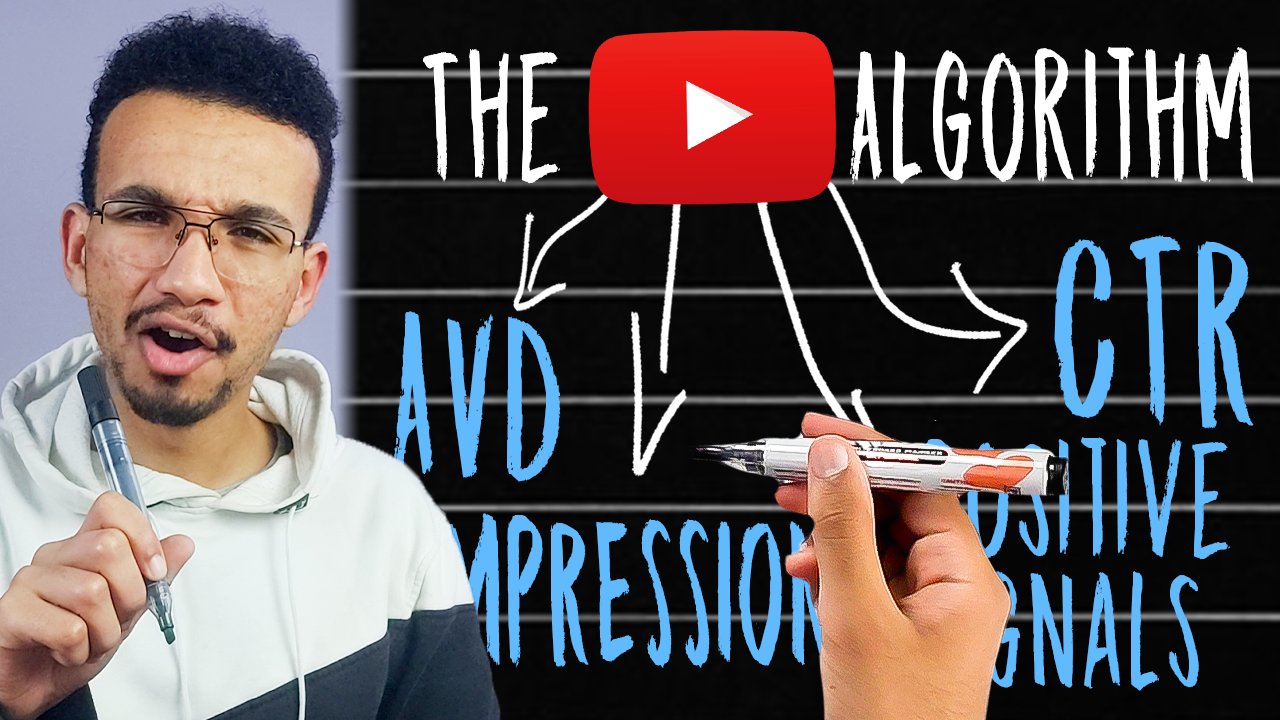
7. Click Through Rate: Alright, so this is probably the most important thing
when it comes to YouTube, these two metrics right here. Well, one metric I'm
gonna go over the first one right now,
it's click-through rate. Click-through rate is vital
to your YouTube success. If you have a low click-through
rate on your videos, if he is not going
to do too well, even if you have the
best video in the world, you could have the best video. Alright, the most legendary
video of all time, if you click through
rate is trash. Your video's not
going to be seen. The thumbnail and the title. These two things are vital. You're going
to focus on this. Most people make the
video and then the thumbnails and afterthought
or they just like whatever, I'll just make
some random thing, stick together, some
random images on Canva or Photoshop and they just submit it with some trash thumbnail. You video's not
going to do well. And even worse, sometimes
you just go and you just pick the
auto select thumbnail from a random frame
in the video. That's the Do not do that. Make your own thumbnail
and make it good. If you could hire a professional thumbnail maker guy, alright, some dude that just specializes at thumbnails that can put all the lighting and
the shadow effects like that stuff I can do. Alright, I just kind of
stick images together, make it look reasonable. There's some people
out there that their graphic design masters that can actually make
legendary thumbnail. So that could be an option
if you can do that. Focused on the thumbnail,
you shouldn't be spending the same amount of time on your thumbnail as you
do on your video. Here, b will say that a lot. I don't do it myself, honestly, I spend more time on the video. But there was important,
like focus on that. Make it good. Let's show you guys some
thumbnails right by. My youtube is, my internet
is being trashed. Like I can't even load
YouTube for some reason. I'm in a motel right now and
I'm trying to hotspot to my phone and it just
doesn't seem to be loading command row. I'll put it up on
the screen later on. But as you can see, you
look at these thumbnails, did their catchy
they catch the eye. They got texts on the screen, they got faces as well. Bases do well in thumbnails. Because humans, we see other
faces with a lot of emotion, whether they're
smiling, scared, happy, whatever it is, it
seems to captivate the human eye like we're drawing the face is the first thing
we notice is the face. So you put a face on the
thumbnail that helps. Alright. And then some texts like
describe what it is. It's not even a
mandatory though. The texts you don't even need
if you just have the face. They have seen some thumbnails
like Mr. B's for example, this dude is a good example
because his channel, he is like the
genius of YouTube. So you want to learn like
just analyze Mr. Beast. This dude is the
godfather of YouTube. Basically what the title
thumbnail combination. You want a hint towards
something, you want to tease, something in the video that
they want to find out. And that the only way to find out was to click on the video. Once you've done that, once you've picked that
curiosity, he succeeded. They click through, obviously, the video sucks and work. And you don't want
to do clickbait because it might
click through, right? It's this epic thumbnail, but the video is naive,
unrelated to the thumbnail. They're just going to
click off. Alright, people used the game this
back in the day. They do like some epic
thumbnail, right? And you click on the video
and it's not even related. But the videos like rank super high because of
the click-through rate, because YouTube only focus on click-through rate
back in the day, not the actual watch percentage of the video that they've
changed that now, which then leads into the
next video which we will go over the audience retention. The second most important stat.
8. Audience Retention: Audience retention. How do you make the video? Something that someone would
watch through to the end? Because a lot of the times your audience retention
is horrible for me. When I look at my
audience retention, a lot of my videos, it's
like 20%, 30 percent. I'm wondering why is it so low? If you have a video
that's long and drawn out with no editing, there's like long pauses
between stuff like that. It's just them talking with
nothing happening, right? It's not gonna do as well because the brain
will get bored. Notice if you watch
any videos, right? There's TV for example. Or other big YouTube channels. There's always a cut
like every second, every 2.5th, there's
a cut to a new scene. A new thing happens because
it's resetting the brain. Human brain has evolved
to notice change. Every time the scene changes, it resets your brain slightly to want to keep watching the videos just the same
the whole way through. They're gonna get bored.
They're going to click off. Even if the content is
very relevant to them. Like some situations where you can get away with
it would be like a podcast or an
educational video where they're watching
mainly for the content, not the editing and
all those effects. But the editing and
all the effects helps. That does make a difference. You sometimes even have
to over edit it to the point where it's
actually annoying to watch. Obviously that
requires editing skill and it's something
that a lot of us can't do unless we spent
a lot of time learning. That's when
outsourcing comes in, which I will go over later. Outsourcing is a big part. In the meantime, you're
gonna have to deal with just kind of low quality edited videos when you're starting out. But once you have the chance, try to get to high-quality
editing as soon as you can, because that will make a big difference
with your content.
9. Description/Tags : So next we have
descriptions and tags. Now, this stuff used to
matter back in the past, but nowadays,
especially the tags, the tags don't really
matter, right? The tags are only there. In case like the title, the description doesn't
actually make sense and the algorithm can detect
what the video's about. But now YouTube has
gotten so good there. Ai systems so powerful
that I can just know what your videos about
just from Video texts. That's things that
you say on-screen. They can figure out
what you're saying. And they, they just know, alright, you don't have
to worry about that. The main things that
are important or watch percentage and the
click-through rate description, There's some little
things you can do to bump the description up because
of the description kind of matters a little bit. But you want to do
is put in keywords. So if your video is about online business or
marketing, things like that, you want to sneak in a bunch of the phrase
online business and marketing into your description
as many times as you can because just
having that in there, then allow you to know, okay, This video is about online
business That's share it amongst other online
business videos, Tags. I think you don't even have
to do tags, to be honest, I think a lot of
the big YouTubers don't even post tags anymore. If anything, it might
actually distract the algorithm or
they confuse it. For some people put in
a bunch of random tags. They'll put in like
Christiana Rinaldo on a business video or something
like it doesn't make sense. And YouTube, we just see that and be like, What is
this video about? Is it about business or
is it about Rinaldo? I don't know. And they just won't know who
to promote it to. So don't focus too
much on these things. They do help a little bit.
I think. I don't know. I actually don't
even know, honestly, you'd have to check with
someone inside and YouTube. It actually makes a difference
from what I've heard. It's not a big deal.
10. Cards/Endscreens: So cards and N screen. These things. They're a little bonuses that
you can use with YouTube along watch session is something that they
prioritize a lot. If you can get the person to
watch your video and then click onto another video and keep watching, extending
their session. That's something that
YouTube likes a lot, right? I think that's
another metric which you don't really see
in the dashboard, but it's something that YouTube kinda looks at
behind the scenes. As long as they're washed session when they come
across your channel, if you have very binge
watchable content, something that
people could watch and jump between videos. That's something
that stands out. It looks very good
for YouTube it all by using the end screens
and the cards. Like kinda get them
to the next video. That can be a very
powerful tactic to speed hack the
growth of your channel. So at the end of your video, you can have a little
call to action like, hey, there's video about this. If you want to check
out this other video that's related to this topic. And click here and
point to the corner. And it was like a
little card there, which they click and
then they keep watching. Basically, that's something
that you could use. The channel grow faster.
11. Call To Actions: Now with call to
actions, in some videos, people do that thing where they go and make sure
to like the video, make sure to subscribe, hit the notification bell. They do that stuff, right? It sounds kinda cringy and
it's kind of annoying, right? But it does work, okay, That's why everybody
does it. Alright? It might be annoying,
but it works because you get
that extra bonus. Few people that
actually do click the like button and
subscribe to make sure at the end of your videos or at
the star just whenever you can in the new call to actions for things
that they could do. Like the video subscribe
like things like that. Okay. It works. So do that, add it to your video and my throat
hurts doing that. Yeah, your channel
will grow well, I'm not sure if extra
likes and comments. Who see you in the algorithm. I think they do, but I don't think they matter as
much as watch time. And watch percentage. I think those metrics
weekly rate as well. I think those are more important
than likes and comments, but likes and comments
do help a little bit.
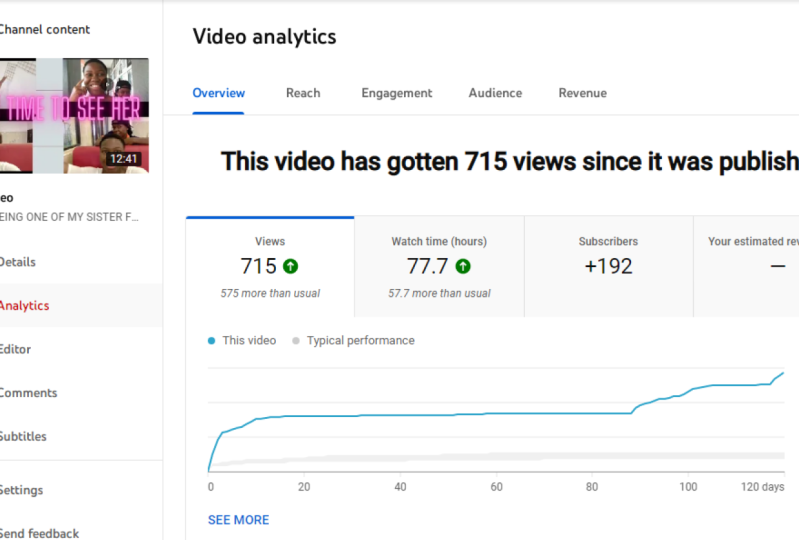
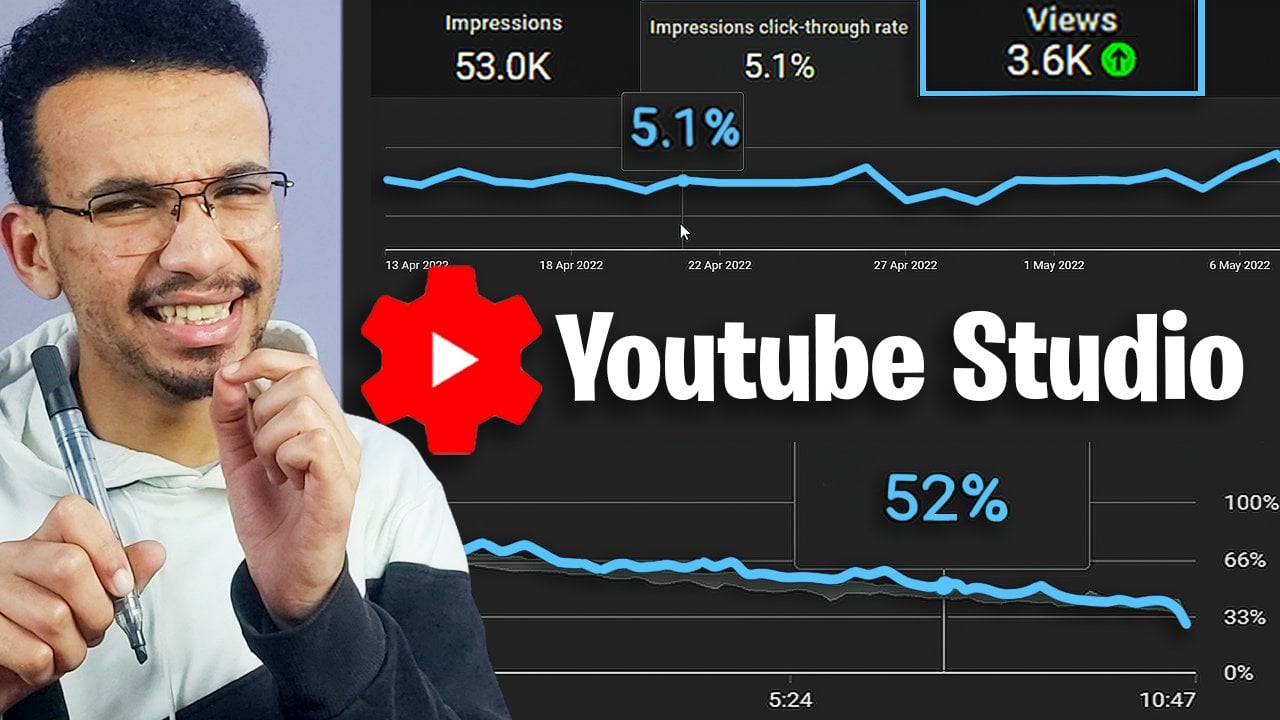
12. Creator Studio Analytics: Now one thing that
you should be doing is analyzing the analytics. Youtube has a very
powerful analytics page. So remember how I was talking
about click-through rate, watch, percentage,
all those stats. You can actually see the stats
in the YouTube dashboard. You got the analytics dashboard
and you can look through, see all this information
laid out for you. You can see which
thumbnails do well, which videos do well. And then you can study it like there's so much data
for you to look at it. You can see the exact moment in time that someone
clicks off your video. You can see at the
10-second mark, 20% of people
dropped off, right? By seeing the stats, you can then study what
is working for you, what isn't working, and start
doing more of what's good, stopped doing more
of what sucks. Analytics is so powerful, grow that something
that you should definitely be looking
at. Studying. Making better thumbnails,
making better videos. And your channel will benefit
through data analysis. So do that stuff. It's kinda boring. You
know, some of you might hate analytics and
stuff like that. I'm a nerd for that
sort of stuff. I liked analytics and data
and things like that. It's cool to me.
So I like looking at it, looking at the numbers. You want to grow your channel,
we gotta do that stuff. So make sure to do that.
13. Cross Platform Promotion: Now another epic
tactic that you can do is to grow on other
social platforms as well. We got YouTube, we
also got a TikTok or Instagram, facebook,
Twitter interests. There's so many
platforms out there. If you grow on multiple
social media channels, right? What you can do is kind of
grow them all up together. Even twitch, twitch
is one as well. They do this with YouTube, but you grow on one platform. You then send those people
to another platform, right? So people for my YouTube
then go to my TikTok. Tiktok, they go to my Instagram, to my Facebook, to my
Pinterest, to my Twitch, to my Twitter to
everything did read it even when you're growing on all of these
platforms, right? People are kind of bouncing between each other when you have a decent size following
on all these platforms, the algorithm takes over. And my Twitch will start
organically growing. My YouTube will start
organically grown. My TikTok. All these platforms
will organically grow. And kinda altogether
collectively, they bring every single
other platform up. That's like a wave
faster way to grow. And all your platforms by utilizing all these
other things. You can grow a lot faster. For me, my YouTube growth has
came mainly from my TikTok. Like I've grown a TikTok
page at the time. I'm making this video, I'm at like 96 thousand
followers on TikTok. Majority of my YouTube audience
have come from TikTok. So by having other platforms grow alongside your
YouTube channel, you actually help YouTube
channel grow way faster.
14. Outsourcing: And I kept mentioning
outsourcing in the previous lessons, but outsourcing your work to an editor or a
thumbnail creator, SEO dude, doing
all those things. First of all, it frees
up your time editing, editing something unless you're actually
passionate about, it's very tedious and annoying
to do your spending hours. Editing. Editing takes longer
than the video itself, like descriptive video to film the video might take
like two hours, right? The editing takes like
three to four hours. It's insane how long it takes. If you're able to
pay someone that can edit that same video
and maybe an hour, four times faster than you
can add a higher-quality. It's well-worth it to do
that cost money, obviously. Now, you're just
starting out a channel. You're probably not going
to have any ad revenue. And you're just losing money out of your pocket
by hiring an editor. So I can understand why you
might be hesitant to do it. But once you've grown
your channel into a position where
you're starting to see some income and you can
afford to hire an editor, it is probably the
best investment you can make because you're
going to save so much time. Would you can then use
to make more videos, which will then make you
more money in the future. To then hire more editors,
hire more people. And new channel will just exponentially grow like
at that point once you can afford an editor that's like the next level stage,
that's when you take off. And once you can even get a thumbnail dude, make
professional thumbnails. Now you're sad. You're going to have
high click-through rate because of good-quality
thumbnails. And you're going to have a
high audience retention rate because of highly edited,
high-quality videos. So outsource when
you get the chance, it will change your life.
15. Outro: So yeah, that's pretty much it. I hope you enjoyed this class, maybe learn something new. I hope your YouTube
journey is a success. Good luck on your journey
and we're all going to make it together
row, you got this.
 Luke Robins, Just a Regular Dude