Transcripts
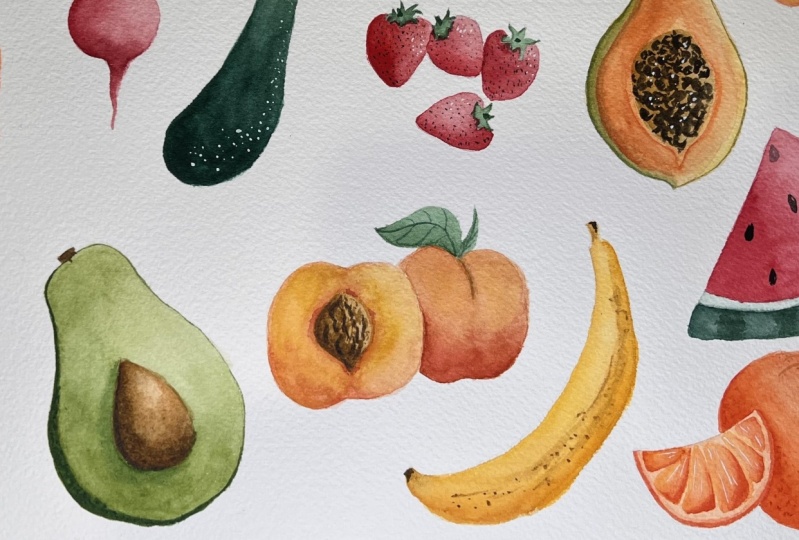
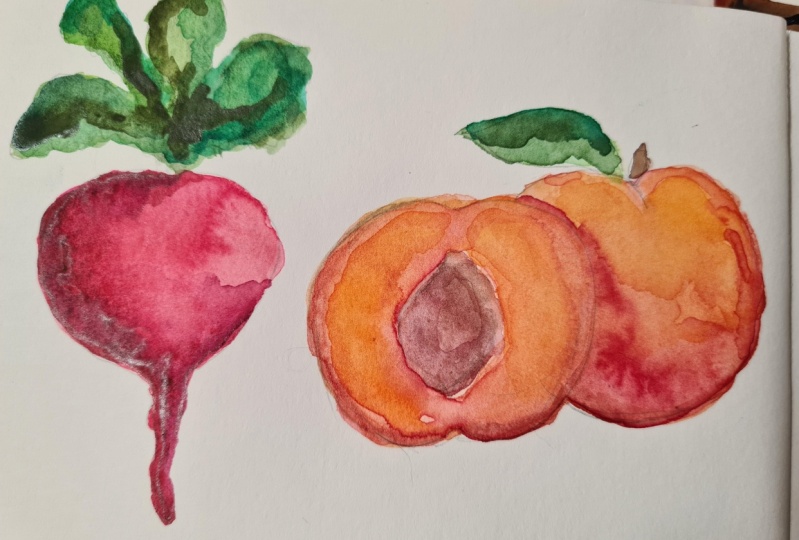
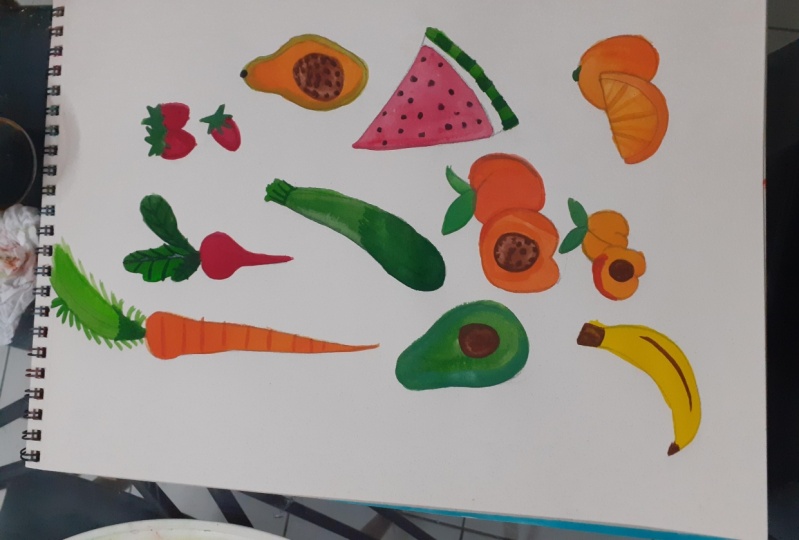
1. Introduction + Class Project: Hi, I'm Nicky. I'm a watercolor artist
and calligrapher. And today we are going to be painting summertime
fruits and vegetables. I am excited to bring
this class to you. I've been really inspired by our local farmers market lately there's been so many beautiful
fruits and vegetables, and I thought it
would be a really fun watercolor class to do. So we're going to start off by sketching out our
fruits and veggies. Then we're going to paint, we are going to be painting
in multiple layers today if you are brand new and you've never picked up a
watercolor brush before, I highly suggest taking my
beginner level course first, once you have that
basic knowledge, come back and take this class. If you are a
beginner watercolor, this class is totally for you. We are going to be painting
in multiple layers, a more realistic style today. So it's going to take
a little bit longer, but it's going to be super fun. So we're going to pay. And then I'm also going to do a couple of bonus videos
where I'm going to show you how to digitize your
artwork and then also put it on products if that's something
that you're interested in. The class project for
this is just to paint along with me and then to post
your painting at the end. I absolutely love to
see what you guys paint and I hope you
share it with all of us. Alright, let's get started.
2. Supplies: Before we get started painting, I want to make sure that you
have the right supplies. Today. I'm using a watercolor block. If you don't have a
watercolor block, you can totally use
watercolor sheets. Just make sure
that you tape them down to whatever surface
you're working on. Otherwise, going to buckle because we're gonna be
using a lot of water. So either use a block or tape down your
watercolor papers. Have a variety of
watercolor brushes. I have. This is a lot here, but I would say you'll
probably need a size 64. And something for smaller
details like a 21 or a 0. Then of course, your
watercolor palette, I mind is very messy if you've ever
painted with me before, I do keep a messy palette, but it all works out in the end. However, your
watercolor palette, watercolor palette is
we just want to make sure we have a good
variety of colors. Yours does not have
to be this robust, but make sure you do
have the basic colors. And then if you guys have
painted with me before, I like to use to water cups. I use one for cool tones
and one for warm tones. That way our colors
don't get murky. And then I use a paper towel. This one obviously
has been used, but I always keep a
paper towel handy. And then lastly, you're just going to need a
pencil because we are going to be sketching out our fruits and veggies before
we start painting them.
3. Sketching: The first step is we need to sketch out our
fruits and veggies. Now, I'm going to be
sketching a little darker because I want to make sure that you guys can see
what I'm drawing, but please make your pencil
lines as light as possible. So today we're
sketching a variety or we're painting a variety
of fruits and veggies. I was very inspired by
our local farmers market. So the first thing
we're going to start off with is a carrot. Carrots have the long tops. So we're going to make sure
we have enough room for that. And then just making
that carrot shape, which is kind of a
pointed cylinder. And if you ever go to
the farmer's market, the carrots usually
have a longer route. So that's why I
made it that long. And we're not going to worry
too much about getting into too many details
with the pencil, but you're going to want to
have the carrot top up here. Next we're going to draw
the radish turnip shape, where it's circular and
then comes down to a point. And again I'm going to make
that little root coming out. And then the leaves on the radishes are a
little more big. If you guys need to pull
up a picture of these, please feel free to. I am just drawing from
memory right now. There's really no
method to these leaves. They're just gonna be
a little bit bigger. They're not really small
like the carrot leaves. Then we're gonna come
down here and we're gonna do an avocado. Avocado if you want to
make like a light circle. And then a little
circle up here. Kinda like a snowman but
with a space in the middle. Then you're going to
outline and connect them. A curve kind of hourglass shape. Oops. Again, make sure you're keeping your pencil lines really light. I'm keeping mine darker so you guys can see
what I'm doing, but I'm gonna come back and
erase these a little bit. And then an avocado has
that pit in the middle. It's kind of a teardrop shape. And then I like to put a
little stem up here on my avocado and then
just a little, just show the edge of
the skin over here. I'm going to erase
these other lines in here in a little bit. Then we're going
to make a zucchini that's that long shape. Zucchinis can be gigantic
or they can be small. We're going to do a
smaller one here. So it kinda has a
bulbous shape at the bottom and then straightens
out towards the top, and then it always
has that thick stem. Now we're going to do a peach. So we're just
painting everything together so we can save paper and we're going to
work on it all at once because I like to work
in that layered style, so it takes a
little bit of time. So if the pH, we're
going to do one side that's kinda cut open and
then we'll do the backside. So the pH is rounded but then
kinda comes up like this. And then that peach pit, kinda like a diamond shape but circular or a teardrop that has the little
drop on one side. And then I'm going to do a whole peach over
here, kind of circular. And then peaches have that, for lack of a better word, like it looks like a button. But comes down and then I'm just going to do a little leaf, maybe a little one right here. Till then, I am going to
do strawberries up here. Strawberries or that kinda
teardrop shape again. And then they wear
this cute little hat, which is the leaves. Like I said, feel free to pull up an image if you're
struggling with me right now. Struggling to draw on
my little strawberry. Okay? Now I want to do the papaya. Papaya is similar to
an avocado shape, but it kinda comes down
to a point at the bottom. Very circular. We're going to do it cut open. So round but pointed at the
bottom and then comes up. So the other, so you could make a big circle here and
a big circle here, just like we did the avocado. And then connect
them if you want. Then there's gonna be
a little stem here. And then this is all
going to be seeds. But we're just going to lightly outline that so we
know when we're painting to make
sure this is brown, I'm going to do a
watermelon slice over here. So that's a big old triangle. Then there's that white, and then there's the
green on the bottom. We're not going to
worry about the seeds because we can add
those in later. Then I'm going to paint
or draw a apricot. Apricot is similar
to stone fruit, similar to a peach, but smaller. And that the apricot pit basically takes up almost
the whole apricot. And again, we're
gonna do front and back or whole and half. And it has that
same little crack. We're going to do a
banana down here. So banana is curved cylinder, has a little stem
here and a stem here. Kinda like a smile. Banana. Then we're gonna do an orange. So we're gonna do a slice of
an orange, that half-moon. And then just these little
orange segments in here. And then we'll do a
whole orange as well. So just a circle. Because the Valencia oranges
are in season right now, or I live there so
sweet and delicious. Alright, so we have
all of our fruits sketched out and we're
going to start painting. I'm going to come in here if your pencil lines are
this dark and you have a gummy eraser come in here and lightly remove some of this. You don't want to
scrub too hard because you're going to remove
some of the texture. But hopefully you drew a
lot lighter than I did.
4. Let's Start Painting: Now that we have
everything sketched, I want to mix up
our color palette. So when we're ready to paint, everything is ready to go. Now, we're going to need
a lot of colors here. And the first one we're
going to need some orange. So just make sure your
oranges are ready to go. We're gonna be working in a lot of different shades today. Because we want to
have some depth. It's gonna be a little
more realistic style of painting. You have orange. We're also going to
need to wake up our red for that radish. Just so if you guys haven't, if you're new here, I do have a beginner
watercolor course that might be really helpful if you've never painted
with watercolor before. But I'm just rinsing off my brush every time I go
into a different color. So I'm not mixing it up too much for the zucchini
and the avocado. They're gonna be a little
bit different grains. So the avocado is going to
be a little more yellow. The zucchini is a little
more darkish green. Getting a little darker green. Over here. These are just for our
base layers so they don't have to be super perfect. Then for the pH, I am going
to grab some opera rose. Actually, I'm going
to mix it right here. Opera rose, a little
yellow ocher, maybe some more
orange, a little red. Until I get a peachy color. My little yellow. The banana is obviously
going to be yellow. We have yellow right here, so I'm just going to
add some water so it's ready to go and we're
going to use it. The papaya, I'm going to use a combination of this
Indian yellow up here. We have the red for the
watermelon, the apricot. I'm gonna do a combination over here and the orange same things. So everything is all our
paint is wet and ready to go. And we're going to
paint our first layer. So our first, I'm going to start on the left-hand side
and move to the right. And the reason I'm going to do this is because I don't want to start here and then put
my hand in my paint. And because we're working with so many different
pieces today, hopefully we don't have to take too many breaks because
while this side dries, we can work on this
side and vice versa. Go ahead and grab
some of that orange. You want it to be really light on your palette,
on your paintbrush. So pretty watered down because
this is our first layer. And we're just going
to come in here and paint in that first layer. I'm using a size six
brush right now, but I might switch to a four because the tip on this brush
is not very pronounced. So I might run into
some issues here. Just painting all the way
down in that base color. And you can also grab
a little bit of a more saturated orange and just lightly poke that in
there if you want. I'm going to grab
a smaller brush, my size two and I'm going to get some of that light green. And lightly, It's okay if
it bleeds a little bit, but lightly touch
the orange because that this stems here would be grilling into the
orange, are growing out of it. I'm just making
these little lines. Then. I'm just kinda making these hash marks with
that same green. Don't worry about having a
depth of color right now. This is just our first layer. These are those little
tiny leaves that come off of carrots that
rabbits like to eat. Just lightly. Making little lines. You don't want them
to be too thick. Just kinda blotting
and some color down here where it
might be thicker. Technically. You wouldn't have them all the way down here,
but that's okay. Now, moving on to that red radish painting,
that base layer. This is really watered down because it's our first layer and
that's what we want. Then switching to the green, I'm just putting a
base layer down. If you ever have too much
water on your brush, just lightly tap it onto your paper towel and it'll get rid of some of
that excess water and paint. Moving on to that zucchini, which is a little darker green. We don't want it to
be super dark green, but we do want it to look different than the other
greens that we've been using. This technique is called
wet on dry because we have wet paint and we're
painting on the dry paper. We did use a little wet on wet over here when we
were having a bleed. But for the most part, we're gonna be using wet on dry. Giving this a little
color up here. Maybe it just poking in a little darker color where there would be a
shadow down here. This is wet on wet
that we just did here. Now moving on to our avocado, super light shade of green, make sure you don't
paint over the seed. We don't need to paint
over that right now. It's going to be brown. So just leave a space for it. Mikado, moving onto our pH. Whoops, probably add a
little more yellow to that. And again, just
really, really light. And if you want, you
could do a white peach, so you could make this
super, super light. I'm just doing your
standard yellow peach. We're going to go
ahead and paint this. This is the only
time we will paint this side and this
side together. Because we're going
to want there to be some definition
between the two. And if this one's wet,
that's going to bleed. We don't want that. But we can do it
right now because we're just painting
a base layer. I added in a little darker
shade on the bottom here. To give it some depth. Early on. We're going to leave that leaf so it
doesn't bleed right now. Moving on to the strawberries, just grabbing a
really light red, Same thing about the
strawberries as the pH. This is the only time
we're going to be painting them
side-by-side like this. Had a little more paint
on my brush there. Now, moving on to
our lovely papaya. They have a golden orange flesh. So we're going to make it
really light right now. But make sure you
leave that spot open in the middle
because that is where all the seeds are. It looks like I accidentally got another color paint in here, but I think it's gonna be okay. Now something that
we can do with the papaya is grab a green, kind of a yellowy green. We're gonna make that
outside flesh color or that's outside skin. I'm just lightly tapping
on the edge here. It's going to bleed a
little bit and that's okay. Your brush should not
be loaded with water, it should be light, like it shouldn't
be dripping off. This is going to come in handy
later to have this done. Then we're moving
on to our apricot, which has a lot
more yellow base. So this is how I like to paint. I paint in layers. And I like to paint this
way because I'm able to get a more realistic look
in my, in my mind, I don't paint a 100% realistic, but I am able to get it to
look a little bit more. Don't worry about how
yellow this is right now because we're gonna be
adding a lot of layers. I mean, if yours is
shockingly yellow, you can go ahead and pull
up some of that color. How you're gonna do
that is you're just going to rinse off your brush, dry your brush off on the paper, and then come in and press down and it'll
pick up the color. Moving on to the banana, it's gonna be pretty yellow. I don't mind the bottom
layer being pretty bright. Still needs to be
more diluted, but then we have our watermelon up here. It's going to be red. I want to make
sure it's light so we can pull some highlights. And then we're going to skip this white part and get a green. Still a light green because we're going
to add darker shades because watermelons have those darker green
lines in them. And we're just going to do that. And then lastly we
have our orange. We're just gonna go ahead
and paint really light. Okay. Now the last thing
we're gonna do before we were going to let
this dry completely is add the green and we have green on
this leaf over here. Still the same
really light tone. And these greens are going
to be a little darker. So we're going to add this on the little hat. And a lighter green over here. These are dry. We can actually come
in here with a brown. We're going to start with
a really light brown. And just paint where
these guys are. Or were the seeds? The seeds or the pits. We can give them detail later. We're just laying down all
our base colors first. Alright, everything
has a base layer. We're going to let this dry and then we're gonna
come back to it.
5. Painting Continued: Now that everything is dry, we can come in and put
in our second layer. I have my size four brush and I'm going to start on the
left-hand side again. When I grab a slightly
darker orange, I might add a little
bit of red to it. That was a little too much red. And now I'm going to come in and I'm going to decide on
a light source here. So I'm gonna say
the light source is coming in from
the right side. That means the
shadow would be on the left side of any of
our fruits and vegetables. And I'm going to paint
this darker color. Make sure your
paint is saturated, but it has some, you want it to be a
little bit wet if you're starting to see
spots being skipped, that means you don't have
enough water on your brush. But I'm going to
rinse off my brush, grab just water, and paint
this area with water. That's not touching the paint. Then I'm going to come
in and touch the pink. And it's going to
bleed very nicely. Sometimes it needs
a little help. You can move it
along a little bit. Maybe I want to add in a little more golden
yellow at the top. Just poke it in lightly. And then maybe some down here. I'm going to let that dry. I'm going to leave
those for later. But to do this same thing with the radish grabbing a darker, more saturated red coming in
and just painting one side. My paint is very saturated, but it's still nice and wet. Rinsing off my brush, getting just water, then lightly touching it
and it'll start to bleed. Sometimes you need to help
it move a little bit. If it was just a little too dry. And I like to poke in
a little extra color. In some places, maybe
down here because there would be a little
shadow. Alright. Now we're going to
do the avocado. And remember we had that
outside skin of the avocado. We're going to go
ahead and paint that. It's going to be
the darker green. And I'm just lightly going
along the edge here, rinsing off my brush. And we don't want our water to go too far because
we don't want it to bleed in here because this is gonna be a different color. But just along the edge of
where the skin showing. You could put it
over here as well. Just a really light line. Really liked. Oops. Pull that up. We're going
to leave that one before, oh, actually we could
work on the avocado pit. Grab a little darker brown. I'm mixing up. This is, I believe,
burnt sienna. I'm really bad at remembering what colors I put where
some people are super organized about
their color palettes and they haven't labeled. If that's you, that's awesome. I just go by what I see. And I'm doing the same thing. I'm just making a
dark line over here. And then rinsing off my brush. Kind of blending that in so it's smoother, no harsh edges. And I might grab
just a little bit of dark blue and add
it to that brown. There's dog hair on my palette. Story of my life. I grabbed that little darker
brown and I just lightly, I'm tapping it along
this edge here. There's even more
variation with watercolor. Really great way to
make things stand out and look more interesting to
look at is to add shadows. Because that's what draws
our eye into everything. That's essentially
why we don't see things flat is because we see shadows and it makes
things look more 3D. I don't know if what I just
said about how we see things. It's true. Moving onto the zucchini, grab that darker green. And zucchinis usually have
these tiny white spots. We're going to bring it in a white paint later to do that. You can do it by leaving
space and the white paper, but that's a little more
of an advanced technique. It's not a super advanced, but I want to keep this
a beginner level, so we're going to just add
white paint at the end. I have that really dark green. And like I said, our light is coming
in from this side. Then I rinse off my brush and then start blending
that green in. Zucchinis for the most
part are a bit darker. So let me just go ahead and
paint this all pretty dark. We can leave this
part later appear, since the sun would hit it more directly than the lower part. Maybe add in just a
little more dark. We're not going to worry
about the top right now. I made a little mistake
there, but that's okay. I'm also going to
teach you guys how to digitize this if you want you. That's just a bonus part. But I can remove that
in digitization. Otherwise, I can
do that technique where I rinse off my brush, dry it off, and then
pull up the paint. Now, let us move on to, let's do the peaches. We kept the peaches
really light before. Now we're going to come in
and add a little more color. Just mixing up a pinky
yellow color here. And I'm going to actually do this 1 first and then we're going to
come back because remember, we don't want we
don't want them to bleed anymore because we
want them to look separate. Color. Maybe adding a little more yellow. Peaches usually have
some variation there. They're not flat. I mean, nothing really
we look at is flat, but they usually have a good amount of color
variation in them. Maybe add a little more. Kinda looking like
a nectarine here. Okay. Moving on to
the strawberries. Same thing. This is very saturated. Rinsing off the brush, letting that water flow and blend who I really liked
the way that turned out. We can't paint this
one because they're touching and we don't
want them to bleed. So we're going to move on
to this one down here. Rinsing off our bash,
grabbing just water. And remembering
that our light is coming in from this
right-hand side. Awesome. Now we can go onto this papaya, which is usually an
orangey golden color. So we want to bring
more of that color in. We're gonna make
sure we don't paint over this green on the outside. I have a very saturated
paint on here right now. Rinsing, grabbing just water. My water is very
orange right now, but that's okay because we're working in those warm tones. So it's going to be just fine. Painting along here. You can paint a little bit into this brown part because it's, does the seeds kind of
blend in a little bit? I am going to grab a little more orange because this is looking a little
too yellow for me. And just lightly
kinda poking it in. Then maybe there would be
more of a shadow down here. Alright, I'm going
to let that one dry. Moving on to the watermelon, which is very red, the seeds are gonna be black, so those will be easy to add on top of the watercolor paint. When you're painting
with watercolor, you can always put
darker over it, but you can never put light over it unless it's like
a gouache or something. That's important to remember. We're painting from
the lightest color to the darkest color. It's kind of opposite
with acrylic painting. I used to do a lot of
acrylic painting and you can cover up
anything essentially because the paint is so thick and water doesn't reactivate it, but water reactivates
watercolor paint. Just tapping in some
color. There's a light. The light's coming
in from this side, so it's going to be a little
more light on that side. And this is looking a
little harsh to me, so I'm going to
rinse off my brush, tap it off, and then just lightly tapping
to move it around. Or like scrubbing a
toothbrush a little bit. And it looks a
little better to me. Now we are moving on. Let's do our banana. Or banana is really
bright and we need to bring down that
brightness just a tad. I added in a little
Indian yellow. And I'm painting the bottom. Rinsing off my
brush, adding water. The banana is now looking a little golden, but that's okay. I am going to grab a
little bit of brown. Brown that has a little more, that's a little more muted. We don't want
something too bright. And I'm going to lightly punch in some color up
here where the stem is, and then where the stem is here. And we want it to bleed. It'll give a good look. And we could also put
a little line in here. She knew how and bananas
start to get ripe. They get a little brown and just let that do its thing
and bleed a little bit. Moving on to our apricot, we are going to grab
a peachy orange tone. We're gonna do the
inside of this one. So what I'm gonna do is actually outline all the way around the seed and all the way
around the outside of this. Now makes sure
that your paint is not drying when
you're doing this. Because if it dries, you're not gonna be
able to move it around. Then rinse your brush off. Move the paint around. See it did dry a little bit. So I have to scrub a
little to get it out. I'm okay with that because
technically there would be a little bit of darkness where the skin
is on the outside. But this is looking
kinda boring to me. So I'm gonna just add in
a couple of touches of yellow that I have an
Indian yellow. There we go. I like that better. Moving on to the orange. And orange is going
to be really orange. And I'm going to do
the big one hole and first coming in here. Definitely be a
shadow here where the orange slice
crosses the orange. And once I feel like I
have a good amount of paint here, paints nice and wet, rinse off my brush
again and start adding not water into the other
side until we touch. Then it's going to bleed. And I know it might seem maybe like not not that big of a deal that I
keep doing it like this. But you really want to do
this technique because it's going to make the edges of
your watercolor lions smooth. Like look how
nicely that blends. That's what we want. It's really important when
you do pet paintings, the same technique
is super-helpful. To make the first
look super soft. This is too dry or too wet for us to go in and paint
these guys right now. But this has dried. We can go ahead and
paint the avocado. The inside of the avocado is
going to be a little more yellow than the outside,
not super yellow. That's two green. Same technique. The key when you
are trying to paint realistically is making sure
that your layers are dry. Before you go ahead and
start painting other layers. I'm just moving
this around here. That's kinda pretty bright
green, but that's okay. This is dry enough
that we can go in and paint that peach. You need a little more pink depending on what kind
of Petri eating, right? Because there's lots
of different colors. I'm just going to start
moving this around now. Because the inside of a peach, it's typically pretty light. There's usually a
darker like right here where it opens or a word the stem would be just
adding water to blend it in. And I do want to put
the skin around. Similar to that color. So I'm gonna grab something similar to make sure I
don't have too much paint on my brush because it is
going to bleed a little bit because it's what I'm
just gently outlining it. If you feel like it's too harsh, just grab some water and
blend it a little bit. I think we can come back for the strawberry and maybe make a strawberry a
slightly different shade, maybe add a little more darker red or
maybe a little pink. But if you look at
strawberries in nature, they're never mean, I guess
they're the same shade, but there's a little bit
of variation in there. One day, like I'm going to add a little
darker shade up by this. I like to call the the
strawberry leaves, like a little crown or hat. Just because technically there
would be some shadow here. You don't have to
get carried away. You can always lighten
it by adding water. There we go. And think, oh, we can go ahead and put another layer
onto the screen down here. Since this is going
to be at the bottom. Put some dark shade under here. Okay, don't want to
get too crazy there. We can't touch this
orange slice just yet, but we could do this apricot. So grab some color
for the apricot. Apricot is looking a little
too similar to my peach. Actually. Okay, this color is
good apricot color. And maybe just adding a little darker tone right here where there would be a shadow. Same thing over here
with this peach. Or it has that little
crease, the dimple. Lightly blend deck. We have to let this all dry. Because if I start
going like this, I'm gonna get my arm
and all of this. So we're going to let it dry and then we're
going to come back and we're going to
add one more layer. And then the fourth time we're
going to add in details. Okay, now we're ready
for round three. I did actually, while I
was letting this dry, I pulled up a picture
with peach and we are going to want to add a
little more yellow in here. So just if you're
struggling a little bit, pull up pictures of the fruit, otherwise you can follow
along with me. Of course. This guy over here, we need to add some
definition to it. But not grabbed the
same orange that we use for this whole orange. And I'm going to
lightly draw a line. This is along the
bottom, the rind. This is very saturated. Then I'm rinsing off my
brush and just grabbing water and lightly
blending it in. We want this part between
the fruit that you can eat, the rind to stay light. If you guys have ever cut
open an orange before, you know that they have this
white? I think it's called. Now for the flesh of the
orange that you eat. We're going to make it
a little more yellow. And there's usually those
little hair I'll demonstrate. So there's a portion that
needs to stay white. It's that membrane, the orange. So make sure you're leaving that space between it
doesn't have to be perfect. But basically make
your little triangles and leave some space
for that membrane. I'm actually pulling up some of the color with that technique
I showed you earlier. Just outlining it
and filling it in. Then I'm coming in and
lifting up some color. While law. Now we can come back
over here to our carrot. And we are going to, we're not going to worry about this because this is
going to be really easy to add in some
details later, but we are going to just do one more round of some
color on this carrot. Just grabbing saturated
orange, lightly. Painting along the edge, rinsing my brush and
just blending it in. Yeah, I like that. It needed just a little
bit more of something. Going to grab just straight up yellow and just add that to it. I like that. Okay. Same thing with our radish. Maybe grab a little darker red. Same thing just lining it, rinsing off my brush, then letting that color bleed. And grabbing a little bit darker red along the bottom here. I'm just going to let
that dry like that. I like that. I think
it looks cool. Now because these leaves
are a little bit larger. I do want to add some more color more than we would add
for the carrot tops. I'm going to grab a green
that's slightly darker. And I'm just gonna do that same thing that
I was dealing with. Everything else. Outlining one side, rinsing off my brush and letting it bleed. And maybe some of these
are slightly darker. So add a little
bit darker green. If you want to darken
your green or mute it, you can add a little red because that's
its opposing color. Or you could add black, but I like to use, Oops, I like to use the
opposing color. I feel like it
just works better. It doesn't mute it out so
much or make it muddy. I'm going to poke
in just a little darker green down here
since this is all wet. Maybe this next one
is a little more green or sorry, a
little more yellow. Sometimes I'm painting and talking and I'm not
realizing what I'm saying. Just want to poke
in some color here because yeah, there you go. Blend that in up a
little bit more. I have tried to
grow radishes and I really struggled with
them and I love radishes. They're so delicious,
super good for you to. They have tons of
vitamin C fiber. We're just adding a
little darker green. I'm going to add a little
darker green over here. I'm just lightly
punching that in. Like I said before, if
anything looks too harsh, just grab a clean brush
and lightly blend it in. Now, moving on to the zucchini, I'm actually going to grab a picture of a
zucchini really quick. Because I'm not
looking at anything. I'm just frame of
reference and I think that that's making
these struggles little pets. Okay, I have this leukemia and I'm going to add in a spot that's just a
little more yellow. Oops, that's just bright green. Just because sometimes there's a little bit more
variation and the green. And I'm just going to blend this and grab my darker green. The same thing. Shadow on this side. And we do need to deal with
that little top piece. And that is usually pretty
light, pretty yellow. I'm gonna make it
yellow and then when we come in or not yellow, sorry, I'm making it
like a yellowy green. But when we come in with our
details in the next round, I'm going to make it a little, make it pop a little bit more. Coming back to our avocado, we can grab a dark green and
lightly paint this edge. This is our avocado skin. And it just needs a
little something more. I'm just lightly adding water. And we are going to paint
are the avocado flesh. And it's okay if they
bleed a little bit. Adding in some variation here. Making sure to leave this lighter on this side where
the sun would come in. Something I'm going to do
is this around this seed, there would be a shadow
and we need that. So I'm grabbing a
little bit darker green and I'm lightly poking it in so that there's a
shadow on this side. It's going to make the seed
standout a little bit more. This is a little harsh, so I grabbed a clean
brush and I'm just lightly moving around the paint. Then maybe up here, it would come down just a
little bit where the stem is. And we need to
work on that seed, but we're going to come back for that after everything dries. Now for the peaches, I want to make it more
yellow in the middle. So I'm going to grab a yellow
and paint paint paint. All too yellow. So I guess we are
doing yellow, peach. And peaches have
where the pit is, like the dark, a darker
shade coming out from there. And it's usually that
a pinky orange tone. We are the census is wet. We can just lightly
poke in that. Now this is going to look
much more like a peach. There we need it to. Just a little bit more. There we go. Once it hits that water, it starts to blend
really nicely. Much better. Coming back to our strawberries, maybe getting a little more saturated or a
little darker red. And I'm actually going to
leave this strawberry, maybe just the bottom here, adding in a little more shadow. But I'm gonna be sure that
I don't come close enough to touch that one because I want to paint that
one right now. So I'm just adding
in this color. Then I'm going to grab
a little bit darker, and I'm going to add
more shadow over here. Down here. Maybe a little, poke
in a little more red. Add more red over here. Here we go. Alright. It's a little harsh, but I don't want them to touch. Okay. And last but not least, this guy just put a
ton of paint here. I really wanted to darken it up. Okay. Back to our Papaya. So there's usually around the center stays a
lot more yellow. We're going to put
more orange in this. We're gonna leave a line of yellow along where those
seeds are gonna be. And then right here, where the stem comes
down is the same way to where the stem goes up. I actually made
this papaya wrong. Maybe you guys majors better, but the shape is
a little bit off. But that's okay. Nothing has to be perfect. Okay. So just coming in here
and blending that in. If it's not blending, grab a little more paint. There we go. We have our beautiful papaya. I'm going to grab the green again and just touch the edge. So it's a little brighter. It's usually kinda flat. There we go. Okay. We're not going
to touch her seeds yet, but we can just hit a little brown and do the
stem at the top. And even let it
bleed a little bit into the skin of the papaya. Back to our watermelon friend. Grabbing an even darker
shade along the bottom, rinsing off our brush for just layer upon
layer upon layer. And I'm going to leave
the Rhine alone because we're gonna be adding some
details in there later. And we'll just add a little
tiny shadow over here. I always say that and then
I come back and add more. There we go. Now too. Apricot. It's looking pretty good, but let's get that outside
one a little help. Kind of an orangey color. Lightly blend it. We don't want it to
look too orange. So if you want to add a
little pink, you can. We also don't want it
to look too Peachy because we want
people to know it's an apricot and not a peach. Okay, looks good. Now something we could
work on is we could add something to the
seed right here. I grab a brown and just
lightly go around the edge, rinse off my brush, and then just blend it
in and we'll come in on that fourth round and add
more texture to the seed. But right now we're
just trying to get little variation in the color and show that it's
darker around the edges. And we can do that
to our peach pit to, let's see, we can come
back to our orange. I'm going to say, let's do one more round on
the whole orange. Grabbing just a darker shade. Again. I'm painting where
the shadow would be. And then along the bottom. Just a little bit up here, rinsing off my brush and letting the orange paint
flow around here. I might add just a
touch of yellow. Go. We have to let
this dry before we can come in here and paint that. So now we can work
on our banana. And sorry, I'm pulling up a picture and it's pulling up Banana Republic and
that's all I need. Okay. So our banana, I want to
darken it just a little bit. It's kinda looking plane to me. So I'm gonna make it just a
little more yellow down here. And we're going to
come in when we do the details and add
some brown spots to it, but I just wanted to give it a little extra
shadow down there. Okay. What else
do we have to do? Ph is going to need
the whole peach, needs a little love grabbing
a peach color again, I got to mix up a little bit because I've used
almost all of it. So to mix up peach, I have opera rose, I have orange, yellow, lemon deep and a
little yellow ocher. And I'm just coming in here. It's pretty dark. That's okay. Making sure you leave
some lighter spots. And then we can also add
just yellow in there. Mix it up a little bit. Since now this is
definitely a yellow peach. And we'll add a little shadow there when we come back
for all the details. Now what we could do is this needs to be a
little bit darker. Mix up a slightly darker brown. Just doing a nice little
shadows that we love to do. Make sure to leave
a little piece of the lightest color that you have because it essentially
is a highlight. And then I'm going to put
a little stem up here. Maybe have it come
down just a little. And the papaya is pretty dry so we can come in and
paint that brown part. We are going to start off, let's see how do
I wanna do this? I'm actually going to
paint it all brown. And then we're going
to come in and the seeds are almost
a black color. So we're just going to
make the base this brown. Then when we do our
details that we can come in even further. This seat on the apricot
needs to be just a little bit darker before we put in the details because
the seeds are pretty small. Now what I'm doing
is I'm just leaving some little white spaces in here because an apricot and any kind of stone
fruit pit is textured. We are going to put
some darker lines that will look like divots, but we want those
light ones too. And we're gonna do the same
thing with the peach one. It's tiny little
details like this that really make your
artwork stand out. Sometimes it's just as
simple as that whole thing. Okay. We're going to come back to
the carrots over here and we are going to finally
add in some detail. You're going to grab a green
that's slightly darker, but those are usually pretty. Think yellowy green,
pretty bright. So nothing super dark. And then all I'm doing is
just putting little lines. Nothing crazy. But you want to use them sparingly because then we're going to
switch the color. So you don't want to
have everything be the same color or it's
going to look boring. Maybe now I'm going to grab something that's a lot
more like bright green. Just putting, I'm
using the tip of my brush to put
little lines in here. I'm going to grab some
water and just blend it. I'm not overly concerned
with it being perfect. I'm happy with it like that. And now we are going
to put, oh, sorry, we need to, this leaf, we need to add some details
to it on this peach. So I'm going to add a
shadow on the bottom of it. And the shadow on the side of this line rinse off my brush. And then just
blended with water. Doesn't have to be crazy, but it needs to have something because this is
looking really plane. And maybe around the center
of the pH we want to add just slightly darker. So there's even more variation. I'm just using the tip
of my brush to make these little lines and we
don't want to put them everywhere a little bit. Okay, Cool. Alright. Now we're going to come
in and out or details. We can't quite start painting this guy yet because
he's connected to here. So we'll save that
one for later. We're adding in the
details and the carrots. Carrots usually have
these lines in them. You're going to want to
grab an orange that's darker, maybe slightly red. And you just make
these horizontal lines really simple. Make them some
shorter, some longer. And then up on top, I'm just going to add a
little shadow on that carrot. Then maybe a little
shadow down here. We're kind of comes down. Now for the radish, I want to put some veins and the leaves going to grab a
green that's slightly darker. I'm using my smallest brush, so use a detailed brush. And I'm just putting veins and leaves kind of almost
like squiggly. I don't want them to be perfect. I also don't want the
veins to be all one color. Alternate between
maybe a darker shade. Maybe you rinse your brush off. You have really light shade. It's going to make
your painting look more interesting if
you do it that way. Veins, and you can
always come back in and add a little bit
darker if you want to. The radish, sometimes they
have little lines in them. You could do that too. If you want. You don't have to
know darker up. Maybe go like that. Now for that, zucchini has
the little top up here. I'm grabbing a dark green mixed with a
little bit of brown. And I'm just making those little lines that are
in the top of the zucchini. And we're going, let me grab my white paint really
quick so we can put the little teeny white spots that are sometimes on zucchini. This is the white
that I like to use. This is called bleed, bleed
proof white by Dr. Ph. Martin's. But you could also use white
gouache if you have it, or even a gel pen, just make sure everything's
completely drive. You're going to use a gel pen. I'm grabbing some of this paint and just going to put the tiniest little
dots on the zucchini. I don't want it to
be too crazy because they're really light on
the actual zucchini. Just to give it a little bit
of interests to look at. That was very short-lived. Something we forgot
is the little tops of the strawberries just grabbing a little darker color and just coming in
and painting knees. I'm going along the edge and then I'm just
going to add water. It doesn't have to be crazy, but they were looking way to
plan the way that they were. Maybe add just a little
darker color here and there. Okay. Now for strawberries, they have those little teeny black seeds. So grab black and your detail, the smallest brush
that you have, and just make these
little teeny flax. There's really no method. Just kinda spread them out. Maybe it makes some
like smaller or larger. And once these are dry, you can go in and add just little bits of
that white paint. And that's another way to
give it a little more depth. Then alternating between
the opacity of your black. So maybe some of
these are a little lighter and then some of
them are a little darker. Now, moving on to our
papaya and we are going to mix up a
brownish black. And we're going to make these little like kind of see shapes. But we're going to want
to alternate between a darker black and brown. Just to make it
interesting looking, you want to leave some
space in-between them. Because there is
space in the actual, if you're looking at a picture. But there's circular. But I like to leave a little white in the middle, not white. Whatever the
background color is, like here it's brown. Just to make it a
little bit interesting, you're alternating, you're making these T-shapes between the brown and the block. Then they kind of come up here. Okay. Looks good to me. Maybe do a little
shadow over there. And our watermelon. We need black seeds again. That's just a teardrop shape. I like to leave a
little highlight. I feel like watermelon seeds
are always really shiny. And then the same
thing that we did with the strawberry seeds is some of them make them
a little bit lighter. Because maybe they're pushed
further into the melon. And it just looks
more interesting. It gives you more depth
in your painting. Some are smaller,
some are bigger. I love watermelon. I have had the worst slot getting
a good one though lately. Okay. That looks good. And then watermelon have on the outside they
have the lines. There's like the light
lines and the dark lines. We're going to make those lines. I'm just like bringing my
paintbrush in a rocking motion. Just making these
tiny little lines. Nothing too fancy. There we go. And we do need to connect
this a little bit. So what I'm gonna do is
grab a little bit of green, kind of a greenish gray color and make a line here and here. And then I'm going to
take that same paint and go along this edge. And then just have
water and let it blend. Because it wouldn't
be completely white. Just not realistic. Maybe even dropping a little
bit of a yellow in there. Cool. Now we can come
down to our apricot and I want to put a shadow
in that little dimple. I'm grabbing a little bit
of like a darkish brown. And I'm drawing the line, then what I'm gonna do is
rinse off my brush and grab water and blend it in
so it doesn't look so harsh. Now if I come in to the apricot pits and use a
little bit darker brown. This kinda makes squiggly lines. And some are going like this. Say some are going
the other way. Just adding a little
extra shadow. Maybe using that same color
for a little stem right here. And almost could do
the same down here. Putting it another
shadow over here. Alright, that looks good. Maybe just almost
grabbing black. To make a couple more
of those little areas. Coming back to our banana, we're going to get
some brown and we're just going to put some
spots on the banana. Slightly putting this spot. And then I'm going to rinse
off my brush and grab just water and
blend some of them. Then maybe put in
some lighter ones up here and blend those two. Grabbing a little
darker brown and just giving a little
color to the edges. I'm good with that banana. Let's come back to our orange. I have saturated
orange for the rind. I'll leave it like that. And then grabbing an
orangey yellow and just painting along the edges
of these little oranges. Now I'll make sure
it doesn't dry. And then just grab
water and kinda blend. Blend. Just blend. And make sure you vary your
color just a little lightly. So you get something
interesting to look at. Then our last guy up here, onto our pH. We can take a green and
make little lines in this peach leaf and grab that darkish brown, black. And we're gonna make
the pit of the pH. And those are usually
pretty deep pits. So feel free to pull up
a picture if you want. But it's just these really
dark, squiggly lines. Because there's usually a lot of texture and a peach pits. And I'm going to alternate
and get basically black to do some of them. So they look deeper than others. Grabbing a brownish peach color, maybe a little gray
to make this dimple. And then just lightly
blending it in with water. I think that looks good. We could add on our avocado. Avocados kinda have or
they do have a bumpy skin. So maybe I'm just adding little dots over
here on this side. So it appears to be bumpy. The avocado pit. I'm just going to add one
last brown black shadow just to make it stand
out that much more lock on to blend
the day because I want it to be a
little more harsh. And I think these little guys need just a little
something extra. I did tell you if
you grab white, Let's grab white again. We can use on a
couple of things. Just little tiny
dots just on some of the seeds will show that there's a little highlight
like the sun is hitting them. And same thing with
these papaya seeds. Maybe just having some of them have a little
white on them. Don't think they're
sticking out. And even this orange here, you can put little
light white lines to show that it's glistening. And the last thing that
I don't want to do, Let's see, is that orange. I want to put some little dots for the oranges
kinda have pores. If you squeeze them, you get that beautiful lemon
or orange sides. I just want to put
tiny little pores. So these little teeny
dark orange dots. And if you do too much, just rinse your brush off and blend it in
with some water. All right, There you have it. We have painted are
fruits and veggies. Now, if you want, you can be totally
done right now. But in the next lesson, I'm going to teach
you how to digitize these and a couple of things
that you could do with them.
6. Digitizing Your Artwork: Alright, we aren't
going to get started. This is a bonus section, so don't feel like
you have to do this. But I did want to
show you guys how to digitize your artwork. If you are interested, I am using an Epson
Perfection V 600 scanner. I love this scanner. I'll link it in the
details of this class. It has been super
helpful for me. But you can also use your iPhone to take a
picture if you want. And we will be using Photoshop. So you'll need to have either
a scanner and iPhones, some way to photograph your
artwork and Photoshop. The first thing I'm
gonna do is I'm just looking in the
preview window here. And I like to scan in as a JPEG. I will say if you do a tiff, It's better quality because it doesn't, what does it call it? It doesn't compress your file. Jpeg is okay for right now, I just my computer is so full
of huge files right now, I just can't take on
one more big file. And then over here, if you are using the
same scanner as me, you're going to have
these little toggles. We can also add our artwork in Photoshop so you don't have
to worry too much about this. That looks pretty good to me. I'm gonna go ahead and scan. Just going to take
a minute here. Alright. So Scan, I'm going to drag it down
and drop it into Photoshop. And we are going to
start digitizing. The first thing I
wanna do is I want to image rotate this
counterclockwise, so it's straight on. And I'm going to zoom.
I hit Command Plus. And we need to do is
remove the background. Now we're pretty lucky here because the contrast is pretty high between the paper and the artwork because we did
some pretty vibrant artwork. Now, if the contrast
was really low, it's a little bit low over here because these
are some light areas. It might delete some of that. So we're going to test
it out really quick. I'm coming over here
to the left-hand side, my panels over here
with the magic eraser. And I want to push up
my tolerance to 55. Having my tolerance higher
is going to make sure that it takes up all
that white paper. And all I have to do is click. And it looks like
This is perfect. The way that I'm going
to test this as I'm coming over here and
making a new layer, I'm going to drag
this layer underneath my layer with the
fruits and veggies. And then I'm going to
grab the paint tool or the paint bucket
switch to black. And I'm going to make
this layer black. You can make it any
color you want, but I like to make it
black because it helps me to see things better
since this is so bright. As you can see, we do have a couple of little flecks left, and we actually did get rid of some of
the artwork up here. Now, personally
for this project, it doesn't bother me that much, but since this is
a teaching lesson, I want to show you
guys what to do, so that doesn't happen. So I'm just hitting
Command Z and going back until I
get to that layer. And a couple of things
that you can do here. The first thing that
we could try is we could reduce our tolerance. So the higher the tolerance, the more it's going
to get rid of anything that is similar
to the white background. The lower the tolerance, the more picky It's going to
be about what it removes. I'm going to zoom in here and
let's drop it down to 35. What I'm gonna do just
so we can check this easier is I'm going to
add back in that layer, that block layer underneath
and make sure you're on the correct layer
when you go to erase. That was one of my biggest
problems when I first started, I was not on the right layer. So make sure you're on the
right layer and we'd moves us down to 35 for the tolerance. And let's see if it's
still gets rid of this. So it does. Oh, actually. It looks like
that's pretty good. So 35 was what we needed. You can keep going
lower and lower. But do note that
the lower you go, the more you're gonna get. Kind of like unclean lines. So you can see it's left
this around the strawberry. I can come in here
and clean this up. But to me, since this is
just a tiny bit over here, it's more worth it to me to
get rid of all this stuff. So my artwork looks
really clean and lose a little bit of
the top of the carrot. Now, if this was artwork that I really cared about and
was going to be sold, I didn't want to lose part of the carrot.
Then I would do this. I would come in and
clean up things. But I want to show
you just going back to the 55 Tau tolerance, how clean it would look. So it looks a lot cleaner. There's still a little bit
that needs to be cleaned up, which I'm going to show
you guys how to do. But I did again, lose some of the carrot top. I'm okay with losing
the cutoff and a little bit of the
radish for this artwork. But if you're not
okay with that, what you can do is we
can go back again. And go back to 35. We're not going to lose it, but now we have to come in
and clean up this artwork. So a couple of
things you can do. I like to grab the eraser
tool and just come in here. Now, if you don't
want your line to be so harsh and you still
want it to be soft. Come up here and you
can change your brush. You can change it to
a soft brush and you can make it hard or less hard or less hard is
going to mean that it's more of a smoother. As you can see,
it's really smooth. For my style of artwork. I'm actually okay
with the harder line. But this is going to take
a little bit of time. So I am going to
fast-forward this. But just so you guys know, you're describing
your eraser tool, another thing you can
do is I wouldn't really recommend it for
this particular use, but you can use your
magnetic lasso. And if you just click it, it magnetizes to
the darker edge. Then you just, oops, you can hit delete and it'll delete one of the anchor points. And then just come back
around and you have to double-click where you
started and press Delete. It'll get rid of it. And then to get rid of the
marching ants command D, I'm on a Mac, sorry
if you're on a PC, I don't know what the
piece the one is, maybe Control D. Okay, so I'm gonna come in here and
I'm going to clean up all of these little areas and
you guys can do the same. And I'm just going to fast
forward it really quick. So you're not watching
this for an hour? Alright. Something that I
didn't explain to you guys was, if you are again, I'm on a Mac, but you
can do the brackets, the open brackets to make it the eraser bigger or smaller. I'm not sure what the
command is on a PC, but on a Mac, it's the brackets. Forgot to tell you guys that. So just coming in here, got a little more to clean up. I'm not going to
make this perfect because it doesn't need to be. But if you are, if this was a
project for a client or I was putting
this on a product, I would really get in
here and get this to be just absolutely perfect. But for this, it's looking okay. Just coming in here, another thing you can do, so the Magic Eraser wasn't
able to pick up this, but I'm able to grab the Magic Eraser and come in
there and get rid of that. So sometimes if there's
little spots like that, you can grab your magic eraser again and it will
get rid of them. Just doing one quick overview to make sure that for
the most part, this is looking good. Just to remember that
this is watercolor. It's okay if things are a
little bit like a jagged edge, and if you zoom in,
it's really jaggedy. And that's okay because that's
the nature of watercolor. Now that we have
this all digitized, what I'm going to do is
separate them because right now they're all on one layer and I want them to be on
separate layers. If I want to do things
like make a card with them or a tea towel or
something like that. I'm making sure that I'm
on my original layer. And if you are a very
organized person, I highly suggest
labeling your layers. I'm really bad about it. I remember working
in advertising as a project manager and the art director
would get so mad when the other artists would
not label their files. So label your files
for your own sanity. I'm coming over here, I'm
grabbing my lasso tool. And it's just what
it sounds like. It's a lasso and I'm going to lasso the fruit and put
it on its own layer. To do that, I am clicking
down on my mouse. I'm holding down the
click. What would you say? I guess that's right. Then I'm going to come
back to my original point, make sure they're touching, then release the click. I'm going to right-click. Again. I'm on a Mac. I'm going to layer via cut. And as you guys
can see over here, I have the papaya on
its own layer now, and I'm going to
label that layer. I'm going to do that with
all of these pieces. Something else that you
guys can do is libraries. I don't know if you
ever use libraries. I use them all the time. As you can see on the
right-hand side here, I have tons of them. I use them a lot with
my wedding clients. Um, let's see, like adding
and Matt, save the dates. I put all of the digitized
art work into here. So that when it's really nice when you're working in
the Adobe Creative Suite, because when I get
into illustrator and I'm designing
their save the date, so their invitations, I can just pull all these things over, which makes it super simple. And it's also in
Photoshop if I need them. But if we want to
make a new library, we're going up to these
little lines right here, clicking Create New Library. And I'm going to call
this fruits and veggies. I hope I don't already
have a library labeled that. It
looks like I don't. And it's the easiest
thing in the world. Grab your little
selection tool over here or the move tool. And I'm clicking, holding down
my mouse and dragging it. And you see the little
plus sign with the green. And I'm just dropping
it in there. And now it's in my
library forever. It's amazing. Another way you can
export your artwork is you can export as a PNG. Now you want it to be
a background list PNG, because otherwise
you're going to have a white box background that's coming with their artwork
and you don't want that. Typically if you're gonna be
using it for different uses. So this, you can just
export like this. I'm not gonna do that because
I'm making a library. But essentially what I'm
going to do is I'm gonna come in here and I'm going to
do that with everything. So grabbing the lasso tool, cutting it off of the original
and paper, labeling it. So you do want to label it because it's going to be labeled when you move
into your library to, and then just dragging
it over to the library. I this is like a lifesaver
for me. I don't know. Maybe it's really simple and
a lot of people know this, but it's, It's pretty awesome. Something else you can do. I like to use the Lasso
tool because I can make the lasso tool
any size I want. But some people like to
use this marquee tool. Let's see where I can use it. So I could use a here. And it's the same thing. Layer via cut. Oops, that was
actually an apricot. So I'm going to go ahead
and I'm going to move these all into my library. And then in the next lesson, I'm going to show you guys
maybe a couple of not, maybe I'm going to
show you a couple of fun ways that you can use your artwork to create products.
7. Adding your Artwork to products: Alright, we're gonna
get started and just, I'm going to show you
some simple ways that you can add a design
to some products. So the first thing
that I wanna do is I am an illustrator. I have opened up a file that is five inches by five inches. And I'm going to grab
my ellipse tool. I'm holding down Shift and
just pulling out a circle. We're going to keep this behind. I want to make a little wreath with the watercolor artwork
that we just created. I'm just showing you guys a
really simple way to do this. Of course, if you know
how to do pattern design, you can totally do a
pattern with these. But I just wanted to
show you a quick way. So again, I have my
library's open here. If your libraries are not open, what you need to do
is come to Window and make sure
libraries is clicked. Then I'm getting into
my fruits and veggies. And all I have to
do is click hold down and drag it onto this. It is not on here yet, it is on my mouse. And what I do is I hold down shift because I don't
want it to get warped. And I just drag my mouse to the size that I want
the artwork to be. And just edit it to the
size I want it to be. And I'm just going
to go around this. Now I keep this circle in
the background so I make sure that it's a perfect circle. And I'm just doing
the same thing. I'm just dragging these fruits and veggies, turning
them appropriately. Banana. This is reminding me of those
candies rents right now. I don't know if you guys
are familiar with that. Now, let's say, let me grab something like
this peach here. Let's say I want to flip this. There's a couple of
things you can do. One is if you click on it
and then you just hover, you're going to get
this little thing. That's good for turning
things like this. But if you want to
completely flip it, you need to transform. So go to, I always forget where it is because it's different
in Photoshop. Go to object,
transform, reflect. And you could do horizontal, which wouldn't make
sense here, or vertical. And I wanted to do vertical
to flip it up a little bit. Oops, cancel. And then I'm just going to come around and make it this wreath. Now when you make a wreath, It's important to
keep things balanced. And it's just, you just
have to learn as you go. I wish there was a
hard and fast rule, but it's kind of more
of just looking at your artwork and seeing
where there's holes in it. I usually just place things and then I go back
and move them around, something that you can do. So say, I want this banana to be in front
of the strawberries. I'm going to make sure
my bananas selected, right-click, arrange,
Bring to Front. And that's an easy way you're gonna be using that tool a lot. As you go through this. I do have a lot of orange
in this color palette. And I want to make sure
that it's evenly dispersed. Like there's some different like there's some greens and
there's some oranges, not just like all
orange on one side. And then you can just Command C, Command V. So copy and
paste if you want to. I want this to be
behind the peaches, but in front of
the strawberries. So I'm going to send backwards. And sometimes you
have to do it a lot because what's
happening is it's, I'll show you on a layer,
layers panel over here. The avocado is going down the layers panel each time
I say send backwards. So as you can see, the strawberries actually,
I want them to still be. Actually, that's fine. No, I want the avocado to
be above the strawberries. But I want it to be that
was a peach, right? I want it to be below the pH. So what I would do is I would
move the peaches up above. There we go. You'll have to play
with that a little bit. And then let's see, let's add some watermelon. This isn't going to be perfect. I love how I had to
say that so much. I'm such a perfectionist. That's why I have to basically, I'm just telling myself this. But if you are a perfectionist, be easy on yourself. Maybe I'm copying and pasting this banana and I want
to flip this banana. So I'm going to
reflect horizontal. Let's see. Yeah, like that. My dog. She just let out a sigh. That kinda looks silly, but whatever, it's fine. Put some strawberries up here. Obviously like this needs
when you're making a wreath. It takes a lot of time. That's why whenever I do
this stuff for clients, it's it's pretty pricey and
there's good reason for that. It's because it takes a lot
of time to get this right. It's you can't just come
in here and be like, Oh, I'm just going to lay
a couple of things down. There's definitely
a method to it. Oops. And maybe you wanna do just
veggies or just fruit. You don't have to have
all of this in here. This is kinda looking like
a hot mess, to be honest. Let's see if the zucchini
has a place here, but let's, let's see. We could try it. Definitely very time-consuming. And I am going to be offering a class on how to make race and how to do crafts and stuff. But it's going to be
a lot more involved. And for this class I was just teaching you guys had to pay
and this is just a bonus. So we're not going to
get too crazy with it. But I do want to make it look
like halfway decent before we before I show you
the products, oops. Maybe put this guy, I want him to be behind. Here we go, and then it's
looking pretty buried here. So we need to put
something over here. And let's see, why don't we do one
strawberry maybe on top. And then you can also look at this and assess
what colors you need. So there's a lot
of red over here, so something green
would be nice. But I don't want Too much. We could do an avocado. But maybe flipping this avocado, so it looks a little different. Vertical. There you go. And you want
them to be similar in size. I'm actually okay with that. I like it. I'm going to put another
avocado up here, but I'm going to hide
it behind stuff. Okay. And just needs something
else right here. Like this. A little bigger. Oops. And if you're ever having a
hard time moving an element, these are pretty like I'm
able to click on everything. But you can always lock things so that you can
pick up something else. This is very crude. Not crude, but like a
very simple, rough breed. But it's just for
the purposes of me showing you guys
how to do this. I'm going to take this and I
want to export it as a PNG. The reason you want it to be a PNG is because you
don't want it to have a background and because you want it to be
printed on something. Now I can see real quick, I made a mistake on this. I did not get rid of
these marks right here. And a way you can edit that is double-click on your radish. And what it's gonna
do is it's going to open it up in Photoshop. And to better see, I'm going to do a
black layer back here. I'm going to zoom in
and I want to fix this. So this is really cool. Oops, I'm on the wrong layer. On your radish layer. This is really cool because, because your artwork
isn't a library, it's accessible in all
of your applications for Photoshop and you can edit it. So if I decided that this
was way too red and I wanted to make it lighter or
change the color slightly. I could do that. Make sure you get unclick this black layer
before you save it. So now I'm going to hit Save, and it's automatically going
to save it to my library. And it's going to update
it in illustrator. Isn't that so cool? It's just amazing. I love it. Let's export this
as, excuse me, as. Unless PNG, I'm just going
to save it to my desktop. Fruit and veggie wreath. And we are going to use your
art boards for some reason. Oh, you know what we need to do? Go to your Layers panel and
get rid of that circle. So just unclick the eye
and it'll get rid of that. That's why we're having that
white circle in the middle. So X4, again as a
PNG background, Liz, fruit and veggie reef. Perfect. And we're going to go to a
wholesale site that I use. Now, if you are not a business, I'm pretty sure that
it's hard to get a wholesale license because I had to apply and add my website. But I don't know. Maybe
if you tell them that you're interested in the future, they might let you use it. Otherwise, I suggest going
to a website like Zenzele. It's going to be for the
most part, the same process. I'm not going to show you
how to use dazzle because dazzle is very
customer-friendly. Like a customer to
customer business or a business to customer business. It's very easy to
use their stuff. But on printed minutes, I'll show you really quick. So say they have all
these different products. It's really cool. You could do mugs, you could do like home
goods, blankets, drink, where if you're doing
something such as the blanket, I would recommend doing
a repeating pattern. But for the purpose of this, I'm just going to show
you really quick. So we have this pillow. And as you can see, you have to order
a larger quantity. I think the least you
can order as ten. And what you're gonna do
is design the product. You just go ahead and
drop in your P and G. Double-click. And let's see how slow. This is. Something that I
did for Christmas. I did tea towels. It's really cool. I really recommend if
you are a business getting that that license. So I can load this up and I
can insert it onto my pillow. And as you can see, this is outside of the red mark and it needs to be inside of the
red mark so I can edit this. Why is this going
to be so difficult? Actually, maybe that's fine. Let's see. Okay, so you can
see on the edge. So I would need to edit
this and make it smaller. But I just wanted
to show you guys it's really easy to upload. Once you have the
background list, PNG always want it to
be background list and you can do all sorts of
products in here. Let's see.
8. Final words: Alright, you did it. Congratulations on
completing this class. I really hope that you enjoyed this class and maybe learn
something new today. If you wouldn't mind leaving a review if you
enjoyed this class, it means so much to me. It gets my class seen
by other people and it just makes me
feel good to know that you guys liked this class. Please leave a review and
please share your artwork. Again, I love to see what you
create and it's really cool because everybody
will create something slightly different because
everybody is unique. Thanks again for
watching this class. If you want to follow me, you can follow me on Instagram
at lavender and see I also have a YouTube channel and I have more Skillshare
classes as well. I hope you have the
most beautiful day.
 Nikki Hess, Artist & Corgi Mama