Transcripts
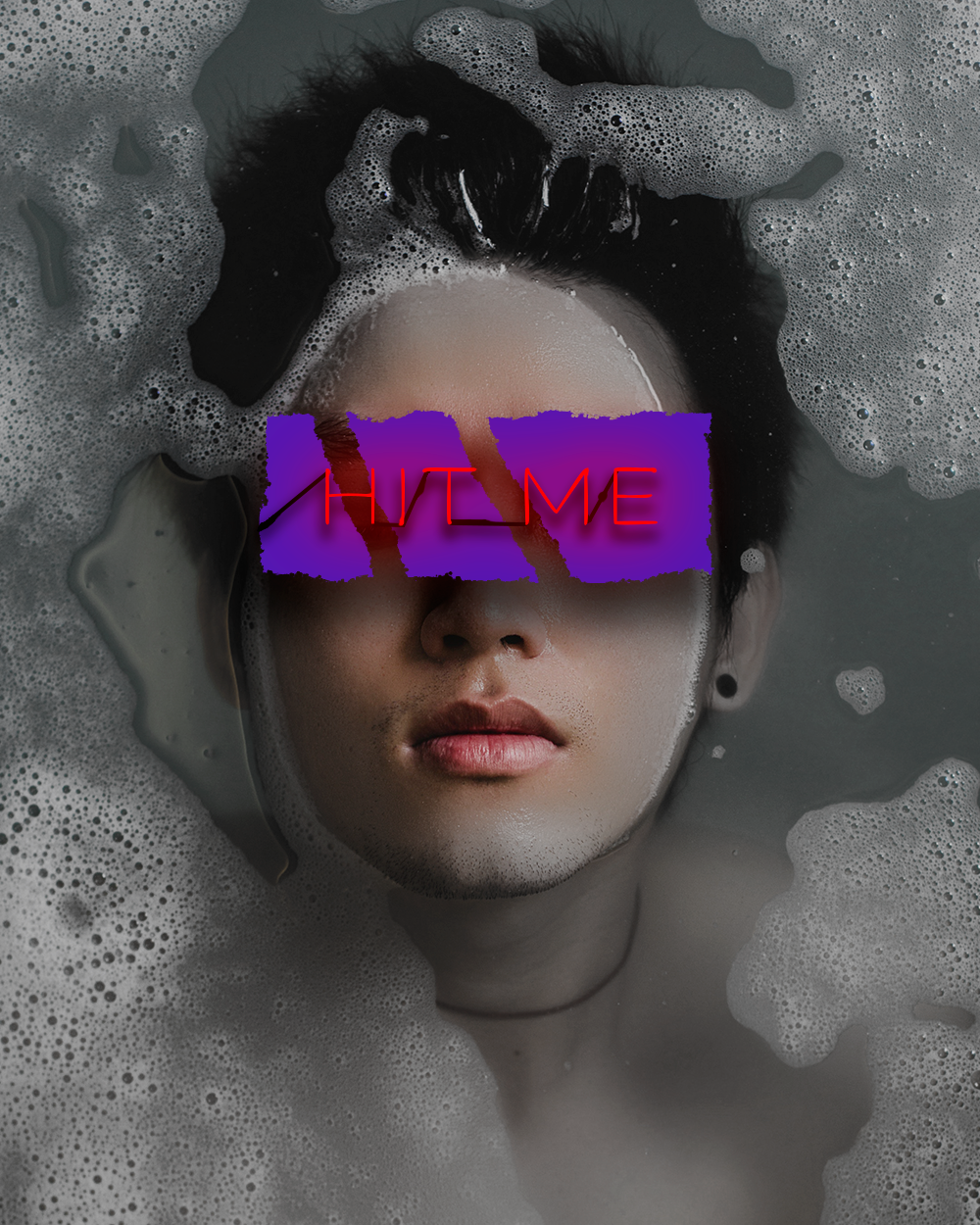
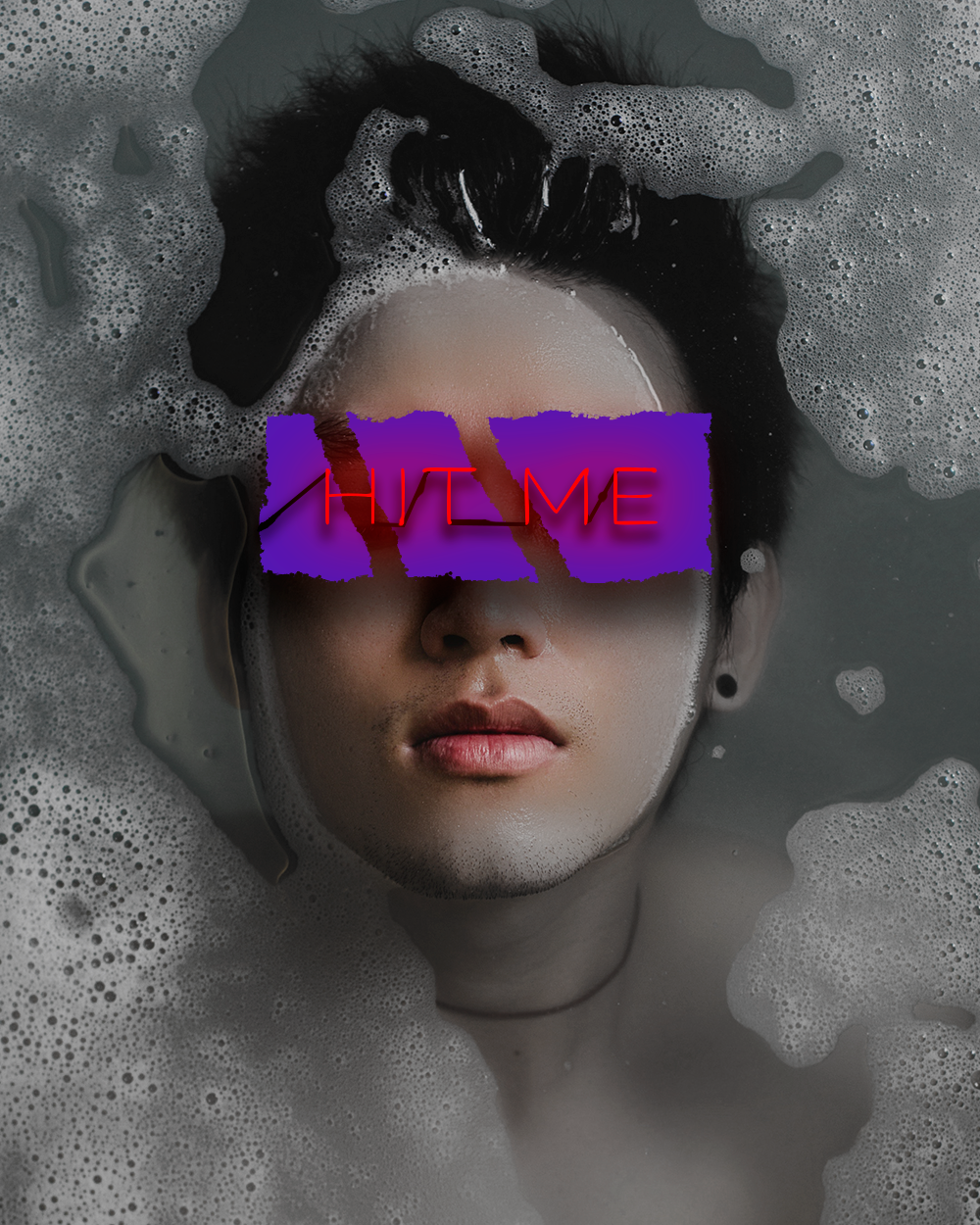
1. "Hit Me" Neon Project part 1: What's up, guys? Fred here? Andre. We're going to create this artwork on. It's like it looks really interesting. It's not that difficult to goes. And we're also going to the town of New Stop while doing this. So let's just get started On First of all, let's go to photo shop Goto file and you wait on Let's name it. So how should we maybe white water? What was written there? Get me? Yeah, hit me or with Grammy. Name it Anything you won't hit me. Which 1000 height Oneto 50 Real ocean 300 eight beat RGB color mode. And if everything is fine Legis press Great. Now let's take this picture. This photo you will find it in project files. Off course. Let's put it here. Yes, now we have to hold shift on, make it bigger. So she hold shift again and make it bigger. Let's bring it. Bring him to the center and again Hold shift on. Make it bigger Like this. I mean, even bigger. Probably. Yeah. This should be fine. Let me check here. Yep. Almost perfect. Let's personal que no. Now let's go. Toe wears on. Forcible. Is this background where because we don't really need it. I mean, it's always hear about nobody uses at this. I don't use it. So on now, what we have to do is first of all, we need to make sure here it's getting back and forth. As you can see, we have colors on his face. Um okay. Sorry, guys. I'm back. Jessica Sirica. How did this even happen? E I think he drunk too much yesterday. But as you can see, he has colors only his face on this, like black and white. So let's go to put the shop on. First of all, we need to go here every it to choose vibrance. Let's make let's bring the vibrance to minus 100. Exactly. That's what we need. Goto wears back not being to make sure we have colors here. So how do we do that? So when we created Vibrance from here, we also got this mask. This mask will help us to define where we want this vibrant Stop here, So make sure you have the mask selected goto brush. So press right and chose Just brushed over here on Make sure you have black color side here and you can general prison. You have some other cars, you can press here and then you go default course, and then you can change to black. Also, make sure you go here makes the hardness zero hardness on her is if everything is fine, that just makes a little bit smaller. The brush sizes too big know something exists and I would just start drawing. So when we do that, as you can see now we have the face colored. It's like here, and everything else is black and white. But if you want to bring black to bring back some black and white cars, you can just change the cold toe white again. Make sure your mask its electors, This is were important on. Now you can start drawing, and I guess it is getting back toe black and white. So just bring some places back to black and white. I mean, it's actually not really black. And write it still has some greenish colors here, as you can see what is, you know, it's it's not that vibrant anymore. Nothing we need to do is wait to create this This square here, the place that we're going to write the text on in order to do that was just go here, press right on chose rectangle cope. So before we start creating him goto feel press on, Let's choose the color. So just press here on first of poor women to choose color. And then the tone was a color. Yeah. Something like exists were afraid. Pressel Cape. I'm able to make sure you go to stroke and press here. So there is no stroke and everything. It's fine. Let's just go and create. Yeah, it should be on his eyes approximately like this. But just check. Yeah. I mean, if you don't have the right side what you can do, you can go to a did, um, press here. Free transform. Pass. Oh, control or common them. Now, you can just make you a little bit longer. Like this. Um, press. OK, let's go back to wears. Not we need to make sure Hey, has this kind off? Just so it's not that straight. So because he's straight here about me to make a little bit like wavy, let's create a mask. You're so we just we make sure we choose the rectangle till empress here. And when we do that we have this must created. Now Let's go to our brush toe again. Choose brush. Let's go here, the other brush settings on Let's choose here. This, too. So not just oh, but this brush tip. It's not at all just type of brush. And when we do that, if you can see now, we don't have this round with Russia anymore. It's a different brush type. We could be close this. We make sure you have black color selected. We make sure we have this mosque selected. Now if you get out a bit closer. So just control or common what's appears in Mac? If he wasn't winners, just control plus closer or now we can start drawing as you can see what happens. Is he a started? The edges are not perfect anymore unless makes us actually bigger. So it makes his bigger the size of the brush. I mean, now we can. You can just use open and close brackets to make the shots off your brush. Bigger or smaller, we can just make it here a swell about this. But if you learned the hard keys so you can burn Quester, something that exists. Okay, wait. Um, let's go back here. I want to change the direction a bit. Night looks totally different so it don't don't serve. Don't drop. Just no press, press, press, press So it doesn't look that perfect. Yeah. Okay. Good. Stop when you like it. I mean, I don't It's not. It's not perfect, but plus continue. Um, so nice thing we need to do is you also need to make some, you know, distances here, like you can see that the rectangle doesn't appear here and here. I never to do that. Let's make this smaller religious maker. It's too big. Go back in order to go back again. Just go to edit on Step backwards. Yes. You didn't know? Ah, now I was told that again on again. Let's see if we did it right. No, I mean, there's no right or wrong. You know, we can't replicate exactly what we did there and do it here. So let's just go again here and just press, press, press, press, press, make sure just different. Okay, so now it's press twice here. Now we need to when we press twice here on the empty place. So make sure your price. So let's cause this. Make sure you press here on them to place not on the takes, not only the image or mosque here. If you don't have it, we can just go here and make this bigger. Nike Empress twice here, from the empty place on the rectangle and I we go to drop Shadow and women, which is drop shadow. So here we can actually create a shadow on how can we do that? So first appropriate to choose the blending boat. Um, make sure you have president and his own. We introduce their blending more normal. Second, they made to go to color presidentials, make it black, and then we have a place to become a capacity bigger or smaller in order to make sure to control how strong is the shadow? Um, they were to change the distance for Trump witnesses. Zero. Um, you're probably not seeing the shoulder that much part. If you increase the distance, you can see that the shoulder is going for their way. Let's make it the report. Their way becomes the controls angle. If I put the angle here, you can see that now it's getting here down left side. Let's make it here like this on perfect. Let's nine. Or to make it a little bit smoother, we can just increase the size on May was decrease the distance being up, But see how it was. We can not count singles with a spread there to make it big in general on. This should be fine. Let's make the size of a bigger Yeah, I know we can Just per so keep. And this should be fine right now. Let's continue. So next thing we need to do is actually I think this is too big bird. I just can't, you know. Okay, Now we're going to the way to choose our text to here on me, too. Right there. But let's go to learn some press here, and we need to write text, actually, but let's stop here. Let's go toe pile. Make sure you say is this project and we will continue during the next. Listen, just to make sure this is not too long
2. "Hit Me" Neon Project part 2: What's up, guys, welcome back to this project on Let's continue. So yeah, the educated to choose your our textile on When you start writing text, make sure rectangle is not so little because if rectangle selected, you will see that your around your mouth you'll see this round things like around your textile. You'll see the circle, but we'll actually need it. So make sure this is not selected on now. You can see the square again around their mouth, so that's actually what we need. So let's just press wants. And now let's right now you can write something, girls, but, you know, I will write to me. I don't know why. Just I think I saw it somewhere. This like it me and I wasn't Let's just right you to me. Sounds interesting. Legis purse. OK, here on. So now we need to move. This takes a little bit, so let's go to choose a remove toe, move the text. We also need to make it smaller, so let's go to edit and chose free transform. Now it's hold shift on, make it smaller. Yep, that should be good. Rest Press come in, isn't I think it's too big. Um, hopes. Okay, because we switch tops, You have to do it again. So let's go back. Dated on returns from I mean, I switched stops, not you, but so you don't have to do You don't have to do that again, But I have to. It's just persecute you. So what we need to do now is we need to change the for fun, first of all, So let's call this. Let's go to character. So let me just see what point I had there because I don't really remember, but I think I used railway. Sorry. Hello? Pretty? Um no. My father showbiz near is going crazy. It should be a different while here, but they just close it. No, let me open. It's again. What is wrong with you? Make me? Yeah. Perfect. Um, let me just use it next. Okay, I arrest arised it. So I can't really see the front right now because I turned my text into an image so I can't see. I can't see what the text. But you know, I think it was really with religious. Choose here. Takes Let's go toe character on Choose your railway. So we can just start typing railway. I mean, you don't have this. Actually, you don't have this phone to install, so you have to goto Google phones. Can you sew it? I mean, the website that I showed before fronts dot google dot com, and they can instill it from here on. Let's go to railway seen or maybe externally. If you don't have this one, you can just use any other phone that has, like, seen or extra light or light styles. Because he was Ariel like the most standard phone on other stuff I can Now let's bring this a little bit exist in the center Now. We also need to make sure the distance between letters is bigger. So let's go here. Ah, let's make this 100. Uh huh. That's fine. Basket. Let's change the color. Nor so we need to bring some kind of some new neon colors. Let's make that bitch red light exists with pink. Yeah, this color is OK. If you want exactly that, The same color can just copy this code here, which is F 00 for E. Now, Just press okapi. So let's continue. Actually, I have different fund here It's not your way. Um, work, Missy Moments. Yes, it's this one. Businessman. Sorry, guys, for that. But you know, there are so many fronts. Is this world I mean, you can use just the phone that you already had. It doesn't really matter. It will just look a little bit different. Okay, let's go back to wears. Now we can you to make sure we have this selected. And then we have to press twice. Here was empty place, and then we have a game layer styles on. First of all, we need to choose out or go. Remember, we do that. You can see that it started growing from the text. We need to change the color of the girl. So press here on, make sure it's the same colors. Ah, so you know, we have core picker, so we can just press here. You can see that we have exactly the same color as the text color, but just press okay for now. Now we'll send you to make a drop shadow. And also let's, um let's make something bigger so we can use our pastor to make it. Meyer also, it makes you refer. Makes the burning when normal. Yeah, make sure the burning one is normal. Prices a bit higher. Like this sizes. It's brought zero, but it also depends on the size of your text. So it may be different for you. Just play with this. I mean, if I make it bigger, it's too much. No. Okay. Also go to drop shadow. It's like drop shadows. So I want me to do we First of all, we need to make the distance a little bit smaller. Secondly, we need to make size smaller. So it's not that blurry because I said right now it's blurry, but it makes a size smaller. You can see it's not that blurry anymore. Let's make the distance even smaller exist. And let's not change the color toe. Reddish dread on this maser Presti blow a little bit distance. It should be dark red. Actually, there. That's good. That's just purse. Okay, here. You know, as you can see, really the right past. Just as again, this front is different. But in any way I mean this things here we will do it manually. So this stuff and this stuff and I will show you right now how exactly are we going to do that? So not let's grade anywhere. Uh, let's just I don't actually like the color. Let's go toe that shows the text, go back toe character and make a little bit darker because I feel like it's too working. I was selected Mueller on what we can do. Let's go to brush, select normal brush. Let's get closer. So closer, closer on. Make sure we have to press twice here and also reacted slices is the same color like we take like our text on Make this smaller the brush. And now we can start making these small things here like I go closer because is this stuff like sister? So you know, our text doesn't look perfect like this and this. And how do we do that? We actually have toe growth a bit like here? Yep. Guns And with here. So just drones. I just of your text? A little bit. Not too much. No. Yeah. You see. Looks much better now. We need to do this. Lines here, this line, this line How are we going to do that? And yet we just going to draw them. I mean, I told it like it's a big Mr, but you know, it's not like it's other mystery. So let's go here, make sure colors black. And when we have black color selected, you can just get causal to that. You have to think like how you're going to draw. Because here I have, like it coming from here, up here, connecting them and it just do it like this again. So it just goes from here. No so different. I would I just went but rotated and step backward. If you drove it already could do it already. So let's should go back to brush settings. And if you don't have it here, can just go to window and find brush settings here. Now, let's select just a normal circle. Yeah, we don't need this. We just need a normal circle. Well, just make it smaller, smaller, even smaller. Working still big like this. Let me trite. Yeah, that's good. So around three picks. So I mean, it may be different size for you again because we may have different, um, image size, different text size and so on. So what we're going to do now? We just have to press here like a prison once. I don't dry press once. Then move my mouse here. And if I hold shift and press, see what happens? There's a straight line going between the first point on the last point where it clicked. So again let me go Step backward Just too short again against the backward press once. Then hold, chief. I'm breast anywhere else and you will see a straight line appear cool right when we have to go like this. Yeah, perfect on then. Let's for that. I press here again and press here again. A straight line on this all has to be done on a separate new layer. So not undertakes. Not here. Not here. Just on the new. Where and then I can press here? No, Not sure. Sorry. Just press here. Perfect. Then here is going on from here. It's going cure. And from E Okay, it stops. Only it doesn't go anywhere. But we can make it actually go somewhere. They're just press here and press here. Gain sides. It's moving away now. We need to make sure we take this where Religious press twice it on. We're going to name it. But like parents because that's what Sarah, let's put this black lines under the text. So Nazar behind the text. Perfect. Let's go back here. So now we need to make the same, like video with text. We need toe. Make sure you have. You have this like, some of the places are like more seats in 10,000 places are thicker and so on. So it's not like perfect lies on that. Just draw here on like this. So if you draw here on my left me just more further away and I can draw here again like this on also Okay. Here again here. So, you know, just try to make just zoom out to see if it's good or not, because when you zoom in, you don't really see the whole picture. We're No, that's just logic. Um e mean adverse in the way. Now it's good. Yeah, that's what I wanted to the perfect. Now we're going to make the sure make we need to create the shadow. Um, noted that this place price Yeah, What happened to me too? Religious Press twice here on the black lines and go to drop shadow. Make sure you choose a shouter like black black color on the distances should be a little bit smaller on the size. Should be bigger, the distance even smaller, like four tree Let us press. OK, that's it. Those things that we got wrong was the color of the text, because it's like, really, really bright here and here. It's not. It's being here on I really hate that. So we need to do something. Is that so? What? We're going to the we can just first of all, let's turn off this effect here on. Okay, well, let's go to Cooler. Make sure your Texas selected go to text color on Trump of the Red Pump. Absurd here. So the color code is f f on all zeros. Press enter. Okay, Perfect. Now what we need to do is let's turn on back effect on it looks already better. Now, let's press twice on Arte glow. Now we need to change the color shares Well, so present the color on. Just take your eye. Dropper employs press here and now it has changes a cooler as well. And the drug struggle can just stay like this. The only thing is that if I get closer um, remember the stuff that we drone text that is a drone text like this stuff for them by cantor it off. You can see it. This is a different color. So it's not the same color because the previously takes was different. Car on that takes has changes color. So in order not to droves is again we can just change the colors is during. So let me just turn off texts. You can see this stuff we can just change their course on. How are we going to do that? We have to. First of all, let's name it. We're going to name it on text drawing sounds in isis legis Press twice your own press twice their own empty place. Uh, let's press here. Color overlay. Let's go to blend mode Press Here is the color. Um, let's pump it up. Make it like F m zero is a resource with the same color press OK on. OK, so burning more normal price. 300 color like this. Okay, a no. It's exactly the same colors our takes because now we have filled everything that we drew with the color overlay off red color, and now it's exactly the same project asked I showed you before. Yeah, this again. The colors are different. But you know, you have to play with the cause because even I try to create this project again. I mean, I did try right now, but as you can see is different. So every time you create the same project, even if your zone off the project is going to be different because you can't replicate exactly what he did the last time. Anyway, the wisdom was the most important thing. Is that you Now, now you know how to create this. Hit me poster. Now you can also write like, kill me. Oh, man, why can't I think of something good like kiss me whatever. So let's see you guys till the next lesson. By
 Photoshop Classes By Fred, I will help you get PRO at Photoshop