Transcripts
1. Master How to Create African Tragedy Folktale AI Videos Step-by-Step: Welcome to AI Video
creation Mastery. My name is George Steve, and I have very good interest in creating amazing AI videos. I'm a software developer, and today I'll be
teaching you how to create amazing AI videos. In this course, we're going
to learn how to create African tragedy folk
tale video from scratch. I'll teach you how to create your characters and how to
animate your characters. Most especially, we're
going to learn how to create consistent
character for our video. That is one thing that is
unique about this cure. So we go ahead and learn
how to start creating amazing African tragedy
folk tale stories with consistent characters. Let's go ahead and
see a quick video and a demo of the video we're
going to create in this case. I will never forget the
sound of his scream. It cut through the night
sharp and desperate, then ended suddenly as if something had
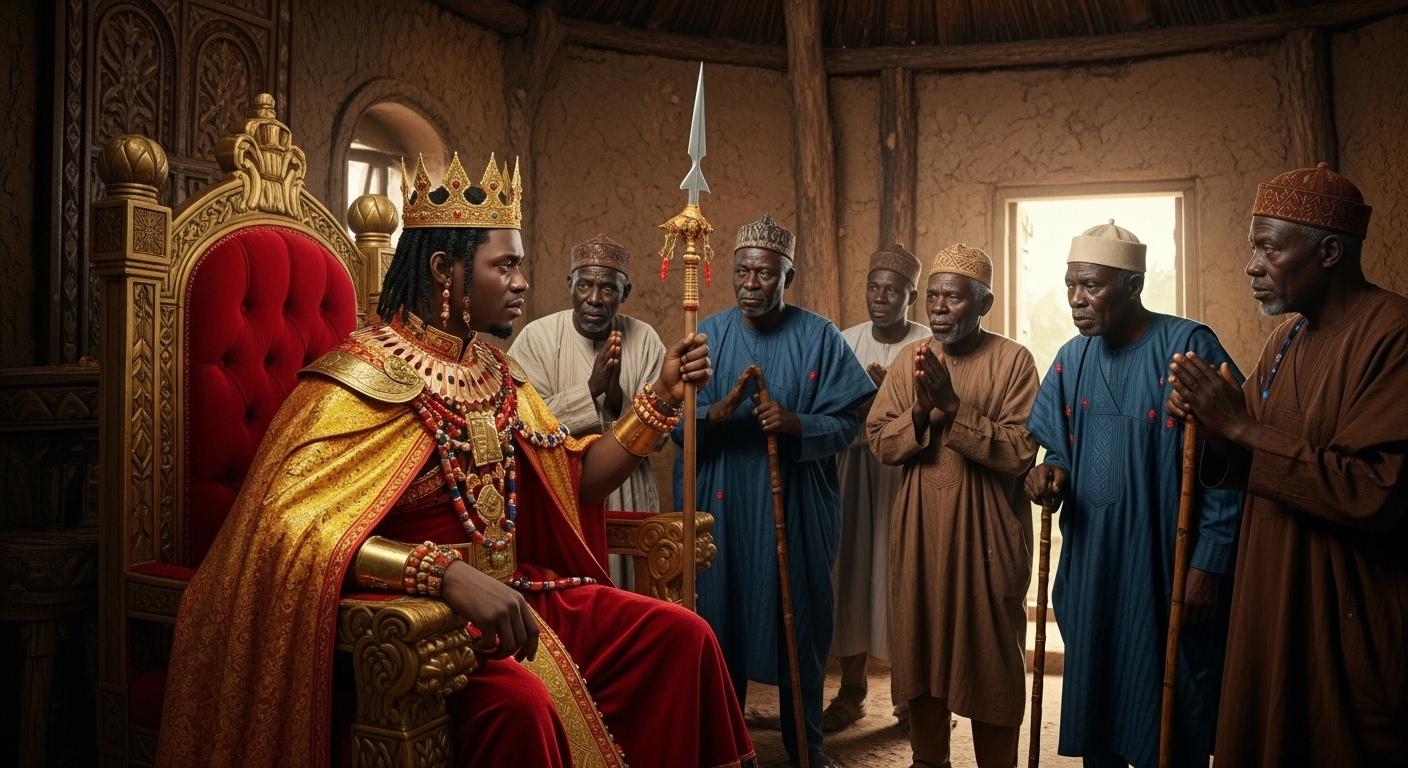
swallowed him whole. This happened many years ago. In my village, there was a young prince who was
feared more than respected. He was not the kind of man who earned love. He demanded it. And if you did not give it, he took it by force. He beat people for
looking him in the eye. He stole from poor families. He laughed when he hurt others. One day, he ordered the men
of our village to build him a tall hut away from the
rest of us near the forest. He said he wanted to hear the whispers of the
spirits at night. Some of the elders begged
him not to stay so close to the trees because everyone knew that place was not
safe after dark, but he mocked them, saying
spirits feared him. I was a boy then, helping
carry wood for the builders. I remember how cold I felt
just being near that spot. The forest there was
too quiet, too still. The prince moved into
his hut and made young servants attend
to him at all hours. Then strange things
started happening. Servants who worked at night
would come back shaking. They said they heard
voices outside, calling their names
in tones that sounded almost human,
but not quite. Some said they saw
shadows moving, even though no one was there. The prince ignored them, forcing them to keep working. One night, I was nearby with other boys
gathering firewood. We heard the prince shouting
from inside his hut. At first, it sounded like he
was yelling at his servants, but then the shouting
turned to fear. His voice broke. He screamed for help. We dropped everything
and ran closer, but none of us were brave
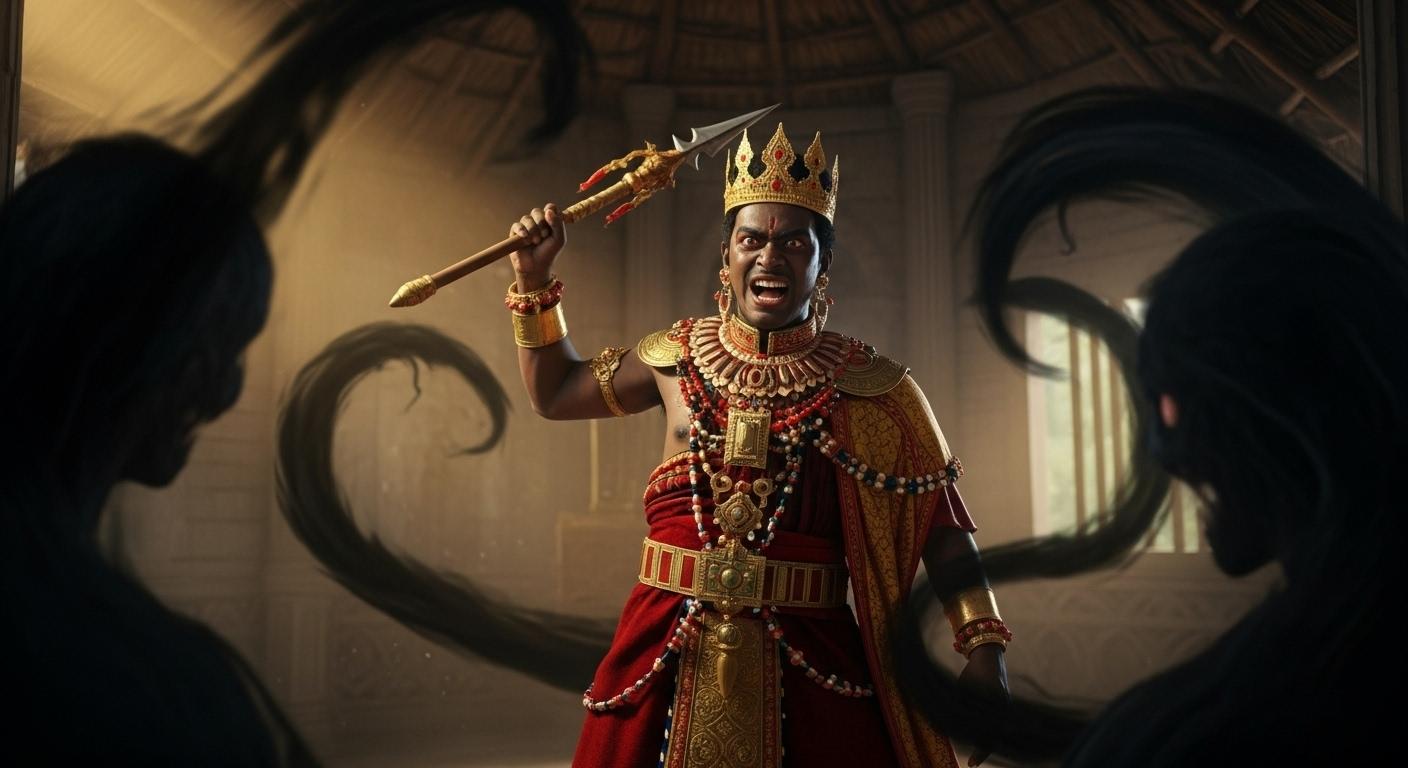
enough to go inside. Through the cracks of the hut, I saw something that
still haunts me. There were dark shapes
moving around him, shapes that bent and
twisted like smoke, but heavier, more solid. They closed in on him while
he swung his spear wildly. His servants had already fled. The scream that
followed was not human. It was full of pain and terror. And then silence. When the elders finally went
inside the next morning, the prince was gone.
The hut was empty. Only his spear lay on the floor, broken clean in half. The elders ordered the hut torn down and the ground
left untouched. No one builds there now. We don't even walk close
if we can avoid it. Sometimes at night, I think
I still hear him a faint cry carried by the wind like he is still trapped
begging to be let free. All right. So the video
you just saw now is typically what we are going to develop right
inside this course. So if you join me, we go ahead and get started with
this step by step. If you have interest
in starting to create African
folk tale stories, this is the right
course for you. Let's go ahead and
move right into the course and get
started right now. Thank you so much and I hope
to see you into the course.
2. Step 1. Create Image and Audio Prompts for Your Video: Now that you have seen the video that you actually
want to create, I welcome you to this
sound video lecture. So head over to Chat GPT, and let's go ahead and create
this video step by step. So in this video lecture, we're going to
start by generating the prompts for the video, the audio, and then the images. So we're going to be
getting the image prompts and the audio prompts
for this video. So head over to Chat GPT and want to press this
prompt, and it says, write a scary, red style story inspired by an African folk
tale about a crew press. You can call that
a wicked praise. The story should be told from the perspective of someone
who witnessed the event. Now, why do I make it to be from someone who
witnessed the event? The present has to
tell the story. It shouldn't be like the story wars to say once upon a time. No, we have gone beyond that. We did a story that we
always hook someone to get from the beginning to the end and watch
the entire video. So someone has to be
giving the story or arrective like I am day
when is actually happening. So we have to give that from the perspective of someone
who is an eyewitness. Keep it grounded in
realistic situations. Use very simple
straightforward language, no far free description
or complicated words. BG it a shot on suling hook that highlights
this curious moment. Let's go ahead and
get the story. So let's go ahead and sit tight, and chat GPT will actually
give us something so amazing. And that is one thing
why I like chat GPT. So it gives us tests
that actually look good and tastes
that are you know, make story to be extraordinary. Now, we have this and it
has generated the story. Sees. I will never forget
the sound of his screen. It cuts through the night, shop and desperate, then ended suddenly as if
something had swallowed him. Whoa. You see how this
actually started, and we're like, What actually
happened in this story? I want to get to the end of it. So now we have able to get this. Let me go ahead and
generate the image prompt. To generate the image prompt, go ahead and add this prompt I've actually give it for you. And I've actually made this prompt up specifically
for this video. I say based on this story. Give me ten prompts to generate images to
visualize this story. Also, give me prompts describing the features of the main
characters in the story. So now we have this ready. You can make that to be like
15 prompts or 15 images. Anyone can go ahead
and make that. So I'm going to always
leave it at ten, so it would very easier for me. Let's go ahead and
hit on generate. One thing is that
it's going to give me the prompts for the images, and then it's going to describe the main characters
for this story. And now you can see Char UTP is actually
doing amazing work. So let's go ahead and
get to the end of this, and very soon that
will be done for us. So now have the crew price. A young African man, about 20 to 25 years tall and proud with
sharp queer eyes. He wears traditional au with
gorge and wedge details, decorated with best
and jewelries. His expression is arrogant. Often, smking and or frowning always carries spade or
staff showing dominance. Then the villagers and the
young servants and elders. So you can see if we're
going to use this for consistent
character creation. Alright, Jo in the next video, we are going to be creating
this image step by step, and then we go ahead and
guess something amazing. Thank you so much,
and I'm going to see you in the next video lecture.
3. Step 2. Create Images for Your Video: I welcome you back again.
So right in this video, we are going to be
generating images that you're going to use to
create a video, right? So now we have the
image prompts, and I remember I told JAGUTP to give me the main characters, the officios of the
main characters. Now, I'm going to select the
very first one is the press, and let's go over
to Google and check what is called Wisk
AI and click on Wisk, and the very first one that
comes out is where I select. And right here, I'll
click on Enter two, and I'm going to
move over to this, and I'm going to generate
the image of the prince. So I'll using this image of the prince anyway the
prince is called. So we're going to use the
image of the prince, okay? And this is how we're
going to continue until we get consistent character
throughout this video. So let's go ahead and
continue on that. Right, let's check it out.
So this is the prince, and you can see a Face prince
with a very wicked eye, and that is what we have. Now, let's go ahead and create the villagers and the squova
and click on Anna subjects. That is the Villages. So create villages and generate this. So we've now gotten
a very nice image of a prince that is
very fierce and wicked, and that is what I need. Now, let's go ahead and
create the villages and get the village character
and check it out. Now I have this. I want to also create
another villagers without minors because sometimes
Google will not allow you to add these
children in your videos. And it's against the
policy sometimes. So let's go ahead
and click on this, and I'll go ahead and
press this prompt again. And I'm going to
say they look wary, cautious and avoid eye
contact to the prince. Men and women, we
are playing raps. Then I'm going to
remove children with small clay bed necklace. So that is okay. Let's go ahead and
generate this. I don't want children to
be present in this. Okay? If it's A it generous children, I'm going to ask it or tell
you to remove children. We don't want mines
to be generated in the village settings. Okay? Let's go ahead
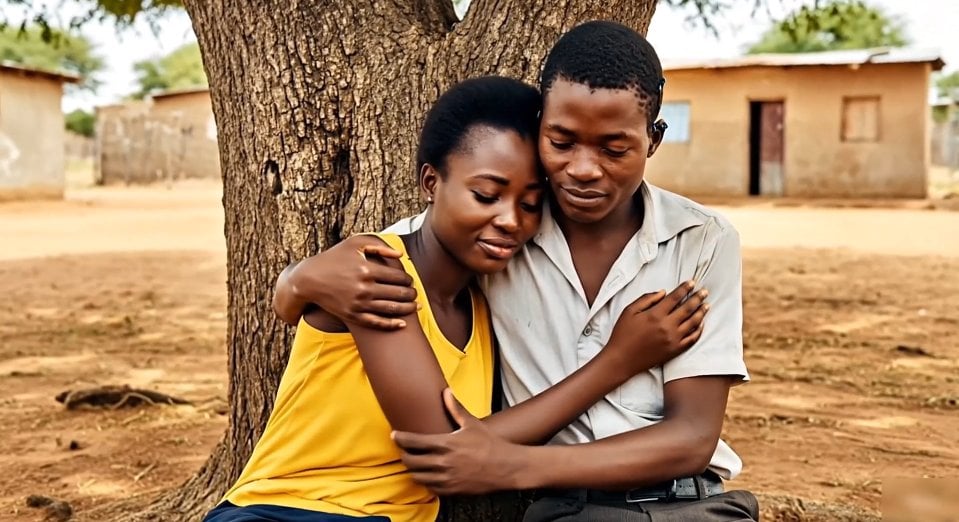
and wait for that. Right, check this out. We now have this and villages there is no minor
here, and that is cool. So take these notes, and here I'm going
to have two Boys, T and Navios, we are
simple quilts wrapper. They're always anxious
glancing over the shoulder. One has white eyes of fear. The other places is hands and
crushes small two or bow. Let's go ahead and create this. So this is what ChagTV
actually give us. And I can go ahead and delete this song
with mano or I leap that. Let's go ahead and click
on this and generate that. So let's wait for that. Alright, so the health, I want this to
actually be black. You know, let's go over
and click on this. And let's go back, repeat this. I'm going to see two
teenage Nigerian. Right. So I'm going to add that to look to make sure that we have something that looks alike from beginning
to end, okay? So now have something cool. This is what I have,
and this is okay. Now on the next character, I have the Elders. And let's go ahead
and click on Next, and I'm going to enter this the African main with gray
hairs and line faces. I'm gonna see order. Or different. So make sure it doesn't generate
the same person twice. Different with African men, so that it doesn't generate
one person many times. If we check out
these two persons, you can see that
they almost look alike, and I don't want that. That is why I enter different. So ensure that I have enter something different,
check this out. We have this actually
almost the same. And I'm going to delete that. The reason why I am doing
this step by step is to ensure that we actually
get to the end. So different looking or different looking older
African Nigeran men with gray hair and light
faces wearing plain, but these they carry walkitick
and move with authority, though they look wary
when dealing with press. I'm going to remove the press and then I'm going
to generate this. Now, check this out. I now have different looking men and they are no longer the
same wearing different attire. You can see that.
So that is what I need. Now we have this. Let's go over here,
and all we need to do is we start to create
all this one by one. So copy the very
first image prompt, head over to this point
and click on this. Now, if you want the
press to appear, show that this prompt
mentioned print, you go ahead and
select the pres. If it is the villagers, you go ahead and select
any of these villagers. And why I wouldn't be selecting
the one with children. And I'm going to
delete that is because Google always go against minus, adding minus to your prompt
or to your image generation. Let's go ahead and
select this and go ahead and generate this image. So in this way, we're
going to generate old images step by step. Now, I've generated this, then I with and
copy the next one. Now, the prince is
mentioned here, go back to this point,
delete this one and press. Now, he says, a young
African prince wearing fine traditional Royal clothes and jewelry with el expression, he beats, he poll
villager with a stuff, while others war helplessly. Now, I'm going to
select the villagers and then the prince. So both of them are mentioned, and let's quiet generate that. So it has now
started to generate. So now we are able to see this. We can now go ahead and
fast forward this video by clicking or creating
all this entirely. So without wasting
much time, let me go ahead and create everything. So I'll go ahead and
copy the third prompt, get over to this point, delete this, and paste that. And that way, I'll
create all the ten images step by step. Just go ahead and say villagers carrying wood and building a hot near the edge of
the Dens dark forest. The atmosphere if you unsafe. Children and others glance
nevers at the tree line. So we have Eldas here, so I'm going to select
the elders as well. And now let's go ahead and
generate this immediately. So I have been able to
generate all the images. The very first one,
one, two, three, four, five, six, seven, eight, nine, and ten. So these are the ten images
I've just generated. So now you go ahead and download all your images because
you want to be creating this ps on images alone, we are not going to be
animating any of the image. Or if you want to
animate images, let's go ahead and animate only the images that
are bearing the press. We have the prese, and that is the only one
we're going to do. So C ahead and put
this one down. In the next video,
we'll go ahead and kick start this
journey again, and I want to see you in
the next video lecture. Thank you so much,
and I want to see you in the next video lecture.
4. Step 3. Create a Voice Over for Your Video: I'll call you back
again. So in this video, we go ahead and move back
to a story on Chart GPT. And right inside Chart GPT. I'll go ahead and copy this. Go ahead and copy this story, and down to this point. Now you can copy this and
move over to Google Studio. Go to Google and tap
Google AI Studio. You get to this point. So over to Go AI Studio, you can move over to generate Media and go over to demonize Speech generation and choose single Speaker audio
and past your story. Then move over to voice and select the type of
voice you actually want. Go ahead and select this voice. That is the voice I
always use for my videos. Now, you can go ahead
and generate your audio. So this is the audio we're
going to enter into a video in order to have a
voiceover for this video. Right? Now, let's go
ahead and run this. Alright, Noon, the audio
has fully generated, and you can go ahead
and check it out. Let's go ahead and
check it out, guys. I will never forget the
sound of his scream. It cut through the night
sharp and desperate, then ended suddenly as if something had
swallowed him whole. This happened many years ago. In my village, there was a young prince who was
feared more than respected. He was not the kind of man who earned love. He demanded it. And if you did not give it, he took it by force. He beat people for
looking him in the eye. He stole from poor families. He laughed when he hurt others. Right, so I'm going to
stop at this point. So all you need to do is
to go ahead and hit on these tree dots and
download your audio. And audio will actually
be downloaded. And now we have
that's downloaded. So in the next vigo lecture, we go ahead and get
everything together and build a awesome **** story
of the Wicked priest, and it's going to
be very amazing. So tell me the next
vigilectho Well, go ahead and get this done and make sure that
everything is okay. So try to download all these
images and get them ready because we're going to be using these images in the
next video lecture. Thank you, and I'm
going to see you then.
5. Step 4. Edit, Add Caption and Publish Your Video: So now we have everything
already. We have our image. Then we have our
story also generated, and then we have our
audio already generated. All we need to do right now
is to go over to cup codes. Rights cap codes have already added all
the story together. So all you need to do is to
add everything together, arrange them according to according to the way
you want them to be, and then you head over to caption this caption and
generate a caption for this video because that caption will help to hook your
audience and get you to the end of this so that
people can actually watch a video and get that
hooked to the end. Now, let's go ahead and generate
our caption immediately. So you can see that is
now being generated, and this doesn't
actually waste time. Okay? So if your
Internet is fast, it will actually be auto
generated faster than ever. Or if you have a slow
Internet just like me who doesn't have
fast Internet, you can go ahead
and wait for that. But in a short
time, you're going to have this already downloaded, and then the script will be arranged just
the way you did, because remember that you use Chad GPT to create this
story or the audio, and then you use Google Gemini to put that audio together. So it's going to
generate these captions based on what you have actually generated from Google Gemini. And that means it's
going to be correct. You don't need any editing. Everything is going to be clean. So you can also
go ahead and edit that to your own test
the way you want. But if not, you go ahead and just start off immediately
and export your video. So let's go ahead
and wait for that. It doesn't waste
much time again. So it's almost a 65 and we
are already getting there. So it doesn't
actually waste time. It's something that we be very shot, and that
will be done for us. And now we have that
already generated. So draw this a little bit. You're going to see your
caption right here. So now we can leave that
if that is what it wants, but you can select any of this. So in order to
change the preset, select any of this,
and it will look good. But I always use a template
it's much easier for me. So all I do is to get over to template and under template, I use something
that looks so good, something that is interesting. So if you are using
free cap cut, you already know pedo, you're not going to choose
the provisions for this. So choose something
that is free. You can guide and click
on something like Brown, Fox, and then you have this. Let god and stretch this. Alright. So now let's go ahead and listen to what
we have just created. So why it and click on this? I will never forget the
sound of his scream. It cut through the night
sharp and desperate, then ended suddenly as if something had
swallowed him whole. This happened many years ago. In my village, there was a young prince who was
feared more than respected. He was not the kind of man who earned love. He demanded it. And if you did not give it, he took it by force. He beat people for
looking him in the eye. He stole from poor families. He laughed when he hurt others. One day, he ordered the men
of our village to build him a tall hut away from the
rest of us near the forest. He said he wanted to hear the whispers of the
spirits at night. Some of the elders begged
him not to stay so close to the trees because everyone knew that place was not
safe after dark. But he mocked them, saying
spirits feared him. I was a boy then, helping
carry wood for the builders. I remember how cold I felt
just being near that spot. The forest there was
too quiet, too still. The prince moved into
his hut and made young servants attend
to him at all hours. Then strange things
started happening. Servants who worked at night
would come back shaking. They said they heard
voices outside, calling their names
in tones that sounded almost human,
but not quite. Some said they saw
shadows moving, even though no one was there. The prince ignored them, forcing them to keep working. One night, I was nearby with other boys
gathering firewood. We heard the prince shouting
from inside his hut. At first, it sounded like he
was yelling at his servants, but then the shouting
turned to fear. His voice broke. He screamed for help. We dropped everything
and ran closer, but none of us were brave
enough to go inside. Through the cracks of the hut, I saw something that
still haunts me. There were dark shapes
moving around him, shapes that bent and
twisted like smoke, but heavier, more solid. They closed in on him while
he swung his spear wildly. His servants had already fled. The scream that
followed was not human. It was full of pain and terror. And then silence. When the elders finally went
inside the next morning, the prince was gone.
The hut was empty. Only his spear lay on the floor, broken clean in half. The elders ordered the hut torn down and the ground
left untouched. No one builds there now. We don't even walk close
if we can avoid it. Sometimes at night,
I think I still hear him a faint cry
carried by the wind, like he is still trapped
begging to be let free. So, you see you have a book
to generate an amazing video. And now all you need to
do is to head over to Epots and then we go
ahead and expot these. I show you explore this
using maybe four K, two K or eight Ksion or
1080 pixel and so on. And this is the final stage of this video creation or AI video creation.
So pull this down. Try to get your video
done and show a phrase. You can write on anything, and they show that they
have something so amazing. So thank you so much, and I'm going to see you
in the next video lecture.
 George Steve, Senior Software Developer & AI Content Creator