Transcripts
1. Master How to Create African Love Folktale AI Videos Step-by-Step: Welcome to AI video
creation Mastery course. In this class, I'll be
teaching you how to create African love folk tale
story from scratch. We're going to start by creating consistent characters
for this video. I'll teach you how to generate
consistent characters, but for the male
and for the female. And then we go ahead
and learn how to create a voiceover that
is suitable for a video. Then from here, we go ahead and learn how to edit this video, join them together, add effects. And also, we go ahead and learn how to add captions
to our videos. Then we go ahead and
edit this video and get that published
using cap code. So let me go ahead and show us a demo of the video we are
going to build in this case. Let's go ahead and
see that right now. I still remember the way they held hands like the
world was against them. You could see both pain
and joy on their faces. And it made you wonder if love was worth that
much fighting. I grew up in a small
town in Nigeria, where everyone knew everyone. In our community, love was
not always about choice. Families cared more about tribe, religion, and status than
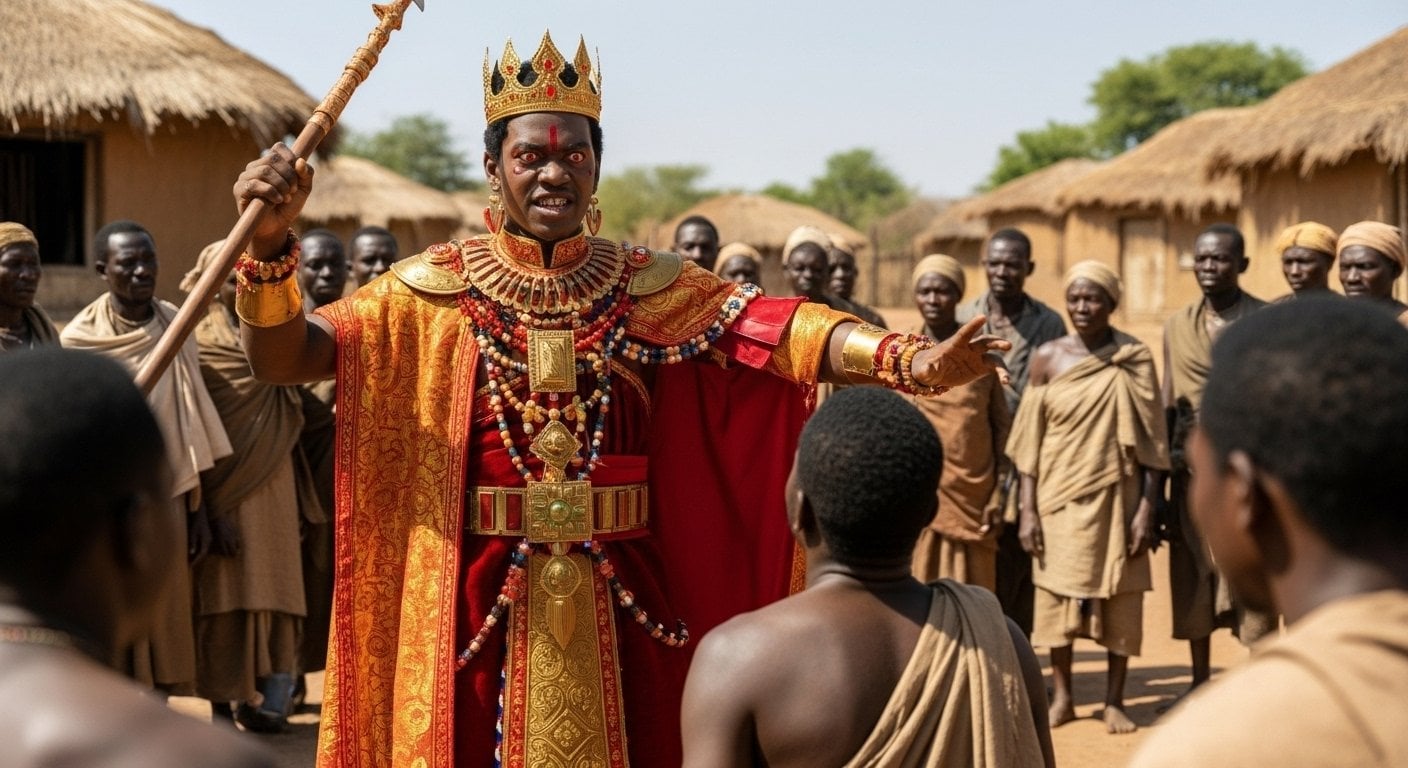
about the people themselves. So when Amaka, the daughter
of a wealthy family, fell for Chice a boy from
the wrong side of town, it was like a fire started. Their love was simple. They would walk
together after church, laughing at little things. Chica fixed people's
shoes for a living, and Amaka would sit in his small shop sometimes
pretending to help, just so she could be near him. I used to pass by and
see them whispering, smiling at each other, forgetting the world outside, but everyone else noticed, too, her parents warned her. The elders said it was shameful. Chica's family told him it
would only bring trouble. Still, they kept
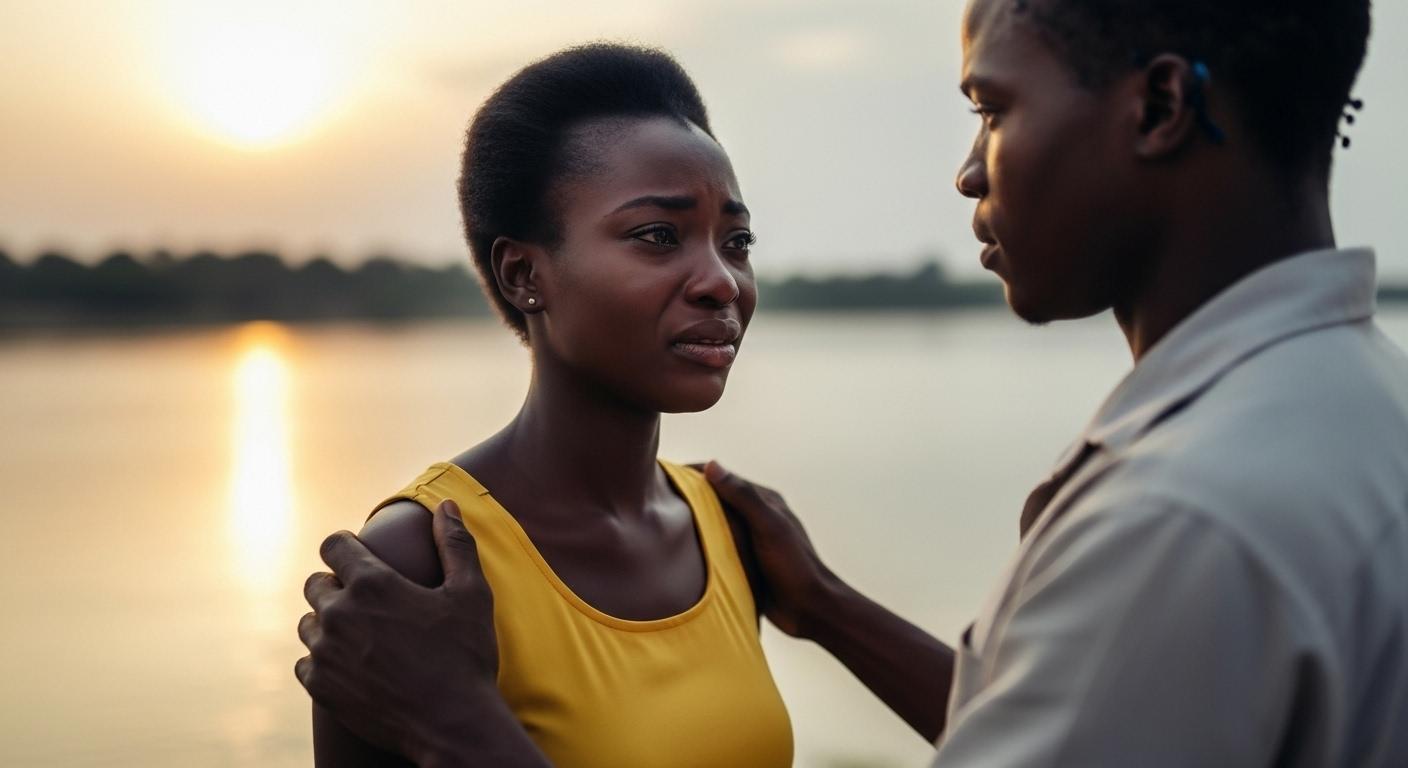
seeing each other. I once saw them at the river. Amaka had tears in her eyes, and Cheque was holding
her shoulders, saying, Let them
say what they want. I know what I feel. That moment stayed with
me because I had never seen love stand up so
stubborn against fear. Things didn't end
in a fairy tale. One night her family locked her inside and sent her to the
city to live with an uncle. Cheque waited for weeks. He still came to
the shop every day, still polished shoes, but his eyes were always
searching the road. She never came back. Years later, people still
whisper about them. Some say Amaka was married off. Some say she ran away. But in my memory, they
are always by the river holding on to each other like nothing
else mattered. I don't know if that's
love or foolishness, but I know it was real. Alright. So the video
we just watched now is a typical video of what we are going to develop in the cars. So we're going to start by
creating the characters. Then we go ahead and
generate a voice over. Then we go ahead and edit
our video and go ahead and add caption to our video and edit the video and
get that published. So African folk tale stories really make you waves
right now on the Internet, and you can go ahead
and get started today and get your O YouTube
channel up and running. So if you want to start
creating videos like this, let's go ahead and move into the case and get
started right now. Thank you so much, and I
hope to see you in the cas.
2. Step 1. Generate Your Voice and Image Prompts for Your Video: So I welcome you to this
amazing video lecture, and right now we head over to Chat GPT and start to create
stories step by step. So this African folk tales is something that everybody
out there creates. And today, I'll be
teaching you how to create your own folk tales
and step by step, and I'm going to be
using three fishers of AI to actually do this. You're not going to
be paying anything to create your own story
from scratch to finish. Alright, now head
over to Chat GPT. I am currently right here. Now, you do a prompt
and you need a prompt that's actually going to
give you what you need. And I don't want you to
go ahead type anything. I'm going to show you how to get to the end of
this in order to generate a beautiful story that's going to cook
people to the end. Let's go ahead and paste this. Now, I write something
that is so captivated. I said, write a
tender real sty story inspired by an African folk
tale about forbidding love. So you see the key words
I'm using forbidding love. Tell it from the
perspective of someone who saw the love us
fight for their bond. So I'm telling that
as an eyewitness. So it's going to make
the story captivating. Someone want to hear
what actually happened from the eyewitness side. So keep the story rooted
in realistic situations. Use very simple direct language, no proffering
description or big ways. Begin with a shot and washing that hook that shows the
pain or joy of the love. And now we go ahead
and get started. So this kind of thing
I want you to create. So when you want to
create a prompt, create something that
actually hook people, right? So you all get this prompt. And if you don't
have the prompts, please let me know you
also get this prompt. So I'm going to offer
you everything. And I also help you to
get to the end of this. Let's go ahead and generate this interesting
story step by step, and you can see that hard
GTP is actually on the move. Right, so very soon, we get to the end, and I
love the beginning. He says. I still remember
the way they held hands like the world
was against them. So you could see both pain
and joy on their faces, and it made you wonder if
love was that much fighting. So you can see the beginning, and that is what I love. Now I have generated
my story line. The next thing I need now
is to generate images, and I need to get also the fissures of the main
characters in this story. So on that aspect, I go ahead and past this. I say, based on this story, give me ten image prompts to generate images to
visualize this story. Also, give me prompts describing the fishes of the main characters
in this story. So I want us to create something
that's very consistent, something that where you
see the main characters, they will always look alike. And that is kind of videos
that actually hook people. But when people see things
that are different, it does not actually
hook people to the end. Alright, so now I'll go
ahead and click on this, and now we're going to get this prompts for all the videos. And now half tens image prompt. I have this and it says two young Nigerian lovers secretly holding hands under
a tree in a small town, both showing love, showing
joy and fears in their eyes, simple clothing, natural
African village settings. So this kind of thing I need. So you can make this
to be maybe 15 images, 20 images or whatever you want. But now I have
gotten two things. One is the narration
that is for this, and the next one is the prompts. So I have the two prompts. The first one is a
maca, and this is for the female and hike,
this is for the boy. Okay? So this is what I need. So in the next video, we go
ahead and get started by creating the images for
this story step by step. So start with me,
let's move over to the next video lecture right now and get started immediately. Thank you and see you in
the next video lecture.
3. Step 2. Generate Image for Your Video: I will call you back again. So in this video, I'm
going to teach you how to generate your own image and you want to use consistent
character for this. Remember that I told
Cha GTP to give me the prompts describing
the officials of the main characters
in the story, and it gave me this for maca for the female and this
for hike for the male. And this is what I'm going to
be using right inside this. Now, head of Google, you can go ahead and
use Image effects. So cran go ahead and say Image efects and go ahead
and click on this. Or if you read use
Image effects, you can go ahead and use Wisk. So we have already
used Image effects so many times in a different
AI video creation, and I'm going to be
using Wix for this. Go ahead and click on Wisk. You can also type Wik
your Google account or Google search engine until you get to this point
and click on n tattoos. You can go ahead and continue
until you get to the end. Now, go back to Chart GPT, and I'm going to take this for the very first pacing Amaka, right this idea, I want
to maintain consistency. Go ahead and click
on Add Images. And for the very first image, I'm going to enter
the prompt for the young woman and generate the image
for the young woman. And then I also do exactly the same thing
for the young man, right? So it can be able to
have the same character. What this actually does is
that anytime we call on Amaka, we're going to get
aka and enter call on hk, we're going to get Chic. Go ahead and copy this. Let's go ahead and copy this,
and let's get back here. And then at next subject and go ahead and enter
this for the young man. So here you can describe more
and more of what you want, right, how you want
the character to be. And anytime you want
to use that character, all we need to do is to
select that character, and in that way, we're going to have the same person, right? So now we have now created
character for Amaka and for hike and now let's get over here and copy the first image
or the first scene. Go ahead and copy this. And
I'll get right inside here. And over here, I don't want to create any scene
a background for this. So here I have two
young nigenu lovers secretly holding hands under
a tree in a small town, both showing love and
fear in their eyes. Sinful clothing, natural
African village setting. Now, I'll select
both of them, right? Strange that these are the
two images I want to use, or the two characters I want. I'll go ahead and
click on this and it's going to combine
both of them, right? So anyone I want to use,
I will click on that, so it can generate so many
characters and your image, you're going to have
consistent character. Alright, so that is a way to
create something so amazing. So now you can see that this
is what we have, right? Now we go ahead and
say, now we have this. Let's go ahead and
create the second one. Why it actually creates
two of these is that you go ahead and choose the next one or
the one that suits beta, go ahead and click
this and pass, let's go ahead and
click on this. I'm creating the next one. And from then, we can generate
so many of these images. So now it's generating and
it doesn't waste much time. You can see that boots
are now being generated. And you can see that
boot collectors are actually looking almost
the same, right? Now, let's go ahead and
generate more of this. So I'll go ahead and
quickly generate one of them. I'll go
ahead and copy this. And then I will
head over to Wisk, and I'm going to delete this, and I'm going
to paste this. So you can see consistent
clothing and consistent style. So that is very, very important. And then I'm going to
generate all of them and get back to us immediately
as soon as possible. A, so I've actually
generated images. And from here, we have
one, two, three, four, five, six, seven,
eight, nine, and ten. So all the images near
for this video is not complete and they're
absolutely free. And you can see we have
consistent image generation. And that is what I need. So if you're ever
trying to create folk tale story or
any story out there, ensure you use
whisk and whisk we actually give you that
consistency you need. First of all, go ahead and
create your characters. And then for anywhere you need, you can go ahead and
select the character. So even when Amaka is
still with the parents, Amaka still look the same, right from here to here. So that is why I am using disk. I'm using whisk, right? So in the next video, we go ahead and get started, I'm going to show you how
we can be able to move ahead on this and have to have
something good at the end. So jump in the next video as we go ahead and get
started immediately. Thank you so much, and
I'm going to see you in the next video lecture.
4. Step 3. Generate Animated Videos for Your Project: I welcome you back again. In this video, we go ahead and download our videos
or our photos, and then we go ahead and
animate this photos. One cool thing is
that you can animate your photo right from here
by clicking on Animate, and under Animate, you can easily go ahead and
animate this photo. And you can say, create a video of the boy and girl. Hugging each other. So creates a video
of the boy and girl of the boy and the
girl hugging each other. So you can click on this
and your video is cooking, so it can exit to create more. So this is a part of whisk. So we can actually do
that right from here. And our view will actually
generate without wasting time. So now one beautiful thing is that I've actually
created this, and let's go ahead and view
this and check it out. So you can see
that this actually works and you can see how
they hold each other. Shane do actually
makes sense, right? Alright, so this is
a power of Wisk, and I really love what
I have right in here. So the next one is
that you can head over to Gogle AI studio, and over here, you
have Google AI Studio. You can move over to generate
Media and move over to video and use the power of VDO to actually generate
this video as well. The next one is that
you can go to Hero AI, so use Hero AI to generate
your video, right? So onsver you sign
up right here, you're going to have 100
credits to create a video. And right inside whisk, you can go ahead and
animate the fs video. So I just animated
this and over here, I can select just few of
the images to animate. I don't want animate
all the images, right? So I just want to animate
just only the very first one. And then I want to leave
every other one to be static. So a folk tale story is always
good to be left static. Then you have to back it
up with very nice audio. So you can start the
beginning with animation, and then you can
put others to be static or you go ahead and make one of
them to be animated. No problem, that is so cool. But for this purples
I'm just going to make that to be animated, and then I can also go over
to maybe the last one. I can also animate this
last one right here, Guy and animate this. So I can see create a
video of the Boy and Gil. Laughing and hogging each order. So I just want this
to be the end, and it started with hugging and then the end with hugging. I actually know what the
story actually ends, what the story says, that years later, people
still whisper about them. Some say Amaka was married off. So say she ran away. But in my memory,
they are always by the riverside holding onto each other like nothing
else mattered. I don't know if there
is love or foolishness, but I know it was real. Okay, so that is why I want
to create this, right? So go ahead and animate maybe the very first
one and the last one, or then you can animate one
in the middle as well in order to keep people engaged
in order to see that Oh, this is actually animated, and you can be able to
see something right. So it's very, very important to animate some of your
videos or your videos. And I've also told you you
can use Google AI studio, move over to VEO. This is actually free. You have free ten animation
for each account, and then you can also use hero AI to also
animate your videos. And that is very important. So without some time, we're gonna have
this done, and then we'll go ahead and
also done with that. So let's go ahead
and check it out. So it has almost done,
and you can see that. And that looks so, so sweet. So you can go ahead
and put this down, and I believe that actually looks so fine
and so beautiful. So I hope that by now, you can now go ahead and create your images and and emit
them, then download them. So get everything downloaded, because in the next lecture, we can go ahead and
create our voice over using a free AI
to for these purpos. So thank you so much,
and I'm going to see you in the next
video lecture.
5. Step 4. Create Voice Over for Your Video: I welcome you back
again. So now we have images and a video already. All we need to do now
is to head over to chat GPT and go ahead and copy the narration
or the story itself. So once you copy the story, you head over to
Google AI Studio. So I'll show you how to
get over to Go AI Studio. And once you get to go AI
Studio, this is where you land. So you head over
to Generate Media and go over to Gemini
Speech Generation and choose single narration or single speaker audio
and best your text. So now you head over to
the voice that you need, and I'm just going to select the voice I
always use my videos, and that is Ji Ba. Now, I go ahead and hit on Rome and then we
start to create this. So this is number
one waste more time. It won't waste much time. It's going to be
simple and very easy. So read aloud in a warm
and friendly tone. So that is what I need. So you can select any of
the audio of your choice, but I really love using
this because it is smooth, narrative, and so very
well composed for the kind of AI videos
I always create. So go ahead and put this down, and very soon, the audio
will be generated for us. So now have this. Let's go out and listen to
that a little bit. I still remember the
way they held hands, like the world was against them. You could see both pain
and joy on their faces, and it made you wonder if love was worth that
much fighting. I grew up in a small
town in Night. Right, so you can see how cool this audio is is very,
very interesting for me. So I go ahead and download that. All I need to do is to
go ahead and hit on these three dots and
download this audio. And the audio we
downloaded for us. Now we have that downloaded. So in the next, like, show, go ahead and put everything
we have after regenerate, our videos, our
audio, our photos, and get a complete fox tale, love story, African
type right inside here. Alright? So from the net to the lecture and warhead
and move on immediately. Thank you, and I'm
going to see you in the next video. Lecture.
6. Step 5. Edit, Add Caption and Publish Your Video: I will call you to the
final video for this. So we are at the last stage
of the video creation for love story
African folk tale, and it's tw, go ahead and
put everything together. So all you need to do
is to head over to cap codes and inside cap codes. Go ahead and upload
all the videos you've actually generated and all the images you've
actually generated. And this is what we have.
I've arranged them. You can go ahead and add some transitions right
inside here, right? I put in some transitions,
smooth transitions. And you can see we
have consistent image all through our videos. Alright, so everything
is about consistency, and that is what I want whenever you're
creating AI videos. So you always
maintain consistency. Now we have this. I go back to this quiet and
click on captions. We need to add captions to this so that we always show and go ahead and hit on Generate so can generate our
caption step by step. So you can see that
the captions are being gyrated and without
wasting time, this we actually get to the end. Now, why are we putting
captions in our video? The reason why we put
captions is to make that enticing and get people hooked to the video so that whatever
they are read the caption, they can be able to fol a love. Even someone who does
not understand language can always read the
caption and follow along. That is the reason why
we're adding the caption. We need to hook people
to the video and then Make sure that people fold along to the
end of this video. So you have to relax. You have to get hooked to this, and you have to exercise patience on to get
this to the end. All right. So it doesn't
actually waste time. If half past internet, your captions will be generated automatically without
wasting time. And now you can see that I have generated all my captions. And now, all I need now is I can drag this so I can be
able to see the captions, and this is what we look like. Now, you can select
any of the tie the preset tie to maybe to add up to your caption or
anyone of your choice. But what I usually do is that
I head over to template, and right inside template, I go ahead and
select one of these, and I usually use
this brown fox. So go ahead and select this, and this will always make sense. So I go ahead and stretch that, and this is what I usually use. Now, let's go ahead
and get started. So stay tuned and listen
to this sun los story. I still remember the way they held hands like the
world was against them. You could see both pain
and joy on their faces. And it made you wonder if love was worth that
much fighting. I grew up in a small
town in Nigeria, where everyone knew everyone. In our community, love was
not always about choice. Families cared more about tribe, religion, and status than
about the people themselves. So when Amaka, the daughter
of a wealthy family, fell for Chice a boy from
the wrong side of town, it was like a fire started. Their love was simple. They would walk
together after church, laughing at little things. Chice fixed people's
shoes for a living, and Amaka would sit in his small shop sometimes
pretending to help, just so she could be near him. I used to pass by and
see them whispering, smiling at each other, forgetting the world outside, but everyone else noticed, too. Her parents warned her. The elders said it was shameful. Cheque's family told him it
would only bring trouble. Still, they kept
seeing each other. I once saw them at the river. Amaka had tears in her eyes, and Cheque was holding
her shoulders, saying, let them
say what they want. I know what I feel. That moment stayed with
me because I had never seen love stand up so
stubborn against fear. Things didn't end
in a fairy tale. One night her family locked her inside and sent her to the
city to live with an uncle. Cheque waited for weeks. He still came to
the shop every day, still polished shoes, but his eyes were always
searching the road. She never came back. Years later, people still
whisper about them. Some say Amaka was married off. Some say she ran away. But in my memory, they are always by
the river holding on to each other like
nothing else mattered. I don't know if that's
love or foolishness, but I know it was real. So you can see how beautiful
this is and how cool it was. And I really love
what you just made, and we do this together
in this video. So go ahead and put this down. Now head over to Exports
and click on Exports, and then you go ahead
and export video. So it show your video
is always at four K or two K or eight K or 1,800 pixel, and that is the way to go. So go ahead and put this
down and I believe have come to the end of this
particular project. So in the next video, go ahead and create something
amazing again. So thank you so much,
and I'm going to see you in the next video lecture.
 George Steve, Senior Software Developer & AI Content Creator