Transcripts
1. Master How to Create Kids Animal Educational AI Videos Step-by-Step: Hello. I am very excited
to welcome you to this amazing course on AI
video creation Mastery. And today, I'll teach
you how to create kids animal educational video from scratch. My name
is George Steve. I'm a senior software
developer at Amwa Global. I have interest in creating
animated AI videos. And today, I'll teach you
how to start creating your own animated AI
videos from scratch. All the tools we use in
this course are free tools, so you don't need
to pay for them, and I'm going to teach you how to get started in this course. Let me go ahead and show
you a quick demo of the video where I'm going to create step by step
in this course. I'll sing the animal. Making sounds as
we laugh and play. Clap your hands
and sing out loud. Join thee, animals in the crowd. The lion says, Go, love, glow. He's the king we can't ignore. Big and strong with
a mighty sound. Hear his voice shake the ground. The elephant goes
toot toot toot. With a trunk that
sounds so cute, stomping feet that shake the floor trumpeting
loud forevermore. The cow says Mo Mo, moo, moo. Eating grass the
whole day through. On the farm, she gives us milk soft and gentle smooth as silk. The dog goes Woof
Woof, woof woof. Chasing his tail on the roof. Running flassy loves to play, barking, hubby all the way. The cat says, Mw, now, now, now. Stretching on the
fence right now. Burring softly when it's nice cuddly friend
who feels just right. The duck says quack,
quack, quack, quack. Water ling down the river track. Splashing water.
Flap, flap, flap. Quacking loudly with a clam. Hoo hoo hoo hoo. The horse goes neg may, nay. Galapy bass all day. Trotting quick with hooves the pound echoing loud
the racing sound. The pigs at oink oink oink oink. Rolling round in moody pink. Snorting, funny, wagging tail, oinking loudly without fail. The rooster shows ****
a doodle do wakes the farm with something new
Soni rising start the day. Hear him call in his proud way. The sheep says, bath. Also soft, fluffy star marching
round in grassy fields, giving warmth the
blanket yields. Let's all sing the animal way, making sounds as
we laugh and play. Now, you know them one by one. Animal sounds are so much fun. Alright, so I believe that you just watch a video we just met, and that video is
one you are going to create in this
course step by step, and I'll teach you how to create every character that
appeared on this video, how to animate these characters, how to add music to
these characters, how to edit a video, and how to publish a
video using cap code. So join me in this class and
get started immediately. If you want to start
creating kids, educational video with animals, this is the right
course for you. Let's go ahead and get
started immediately. Thank you so much, and I hope
to see you in the class.
2. Step 1. Generate Music and Image Prompts for Your Video: Welcome. A glad to welcome you to this
amazing video lecture. So in this video lecture, we are going to be writing
prompts that will help us to create different animal sounds and go ahead and
generate the audio, and then the image prompts. So head over to ChatGPT right now and write
on your ChatGPT, go ahead and pass the prompt
I've just provided for you. So it says, create a fun
catchy kid songs that teaches ten popular
animal sounds with hams, repetition and
engaging melodies. The selected animals are
lion, elephant, cow, dog. Cats, duck, horse, pig,
rooster, and cheap. Alright, let's go ahead
and hit on this and we start to create this
amazing song for us. So this is the song
that will help us to actually use that to
create our images. So we want that to be for
ten different animals only. So you can make this
to be 20, 40 or 50. And now I have my
animals done or created. All I need to do now is
I'm going to tell ChatGPT to create images based
on this animals above. So here, I provided this
prompt for you that says, create Text prompts based on the song provided
above of vibrant, kid friendly, pixa style three
D animals on a colorful, beautiful forest with a blue sky and platful elements like
multi colored elements, high quality,
cartoonish and engaging for children, create
separate prawns. Create a separate prawns for each animal with a unique scene. And let's go ahead and get that. So it's going to create
different prompts, and it's going to be pixel
Si three D prams, right? So that is what we need
for each of these animals. And you can see that
actually looks so beautiful. So this is all we need to
get started in this journey. So if you have all this created, then you are good to go. So right now, we have
generated a song, and with this song, we go
ahead and generate our image. Which using the image prompts
provided for us by ChatGPT. Now you have done
a very nice job, and in the next video, we
go ahead and kicked it. Thank you, and I'm
going to see you in the next video lecture.
3. Step 2. Generate Images for Your Video: I will call you back
again. So in this video, we go ahead and start to
generate our images one by one. I will actually start
with image generation, and then we head
over to the audio. So to generate image, we go ahead and copy the very
first image for the lion, and in this where we
do that step by step. Then head, O go to Gogo, and I'm going to use
ImgffxO I use Wisk. So Image effects, that
is much easier for me. I'll go ahead a hit on that. It's absolutely free. I
don't need to pay for this. So if I use image effects, you don't need to
pay for this, right? So you can also try out whisk. Whisk is also free, and it's also very cool. Now, let's go ahead and say, anyone you want to use so
anyone you want to use, you go ahead and check
the aspect ratio. So if I'm doing this for Mobile, a guy I use portraits, 19 by nine by six,
16 aspect ratio. So if you're doing if
you're working for mobile, choose portraits, nine
by 16 aspect ratio. If it's a landscape, you go ahead and choose
16 by nine aspect ratio. And if you want consistency, you can go ahead
and lock this seed, okay, in order to
have similar images. Now, I'm creating a picks
tightly the images. I'll go ahead and best on this, and I'm going to use landscape, and let's go ahead
and click on this, and it will begin to
generate the image for us. So it's always going to
generate four images, and those four
images will go ahead and pick the best
out of that, right? Now you can see that these
are the images I have. So for me, I can now choose
anyone that's bet suit me. Let's go ahead and
copy the next one, squid and copy this,
and I'll head over. So later I can
start to download. You can go ahead and
click on Download and download the best
choice for yourself. So let me go ahead
and quickly download, so it doesn't waste
time as a toll. Quiet I hit on this and
I'm going to download. Now let me go ahead
and paste the next one for the elephant, and let's go ahead
and create that. So you see how
beautiful images look. And in this way,
we're going to have something so cool for the kids. And the kids will actually love these images one by one, right? So this is another
one for elephant, and we go ahead and choose
Let's and collect this. This one actually shows all
the parts of the elephant. And let's go ahead
and love that. Then we'll go ahead and choose another one car for cow,
and let's head over. And then we past that. I'll go ahead and
create this for Cow. So all the images will
always be on your library, so you come back anytime
you download that, right? So anytime you head over
to image your things, using your Gogle account, you always going to download that. So I can go ahead, I remove this male meal. I right and remove
the meal meal. I want the cats to do
the meal meal by itself. Alright. So let's recreate this. So Russian download
that or go ahead and add that to all your images. Okay? So if you want
to add the sound, so ensure that the sound
is in all the images. So now I think I
have something so cool and this looks so good. Let's go ahead and
then load this. Now move ahead and
download the one for Dog and we head over
to Image effects. We click on this,
and let's go ahead and then create that
and also then Lload it. Alright, we now have
something so cool, and I love this
that's very colorful. This one right here.
Let's go ahead and then load that. That
is so colorful. Then we need another one for cats and go ahead and
paste that and create it. So we now create and then load. So you can see the
beautiful card we have right here, and
that looks so good. I'm going to generate or I'm going to download this one here. So let's choose the
best one you really love so that you can be able to have
something cool at end. Let's get over to this, press this, and let's
create this again. So you can see the very
cool. This is cool. We have this for Doc, and
all of them look so nice. So let's go ahead and choose
the one that is beautiful. Let's go ahead and download. Let's go ahead and download
the very first one. Alright, so the very
first one is cool, and we go ahead and create
some now one for horse. We head over and create this for the horse and
also download data as well. So you can see our
beautiful horse. So the horse is very beautiful. I think we can go with this
guide and then loot This, I think this looks good. Right now, we head over and
check the one for peak, copy that, and go ahead and pests and let's
create that for peak. Wow. We have an adorable
peak right yet. So you can go ahead and
download the very first one or let's download
the second one. I think any one of them
actually looks fine. So let's go ahead and
download the second one. So that is cool. Then we have a Roster, and we head over paste
that and create, and it's going to make sense. Right, you have done
or we are done. We go ahead and download
the very first one. I think this actually didn't look good, but
this is a vicenta. So let's go ahead and
download this, right? Now, let's go ahead and create. This should be the last one. That is for the ship. So go ahead and paste that
and let's create that. So now wasting time, we go ahead and create this and
download every one of them, and they show you have
something so it end. Alright, so you
can see our chip. And I think this is more
realistic. The last one. I'll go ahead and download that. So this is for the cheap, and it's more realistic at the end. So go ahead and check
any one of them, download the best of your
images because we're going to be using that in
the next video lecture. So thank you so much, and I want to see you in the next video. Well, go ahead and
do something else, something that's very
interesting, as well. And it's gonna be
by interesting. Thank you and I'll
go see you then.
4. Step 3. Generate Music for Your Video: I welcome you back again. So I'm very glad we have
been able to generate all the necessary
images for this video. So if you go ahead, you can check all the images and you can see how beautiful
the image look. Now head over to Child's GPT and go ahead and copy the image you just generated in the
previous lecture. So go ahead and copy everything and go ahead and copy this. Now head over to SNO. This is so.com. It is used for music production, and I believe you
have idea about this. So just go to sna.com. You go generate
image right here and you're going to generate
that image free, okay? So it also has an upgrade where I'll using
the free version, so you can also upgrade
if you wish to. Now, if you head over to SNO, you go and click or click on this create and you go has something called
simple and custom. Now head over to Custom
and go under the Rick and paste that uh x, you just copy it from ChatGPT. So pass that right inside here. And inside here, I can
choose the style of this, maybe epic cinematic or you go ahead and
choose kicks anyone. It sounds both dynamic or
classical and so on, emotional. So let's go ahead and
live on epic cinematic. And here you can
choose the voice, maybe a male voice
or a female voice. Any one of them, I'm
going to live that. So anyone who comes out,
no problem we choose that. Now, let's go ahead
and enter the songs. The song's name is going
to be animal sounds. And let's go ahead
and create our audio. So once this audio is created, it's going to be right here. So what soon actually
dulls is that Suno creates about four
different songs for you. Two of those songs are three, and two of the remaining
songs are for upgrade, right? And then these songs usually
comes with copyright. So if you upgrade, you're going to get a commercial license that is going
to protect you. But if you do not upgrade, there's no commercial
license backing you up. Alright, now, let's go ahead and click on any one of
these and check it out. Sing thee animal. Making sounds as
we laugh and play. Clap your hands
and sing out loud. Join thee, animals in the crowd. The lion says, Lord, lord go. He's the king we can't ignore. Big and strong with
a mighty sound. Hear his voice shake the ground. Oh the elephant goes
toot toot toot. With a trunk that
sounds so cute. Stomping feet that shake the floor trumpeting
loud forevermore. Cow says, Moo Now we have these songs, and
all the songs are here. You can go ahead and
check any one of them, load the paste of
the songs you have, and all you need to do is
to go over to this point and click on Download
and download MP three. Okay? So once you
download MP three, we go ahead and move
to the next lecture and go ahead and start animating
our videos step by step. Thank you so much, and
I'm going to see you in the next video lecture.
5. Step 4. Animate All Your Images: In this bit lecture, we
go ahead and get started with animating our
images one by one. So we have all our
images, right here, we have already downloaded
all the images, and then we have our music. The next thing is to go ahead
and download this image so that we animate them and make them to dance
according to the music. To do that, you head
over to Hello AI, right inside Hello AI, you can go ahead
and click on this. So if you create a new accounts, you're going to
have 100 credits, but if you have been
using your accounts, you can go ahead and use your
credit, existing credit. And anytime you head over, you go ahead and
click on videos. So what it click on videos
or if you start to sign up, it's always guided to
verify you're a homan. So anytime you
refresh your page. I always verify you are human o in order to make
sure everything is okay. Right now, we have this. All we need to do
is to go ahead and upload these images one by
one, starting with a lion. So now I upload the image of
a lion and you can see that. And then all you need to do is, let's go ahead and say, you can enhance communal movement. So all you need to do is put
image of a lion and say, create a video of lion roari and dancing. Of the lion roaring and dancing. So go ahead and generate this. So in this way, we go ahead and generate all the
images one by one. So as this is in
progress because I'm using a pair version, I can use we go ahead and close this and then
upload another one. So I uploaded the next one and I can queue many images at a time. So I can go ahead and say
the sound of the elephant is the elephants sound
is tout tout, tout. Alright, so get back to AI. I'm going to say create
a video of the elephant. So that is elephant. Toting and dancing. All right, so this is what you
need to add the sounds, and that is what
it's going to show. So you can also say that
elephant trumpet said the video of elephants trumpeting
and dancing. So anyway, because they also
trumpet and also make like raw sound or box and so on
and go ahead and create this. So in this way, I'll go ahead and create all these sounds, the sound of the cow and so on. So without wasting time, I'll go ahead and make all these sounds and then
get back to us immediately. So I've actually generated
all these videos. You can see I have all
the videos right here. So all I need to
do is to go ahead and download all these
videos one by one. So just go over here. On each of them, you can download them with Watermark if you
have a free version, and then you go ahead
and crop that out if you actually start editing that with any of your editing tools. So all I need to
do is to go ahead and download them
with house Watermark. And if you are
using free edition, you download with Watermark, and later you crop
the Watermark out and using a Editing tool,
and that is very simple. So that is all for
video image animation so that you can be able to add a song and add
everything together, it's going to make
awesome sense, right? It's going to be very cool. So Thank you so much, and I'm going to see you
in the next video lecture.
6. Step 5. Edit and Publish Your Video: So I'm very glad we're here at the final stage of
this video creation. Now, I have a decent idea, and then that idea is to help all the animals
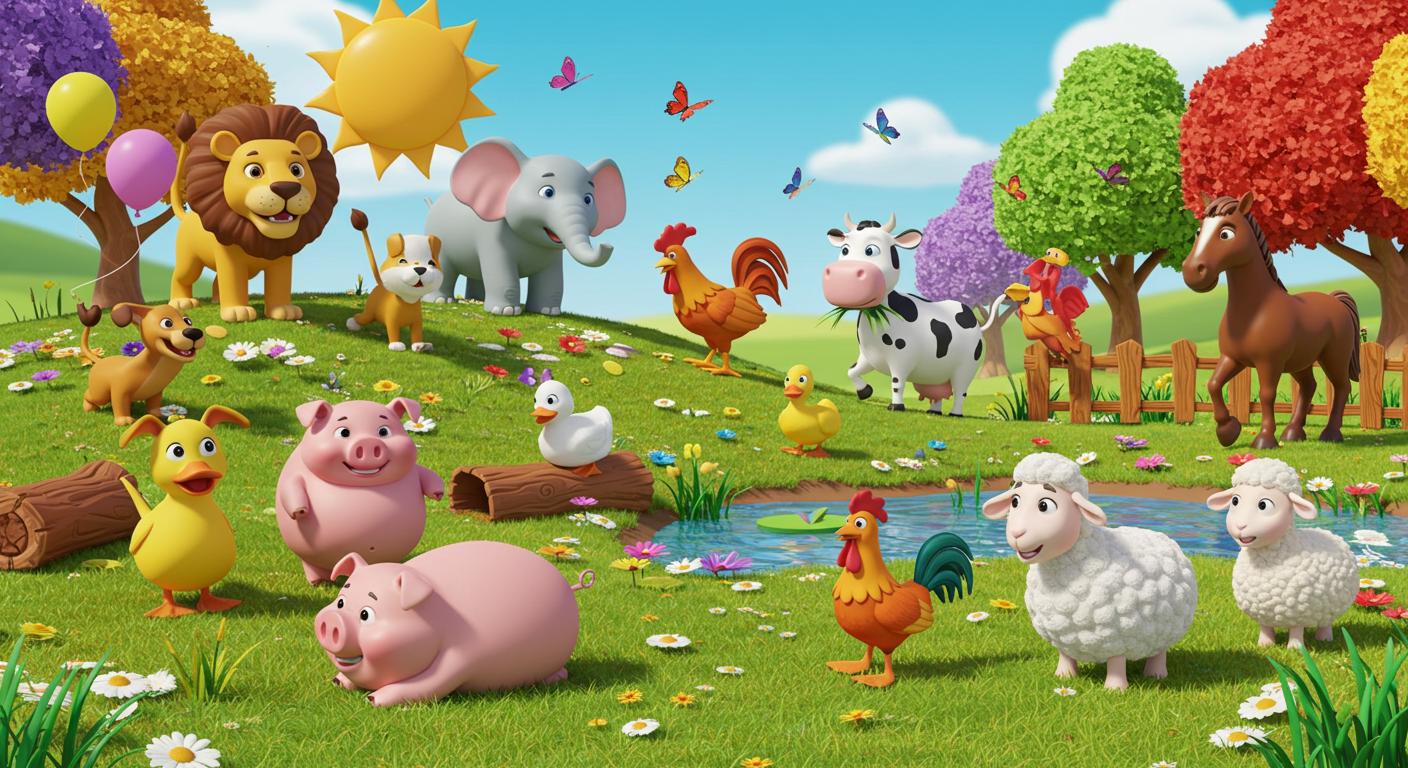
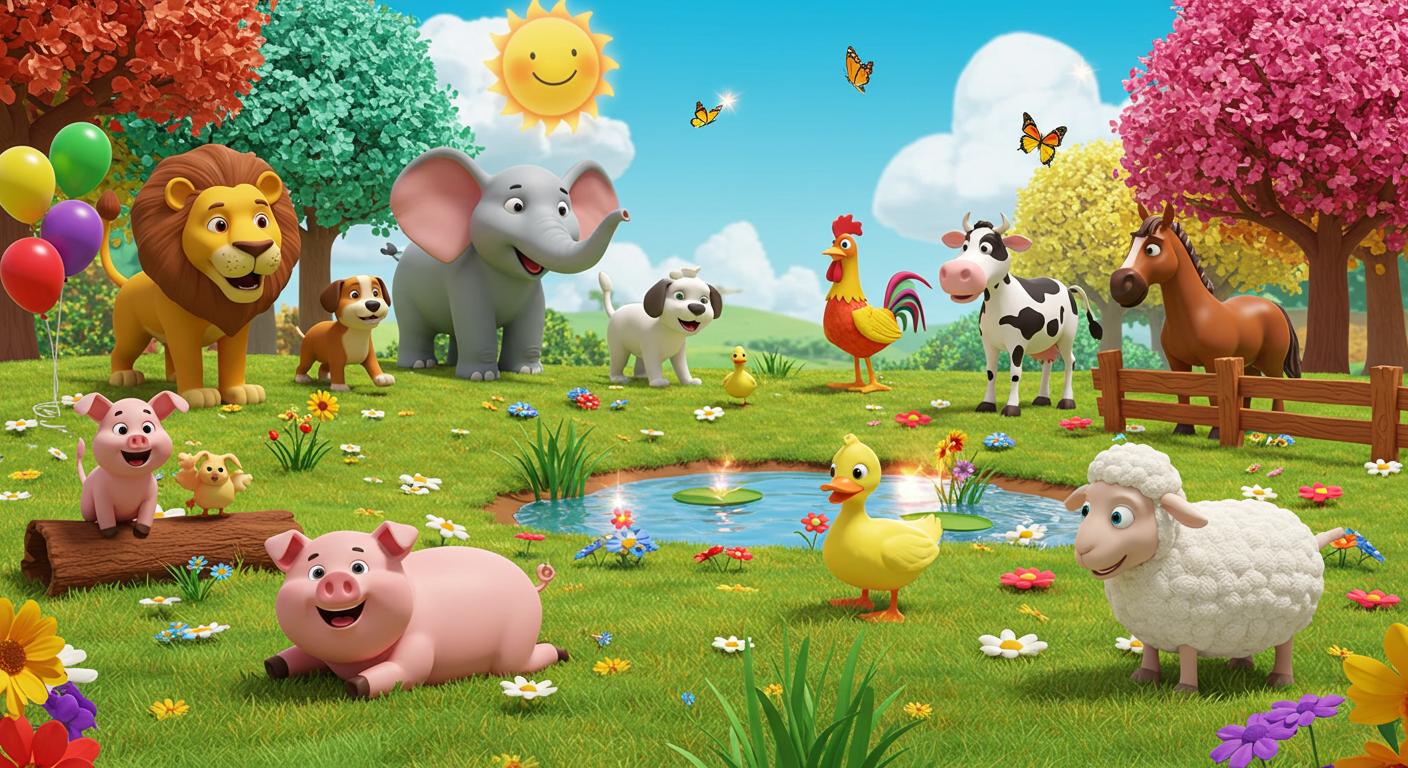
in one image. So I enter this prom
that says, from above, create a three D pixel style prompt showing
all the animals. So you can go ahead
and add that, they go ahead and copy that. So I went ahead and
try up that and I have this animal
shown in one picture, and that looks so good, right? So any one click,
you can go ahead and select the best
that you have. So we're still using
image effects for that. And once you do that,
you go ahead and also move over to head of AI, and then you can go
ahead and see all the animals dancing in one image or a 1 ft all dancing. Now, I want ahead and
move over to cap code. So right inside cap
code, I have all these. So if you go ahead
and click on Media, you can select and upload all your images or your
videos by clicking on Impots. So whenever you click on Impot, you're going to import
all this, right? And then you go ahead and arrange them according
to the sounds. So I started by chain
all the animals dancing, and then we begin to show them one by one
and ward the sink. And you can go ahead and add
transition in between these. And if you also want to
add caption, that is fine, but I wouldn't be adding all
all those things for now. So let's go ahead and watch
this and see how cool it is. So let's go ahead and
check it out, guys. Less sing thee and the mourning making sounds
as we laugh and play. Clap your hands
and sing out loud. Join thee animals in the crowd. The lion says, Lord, lord, gold. He's the king we can't ignore. Big and strong with
the mighty sound. Here his voice shake the ground. Oh the elephant goes,
toot toot toot. With a trunk that
sounds so cute. Stomping feet that shake the floor trumpeting
loud forevermore. The cow says move.
Move, move, move. Eating grass the
whole day through. On the farm, she gives us milk, soft and gentle smooth as silk. The dog goes wolf. Wolf Wolf Wolf. Chasing his tail on the roof. Running fast he loves to play, barking happy all the way. The cat says, now, now, now, now stretching on
the fence right now. Purring softly when it's nice cuddly friend
who feels just right. The duck says, Quack,
quack, quack, quack. Water ling down the river track. Splashing water,
flap, flap, flap. Quacking loudly with a clam. Hoo hoo hoo hoo. The horse goes neg nay, nag Galloping fast all day. Trotting quick with hooves that pound echoing loud,
a racing sound. So pigs at oink oink oink oink, rolling round in
moody pink snorting, funny, wagging tail, oinking
loudly without fail. The rooster shelf's **** a doodle doo winks the
farm with something new. Sun is rising start the day. Hear him call in his proud way. The she says bah, bah, bah. Also soft, fluffy star marching
round in grassy fields, giving warm the blanket yields. Let's all sing the animal way, making sounds as
we laugh and play. Now, you know them one by one. Animal sounds are so much fun. Alright, so that
is amazing, right? That is so, so cool. And I love everything
we have right here. So go ahead and put this down. But before then, I want to
show you something else. Maybe if you actually want to start creating
this for mobile, all you need to do is to
go back to Image fats, select this to be portrait. So with portrait, you can
begin to select to do this. So I image these
examples so I can be able to show you how cool they are, and
you can see that. So anyone you need,
you go ahead. It's still the same
thing that we did. Only thing that I changed
the last one to be a horse, a monkey instead of a sheep. So check out how quick to be. Now, I can see that I
take my time to make all this so that
I can be able to give you something so cool. So you can see that
it's very beautiful if you do this or
mobile a swall. So check out the mobile version
and see how quick to be, and I would love you to
do something like this. So try out, and if you
have any question, please go ahead and use the
question and the A section, and I'm going to get back
to you as soon as possible. Thank you and see you then.
 George Steve, Senior Software Developer & AI Content Creator