Travel Dreams - Interactive Art Journal Adventure | Karen Dawn | Skillshare

Playback Speed


1.0x


  • 0.5x
  • 0.75x
  • 1x (Normal)
  • 1.25x
  • 1.5x
  • 1.75x
  • 2x

Travel Dreams - Interactive Art Journal Adventure

teacher avatar Karen Dawn, Creative Soul Journeys

Watch this class and thousands more

Get unlimited access to every class
Taught by industry leaders & working professionals
Topics include illustration, design, photography, and more

Watch this class and thousands more

Get unlimited access to every class
Taught by industry leaders & working professionals
Topics include illustration, design, photography, and more

Lessons in This Class

    • 1.

      Class Introduction

      0:45

    • 2.

      Collage Overview

      0:36

    • 3.

      Mechanical Overview

      0:34

    • 4.

      Collage the Wheel

      2:09

    • 5.

      Collage the Page Spread

      3:48

    • 6.

      Add Some Paint

      1:38

    • 7.

      Create a Travel Trailer

      2:47

    • 8.

      Assemble

      1:10

    • 9.

      Finishing Touches

      1:55

    • 10.

      Thank You for Watching

      0:52

  • --
  • Beginner level
  • Intermediate level
  • Advanced level
  • All levels

Community Generated

The level is determined by a majority opinion of students who have reviewed this class. The teacher's recommendation is shown until at least 5 student responses are collected.

17

Students

1

Project

About This Class

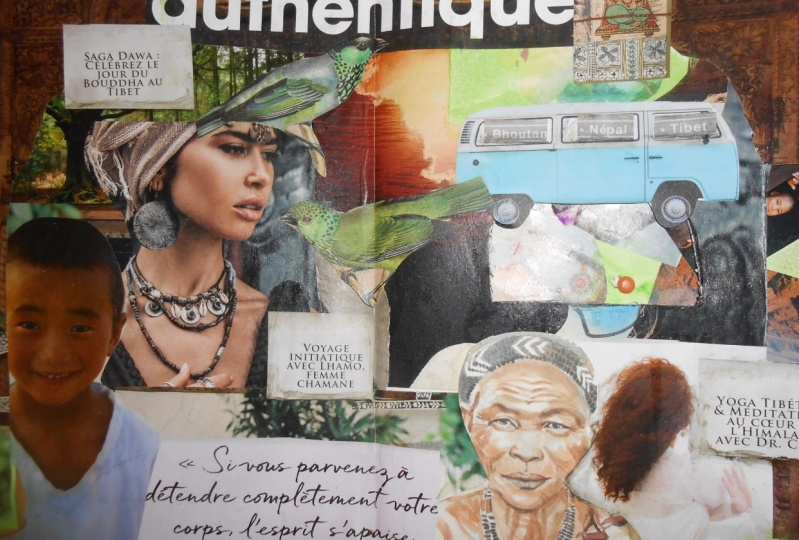
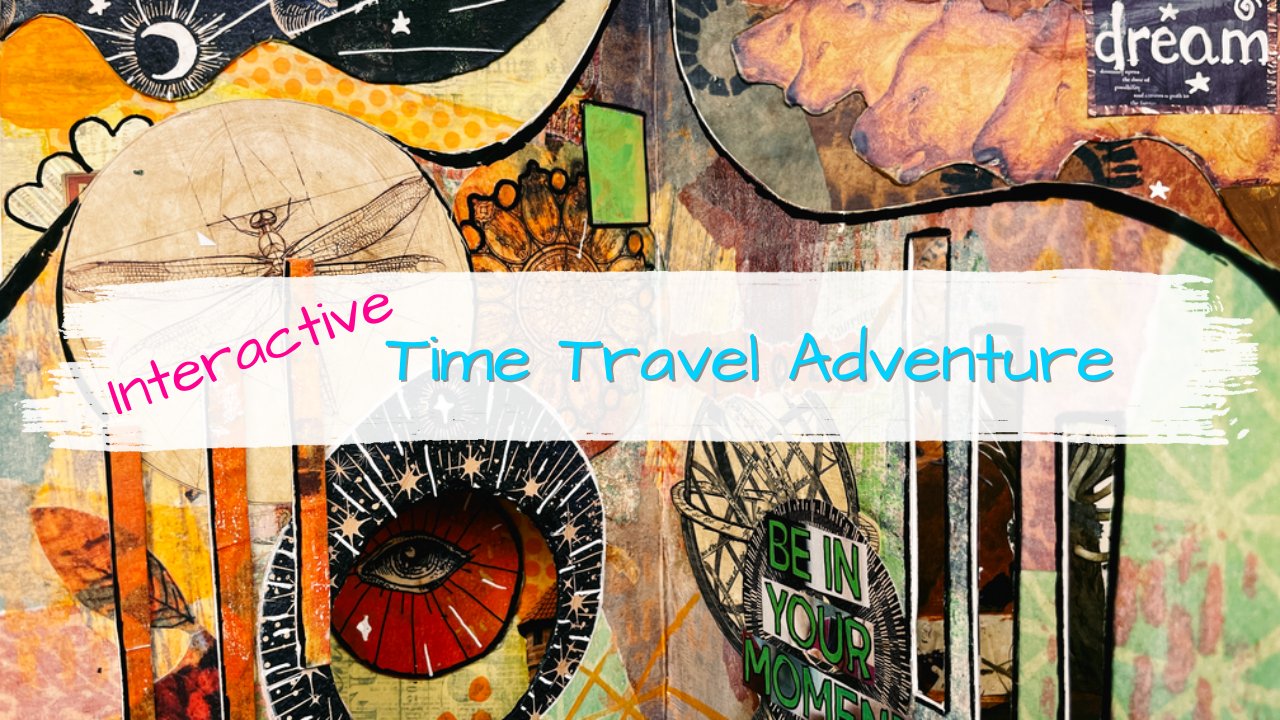
Making interactive art journal pages can open up a whole new world of possibilities! In this video, I express my dreams of traveling the world. I work in an intuitive manner, using materials I have on hand. I hope this class inspires you to free your imagination and your creativity to fuel your own travel dreams.

MATERIAL USED
Please don't think you need to buy anything for this class, I believe we are our most creative selves when we use what we have on hand. That being said, if you don't have a lot of craft supplies you may need to gather up a few. The list below is what I used in this class.

  • Watercolor Art Journal
  • Matte Medium
  • Glue Stick (not school/washable glue stick, it won't hold up to the painting)
  • Craft knife and Scissors
  • Travel Magazine 
  • Fluid Acrylics and Water Soluble Crayons (any craft paints will work)
  • Paint Brushes and Water
  • Brad Fastener

ART JOURNAL PROMPT
Dare to dream, dare to travel! Be open to exploring the world around you. Expect adventure. Gather some supplies and let's go exploring!

CREATIVE CHALLENGE
Now that you've been inspired to travel with your art journal, it's your turn to take this idea and see where it takes you. Using materials you have on hand, craft your own travel dream interactive art journal page spread.

Meet Your Teacher

Teacher Profile Image

Karen Dawn

Creative Soul Journeys

Teacher

I love the Magic of Creativity, Mixed-Media, and Art Journaling.

Never before has it been easier to find our creativity and bring into our world the hopes and dreams we have carried with us for lifetimes. I'm here to help make this all possible, and by letting go of what we think needs to happen, we can open up to the magic inside.

Teacher and Creative Alchemist Bio

I specialize in creative learning experiences in Visual Art Journaling and Mixed-Media exploration. My focus is on personal empowerment using creativity. Teaching Visual Art Journaling since 2015 has given me a lot of insight into how people interact with creativity. My dream is to bring this same inner-journey to life for you in a way that makes change easy and fun.

My wish is to help change our... See full profile

Level: All Levels

Class Ratings

Expectations Met?
    Exceeded!
  • 0%
  • Yes
  • 0%
  • Somewhat
  • 0%
  • Not really
  • 0%

Why Join Skillshare?

Take award-winning Skillshare Original Classes

Each class has short lessons, hands-on projects

Your membership supports Skillshare teachers

Learn From Anywhere

Take classes on the go with the Skillshare app. Stream or download to watch on the plane, the subway, or wherever you learn best.

Transcripts

1. Class Introduction: Hello? Hello. Hello. My name is Karen Don and today in this class, I am going to show you how to create an interactive Travel Dreams Journal page. Here it is. This is interactive because it's got this little window in here in this trailer, and when you turn the wheel, the little pictures inside change. Now I don't want to let this intimidate you. This is actually a really easy process and you can totally do this. So let's get started. 2. Collage Overview: I have selected a whole bunch of travel images from a travel magazine and I'm going to be adhering them to this page spread as well as the circle which is going to go underneath. Then I'm going to cut some window on this page. When you turn the wheel, you will see the images that are on the circle appear in the 3. Mechanical Overview: I have cut my circle out of the middle page, which I also cut a little bit further to accommodate the thickness of this. If I just cut a circle and stuffed it in between two pages like this, it's going to have too much friction to try to turn the wheel. Basically, I used the page that I cut this out of as a spacer. 4. Collage the Wheel: Okay, here we are. And I have all of these images, which I'm just going to spread out like this just in a way that everything is present, I can see things. I'm not going to feel like I'm limited to just using these images. But I, I wanted to have a really good start. Now the question is, do I start with the wheel or do I start with the bigger page? I'm thinking I'm going to start with the wheel, because this is smaller than this, it's going to accommodate smaller images. I think that's a really great place to start. I'm going to go ahead and set my journal aside, keeping in mind that this is going to be turned. I'm imagining my window being about right here when I put my images down. I'm going to want to continue to turn this around so that these images will appear upright in the window. And the color just kind of helps fill things in a little bit more, I think. 5. Collage the Page Spread: Okay, so now I'm going to work on this page. I had the luck of finding this image in a page, spread in a magazine. And I thought, oh, this is just perfect for travel. But I'm going to cut out all of this stuff in here and just leave this archway. I'll do something to kind of help hide the text that's on here as well. And then I can take some of these other images and get them placed around in here. Okay, so I have my little window here. I am going to kind of try drawing in my trailer. Just do a little sketch, see what we got. Just getting an idea where my window is going to be. I can bring this in to really get an idea. Now I know, okay, my window is going to be like right here. I can use like this ideal one. I've already punched the hole, so I know where this is going to go about like that. That's probably about right. Okay. So I think I'm going to start gluing things down and to deal with this trailer in here, I can either cut these images so that it fits in, or I can take another piece of paper and glue it on top. Which I think is going to be a lot easier than trying to cut these out. 6. Add Some Paint: The paint that I just added to this pushed these words back a little bit, which is great. And also there's some text over here, but it also kind of brought out some colors with this that I just thought it was missing. I can even do a little bit more because these pink blossoms here. Really want to bring those out? Not too much though. So I'm going to really water this down. Then I can take my paints again and can color over those. So blend in a little bit more, make them fit into the page so it doesn't look like I just stuck down some words. 7. Create a Travel Trailer: Let's go back to this interactive element which is going to go right there. Looking at this now, I'm thinking back to my original idea of having a trailer with its window on here. I'm wondering if that really fits in with this, or do I just cut out some random window in here? That is what I am thinking about now. My dilemma, if you will, and being who I am, I am the kind of person that has to see something. I have to experience it in order to know if it's going to work or not. I'm going to have to go ahead and make the trailer and see if it works. Luckily, I didn't do the method where I cut things out where I knew that I could just glue on the trailer and later afterwards. That's what I'm going to work on now and see if that's going to work out or not. Because I don't know until I try it out and see if that's going to work. Okay, so I'm going to go ahead and resketch my trailer, just loosely, kind of get it on here, see if I got the right size, I get the right window, something like that. I got to make sure it's going to still fit in on my page that looks about right. Okay, so my window looks good. See now I can really see how that's gonna look. And then I can see, well, is this going to work on my page? I mean, at this point I'm thinking, wow, I just stuck this thing down there and I'm not liking it. But then again, it's not colored in yet, right? So let's do some coloring in. 8. Assemble: Put in there because I'm ready to go ahead and commit to this. That works really well. I'm going to go ahead and get all of this glued down. Notice how I'm picking up this side over here. It's because if it's laying down, it's going to shift these pages over. I want them to be held up so that my edge over here adheres correctly. Make sure I didn't glue my wheel in there. That is working really nice. 9. Finishing Touches: Okay. So to fix this just floating out in air and, you know, maybe I should have made it an airplane, but I really wanted it to be a trailer. I could, and I probably should put some sort of a road underneath it, right? I have one goal at this point. It's to make everything on this page spread look like it belongs there. Of course, the trailer here is just floating out in space. Making it look like it belongs in the page is my priority at this point. Doing things like color matching. I'm color matching here because I used this same color over here and a little bit down here. And so visually the colors, if the colors match, then the images match. Makes sense. I still think the trailer looks a little bit funny, but it's not so bad. 10. Thank You for Watching: There we have it. My little travel dreams interactive page spread we have moving parts. Well, I had a lot of fun making this. I hope this has inspired you to do something of your own and have a little bit of fun and get creative. And don't worry about if it's going to work out or if you get weird things like floating trailers in your page spread. That's okay. It's all okay. Thank you so much for watching and I will see you next time. All right. A.