Portrait Painting in Procreate | Yasar VURDEM | Skillshare

Playback Speed


1.0x


  • 0.5x
  • 0.75x
  • 1x (Normal)
  • 1.25x
  • 1.5x
  • 1.75x
  • 2x

Portrait Painting in Procreate

teacher avatar Yasar VURDEM, Creative Art Director

Watch this class and thousands more

Get unlimited access to every class
Taught by industry leaders & working professionals
Topics include illustration, design, photography, and more

Watch this class and thousands more

Get unlimited access to every class
Taught by industry leaders & working professionals
Topics include illustration, design, photography, and more

Lessons in This Class

    • 1.

      Introduction

      1:09

    • 2.

      Painting Base Colors

      3:53

    • 3.

      Painting Lip

      2:13

    • 4.

      Painting Hair

      3:39

    • 5.

      Improve Shadows

      4:36

    • 6.

      Improve Colors

      5:17

    • 7.

      Complete Painting

      3:54

  • --
  • Beginner level
  • Intermediate level
  • Advanced level
  • All levels

Community Generated

The level is determined by a majority opinion of students who have reviewed this class. The teacher's recommendation is shown until at least 5 student responses are collected.

--

Students

--

Projects

About This Class

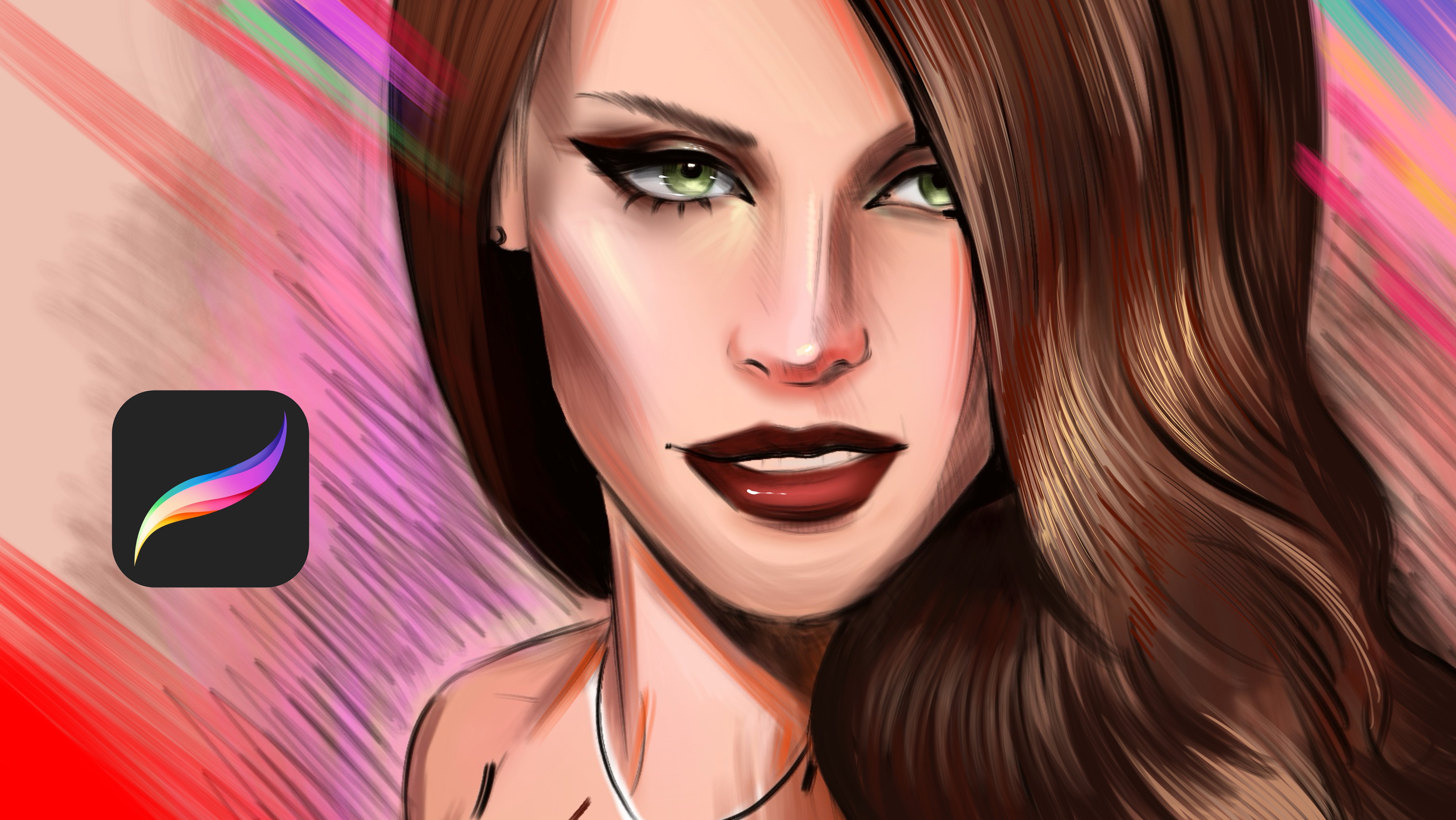
Portrait Painting in Procreate is a beginner-friendly yet professional course designed to help you create expressive and realistic digital portraits using Procreate on iPad.

In this class, you’ll learn a clear, step by step workflow for portrait painting  from sketch to final details. We’ll focus on essential topics such as facial proportions, skin tones, light and shadow, color harmony, and brush control, all inside Procreate.

Whether you’re an illustrator, digital artist, or hobbyist, this course will help you build confidence in portrait painting and develop a solid foundation you can use for personal work, commissions, or social media content.

What you’ll learn:

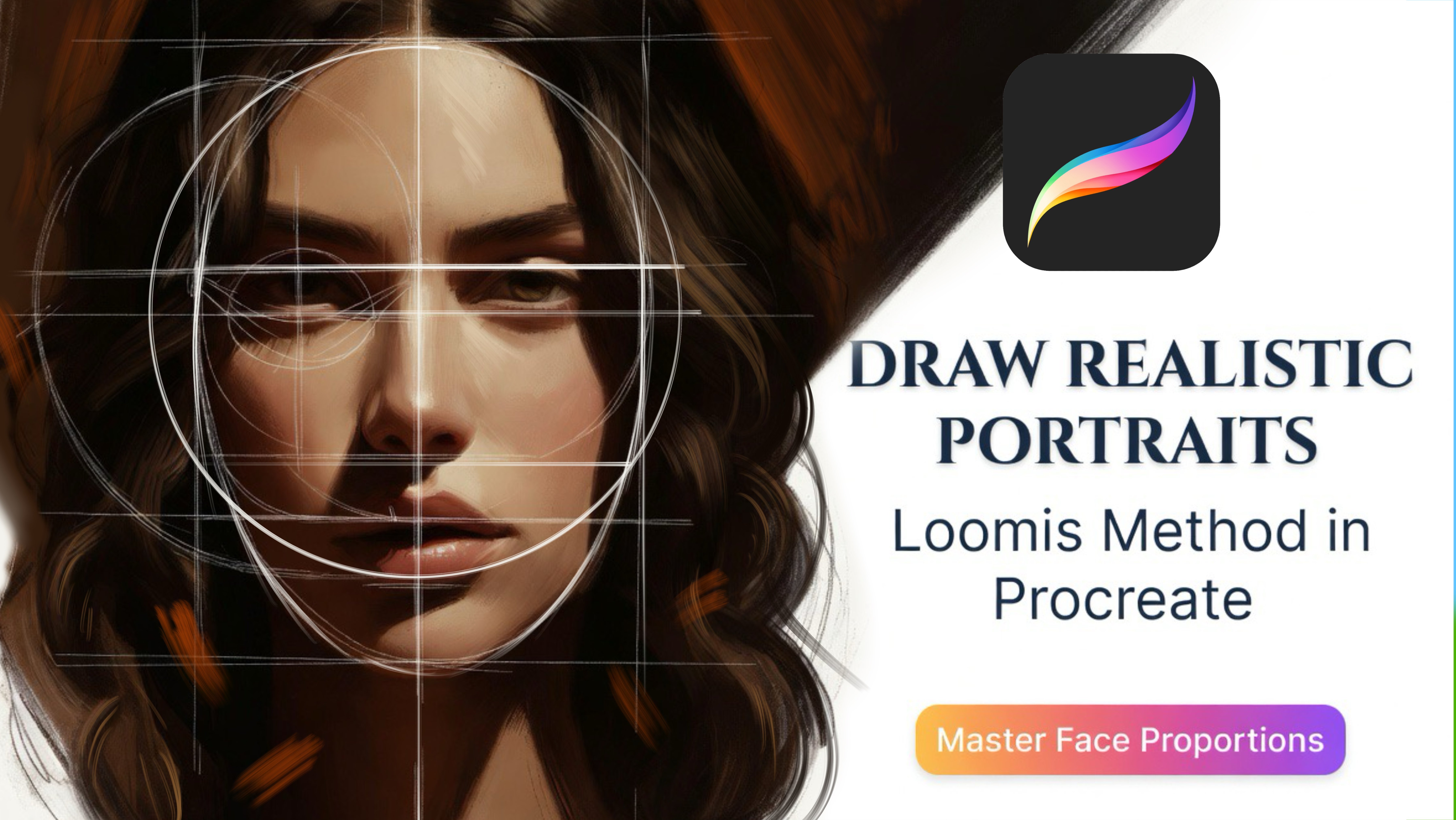
  • How to sketch accurate facial proportions

  • Painting realistic skin tones in Procreate

  • Understanding light, shadow, and volume in portraits

  • Blending techniques and brush settings

  • Adding details like eyes, lips, and hair

  • Final color adjustments and finishing touches

This class is perfect for beginners to intermediate artists who want to improve their digital portrait skills and create polished artwork using Procreate.

Meet Your Teacher
Teacher Profile Image

Yasar VURDEM

Creative Art Director

Teacher

Check my Etsy Shop

Welcome! I'm Yasar Vurdem a digital artist, illustrator, and passionate instructor.

I've spent years developing a vibrant, expressive portrait style that blends realism with bold, painterly energy. Over the years, my artwork has been featured in collaborations with global names such as Billie Eilish, Adobe, Prime Video (The Lord of the Rings: The Rings of Power, The Wheel of Time, Citadel), Wacom, Logitech, XPPen, and many more.

As a professional designer and illustrator, I work across digital painting, character art, concept design, and stylized portraiture. My goal as a teacher is simple: to share the exact techniques, workflows, and artistic mindset that I use in my professional projects in a clear, practical, and inspiring way.

Every ... See full profile

Level: All Levels

Class Ratings

Expectations Met?
    Exceeded!
  • 0%
  • Yes
  • 0%
  • Somewhat
  • 0%
  • Not really
  • 0%

Why Join Skillshare?

Take award-winning Skillshare Original Classes

Each class has short lessons, hands-on projects

Your membership supports Skillshare teachers

Learn From Anywhere

Take classes on the go with the Skillshare app. Stream or download to watch on the plane, the subway, or wherever you learn best.

Transcripts

1. Introduction: Hi, I'm Mahar Wurdam. Professional artist and illustrator, Wood collaborated with Adobe Eilish prime Videos Lord of the Rings, strings of Power, DwelfT, Sadal, Logitech, Wacom, and many more. In this class, you will learn how to paint portrait from start to finish using Prograd. We will reference Mia got and we will begin with solid sketch and a create propositions that build skin tones step by step, and you will explore light and shadow to create depth, volume, and expression in the face. I will show you how to blend colors naturally at textures and paint realistic yet paint early details. By the end of this class, you will understand how to create portraits that feel alive and emotionally strong. This class is perfect for artists who want to improve their art and digital portrait painting skills in procrad. 2. Painting Base Colors: Hello. In this class, we will paint this Mia got portrait. And at first, I will select the base color, and it is my sketch layer, and I will open new layer under the sketch. Then just start to paint all areas of the portrait with base colors. Just try to build the base shapes. Like the general tones, shadows and highlights. Oh, just like this. And after you make this all change Zoom Zoom in like this, and now we will paint the base colors of the eye. And she has brown hair. I mean brown eye, and I'm selecting colors from the photo reference, and I will share the photo reference with you. You can directly use colors from the photo reference. Okay just like this. And for I, I will select this color and we apply over it. And at this place And I will use darker colors for make it paint like this. Yeah. And I will make this part much more wider. And under nose, we will put shadows. And especially at this area, it is for light and the death heals. O. 3. Painting Lip: No And checks will be much more lighter up here and here. Just like this. And this part and this part. Yeah, just like this. And I will continue from the chin area and will give it a bit much volume. And for lips parts, you can make the base color again. And after it, you can add lights of it just like this. And for this top part, we will paint it just like this. Yeah. And just like this. I'm slowly building the portrait, and at this part, I will use light again. Also, this part is lighter. 4. Painting Hair: Okay. At lip, I will make the lip much more And under lip, there is a really dark shadow. And it will be other light. I'm building slowly. For example, at this part, we can make much more shadows or hair, especially the chin area. Yeah. And I will start adding hairs strokes here. And I will add. This part of the hair will be much more darker and it is blonde hair, so these parts will be a bit blondish. And I will use hairbrush for give it a different texture and detailed textures. No. Yeah. You can always select tin hair brush for adding the tiny hair strokes because we can paint all the tails of hair, but we can create the texture of the hair easily. 5. Improve Shadows: Yeah, let's continue to adding detail over here. This will be a bit darker, and I will make it like this, and it will be and much more tinier just like this. Yep. And maybe I can I will make the canvas flip for seeing my mistakes because mirroring the image will reflsh your eye, and you will see the different kind of mistakes you made. And it is a really good way for create details. For example, it has a dark under eye. And a light here comes like this. And as you can see, there is another light comes from here and comes from this part. It is much more sharper. Yeah, like this. And zoom here and apply lights like this. And at some point, I see this is much more darker. So I need to put some darker and a bit much more pink hue over portrait to make it much more interesting. And here will be lighter at this part. Maybe I can increase the light part, just like this. And it have light colors here. A bit saturated brown comes down like this. And this part also darker. Yeah. Just zoom here and you can see it have some light over nose. And I will paint it like this, just like this and maybe ladle sing textures here like this and much more details here. O 6. Improve Colors: And here. And here. And I will make a chin like this area much more lighter. And these parts will be darker. And after these details, I will zoom in to the chin again and we'll make chin much more darker, just like this. Yeah. You need to make it soften. Yeah, just like this. And darker these parts. And these parts and part. And this part will be darker maybe this part. And let's zoom into the lip and make it a bit lighter like this. And now I will select this color here and will make lip much more lighter. Also these lights just like this. Much more visible and detailed. And for skin texture, I will use this texture brush, and you can find this brush at my marketplace, and download, if you wish, or you can use any spray brush for catch the same or similar effect for your illustration. Yeah, I will continue to adding it. And let's continue. Yep. And now, what I will going to do is selecting hair brush again and we'll simulate this area with much more lighter colors and much more saturated colors over here, just like this. And Okay, that's all. I will delete this one and I will improve the illustration with my self duplicate it and duplicate it again and go to adjustments saturation and give general saturation just like this and go to the curves and give it a dark curve and light curve and zooming. Now I will open another new layer with a smooth shading brush. Then I will make the layer mod color and will give much more brains over checks and lip just like this. After it, I will open another new layer and we'll select this smooth line brush and zooming. Then I will select eye colors and I will add lights over here. 7. Complete Painting: And for these parts you can use as a highlighter or extra brains. And I will use a bit purplish color for lip gloss, just like this. And for here, I will select lighter color and will apply just like this. You don't need to add every detail exist in the hair, but just focus on the light source, and you can add small details near the light source. And maybe I can make this chucker like this because I don't want to make it same as a reference, and you can add different makeups, different kind of details over skin to see how can you make it much more interesting. Working experimental is really fun. Yeah. And I will put some extra shadows here and here. Yep. And I will delete the extra parts of these corners to make it much more clean. And you can make hair strokes near corners. And it is right part. I will increase the lights, and I will finish the illustration. Hope you enjoy and I can't wait to see you in my class. Yeah. And for background, I will use textured brush and will paint it just like this. Yeah, it gives a really good detail with just like this. Yeah. Thank you for joining me in this class, and