Transcripts
1. NotebookLM Introduction: Welcome to this class
on Notebook alum. In this class, you will learn
how Notebook alum works as an AI powered
research and learning assistant that operates
only on your sources. That means every
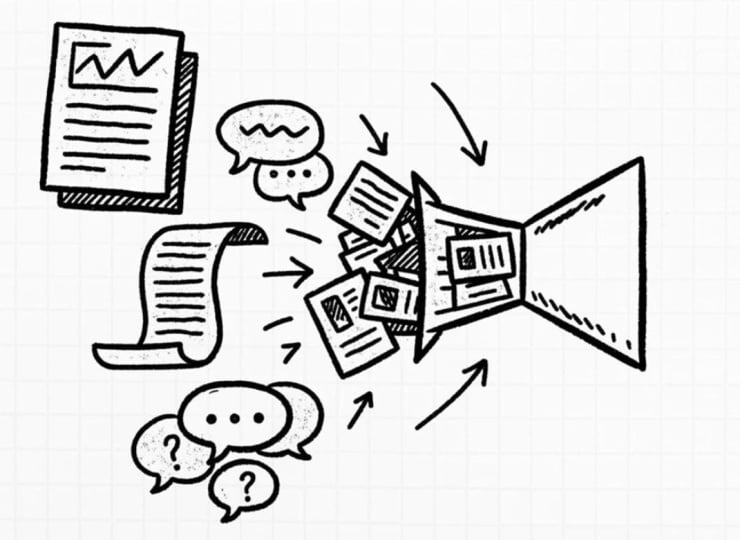
insight, every summary, and explanation comes directly from the material you provide. You will begin by understanding what notebook M actually is. We are not using
it as a chatbot, but we are using it
as a workflow tool, which is built around
the idea of a notebook, a place where your
documents, links, and notes come together into a single structured
source library. From there, you will explore how to add
and manage sources. We will see the types of formats that Notebook
lem supports, how it connects with
tools like Google Drive, and how web links and videos can be included as part of
your research base. Next, we will focus on how
to interact with your data. This includes using the chat
interface to ask questions, generate summaries,
and verify information using citation and save
structured notes as you work. We will then move to
the studio features. We will learn how Notebook alum can
create audio overviews, explainer videos, and interactive
mind maps to help you understand complex
topic more clearly. After that, we will explore advanced tools such as
study guides, quizzes, flashcards, and strategy and planning outputs that
support learning, teaching, and professional work. Finally, we will look at
customization and pro features. This includes language options, customs chat styles,
sharing notebook publicly, understanding engagement
and analytics. By the end of this class, you will have a clear
understanding of how to use Notebook M to
organize information, learn faster, and work more confidently
with your own data. So let's get started.
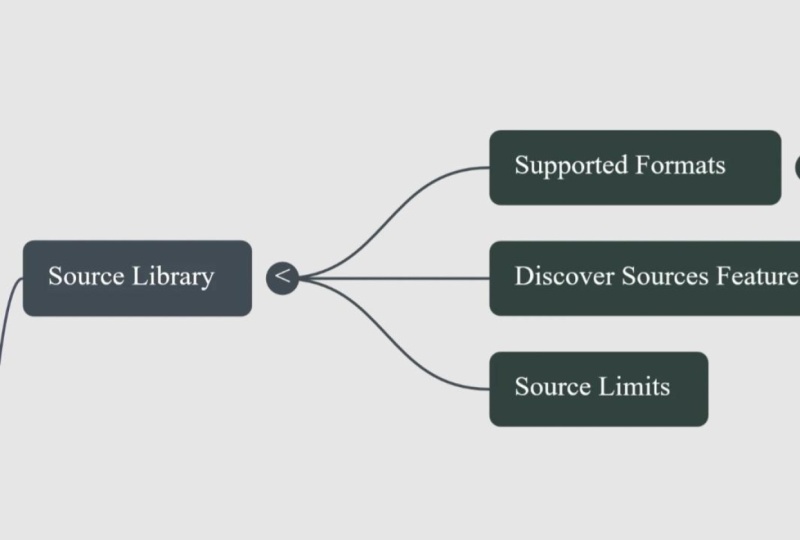
2. The SOURCE LIBRARY NotebookLM : We did the introduction. We understood that it's an AI
powered research assistant. It's a workflow tool, and it uses the
concept of notebook. The source library,
we have supported formats like PDF text, Markdown, Google Drive,
web Links, and YouTube. We have the concept
of Discover feature. What is Discover feature? You will see that whenever
I'm working on the mindmap, it takes me back to the chart, analyzes it, and then
starts explaining. So it's a vital component which is used for
doing it, right? So let's go back. And
we have source limits. The source limit is very simple. It is 50 sources for free users and 300 sources per
notebook for a pro user. I'm a pro user. 50 sources
are also more than enough. So this encourages
you to keep it intentionally selective about the material
you want to include, keeping your notebook
focused and manageable. A well built source library is the foundation for effective
work in Notebook alum. Relevant sources leads
to clear answer, better summaries, and
more reliable insights. In the next lesson, we
will look at how to interact with this data
using the chat interface, summaries, citations, and
save notes. Let's continue.
3. INTERACTING WITH DATA: Interacting with
data. In this lesson, we will look at how you actually work with the information inside the notebook m.
We have chat interface, automated summaries, citation and verification,
and saved notes. So let's dive into each
one of them in detail. Once your sources are added, interaction happens through
the chat interface. This is where you ask questions, explore ideas, and navigate
through your material. The chat responds based only on the sources
in your notebook. Keeping your work
grounded and traceable. Notebook alum can also
generate automated summaries. These summaries help
you quickly understand long and complex documents without losing original context. These are especially useful when you are reviewing large
amounts of material, revisiting a topic
after some time. Another key feature is
citation and verification. When Notebook M
provides an answer, it shows where that
information comes from. This allows you to
check original source, verify the accuracy, and build confidence in
your understanding. As you work, you can create
and store saved notes. These notes help
capture insights, it points, and conclusions
that matter to you. Over the time, they form a structured record of your learning and
research process. Interacting with data
in Notebook alum is not just about
getting answers. It is about asking
better questions, verifying information, and building the
knowledge step by step. In the next lesson,
you will explore the studio features,
including audio overviews, explainer videos,
visual tools that help transform information
into deeper understanding.
4. NotebookLM : THE STUDIO : Audio is where your
source material can be transformed into audio and
visual learning formats. This allows you to engage
with information beyond text, making complex topic easier
to understand and revisit. Let's begin with
the audio overview. Audio overview converts
your source material into AI generated
podcast style format. This is useful when you want to listen to the summaries
instead of reading, such as during revision
or background learning. Audio overview also
includes language options, allowing you to
generate content in different languages based on
your preferences and audio. In addition, there is
also an interactive mode. This allows you to engage with audio output more
actively helping you explore the ideas step by step rather than
passively listening. Let's look at the
explainer video. Explainer videos, turn
your source based on content into
visual explanation. These videos uses
different visual styles to present information in a
structured and approachable way, especially for complex
and dense topics. This is important
to be aware that studio feature operates
within daily usage limits. These limits encourage
thoughtful use and helps manage. How often do you want to use audio and video content
to be generated. Overall, the studio
helps transform your source material into
formats that support listening, visual learning,
deeper understanding. In the next lesson, we will explore advanced tools like
interactive mind maps, study guides, quizzes, and
flashcards. Let's continue.
5. ADVANCED TOOLS in NotebookLM : In this lesson, we will explore the advanced tools
available in Notebook alum. These tools help you move
beyond basic interaction and turn your source material into structured outputs
that support learning, planning, and decision making. Let's start with
interactive mind maps. Interactive mind maps visually organize key ideas
from your sources. They help you see relationship
between concepts, making it easier to
understand complex topics, navigate large volume
of information. Next, we have strategy
and marketing plans. Notebook M can have structured planning outputs based
on your source material. These plans organize ideas, insights, and supporting information into
clear framework. That can be used for strategic
thinking or communication. Another important set of tools is study guides and quizzes. Study guides helps summarize, organize key concepts
from your sources. Quizzes allow you to test your understanding and
reinforce the learning, making them useful for both
self study and teaching. Finally, we have flashcards. Flashcards breaks information
into small focused pieces. They are useful for
memorizing, quick revision, and reinforcing important
terms or ideas over time. The advanced tools
in Notebook L M helps transform information
into practical output. They support deeper learning, better planning, and more
structured thinking. In the next lesson, we will explore setting
and pro features, including customization
options, sharing and engagement insights.
Let's continue.
6. SETTINGS & PRO FEATURES of NotebookLM : In this lesson, we will explore the settings and pro
feature in Noebook M. These options allow you to customize how
Nodebook M responds, how outputs are shared, how engagements are tracked, especially when using tools in professional and
collaborative context. Let's begin with custom
language output. Notebook m allows you to control the language used
in their response. It is useful when working
with multilingual context, teaching diverse audience and preparing material for
different regions. Next, we have
custom chat styles. Custom chat styles
help you shape your responses for
written communication. You can adjust the
tone and the structure of the output to better
suit the learning, research or professional
communication. Another important feature
is public notebook sharing. This allows you to share the selected notebook
with others. Shared notebooks make it
easier to collaborate, review the content together, and provide access to structured information without
sending individual files. Finally, we have analytics
and engagements. These insights help you understand how content
is being used. Because you have publicly
shared your notebook, they can show you the level of interaction and the engagement, which is especially useful in educational and
professional settings. Together, these settings
and the pro features helps adapt notebook M to
your specific needs. They support flexibility,
collaboration, and better visibility and how information is
accessed and used. With this, we have
completed the walk through of Notebook
M core capabilities. You are now ready to apply these features in
your own learning, research or
professional projects.
7. Practical use case : Lean Notebooklm : Hi, we can see that
we have created. We are logged in to
notebook, lmdtggle.com. This website is very important. I am a pro member,
but notebook LM works perfectly fine even
in the free version. So you can decide and go for a pro plan if you
find it useful. So let's get started. There
are some featured notebooks. I have my notebooks, I have featured notebooks. So these are some ready
notebooks with 70 sources, 17 sources, 26
sources, and so on. We have earning reports for top 50 corporations
from 276 sources, William Shakespeare, the
complete play with 45 sources. So you can go learn about it, but let me start explaining
with a blank notebook. So I'm going to click on
Create a New Notebook. There are three important parts we need to understand
for the notebook. The first thing that
cabs up is to create an audio overview from
your YouTube videos, from your notes from
different sources. You can upload files, documents, website links, access to
Google Drive, and copied text. What I'm going to do is I have a video which talks
about TIP Woods, a type of waste, and it
is a hit the language. I'm just copying this
link coming back. And here in my drop your
files in the website, I'm pasting this link. And I click on Insert. As soon as I do
that, it is telling untitled notebook
with one source because it has taken this video. I want to understand this, so I'm going to say
Lean Tim Woods. Right? Whatever name I give, it becomes accessible
over there. I am free to do
some deep research, past research and
deep research to get some sources from the web. I don't want to search the web. Currently, first
version, I'm going to show you with the links
that I already have. There is a link on how Tim
Woods in the eight Waste and an drives efficiency
in business process. I'm taking this link as well and going to
add it over here. I'm going to click
on AD sources. Click over here, past the link. Upload multiple sources
by giving space. So I can add multiple URLs separated with a
space or a new line. Only the visible text on the website will be
imported at this time. Paid articles are not supported. Only the text transcript in the YouTube will be
imported at this time, only public YouTube
videos are supported. Recently update videos may
not be available to implode. If upload fails, there are some common reasons and we can click over here
to learn more. So I have now taken two more website links
and clicked on Insert. As soon as I did this,
you will see that my notebook very clearly says that I have three
sources of information. I'm not making use of any
research element over here. I know what are the three
websites I want to use.
8. Lean Notebooklm 2 : Practical use case: I know what are the three
websites I want to use. You can clearly
see the Tim Woods has three sources from
where it is understanding. It has generated
a quick summary, and now it is asking me
to generate the question. So the middle section
is the chat window. The left is the source window. The right is the studio, which is very creative
and very useful for us. So let me just enlarge this. In the studio, it supports
language like Hindi, Bangla, Gujarati, Tamil,
Telugu, Malayalam, Mati, and so on. I have important things which you need to
understand quickly. We have an audio overview. This will generate an AI
podcast based on the source. I don't have to use all
the sources at once. I can pick up any
one source, go here, click on the pen sign, and it is giving me a
customized audio overview. There are different
formats like Deep Dive. This is like a conversation
between two host who is unpacking and connecting the topic from our source only. This reduces the hallucination. There is brief,
do I want to have a brief understanding from
the 30 minutes video, I can click on Brief. Critic. Sometimes you want to understand the concept with
a constructive feedback. This will help us understand
the material more in depth. Then I'm going to use critic. If I want thoughtful debate between two users
or the two host, showing different perspectives, I'm going to click on Debate. So for now, I'm leaving it as Deep Dive. Let's scroll down. I have languages to choose from. I can use Dutch,
English, and Indonesian. There are multiple
languages it supports. It even supports Hindi, Marathi, and Indian
languages as well. I'm leaving it as in English. The length can be short if you want it for
seven to 8 minutes, a default length or a long conversation
of 20, 30 minutes. So for now, I'm
leaving it default. I haven't given any prompt
because I want it to understand from the one voice
and generate the audio. As soon as I click that, you can see there's a
line that's going on, and it is telling me
generating the audio overview. And this is coming only
from this website. I can generate a separate
audio overview by clicking on the next source and
then clicking over here. I can also specify I Nail
the audio in Indian English. And I can also click on
Long and say Generate. So I'm converting this
Hindi YouTube video into an English podcast. Currently, there are two audios that are getting generated.
9. Lean Notebooklm 3 : Practical use case: I have video overview. If I click on the Pen sign, it is telling me how can I
customize my video overview? Do I want it as an
explainer video or do I want it as a brief graph
core ideas from the source. There are multiple ways. You can use custom classic, whiteboard, and you
also have papercraft. So go ahead, try out
different options. So for first time, I'm going to take let me start by
taking a papercraft. And I'm going to
click on Generate. So you will see two audios and a video has gone
into generation. Usually this generation takes approximately 10 minutes
or so to get generated. So just have patience. Don't stop any of the activities that's going
on because it has to think, understand your source,
and then create a content. While that is getting generated, let's understand how I
can create a mindmap. So I'm just clicking on MinMap. It starts generating the mindmap only from the YouTube video. If I need a separate mind
map from this website, I can click on that and
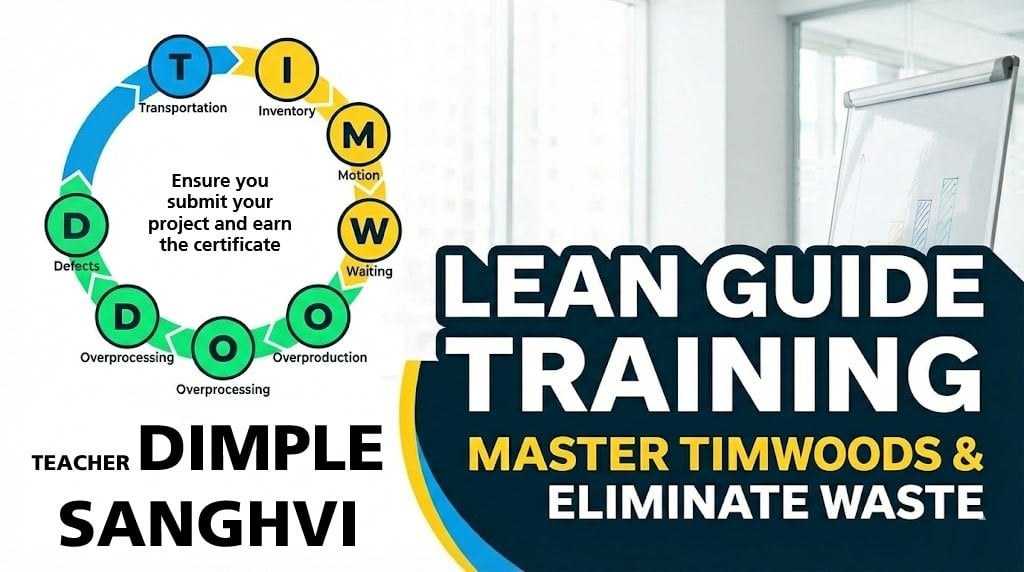
then generate the mind map. So you can see Tim Woods eight pillows of lean
eliminating waste. This has come from
my YouTube source, and this has come
from my website. Let's look at each of them. So when I pull this up, it says eight types of waste. When I click on it, it says, transportation,
inventory, motion, weighting, overproduction,
over processing, defect, and skill set waste. Let's go into each one of it. Under transportation,
what is the definition? What is the causes, and
what is the solution? Transportation waste
definition says unnecessary movement of material involving manpower and vehicle. The cause for this is that
there is a reverse flow, zigzag process layout,
multi step shop floor, lack of material
handling equipment. The solution for this is
to plan the short route, process the sequence alignment, vendor co location, and
improve tracking density. Now let's go to inventory waste. Again, what are the types
of inventory waste? What is the drawback
and the concept? So inventory can be raw
material inventory, work in progress,
and finish codes. The drawback is it
blocks your capital, occupies the space, and
risk for deterioration. The concept is just in time
and avoid bulk purchasing. Now, if I want to understand
just in time in more detail, I click on this and it takes
me back to the chat window. Here, you will see
that it automatically drafts a prompt for us saying discuss what sources say just in time in the larger
context of this concept. And when you read this properly, let me just zoom in Here's how jet in the larger concept
framework can be explained. So it says the
primary role of this is in this way,
reducing waiting, minimizing inventory,
the concept of pull system and demand,
Tota production system. And it is also giving
me the citation from where it has pulled
this information. So it is not bluffing in the air Carban uses inventory control and that it read at this source. So when I click on
that source guide, it takes me exactly to the place where these symptoms points to the area of overproduction, defect, excess transportation
that happens to address. Implementing lm, once and so on. And it says Kison events
advance continuous improvement. So it is giving you
answers only from here, tools like PDCA
and so on, right? So we created a mind
map. We had a question. I took us back to
the chat window. When we had a question to the
authenticity of the data, it took us back to the source
from where we caught it. So isn't this helpful? You're not making any mistake. So going back, let's
create an info graphics. You can either English, I need a landscape view, concise, standard or detail, and we can give currently, I'm not giving any prompt, but you can give a
customized prompt over here, which can focus on what
exactly do you need. I'll leave it for
Notebook M to decide. So while we are
waiting the Tim woods, the other mind map is ready. Eight Was here in that source, it says unnecessary movement, inefficient tools, what
is excess stock up. We can see that the level
of detail is different. Implementation tool is
value stream mapping, Gemba walk, fives, Kanba
and Pokaoki standard work. Industry examples in automotive
healthcare and insurance, reduce the processing
claim by 30%, we decrease the
patients stay by 22%, reduce the operating
cost by 8 million. So benefit of reduction, improved productivity, quality,
cost saving, and so on. How did it reduce? If I have a doubt, where exactly did it do this? I click over here. It takes
me back to this chat window, gets me the information that can help me understand
this better. It is also telling from
which source did it take this statement, right? So this allows us
not getting lost.
10. Lean Notebooklm 4 : Practical use case: Now we can see that the deep
dive for Tim Woods is ready. There is an interaction
mode over here, and then I have a play
button. So let me play this. You know that feeling,
right? You're sitting in a meeting and you're
just thinking, This definitely could
have been an email. Oh, I know that one. Or waiting three weeks for a
simple signature. Exactly. It's that sheer soul crushing drag of inefficiency. The time we waste on things that just don't add value,
it's exhausting. It is exhausting, and
there's a name for it. In lean thinking,
it's called Muda. It's a Japanese term from the
Toyota production system. And it means waste, right? Pretty much. Mm hm. But more specifically, it's any I can click on
the interaction mode. This is available only
for the pro user. I can interrupt the use speaker at any point of time to
get my doubts clarified. Let it just get loaded and I will show you how
I'm interacting with the AI host in getting answers to my questions because the purpose is to understand. So let me play the audio again. You know that feeling,
you're sitting in a meeting and
you're just thinking, this You know that
feeling, right? You're sitting in a meeting,
and you're just thinking, This this definitely
could have been Oh, wait. Soone wants to join.
Hey, go for it. Can we directly get to the
topic of Tim Woods, please? I want to understand more from the overproduction waste
in a service industry. You know that feeling,
right? You'reitting in a meeting and you're
just thinking, This this definitely
could have been an email. Oh, I know that one. Or waiting three weeks for a
simple signature? Exactly. It's that sheer soul crushing drag
of inefficiency, the time we waste
on things that just don't add value.
It's exhausting. It is exhausting.
And there's a name for it in lean thinking. It's called Muda.
It's a Japanese term from the Toyota
production system. And it means waste, right? Pretty much. But
more specifically, it's anything anything at all that the customer isn't
actually willing to pay for, whether that customer
is external or, you know, the person in
the next department. And that definition
is so important. That's when we need
to hold on to today, because we're doing
a dieta dive into the ultimate framework
for spotting that waste. Right. Our source material
lays out this incredible map. Let me do it one more time. Okay, let's unpack this. We are diving deep today, not into, you know, financial markets or
geopolitical history, but into something
far more fundamental. I think it's fundamental to
success in any field, really, efficiency or more
precisely the detection and elimination of inefficiency. It's a foundational
lesson, you know, for anyone who
manages a process, a team, or even just
their own time. And we are using a
fantastic source today, a really deep look
into the principles of lean manufacturing and
that famous concept of waste stir the Oh, hey, our listener wants
to join in. What's up? I want to understand how is this overproduction
waste applicable in a service industry? I'm into training and teaching field. Can
you please guide me?
11. Lean Notebooklm 5: Practical use case: How my infographics has come up. And we see how beautifully
it has created infographics in a
matter of few seconds, a few minutes, right? So great. So I can
use infographics. I can use flashcards
for understanding. So again, let me show
you in flashcards, I have number of cards as
fewer, standard or more. So I'm keeping it as standard. Level of difficulty,
easy, medium or hard. I'm keeping it as medium,
and I'm going to say, Okay, the current source that is
selected is only this website, so it is going to start
creating flashcards for me. So I created mind maps. I created audio from
two different sources. I created infographics. I have an explainer video. Hey, everyone, and welcome. Today, we are going on a hunt. We're tracking down the eight hidden enemies of efficiency. These invisible forces that secretly drain our productivity, pump up our costs and just
look back and wonder, What did I actually get done? Well, what if the problem
isn't how hard you're working, but a set of invisible enemies actively working against you? In the world of
lean manufacturing, they actually have a name
for these enemies, Muda. It's the Japanese
word for waste, and it means absolutely
any activity that eats up
resources, your time, your money, materials, energy, but adds zero, and I mean zero value from the
customer's point of view. Our mission to find it
and to get rid of it. So, how are we going to
track these guys down? Well, lucky for us, we've got a field guide, a
kind of most wanted list. It's the acronym Tim Woods. And each letter
stands for one of the eight prime suspects we're looking for. So let's need them. All right, our first two
enemies are basically cousins. You almost always find
them hanging out together. They're both all about
necessary movement, but there's one really important
difference between them and the difference is actually pretty simple, but
it's critical. Transportation is all about the unnecessary movement of things, parts,
products, materials. Motion, on the other hand, is the unnecessary
movement of people. You employees walking around, bending over,
reaching for things. Very beautifully, it has created an audio video for my class. I can read it, understand it, so that I can appear
for my exam with more efficiency.
Isn't this beautiful? So please try it out on
any topic that you like. I have created flashcards. Let's see the flashcards. So what's the primary focus of lean in a manufacturing
methodology? I can see the answer, maximize
value, minimize waste. What is the core principle
of lean manufacturing? To only use the
necessary resources and make the product deliver. What is Tim words?
Yes. It's an acronym to recall eight types of waste. What does the T stance? It's transportation. What does the I stand? Inventory. If I go ahead and
say explain this answer, it will take me back to the chat window and then it
will start explaining me. I'm reviewing the flashcards based on the source material. Can you explain what
does inventory mean? You can see that it has
given a beautiful answer. So you can go ahead, read it to understand it better. So the benefit of going
through the studio is that I can go ahead and create
infographics slide deck. I want to create a slide deck. Let me just go ahead
and create one. I'm not changed any
of the settings. The default is detail
deck, presenter deck. Detail will have a
lot of information, deck will have less. So let me try to create one short or default English
as a language and generate. Now we will see that there are two types of slide decks
are getting generated. One is a detailed deck, one is a presenter deck. Once it is ready, we'll
be able to see it. We can also generate ques
questions, standard, medium, and The quiz questions are also very beautiful when
you are doing practice, understanding how we have to understand the
content more in retail. The benefit of using
a Notebook M is that it will only listen to the source that
you have given. Currently, I have
imported three sources, but I'm generating the quiz
based on only one source. Can I do it based on
all the three sources? The answer is yes. The only thing is we don't want the notebook M to get confused. And then I have analytics to understand once
I share my content, how it has created
an engagement. I can go ahead and
create the share option, and I also have settings to understand the
output language, the licenses, and so on. So my quiz is ready. Let's go ahead and
understand the quiz. So in the assembly line, worker has to work on a cabinet. So what type of waste
unnecessary moment represent? So it's unnecessary moment, I'm going to let me
just see what type of he walks to a
distance of the cabinet. So it is motion
waste. That's right. The manufacturer
decides 10,000 units of product in the current
customer orders only 7,000, so it is definitely
overproduction. Next time, let me pick
up a wrong answer. If I take a wrong answer, it is going to tell me
not quite while the ways define TPS and the acronym
itself is remembering, not to outline the
entire system. And it highlights
the correct answer. The objective was
not to identify. I want to tell you that when you are learning it, you
can learn it well. And if you have a doubt,
you click on Explain and it takes you back to
the chat window where you can start
understanding. Right? So this is very helpful. The studio features, I would suggest that you
try out all of it. If you're preparing a report, you can generate reports. The slide deck is
getting generated. We have created audio, video
infographics, and so on. I can create new infographics
based on all the sources. There's no restriction on the amount of infographics
that you can create. The only thing that you have
is that it is going to take some time to generate the
content because it has to read, understand, and then create. At this point of time, I have
not given specific prompts, and hence, I'm allowing it
to use its own creativity. A better output will come when I give the specific
prompt over here, and how do I take help of it? I can take help from Chat GPT to give specific prompts over here. I hope you enjoyed learning about Notebook m as much
as I enjoy teaching you. Thank you so much, and I will
see you in the next class.
12. Recap NotebookLM: Let's take a moment to recap
what you have learned. Notebook M is an AI
powered research assistant that works strictly with
sources you provide. Instead of acting like
a general chat board, it functions as a notebook
based workflow tool, helping you organize, explore and understand information
in a focused way. Second is Source Library. You have learned how
source library form the foundation of everything
in notebook alum. By adding relevant
documents, links, and videos, you create
reliable knowledge base. The quality of your
source directly affects the quality and the clarity
of the results it gets. Interacting with data. We explore how to interact with data using the chat interface. We saw how Notebook M
generates summaries, create citation
for verification, and allows you to save
notes as you work. This helps you to
move from reading information to actively
building understanding. The studio introduced new ways to learn from your sources. Audio overview lets you listen the content in a
podcast style format, while explainer videos turn complex idea into clear visuals. These tools support
different learning styles and make revision easier. You also learned
about advanced tools such as interactive mind maps, study guides, quizzes,
flashcards, and planning outputs. These tools help transform information into
structured learning, revision material,
and practical plans. Finally, we covered
about settings and pro features that allow
you to customize language, adjust the chat style, share the notebook publicly and understand the engagement. These features make Notebook M flexible for both personal
and professional use. Now that you have seen
how Notebook M works, the next step is to apply
it on your own projects. Start with a clear new notebook, add focus sources, ask
thoughtful questions. Thank you for taking this
class and happy earning.
13. Thank you for choosing NotebookLM Class: With that, we have reached
to the end of this class. I just want to take a
moment to say, thank you. Thank you for being my students. You didn't just learn
how to use Notebook LM. You learned how
to think with AI. You learned how to think
differently about AI. You explored how Notebook M works with your own documents. You practice summarizing
complex material. You learned how to
ask better questions, create your slides, audio narrations, and
video narrations. And most importantly,
you discovered how AI can support your
understanding, not replace it. That shift is powerful because most AI tools
are used for speed, but you have learned how
to use AI for clarity instead of feeling
overwhelmed by the long reports,
research papers, policies, and study notes, you now have a structured way
to break down complexity, extract key ideas,
and connect insights, create your own quiz
and flashcards, and that capability will
continue to serve you, whether you are a student, a researcher, a
professional or a trainer. Let me share a bit about
who am I beyond this class. I'm Temple Sagi,
instructional designer, AI capability builder,
corporate trainer, founder of Avisa Learning App. My work focuses on
helping professionals and organizations use AI
thoughtfully and practically. I design structured
learning experiences around AI productivity, digital transformation, continuous improvement and
operational excellence, always with a focus on
real world implementation. My goal is simple
to help people move from information overload to
structured understanding. From tool usage to
capability building. This notebook alm class is
part of that larger mission, helping you use AI, not just generate answers, but to build insights. If you found this
class valuable, I truly appreciate
if you can leave a review that can help other learners discover
practical AI education. And I would love to stay
connected with you. You can connect with
me on LinkedIn, where I regularly share
insights on AI productivity, structured thinking,
learning systems, digital capability,
and leadership. The QR code is displayed
on the screen. You can also join my
Whatsapp channel by scanning the QR code on the screen for a short accesable
micro lessons, practical AI workflows, and some in person classes
and virtual classes. If you want deeper and
structured learning, explore Aviza earning app where I share additional
courses and frameworks, templates, and guided
learning path, which you can learn
at your own pace. Your learning journey
doesn't stop here. Keep uploading your projects. Keep questioning in the
discussion section below. Summarize your learning in
the comment section below. Keep thinking critically. AI is most powerful when it strengthens your
thinking, not replace it. Thank you once again
for learning with me. I will see you in
the next class.
 Dimple Sanghvi, AI Consultant, Lean Six Sigma Master Black Belt