Transcripts
1. Advanced Character Sculpting: Intro: Buck a love buttercup. And welcome to the next level. I'm drug create Ab, an artist with a passion for three D art. I graduated from the
School of Visual Arts in 2003 in New York City, and art has always been an
integral part of my life. Ever since I can remember, I've always had a deep desire
to create three D art. Sculpting on the ipad
Pro has opened up new possibilities for me and I'm excited to share
my knowledge with you. I love teaching and exploring innovative ways to
create art with Nomad. Sculpt, a three D
sculpting application available for ipad, ipad Pro, and tablets. This advanced class is
designed for those who want to create full
human figures, clothing accessories, sort
of Disney Pixar style. So anatomical, but not like anatomically anatomical,
you know what I mean? Expect a thorough
exploration of how to use and combine
simple shapes and tools so you can be excited to tackle complex sculpts rather than afraid to attempt them together. We'll cultivate problem
solving skills and a smooth workflow so you can make sculpts you
can be proud of. Are you ready to take
your three D sculpting and your workflow
to the next level? Join me in class and we'll get you past the plateau and onto more complex characters
that are more than just cute little
round creatures, which is my favorite. But at some point in time, you got to try something
that's hard. You can also export your
three D file for use in other applications like Blender for animation cycles rendering, and a whole lot more. Buckle up Buttercup. Welcome to the next level.
2. Class Project: Thank you for joining
me and allowing me to be a part of your
three day journey. Today's class project
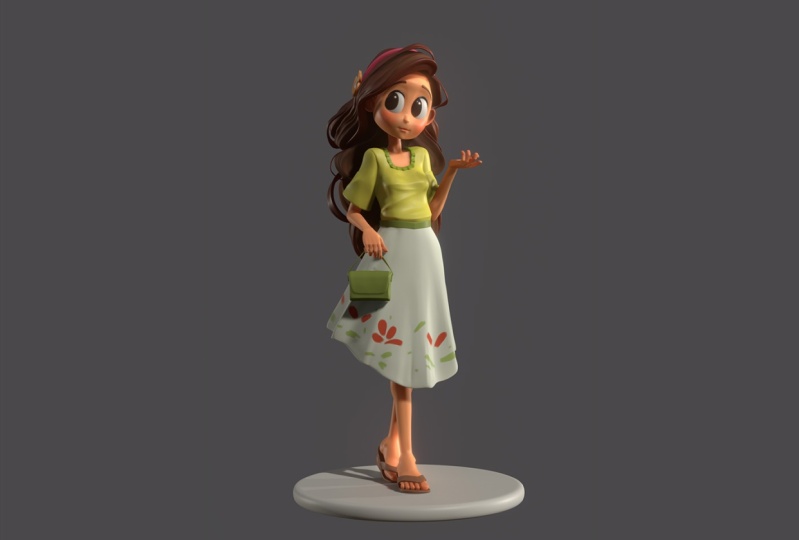
will not only be the character that
we create in class, but I'd also like
to see versions of the characters that aren't
exactly close to mine. So you can do the whole class, but I really want to see you
make the character yours, change things where
it be colors, the character's ethnicity,
the characters, hair colors, things like that. It's important to expand
on the things you learn in class in a way
that feels right for you. The very best way to
learn is to play. And there's no wrong way
to do a class project in my class as long as you're
learning and having fun. But don't forget to
take some chances. Once you finish your
class projects, be sure to upload them to the
projects and resources tab. But I'll go back over that
at the end of the video. So just be confident
in what you can do. Work hard practice, and
just have fun with it. Make sure to download
any class files from projects and resources. You'll see downloads. So there you'll find
the reference image and things like that that
you'll need for the class. I think that's it for
the class project. Next up, getting started.
3. Getting Started: Okay, let's set up our scene
before we get started. First we want to go to
the little camera icon and make sure that
we're on orthographic. This sphere is
usually pretty big. You can see it's 98.3 I usually just delete it and
add a new one. Now this probably isn't too necessary because it's going to go through a lot of changes, but it just makes
me feel better. I'm going to change this
sphere from Lit PBR, which we'll change back to when we want to color everything. For now I'm going
to go to Matt Cap. That changes it to a
default clay color, disregards all the light and everything and just
makes it easier to see. You have all these here which are fun to
play around with. But for sculpting, I
usually use XG clay. It should be there by default. Another thing I want to
mention is sometimes when you make shapes or
add new meshes, if you go here and
you add new meshes, my shapes by default
have smooth shading on. I'll show you what
smooth shading off looks like when you press the
little material button here. You have smooth shading
auto for me is on. If you happen to have yours off, you'll notice it might
look like very pixelated. It's just something to pay
attention to if you're ever sculpting or if you add shapes and it seems to have this pixelated look and
you can't smooth it out, it might be smooth shading
again, just go here, You can just put it to
auto if that's on or just put it on and
you'll see it's smooth. Before you add a
shape or before you use all of the regular
tools for shape, you have to validate,
which I haven't done yet. Now the sphere is validated and you can see I can use my tools. Just remember, anytime
you add a shape, let's say we add a
cone or something, you can do some
primitive actions to it, but you can't use all the
tools to you validate. I'm going to go ahead
and delete this. You'll notice I also
have a red line going down the middle here. If you go to the Symmetry
tab, you can scroll down. Then you can just
check show line. This helps me know where the
center of the sphere is. It helps me with my symmetry. I'll know like what's
going to be symmetrical. Maybe I'll want top and bottom. And that's where you can
change these planes. If I change it to this, then
you see the line across. It just helps me to
know what symmetry I'm working with and when. It's also helpful because sometimes when you have a lot of shapes and a lot of
things going on, it's good to know where
everything is going to be, have these two dots here. It's just good to know what's
going to be happening. When you use your tools,
obviously if you have it off, you still have the
buttons there. But I like to have
that visual cue just to know what
I'm working with. There's two tools that
I use all the time. Round edge and smoothie. Pooh. I still can't
believe I named it that. I want to show you how to
make those really quick. I'm going to hide the
sphere and add a box. I'll go ahead and
validate the box. I'm going to turn on the
wire frame down here. This will show us
the wire frame of the box to make round edge. Essentially you want to
use the smooth tool. You take the smooth tool here, tap it, and then hit Clone. Then you can name it
whatever you want. We'll name it Smooth all round, all wherever you
want to name it. When you hit, okay, it's
going to show up down here. Then you go up to the settings. Here you have stroke alpha, fall off filter and pressure. The first one, this is
pretty much set up. The only thing we need
to change is put it to lock radius alpha. Everything will stay as is fall. We want to change this
fall off to flat, so we just tap it and hit flat like filter is good, not
going to change anything. This is very important. You
want to use global settings. The reason why we're
unchecking that is because we don't want all of the other tools to
follow what we've done here, the global settings. We're just turning
that off so that we don't mess up all
of our other tools. Now we'll go preset for
both of these and make both of them flat. Okay. That's pretty much
it for the tool. The last thing you
want to do is tap it. And then you can save,
then the tool will be saved here to use this. Essentially this will flatten all the sides of
whatever your mesh is. Whatever you're working with, depending on how dense it is, 6,500 is not very dense. It's going to affect it a lot, but that'll be better so
you can see what it does. You want to start pretty
much in the middle of your mesh or whatever it is you just want to drag down from the middle.
And it didn't work. There we go. Let's start again. I'm going to drag down from
the middle and you see how the edges are
rounding out a bit. If I continue to do that, if I continue to drag, then it's just going to get
more rounded, more round. You can see it changes the
wire frame from this to that. It'll just continue
to round it out. That's how you use
that. The other tool I want to show you is Smoothie
Pow that we might use. We might not, but I'll show
you this tool as well. I'm going to turn
the wire frame off. You don't have to do this,
but I'm going to change from mat cap to let PBR. Now I can paint on this.
I'll just go to paint. Actually you know what I'll do. I'll just use select
Mask Rectangle. This is just a quicker way
to paint mask off the top. Then I can tap the little sphere here and I can paint
the bottom side. Maybe we'll paint the
bottom side blue. Then I'll go ahead
and invert this. And I'll paint metallic yellow, yellow or something
goldish color. Okay, now I want to
clear that mask. Now we have these
two colors here. Smoothie pot is literally just the smooth tool
with zero intensity. That's all it is. It's just the smooth
tool, zero intensity. Essentially you want to
take this tool clone. Okay, then you go here, bring this all the way down
your icon and then save. And now it's saved. Essentially all this
does is smooth it out. Let's turn this grid off. Now you can smooth this.
It smooths the two colors. That's a quick rundown
of both of these tools. The smooth is better when
the mesh isn't very high. If this was, if this
number was really high, then it would be more dense. It'd be a little harder
to smooth it out. Just keep that in mind too. But we might use
that, we might not. But I wanted to show it
to you just in case, because I'm sure
you're looking at all my random tools and
wondering how they got there. That's how they got there.
I'm just going to delete these because I've made
them 1 million times. I don't think I need this box. The only other
thing is the grid. The grid is right
here. You should have the icon down there. If you don't think it's
somewhere over here, you can turn the
grid on and off. The grid only shows up when
you're in orthographic. That's a good way
to know if you're in perspective, then
the grid goes away. I like the grid for
setting up the floor, which is just a
base for my models. Because when I like to
bring them into blender, I like to level them
with the floor. When I bring them in, they're
already level blender. We'll hit front. We
see this red line. In this green line, let's just take this sphere and move it up. So we'll use our gizmo
and just move it up. Okay, now I just want
to make a floor area. Actually, here's another
way to round out a square. I'll show you another
little cool trick. We'll add a box. We'll use our gizmo. We'll make it bigger with this orange ring that
you can't really see, but there's an orange
ring outside the gizmo. And then we'll smash
it and make it thin, something like that. And then we just want to line
that up with that red line. Perfect. Round off this box. Let's tap gizmo. Again,
we haven't validated yet, so we're just going to
tap these three dots. We want to do post
subdivision to two now. It's nice and rounded,
we can validate, now we have just like a
rounded little platform. Sometimes I do a cylinder,
sometimes I do a box. But now we can get
rid of the grid. There we go. Make sure you download the image
from what is it? Let's see what it is, I can't
remember what it's called. Make sure that you go
to the Projects and Resources tab and you go down to Resources and you can download the reference image and any other resources that are
for this particular class. Just make sure you
download those. Let's bring that
image into Nomad. Let's tap this little photo
right here, reference image. You can tap on the image. Import photos and we'll
import our gal here. Then we'll go to transform. Then we can just move it around, maybe something
like this is good. And then tap the screen and then we're back to regular sculpting. Now we're all set up, Obviously we have to
make little characters. There's lots of really fun
stuff we can do with this. I might change the shoes too, but now that we have
everything set up and we can come back and
start sculpting.
4. Head Shapes: All right, let's try to go over the basics of what
we're going to do. The head is round, but you have to note that
we're seeing the face here, which is flat on top. But the head actually goes
all the way out to here. It's round, it's
almost like a sphere. And then another flat sphere in for the front
part of the face, and then maybe some
cylinders for ears. Neck is really thin and we
can probably use a box for the body or maybe a cylinder that's just flattened
for the body. We'll make that straight and then we'll work on the shirt. Afterwards, I'll probably use a sphere for both shoulders, a cylinder for the arm, or like a tube for
the whole arm. Now, the hands are going to be a bit tough to
get those correct. Those are going to
be probably either a cylinder stretched for the palm and then maybe
tubes for the fingers. Or it might have to do
shapes for the fingers, but we'll have to
play that by ear. This is the purses. Some shapes together,
we'll figure that out. The other hand, we'll
do the same way. I don't know what this
little character is going to be, so we'll
have to figure that out. The shirt will probably use a cylinder taper down like this. This will be a cylinder here. Actually, it's a bit
hard to explain, but I can see it in my head. It's almost like the top
part would be like a cone. Because if you
imagine like a cone this way and then a
cone the other way, or a cylinder the
other way that tapers. That's like what the sleeve
is, something like that. Actually, the good
thing is if we have this bottom part of the
sleeve, we can hollow it. If it's a cylinder,
we can hollow it so that the arm can go
up into the sleeve. When I think about clothing, I'm just thinking
about shapes as well. And maybe just like a
box for this shirt, we'll just manipulate it
so it's close to the body. Then we can, with using
clay or something else, we can add all these breaks in the clothes just to make
it feel a little bit more like a cloth. And add these little bits of
detail and stuff like that. This is pretty simple.
I think we can just use a cylinder that we can open up. There is a chance that I
might do use a radial to get all these separate portions
of the dress and maybe use the end of cylinders so that it's like scalloped around. And then once we have everything together and the top is tapered, then we may just move or something like that and drag
the dress up a little bit. We'll have to play
around with that. The legs can be
cylinders or tubes. The feet, I'm not really
sure with the feet. I think we'll do spheres for the back part,
for the heels, and then maybe a cylinder or a flat box that will stretch for the mid
part of the foot. Then we'll have to do maybe
spheres for the toes. We'll just do some simplified
cute looking toes. Probably change these shoes,
I don't really like those, or maybe she'll just be in some flats or
something like that. But a lot of these things we'll just have to figure out
when we get to them. Hair is going to be
the main bulk of it, can be a sphere with some tubes that are
flattened, coming out. A lot of tubes going
in this motion, this round motion that curl underneath it'll make
it a little bit easier. Since everything is dark then it'll all like mesh together. We really just want a beautiful
silhouette of this hair. We'll just manipulate the
shapes until we get it. These are a lot of tubes that are sharp on one end
and not on the other. Then we'll do some
little individual, really thin strands
to really make it pop and really
make it look good. This will be great when the
light shines on the rim. Light of this hair is
going to look wonderful. All these pretty easy shapes. Every one thing to note about the face
is it's very simple. I'm going to try not to really go too deep with the eye
sockets and things like that, just to keep it very simple, we will work all that
out as we move forward. Let's take the sphere. Let's just name this head. Let's name this box floor. Okay, let's take the head, we'll just shrink it down. She's fairly tall. Okay.
We'll do something like this. Now, I think the easiest
thing to do when we make her is just to make her
standing straight. And then we'll position
her like she is. But it's easier just to make everything make her
standing straight. That way we can do
the actual eyes because it'd be very difficult to create her at this
perspective that she's standing. All right, let's go with the
shape of the head first. It looks like it's
more round on top. There's like a little line
coming down and then it goes to the chin,
something like that. So what I'm going to do is I'm Clone the head and
name this head back. Because the back of the head, it can be round and I don't really want to mess with
that head back. This can be just the
back of the head. I'm going to hide
it for now and go back to the regular head. I think I want to use move, maybe not too big. I want to make sure that
I have my show line on. The symmetry show line will just show what we're
adjusting with the symmetry. Okay, This sphere almost looks
like the top of the head. The only difference would be maybe this part coming
down a little bit. I'm going to make
it really small and maybe try to pinch in here. Does that make sense?
So something like that. I think it just fits. It's rounder up here, but then it gets straight down and then it
comes to the chin. And it's not much
of a chin either. Let me make this a
little bit bigger. It's not much of a chin. A
little bit more than that. Okay. So what I'm trying to do is I'm trying to
make these lines somewhat straight here because hers are somewhat straight
and they're a bit angular. They don't have to
be too angular, but it's just little
details that I'm seeing. Notice that there's
like the far side, sometimes I was
pulling the far side versus pulling in
the front here. See how it's two different. You have to pay attention to
how far back you're pulling. Because if you pull here, then it's on the front side. But if you pull back, it's a little bit lighter,
then that's further back. Just pay attention
to that. But I think something like
this looks okay. Actually I'm going to make
move a little bit bigger because I just want to stretch
the head out bit more. I think this shape looks decent. If we turn it to the side, it does look a bit weird. Let's add our back of the head. Let's go back to our gizmo. Let's slide this back
of the head out a bit. Maybe up, I'm going to
stretch it a little bit. That's why I wanted to
use the other sphere for the back of the head
so that we can, that we have just a regular
sphere to work with. That's why I copied
the other head. I'm going to move,
the symmetry is on. It should manipulate both sides. You can see her
forehead is here and the head goes very far back. It's one of those things
that you might not notice how long our heads are. Obviously, this isn't
like anatomical, but still the head
goes back pretty far. I'm actually going to
raise this part up, but I want to turn it so I can see the top looks pretty good. Maybe it's not so
pointy in the back. I'm just sliding the one side. I'm just sliding the one side over the head is
a bit more round. Okay. Something like
this. That's back there. So I want to make it
a little bit smaller. And I'm just going
to, I'm just going to adjust the sides so that it's not so wide back there.
That looks better. Okay. Most of the back of the head is going to be hidden anyway. I like to just try to make them. Even Stephen, I think this
shape works pretty well. You just want rounds and
then you want straight is here and then straight
ish for the chin. This is how, that's how
she's actually positioned. It's like this. Even though
it's going to be perspective, I'm still going to
work orthographic and just make sure
that it looks good. The only thing that
I'm noticing here, actually, is she
standing like this. I'm going to move, I don't like, if you notice on mine, the
back of the head just slopes. Hers. It does slope, but it's a little
bit more straight. So I'm going to
push this side up a bit where you go. Okay. I'm going to do the
same thing I always do. I'm just going to squeeze
this not sticking out so far. Okay. I think that's
pretty decent. Her position is like this. That's how the head is. It looks like the bottom
part of the face comes out. It should be eye socket. And then this bottom part
comes out a little bit. It's two things.
You either add mass to the bottom part
of the face somehow. It could be another
sphere, it could be mask. And you just extrude
the bottom part of the face or you just use the depression of
the top part of the face to create that. Which I think that might be the most efficient way to do it. Let's give that a
try. We'll use mask. The eye sockets will
probably be here. I'm just going to use the
mask. Here's another issue. You see how I made these eye
sockets. They're pretty big. Maybe the eyebrows
would be up here. And you want to
make sure you have enough space for the forehead. The forehead is very important, let's just color these in. It's one thing that
I tend to do a lot is make the eyes and then not leave enough
space for the forehead. I want to try not to do that. Do I want to bring
the eyes down? They might be a little high. If the chin is here, these
eyes might be a little high. I'm just going to undo them and let's make them a
little bit lower. Okay, If we do
something like that, there is a little bit more
space for the forehead. The only thing is you can
tell the forehead is not really like, her
forehead is high. If you're following this curve, it goes straight like
it's a little nose, then it goes straight
up to the forehead. And mine wouldn't do that if I was looking at the same angle. And the nose here, this bridge should
go all the way up. It's missing a section here. I think what I'll
do is use move, I'll use this front sphere
to raise the forehead. I actually don't mind if
that's pulling off of the where we mask. That's actually okay.
I'm okay with that. Really? I'm just trying to add a little bit more forehead
to this character. Okay, see here, the little nose, it goes up and then
there's more forehead, it goes up, there's a little
bit more forehead here. That's probably a little
bit more accurate. I'm going to take the
back part and left. I want to, actually, I want to just round
out this forehead. I'm going to use
this back piece. Maybe I'll make it a
little bit bigger. Sometimes you have to go
bigger and smaller just so you get the most smooth movements
you can get from the tools. I want to smooth it out. I'm just pulling the sphere just to make it look more
like a natural forehead. The forehead comes off
something like that, I think looks pretty good. Maybe I'll make it a
little bit wider here. But that's the beauty
of being able to use this other sphere back here, because it just gives
us a lot of room to play with to shape the
head, things like that. I'm always losing it. I think it's because I have
the floor in there. We probably don't even
need it. I'm going to hide it for now. Sometimes that scrolling
around easier. Essentially. I'm the head shape a little bit
bigger on top, want some flatness
above the eye sockets. Remember this is still
this back sphere. We can, we can probably
just use move and just push this part back a little bit, just
so that goes away. We'll be smoothing
all this together, don't worry about these
weird little creases. We'll smooth her head together. She'll be all right. Okay,
let's go back to this one. This might actually
be pretty good. I have to make sure that I don't push in on the
eye sockets too much. I might. Let's invert the mask. So we're going to take
the mask and invert it. Once you invert it, the only
thing that should move with your gizmo is the part
that isn't inverted. I should be able
to just move that back a little bit like so it would be nice if I was hoping that I could turn it and they would both turn inward. Because we'll have to
push back manually. Let's just clear the mask.
We'll go to mask and clear it. We have something like this. Let's use clay and sub. We'll clay this part away. We still have the top
part of the head. I'm just going to
clay that away using sub now we have
something like this. Actually we can go to the
front part of the head. I'm just going to away. I love saying that a little
bit back here as well. I'm just pushing in the
part of the head that's nearest the nose so we can get that nose bridge action going. You can get rid of this as well. Get rid of that back
part of the head. So something like
this I think looks pretty good. I'm going
to go ahead and save. I don't auto save auto shave. I don't use auto shave either. I don't use auto save because
I like being able to save. I like the habit of just saving
often. That's what I do. Make sure you save after
every video, please. Because nomad will crash
when you don't expect it to. And in the middle of
the most random things, make sure you save often and save after every
video for sure. Okay, I think this is
a good place to pause. Still don't know how exactly we still have to bring this
out a little bit more, but it's looking
more like a head. We're in good shape for now.
5. Face Shaping: We really need to get a handle on the lower part of this face. I'll just show you
the different, how it looks from
different angles so you can have an idea. This would be the chin. The chin might have to move
up a little bit, but let's add a nose
that will help us determine how we make
the rest of the face. Here's how I like to make noses. Let's go ahead and add a cone. It's going to be probably
down here a little bit. We'll just use our gizmo. I'll bring it up and over. Okay, so let's shrink it. We'll put it close to the face around where
it's going to go, maybe somewhere around here. Okay, I'll put it a little
bit further into the face. If you notice, if you
look at the image, the nose curves like this. It should be forehead and then the nose or the bridge of
the nose should curve. We don't need the
E gizmo anymore. Let's go back to this
face, the front part. We'll just use move.
And we just need to move this bridge so it's not sticking out so much.
Let's do it around here. And we'll just push that in. Now we have the face, and it looks a little bit better because this
isn't so round. It's a little details
like that that really make a difference when
you're making faces. Because we recognize faces
if something is not right, it's going to be
really easy to spot. But sometimes it can be hard to know why something
doesn't look right. It's just like little details making sure the nose
bridge actually goes back. You can say it in the image, but this part should go back. We also have this, we might be able to just smooth
this out a little bit, the back part of the head,
and then that will go back. That's perfect. I'm going to take all
of my pieces here, or I'm going to take the
head and the head back, and I'm just going to
tilt them a little bit, just so it's a more
perfect profile. Then I'm going to just the nose, I'll tilt it a little bit and then move it
back into the head. Okay, now you can see
little, little by little. It's hard to say
little by little, it starts to make a
little bit more sense. The nose can be a
little bit smaller. She has a very tiny nose. Of course, you can
adjust the nose to make it taller or shorter. One thing that I
look at when I'm placing noses and
things like that, as I look at, okay, here's the eye socket, here's
the bottom of the eye, and then where is the nose in conjunction to the
bottom of the eye? If this is the profile that she has here, you
want to look at all this. You want to look at the
nose and look at this line, should match this
line that goes up. It's actually pretty good
looking, pretty decent. There's a little bit more curve in the nose, in the image. You can just take
the nose and you can curve it a little bit more. You can go ahead and
validate that and you can make it a
little bit smaller. You can actually push on the nose to give it a
little more of a curve to it. Now as I'm looking at that, the nose looks like it probably should stick out a
little bit more. I'm going to bring the
nose out a little bit, then move and then bring out the face in that area
a little bit as well. Make sure you tap on the face. I'm going to bring
that out because I really want this curve. I'm pushing and pulling. I really want there to be a
nice curve in the bridge, into the nose. It
looks pretty good. The only thing that
I can think of is I might need to bring this
stuff out a little bit more. This part of the
face, the cheek here, I'm just lightly puffing
it up a little bit, just so it comes a little
bit more off of the face. I'll do the same thing
down here a little bit because like I said before, I don't mind that chin being
a little bit more forward. This is the great thing about symmetry, is you
can do all this. Keep it symmetrical.
Yeah, that's not too bad. Of course, we'll remash
all this stuff together, but it's nice to
have the nose there, so you have a placeholder. Pull it out a little bit. Maybe I'll drag drag. I usually use for less of an overall movement and more of just like
a tight movement. Whoops, I wanted to be on the face just so I could bring this nose
bridge up a little bit. Okay, let's also add some ears. This will also help
frame our face and help us get an idea of the
overall shape of the head. Where the hair should
go, everything feeds off each other. Let's add some ears. We're just going to use simple cylinders. Let's make sure we
label these things. I'll name this nose and we'll
add cylinder, name it ear. And we'll tap gizmo. And we'll just move
the cylinder up. Okay. We'll just
make it smaller. We can use snap and
should be on 90. We snap it this way, we can bring it a
little bit closer, we can take it off snap, and then we can just place
it tilted about this way. And again, moving in the general area
where the ear should be. Shrink it a little bit. Let's look at the front. That's actually good. It looks like the bottom of
the ear, it's above the nose. If you take this line at the nose is probably a little bit over
the middle of the ear. I think that's actually good. I keep going back to showing this position because that will help us a let's twist
this back a bit. I would be here, there's
a little bit of space. And then the ears, maybe
we'll move it up Smidge, Let's make sure it
take it off of a line. If you have a line that
way you can stretch and pull just as it is,
we'll stretch it out. It looks like it's tilted
a little bit like this. It still looks a little big. We'll make it a little smaller. Okay. I'm going to go back to a
line so I can just swivel it. It's not so far away from the head. See
all of this space. I just want to swivel
it so it's not so far from her head. I'm going to take it
off of a line again, so that I can
swivel it this way. Now, the bottom and this part should be the
closest to the head. Okay. That feels a bit better any time I switch from a
line and not a line, for example, when I just want
to move it left to right, not on axis with the ear. If I turn it off, I can do it forward at the
axis of the ear. But if I just
wanted to go inside the head straight,
then I hit a line. So then I can just
move it straight in and out of the head, if you're wondering
why I keep going back and forth with a line. Okay, we're going to
use symmetry with ear, usually the bigger part is on top and it tapers
to the bottom. I think the best thing to do for this ear is use symmetry. The symmetry should
go across the middle. Everything we do on the front
should happen on the back, because we don't want
it to get out of whack. Let's just mirror this ear. It'll show up on the other side. We'll validate it. Let's
go to our symmetry. I think we want to use green. We want to use local. We want to use local because
we want the symmetry to be on the ear and not
on the whole project. We want local, I think it's green and you see the
line in the middle. That's another reason
why I use show line. We'll use move, make sure
we have symmetry on. We also need to turn
off this red symmetry. We want to turn that off now. We can just just make it look a little
bit more like an ear, maybe, something like that. I don't want to get
too too crazy with it. I do want to swivel it a
little bit more, press a line. I want to swivel it a
little bit more the head. Okay, I think I like that. Okay, so let's use move and
let's turn the symmetry off. And I just want to push
this more into the, into the side of the face,
something like that. I think that looks good. Okay, so we have the ears. I'm going to go ahead and
rename the mirror ears as well. I wish that the mirror would automatically take the
name, but that's okay. Now I want to Vox will
rematch these ears. There's two things you can do. You can either use round edge and you can smooth the ears. But you'll see that as you do it they're going
to get very round. You can do it that way if you Vox rematch them first.
I'm going to save it. Before I do this, if you
Vauxhall remish them first, I'm using the shortcut
for Vauxhall remisching. I didn't mean to remiss that. It's the same thing as if you go up here and go to Vauxhall. This is the same window as
the short cut down here. You just swipe up and then
you get that little window. Let's say we remiss it at
01:50 and then do round edge. It just makes it a little
bit more sturdy of an ear. I think I'll keep
mind like this. Another reason why I do
that is because later on I'm not going to do it now. But later on we'll
add some details. We'll probably use
layer and sub. That's usually how I get
the details in the ear. Let's make the space
inside the ear. We're going to keep
this very simple. Let's use layer.
Make sure you have sub, we don't need symmetry. Because if you turn symmetry on, then it's going to affect the front and the back of the ear. We don't need it because
the ear is a mirror. Anything we do on this side
will automatically happen. On the other ear
we're using layer. Let's just start
from the bottom. Almost make a tear drop
shape, something like that. I might even bring mine. Yeah, I think I like that
a little bit better. We'll just do
something like that. That just creates an
inside space for the ear. Now, I'll take smooth. I'd recommend doing
this if you did your ear the other way where
you made it more round, just go ahead and
vox remesh at 150. That might, your ear is
a little more crisp, it'll still have the roundness, but in order to do the layer, make sure that you vox 150 or else it because the clay just needs to be a little
bit firmer to do it. Especially you need to be a
little bit firmer when you smooth and you smooth
out the inside. You don't want to lose
too, too much detail. That's pretty good. I'll smooth out the rest of
the year as well, but I think that looks pretty good now that we have
that we can take inflate, we can inflate
this section here. That will be the
little tip that we have in the middle of our ear that's
connected to our face. We'll just go ahead and
use inflate on the head. Make sure you're on the head. Let's see if we can do it now. We might need to do what I
was just saying a second ago. Yeah, let's take the head, I'm going to do a quick save. I'm going to vox remesh
the head, around 150. That looks terrible. Here's something we can do to just make this a
little bit better. Let's go here multi, We'll subdivide it once. We might actually be able to. Yeah, I think that's
actually okay. We don't need to
vox remesh it yet. We subdivided it. That is going to make it a
little more sturdy. We'll use inflate, We'll just
inflate but on an angle. Okay, I'm just going
to keep going over it until we have something like this and I make it
come out a little bit comically because
when I smooth it, we're going to lose a lot of it. Something like that
I think is okay. I'm going to take
this part of the ear and see if we can smooth
that down a little bit. Okay, I think that
looks all right. You can do other details too. Like sometimes I
might flatten the ear here or flatten all
around this edge as well. You can do interesting
things like that, which I think looks pretty good. Flatten. I really
love using flatten. If you haven't watched
all my other videos, I'm going to use inflate again. And I'm just going to
inflate a little bit more on the spot on the head then. I'm just going to leave it
because we'll come back later and we'll box or remesh
these things together. We just want a little
bit of space there. But one thing that's important, I'm just going to use drag, is I want to make sure that this is just nice and
round like that. I might even move and it, yeah, I want it going back into
the ear instead of just like you don't just want to round thing like
coming out this way, you want it going back in the
ear, something like that. Mine's a little high so I'm
just going to take move and just adjust it
down a little bit. Okay, nice quick save. All right, we're
doing pretty well. I'm not sure if I want
to join the head just yet in case we want
to make changes, but I'm pretty happy with it. It would be nice to join
these two together. That way we can smooth out the forehead and adjust
the eye sockets. Then we'll just do lips. She has a funny face. We might make her smiling, I'm not sure, But I
think when we come back, we'll clean this up a little bit and maybe try and add some lips and keep working on the face. Great job so far.
6. Eyes & Lips: This might be a
good point to save what you have now
because later on you might want to make the
nose a different shape or size or change
the ears sometimes. When I get this far I
might just do save As and then do new and keep
going on another file. But I think I like what we have. So let's go ahead and make
this more definitive. The only thing I was
thinking about doing is adding clay or using the clay tool and sub just taking a little bit
more off of the eye socket. Not that much, but I I just wanted to be even in there,
something like that. I just brought it
back a little bit. Okay, let's take the head, the face, the ears,
and the nose. We'll box will remesh
those together. I'm hesitant on merging the nose because I might
want to adjust it, but I'm just going to live
crazy and go with it. We'll take the head back and
actually the ears as well. Let's just validate those. We'll take all of
these and we're just going to box
remesh it together. Let's do a quick save. I'm going to use the
box remesh down here. Again, it's the same as this. If I was to put this up to maybe 200 or I'll put it around 215, and I will remish all
of them together. This is what we get
which is really nice. Now let's take our
smooth tool and you just want to
smooth out all of these, smooth everything out. And it's going to
look really nice. And complete symmetry
is on everything. That happens on this side is going to happen on
the other side. We smooth all of this out. The clay is soft enough so you won't see any seams or anything. It'll just look really
clean and really simple. I'm just going to be
careful not to smooth too hard around the nose area. I'm just being a little
more gentle with the nose because the clay
is pretty soft and I don't want to lose too much of the nose shape, the eye sockets. I'm okay with pressing
a little harder. Okay, that looks great. Okay, now let's add
some simple eyes. We're going to use
spheres and bring them up into this space. Just remember when
you bring in shapes, they're going to show up a
little bit further down. We turn off this grid. Let's add sphere. We can rename this eyes. We'll rename this head. We use our gizmo. And we're
just going to bring this up. Bring it out in front. Okay, the eyes are pretty
much going to go in here. I'm going to go ahead
and mirror them. So now we have two
eyes that look crazy. We'll use our gizmo and we're just going to
concentrate on this eye, but obviously both of them
are going to move, okay? The eyes are fairly big. I'm just going to actually make them a little bit bigger and then I'm going to stretch
them up like this. We want to make sure we fill that space as much
as we can for now. Now they're very bug eyed,
which we don't want. I'm just going to
go ahead and use this little blue node to
flatten them a little bit. I'll bring them out and then just flatten them
a little bit more. I'll push them back in because we don't want them to
stick out too, too far. That's not too bad. But we
might have to tilt them. Okay, that looks a lot better. Let's just stretch them
a little bit more. Okay, the shape we
want is we want this to go a little bit more straighter and we want
to round this out. The bottom is more flat. A lot of times what I do now
is I'll hit validate and move and I'll just
shape the eyes alone. What I was saying
before they're at, this part is a
little more round, this part comes up a little bit. And I'm just using
the move even though I'm tapping on the head. As long as long as I
have this mesh selected. If the mesh extends
underneath the skin, as long as I touch it,
it'll still maneuver. Just the eyes looks creepy. Okay. So the eyes are a little bit
more flat on the bottom. So I'm just going to pull
this part down a bit. It's a bit hard to explain, but hopefully you can
see what I'm going for. They look a little
too wide to me, huh? Let's just push that
in a little bit. It's wide in the bridge of the
nose a little bit as well. That looks pretty good. Actually make it a little bit thinner up top. I actually think that
looks all right. I'm pretty happy with that. I'm going to take
smooth and just so the surface that's just in case something that
we've done made. I don't know. I just
always smooth everything. I want everything to be
consistently smooth. And we're going to have to
add some pupils on this. Let's do that next.
This is the eyes. Let's change the name
of the mirror as well. Two is a quick save. Now I'm going to tap
on head so that when I add the spheres
for the pupils, they don't go inside
this mirror's. Say if I'm here and
I add a circle, it's going to go
inside this mirror. Even though we want
the pupils mirrored, we don't want them in
the same mirror as the E. I'm going to drag that out. We have sphere. I'm
just going to go ahead and actually I'm not
going to validate it yet. Let's just bring it
up where the E is. We'll bring it forward as usual. We will shrink it and bring it around
where the eye should go. Okay, this is approximately
where we got the pupils. Her pupils are pretty big
and they're also elongated. We might do that. We'll
go ahead and mirror that. Now we have both, and we can continue to
work on this pupil. First, let's flatten out
this sphere a little bit, and then we can
bring it back in. We see that it's a
little bit difficult because of the shape of
the eye, but that's okay. We'll figure that out.
Let's bring it out again. And let's shrink it that way. Now it's pretty narrow.
Let's shrink the size. Let's go ahead and work on
just the size of it for now. Okay, that's pretty good. The only problems are
the flatness of the eye. I might go to the
eyes themselves and just smooth sometimes. When you do that, you can get
a little bit of the shape back because what the smoothing is doing is pushing back the eye a little bit and
it's actually okay. All right, so let's
take the pupils and let's move them inwards a little bit. They
look pretty round. They look pretty
good. They still bug out a little bit too much. So I'm going to
flatten them even more and then bring them out. That's a little better. Maybe we'll tilt them.
You can just maneuver the pupils so that they're
sticking out from the eye, but you just don't want them
sticking out too, too much. It's a little tricky. I'm going to go to
the eye and take move and make it
a little smaller. Just push the eye
in a little bit. Stretch these eyes
out a little bit more and try to push them in. I think that looks pretty good. I'm going to elongate them, maybe shrink them a little bit. Just elongate them and
see how that looks. I like the way that looks. There's more ways that
I can probably get this flatter if I wanted to. I might use flattened tool. And just flatten this. Flatten the eye ever so
slightly on the front. Then after I do that,
just smooth it. There's lots of ways
that you can flatten out the eye. Yeah, I like that. I think that's fine. Let's put some eyelashes on the
top of her eyelids. For this, we'll
take the tube tool, we'll use path, we
want to use snap. We're using snap so that it
will snap to the surface of our meshes so it won't go
inside the head for path. We want to just copy
what she has there. We'll start about here,
We'll go up off the screen, then we'll tap down
and bring it over a little bit and that's
how you make your path. I think something
like that works. Then we'll press
the green button. And we have our tube
for the eyelash, we want both sides
to be tapered. Let's press radius twice, and then we can
taper both sides. Okay, so let's turn snap off, make sure that you
have B spline. That'll just keep
it nice and kirby. Okay. We can make these a
little bit smaller too, just so it's a
nice gradual okay? So something like that
looks pretty good. I think of course,
if you need to, if you felt like you wanted to extend it a little bit longer, you can add a node just
by tapping on the mesh. Tapping on the line, according to this, it's a little thicker
towards the middle of, of the eyelash and
towards the top. Just keep that in mind, but
you can match the reference. That looks pretty good to me. Maybe I'll bring this
up a little bit more, make it a little thicker there. Okay, once you have
something that you like, I actually like how it feels a little flatter than
just doing this round, this round tube for the
eyelash I want to tap profile. It gives you something
like this. Now, you can twist it if you want
by tapping twist. And then you can add a
little bit more or less. But I think it looks
pretty good where it was. I'll just leave it there. I'll hit mirror, now we
have it on both sides. Before I validate it, you want to make sure this
end so you can see that the end is sticking
out from the skin. We just want to bury
this in the skin, in that little
crevice that it just disappears in there,
something like that. We want to do the
same thing over here. We'll try to bury this
right in the crease. Perfect. Let's validate. Now we
have the eyelashes. Let's take the flattened
tool we wanted, about maybe 95 or so. We're just going to flatten out. There's a ridge that
comes here and over the eyelash and make
sure you're on the head. And we just want
to flatten it out. Maybe I can make it
a little bit bigger. So I just want to flatten out this whole area
above the eyelash. Okay, Looks pretty good. So let's smooth it out now. Okay, that looks pretty good. Let's add a lip. The easiest way I think to add a lip there's two ways,
and I'll show you both. First, we can add a cone, and we'll do very similar to
what we did with the nose. Let's move the cone up so we'll shrink it, so we'll do something like that. I'm going to smush it this way, just so it moves back
towards the skin. I just use this little node and brings it back a little bit. I actually like that size. There's a few things
that you can do. You can always make it a
little bit wider if you want, or there's a lot of experimenting
you can do with lips, but I think this
looks pretty good. As I'm going to go
ahead and validate it, I think it looks pretty good. Sometimes I'll take drag
and drag the middle of the, let's put symmetry on. So I drag down the middle, it has that depression
in the middle. You can also do
different kinds of lips. There's lots of different
shapes for lips. Here's another way. Sometimes
I do lips this way. If I'm not trying to be that critical about them,
I'll just use clay. And just regular clay, as long as you have symmetry on, you can just go like this. You can just a lip like this, you can smooth it and
you get a lip is mound. Then you take case. Here's where you make the crease
part of the lip. Let's say we start
from the symmetry line and we go up a little bit, and then, and then up. You always want to
make these creases a little bit deeper. You would do
something like that. You can flatten and maybe flatten out the
bottom part of this lip. Then you can take pinch
and you can shape out the lip so it looks
something like that. That actually looks great
for the bottom lip. You can use clay as well. You can use clay and you can
build out the bottom lip. Then with your smooth tool, you can gently smooth out
the bottom part of the lip. You can do a bottom
lip like that. And if you're going
to do it this way, I would take case and sub, I don't have my crease
that big, maybe 45. I would, I would edge out the bottom lip with
this tool like that. Then I would go ahead and
just smooth it a little bit. It just gives it that nice
shape with the creased tool. Good. Might have to keep this. The other way that
I was going to do it was to add a sphere. Bring this sphere
right below the lip. Manipulate this sphere
so it makes a lip. But it's the same thing as this. This is just more of a
sculpting way to make lips. Most of the time this
actually looks better. I'm pretty happy with this lip. There is another small detail
I want to do with the nose. I want to use drag and just
drag down the middle part. What's going to
happen is the middle part is going to come down and it might actually push down a little bit on this upper lip, but we'll see how that looks. So I'm just going to
drag down on the nose. Okay. That actually
doesn't look too bad. I'm going to smooth
it a little bit, but it doesn't look too bad. Also, I don't mind that it pushed down on the
lip because we have naturally that depression
thing is called a filtrum, and it's right in the
middle of our lip, That actually doesn't look bad. Another option that you
can do, another extra, no doubt that I'm putting in extras, is you can take flatten. And you can flatten out
this crease a little bit, then just smooth it
a little bit better. That's another option
that you can do.
7. Body Blocking: I'm going to tap on the face and then tap layer here
and hit add layer. I'm going to name this lip move. I'm going to zoom in, take drag. I'm going to drag the
corner of this mouth up. You don't want to
be on symmetry, because the symmetry
is down the middle. I'm going to turn
that off so it's just this side of the mouth. So I'm going to use
drag, and drag this up. And drag the whole lip
maybe even take move, Just move the whole thing up then you have a
different expression here. What's really cool that you
can do is you can take layer, you can actually
see the difference that you made in this layer. In some cases, if you
want to make it really small and record it. Let's turn this
off. Go to Select. If you just want to cut it off, then you can actually have
what looks like an animation. Obviously it's not,
but you can get very creative and do very
creative things with that. You can do the same
thing with colors and other things as well. All you're doing is slowly bringing that layer down to zero and it gives that effect. All right, let's
block out the body. We'll start with the neck, and of course we use
a cylinder for that. We'll add cylinder. We'll use our gizmo and
bring it up and shrink it. We can stretch it
a little bit too. Let's use a cube for the body. Let's rename all these as we go. This is going to be neck. We'll add a box and move it up. This will be the body,
so I'll just shrink it and then stretch it as well. Of course we're going to do
a lot of changes to these. I'm just putting them
in position now. This is body, there's a few different
ways we can do like the pelvis area that
connects to the legs. I usually use a sphere and she has to dress so that'll make it a little bit easier. We'll use a sphere here. Okay. And for legs we'll
just call this waste. And we'll use some spheres. For legs, we'll move this
sphere up. We'll shrink it. We can stretch it this way, probably something like that. And let's press Gizmo. And let's mirror this can move them a little
bit apart here. Again, we'll do some
adjusting later. Let's, let's rename this
mirror, uh, thighs. Okay, And let's add another sphere and we
can name this knees. So that'll go here and then
we'll mirror this as well. Okay, for the lower
part of the legs, we'll use some cylinders again and we'll put them. I want to
make everything its mirror. I want to move that
out of the knees. I'm going to rename
the mirror knees. This cylinder is going to be, we'll just put calves. Actually let's just put low legs because we might do something
else for the calves. This we can also mirror
now it has its own mirror. I'm going to rename the
actual mirror as well. Okay. So I'm going to do a
quick save. All right. I'm going, I'm going
to go to waste again, so I can add another sphere. And we're going to make
this the shoulders, so we'll just move it
up and over, shrink. And we can go ahead and
mirror that as well. For the arms, it might
be easy to use tubes. Tubes can also be quite tricky. I might go back and
forth between the two. That's how it is
with these things. I have to work these
things out and figure out the most
efficient way. Sometimes there's just more
than one way to do things. Okay. The shoulder is looking good. I think for now I'll just use some shapes and then later
on if I decide to do tubes, then we'll do that tube can have its own
problems as well. We'll actually let me
get out of this mirror. We'll add another cylinder. We'll move it up over, shrink it and then stretch it. This can be mired also later on we're probably going to have
to get rid of these mirrors because the arms are going to be independent of each other. But for now, it's easier to
just do them all at once. This will be upper arm, and we can probably just clone this and rename it lower arm. And then we want to
make sure that we take the shape with our
gizmo and move it okay. Of course, we can adjust the
widths of all these, but as you can see, slowly, slowly, it starts
to take some shape. First, let's position
the body pretty much where it needs to go in
accordance with the head. I'm just going to
go to my layers. You see, I've just selected
everything that we just made. The neck, the body, the
waist, all of that. I'm just going to
slide down and select. I'm going to turn a little
bit this way and hit left. You can see that the neck is going into the
bottom of the chin. We just want to move it back so it's just about
aligned with the ear. I think this is a
more natural spot that the neck would be
going into the head. We might even move it
back a little bit more. We can also just move
the neck independently. Obviously the neck that I have
here is way too thin back. I'm just going to skinny it up a bit, maybe something like that. Then we want to, of course, stretch it so that it's going both into the
back and the head. The necks also going to
get a little bit wider towards the bottom
versus the top. I'm just going to
turn it around so you can see what I'm doing. We have in validated, so I'm
going to tap gizmo radius. You have both these radius, then I'm just going to
squeeze this together. I think that looks pretty good. So we'll go ahead and validate. The torso is going to
be more like a V shape, maybe a little bit straight, and then a little bit more of a V shape going to the waist. She has a very small waist. What we'll do for
this is firstly, I want to make this box
more rounded on all sides. I'm going to tap
these three dots here and change the
box topology to four. I'll tap and then just tap four. Now we're going to change
the post subdivision to two. You see how it makes
everything nice and round and didn't
really add that much, that many vertices
or anything to our cube, that
looks a lot better. Let's go ahead and validate it. I want to tap front, I
want more of a V shape. Let's take select mask. We'll use this rectangle here. We'll just make a
rectangle around it. Probably around here. I think that looks pretty good. Then we'll use our gizmo. Now this part is mask
so it won't change. But we want to change
the size of the bottom. Maybe something like
this. Again, she has a very small waste. Then we'll use this
little sphere here to just stretch it down and it'll meet up with
the bottom surface. Okay, it's a little
bit short still. I'll just move this
down with the gizmo. I think something like
that Looks pretty good. We can go back to
select Mask or mask, and then tap the settings
and clear the mask. Okay, now we can see that the shoulders are a little
big so we can shrink those. Actually, a lot of the details that I made are pretty big. It's usual, it's hard to
really gauge your shapes and your sizes and things
like that right off the bat actually. This is still looking
a little bit wide, but we can always just
little by little, we can always move the
shoulder areas out. But we're going to
have to are the traps. I'm not sure what the muscles
are called, but back here, a lot of that stuff
we'll be doing later on, I might as well
make these smaller, so doesn't look like she
has monster fore arms. I think I want to make
this a little bit thinner. I might be able to do it with smooth sometimes if I want to take clay away in
a very smooth way, that doesn't really change,
change the look too much. I'll just use smooth. So
let's see if it works. And it works really
well if you have a really low vertice count. Because the clay, what I like to call it, is just much softer. There we go. Of course, again we can
turn it on its side, we flatten certain parts. Like this way section,
we can flatten, we can actually just shape it. Let's go ahead and
validate this. We can shape it with move, we can just pull it in a little
bit and make this shape. We can go in the front and
we can push this in here, we'll push this
back even nextly. We might be able to give her a little something,
we'll push that back. These legs are
looking quite big, so we'll just move these up then we can stretch them. Just adjust everything
else accordingly. I'll move these legs a little bit and make them
a little bit smaller, and we'll add the calfs on. So we don't really
need to make these wide because we'll be
adding the calf muscles. I'm going to place these
a little bit outside, a little bit, not
in line with this, but a little bit if this is
straight and have the knee, this is a little
bit further away, it's not exactly lined up with this line just to
pinch that way. Okay, let's take these
knees and just make them thinner and flatter. And move them up to the front. Then now that we're looking on the side, let's move these back. And we'll take the knees, and we'll just bend
them like this. Let's give her some calf
muscles using cones. We'll add a cone. And wherever it goes,
I'm want to take it out of the mirror, but it's good that
it's near low legs. I'm going to rename this calf. I'll use my gizmo and we
need to make it smaller. I'll start with this leg. Okay, it looks pretty good. Now we can flatten it, doesn't need to be that wide. So we'll flatten it like that. Let's see. Yeah, I think that
looks pretty good. So let's take this
calf and clone it. Now this calf, make
sure that you tap snap. And we're going to
take this calf and just rotate it once, twice and then we'll
slide it down. I'm going to turn snap off. Now I'm going to go
back to this calf and I'm going to go
ahead and invalidate it. And then I'm just going to
manipulate it a little bit so it's a little more calf like I'm going to
turn symmetry on. But if you notice the
dots here and here, what that means is
I need to go into the symmetry and change
it from world to local, because world is
the whole project. Local is the local shape,
which is the calf. Now when I tap on it, it's
local instead of world. That can be tricky. I like to
explain that anytime I run into that because it
can be a bit tricky. Actually, let's take both of
these calves and just vax will remiss them together,
probably around 150. I'll just smooth them, smooth it, okay. I think
that's pretty good. Again, I'm just
going to take move and change this to local again. And then I'm just going to
stretch the calf a little bit. It's not crazy looking. Something like that. So now I'll go into the calf and we'll just add
its own mirror. So I'll do add and
then go down to the repeaters and do mirror
but we were on local, so I'm just going to tap
two fingers to undo, change this back to world. Now it's going to mirror
instead of locally it's going to mirror according
to the whole project. It'll go on the other
side, calf mirror. Once you really get the hang of that and understand what's happening with the
mirroring and the symmetry, it becomes a lot easier. And saves you from
a lot of guesswork, trying to figure out where something is or why it's
doing what it's doing. Just remember that world. Okay, I'm not on the shape, Just remember that
world and local make a world of difference
when you're trying to deal with symmetry. Okay, I think
that's pretty good. Of course, the
bottom of the legs is going to taper down here, so we'll just tap radius again, and then we can easily just taper at the bottom
of these legs.
8. Blocking II: Okay, she's standing in
not very linear way, but we don't really
stand in a linear way. And also our bones come together is not
really in a linear way. If we're looking from the side, she's very straight,
and obviously the proportions of the
legs need to be adjusted. But for now, let's just take the torso and you want to put like a bend in it,
something like this. You want to put a bend in that torso because our
spines have an S shape. I might even take this and
tilt it forward a bit. Then on the back,
I'll just take, just move this up. Now we're using symmetry, but we're not symmetrical
front and back. And that's good. We just want to be
symmetrical left and right, which is the default. And you can see the red
line going down the middle. Just pull this up a little bit. We can actually pull
it towards the neck. That might be, it's not too bad. I'm going to make to
a little bit smaller. I just want to stretch out
the back side a little bit. Just stretch that back
part out a little bit. Let's put the shoulders
and the arms. Let's make sure that we have
everything labeled, okay? This is so okay, upper arm and lower arm. So we'll just take all of
those and just move them back. Make sure I'm not
moving anything else. And just move them
back a little bit. It could be a little bit closer, but we'll have to do
each part at a time. But that's looking
a little bit better to me, this sphere. I wonder what happens if we stretch it and then
tilt it a little bit. It's more, it looks a
little bit more organic, although her elbows
looking up there, but I think it's mostly the
shirt that's doing that. I like this, I like that curve. Although her back, I might have to push down a
little bit more on the back. I think from my years of being younger and
drawing comic books, it's always been
very easy for me to make characters more masculine. Because when I was
little I actually draw comic books and Inga turtles
and everything like that, it was always a lot of muscles. I have to take extra time
to make sure characters are more feminine when they're supposed to
be more feminine. Okay, so these arms can
be a little bit thinner, especially compared
to the neck actually. This can be a little bit
thinner to the shoulder. Okay. And then we'll just
follow suit with everything. This is how I just figure
out my proportions, but they usually take a while. Did the hip, we want to
bring that up a little bit, maybe even tilt it forward. Okay, that looks okay. I like to move them and make
a little bit bent like this. I believe that's
the right anatomy. These are awfully long. Maybe we should just shorten
them up a little bit. I think she would
have that long legs. We'll bring the knees on. The legs in. The calves
bring those up too. I don't really like the
way the calves turned out. I'm going to get rid of them. The next step is
just to validate the low legs and we're going
to make some new calves. Let's validate the low legs. I'm going to take the calf
and just delete it and add the sphere just so
you're not confused. What I'm doing here is I deleted the calves but I didn't
delete the calves mirror. If you delete the calves, then you can still bring another mesh into that same mirror. What I did was just
delete the calves. The mirror was still there. I added a sphere and then I just brought it up
into that mirror. I'm going to rename that mirror because I don't think I
had it labeled before. I think I'm going to do
it with a sphere instead, doing the calves that way
worked with spider Man. But for some reason it
doesn't work with her. But again, maybe it's
just because they don't look necessarily feminine enough for
this character. Okay, it looks okay. So I'm going to validate those. There should be still
in a mirror here. I'm going to rename
this calves as well. We really want to make
them look like calves. Obviously, the
front part doesn't need to really extend
through the leg. We can stretch the bottom part. Let's turn on show line is here, but it's not showing local. Got me. Again, it gets me often. Okay, Stretch this down
and then stretch it. It looks a bit better. It
looks a bit more like calves. I'm going to validate the legs
and I'm going to validate, I'll just stay on the calves. I'm just going to smooth
the cab out a little bit. It's a little big and I just want to take some
of the size away. So that's why I'm using
smooth sometimes. When I'm sculpting, I have an issue where
I want to sculpt. I want these to be mirrored. But sometimes they can get a bit mixed up. I'm going to fix that. Now I'm going to take
low legs and validate, I'm going to take
calves and validate, we have both calves
and both low legs. Now I'm going to go
to low legs and I'm going to trim that one And I'm going to go to
calf and I'm going to trim. Won't let me trim that
one. Interesting. It might not let me do it
because I have symmetry on. Let's turn symmetry off
and then I can delete it. I should probably
just do that again. Sometimes when you're
dealing with mirrored parts, if they get flipped, sometimes they
might get flipped. For example, I can't seem to
bring these two together. See how they're on
separate sides? That's because one of
them I must have crossed, I must have put it
on the wrong side. Now we have this issue. In order to deal with it, because I like the
configuration of the legs, what I'm going to do is
take legs and low legs, or take low legs
and validate it. Now we have both of them. I'll take calves and validate. Now we have both calves
with low legs and symmetry. We can take trim with rectangle and essentially
just trim one leg. Now with this one, you
see that symmetry is on. It won't let me trim it. We have to turn symmetry off. Make sure that we tap the leg. Use trim with rectangle
and trim this as well. Now the low leg is just one
side and this is one side. Since we have them here,
we could add mirrors, but I think it's easier to save. I think it's easier to just take these two vox remish them, 125 is probably fine, vox remish them together
and then smooth. We can try symmetry local. It looks like a
pretty decent leg. I might do symmetry a little bit more so that it
gets a little smaller. Okay, another thing
that I usually do, although it is
bent a little bit, I'd like to give the lower part of the legs a little
bit of a bend. I'll make move a little
more subtle, the bend. I'll just move it up
a little bit and. Into where that would be now. It's a little wide on top, so I'll probably
just maybe drag. Actually, I might just use drag and then take the
top and then just drag it like so, something like that. I think that's a
pretty good leg. Now personally I don't
like this thing. I'm always smoothing the meshes because even that little bit
of whatever that is bugs me. If I smooth and it doesn't look like it's going
away, I'll box, will re mesh again and
then I'll smooth it again and that should
get rid of it now. It's nice and smooth and
I much prefer that I take a lot of time to make sure that my meshes are really,
really smooth. Okay? I also want
to make it bigger. Okay? That feels a bit better. I also want to take
the torso use move, we can make it much smaller and I wanted to just kind
of squeeze in here a bit, make it even smaller, just kind of squeeze
that. I don't mind if the bag is a
little more wide. I think that looks more natural. The back can be a little bit
more wide than the front. Let's do a little
work on the legs. The thighs, okay. The size is looking pretty
good because we do want the middle to be a
fairly decent size. We'll taper off the
top and the bottom. I know that you can't
really see the thighs, but I figure if I'm
going to go this far, I might as well try to give you a good idea of how
to do the anatomy. You can use fears back
here. Just mirror them. If you want to give her, everybody loves cakes,
we can validate them. I'm good with the
size to validate, I would like to stretch
them out this way. Something like that. Maybe we'll move them back a little bit. Now what I'd like to do is I'll probably use a combination
of move and drag. I want to use this curve now. It doesn't necessarily
have to curve this much. You can adjust this
curve if you wanted to. Oops, how did that happen? If you're ever
trying to use a tool and you find like a weird color, then you have
stroke painting on. Just go to this sphere and
then turn stroke painting off. I don't know how that
happened anyway. You can feel free to make
this the waist thinner, you can play with that a
little bit and that will affect where the legs come off. Because when I think
about shapes and forms, I'm thinking about these curves. I'm thinking about it curving
here and then stopping. And I'd like it to come out curve and then curve
down like this. That's what I'm going to
do with the move tool. I don't think we need symmetry, because we just want to do
one side and the other. Okay, I'm going to push down on the top and I'm just going to bring these
legs out a little bit. I just want to get
that curve really. All I'm paying
attention is trying to elongate this curve. There might be a lot
of like push and pull, but I do that with
most of my sculps. Now looking at on this side, I just want to pull it all in. Then I'm making sure to go
back to front so I can really get an idea of what the
silhouette is looking like. I think it's looking
pretty good. I'm going to even pull out here. Okay, I think that's
looking pretty good. Now for the back, I'm
going to pull this here because this would go into the butt area. Pull, that doesn't need to
really be anything crazy, but it makes sense to you. Follow through at
most of the anatomy. That's what makes things look
right or not look right. Very simple images and
drawings that you see, usually the person has
a base of anatomy. That's why things either look interesting to us
and look right to us, or we feel that something is off when something is
not supposed to be off or not
intended to be off. When that we don't
really like something. It's okay if we don't like it, but it works and it's
appealing in some other way. Something that's really simple, that almost makes it
a little bit harder. Okay? The only thing, other thing that I want
to pay attention to, I want you to pay attention to, is when you're
manipulating this leg, you don't want to
be flat like this. You want to make sure you're
making the leg round. I'm going to increase move a
little bit just to make sure that I'm making this
wide on both sides. Okay. That looks pretty good. I don't like this lumpiness. I'm going to smooth that. I'm also going to
smooth the bottom. Oh, there was another step
that I did when I was practicing this that
I completely forgot. The other step was before
I validated these. I actually rounded
off the edges, but I completely
forgot to do that, but it's okay still. I wish this was a little more. Let's smooth that up there. That's a great way to
move it ever so gently. Okay, now at the bottom, I'm going to take drag
and make sure that I'm on the leg and I just want to drag the leg into the calf area. Go ahead and try to drag it
behind the knee a little bit. I just really want to tuck it in there, something like that. If you really want
to get anatomical, you can take a crease and you can go to the calf
and then you can just, oops, make sure you don't, make sure it's not on sub, this would be a little bit more anatomically correct
for the cap. You can smooth it
out a little bit. I'll go back here
and smooth it out. It's funny doing
this process really slowly because I'm
used to going real fast and doing a lot of trial and error and
just moving really fast. But it's nice to
slow down again. This really doesn't
have to be that anatomical,
anatomically correct. But a lot of people have
been asking for anatomy. And I want to spend a
little bit more time just so this looks good. Because I know a lot of
people are trying to do characters and
things like that. You might as well figure out
the anatomy a little bit. Okay. The knees, they
look pretty good. I'm just going to
skinny them up a bit. I don't mind that
they're showing, but I I want them to be
a little bit flatter. Yeah, something like that, I think looks a little bit better. Sometimes it select, everything
goes away on the screen. Sometimes it's annoying when
everything won't go away. Okay, that's not too bad. Okay, that's pretty good for
the calf. I guess we can. Little legs, we can go
ahead and add a mirror. Let's change this to world
and try that again. Low legs. And add the mirror just so
we can see the other side. Now we can take these
and actually, you know, I might give them another
little bend outwards. Yeah, I probably should shave down a little bit
of this inside calf, but I think it's okay for now.
9. Feet Shapes: Okay for the feats, I think we want to
make a floor platform. Again, you should
be an orthographic. Just double check
your orthographic so that when you
turn on the grid, the grid will actually show up. This red line,
that's going to be our horizon line, that's
going to be the floor. Let's go ahead and add,
we use a cylinder. I'm going to drag it out of
this mirror and I'm actually going to rename this low legs. I just like to rename the
mirrors the same thing, because otherwise it can
still get confusing. Like for example, I don't
know what this is, okay. It is the eyelashes. Okay. So this is turned into a little bit
of housekeeping, but it must be done. One, I just use P
one for pupils. So essentially just go
through and you don't want anything that we don't need this upper lip that we did before that I didn't use.
I'm just going to delete it. So so. Okay. All right. Everything
else looks pretty good. Oh, we have a floor.
Wait a minute, What is the floor?
Do we make a square? Okay. We already made
a square so we can get rid of the cylinder. So we'll go to the
floor that we made. And that should be
already lined up. Perfect. So I'm just
going to move her up. Let's just take everything. We'll take everything except for the floor and move it up. Maybe right about here. I don't want her
feet to be too big. So I was playing
around. You might have noticed that
it has light here. This guy, I was playing around before looking at some things. But I'm just going to delete it because that was just from some things I was
messing around with. I'm going to turn
the grid back off. Let's start with a
cone for the feet. Add cone. I'm going
to bring it down. Okay, here's low legs. I'm going to put it in
between low legs and thighs, just so it's in that
same shape area. Okay. With the gizmo. I'm just going to move it
into the middle. Okay. All right. So what we need to make is
I think we need to make this section of the foot
where it spreads out. So that's the only reason
why I used, I chose a cone. There's lots of shapes
that you can use, but I feel like a cone will take care of that shape a
little bit for us. We want to obviously
have it thin, thinness of the foot. I think something like
that looks pretty good. Let's name this one base. Maybe that would be the
bridge. Let's name it. Let's call it bridge. This
would be the foot bridge. Let's add a sphere. Because we need to make the
shrink it, put it back here. The heel is probably
going to be around here. Obviously. We need to
change the back of this. We can go ahead and
validate this cone. I think I just want
to move this for now. Maybe I'll just
turn symmetry on. The symmetry will be
down the middle of it, even though I can't
see it, which means I need to change to local. We'll just go ahead and move
this, move the back of it. We'll center up the
sphere a little bit. Okay. We might need to bring
everything up a little bit more because I'm a tad unsure if this is enough
room for the foot. So far, it looks okay, actually, to my surprise. But I still might want
a little bit more room, so I'm going to
bring everything up. I'd rather be able
to make everything, and then if I need to
bring it lower, I can. But I want to be able to make sure I have a proper
length of the foot. Okay, so let's stretch the
cone a little bit more. Heel actually looks
pretty good, actually. I want to flatten it then. I think I want to
drag the heel up. I'm going to go ahead
and validate the heel, and I'm going to drag
it up because obviously it's still back a little bit too far, But I want to drag it. Oh, let's put
symmetry on as well, and make sure that
it's on local so that we can see
what we're doing. I just want to drag this
up so it looks more like a he feels more like a heel to me. I do that. All that roundness, we want
to keep that roundness. I think that looks okay. So we've just used
a cone in sphere and we just do
what we had to do. I do think that this
needs to be a curve, a straight curve like that. I do want to work on
that a little bit, so I'm just going to drag, drag until I feel like
we have a nice curve. Okay. I think that
looks all right. I think I want to use a sphere for the front part
of the foot as well. We have a footbridge.
Let's name this heel. Let's give it a save. I'm not sure if I
mentioned this, but I don't have auto save on. So that's why I save
so repetitively because there's
nothing worse than working something out and
then having to do it again. We have the let's go ahead
and add another sphere. This will be what is
that called? Front part. I don't remember
what that's called. We'll call it foot front. We get real creative with it. Okay, So we'll shrink it. That'll be something like this. Maybe we'll spread
it out a little bit. Okay, Now we'll look from this direction and just move
it into the correct place. Okay? It's not bad. All right, so I think
we'll validate this. I think it looks pretty
good and we can use drag when we're thinking about feet is actually
would make cool boots. Right now I have to
remember this method. We want her foot to be thin and we can make
the whole foot thinner. That's why I'm not too
concerned about it. It's just getting
the basic shapes and everything worked out. All right, The way
that our feet are. The big toe would be here
and then it would curve. We have bones that connect. I really think this side, I'm not going to use symmetry, but this side would go up maybe a bit more
than the other side. I want to bring them both up, but I'm just leaning a little
bit more on this side. Okay, now maybe we'll
use move for this. I just want to thin this
up a little bit now. Maybe even push the front because that's where the
toes are going to go. I want to make that thinner. Okay. So now I'll just look at it and just see what needs to be done so that I can
feel like like a foot. So I think I need to
drag this forward. Did I make her feet too big? I might have. It's
known to happen. Actually, it looks
okay. Actually, it looked big when we're close up, but when we're not close up,
it doesn't look that big. Okay. So again, I want to drag out this
side a little bit. But we still need
to add those toes in. Oh, you know what? I think I wanted to
put her in flats. That might really save
us a lot of work. Okay, let's take this, let's take this
bridge and the heel and let's just put
those together. I think they look pretty good. I'm just going to
voxmh them together at 01:50 because I actually
think they look okay. I'm going to smooth them out so they just become one shape. I probably could have
thinned out the heel bit, but smooth, smooth is
doing a fairly decent job. I'm going to squeeze it together
a little bit more, okay? I'm going to take this
bit and just smooth it. That looks okay. Normally, when I
think about feet, it feels so big from this angle. Let's take a look at
perspective, okay? So I'm just going
to take flatten, I want to flatten out this side because this side would be, that's the pinky toe side. So I just want to
flatten that out. And then I'll smooth it. Okay. That's not too bad. Okay, it's looking pretty good. I just want to adhere to the
curves of the foot more, this curve then it
comes out a little bit. Let's use drag on this, and I'm going to
try to push this in and pull this part out. I know it looks silly, but that's what feet do. We have bone? We have those two bones
like in the front. Even though this is just, even though it's just
a cartoon image. Those small little
details for me is what I think makes
things stand apart. So it's just important
to still pay attention to using the correct forms and paying attention
to all that stuff. Now, this looks a bit
too wide to me here. Maybe smooth will be a better
option. It looks okay. Again, a lot of the
pushing and pulling and stretching because I'm just
trying to match those lines. Anytime I do things, I'm
always trying to match the lines and make things smooth curves because that's something that I always did
when I was drawing. You always want to have these
lines smooth and clean. Okay. So I think that's
actually a decent foot where her feet can be like, you know, in some sort of flat. I think I just want
to give her flats. I don't like the chunky
heel. I like this so much. I'm going to do a quick
save and I think, let's just vox remish this together so we can
lock this down. I like the shapes, so we'll take those two and
we'll just vox re mish, it doesn't have to
be anything crazy. 15160 Vox remish.
Those together, and then we'll just, so I'm not going to smooth
too aggressively. I don't I don't want to
alter the shape to too much. Of course, we still
have the ability to use drag and move. It's a permanent change, but we can still mess around
with it if we need to. It's pretty good. Another thing is if
it looks inward, then maybe we just need to rotate it a little
bit like that. If yours is looking
crazy, you can, you can take move and then you can adjust it a little
bit if you need, it's not curved
out to the center. I'd like to give you
guys all the options. All the options,
I do think here. Here, Hi, what's enunciator? Her heel is coming out
a little bit too much, so we can remedy that. That probably looks
a bit better then. I'll just adjust
with the move tool, maybe a little bit
more of a bridge here. Push this down. Yeah, you can always adjust it. I recommend spending a lot of time to just adjust and make
sure things look right. I literally, for me, that's what art is all about. That's what making
these things are all about is really the adjustments. Everything is blocking,
everything is figuring out how to make
things look perfect. You're as perfect as you can.
10. II Feet: I think I am going
to go with flats. I might change it in the future, but I think it's just
better to go with flats for this foot. Here's
what we're going to do. Front foot, we'll clone it. We'll take trim rectangle, we want to make the rectangle
probably a here and trim. We've trimmed the clone foot right now we have
this front foot that, if you can see it's only half. Now we'll go to the regular foot just we're on the
regular foot, this is. Let's change front
foot one to foot flat. Now we go to the
regular foot. Front. Smooth and smooth it. If you're smoothing
it, it's making it ever so slightly smaller. And we can see the flat. You could probably also
use gizmo and shrink it, but it just depends on how much you want
the shoe to show. I'm going to tip tack on this
shoe and use round edge. The round edge is the tool
that we made in the beginning. Now we should just drag on, make sure that
you're on the foot flat and just do a couple of these little drags that'll
round out those edges. It did round them out, but the foot we still
need to make smaller. One thing we can do
is we can box remash, maybe bring it down to like 130 and remash and then smooth. Okay, so maybe we'll make
this a little bit bigger. Let's try to make the
flat a little bit bigger. That might help us
out a little bit. Maybe we'll move it up a little
bit so that's not so bad. So if you're run
into any issues, you can of course move and just manually in separate
from the foot. So now we have the foot
and we have the flat. So let's take the flat part. And we need to give
it a little bit more since the
toes are in there, so we can give it a little
bit more than the front. Okay. Still looks pretty good? Yeah, I think that looks
pretty good actually. I'm pretty happy with that. I just want to make
sure that this isn't too close to the foot, so I'm going to still
open it up a little bit. Just use move and just
separate it a little bit from the foot, these parts that are very close. Okay. It looks pretty good. Now, there's a few
things I want to do. I want to take the foot
and I want to trim it. Because right now the foot, if we do solo, not looking good. Hello again. I'm going to save because I'm
liking the progress. We'll just trim the foot
and then trim the shoe. The easiest way to trim it is just use
rectangle with trim. Actually, we can trim
up a little higher with the foot because the
flat is covering it, it doesn't really
make a difference. Now with the flat, let's
actually hide this, let's hide the floor
so we can see, because I want to do some
interesting things here. Okay, I think I have
a tentative plan. Let's show the floor again. Now we're on the flat. We
could do the same thing. We'll just trim the bottom. Okay, just about there. Now I'm going to take foot flat and I'm going to clone it. And I'm going to change this too flat soul. I'm going to change
this one to flat shoe. This is just so I
don't get confused because I get
confused very easily. Okay, so we have foot for four, we have foot, flat
shoe and flat sole. I'm going to do a quick
save for the sole. I'm just going to take trim and I'm going to trim the top. Okay. So something like
that. So now we have the flat sole that I'm going
to make a little bit bigger and maybe I want to
just stretch it. Okay. Perfect. All right, so for this flat sole I think I'm just going to box
remesh it at like 150 and then use round edge to do the round edge
thing on the sole. So that's going to
soften it up and make it look a bit more natural. Okay. And I'm going to
take trim and just trim the I don't want the sole to go too much
into the the floor. I just want to make sure
that if I was to hide this, that nothing is too egregious. Okay, cool. I think
that looks pretty good. If you want, you
can use like, you can put like a strap around it. You can make this a
little more elaborate. But the only other thing I wanted to play around
with this is optional. But I wanted to see if
I drag the back up. That looks better or worse. I probably should have
looked at some flats, but I didn't because I feel like flats have
a higher heel, right? So the shoe stays on. Also, I know some flats
have like a square. They're more square here. Let's see if we
just use drag and just try to make a
more square shape. I'm just going very
small and I'm just trying to push and
pull to try to get the shape that
I'm going for. But just remember that
it's all filled in there. So that's why I'm
moving in here. Because it's not just
the outside rim. It's actually there's
shapes in there too. That's why I'm moving it
that way. What is that? Oh, that's the top of the
that's the top of the cone. I forgot all about that. You can make a more
square flat as well, and then I'll probably
just go through and smooth it up a little
bit, clean it up some. But I just wanted to show
you that because there's different options and different
things that you can do. I want you to, I want to
help you problem solve. Things that you might decide
that you want to do later. That's one of my big things. Problem solving is
the most useful thing that you can ever know. Okay, I like it. I
think it looks cool. We have all those. They're
looking good and now I'm safe. So even though we might
change the size of the foot and probably the
angle and things like that, let's go ahead and
take the lower leg and just move it towards the ankle. They look more connected. I'm just using move
and I'm just going to slowly drag in a downward motion because that's going to
keep this nice and smooth. I'm going to have to
go back and forth because as I move this side, it's probably going to alter
the other side a little bit, so I'm just kind of
sliding downwards. See I want this,
these nice curves. Okay, good. Okay, so it starts to look a
lot better once you, once you pull that together, I might drag this up
a little bit more. I guess maybe the back of
flats goes a little higher, but I might work on that too, but you don't need
to see me do that. All right? This is
looking pretty good. Very happy with it so far. Are the feet too small?
It's a good question. Feel free to work some
of these things out. If you think the shoes are
too small, try bigger. Give it a shot. See
if it works out. See if it looks better, because it very well might, That looks good. That
looks like a good size and pretty much everything else looks like it's
still lining up. But maybe I'll make this a
little bit smaller here. Make sure to save.
11. Hands: All right, let's
make some hands. I'm going to go ahead
and hide everything else, even the floor. So let's add a cylinder and we're going to use
this for the palm, were you actually can't see
my hand, we'll use the palm. This is like a cube but
it's a little bit rounded. I think we'll just
go with a cylinder. Then we can use a sphere here, or we might just use
inflate or something. There's another
circle area here. Then we have the fingers.
If we look here, it's pretty flat here. We're going to concentrate our hands to longer
in the middle. Small. We'll probably use
tube for this though. I might use some shapes, but we'll see how it goes. Okay, so we have our cylinder. We want to turn it towards us. We'll hit snap and then we'll
just flip it like this. Now the cylinder is towards us. We'll use the little blue
node to bring it together. We want to manipulate it. It's in a square. Square is shape. We can go ahead and validate it. We'll move, but we want
to change the symmetry. So for the symmetry,
we not only want, but we want for now, actually we don't want y. Let's change it to, from y to z. Because we want to be,
we can do both sides. And we can do the
front and the back we want because Z is going
to control the back as well. We make sure we
have symmetry on. Maybe I'll make the move
tool a little bit bigger. This is fairly smooth, okay? Okay, so something like
this I think works. I think that works. I'm going
to go ahead and change this to hand or palm is
probably better. Okay, that's a pretty good palm. Let's add a sphere. And we'll use our gizmo.
And we're going to move it right to this little
lower right side. Oops, We can squeeze it
together on the side view, it doesn't have
to be that thick, and you can actually move it up. This part is going to be
the part of the thumb. I keep forgetting
that you can't see because it's actually not as
dark as it seems in my room. But the more lights, the more reflections
on the screen. That's why it's so dark. We want to move this to probably about here and it's
a little thinner. Let's use this then. Let's tilt. It won't tilt because
we're on snap 90, So we need to turn that off now. We can tilt it freely. Let's take it off of a line. That way we can
stretch it as we need. Okay, So I think something
like this works pretty well. So now we have the palm in
the first part of the thumb. And I'm just going
to open this up a little bit here, okay? Okay. So now for the thumb, thumbs can be very tricky, but usually I've been using, actually we can take this, let's name this thumb base. Let's just add another sphere
and just rename it thumb. We'll validate it now. We'll move this over
and we'll shrink it, but we're going to utilize the symmetry when we
tap symmetry on this. Let's go ahead and tap local. Okay, we'll turn this
off and we'll use, now that we have, we can move, we can make sure symmetry is on. Then we can push this up evenly. Something like that. It's huge, but it's more thumbish. A little thumb? Peanut. Okay. Something like this,
I think works pretty well. Maybe a little bit
bigger because we don't want the hand too big. Let's fill in this
hand using tubes. We'll take the tube tool path, we're just going to
draw here to here, and then we take it off. Taking it off of snap just
allows it to not snap to the surface but be able to
go into the other meshes. We'll drag it down a little bit. Actually, I'll
probably drag this over because our hands again, I don't want to turn on the light because my
cat is sleeping next to me. But if you look at the
side of your hand, the thumb is actually underneath where the plane of your palm is. So the thumb is
actually around here. Let's just take this and move that to match up
to where that is. I'm looking at my own hand
because that's an easy way to figure out some
anatomical things. You can just look at your own
hands or your own bodies. You can see how muscles
go into other muscles. And I do that all the time. It's free reference point
for a lot of things. Now let's hit radius so that
we can adjust the radius of the both opposite
sides of this tube. So we'll do something like this. Let's bring this more into. Here we go. Let's widen
this a little bit. Let's actually bring this down. That's another thing that
a little anatomy thing is. This should actually
come out a bit more. I'm going to take
move, this part should actually come
out a bit more. I'm just going to
stretch this out. That's a little correct. At least I think
it's more correct. So let's look at it straight on, it Doesn't look too bad. I'm going to position this a little more into
where that is. I think that looks good to
stretch it out a little bit, I might just make this
a bit bigger like that. Okay. I think that
looks pretty good. So I'm going to validate it then I'll take move just
adjust it a little bit. Just adjust the cylinder. It just matches up with
everything a little bit better. I'll put it in there and then
tug it down in the middle. They have that
opening that we have. Let's actually go to here. And I don't want left
and right anymore, so I'm going to go to
Symmetry and turn off X. That way the front and the
back will still be the same. But here I can just give this more of an angle here because our hands usually
have a little here. That's what I'm trying to do. I want this to be flat here. I think what I'll do is just flatten at the
bottom a little bit. Yeah, I think that looks
good. I'll smooth that out. I'm liking how it looks.
So let's go ahead and hit Save again. We might do some adjusting, but hands are quite difficult. You give yourself some grace. These things, this is
a difficult sculpt, human anatomy is very difficult, even if it's a
cartoon or whatever. Let's continue with the tubes, but let's make sure
that everything is titled correctly. Thumb tube. This is, we'll
just call it stem. Okay. We'll go add
another tube path. This will be the pink. If you look at your pinky, there's three sections, but I
don't know if I want to do. Sections. Yeah. Let's do three sections. Okay, and if you
look at your pinky, it should be
absolutely, Absolutely. I guess some people might
have more unique physiology. But for the most part,
the pinky is in line with the, the side of the hand. I want to make sure these
fingers aren't too, too big. Okay, bring our
pinky into fruition. We can turn snap off. Let's just use the gizmo
to move it into place. Okay? And when we want
to go back to the tube, we just tap this tube here. We can make the whole
thing a bit bigger. Okay. I'm going to move it
over a little bit more, maybe even tilted a little bit. Let me go back to tube. Okay. In the image her hand is going
to be, she's going to be, she's holding something in
both hands in both situations. The fingers are going to
be Ted and almost looks like hopefully we can use one hand for both and
just adjust the fingers. But we'll see how that goes. Firstly, I'm thinking that I
want to just smooth together this thumb or at least parts of the thumb so we
can have that done. I'm going to go back
here and just make any little less
adjustments that I might want to make to it. Maybe just bending
this a little bit, but ultimately I really like the thumb. I think
it looks good. I'm going to take
the thumb stem, the thumb and the thumb base. I'm going to do a quick save before I box will re mesh these. I'm going to box,
remash these around 200 and then I'll just
smooth the whole thing out. I probably could have made
this a little bit more thinner. Not that I still can't. I can always stretch it. Okay. It's good to see what
it looks like together. Okay, let's go
back to this pink. One thing I enjoy doing, I've seen this on a lot
of three D characters. I enjoy making the
fingers more rectangular. You can keep them circular, but I like to make
them rectangular. I'm going to use profile when you look at it
on the top view, this of course, has
to be straight. So we'll go to twist. Once you tap, twist,
and then you want to use this little
pink node to twist it. Now we'll go back to profile, and the finger looks okay, but I want it to be
a little thinner. Let's see. Actually, I'm not sure if I explain that we're in profile, but now we want this
profile menu to come up. We take these nodes
and you'll notice that they correspond with the box. This box here is like
this top view of the box. As I bring this in, it's
making the finger thinner, which is exactly what I want. I'll wind up probably making this thinner as
well for her hand. Okay. The great
thing about this is obviously we can bend the
fingers and we want to use, maybe we want to turn the nodes. This is what's nice about using these shapes and using a tube is you can actually
bend the fingers, so you can get a good idea of what they look like
when they're bent. But first, I just want
to thin out this finger. Okay, so let's tap the pivot. And I want to kind
of turn the pivot sideways and then
hit pivot again. And then I just want
to squeeze the finger together a little bit so
it's a little thinner. Okay, So there are some other
things that we can do here. So if we tap on, see how I
made another node right there. With fingers, they look good. If there's a little
bit of a movement like the knuckle area, sometimes I put two because for some reason it just feels a little bit more natural. Okay, I think that
looks pretty good. I know it looks strange now, but I actually do think it looks pretty good. I'm
going to clone it. I'm going to name this one. So here's what we'll
do. We're going to tap the three dots and
put the subdivision to, let's put it to one. In validate it, some of the Vox will remish
it at like 150. I'm going to smooth
it out a little bit. Vox will remish it again. Why didn't that go away?
Oh, wait a minute. That's what I did.
I made a mistake, obviously, when I I forgot that I had made
a duplicate of it. Now we're correct. We're
in the right finger. I can rename this pinky. And I want to take flatten, and just flatten
this front part. Okay? Smooth everything out. Okay? I'm going to take
this finger and move it a bit up and then tilt it a
little bit more like that. I want to take the palm, let's do round edge and
just round it out a bit, that'll make it a
little bit more soft and look a little bit
more naturally like a hand. Let's take the copy tube. Let's move that over.
Since that first finger looked pretty out pretty well, I want to try to
keep this straight. I'm going to change the pivot, and I want to keep
the pivot in line with the palm just so I
can keep it straight. Let's pivot again. Actually,
that looks pretty good. Okay, I'm going to
go back to the tube. This finger is a little longer. Let's see if we can just
move it up. Just stretch it. Okay, not too bad. Okay, that looks okay. I'm going to clone this one. And then I'm going to
move it. Then I'll clone this and move it as well. Now we just have to
figure out the placement of these fingers so they're
not falling off of her palm. We'll just start here.
We'll move it over. And we twist it a little bit. We'll twist this one a
little bit and move it over something like that. Not bad, I don't think. Now let's say we want
to take this finger. We can go back to tube
and we can always adjust some of these fingers if we want them to be
a little bit longer. I love doing that. That little bit of raising this black node just to give it that little space underneath our front
part of our fingers, the top part of our fingers. I really enjoy doing
that little part. Okay. On one hand
she's holding her bag. On the other hand she's
holding a little creature. One thing that might be
smart is to actually create a second one
that's reversed. So then we can start working
on that one as well.
12. More Hands: Okay, the easiest way to
make the opposite shape, to reverse this hand
for the other hand, is we're going to have
to clone all of these. Here's what we'll
do. Thumb base, we'll name this thumb. This will be thumb
R. We'll clone it. And we'll also have
thumb L for left, we have thumb R and thumb L. Now when we clone all of these, we'll drag the clones
underneath thumb L. For example, palm.
We'll clone it. We'll change palm one to palm L. Now that we've changed it,
we're going to drag it all the way down underneath thumb L. We did now it's Pinky clone it. Then we change it to pinky L, then we drag it all the
way down underneath. Now these are a little tricky because they already
have numbers. What might be easier
is just to delete the number and then do the same thing with
cloning these fingers clone. Bring it down and I'm going
to change it to tube L, second one clone and third one. We don't want to do that
again, so I'm going to save, I'm going to change all these to R so we know that these are the
right side versions. Okay, now that we have that, let's just go back and make sure we know which hand is which. If she turns to the right
and is looking away from us, then she would be holding the little creature
in her left hand. The left hand is the one
that we can keep the pinky, the right pinky we
can get rid of. What we'll do is
we'll take all of the Ls, hide them for now. Now we're dealing
with all of the Rs. We'll be able to
flip this later on. Let's take this finger and
let's make a new pinky. Let's clone this, and
let's make a new pinky. I just shrunk it a little bit so it's a
little bit smaller. Remember this is,
this is the curled, this is the hand that's
going to be curled. I'm actually going to tilt
it forward a little bit. And I would actually
like to take this piece. I'm going to turn symmetry off. I want to take move and I
want to put a bend in it. I want to slim, slim it as well. And I want to put a bend in it, so I'm going to use move
quite big push on the middle. That gives a nice natural bend. Now I'll just move it back. Okay? Okay, so now we
can work on this pinky, which is going to be, I'm going to get rid
of these just to make it easier to bend. Oops. Okay. So something like this. Okay. So something like that
and the other one is probably matching that. I'm going to get rid
of those as well. It might bring them back,
but I might not have to. Tubes can get a bit. It can be a little frustrating
working with tubes. Be sure to take the
time that you need. I've been working with
tubes for a long time now. I'm used to how
wonky they can be. Whoops, just like that. But just keep moving around
and you essentially just want these fingers
curled up a little bit. That's all we're
trying to go for. You can actually use
the gizmo as well and that might
help a little bit. Sometimes I want
to make sure that, let's go back to the tube. I want the pinky
to be like that, and I really want this
pinky to be smaller, Not that small, but I definitely want
it smaller than the other, the next finger. Another thing that I
want is to do radius. And I want the bottoms to
be a little bit wider. Here, I want radius on each one, because I want just the bottom
to be a little bit wider. We make sure that
you have radius on three times. What
did I do to this? Oh, I hit by accident. Let's go back. Okay, that's
better. That was so weird. I want to take this one
and do the radius three times and just make the
bottom a little bit bigger. Okay. So these fingers
are curled as well, but I don't think they
need to be curled as much. Maybe like this and then
maybe the part is turned, it's going to be
something like this. And as you can see, if I put it in the same
fashion as this, that's how you can really see
how you're doing with it. If it looks decent, I'm going to get rid
of these for now. I might bring them back in. We'll give this a
little more bend. I might just use gizmo can get rid of this. Okay, let's take another look that actually looks pretty good. I just want to separate it a little bit from
the other ones. Go back to tube,
I want it radius twice and just spread out
the bottom one a little bit. I think that looks pretty good. Okay, so now we're looking
good with the hand thickness. Might I might have made this
a little, not thick enough, so let's open it up a little bit, okay? Okay. That feels right. So the only thing is we might want to change
the thumb a little bit. Maybe take the thumb and maybe twisted a
little bit more this way. And we'll get rid of that. We'll get rid of the back part. So I'm not too
worried about that. But if we're looking
at it this way, you can't really see the thumb. Okay, it's not bad. I'm
going to move this up for now and I'm going to get rid of, I'm going to use clay and sub and I'm just
going to get rid of a lot of this back part,
we don't really need it. Maybe make it a little smaller. Move it up a little bit. Okay. I think that's good for now and then it's a good
spot for this hand. Let's go ahead and save,
we did all of our rights. Let's hide all of those. Go to the L's. Bring those back. This one where the
pinky was, good. So we're okay there. Now we have all these
fingers which we can just do the same exact way.
I think it'll work. Oh, you know what we
should do though? We should take the palm and we need to give
it that same bend. Let's turn the symmetry off. And we can, I'm going
to put it to x, but I'm going to turn
the symmetry off anyway. And we'll give it a nice push just to give it
that natural bend. And I'm going to take this
pinky and bend it even more. And I'm going to
bend these as well. This one, you know, I might just straighten
out a little bit. Of course we don't want to be, we want them to be even ish, I don't mind if the ends are a little bit sticking out
in opposite directions. I don't really mind
that too much. I think that's
great. I like that. I think he can be a
smidge smaller though. Might put these two together and then bring this one
in a little bit. I like that. Okay, good. Save hands are hard work, but these are
looking really good. Let's take all these fingers
and begin to validate them. And then just make them look
a bit more like fingers. We'll take the first one
here, we'll validate it. Let's Fox Remish around 100. Now we'll take smooth. We might be able to use round edge, actually just round it out. I'm going to use smooth and just go over it fairly roughly. That's why I did them
a little chunk here because you will lose
some when you smooth. Okay, it looks good. We'll do the same thing
with all of these. We'll box remesh around 100. We'll do round edge a few times, then we'll take smooth,
smooth them out. Validate hoops box will
remesh around 100. Turn the wire off, we'll do round edge a few
times and this is just to round off the edges. And then we'll do a
nice more severe smooth that will skinny up
the fingers a bit. Okay, let's take flatten and flatten these edges to give us some
proper fingertips. So just flattening
off a nice slope. So you kind of have a round
fingertip just like us. Okay, maybe we want to
even round this out too. See how that looks? I guess this doesn't really
need to be that square. I usually don't round this out, but maybe it looks better
that it's not so square. I'll let you be the
judge if you want to round out the corners
of your fingers. I think they look good. I think this looks really good. The thumb looks a bit big, so I'm going to shrink it. The whole hand might
be a little bit big. I think this is a good
place to come back in. The finger is
looking really good. When we come back, we will
remesh a lot of the stuff together. Let's say this. We'll finalize, we'll go through and make sure the
proportions are okay. We might not box or re
mesh them together yet, just in case we want
to move some of the fingers and make
some adjustments later. All right, this is a
good place to pause.
13. Heaps of Hands: Okay. Right now this
is the right hand, but this is going to
be her left hand. What we can do is use
symmetry to mirror this hand. First I will say this. We probably could re remesh the whole thing
together and flip it, but I want to preserve
these fingers and the thumb being separate, just in case we want to
make some changes later. But if I was just
doing it out right, I would probably
just fox remsh it together and then
mirror the whole thing. But anyway, let's tap
on the thumb part. We go to symmetry and
we want to be in world, then we should be
able to do flip object and it should
just flip right over to here. Okay, perfect. Now we'll take this,
we'll do the same thing, make sure it's in
world and flip object. Then we'll do the same thing
with these flip object. Okay, good. Now the left
hand is looking pretty good. We can actually
connect these pieces. Let's put the palm on top, then we can connect
all of these. We can configure them so that we can move everything
around as we need. Show you how to do that. You can't rig in nomad scoped, but you can set up a
system of a hierarchy so that you can move things around and pose things easier. For example, we're going to set this palm so that we can set
the thumb and the fingers. And then we can move everything much easier and we can
pose things easier. We have the palm here,
we have the thumb. I'm going to connect
the thumb to the palm. Now these two are connected. But I'm going to
take the thumb and I'm going to change
the pivot first. You can go pivot, center pivot. And that'll center it
to where your meshes. But I want to go to pivot. Let's see if I think
a line is easier because that will
line up our Gizmo. As long as you have
pivot selected, then you can move
the pivot around. All that is, is the point
in which it will turn. It's almost like that's
where your joint would be. For example, if you were
making like an arm, you would want the
pivot to be where your elbow is so that
you can bend it. That's all the pivot
is. I'm going to move that approximately to the point where you think that
joint might be, which is probably
right about here. Then I'm just going to
snap pivot that's set. Now we have the palm and
we have these fingers. I'm going to go back here, although I don't
have these fingers. Let's move this one up. This one up, we'll put them in. Okay, Let's connect those
to the palm as well. This is 21, that's this finger. I'm going to do pivot, pivot. All of these actually
might as well do pivot, center pivot. The reason why the pivots
are all scattered is because I actually mirrored
this hand from another hand. Pivot center pivot
will always bring your pivot back to the
middle. It's a very useful. Okay. Now tube L, which is the pointer finger, will hit pivot and we're
going to bring this to the approximate
place of the joint, which would be,
yeah, about there. Maybe a little higher up. So we'll tap pivot, We'll
do the same thing for this. We'll pivot, we tap front, we'll bring it down, then we'll
look at it from the side. And we pretty much in the
middle, tap pivot again. And then we'll just do the
same thing with these. Okay? Okay, now the
pivots are all set. So we have the palm, but we also have these pieces. Now I can move them and
they'll move on the pivot. If I wanted to
change this finger, oops, now it's pretty
much on the pivot. And I could change it. If
it was a little bit off, I can change it,
but if I want to, I can just easily adjust
these fingers to make different whatever I'm trying
to do with the fingers. But eventually, this is
going to be part of an arm. Let's just say real quick, if I was to add an arm, let's just say I was
to add an arm here. I'm going to put it on top
of this and just call it, I'm going to erase this.
You don't need to do it. But then you can take this whole palm and you
can connect it to the arm. Then what you can do is
you can take the arm, the validated arm,
and you can move it. You can still take the
palm, You can move that. But that's where pivot
comes into play. Pivot, center pivot. And then you can
move your pivot. You don't have to
do center pivot. I don't know, I always
do that for some reason. But I would move my
pivot to around there. Then you get the real gains of being able to
move stuff around. That makes it a lot easier. That's the whole point
of the hierarchy. You see that now it's the
arm, it moves the whole arm. Then as you go down,
it moves that. And then if you want
to move the fingers, then you do that
hot for fingers. Now that we set the
hierarchy for the left hand, let's go ahead and do the
same thing with the right. So I'm going to hide all of the left and then
bring back the right. Okay. I'm going to bring the
palm up, all of these tubes. Actually, Yeah, I forgot
all about this other hand, but now that we've
done the one side, then at least we have a
template to do this side. Let's start with the pinky. I'm pretty sure what we
did was just validate, I think we've box
remeshed to like 100. We did round edge a few times, then we used smooth to
smooth the fingers. Okay, Okay, we'll do
that with all of these. Now you see why certain
things just take forever, literally just take
forever round edge a few times then I'll
just take smooth and then do some heavy smoothing. The fingers looks good, validate 100 round edge. I feel like this finger finger is thicker than the other ones. I'm not going to smooth out
too much towards the back. I don't want to lose the size
at the base of the finger. Okay. Looks pretty good. I'm curious if you
guys use this, that shortcut for voxal rematch. I use it all the time. It's like it's I have to
remember to point it out when I'm doing just
regular tutorials now because I always use it
and I don't think about, I don't even think
about it anymore. Okay, good. Move this
down a little bit. So now we have to
do the other thing which is flatten out these. And it might be easier
to just do solo. And I'm just going
to rename these. This is Pinky. We'll figure out the rest when
we figure it out. Make sure this is the pinky. Okay, so we just use flatten and just flatten
out this bit here. Okay, smooth it a little bit. I think on the
other side we were doing a round finger here, so we might as well
do that as well. Okay, we'll probably
Vox where you mentioned these again to make them
a little bit smoother. So I'm going to take off solo, that's the ring finger, right? So we'll solo that. I probably need to figure out some more simple
ways to do hands like you can probably sort
of gesture the hands, but I don't know,
it's a little tricky. I don't think I've mastered that in three D. I'm not sure
how to even go about that. I feel more comfortable
just taking the steps at the moment. But if I figure
something else out, you guys will be
the first to know. Okay, smooth it out a bit. It says the middle, the last thing I need is a crash flatten at the time of filming this, it's actually my birthday. I'm filming this exact moment on January 11 and it
is my birthday. Hopefully you don't
mind me talking. I mean, obviously
it's repetitive, so I don't really think that
you need to really watch me too or pay attention too much since we're doing the same thing with
all the fingers. But today we actually confirmed our honeymoon. So that'll be fun. Okay,
so solo looking good. And this is pointer flat. Okay, nice. And we probably won't
even see this thumb. Yeah, we won't see the thumb, so I'm just going to leave it. All right, So let's save. The other thing we
needed to do was set up these fingers with the hierarchy like we did with the other hand. So what you do the same thing. Oh, again. Okay. So these are all the right, our middle finger pink. I don't know if I actually
need to do all of this, but it's easier to do it. It's just, I don't like not knowing exactly what things are. It just slows things
down in the long run. So I'm just going to rename this and rename the palm right hand. Okay. So now all of these, oops, all of these can be connected actually. The thumb. No, I
think that works. Yeah. Okay. Now, I just want to set goes to gizmo and
or I'm on the thumb. Now, I just want
to set the pivots. Setting the pivot
again, you know, obviously the joint is going
to be connected to the hand, so we just want to make
sure that it's yeah, probably right
around here is good. So we'll set that pivot
pivot for that is fine. Pivot pivot just in
case it moved a little. Okay. Oh, this pivot
actually looks okay. Where are the oh, these pivots
are? I must have set them. We must have set them before because they look like
they're pretty good. Okay, great. So we've
already set them. I'll save. Okay, now we have all the hands, I think now we just have
to work on the arms. We can think about
positioning the model so that we can start
making things look right. But the next thing is just to position the arms
so that way we can position the hands
and we can get the body in position. And
we can go from there. And then we can start doing,
I think, the next video, we're going to just prepare the body and
start with the arms.
14. Arm Workout: A great job with the hands. Let's go ahead and bring
everything back so we can just figure
everything else out. I didn't mean to select them.
I meant to do all this. Just bring everything back. Everything that we've
been working on. Okay. Now we have the hands which I want to keep
them the same size. That's a bit freaky. That's so weird looking. That's cool though. I'm going
to save a version of it. I'm going to, I'm
going to save as. That's so weird looking.
Anyway, so let me say A. Okay, so now we have our hands, so let's try to, let's move them to their perspective sides. So right now we're dealing
with the right hand. The right hand if you're
looking at someone, if you're looking at
the left side of them, that's their right side. So the left hand my brain is. Okay. So let's take
the right hand, all these Rs and let's
move them left. Okay. And then we'll take
the other hand. So we'll take all the
lefts and move them right because that's how
the hands are going to go. We can probably take both
of them and shrink them. I'm mostly doing it
this way because I want to keep them
the same size. Okay. Now I'll go with
right and move it left. And we'll go with left
and move it right. Okay, that's good. Now we have to do the arms. She has fairly thin arms. We're not going to have that
much detail in the arms. I think we're going to keep
them just normal looking. Okay. I think that looks good. This actually looks
good as well. Do we want to validate them? I think I want to
take the bottom part of this and just shrink
it a little bit. It'll have a thin wrist. I think that makes
sense to me also. Now is a good time to figure
out how she's positioned. She's this way. You see a little
bit of her shoulder and maybe down a little bit, you're seeing a little
bit of the ground, maybe something like that. Let's save this scene
so we can always come back to it so that
we can reference it. Let's go to this little
camera add view. This is going to be, I'd
like to just do numerical, this is one that we
can go back to it now. We can just tap and it goes
back to that position. That's going to be
really helpful for us. Okay, I'm pretty
happy with the size. I might make this a little
bit bigger and this is just maybe a little shorter, but I just want this end to be, oops, a little bit wider maybe. Okay, I'm going to validate these and I'm going to
validate these as well. You notice how I have them a
little bit off of the side. That is definitely on purpose. Let's use round edge and
let's round them out. We can round out both. Okay, I want to take D, We might change
these arms as well. We're going to be
editing them as we go because we're going to
have to move them anyway. Maybe we should
separate them now. Maybe we should separate them. I don't want the
shoulders to be too. Yeah, that's a
little bit better. Move them a little bit
higher. Something like that. Okay, so this arm I think I want to use
drag and I want to drag this maybe move is a
little bit better. I just want to move it into the front of the
shoulder a little bit. Then back here, I'm just
going to take clay, make sure it's not on sub I'm just going to take clay
and just add a little bit back here like a
TrisetI'll just smooth this. Then we just have a
thin arm that's decent. Looks good. We don't need too much muscle now
for these guys. I think I want to use clay. Usually, the way hands
go is right now, her palms would probably
be facing her legs. Actually, why don't we
just move the palms there instead of
talking about it. I'll just move the palms there. Right, is on her left. Let's take this, let's flip it. Oops. Okay. So we'll move it into place
so you can see it is absolutely huge,
which is D, funny. I really want them to be the
same size, but it's a bit. Let's move this one
in place as well. Look how big her hands are. It's so comical to me though. All right, let's twist
them so they would be probably around there. Can do save the people can
hear you. They can hear you. Comfy, you hear all class. Okay. When I think about farms, I don't want to go too deep
into the anatomy of forearms, but usually there's
a s, the bicep comes down and it between, you can look at your own arm. It comes in between
two muscles here. This little triangle that's
in the bottom of our bicep. There's a few ways that we
can go about making that. First, let's try the crease. We'll just a case
we're going to, there's imaginary
line up the middle. We're going to start
it maybe around here. That crease will just be where
that break would happen. Let's use clay. My clay is
only about 100 the size. Let's just add a
little bit here. I'm going to go down crossways a little
bit just to add a, I'll add a little
something on the top too. We have a little something there and I want to add a little something on
this side as well. I'm just building a
little bit with clay. Not too much. You don't
want to look crazy now. Let's take drag pretty small. And the elbow, I tend to
move this around a lot. I got to try to not
do that so much. Let's just smooth everything out first because it's going
to look too crazy. Okay, we smooth that out. Let's drag the, the elbow
would be like back here. I'm just going to pull that
out a little bit and then I'm going to pull it up
into the other arm. We have like an elbow,
Then we have all of this, which I'm also going to
pull up into that arm, because now I just want
to make straight is fine. And then I want a
little bit of a curve here, that's all I'm doing. I just want a little
bit of a curve there. Maybe a little bit of a
curve on this side as well. Not too much, but to
me, that looks good. We have the little
thing in the back where the elbow would be.
Mine is a little low. The elbow the elbow should
really be up higher, but it's not a real elbow. It's not really that big of
a deal, but that's okay. Let's smooth it
all out. Again, we want to keep this
nice and smooth. I don't know what
is I was just on. We want to keep it nice
and smooth and just have these things be a
hint of the anatomy. Something like this straight. And then a little bit of a round bump because
we have that on our forearms and it's going
to peter out to the hands. This should be okay. I
didn't want to do too much because we're going to
be moving the arms around. Let's take the bicep. Let's actually just use flatten. See how there's like a
little depression here where that triangle
was that we made. We can just flatten, actually, it's probably better to do drag, Maybe we'll just
drag this part in. Okay, we'll drag that part in
and smooth it for standing. As you can see, I
think the shapes look a lot better
for the arms here. The shoulders look
a little wide. That feels a bit better to me. And what I'd like to do is also let's validate
these shoulders. Let's take drag and just pull
the shoulders back a bit. I just want to pull
them back a bit. I don't even mind that because we can just smooth that out. I just want to pull them back. I'll go ahead and smooth it because that's not really
going to show anyway. I think that looks pretty good in the top part of the arms are
pretty much going to stay in the same spot. I'm going to do a quick save. I think we can go ahead and take the shoulders and validate them. And then the upper arms
and validate them as well. Okay, now we have the upper
arms and the shoulders. Let's take both of those
and Vaux remish them together, maybe around 150. Okay, Now the upper arms and the shoulders are Vaux remished. I'm just going to go ahead
and smooth, smooth it out. That will make them one solid piece and I didn't
have symmetry on. I need to redo the whole thing. It's tricky we go back to
right after we remshed. I'll turn box remchon. I forgot that we
validated the mirror, that's why I have
to do that. Again. That's okay. Okay. That's good. Looking
pretty good. The only thing left is really we can put everything
in a hierarchy. That way we can do
like a proper poses. Oh, we also need to
make the foot again. I'll tap the foot
just so I can easily, oh, you know what? You
know what I just saw. Slow, look at that. It's terrible. We don't
really need all of that. So I'm just going to take trim
and just trim off the top, it, of that foot. Okay. So I'll just tap on
these other pieces up. See if I tap this piece. Then you see the little cone. So let's get rid of
that. Okay, good. Okay, so we have the foot
and we can clone the foot. We'll clone the shoe and
we'll clone the sole. And I'll put all
the ones together. And then symmetry
world, flip object. World flip object. World flip object. Okay, nice. So we'll save that. All right, so I'm just going to put, I'm going to do the
hierarchy for, for the feet. Whoops, I didn't
mean to do that. Okay, so this is the left foot, so let's do L foot. For this one, we'll do our foot. Okay, So the low
legs, the knees. So let's validate the knees and let's validate the low legs. Okay. All right. So one thing we have to do
is split these sections. We have the low legs.
What is that in there? What is the sole Really,
let's get rid of that. Okay, let's bring back the low legs. We
need to split them. We'll take split Rectangle
works the same as trim, except it makes two new pieces. Instead of like trimming one, it just makes a new one. We'll split the low leg. Now we have the low leg split. This is the left. Left leg, this is low leg. Okay, right foot, We're
going to put right low leg, this should all be
on the same side. Then left foot, we're going
to put with left low leg. Now they're all on the same side like we were doing before. They're together,
but of course we have to change the pivots.
We'll do that later. Okay. The knees, the
knees are together. So let's split again. We split the knee and this
one is the left knee, knee left. This is knee right. The reason I'm doing
this is because we can't have it
mirrored anymore. Because we're going to
position them differently, they're going to become
their own different legs. Left low leg will be
hierarchy to left knee, right knee, right low leg. Okay, looking good. I'm going to go ahead and
save, just in case. Now, of course, we have
to split the thighs. Let's actually be a little
bit careful with that. The thigh, I split
it. No, we don't. We didn't. Okay. So
we have the thighs. Let's go ahead and validate. Here's another thing,
a little extra. Here's the thighs
in the cylinder. So if we go to this thigh, we can validate,
we could instance, if we hit instance and yes, then we have our two
thighs that are here. We can just take them out of that little blue thing
and delete this. Now we actually have two thighs. This is the left thigh and
this is the right thigh. The only reason I don't do that much is because I don't like, for example, the low arms, the lower arms, it'll
just stay in an instance. Sometimes I find that
a little bit annoying. So I'll just keep it
at joining children. And then we have the lower arms, and I'll just split them. Okay? And this is the low
arm. Lower arm, right? And this is the lower arm, left. Okay, so let's save.
15. Lovely Bones: Okay, let's continue
with the hierarchy. I think we want everything to
be contingent on the chest, the body, Okay, so we have the, wait, let's connect the waist to the body and also the neck. Okay, So we have the arms, we want to connect those
to the upper arms, and these need to be split. So let's go ahead
and split these. These are the shoulders. So the shoulders
is now upper arm. Okay. And we'll
use the split and rectangle and this will be right upper arm. Oh, lower left arm. Right upper arm. Oh, this
is the left upper arm. Now this is the right upper arm. Okay. So I got that confused. This is actually supposed to be left and this one is
actually the right. Because this side is the
right side. Right side. Okay. So we have the body left, upper arm, right upper arm. I think we want to move
those to the body. Right, upper arm, then
lower arm, right? That will be connected
to right upper arm, lower arm, left will be
connected to left upper arm. Those are both
contingent on that. This is the left
palm that can be connected to left
lower, that'll be here. That's another tier
off of lower arm left. Then there's lower arm, right? We want to bring right hand down to another higher key
level with lower arm. Right? Okay. Okay. So we have waist
and we have neck. Okay. So left thigh, we want to connect to the waist. Whoops, We do want to
connect to the waist part, so we want to make
another bridge from waist. Right thigh. We want to connect that as well, the same spot, so those
are off of waist. And then we have the knees left, so we're going to connect
that off of left thigh. And then we have knee right, and we're going to put this in right thigh and then
leg right, low leg. That's going to go that's going to be another
bridge from knee. Right. Okay. Okay. Let's move up so we have the body. The head is also connected to
the oh, actually the neck. Where's the neck? The head I want connected to
the neck like that. The lashes connected
to the head. We can actually take
these and validate them. The eyes we can validate. And we'll connect that
with the head as well. One, I'm just going to connect the whole
thing to the head. That's going to be on that
same level as the head. Okay, let's hit a quick save now What we need to do
is change the pivots. What we just did, what we just did was make
all the hierarchies Any body part that you
want to be connected. Let's say the hand is connected
to the lower forearm. This hand will just have to
be a bridge from the forearm. The forearm is a bridge
from the upper arm, and the upper arm is a
bridge from the body. That's the way it works.
If we move the body, it's going to move all of the smaller bridges and
so on and so forth. That's pretty much how it works. But we have to change the pivots where each part is connected. Let's start with the, we'll
start with the thigh. If we move this,
it's not going to make sense because it's not in the spot where our joint would be for
how our leg moves. We have to hit pivot,
then we have to move this to pretty much a center point, maybe
like right here. It's probably pretty good. I'll just turn on the side and it looks like it's
generally the middle. That's good. I'll
tap this thigh. Just tap front. I'll do
the same thing, pivot. I'll move it up. And pretty much like
right in the middle, I think that's a good spot. So we'll hit pivot, but you have to do that with all of
these little pieces. The knee, knee, I'll just
do pivot, I'll center it. That might be perfect for
the knee, to be honest. I think that's pretty good for the knee, so we
can take that off. This one is pretty
much in place. Okay. Actually, for the knees, if we move them, it's
actually not too bad. I was just thinking
I might want to push the pivot back a little
bit on the knees, but it's actually not too bad. But I think I'm going to push
it back a little bit now. We'll take these lower legs and we'll our legs bend
below our knees. I'm going to put them in
the bottom of the knee. If I was to bend it down, let's see what the best place
if I leave the pivot there. Let's see how it oh, it actually looks pretty good. Okay. I hit undo it, goes right back to
the resting position. I'll do the same
thing with this one. I'm going to do
pivot, center pivot. Just to bring it back back up. I think I did it a
little bit further down then right in the middle. I think that's a good spot. Same thing with the
heels. So we'll do pivot. We move it in the
middle and up a little bit, we'll move it in here. We want something like that.
Same thing with this one. We'll do pivot,
okay? It looks good. And then we'll move it pretty
much in the middle, okay? For the hip pivot,
we'll move it up. That actually looks pretty good. Pivot and let's
just check it out. Yeah, I would say
that's pretty good. All right, so this part, let's pivot and let's
bring this down low, make sure it's
in the middle. Okay, That's good. Now, these arms will do
pivot, pivot, pivot. And we'll move it right in the middle where it
looks like that socket might be right there, pivot. And this would be obviously
where our elbow is. It actually looks pretty good. I want to make sure that it's
far enough back to where our actual elbow is.
I think that's good. Pivot this. We're just continuing to do the
same thing and just get these guys get these pivot
marks straight, okay? Pivot center. Okay. Pretty good in the hands or the
palms, I should say. Because we really want the
palm and we want to pivot. Let's see if we take
it off of a line. I take it off of a line, so it will go be more in line with the palm and
not the project. Now that I did that,
it's a little bit easier to find the joint where
I want this pivot to be. I want it up here. I kind of want it just the
center of the wrist. That looks pretty good. I would say that
looks pretty good. I'll turn that off. I'm just going to save
because I don't want to have to do all this again. And I'll do the same
with this one pivot. We'll bring it up. Okay? That seems good. Let's see. Neck. Oh, the neck might be in a good position. Maybe we can bring it
down a little bit, the head pivot, and we want
to do the base of the neck. Okay. I think
that's pretty good. All right, so let's make sure we have everything worked out. Which I just noticed that
I don't tap on the arm. I turn the arm and you
can see that I must have the lower arms mixed up. We'll check everything, but
let's just switch that out. So I'm just going
to bring you with me as I figure this out. I had this lower arm. Okay, This is the
left upper arm, and this is the left hand, but this is wrong. The lower, This is
the left lower arm. I need to rename
this left lower arm. This is a left lower arm. I need to switch these two. I need to switch this with
that. How do I do that? I need to take the
right hand out of this. I need to take the left hand. Let's just name this left
hand instead of left palm. I need to take the left
hand out of that hierarchy. Okay, now, left upper arm. I should switch the right lower
arm with right upper arm. Let's try and switch that. Boom. And then we'll
switch this back up. Oops, there we go. And hopefully we can put
this bridge on there, and then put this right
hand back on this bridge. There we go. Oops, There we go. Left upper arm. I'm going
to switch to just left arm and I'm going to switch
this to just right arm. Okay, let right arm waist,
everything looks good. Make it a little bit smaller so we can see what's going on. Let's do it the more fun way. Okay, Now we have the
right arm, perfect. If we want to do this. Okay, It still
looks pretty good. Same thing with this arm?
Yeah, everything's working. All right. Let's see if the
body oh, wait a minute. Wait a minute. Okay. The body is connected to the. It might be better if the waste isn't connected to the body. If we take the waste, if
we take the waste out, then we do the body
that's better. It's actually better if the
waste is not connected to it. But we could take the
and make her a gymnast. We take one leg that looks good, and then we take the
knee. We bend it. Even though the knee poking out now there might be a better spot for the
pivot, for the knee, but I'm not sure the knee pivot, maybe if it's further back,
let's see what happens. That's even worse, huh? What
if the pivot is further up? Maybe up here, the
pivot is up there. Then it's a little bit better, but then it winds
up doing all that, so we'll just leave
it where it was. Then we also have the foot. It doesn't look like
it's in the right spot, So let's move the
pivot of the foot. Oh, actually let's
not do any of that until you have it down
in the resting position. Now, it's a better time
to adjust the pivots. No, I think this
pivot would be best. Maybe here it's a
little bit better. I want to do the same
thing to decide as well. We'll take this pivot
and just move it up. Now, if I wanted
to put the leg up, I could just go thigh. I could probably just bend
this instead of the knee. Then I could bend this good. And the head. I guess
that actually works. It looks kind of funny,
but I guess it works. Okay. I could probably
ring it down a little bit. Let's try that. Yeah,
that's a little bit better. It looks like a boxer when
we do that. Okay, good. Let's save.
16. Adjustments & Wardrobe: Let's make the hands smaller. Maybe we'll just do
them separately. That looks about right.
Are they too small now? Anytime I just them, they
always look too small. Okay. I think that's okay. What I would advise now
is actually saving this because once you make a character and you
do all of this work, there's really no reason that you'd have to do this again. If you want to make
another character or another female character
or something like that, you can just change
the proportions. You can make them
bigger or smaller. You can adjust it, but there's no reason to do all
of this work again. You can switch out the head, you can switch out
anything you want. What I would say is
once you save it, then go ahead and
just do save As. And firstly you
can do a new one. So this can be four, then
you have a new file. But you could also go
down to export nomad. And you can do all.
Then you can export. And we'll save it to files. And this will be a female posible three D file. Okay, so we'll save that
in my saved elements. We'll save it in Assets. So now you have that
saved just in case. Okay, so there is a
little bit of, let's see, so for this I'm going to
move it back a little bit, and in this part
I want to move up a little bit and maybe
even twisted a little. It's actually really fun
to pose these things, but I'm debating if I want
to do the hair first, maybe we should do the hat. But I actually let
me twist this. I do like it's a little bit
more natural that the arm goes back a little bit
and then straight down, I think I want to
do that for both. Okay. All right. So I think we want to give her we could give her a
little bit of a chest, but since it's going
to be a shirt, I'm not sure if we
actually need it, but I do want to flatten
this front part. Okay, we'll smooth
that out. All right. I was going to pose
the character, but I think it's easier to do the clothes as she's
facing us front on. Then afterwards we can rotate and make all the
adjustments and things we want. But let's do the clothes,
let's take the chest or the body and we'll clone it.
Now we have it down here. We're going to name this shirt. We'll take our gizmo and
we'll just stretch it all the way out like this. Okay. We'll turn it. Let's use, move. Let's move this away from
the skin a little bit. It doesn't have to be too much. We'll move this
away from the skin. If you turn, you can
see where some of the body is still
poking through. I just want to pull this away
from the skin a little bit. Okay. Now we have the shirt. As the shirt is designed, it's like the boxy middle
and then there's sleeves. We're going to make
the sleeves separate. Let's take trim with lasso. We're going to just draw here. And we're going to
curve up a little bit to get almost like
I'll just show you. We're going to go up and
over a little bit and then cut this piece off
pretty much like that. I don't really want it
to be curved that much, but I guess it's not too bad. If you want, you can take
maybe smooth or flattened. I think either one I'm going to redo it because
I really wanted to go. Yeah, straight up.
That's a little better. I'll take drag and just
move this part up a bit. Okay. Something like this, I think looks pretty good. I'm not worried about
that at the moment. Okay, I'm going to hit
a quick save next. We want to do these sleeves. I think we're going
to use the tube tool. We use the tube tool,
we don't need snap, so make sure that's turned off. Let's use path, we'll
just start here. We'll tap and hold and then let go and then tap a little further down and drag, and then let go. We'll tap this green node. Let's start this
right at the base, almost like where the pivot was for the shoulder or
maybe a little bit above. Again, this is going
to be the sleeve which goes down to a route here. Let's take this
little orange node and just make it wider. And we'll try to match this up. Okay, you can see
it a little bit. Okay, There's a bit of a bend there, so I
want to bend this in. I'm going to tap
it so it's black. That's going to give
us a sharper bend. The sleeve is a little bit
tapered at the shoulder area. Let's hit radius once and
then we can widen the bottom. Then you can see that break
in the sleeve as well. Okay, so something like that. I think it looks good. Maybe we'll make
it a little wider. Okay, I want to
make this hollow, so let's hit hole. And let's take this blue and
we'll make it a little th, I want this to be flat, I
don't want it to be round. So let's tap the
three little dots and we will make linear. We'll tap linear
subdivision and then turn this up to two. I
think that's pretty good. We'll mirror it and
then we'll validate. Okay, Let's see if
we can smooth this out, see what we get. I think it looks pretty good. Okay, so that's
actually looking nice. All right, We still
have to work out. There's a bunch
of bends in this, but the part that's
really going to be tricky is the opening up here. That's the only thing
that's a little tricky, but we should be able to
do that with maybe a mask. Let's first, let's
take the shirt. Resh it. I'm going to
do another quick save. I'm remash the shirt around 175. I'm just going to
smooth it out as well. We don't really need the
body anymore down there. I'm going to select the
body. Just the body. I'm going to take trim
and I'm actually, oops, let's do rectangle. Trim with rectangle
and I'm going to trim it because if I hit so low, we don't need the
body down there. It'll just get in the way. Okay, so now what I think
we'll do is we'll use mask and we'll make an
opening for the shirt. Okay? The shirt is 64.7 K, so that's much denser
than the body. Okay, so the shirt looks like it goes right around the head. It just kind of comes
forward like that, but in my mind it's a
little more straight. So I'm thinking
something like this. Let's go ahead and make
this all around the neck. Okay? So I think that's how we want. I think that's how I
want the shirt neck to be a little bit more
tapered in the front. I think that works. Let's
take a look at our angle. I think that works, okay. The other thing is actually
we need to make her chest. That's also very important. We might be able to use
inflate or clay clay might be a little bit better. Let's try clay first. We don't want to make
it too too overboard, we just want to be able to raise that middle section
of the shirt a bit. We'll do something like
this, and maybe even here you want the whole thing
to raise naturally. I'm thinking
something like that. We'll smooth it out and
see what it looks like. Okay, I like that.
Pretty simple. I like that. Let's take a
mask and let's invert it. You just go to
this mask settings here and then you invert. Now let's take our gizmo, and we're just going to
move just this piece down like that. Okay, so let's take a look at the back.
Yeah, it looks good. Let's tap mask and then the mask
settings again and clear. Okay, I think I want to box will remash
this again at round 175. Hopefully, that will clean
that up a little bit. Cleaned it up a little bit, not as much as I would have liked. So let's smooth it then. We might have to go back in
and do something with it, but for now I'll just
settle for it being smooth. Okay, let's see if we can drag this forward or drag it to get it narrow again,
it's not so bad. Let's bring this back
part up to the neck. It's not too bad. Okay, so I want to take clay. So there are some
adjustments here, like in the fabric of the shirt. So I think we can just
use clay and add them, but we don't want symmetry, so I'm going to
turn symmetry off. And I'm actually going
to do clay and sub because I want to
make that nice break. I want to include that. Okay? I'm going to smooth that out. All right, And I'm going to use clay and take it off of sub and just put a little bit
more here around here. And I'm going to add
some around here. Okay, I'm going to take
D and then to drag the backside out over the butt. Okay, so we'll do
something like that. We'll smooth all this out. Okay, it's not bad. And
we'll have to crisp all this up a little
bit later too. Not terrible. Let's take dragon. I just want to move
this in so it's not just sitting out there. Anytime I see the back, I'm just going to take clay and sub and just get rid of it. You can even take drag. Oh, well this is the
arm can push that into. This is the sleeve I'll
leave there because we're going to miss
that together anyway.
17. Shirt Details: Okay, what I think we need is we'll use a tube to make
this collar on the shirt. We use the tube tool, we'll
use snap and we'll use path. We want to start the tube back towards the
back of the neck. Well, you can always
drag this node back. Just so we have a node
there, we have a node here, and we'll drag one here, here, and then another
one down here. Let's tap the green. Now we
have something like this. What we'll do is we'll
wrap this around the neck, and then we'll clone
it so that it becomes a complete circular collar. Let's take this node,
we'll bring it over here. We might need to add
another node here. We just want to bring that
around towards the back. We can actually hit a mirror. Now you can see the other side. Now we want to match
these up together, but it looks more like a collar, unless you want to cool V neck, you can add another node here and you can get
a little bit more, a little bit more bend
in it if you want. I think that looks pretty good. We have something like that and we'll go to the back and
see how that's looking. That looks okay for now, but we don't want this
to be really thick, so we're going to use a
profile to make it flatter. As soon as you hit profile,
it's going to flatten out. Now it's quite flat, but it's bent in a funny way. So we'll use twist. We'll take this pink node
and we'll just twist it until what we want,
something like this. I think that looks pretty good. Now, when we look over here, maybe we should bring
this down a bit. See, no, I can't
seem to move it. Oh, you know what we need to do? We need to turn off snap
number one. There we go. That was the issue. Snap will keep it from going
inside the mesh. And that's what I
wanted essentially. I wanted to just bring
this down and I was very, very confused as to why it
wasn't letting me do it. I'm just adjusting this to try
to get them flat together, which apparently they
don't want to be okay. Everything else looks good.
It's just a little high. We can probably use the gizmo and move it down.
Let's use a line. The line doesn't really,
I guess it helps a little bit. Bring it down. We can always move the
shirt up a little bit in the back, something like that. We can, we can always drag these nodes
a little bit as well, just to get it a
little bit more flat. Okay, I think that looks good. I think that good. It's much better
than just the shirt. I'll say that we can always
move that down as well. Let's make sure that we're
labeling all these things. This is collar, these
are the sleeves. Okay, let's make sure we save, Let's go ahead and add
more detail to the shirt. Firstly, if you want more chest, if you want the
chest to be bigger, then you can use drag. That might be an
easy way to just drag out the shape of the shirt. That's an easy way to just add some shape
to it if you want. Maybe I'll move it
up a little bit. I'm doing this without symmetry. I just going for it with the shirt doesn't
have to be perfect. Obviously it's fabric
on top of the skin. But let's make some of these nice sharp like linear details. They look really
great in shirts. Let's use crease, but
we want to use sub. You want to turn sub on. Here's my other details. My radius is about
48 or 50 or so. What case sub is going to do? Remember, I don't
have symmetry on. What that's going
to do is it's going to make the opposite
of a crease. And that'll be great
for making this line. I'll start maybe about here. And I'll just draw
this nice crease going back here and I'll make it going around the
back of the shirt. Okay, that looks pretty good. Now I'm going to turn sub off. I'm going to make
an actual crease on the inside of that
that's going to give the effect of that the fabric
is falling right there. It gives us that nice effect. We'll do, there's
another one over here I think we'll take, we can do crease again. Next let's take some clay and build this out a little bit. We want to add clay. Let's add some clay here,
a little bit smaller. We want to add some clay here. It looks like there's something here and it
goes up on the shirt, maybe around the back,
something like this. We get that little piece here. We'll just go ahead and
smooth that out a little bit. We'll smooth this out too, because we want to smooth
it and then clean it up. A lot of the things that I do, I smooth and then I clean it up. And then I smooth
and clean it up. I might go back over that with the crease tool,
things like that. Now I can take the crease tool, the regular crease tool, and really dig out these
lines that I just made. Something like that.
And then I'll turn sub on right next to it. I'll give it that nice flatness that adds a lot of
character to it. So something like
that. It looks great. We can take flatten, and we can flatten the
bottom of it as well. It looks good. I'm going to
take crease, regular crease. And I'm going to increase. No unintended. Okay, smooth this out
just a little bit, but I'm going to
leave it a little bit more because it's
a little cleaner. Just smooth a little bit there. That looks good. I think she's good enough
to start posing the dress. I think we're going
to use a cylinder. I think we'll use a cylinder. But since it's asymmetrical, it doesn't really
matter that we do it when she's facing us. I think we'll do the pose first and then
we'll do the hair. Yeah, I think that's a
good plan of attack.
18. Strike a Pose: All right, let's pose. So we want to go to our camera. We'll go to this setting here. So that's pretty much
close to her being posed. All right, so it
looks like the neck. Want to move back a little bit? Actually, I might turn on
perspective a little bit too. Although this perspective
can change a lot. But it is a good
thing to look at. We can stay orthographic, but just know that
I might change it to perspective a
little bit later. I move the neck
back a little bit and the head, head is down. It looks like it might even
be like this a little bit, that ear a bit higher. Something like that save. Okay, we'll go back
to our, our angle. Okay, so now we can left arm, oh, I guess I can
just select it here. So left arm up a bit. Fore arm, it is up
almost like here. And out some the hand. So the hand we need to rotate kind of like this. It's pretty good actually. This arm looks like
it's back a bit. Fore arm bent up and turned
a little bit like this. This hands turned a little
bit like this and down. I mean, really, you
can just follow the, the reference to get an idea. Okay, it looks like we
need to move this up a bit. Let's go back to our. Okay, I'm going to break
this down a little bit more and maybe swivel this over towards the
body a little more. Okay. It's actually pretty good. Okay, so now, oh, the legs. I don't know what I'm going
to do with these legs. I'm not going to
lie. I've been a bit nervous about the legs. So let's see what looks okay. I do like the idea of
one leg being back. I do like that. That
actually looks okay to me. I might not even need
to do that much more. The only thing that I would
want to do is maybe shift, like the hips a little bit
if she's standing like that. Because if she's
standing like that, Yeah, the hips,
would that reads. That reads is correct to me. The only thing I
don't really like is I feel like I need to
make a bend in the foot. I don't know if I want to
make it behind this foot. We could, we could
try that though. We could take the knee
and bend it a little bit. I try to put it on
the other side, I hardly see it. Let's take this knee and bend
it a little bit like this. And this foot, I'm
going to straighten it out and maybe turn
it a little bit, but I'm just going to keep on checking to make sure
that this is okay. Maybe I can move
this leg back a bit. Another difference is this leg would be a bit more hyper extended if it's
standing straight. Okay, that's not bad. I
don't mind that because I forgot the dress is going
to be hiding most of it. The only thing I
have an issue with now is bending the foot. I feel like the foot should
be like this, but bent. What's the best way to
do that? I don't know. Okay, the best way
to do it would be to select mask and rectangle. We can mask, don't
need that one. Maybe this first we'll
mask that of the gizmo. And we'll move the pivot of
the gizmo up to that line. We'll pivot again and then
we need to rotate this. Oh, that back part is annoying, but it's not too bad. We need to do the same
thing with the soul. We'll take the select mask. I'm going to try to put it
in roughly the same spot. And then take the gizmo and pivot and move it
to that line again, and then also bend it up. The only problem is I
can't see the other. You know what? This would
be flat, I feel like. And this, it's not touching the ground
though, that's an issue. Maybe this would be here. Maybe we can take
the soul and move that down a bit and up. That's better. Okay, that's better. Let's clean this mask and look
at the damage. So we just tap on the mesh. Go to select mask or mask. Go to the settings and it clear. It's not too terrible. Okay, so let's see what
happens if I smooth. Okay. It's very soft. So I think we'll leave it for
now because it's not bad. I like it. I like it. All right. I'm pretty happy with that. Let's just take a break
and pause and save. It's going to be a short break. I think I want to
use a cylinder for the dress because then
we can add the whole, I think we can just
add in these as details, the parts of the dress. I want to move this. I want to change this
to be right here. I want maybe a little
bit more of a turn. Something like this. Feels good. I'm going to update this. Okay. Let's I forgot how to add a cylinder for
a second. We'll add a C. Move it up to around the
spot it's going to be. We'll change the radius. Oh, it's only going to
be maybe this long. I think I made the
torso a little bit too long, so something like this. The bottom is going to
be obviously wider. Okay, so now we just
need to make sure that it's in the right spot. Sorry, I have a habit of just going around in circles with this thing. It's not bad. I think I might make
the take the waist and well, you know
what I need to do. Take the upper body,
not the waist. I think I need to take all of this and move it
up a little bit, or I could just
shrink the shirt. Oh, I could just
shrink the shirt. But I don't know if
I like that plan. I kind of like what I
did with the shirt. M, I did make it a bit long so people will just
move everything up. We'll stop at the wait, we don't need the waist. I think we can
just bring this up a bit to make her taller and
then this will also extend. That works for me. I feel
like that feels a bit better. Okay. We can do hole, we can use the blue to make
the hole a little bit. We want to do the same thing.
Let's tap these three dots. Post subdivision, we'll do two, and we want to do linear. I don't want the
dress to be too, too thin because then we might run into
some issues later on. I think this is
pretty good for now. I'm going to validate it
and I'm going to smooth it. I might do round edge and
just smooth the whole thing. Okay, I'm seeing a
little issue here. So I'm going to have to
smooth that out back there. Actually we can use pinch. I was going to do a
lot of these details, but sometimes I jump around. Pinch is a great tool for, like, if you want to get like
these nice crevasses. Crevasses work out
these creases smooth. Smooth that out a little bit, but you can use
pinch and you can really get those nice
sharp edges back. I really love using this tool. It's very useful. Oh yeah. I just want to
bring it up a little bit. It's a little, it's
actually annoying. You know what, we'll do.
We'll do select mask. I like everything that's
happening above it. Hopefully, I can just
select the shirt. Just move it up a little bit. I think that's good. Now, I'll clear the mask. I'm not too worried about this. Hopefully it'll just smooth out. It might even make a
happy little accidents. Let's do it's an outward crease. Maybe we can add a
crease there and make it look a little bit
more natural looking. Although it is smoothing,
that's always a good thing. I kind of lost all
that detail though, then now I have to add back. But honestly, sometimes
that's just the way it goes. Like I do it a lot
where I add detail and I do something and
it kind of ruins it. Then I'll have to do it again. Just try, oops, I'm just
trying to add some detail here using the same method with like the crease
and the crease sub. Did you just add some
details in the shirt? Okay.
19. Skirt Around: And she's got like
a little belt, so that should be pretty easy. So we have the shirt
collar sleeves. Where's this, whose cylinder
is randomly over there? So we'll bring it up here
and we'll rename this dress. And then we'll add
another cylinder. We can rename this belt. And we'll use our gizmo
and move this up. We'll shrink it, maybe something like this. We'll just slowly
move it into place. I'm not even going to worry about making it hollow
because it's just a belt, so it doesn't really
need to be hollow. I want to push that in. That looks pretty
good, actually. I'm going to tap Gizmo, the three dots, and I want to make that a linear
subdivision as well. I'll increase this to
two and validate it. That makes it a little
bit more beltyf. I solo it, then you
can see better. We'll give it a little
round edge just to get rid of those rivets in it, and I think that
looks pretty good. Take drag. Well
actually, you know what, we need to work on this dress, but I guess I already
validated it. We'll just, let's see how move works for me. I'm going to take symmetry off. Okay, where is the symmetry? The symmetry is
here. Let's, let's turn x off and switch to Z. That way we have the
front and the back. But let's look at this again and see
what needs to happen. This needs to be going straight
down, number one, okay? This needs to go straight down. We can pull this up a bit so you can see underneath it a
little bit underneath. It. Sounded weird. First I want to move and
just skinny this up. Okay, that's pretty good. Skinny up, that looks good. Now let's go back to our view. This is the side
that's going up. I want to try to use move, but I need to turn symmetry off. Okay, first, this part of the
dress that might not work. Let's see if I can turn this, tone it down and give it
a nice push that works. The only problem is I want this to be going straight down. That makes it a
little difficult. Because when I push, it tends to go like that instead of
just going straight down. This might work. I'm not sure actually sure if this
is going to work. I'm going to make move really
big and the whole dress forward until the
front is straight. And then let's try moving it
back and see what we get. It's not bad. It's not bad. It's not great,
but it's not bad. Let's see if we can get
some of this shape back. Pull on that side. Okay, that's better. It's getting there. I'm
just moving it around to try to try to match it to the. It will be nice if I move
this arm a little bit back so we could see that belt a
little bit better. Okay, I might have
to start using drag. If I go to the view, this part is dragged up. So this is going to be a little tricky because I'd like to
move the whole thing up. Oh, that kind of works. So you might have
to make your move tool a little bit smaller. Okay, that looks all right. I kind of want to
bring this side. If I'm looking here, you can see a bit more,
actually undo that. You can see a bit more of this dress, and I
really like that. Whether it's right or
not, it just looks good. I'm going to match it. This is a little
more straight here. Let's see if I can get
this to be a little more straight. Looks good. Try to straighten this
out as much as I can, but I really think
that looks good. If we're looking at
here, it looks like we can feel free to move any of this stuff because obviously we don't want the calf
going through the. Okay, let's take a
look at this again. Okay, let's drag this
down a bit more. Okay, looks pretty good. It's a little bit, this just
needs to be smaller up here. It's a very delicate
game, really is. Okay. So now I just want to tuck this underneath the belt. Maybe I'll try. That
was on to move, I'm going to make
move a little bit bigger because I
want to try and keep this nice and even I don't want to make
the dress too lumpy. There's a little backside there which we
don't really need. Okay, so that's all right,
that's looking good. Let's go to our view
and check it out. That's looking nice. Let's fix the front part of the dress. Just push it in a bit more. Great, All right,
that looks good. I just want to
make sure it feels good even from most angles. So I just want to make
sure that it's nice and round and maybe even
pressing on it, it has a little bit of flare. I don't really mind that. I'm going to pull out the bottom and press in the top, it flares out a little bit. I don't mind that
at all. Okay, this just needs some more details. I think we might inflate, let's just see what happens. Inflate, it actually looks okay, but it might be easier
to just use case. Let's do the opposite and
use case we don't want sub. Let's just see what happens if we make a nice crease in there. Oh, that's beautiful. I
think that's what we want. We originally, I
was thinking to add the inflate to get
that scalloped look. I love using that word crease. Let's go back to crease now. I'm just going to make
the nice creases on here. Okay? And I'm just gonna sort of follow
the pattern pattern. I try not to think
too much about it. Okay. I think that's good. Pretty happy with
that, and I really love how when it
reaches the bottom, it makes that nice small
depression in there. I love that. I think
it looks so good. I'm not sure what happened here, but that's why it's good
to go around and just do a check so we can make sure we smooth
anything like that out. I don't mind
smoothing it. It will make it a little more subtle. I'm not sure what happened here, but we'll just go over it. I just want to make
sure that these go into the top of the skirt nicely into underneath
the little belt. Noise I love little
details like this. Just make it look so clean. You can see something
poking through. Maybe we'll just move and just tuck that in,
whatever it is. Okay. So let's see if these
tubes are separate. Okay. So the sleeves, they're still two tubes but I'm pretty
happy with them as is, so I think it's
good to validate. The sleeves will join children. I'm going to save and then I'm going to take split and I'm going to
split both of them. Okay, So this is
on the left side, so that means it's
the right sleeve and this should be
the left sleeve. Okay. Now we see that they are
a little bit different. What we'll do is just take move and we'll just
move it accordingly, which isn't too
much of a big deal. Let's take a look at our image. This can be, this looks
like it should be flatter. I'm going to drag the
top and just push all these little
spots in because now these sleeves are,
they're on their own. Now, that looks
good. Looks good. The only thing I'm thinking I'll make drag a little bit bigger, is just to add a little
bit more of that. This part of the arm, I think we'll just move this. We will just link up a little
bit better to the arm. We'll just swivel it over a bit, then we'll take the arm and
maybe we can just smooth that arm so it's a
little bit more natural. Okay, I think that looks good. Now, the other arm, I think we'll just drag and make it a little
closer to the body. Now, we just have to make it
look as natural as we can. Maybe we'll drag up this side. We move and push
the whole thing. Oh, it's looking good. It's really nice when you can start to do asymmetrical things. It is a lot more
complicated, obviously, to do more asymmetrical
pieces, but it's nice. And as long as you do most of it together
and you save that work, it's not as bad to just do these adjustments so that they are asymmetrical, but
they look really good. Now obviously, her T
shirt has some sense of like stiffness just in
the design of the shirt. But I also don't want to
stick out too too much over here because it's pressed
against her body. I'm going back between
move and drag. Drag is just move. If you move it, it'll try to
move the whole thing, drag. You can stick in
one spot sometimes. That's a lot easier,
but that's why I switch between both. Okay. I think that looks good. We'll take this arm
and just take, move, and move it over
so it's a little bit deeper into that arm. That looks good. Let's
make a nice little crease in this shirt because
it's going up so the fabric would bend there and there'd be
some creases there.
20. Fabric Details: Okay, so let's go ahead
and add a crease here because where the arm is coming up and
pushing on the sleeve, that's a nice place
to add some detail. So make sure you're
on the sleeve and I'm just going to hit
lock down here so I don't accidentally
press anything else. We're on the sleeve. Let's go ahead and
voxill remesh it. It's like 175. Okay,
now we're increase. We don't want sub, we'll just do a regular crease
starting from here. We'll just do a crease right
above the end of the sleeve. And then we'll come
to the other side. I made it a little too far, maybe I'll just
start at the top and then come around the
other side and just continue it about there. Okay, it looks very
rudimentary but we're not finished
yet. So we'll hit Sub. Now we're using
crease, but with Sub, let's do the same thing but right in the middle of the two. Okay, so something like that. Now let's go to the other
side and do the same thing. Okay, And we want to also do the same thing to this little
bulge above the crease. Go to the other side and
then continue it along. Okay, so then we
have something like this that will then smooth. Might even be nice to flatten the bottom of this a little bit. Sometimes when things look
a bit messy like that, they really bug me sometimes with a combination of flatten. Also, pinch will help
sometimes to get rid of that. The tricky part about this
shirt is that it's hollow, so you have to be careful that the pinch doesn't
pull the inside. Okay, let's smooth out
these creases a little bit. We might be able to use
pinch on knees as well. A lot of times I use a
combination of, you know, smooth and pinch to get rid of those really
lumpy sculps sometimes. Okay, sure, we
smooth this out in here and then use pinch to bring back the
crease a little bit. And sometimes these are
going to be a bit subtle, which actually I
think look nice most of the time, okay? So as you can see, a combination of smoothing and pinching
and things like that, just so I can keep
everything nice and clean. So I think that
looks pretty good. I need to still drag
it up a little bit, so it just falls naturally. Then a nice flatten there, maybe a nice flatten
on this side as well. This, I don't really
like that gap, so I'm going to move that back. Okay, so we'll go to
our view. Looks good. All right. Okay, I'm going to
smooth out the rest of this because it feels a bit, not smooth enough. I'm going to use flatten. And I just want to
flatten this somewhat. See this, I don't really
like either drag or flatten, but I just want to work
that out a little bit. Okay, I'll just use clay and sub to get rid of
that part of the sleeve, but I think that
looks pretty good. And of course, we can add some more creases and
things like that. Can add a crease here, maybe one on this side as well. Oh, I know I didn't
even realize that I was on that crease, but
it looks good here. I didn't realize I was
on the opposite crease. But sometimes, you know, you make mistakes and they
actually look alright. So this is a good chance to just get familiar with
doing this kind of, you know, these kind of details, something like that. Sub, so I just smooth it and
those little details just start to look very natural. I love it, I literally
can't get enough. But I don't want to go
too crazy with it though, because I easily can. Okay? So I'm going to
take it off back here. Obviously, it needs
a lot of smoothing. I don't even know what's
going on back there, but I'm just going to smooth because it looks
like it's working. So I'll just smooth this
and then maybe use move and just pull it away from
the back a little bit. Can use flatten that might help get rid of
that severe crease there. Okay, maybe I'll use
clay and you can make some nice details in the close in combination with crease sub and just see how they see how it looks. It looks pretty good. We use crease and sub
and it looks like it's pulling because she's pulling her arm
back or something. These would actually
look good if they're going around
towards this side. I'm going to use these
a little bit like this, the sub, this will
help it to look a bit more natural like the creases and
things are actually going around the whole shirt. Those solidified, pretty, those almost went
away completely. Okay, Let's save, this might be a good time
to Vax will remash it. Well, vaxill remsh. Let's
see what it looks like. If we do it at 175. I want to do it a little
higher, probably like 225. It shouldn't melt away as much. Now, maybe I'll use a
little bit of flat. Let's see what that looks like. Flatten, crease. Oops, Smooth it out back here. It's not so bad. I'm okay with that.
Okay, so let's go to this sleeve and
just add a few details. It doesn't really need that
much. It looks pretty good. It is a little round, so I
definitely wanted to give it a little more flavor just so it's not
sticking out so crazily. Okay, that looks good. And maybe we'll add
a nice crease here. We'll add sub next to it. We'll kind of smooth
it out a little bit. Doesn't really work too well. Doesn't look like also something
about this feels funny. I think I just might need
to drag this in a bit. Maybe the crease would
work better here. I forgot to flip it back
to regular case also. Okay, we need to vox
will remesh this, let's ox remesh it at a 175 thinks that that's what
we did the other one at now, our creases and things will
just look a lot better. Okay. It, there's a lot of
sleeve here, I think. I just want to pull that up. The sleeve doesn't
look too wide. That looks a bit
better. Maybe I'll use a little bit of
clay because there's a detail there that I think
I want to try to hit. It's a little clay. Maybe
we'll smooth that out. Okay, that works a little
bit better for me. I want to make this a
little more subtle. I like this one, so I'm
going to increase this. I need to get rid of
whatever that is. Let's move this arm
underneath then. I want to take crease and
sub, you know the drill. You can just make
really nice creases. Make sure I undo that with these two in conjunction
with one another. I'll make it really subtle. Okay, that's good.
This crease here, if I can smooth that out, I want to add some
creases back here, and I'm thinking I might do a little bit of an inflate here. Flatten this out a little bit. Okay, let's just kind of smooth
this and see what we get. Oh, it looks good. That looks nice. I'm going to try to add another
crease add here just so. Oh, that's regular
crease. Swear. So there's this
little bend here, so I just want to
add a crease above it just to make it look a
little more natural, I think. Okay, I'm good with that. I think I'm not going to lie. I might come back and
do some other ones, but I don't think I'm
going to do that now. Because literally I can
just keep going forever. So I don't want to
do that to you. Okay? So these things, let's
go ahead and validate these.
21. The Collar: Okay, so these things,
let's go ahead and validate these the collars. So we'll validate that,
didn't we just validate this? Okay. That's good. I'm going to do a quick
save and Vox will remesh these together.
Nothing crazy. Maybe like 150, okay? And maybe we'll
try a round edge. See if we can just get the
whole thing to smooth. We'll do regular smooth. Okay, That looks good. And hers does have seem
to have a little bit of, it's almost like little round bits might be a way to do it. Let's see if we do symmetry. If we use, maybe we
can make this sort of naturally scallop up. Scallop up. And could do
out a little bit as well. To make this really small. I'm just pulling out
a little bit there that's interesting. Then to top it off, we could use layer and sub
and make it really small. Maybe we'll, I
think that's okay. I don't even know if we
made the scallops here back to layer. I will admit I did not
practice this at all. This is just completely, you know, trying to do
whatever I'm doing here. But what I like about this
is it kind of makes it look like it's some
sort of frill. I think that's the
correct word, verbiage. I'm going over the layer twice because the
more you do it, the deeper it'll go. Okay, so we have
something like this. So let's say we
can still undo it, but I want to see what
happens if we Vox will remish it now at like 200. Okay, let's try a round edge. And try to round those out. That's not too bad, it didn't
really work great up here. But I'll just smooth it out. This might be a success filming. Yes, I'm filming, sometimes I try things out and I don't film it like I'm having
trouble with something. Let's see what might help this. I wonder if I had crease. Regular crease is not.
I wonder how that would if we do a crease that
makes it look like. There. It's kind of fabric. Let's just see what
this looks like. But this is like, some of the fun stuff is just
trying to figure out how to make different shapes and
designs and things like that. But yeah, it is not
for the faint of heart because you can really just go so deep
into experimenting, which I've gotten in trouble plenty of times for,
and buy in trouble. I just mean, like some people don't like that I explore different things and experiment. I've been trying to
keep it to a minimum, but also trying to
make sure that I keep it in there because it's an integral part of
learning for me. And coming up with
the, the best thing. I don't know why anyone would
want to take a class if it's not as creative and, you know, experimenting and just figuring out the
best way to do things. That's great, that's
definitely unexpected. I did not really expect this, but I think it
looks pretty nice. My only thing is that it
might be a little too high up. I'm going to hit gizmo. I don't know where my gizmo is. Let's do pivot, pivot. Let's see if we try to move it down into the shirt a bit more. What that looks like, if it
even needs to go down lower, it does look a bit more natural. The flatter it is,
Maybe I'll just keep it a little closer to the shirt. I'll take the shirt
and smooth it in some areas so that we just get just a tad bit more detail. I guess I probably could use
symmetry, but that's okay. I want it to look like
it's a part of the shirt, but it can't be
sinking too much. It still has to be an
element of the shirt. So I want to make
sure I maintain these details that it's some sort of fabric
above the shirt. Okay. And while
we're doing that, just made me think of some other cool details
we could probably do. Let's try clay with sub and maybe just like here and maybe here and then I'll turn it off and maybe just try
to do the same thing here. Oh, I think I have
an idea. Maybe not going all the way
around, but just like I want it to look
like the fabrics being slightly pinched. So that's what I'm going for. Let's try case and making that a little
deeper. Let's try it now. I smooth all this out. I believe that I buy that. It's just subtle enough. But I think I like
that it's there. Okay. Also this sleeve, I need to put the inflate around the end. I'm going to flatten this part. I think I'm going to
join the sleeves, but just in case I don't. That's going to be
the main thing, Why I'm putting
this inflate here. I don't want to. I wanted to have
a seam. And then you know how seams have a, just a tiny bit of a lip. That's what I'm going for here. I got to be careful smoothing it because it seems to be losing a little
bit when I smooth it. So I'm going to save, let's
try and box resh, this, 174. Let's do it at 02:25 again, just see if I can
smooth this easier. Yeah, that's better. Sometimes it just has to
like recalculate everything. All the details still
look pretty good. Let's see if I can. It's still very
fragile down there, so just be careful with these edges, but I'm
pretty good with that. Okay. The other thing
I wanted to change, I have a couple of minutes left. I only do the videos in
like 20 minute increments because of the size issues. I think I want to
take flattened. I don't like how
this is to round. It looks like a, It
doesn't look good, so I'm going to take
flatten a little bit smaller and I'm
going to flatten off, make sure I'm on the shirt. I want to flatten
this right here. I'm going to flatten
underneath as well. I think I want to just use pinch and just pinch
this together. I want to pinch all
of this together, so it really looks like a fold to me. That makes a little
bit more sense. It looks more like a
fold in the shirt, which is what I want. And then maybe a crease it a little bit. I think I want to flatten
underneath there as well. Maybe we'll do a nice
crease in the middle. I might have to box,
will remash this. I'm going to hit solo sub. Yeah, I think that
looks a lot better. It keeps it from looking. You don't want the fabric to
really look like a skin fold at all because then it just
looks kind of strange. All right, so let's,
so we made that, let's pinch it so we can
get some nice creases. Okay. And then I'm just going
to use drag to move it up a bit so it looks like it's going in that waste.
That's great. Maybe just another regular
crease here or something. Yeah, I love doing
details like that. Oh, I love it. Okay, Crease, maybe
another one here. It looks like it's
naturally, you know, and I'm just looking for
these natural, you know, places that naturally
look like they would kind of crease. Maybe we'll just leave this one. Yeah, we'll leave that like
that. All right, let's see.
22. Detailing: The only thing that
I'm thinking is maybe the arms
down a little bit. I really like this
space in here. I think that space adds a lot. Okay. My hands still look
a little bit too big, so I'm going to shrink
them a little bit, so they look a little
bit more natural. Tilted a little
bit back that way. Okay. And I'm going to do the
same thing with this hand. Just shrink it a bit. They're not so huge. This feels right to
me, this feels better. I'd rather her have slightly
small hands than huge hands. I want to bring the
hands to the wrist, so I'm going to use flattened
first and just flatten out this bit of the hand. Maybe use some drag
and then just drag it into the hand and then go to the arm and
do the same thing. Maybe move is a little better,
a little more natural. I'll do drag in her knee so
it doesn't move the top up, but actually looks okay. But maybe we should
add some clay just to the underside so the
hand isn't so flat. This would actually
be a little bit more natural as we do have another
round bit here on our hand. I think that looks pretty good. I'm just go to flatten this bit, I think that looks really nice. Now this hand, we just have to make it makes sense essentially. Let's go ahead and do
the same thing with clay and just add
that little bit here. We'll add that little bit here. This thumb looks a little
bit, Actually looks okay. Bring it down a little bit. Push this up some, okay? That looks all right. And then I'm just going
to, I'm going to adjust the wrist so that it's easy to kind of
select these two together. Actually, let's move the
palm instead of the wrist. I'm going to stretch the
palm down to the wrist. You might have to adjust the
size of the move tool so it's not moving so much at once. That looks good. I want to add a little detail just because
I'm always crazy with it. I'm just looking at the
sizes of all these shapes. The left hand, I'm going
to save tap here multi. Let's subdivide this twice, then let's take it inflate. I just want to make a fold here. It's actually quite
big using inflate because it just feels
like there would be like a skin fold there. I want to make sure that this is so that the arm is going
into it nice and smoothly. Nice, smooth transition.
That looks good. It's all. It's safe. Okay. I think I'm pretty
happy with the positioning. This is pretty easy spot. If she has like a little
bag or something, I think that this is
a good spot for it. It can fall right here. We'll make jewelry
and things like that. Let's also check out this foot, mainly the sneaker or the shoe. Let's try to smooth. I know
this can be a bit tricky, but it looks like it's folding
as it naturally would. Let's take this bit. Let's try to keep
it in the soul, so I'm just going to
try to move it so it's still within that soul. Okay, that's good. Okay, it looks like this part is still the foot or the upper side, so we need to get rid of that. Let's just do clay and sub. Let's see if we can
just get rid of this. Uh, oh, one thing we can do. Let's try this. So
we have flat sole. If I clone it and
move it down a bit, I just made a clone of it. This might help the proportions. But let's give it a shot.
Now we have both of these. Let's Fox remiss
them together at 200 and see what we get. I think that's a lot better. I probably wouldn't have
had to cut the other part, but that's okay. I'm not
too worried about that. I'll need to move
her completely up a little bit just
so she's in line. Because this heel is going
a little bit deep into the floor, so not the floor. Okay. So I moved her
up a little bit. Okay, this foot we can trim. And so let's do the same thing. Let's take the flat
sole and clone it. And then move it down a little bit and then take both of them, and Vox will remash them at 200. Yeah. Okay, that's a little better. Luckily, we didn't
solidify anything yet, so we can still sort of turn it just a little bit so she's
right on the ground. And actually we can do
the same thing with this. We can actually make it so she's just touching the ground. And then we'll just adjust
everything accordingly. Maybe just the foot, actually, I just want to skinny up
this leg a little bit. Okay. Mm, I'm just flattening it 'cause I want this leg to be a
little bit thinner, so I'm just flattening
it a little bit. Okay.
23. The Purse: Okay, so let's make
her a little purse. I'm going to try to
keep this simple. Let's add a box. Whoops, Spring it right
up to, above the floor. Okay, I'll move this up. Let's shrink it. And
we'll shrink it this way. And we'll stretch it
out. So have a one of those little cute purses
that young women have. Let's just check the size real quick. Maybe
something like that. I'm going to hit
Gizmo and just move origin to put it right
back in the middle. That way if we want to
use symmetry and stuff, it's like perfectly
in the middle. I just like working like that. All right. We don't need it
too thick really. Something like that is good. Let's tap Gizmo, three dots. Let's just soften
it a little bit. We'll bring the division down to four and then we'll do the
post subdivision at two. Let's just validate
that. Okay box, let's rename it per,
let's clone it. And let's rename
this part per front. We'll take the gizmo and
we'll just move it up. I think it'd be cool to
make like one of those, almost like an envelope
type thing for that. Let's use trim and maybe line, line will start here and
whatever's in white will be cut. I'm thinking
something like this. I think that's cute. Let's take the gizmo and just
open it up a little bit. Something like that. Now we can take this
little part and maybe we'll remesh it around 150. And then I'm going to
use round edge again, smooth everything
out. Looks nice. And you can bring it in. If you don't want the lip
to be that thick, you can bring it in like that. Okay, I want to take
per and clone it. Lets just name it per sides. I'm thinking I want to shrink that and then stretch it out. So maybe something like
this on the sides. I'm not too sure about it.
I might get rid of it. But how does that look? It's kind of an
interesting look, actually. I don't dislike it. What if I take the main
person smooth, actually? What if we smooth that? And we smooth this one too. It's interesting. We take this and so maybe
we shrink it a little bit. It's interesting, we might not need this
little outer thing, so I'm just going to delete it, but I think that's interesting. I think that might
work for our needs, being that we don't
need anything crazy, I'm going to take this little
bit and just move it up. Okay, I think it'd be nice if we use split maybe
on the actual purse itself. Let's go ahead and
up the resolution. Let's go to multis here
and subdivide it twice, and then take split
with a rectangle. Let's just cut this in the
back and make it separate. Now, both sides,
Let's do round edge. That should create
just a little subtle difference in the design. I'll take this and maybe just stretch it so it's going into the because I really just want something that sort of resembles some sort of like stitching or
something, you know. Okay, I kind of messed it up. I think what we should have done, okay, we split. So once you split it, let's just vox remesh
both sides in round 150 and then let's do round
edge on both of them. Okay, maybe I'll move
this in a little bit. Okay, I think that's
a cute Pers design. All right. Just
something simple. Okay, so we want the
clips to be on the side. So let's take another,
let's take a cylinder. And let's move it
up, we can find it. Let's start you on snap. So let's turn it sideways, shrink it, squash it. We'll move it into this. Let's make it a
little bit thinner. Let's see, let's put
the subdivision to two and then bring this down
so it's nice and round, okay, to 24. Looks good. We'll validate that, then
we'll push it into the purse. Let's turn snap off and we'll just tilt
it so it's right in the side of the purse. Now let's just adjust the
size so that it makes sense. Okay, I think that looks good. I want to see if we
can decimate this. Let's go here.
Miscellaneous. Decimate. Decimate. That's
good. 770 is good. Because we're going to
make a few copies of this. Now that we have this cylinder, we'll rename it Button. This is going to be
the base of the purse. I don't know, It's just the base. Let's
add a mirror to it. Add mirror now. This one on the
other side, perfect. So let's take this
one and clone it. And for this one, let's move this out a bit and shrink it. Or maybe we should just
not even use one of these. Mm, no, we can leave it since
I already have it. Okay. Oh, is there anything else we want to
do to this little purse? Maybe we want to add
some trim to it. Maybe we can use crease and sub. So if you want to add some
trims and things to it, you can always do
that. That'd be cool. Something like this. See if I can straighten
out bottom piece. It was almost perfect case straight across. Thus, it's almost
good for some reason. I really want it to be perfect. So let's try it again. If you're having trouble let's, let's use case we
need the stroke. Let's go to stroke.
And let's go to lazy rope stabilizer and
turn it up to about 50. That might help us out here. Okay, I think that
did the trick. I think that worked. We can do the same on the
back if we want. Okay, nice. This is a way much more time than
I wanted to spend on this, but let's do the
same thing on here. Let's do it around the side. I think that's
actually kind of nice. It might be nice to
take another case here. Just go right along the edge. It's nice. It's like
funky. I like it. Okay, I feel like we
need something here. Let's just make some
other little shapes and we'll just have them there. I think we might even, we might be able to
use this purse base. Let's clone it and bring
it out of the mirror. Let's go to Gizmo. And let's bring it
back to move origin. I have to move it back
up now move it back. Let's reset and move
it up to the middle. Yeah, if it's
sometimes if it's off, then I just hit reset and it
resets it. But this is fine. So we'll shrink it, snap, we'll snap it forward. Bring it down and forward a bit. I'm going to show. Okay. I want almost like
a peacock type thing. Like a peacock feather
upside down, tear drop type. There's a few ways that
we can achieve it, but I think I know
an easy way to do it. Hopefully it'll work. We'll take select
mask rectangle. We just want to get
to about half of it. Before we do that,
let's go ahead and raise the resolution.
Let's go here. Multi subdivide. We'll
subdivide it again. We can always bring
it back down. That might be a
little bit better. Let's try the select mask again, hopefully. Okay, it's
much straighter. Now, I'm going to drag this
part down and then shrink it. Now we'll clear the masks. Go back to select mask, go up here and clear. Going like this I think
is a better option. I wanted to maintain the width. I'll do it like this instead because that
maintains that width. And then I'll clear it.
Now we just have to trim. Let's go to rectangle. We'll trim off that bottom bit. Now we have that,
which looks good. I'm going to do round edge, oh, the bottom got
messed up instead. Anytime that happens, that
means you just need to rearrange the voxal
remeshing powers of this. We'll do this around 150, then once you do round
edge, it should be fine. Now it's nice and round. Let's decimate it. We'll
go to miscellaneous. We'll decimate it twice. We'll do a few more round edges, since it's softer now, then we can decimate again, maybe even one more time. A. Okay, there we go. 520 is good. So we'll move this into the bag. I'm going to shrink it too. Okay, so we'll inlay
that in the bag. Per deco, That'll be
the per decoration. We'll clone it. I don't
know when the last time I saved, now we've cloned it. Let's move it, let's
add a mirror to it. Add mirror per deco. Hopefully you guys
are okay with me going a little bit faster. I feel like I do a lot
of the same things. I think that shouldn't
be a problem. You guys can handle the
slight speed increase. I'm going to tap a
line so that we can just position these
with the gizmo. I think that's cool. I like it. Hopefully you guys
like it because I like it. I just love little
details like that. I love little details like that. Okay, cool. So now we have all of
those. What is this part? Let's take the mirror
and validate it, and then we'll just
join it with Pers Deco. We'll just join them. So this
will be the decorations. Now she just needs some little
like handle type thing.
24. Purse Strap: Now she just needs some little
like handle type thing. Which I think we can
just use the tube tool. Or at least we'll try
the tube tool first. We want snap, we want
path, we'll start here. Drag up, drag up
something like that. Boom. I'm sorry,
but I love saying, boom, it's so silly. But I can't, I can't
help myself sometimes. Okay, so now let's just put
this where it should be, can take snap off.
He's acting so weird. There we go. Okay, so
this is the strap. I don't know why do
we want it for now. Let's go ahead and hit profile. Actually, before we twist it, let's do profile and
let's just thin it up. I hit this little profile thing here and you have this box. You drag those nodes
down to really make it thin, something like this. Then twist would
be, if you want to, like if we want to make
it absolutely straight, then we can twist it like that. Okay. Still make it
a little smaller. Okay, I think that works. So I'm going to do a quick save, and let's bring it
to the general area. This tube is the purse. Okay. These mirrors, buttons, whatever. Just so I remember
what they are. Here's the main purse. I'm going to put
the main purse up here, or is this the main purse? I'm going to connect this to it. This is the purse flap. Okay. So that's the per flap. Oh, the split is the back. Back. Okay. The deco is
actually on the flap. So I'm going to put that there. This strap we can just connect. And the buttons, we
can just connect to the purse as well. So we'll just connect that
regularly. Okay, good. So now we can take this and I think everything should move y now we'll move it into place. Actually,
I'm going to do that again. That's going to look
nice in the video. I'm going to move it up
first. We'll do it this way. Okay, now we'll just
bring this into, I do think about the videos and that's
one of the fun things. Making the videos is another
really fun way to show. If your art, you should
always be thinking about interesting and
fun ways that you can just show your art
and express your art. I'm not going to
worry too much about, I feel like it should
be tilted a little bit tilted this way. I kind of like that.
Let's take a look. Okay, so I think
that looks okay. We can go back to this strap. We'll go to tube because
we have full editability. Maybe we want to
maintain the fact that she's holding it and it's
going through those fingers. That's in detail. I like interesting details. Okay, You might want
to take the spine off. If you take the
spine off, it's a, it's a little trying to make it round and then might be useful. This situation. I'm not exactly sure yet, but it might be. So it's worth trying. I mean, this is feeling a
little bit better to me. I'm going to add another one here because maybe I'll make it black so it's a little bit
more of a harsher change. Okay. Maybe it doesn't
really need to be black. Okay. So this is pretty good. I think I'll have to
come back and use drag to push this part over the finger because
it looks like it just want to kind of
wants to just stay, but everything else
looks all right. The main thing is I
want it to look like it's naturally being held. So let's check select so I can see everything. It looks okay, but it still looks like
it's floating a bit. Oh, that's because the traps
aren't actually straight. I think that's making it look like it's floating a little bit. Okay, let's see if we
added a little attention. Okay, that's not so bad. It's a little, it's a
little, a little wanky. We probably need some
more attention here. Let's take a look again. Okay, It's not bad. Okay, I think, I don't mind that at all. I'm
pretty happy with it. Let's ox will remish
these elements. So I'm going to save. What time are we looking like? Okay, I have to check the time
because I don't have that much time on each video. All right, so we have
the right lower arm. Very happy with all this. I'm actually going to save as in case I want to come
back and change something. So now we have a new version. I want to just vox
remish all at once. Let's try it because
time is of essence. If we take everything and Vox
will remash it at like 250, Let's see what it looks like. All the fingers and
everything look good, but that didn't remish together. Okay, Who the right arm? 25250. Okay. Now we can smooth
everything together and make everything just one piece. I'm going to use clay
and get rid of that and I'm just going to
edit it as I go dragging parts of anything
that needs to be adjusted, like this sleeve
part and smoothing everything and hoping that it will look like a nice
soft, well modeled hand. Can never be too sure. But you just rely on all the little
things that you did earlier because that's
all you have to rely on. I think it looks
good. I probably don't. That's the only issue. That's the only issue
is I would want to get rid of let's see if
I can trim them. If I can put this straight, I might be able to use trim and get in there a little bit. Oh, yeah. I think
that's good enough. Okay. I'm happy with that one. Let's do this one real quick
as well. Let's take this. Yeah. You know what? I'm
happy with the whole thing. Everything looks good.
This is a little weird. I'll just flatten it
out a little bit, but other than that,
I'm ready to go for it. We'll do left arm box
will Remish, 250 Remi. Boom. All right, so now I'm
going to be careful when I smooth around
here because I like the spacing of where the
shirt is and all that jazz. But it's just solo it, we can smooth out all of this. And it should smooth,
nice and evenly, making it look way more
natural, all that hard work. But it's fun though.
That's the one thing that I think really makes Nomas scope stand
out is for me it's like the modeling
process is actually fun. I might come back later
and spread out the, these parts of the
fingers. I might do that. I'm just going to show
you like a sneak preview. Sometimes I like when
the fingers are a little bit spread out like that, I
might come back and do that. You've been warned on video
once the class is done, because I've been holding
everybody hostage. Okay, that looks good. Great job. Go to our thing. Looks good. Let's save, let's see what happens
if we turn this down to four, then
put this on two. That just makes it round. If you want to round, that's
a good way to do it. I actually don't
mind that at all, so I'm going to validate that instead the land of
happy accidents, okay, I still want to increase the size of this because it might make it a little easier
for us to move around. Let's take a look. It looks okay, it looks healthy. Sometimes it's a little tricky if the sizes are too small. If the mesh isn't dense enough, sometimes it can start
to look a little wonky. I might just want
to put this in, It looks like this trap
is coming out of there. I think that works for me. I'm going to pull this,
just try to match this. I'll probably use because I don't want to drag
the whole thing up. There we go, it's a
little better now. Hopefully I can just drag, there we go, nice. Now, it's just a matter
of making this part work first with move, I want to move this part to be making contact
with the fingers. I think I might want
to drag the middle down and drag the side up because I feel like that's
how it would actually be. Hopefully that makes
sense now that you're actually seeing
what I'm talking about. This makes sense. And I
also want to make sure that I'm maintaining contact here because you don't want
it to look like it's floating or you don't want this strap going through the finger that looks painful. Think maybe I'll just use drag and then just
try to work this up. I want to try to work up the sides while the
middle stays fairly low. It's a little tricky, but should be able to get it. There's just so much
stuff in the way that makes it a little
difficult sometimes. Let's take the hand
and let's go to blending and lower the
opacity a little bit. That might help us to see, I'm back to the strap, I'm going to hit lock, so I don't accidentally
hit anything else. This might help us a little bit since now we can
see where the strap is. Okay, let's see where
we can switch it back. I think I do want to
increase the size, so let's go here, multis, let's just subdivide it. It's a bit hard to get
this part out of the hand. Okay. That's not bad. So give yourself some time. It's not the easiest
thing to do, to try to maneuver these things. But yeah, I think
that looks all right. Okay. Do a little smoothing
so it looks a little cleaner, but I think that
looks pretty good. If you want to get
crazy, maybe we can add like a little
crease in here. Let's turn that lazy
rope stabilizer down. I think the default
is like ten or so it out a little bit. Okay.
Yeah, I like that. Okay. Actually, this also needs to
be changed a bit, the dress, so we'll just kind of
just adjust this a little bit just to show that that's
pressing on the dress a bit. Okay, safe.
25. Hair Bushels: Okay for hair. I'm really going to think
about all of these as shapes. So we're going to do shapes
as much as possible to fill out the volume of the hair, and then we'll go
in with some tubes and fill it out and just see what we need
to do as we go along. Okay, first this looks
like to me a cylinder. We can put some
other cylinders here to make up a lot of
these big curls. Nice, so there's lots of volume and lots of
curls. Bigger curls. We'll use a lot of cylinders. Okay, So let's go ahead
and add a cylinder. We'll move it up back. I'm going to hit snap and
then snap it forward, shrink it a bit, then
we'll move it up. What I see, I'm going
to turn snap off. What I see is something like
this initially for the hair. Okay, So maybe a little bit
more. So something like this. And we'll take the back. So let's take gizmo radius
and we'll make that a little bit smaller there, okay? Something like this.
I think gizmo, again, maybe a little bit smaller,
maybe something like that. So this is just an example. I see a flat side in the front and you have
the head going back. I think that's a good
shape for that there. Maybe we can even stretch it so it comes down a bit lower. Okay, I think that's good. Okay, next I see if
we go to our view, which I think I'm going to make a new view maybe around here. I'm just going to
add a new view. This looks like a cylinder. We'll add another cylinder. Let me make sure I
put these together. This is the top hair bushel. I think that's how you feel. Bushel. That's what I
tend to call big curls. For some reason, I actually don't even know if it's a word. I think it is, bushels. Okay, let's move this up to me. This looks like it comes
down and then it curls over. We'll flip it this way. I flip it this way a little
bit and make it smaller. Okay. So maybe
something like that. We'll bring it up a little bit. I meant to stretch it
actually. There you go. Okay. Something
like this. So you see how this shape matches this. So that's really all I'm doing. I'm just trying to
match those shapes. I'm going to move it down. This actually let's validate, this is actually going to
come down a little bit. We can do round edge on it just to smooth it
out a little bit. Let's flatten the back of it. We'll flatten the back. And symmetry wasn't
on, interesting. Let's see if we can
put it on local, then we'll do the
flattening again. I just want to keep things
fairly symmetrical for now. We'll turn symmetry on. And then we'll take drag, and we'll just drag
this down a little bit. Then we'll go back to our view. It looks like this might
be another one down there. Let's go ahead and
clone this one. We're going to be doing
a lot of cloning. Okay, let's bring the new
one down. It looks like it. I'm going to stretch it
a little bit this way. How is it we still want
it behind the head? We'll put it back a little bit. Stretch it a little
bit that way. That looks good.
Let's clone that. I'm going to hit a line, so I can just bring
it straight down. This looks like a cylinder here, but just turned a
little bit differently. Maybe something like this can probably hear that
rain outside. Move it. Okay, this bushel is right a little bit alongside the belt. Let's make it a
little bit smaller. Okay, there's another
one clone again, there's another one behind it. Maybe a little bit like that. Again, I'm literally just
taking all these shapes. I'm just trying to
like if someone said use cylinders to make this hair, you just try to
find the cylinders. Obviously these we
have to do separately, but all of this mask
can just be cylinders. Okay, so if we look at the front, let's see
what it looks like. This is what we have. Now
we'll go back to our view. Okay, I think that's
pretty good so far. Now the only thing I'm thinking about is actually
taking all of these. I just want to see
what it looks like. Gizmo, if we mirrored them. So what happens if we
mirror all of these? I want to see what
that looks like. It's actually kind
of cool looking. Okay, it's not bad. All right, so you know what, let's take all this
hair and validate it hairball, I
shouldn't name it that. I want to do a quick save. Okay, it's looking
really good so far. So let's concentrate a
little more on this. So let's take and
move the back down. Okay, let's push this back. I want to push this back and maybe this forward a little bit. Maybe even open it up a bit. Okay, it's looking pretty good. I'm just going to take all of
the hair top and hair ball. Let me just do a quick save. I think I'm just going to
vox re, mesh it together. We'll vox remesh it around 250. Let's see how it,
let's take round edge. I just want to see
what it looks like. We might have to undo it, but that will be fine. Okay, so I want to take flatten, I think I want to flatten. Make it a little smaller. Flatten out some of
these cylinders. Okay, let's see if we can
smooth some of these. Smooth all this hair. Okay, let's try to
pinch this together. I'm gonna take it
off because I don't think the top is actually
symmetrical, so that's fine. Okay. Let's try to make the
crease in our hair as though there's a
crease right here. Let's take layer sub. We don't want it to be too big, we want it to be fairly small. I think what the crease about
right here in the head, about this far back. I'll just continue with crease. Every stroke, it'll go
down a little bit further, something like that.
It looks crazy. Then we'll smooth
it out, the hair will come to get back together. All right, so then you
have a, a nice case. I might be able
to use crease and just make sure you
don't have sub on. Okay. Now we want to add texture to the hair a
little bit. Let's use clay. We want to make sure
that it's not that big. I have mine around 45. What we'll do is we're just going to follow the
shape of the head. The shape of the
hair for example. We'll start here, we'll just follow that
shape of the hair. You can be a little
swirly with it. You have fun with it. We'll do the same
thing over here. Okay, I think it
looks pretty good. Okay, I do want the hair
to be a little bit more. Let's go back to our view. It looks good over here, but I think it needs a
little bit more volume. So I'm going to
go ahead and add, I want to add another cylinder. Yeah, we've been
using cylinders, so let's stick to that theme. We'll basically just put
it in the back here. Maybe we'll put one there. Actually, let's go
ahead and validate it. We can do some, we can
hit it with round edge. I think I want to maybe
we'll use layer with sub. Just give it a little bit
of something like that. I think that might make
it look really nice. I think these could actually use a little bit of that
layer. That layering, we just add those layers in that actually is
really nice looking. I think I just want to smooth
all of this down here. Let's take this little guy, let's clone stretch. We'll put one in
here, essentially, I just want to build some
more volume with the hair, so I'm just sort of
adding these in. Let's clone. Oh, that might be too big.
Let's take a look. It's looking a little bit
different than the reference, but I don't really
care that much. Let's use some creases
on these guys. We'll just do some swirls. I think swirls always look good. You usually can't go
wrong with a good swirl. You know, you've been working way too long when you
start talking nonsense. Okay? The only thing I don't like about
this is it's a little, it's a little too uniform. So maybe we'll just add, actually let's use
flatten. Flatten is great, so we'll flatten
some, smooth it out. Okay. Okay, that's looking good. And of course, you
know, we'll add some more with the tube tool, I mean it's safe.
26. Hair II: I think it might look nice to just widen this a little bit. Widen the base of the hair. So I'm just going to move
this and I'll take move, just stretch out the hair
a bit in this direction. Maybe I'll make this
a little longer. Okay. I think
that's not too bad. I might be able to
bring the bottom out a little bit more even, and then maybe a little bit more down. The volume is good. The volume I think is
looking pretty good, But you can add more
or less as you like smooth some of this out. Even though these details
might get smoothed out a bit, that's actually okay too, Let me clone this one. Because all of these lines
we can use to guide us later on or clone clone. Now I'm just adding a lot of these so that it's
not so uniform. I'm just adding some other
bits and pieces in here. Okay, that looks good. All right, I think I want to take all this hair and
all these cylinders. I'm going to do a
quick save and I'm going to Vax will
remash them together. I'm going to do it at like 300 and then I'm just
going to smooth. Okay, Now that we have the
basic thickness of the hair, I think it looks pretty good.
I'm very happy with it. There's a few things
that we're going to do. We're going to use
the tube tool to make extra hair and this will
tie everything together. Also, we need to
put more texture and have this all come together. Some really good things to use, our regular crease and
the inverse crease. Right now we have all these beautiful
lines coming off here. We can supplement them
with a regular crease. It's a little, I got
to smooth that out. I really want to try to
keep the lines miss crease. I might turn lazy rope
stabilizer a little bit. I want the lines
nice and smooth. But even here you
can do things like come up and just make curls. Curls look really good in hair. You'll see me just
going like this. Just making lots of curls. Lots of curls and lots
of details in the hair. Just use all of these
things that we made before. You can use all of them and things like this. Doesn't matter. You can
just curl it under, bring it into another curl. See, I'm just making
curls in it and making it look interesting. Because it's also
going to be dark too, so you can see them
really well now. It doesn't necessarily mean you'll see them
very well later on, so any of these
lines are good to just use them to make swirls. Let's see. Then eventually, hopefully you'll start
to see patterns. You'll start to see, okay, like you get a little groove as to where to put the lines. You just like feed
them into each other. Sorry, sometimes I totally turn the whole thing like upside down when I get really deep into it and I'm just like start twisting this thing
like all the way around and it's an
absolute nightmare to edit the videos afterwards. Actually, this might look nice. They just swirl back, honestly. So yeah, just make just, you
know, continue to do this. Hopefully you're just kind
of, you know, really, you can't really follow
exactly what I'm doing. But hopefully, I'm doing
enough to where you see, you can see the patterns that I'm trying to
do, that I'm doing. Because I don't, I love for things to be
copied, obviously. This is a tutorial,
but I also hope to teach you why I'm
making certain decisions, why I'm doing certain things. Because I really
want you to feel like if you have a character or something
that you want to make, I want to make sure that you guys are at a
place where you can figure out all this stuff. A lot of times it's literally just figuring out
shortcuts in a sense, because there's always
clever ways to do things. That's why I like to leave in sometimes
when I make mistakes. Because when I make mistakes, that's when I'm really
learning how to do things and really learning
how to be more efficient. It's usually when I make
mistakes, I should say, from making mistakes have all these nice lines here
that we made earlier. It's almost like
wood, wood grain. Sometimes I have to remind
myself not to go too crazy. It's easy to, you know, it is easy to go overboard,
but there's that. And then sometimes I
just get lost into it and it's sort of soothing. I mean, I do think
the whole thing is quite soothing to
be honest with you, but it's, oh, that was looking nice but got out of
hand at the end. Of course, as you can see, a lot of it is just following the curves of what
we already made. Okay. So this is
all looking great. Let's save, and now we'll
just do a little bit more. It looks like there's a
little bit more up here. We can add some lines. It's just looking
a little wonky. So anytime it looks wonky, I just kind of smooth it over
and try to go back over it. Okay, that looks good. It's a long process, but good. We'll put some more under here. Okay, that looks good. We have lots of nice curls. Now let's subtract the crease. We're doing the opposite. Now you can actually, this is very similar
to the clothes, so you can make some
really nice sharp edges. It's a really nice compliment because with hair you want it
to be a little bit sharper. You don't want everything to
be so round all the time. You know what it is. It's like the shape
itself can be round, but it's nice when it
has some sharp elements. I'm going to do it a lot
here in this little crease I might need to remash it. Let's save. I just want to remash it
and see what happens to re, mesh it at like 350. I just want to use crease again and just see
what it looks like. Does it look sharper or
does it look the same? It looks the same.
So I'm going to undo that and just leave it. I might have to do this case and pinch 'cause I don't like that slight
wrinkle it gives it. So I might have a
utilized pinch, but I gives it like a little bit of a sharper look which I like. I love it. So we'll go with
some more crease and this really makes
the swirls stand out. What I really love,
especially about nomad, is just, you know, you can make really cool things that people are
going to be really confused as to how you made it and how you
got to that spot. That's one of my
favorite things. I'm going to try to go
a little bit faster. Like I said before,
you're not going to be able to follow exactly
what I'm doing. Hopefully this makes sense because you have to flow with
the hair that you've made. I have faith that you can do it, and it'll look good if it
doesn't smooth it out. Try again. Okay, this looks like
it has some already. No, it doesn't.
Sometimes the lights, the Mac cap makes it look like it does. Yeah. Eventually, you start
moving a little quicker once you kind of
get the flow of the hair. It's always, it's
sometimes I feel like it always feels
weird when I'm, you know, doing a tutorial or making a class and
I'm not speaking. But sometimes there's
really not much to speak. You know, there's
sometimes where you really just the only way to do it is to really get in your own zone
and your own flow. The only thing I can hope
for is that my voice isn't too annoying to listen to while you
get in your flow. Okay, you grew almost there. I think this all
looks really good. Okay? All right, cool. It gets really fun doing this. All right, so now we
have a nice bushel hair. It's looking great. I do want to pay attention
to this part. I'll do some a
little lighter too, just for that little
bit of texture. All right, let's say.
27. Hair III: Now let's use the tube tool. Now let's use the tube
tool and let's add some strands to really make
this unique and stick out. I can probably use
the curve tool, the police siren
outside really do. We just want to go
along with the flow of the hair, something like this. We can take snap off. That's the only problem
with the tube tool. It's not as bad as it was. Sometimes it adds
way too many nodes, which can be very annoying. Okay, spine is on. Let's just remove some of these nodes, okay? All right, so now
that we have that, I think for this one we want
to make it pretty thin. Let's tap profile and
then profile window, let's make it pretty
thin actually. Something like that
might be cool. You can play around with
some of the shapes. Still want it fairly
thin, I think. Then let's try to twist it. I think we want it
more like that. I think I want to
tap radius twice so that we can really play
with the proportions of it. Now we can pull this down here. You have like that little break, which I think is really nice. You can take the ones close to the crease and make
those smaller. Bring this down and see how it turns a little bit. Sometimes that can be a
little hard to control, but just remember that you
can always twist it again. But then it also looks
nice a little bit. Because sometimes it'll
give you a little bit of a little bit of space, which can look really nice. So let's take a look. It does look pretty nice. Let's validate it. Take a look. Yeah, I do think it
looks really nice. And you can always take move, and move it around. Now you can take smooth, sort of smooth it out, make
it a little smaller maybe. Okay, that's not bad. Okay, so I'm going to
vox remash this maybe around 150 and I want
to do the same thing, so I want to take case and I want to make sure that this
will actually pinch first. Maybe pinch you just want to make sure you
give it the same love that you give the
rest of the hair something like that. It can be a little tricky 'cause it can just get really thin really quick. So I might just push
this back. Yeah. I like that. Okay, So now I do, I do want to push this
back a little bit. I'm taking clay and sub and just sort of
pushing this back. So there's a little bit of
that like wave thing going on. Smooth it a little bit,
maybe add a crease. Can had some creases. Okay. And we also want
to add some eyebrows, but we'll do it after the fact. Should have really
done it earlier. But add some curves over here. Maybe some regular creases too. Okay. All right, that looks okay. So it's mostly just about
making sure that you add some depth to these pieces. This tube, there we go. I just want to be able
to make sure that I can put some texture in there. Uh, I really like that. It looks better just flat, so we have to make all these
little twists and turns. I'm probably going to use path just because I find path
is a little bit easier. So when we look at our view, a lot of these are
coming backwards. We'll try that out first. It feels like it
would be going here. Here. And then it
would be curling. Deal. Let's turn snap off. Okay, we'll integrate
this into here. All right, so let's hit radius. And just make the front part th the back part not so thin. And then let's use profile. We need to thin this out. You can actually add other
dimensions to these as well. You can just add
nodes and make them a little bit more interesting
should you desire. These are actually, I really like the
exaggerated shape of them. I think that looks pretty cool. I think that looks cool. I'm going to go back to the
view that looks pretty good. Let's go ahead and clone it, Gizmo, since there's
a couple more. I just want to put it in a similar spot to where it
looks like it should be. It looks like it should
be around there. You can always go back to the tube tool and I'm
going to hit radius again, just like with the other one. We can adjust this
as we want to. Okay, that looks pretty good. Okay, let's add
another one down here. But maybe just
something very small. Oops, something very small. Let's take it off of snap case. We'll hit our radius. Oops. Let's do our
profile again. This is one of, one of my
favorite things that they added to this was this
for these profiles. All right, let's take a
look at it from our view, it's a bit in the way
of the other one. Fortunately, which I don't want. Let's move it a little bit. I want to be able to see it, but ever so slightly.
Yeah, there we go. Now you can see it a little bit, which is what I wanted something like there looks pretty good. So let's go back to the tube and then just kind
of make this work. And the great thing
is you can just kind of bury it in the hair. All right. Let's take a look. It looked better how
I had it before. Maybe I can just move it. I'm going to validate it and
then just try to move it. There you go. That's good, so we can see a
little bit of it. Okay, So we'll just make a bunch more on this side as well. So maybe you want here,
it comes out a bit. Take it off of snap, okay? I think that'll
look kind of nice. And then kind of
bury it in there. I think that might
look kind of nice. I'll make the whole
thing bigger. Again, radius once. Actually, radius twice. Maybe we'll just bury it
in there a little bit. Okay. Now we'll do profile. Profile. Okay. So that's the backside. This is the front side. So
maybe we'll add another. There we go. That's
what I wanted to do, Something like that. Oh yeah, that looks good there. Make some of these
a little bigger and make sure they're
nice and buried. Nice, nice and buried. Buried, buried. Okay, that looks good. Okay, so let's go back to the
gizmo and let's clone this. So now we have a second
one that we can build on. This might not actually work, We do have to make some
really small stands, so maybe we should
do one of those. These can be tricky,
but they look really cool, you
kind of get them. I'm just going to do really small hopes that I
need to hit twist. I meant to hit radius, so it's always nice to make
some that are really tiny. I don't know how far
down I want this to go, maybe fairly close like this. It's actually hard to see it, so I'll just have to assume
that it's inside the hair. I think I want to make
this one a little bigger and this
one really small. All right. Let's take a look. Hell, yeah, looks good. The only thing is I would like to make it a
little thinner. Okay, let's go back here. Let's do some around
these as well. So let's just clone this
one and move it over. Go back to tube. And she has one kind
of coming out from these hairs and maybe it just gets buried inside. Uh, oh, let me see. Oh, no. Oh, I might have run
out of battery of my pencil. I guess that's a
good place to pause. I thought I was ready
to crash on me.
28. Hair 4: All right, we're back
into it. We just need to. These little tiny pieces
that come off the front. Come off the front, but
they come out like this. Make them around these. I'm going to do a few more of those because they
look really good, especially when the
light hits them. The only thing I don't really
want them to be that big. I don't mind if
they're really small. Yeah, that's not too bad. I'll probably clone this one. Make sure I say clone this. There's going to be
a bunch of them, but they do be nice to have one up there as well up top. Let's bring this one up. Let's hit the tube tool again. In that way you can a mixture of moving it with the gizmo
and then also moving it. Let's use a line in front. This might be nice to be
like a little flyaway. I know it's a bit hard to see. So I'll go back to tube
and maybe it starts here and maybe it kind of follows this. Here can be a little bit wavy. I really wanted to
go along with the, along with the flow of the hair, so that's what I'm trying to do, something like that.
Let's see how it looks. It's not bad. It looks
like just like a fly away. Okay, I want to do some over
on this side. You know what? Maybe it's easier to take the T original tube that we were working on and just clone it. So I think I wanted
maybe to go out here. Let's see how that looks. Might need to make
it a little smaller. But yeah, I love
the way that looks. I think it looks good.
Okay. Maybe I'll make it a little smaller. Yeah. Oh, I love that. Sorry. I know I'm
getting really excited. Okay. I want to make a
few more over here and maybe a couple
more thicker ones. I need to fill in this space, so I definitely need
to make some there. But I want to make a few more
of these little thin ones. So we're going to go
back to Gizmo and clone. And I'm going to make
sure I save as well. Okay, so something like that. We'll go ahead and hit tube again and bring some
of these to life. I move it around a lobby. Let me turn twist off. I don't really need twist. I move it around a lot because it's a bit hard to
see where it's going, where the tube tool is going. So that's why I move
it around a lot. Is I want it to be
more over here, but I think I want to
make it a little smaller. Oh, you know what, These things, I actually need to put a little bit more texture
on those as well. Okay, so what we need to do, actually, we
might be able to, might be easier to just cheat
this and bring this part up some might be an easy
way to fill that space. I'm okay with that. Looks good. I definitely want to
fill this space here. Maybe I'll just use a sphere. Add a sphere. We need to fill in some of that space
behind her head. What we can do is validate
it and then we can just drag and move and stretch
to give it some shape. I'm really just manipulating it. I'm pulling it over her
shoulder like this, that'll give the illusion
that it's a little thicker. We don't want to really
come over the ear. We can clone this and actually bring it over. I'm
going to clone it. And I'm going to move one
over to this side as well, can even push it back. I know we have that nice design, but we do need hair to be closer to the back of
the head and going around the back of the
shirt and stuff too, maybe even just covering that. Let's do a quick save. We might be able to do
multis and subdivide them. Let's see, it does make
the size a little bit big, but okay, I'm just going to do some
nice little swirls here. That's weird. Let's Fox remish it like 160, smooth it. That actually should be better. I probably should have just Fox remissed it to begin with. Oops. Okay, that one looks good. So now we'll do some swirls. Forgot I have to Vax remission. What did we do, like 160? We'll smooth it out and
then we'll do our crease. Make some nice
little lines here. It just looks like
hair doing its thing. I'm going to do regular
crease as well. We'll do regular crease in between on the
other side as well. You can do some really
light lines as well, just to kind of give it a
little bit of a flavor. Okay, it'd be nice if there was another loop
or something here. I feel like there has
to be something there. Maybe we'll just try just
to make another loop here. Turn, snap off. It's a bit hard to maneuver. I just wanted to kind
of come out like that. Okay. So let's do profile. I would like to make it wider. So if I use this kind of works, but let's make it thinner. Oh yeah, that's kind
of what I'm going for. I just wanted to be wide. Then maybe we twist
it a little bit. Perhaps it's a little
bit too ribbony. I do like that better. We don't need twist.
Maybe it's radius. I'm looking for making one side smaller
and the other side bigger. I do like that. I like how that comes out there. Now, it'd be nice if I could add some more pieces to this. I'd like to. Okay, what's that? Where's that flat end? I would like to break that
flat. Oh, there it is. Okay. I'm going to
bring this square in a little bit so that I
can move one square out. Maybe even put
little nodes next to it. That's what I
was trying to do. I wanted to make
something like this. This is a bit sharp, but I actually really like it. I wonder if I can
do the opposite. Just bring it in.
Yes, there we go. That looks good now. This top edge. Oh, that's there. Okay, so I need to bring
this up a little bit, so then I can bring
that out a little bit. I really like it, so I'll radius again and maybe I'll make this a
little bit wider here, maybe thinner here
and wider up top. I do like that and it's kind of nice
if it's sort of sitting on her shoulder. Okay. I'm okay with that. Let's select and see what we
have our rocks with that. Okay. So a few more of these little strands and I think I'm just going to
call it with the hair, it looks good, but it's the thing that
you can go on forever. I think we need to know. I've come to a place
where I'm happy with it if I decide to work
on it more later, if you want to work
on it or less. That's the beauty of all this can work on it as
much as you want. So much of it is also
just like an exercise in patience because we have to be just so patient
with these things. But let's go back to the
tube. So I can just, let's select and see
what this actually looks like. It looks crazy. It actually looks
good from here. But it doesn't go into the
hair smoothly enough for me. If it's going to
go into the hair, I need it to look natural. Maybe we'll just clone this. Have like kind of
two of them sort of near each other, perhaps. Maybe this one's
a little smaller. Okay. It looks pretty good. I think I want to move this
like we did before. I think I want to move
this up to the body. I don't really like having
that empty space there. Because if it's hair,
it's going to be falling and it's
not going to be, it's not really going to have
a lot of that empty space. Even here maybe I'll just
bring this down a little more, make it a little wider. Okay, we'll clone
this one again, because I really
want one down here that actually looks good. I never really do
anything to it. You know what, This
might look nice if it's actually maybe not connected
in a little thinner. Let's see. I actually think,
I think it looks better if it's actually
connected like it was. But maybe the whole thing
is just much, much thinner. Yeah, that looks better. It's just nice to have
those like random stands. I love it. I can't get enough. Okay, so I'm gonna
clone this one. I'll put one by her face. Okay, I'll use these now. I really want to put one. I don't mind a, a nice
spiral coming down. I think that looks kind of cool. But again, it's
just like a lot of messing with these nodes. Let's see how that looks. Oh, that's nice. That's just
like a nice little extra. Let's make it a little
bit smaller here. I like to make sure that some
of them are very subtle. I don't want them all to be like really kind of crazy looking. I want some to be subtle. Okay, I also notice that this is a little bit
going into the shirt, so that needs to like, it needs to like kind of
fold back a little bit. It needs to look like it's
going, I don't mind it. It's making contact
with the shirt, but I don't want it to be kind
of eating into the shirt. That's not bad. Okay, let's see.
29. Details: Okay, so let's have Vox will remesh neck and the body areas. So we have the body and
then we have the neck. Go neck and body. And I'm going to Vox remish them together probably around 175. Okay, now it's just the body. And then we can smooth this. We can smooth that
out if you want to. You can add some details like maybe a crease on the
neck, something like this. Then you can then smooth out
to give a little bit of it. Smoothed out
completely, didn't it? It's usually like
the collar bones there, something like that. Just to give a little bit of, you know, like a
little bit of life to it, that's not too bad. And of course, I think the chest moved, moved back a little bit. So you want to make sure
you move that up so that it's so that the color doesn't have that
strange amount of space away from the skin. Okay, that looks pretty good. And you can always smooth
it if you need to. Bring it down a very tiny
bit can just smooth. Okay, that looks good. Now let's do some eyebrows. There's a few ways to do it, but I want to make a
separate eyebrow so we can easily color it
something different. And use the tube tool, we do path, make
sure you have snap. We'll use this 12 just
like we did with the. I should have just
did it when I did the eyelashes, but
I was a dumb, dumb. Let's see what happens
if we mirror it. I wonder if we might have to flip it
organically and mirror it. But we'll do that if we need to. Now, let's make it
a little thicker. Let's use profile. I'm going to do radius again, I'm going to do radius twice. Now we just have to make
this into a eyebrow. Maybe something like
this might work. Can have a nice bend
in it that maybe I make the whole thing
a little smaller if I want with the gizmo. Let's see what happens if
I up the Post subdivision. Not worth it. We might box, will remash it, let's
move it into the head. Actually we can make it a
little thinner if we need to. This is actually a much
easier way to make it thin. I love the tube tool now. It's so good, so much
easier to do things. Okay, so that's not too bad. I need to bring it
back up a little bit. Oh, I need to turn snap off. I think sometimes it just gives me such
a hard time moving it around when it's like that. Okay. But I do like this. So now the only
thing I wanted to do is maybe twist it
a little bit more. Maybe there maybe bring this a little bit
more into the head. Here we go. So something like that. Make
this a little bit bigger. Okay, I think I like
that. I'm going to validate it. It looks good. I'm going to save,
let's see what happens if we do round edge on it because we might not
have to do any more. It looks pretty good,
smooth off this side, even though it's not
really smoothing. There we go. Yeah, I
think I like that. Okay. So I think that
looks pretty good. As with everything else
you can use drag and move. If you need to adjust how
close it is to the skin. I just want this to go in a
little bit more down here. You might need to make
drag a little smaller. There we go. Oh, lost it. Lost it. Okay. I like that. I kind of wish it could be
it was a little straighter, but I think it's pretty good. Guess I can just straighten
it out manually. Right. Okay. That looks good. So now let's see where
that, here's the eyebrow. And the good thing about this is it's much smaller
than the other one. So I'm going to take this
one and delete the eyebrow. I want to clone. I
think I want to. I'll use local and then flip. So then we'll have to move
it over to this side. Oh, I don't think
it flipped, right. Clone it front. Let's use world and then let's
see if that works better. There it is. Now we just have to make it work here. And it doesn't have to be completely symmetrical
because our faces aren't. Oh, that feels really long. Why does that feel so long? That looks absolutely crazy. Oh, I think I know why. I'm going to do pivot
and I'm going to tilt it this way, actually. It's okay. I'm just
going to leave it. I'm going to use move
and slide this in the actually I'm going to smooth and get rid
of some of it. Is it me or does
that one look really long or are they
both really long? Okay, I think that looks okay. So you can adjust it again. It's one of those things
where once you have, once you can make this
shape with the tube tool, then you can pretty
much just make it however you can make the eyebrow however
you like to make it. Okay, that's not bad. Like
this, a little shorter. Push that side in as well. All right, cool. So we'll save. Nice. All right, the other thing
I wanted to do was take the legs, so what
we'll do is save. I wanted to take the legs, right leg and right foot, and vox them together. Okay, and then smooth that because this
would be together. Then left leg and left foot will vox remesh that together. They don't have to be very big. These are very simple shapes. I want to insert
this clip in here. I actually voxmhed all
the parts of the legs. I should have reed,
the right thigh, right knee, and the right foot smashed all of that together.
Let's just do that. X re mish it together, 180 and then just smooth this part of the leg as
well. It looks great. We'll take the same
thing on the other side. Left thigh, the left knee and the left foot voxmish around 180 and then
just smooth that out. Another thing, there is
another, another ankle. There's the other
part of our ankle. Let's do layer and to make
the other part of our ankle. Okay, so we'll do that one and then we'll do one
on this side as well. Okay, that's better.
Okay, that's good. We don't really need too
much. Just a little bit. Just a smidge. We can probably take the leg
and just decimate it. So we go here,
miscellaneous, decimate. And we'll do the same
thing to the other one. Decimate this is going to
bring the size of things down quite a bit with the arm. We can decimate this. We'll decimate. I can probably do the shirt as well,
but I think that's good. For now, I might do another video where
I decimate some more. I want to try to keep this to under 2 million just
for the class sake. But there are a lot of
things that you can do to bring the size down. A lot of these hair
things might be big, actually, they're not too bad. Hair itself is
big. There's a lot of ways to bring down the size, but for now, I think we're okay. I'm not going to go
too crazy with it. The sizes aren't terrible. Okay. We smooth those out. That was another
thing I wanted to do. I wanted to add
like an ankle here, maybe just layer.
Just a small layer. There would be an
ankle here on the leg. I make it overly big
just so I can smooth it out. The same thing over here. I'll do layer, I think it
would be around there. And then smooth it out. A little details. Little
details, folks. Little details. Okay. I'm pretty sure we've
ox remissed this arm. Oh, that elbow
looks a bit weird, but I think I'm just
going to deal with it. Okay. That helped a lot. That was a little bit,
but it helped a lot. We have the eyebrows, we have the hair oh, we can also do some tiny tubes to make this little bit
of hair underneath. We can use tube
for that as well. Snap. We'll use path, so we'll just make
it like right here. I think that's all we
need. We'll turn snap off, we'll bring this up,
we'll do radius. Maybe we only need two of them. We'll do the profile we want to bring it
into the head a bit. Maybe we'll make
it a more round. Actually, let's bring
the division down and Post subdivision up to two. This should make the bottom
a little bit more round. I think that looks good.
Let's validate that. All I did was bring
the Post subdivision up to two and the
division is ten. That makes all of this a
little bit more round. I think that makes sense for what we're doing
and what that is. This is just the
hair that would be like going back on the head,
on the sides of the head. Now it will be nice if we can
just clone this side burn. We can just clone it and bring
it over to the other side. Just kind of use it. We can
squeeze it together maybe. Yeah, we just need something
there that's perfect. Smooth it down a little bit. Maybe even drag it in. You can take this little bit and maybe drag that in front of it. That looks nice too. I'll drag this in front of that too. Push it up away from the ear. Push this in from the ear, good. Okay, nice. Let's see if
30. Final Sculpting Details: All right, so let's do some
final details for her. Once you're happy with all of these shapes and everything, let's just validate
all of the hair. All of these tubes are pretty much just hair tubes,
not the floor. So I'm just going to grab all of them because I'm pretty sure they're all parts from the hair. And I'm just going to
join them together. I'll just check to make sure. Yeah. Okay. What is this tube? So there's more hair tubes, so I'm going to join them. Even these spheres which
I think are to fill the, the back behind the neck. What is the cylinder? The
cylinder is the hair. So I'm going to
join all of this. I'm going to name this
hair the cylinder. I'm going to name Hair A. Okay. So we have the floor. The other thing that I wanted
to do is take the head, the right arm, the
left arm, the body. We have the left foot, which is the whole left leg, and then the right foot which
is the whole right leg. I wanted to join
them all together. I don't think there's
any other skin. We're going to
color all this the same color because
it's the skin. Once you have everything
that's the skin, just join them together,
we'll rename that body. We don't really need the
hierarchies anymore. The waist, we probably
don't need at all. Here's the flat shoe. We just want to put all
this stuff together now. Flat shoe, flat sole. Okay, here's flat shoe. Flat shoe will join. Flat sole and flat
sole will join. We can take these out. We'll take the body
out the waist. I don't even think
we're going to see, So let's just delete it. Left sleeve? Right sleeve. We can join them together. Shirt sleeves. Okay. All right, so everything
else is looking pretty good. So here's head side burn. Head side burn. Let's join that. And bring that down
to where the hair is. Here's the hair, here's
all the purse stuff. I guess we'll figure
that out later. I don't know if I want to
make it a different color, so I'll just leave it for now. But all of this stuff
looks pretty good. So we have the
dress, the collar, the shirt were the
sleeves, shirt sleeves. Then I just have shirt sleeves. Here they are. Let's put
that up by the shirt. You have both eyebrows. So we can join. We'll put that above the eyes.
We have the lashes. The body I'm going to
put all the way up here because that's
the main thing. Here's the pupils, okay? Now, everything is
pretty much in order. The purse is the only thing that has a bunch of this stuff. The hair is pretty
much taken care of. Head, sideburn, and hair. I'm going to join, I meant
for it to be hair B. Okay, so now we have
our hairs here as well. Good. So I'm going
to save. All right. The next thing is let's make this little head band
and this little flour. Let's add a cylinder. We'll bring it all the
way up over the head. Okay, We'll hit
front. Let's do snap. And let's snap it
forward like this. Okay, this is going
to be the head band. This can also be the four. Take this and clone it, and I'm just going
to hide it for now. This cylinder is going
to be the head band, which we're pretty much just
going to use the sphere. We'll keep it nice and
simple. We'll use our gizmo. We just need to bring
it down into the head. Okay. We'll make it smaller. We just need to find that. Well, let's take
it off snap so we can maneuver it as we need to. That's pretty good, but you
know what, the reference. I like it like that part of me almost wants
to use a tube, but I think we can use
the radius and we can make this part smaller and
this part a little bigger. That helps. That's a lot easier. It looks pretty good. Let's bring this up. Okay, so now we just
need to position it. It looks like it's
leaning, still Leaning forward a
little bit more. Let's take a look
that looks good. That looks good. So maybe
a little bit thinner. Okay. So I think that
looks pretty good. I'm the post subdivision, maybe we'll make it linear, Maybe we want to make it
a little bit more round. Let's up the subdivision to
two and bring this down, see if we can get it to
be a little more round. Apparently not. Oh, let's take it off linear,
that's what it is. So we'll bring this to 60. I think that might work.
Let's validate that. The only thing that I
might want to do here is take this little hair. I don't know if I can move it. No, I can. I don't want it
going like into the thing. I feel like it either
needs to be going over it, underneath it, but not both. Okay. I can live with that. It's going underneath.
I like this. The only thing is it needs to be look like it's going
seamless into the hair. I want to flatten here, just make it look like
it's going into the hair. Let's see if we can smooth this. Something like that. Looks
pretty good this side. I'm going to flatten.
I'll do the same thing. I just want to flatten it till
it lines up with the hair. And then here I just
want to push this down a bit. All right? I
don't mind that. I'm going to save and I might want to do a
little bit more detail. So I might vox
remish around 150, have to smooth it a little bit. The only reason is
because I might want to use crease and sub and
make it a little bit more. I don't know, just add
a little bit more to it but I don't mind that. Flattened a little bit better now that we've a remeshed it. Maybe I'll try pinch
the main takeaway with the head band actually still looks bad with that
straight edge. It looks better like this. It looks better just going
into the hair like that. The main takeaway
with the head band, you want to have it, so it looks like it's going into the hair. You want to line it
up with the hair. That's like the main
thing. I'll even take move and try to thin it
up a little bit. But the main thing is that just, it has to look like it's
going into the hair. I want to drag this
down a little bit. Good. I think I want to
flatten this too. Oh, flattened to
how I missed you. And I also want to take
move and just make sure that it's drag, maybe. I just want to make
sure that it's not going through
the hair like that. You want to make sure it
looks like it's Here we go. All right, so now for
the little flower piece, we'll use this cylinder. Okay. And so I think we
want to mirror it. We'll make something
similar to this. Let's mirror it. We'll take
gizmo and move it, it away. Let's validate. Okay, let's look
at the shape here. It looks like, oh, first we
need to put the symmetry on. Let's tap symmetry. Let's change it to local
so I can see the symmetry. If it will, let me. Okay, why is the one we want? We'll just take, well, a little bit of an
interesting shape. I actually made a
similar shape for one of my other little
characters, the little mouse. My last skill share class. Okay, so we'll do something like that and then maybe
we'll clone this. And we'll move it up. Maybe
we'll make it a little smaller but the same thickness. Let's use a line. So
we can just put it straight together while we kind of figure out
exactly what we want. Actually, I might like it
if this is, let's flip it. Kind of like
something like this. It's cute. Maybe we'll
move this in like that. Take these and in them
down a little bit, maybe squeeze them together. Okay, that's interesting. Now let's take fear, We'll move this fear
all the way up and we'll make some little
things in the middle. Oh, maybe we'll do a little
flower thing in the middle. Maybe we'll just do
something like this. Okay. Flower center. You know what? I feel as though I'm going
to want to make these. If we take both of these shapes, I feel like I'm going to want to put a little bit
of a bend in them. So I'm going to make
move really big. And just I need to change from Y, I'm going to put it to Z. But I'm going to
turn symmetry off altogether and
just push it down. I'm going to do the
same with this, put it back to Z, take it off Y, but get rid of symmetry. And just push this down. That push down a lot better. There you go. I might tilt
this up a little bit. I'll bring this down into the. Okay, I think that's good. I'm going to the flower center out because we need to take the whole mirror
and we can validate it. Join children. So this will be the flower. I can't spell flow, Gosh. Okay, so that's the
flower flower center. We can go ahead and
validate for this flower. Do we want to vox or remish it? I guess we can vox or remish it. Let's save Vox. Remish at 01:50 Then I'll do round edge honey. Let's see if we
can get it clear. If I go back, let's see if
we can get it clear if we subdivide it first and
then Vox will remiss it looks a little better. We'll add some, a little bit
of crease action in here. Turn symmetry back on. Make some random shapes in it
just to give it some love. We'll take the flower
and the flower center and we'll make them really small and place them on the headband. Okay. I almost there. I was actually going
to go to sleep, but then I was like, I was like, I got to get to work on
this thing no sleep. But I've been doing
better because sometimes it's easy
to get burned out. Working so hard, I hope that you guys aren't
getting too burned out. I know it's a lot, but you
just take your time with it. Give yourself time, even if it's a long term thing,
you've gotten this far. It's nice. Down a little lower. Yes, I like it lower. Just want to make sure
that it's touching and that it feels legit. Okay, I like that there. Great one, it looks good. Two, excellent. Let's save, of course. For now, I'm just going to use one of my little fruit pudgies, which is in all of
my three D projects. These cute little
things. I always love to have a little signature. I actually have a little
frog too that I might use. We'll just place this hand. It looks good. Okay, so now we'll take another.
Yeah, that's good. We'll save that. Got the
little fruit pudge in there. Okay. Now's a great time
to grab whatever you want. Add it into the scene. Add something around
it if you want. I think this is
pretty good as is. Maybe I'll this clone the floor and bring
it down and make it a little bit bigger just to make something a
little more interesting. But once you're happy,
just make sure you save. Then in the next video, we'll just do some
really easy lighting first and then we
will color here. Great job. So far,
we've come a long, long way and we're almost there. Lighting and coloring
will be next.
31. Lighting & Coloring: Okay, now that we have our
sculpt pretty much completed, let's go ahead and
start with changing her into a neutral tone
so we can switch from Metcap to let PBR White isn't the greatest to work with when it comes to light
because it's very bright. What we'll do is let's go here. And we want to
select everything. I will even select my
little fruit, pudge. We select everything. Just
change it to a neutral color. That's anything, you don't
want it to be superglossy. Make sure you turn up
the roughness 0.6 or so. You just want a neutral color, maybe something like this,
maybe a sandy color. I usually go with
something a little more brown like that. I have mine saved here. I'll just use this
color, then just paint, all you'll see this spot is because if we go to the head or the body,
then we look here. Just go to the lip and then
also apply that paint color. Okay, now it's
looking very muted. So let's go ahead and
turn on post process. You don't have to have yours
all the way up to 500, but I'm going to leave mine up so it just looks the best for you guys now that we
have post process. Let's go ahead and turn off
the field that way we can still see the image also. Let's go ahead and turn down the ambient inclusion strength. Let's turn up the
curvature bias. We can leave the size there, something like this for now. Okay, now that we have this, we need to add a light. Let's go to the lighting panel. Let's turn off the environment. Obviously, this is
my environment, the one that I use all the time. So we're going to turn that off, then we add our first light. It's going to start
out at like one or so. It's going to start around one. Just bring it up to
probably you can do 2.25 maybe around there. I think something like that is pretty good and you get this, this great glow on it. The thing is, I probably should
have told you this first. However, you have
your model set. For example, if I
delete this light, I switch her back to
a different view. When I add my first light, it's going to be
in that direction. It's always going to
be coming from here. Regardless of how your model is, when you move your
model, the light is going to actually
change as well. I'm just going to
make a new center for her. I think I like this. I'm just going to update this. Put my light up to 2.25 or so. This always looks great. One thing that I can
say about lighting is you want to make sure if you turn your
environment off, only use the environment
for like a fill light. Don't use it for
your main light. Turn your lights off, and just use one key light. The key light is just the main light that's
hitting your subject. We'll go ahead and
name this key. Okay, that looks great. Add another light. This can be Rim, this will
be the rim light. Let's move it over here. Now, this is the sun light. It doesn't matter where it is. But the reason I move
it is because if I have light icons and I can see the, oops, I like to put the lights, it's so hard to move this
gizmo where they're shining. This white arrow is
pointing that way. That just helps me now these
are in two different spots. Instead of having the
lights in the same spots, they're easier to identify. We make some nice
lights on the back. A nice glow that
looks pretty good. Now I'm going to turn
this intensity up. It's nice and bright,
maybe to like four. Even that I think looks
really, really beautiful. Let's have another
light. We have the edge light. Let's
add another one. This will be TD for top down. Let's change this
one to a spot light. And let's try and I can actually
see where it's pointing, so let's turn it up. Sometimes it's hard to
get to read, actually, where the spotlight is
in relationship to her. I'm going to go back to my Okay. Once you know where
your light is, let's just bring it up
and maybe back a little. We just want to
show off her face. I'll make it a
little bit brighter even if it's off to
one side, that's okay. But the face is
always going to be, you always want to make sure
that you highlight the face. See how soft it is to
make it a little bit, so okay, that looks pretty good. I'm going to take
it off of a line, so I still can't move it all
the way back. That's no fun. There we go, Something like
this. I just want the light hitting that area.
So the face is nice. And we can also change from
orthographic to perspective. One thing to do is let's
go back to the one, and then we change
to perspective. And then we can override this. If we wanted to do that
with the other ones, we could as well. You can just override them. Okay, So let's go back to one. All right. This
looks pretty good. The only other light
that I might add is another edge light
on the other side. I would add M two. I might add this
on the other side and just make some
interesting lights. Will be here,
something like that. Maybe you can even angle it off, so maybe a little bit more light hitting her on this side. I'm just using the
dress to see it easier. Something like that. So let's save now we have
our four lights set up. You see all this dynamic
lighting on her. Let's go ahead and bring
back the environment. You see it's very bright. Now, that actually
looks pretty good. You can adjust it as you want. I might do something
around there. This light looks
a little bright, so I might just turn that
down a smidge actually. That might not be
the right light. I want the TD light. Oh, yeah, that was
a different light. Let's turn this down
just a little bit, it's not so bright on her head. I think that looks
good. Next, let's change some of these
options to subsurface. Subsurface is going to give
it a much more natural look. Let's take the body, it
will change to subsurface. You see the light shines
through it already. So we want to turn this down to maybe something like that. We can do this to
the hair as well. We can actually do it to
all of the hair hair. I'm going to do the same thing. We'll do subsurface. I'm going to bring
the depth down. I don't mind if you can see through more of
the hair though. I might not bring
it down as much. Okay, great. I want to do all
these little details. Just go through all of these
and set it to subsurface. But these I'm going
to bring down to a little bit less than
one the eyebrows. I'm going to leave alone the
head band, bring it down. A lot of what this does for
me or at least what I see, it doesn't allow for
these black shadows. I don't like black shadows. The different
lighting will cause different types of shadows. For me, the shadows
should be cool or warm. But if I don't do subsurface, the shadows are just like black. They don't have much color. And I think that's why
visually I prefer subsurface. This looks like it's
already sub surfaced. I'm just going to lower
that a little bit. Okay, something is
blowing around outside. The dress might actually
look nice if it's more see through might move that up. Not too much. I don't
want it to be two to see through the back end. That's really nice that
the light comes through. I'm going to save this as, because I want to
save a different one. Because eventually I'm going to bring this over into blender. I'll bring the other one
where I haven't done the subsurface or I might not. But I'd like to have
that option subsurface. We'll bring that down. Pocketbook, maybe
I'll just leave the pocketbook. Pocket book. Pocketbook? I think
I do say pocketbook. The shoes I think
the shoes can pass. The subsurface will
bring this down. Okay, good. So now we'll save I
think that's pretty much all of the extra details. Oh, that's right. The belt can stay. We'll
leave that for now. The floor I want to make subsurface both
parts of the floor. All right. So now we can
start coloring the character. So I'm going to go back
to which ones do I like? Okay. We'll stay here for
now and we'll just color each thing step by step. We have hair here. I'm going to move her
a little bit over here so she's away from the. Okay. So she has very dark hair. Oh, I think that looks nice. That looks so nice. So I
think we'll start there. All right. This is kind
of like a dark red. And of course you can
change these colors, but it's just easier
to kind of work in the color and not have to
think too too much about it. I think something like that
is Okay. So we'll paint that. The flower for now
will be like a more light yellow,
orangey color. I like that. I think
we'll paint that. I'm just going to
save this view. Okay. That we'll change this little thing in the middle
to maybe a similar color. But we actually,
maybe we'll make it a lighter color for
now, We'll try that. The shirt is I think I can actually
move this over, which means I need to
move her over again. Never ends. I'm want
to update this. It's a light green to yellow and a little bit like
a little bit desaturated. That looks good. The color
is similar but darker. Maybe around there. Dressed is a nice beige color. I think that might be the
closest that we can get. Maybe a little lighter,
something like that. Oop, I forgot her sleeves. So we'll take the
little eye dropper and get that color
and paint them. The belt, the belt is like a little bit of a
different color green with, we'll paint it green for now
and then we'll do the red. Paint on top of it?
The bag? The bags. The bag is like a
color like this. I probably will change it. I don't think I like
this color for the bag, but for now, I think it's okay. Her skin, it's actually
not bad for her skin. Let's just take this color
is actually a decent match, but maybe just a little bit, I don't know that's
actually a decent match. Let's see how it looks. When we do the eyes
and everything else, the eyes are white. We can either keep them
bright white or we can soften them a little bit. I think I want to
soften Justice Smidge. We'll make them glossy. The pupils will go with black. And glossy the lashes, we want to do black, the
roughness all the way up so there's no light
bouncing around them at all. Actually, you know what?
I think instead of black, we'll do like a deep
brownish for the eyes, I think it's a little softer. The eyebrows are
similar to the hair, maybe a little bit darker. For the eyebrows,
that looks great. Yeah, I think it
looks really good. Okay. Now I think I want
to make white or yellow. I don't know why I want
to make it that color, but I do this, I want a more brown the shoes. They might be nice if, if
they match the head band, maybe we'll match this color. Let's see them on.
Oh, that's cute. If anything, maybe
a little bit more, a little less saturated. And then the heel, I can
get it. There we go. I was thinking black at
first, but that looks silly. I think it has to be
like an off white heel. Yeah, just something like that
of white, light brownish. So let's go ahead and
turn post process of, I'm going to turn this
down a little bit, maybe add some blush
and things to her face. You want to do that
in layers again? We'll add a layer and make this, let's do reddish,
just like it sounds. We'll go to the red color. Oh, I don't think I might
not be able to use symmetry. Let's see if we do local, the symmetry is way off. That's okay. Now we
just want to use paint. We'll make it a bit bigger. We don't need
symmetry. Let's bring the intensity of the paint down. We'll give her some blush here. It looks like
symmetry popped on. We'll give her some blush
here, put it a little lower. And then put some
blush around her eyes. Make sure you're on the skin. You can also hit a lock. I don't do that again.
The nose definitely gets the lips get
some to the lip area. Even though we're going to
color these lips for sure, the neck gets some as well. Do a little bit on the chest. The tips of the fingers, try not to be too
aggressive with it. The elbows, again, we're
going to lighten this up. It does look a little dark now, but we'll lighten it up. Okay, The feet, I guess
we can do a little bit by the ankles and the knees, even though we don't
really see them. Why not add them?
And we'll save.
32. Color Details: Okay, now that we have these
colors, the reddish there. So first, we want to
try smoothie poo, which is just the smooth
tool with zero intensity. We want to try that to see if we can just smooth this
out a little bit. Sometimes it won't smooth out
if the mesh is very high, like this is 318 k. So sometimes it'll be very
hard to smooth that out. So if that's the situation,
we'll use smudge. Which is the situation. And we just want to
try to smudge it. Now, smudge does move it can be pushed
around pretty much. So you can push it
but it will get soft. It will soften up and it
will have a gradient. But you just have to pay
attention to how you push the color around because it very easily
can you can lose it. So I sort of do a combination
of going in a circle, but then also trying to manipulate it to go
where I want it to go. For example, I just stay on the cheeks. That's pretty good. Now we should do that on
all the other spots too. Just make sure we hit
it with some smudge. Just to keep it smooth. I really wish
smoothie poo worked. That would be fantastic. Well, it looks like it
worked a bit on the elbows. Let's see the other elbow. It's not too bad. A little bit on the fingers. Can smooth that out.
And a little bit on the knees and the ankles. Smooth it out a little bit, maybe bring it a
little bit down. Okay. I'm going to turn
off this show line. We don't really
need that anymore. Now, what we'll do is
go to the face and we'll go to the layer and you can see how you
can bring it back. I don't want that much of it. Maybe around 0.4%,
maybe a bit more. Maybe. Okay. Maybe a little bit
more than halfway. Something like that
I think works. I also forgot you want to put a little bit on the ears too, so you can just
make another layer and just add a little
bit to the ears as well. And then just make sure you
soften it up a little bit. That's one of the great things
about layers as you can do this as many times as you need. I think that looks good. I'm going to lower
it a little bit. Then you can bring
this layer down by tapping that and now you
just have the one layer. So that works. Let's color in these little
details on the dress. So right now, the
dress is going to be a to see because we
made it a subsurface. Let's just change
it back to opaque. Also, let's check the lights. So it's 2301, 2.31, so I
might bring it back there, but I'm just going to
put it down a little bit for now or better yet. Instead of put it down, what you can do is hide all of them, and then just turn
the environment up. Okay, so for the dress,
let's add a layer. Oops, I guess I accidentally
added two layers just now. So we'll start with
the first letter. We'll call this green. Okay. Let's grab the color of the shirt because it looks
about that color and paint. Let's just make sure that we put this all the way back up to where we had it to 100.
We'll make this small. Let's see the quality
of our paint brush. As you can see, it's
not very great quality. Let's try dynamic topology. We tap here, do and
enable it there. I hit okay. Now we have dynamic topology on. What that does is it allows the dress to stay the same size. Though, as we use the tool, it's going to change the
surface of the dress. It will add onto
this, the more we do, see how it moves it up, but it makes this
really crisp and clear. There's a trade off. I think the dress
is interesting. I don't really see many lines. It just looks like leaves. It looks to me like it would
be something like this. So I'm just going
to make some shapes like this around the dress. Since there's no lines really. I'm going to take erase.
And I'm going to go in close because I really want to I really want to look sharp. Okay. I think that looks pretty good. So let's add a few
more like that. I'll add some over here. And I'm just adding some little differences in the leaves. That one looks a little too big. So now the dress has
gone up to 343 k. That's a lot. Unfortunately. It's a lot and rising. I think I'll do is make the
shapes because we don't want to get this to get we don't want the size
to get too crazy. I do have an idea. It
might be worth it's this. It might be worth it to Vox
this dress around three 50. And let's see what the
paint looks like if we're not using
dynamic topology. It looks pretty good, honestly. So what that'll do is it'll
maintain this red layer. I'm going to turn
dynamic topology off up here so it's
off completely. Now I'm just going to go
ahead and color this in. I think I'm going
to just going to be happy with that
because I don't want the size to continue to go
up and go up and go up. Okay. And I probably could have just done this earlier and maybe
made the smaller. I can always decimate, but
I'm not too worried about it. I'm going to try to make these
a little faster back here. Okay. But it is kind of an
interesting pattern. I think. And I really
like that shape. It's kind of like a heart.
Usually when I make hearts, I make them like
that, very loose. So I actually be nice to
make one up here as well. Maybe one here as well. I think this looks nice. Okay, I think that
looks really nice. So now there's some
red ones as well. So let's take the
red from the shoes. And let's make sure we
go in the new layer. We'll just name it red flowers. And let's just make some
red shapes up here. Sometimes going in a little
closer actually gives you a little bit more control. Let's see. Yeah, I think that's
kind of cool. Okay. Okay. And I'm really just making random saps just a little bit more on top so
they look like flowers, and I'm trying to keep some
a little bit close together. Really no rhyme or reason. Okay. But these are kind
of things that are really sort of therapeutic. I know it sounds
really cheesy to say, but it really is because
you're just literally drawing. And I think that's kind of
like that's kind of where comfortable is always. Okay. But it's nice because there's
really no right or wrong. This is when these kind of things like most
people that do, if anyone does do this class, you can you can kind of make things a
little bit differently. This is how you show a bit of you can do hold
different colors. You can finish this
and then you can come back and you can change
whatever you want about it. Okay. Then after a while, you start getting a little
faster with these shapes. I kind of just
having fun with it. Oh, these have buttons, too. What color do we
want to make these? I feel like they would
be let's tap the color here and let's make these
I feel like a metallic. Maybe some sort of gray
with a metal ness to them. Maybe a little lighter. I think maybe
something like that. Maybe we'll make
this the same color. Maybe we'll make this. We'll
make it a darker green. That looks weird, too. Okay. We'll do a slightly
metallic color. I'm okay with that.
It sort of blends in a little bit, which I like. Also, she needs some
different colors on her lips. So the upper lip will be a slightly darker
shade than the skin. Let's add another
lip and put up lip. This will be a little
bit than the skin. So we'll go ahead and
grab the skin color, and then we'll make it a Okay. So maybe something like that. And then we'll paint just
underneath the upper lip. Oh, I got to turn
this back up to 100. Make this really small. Okay. So we just paint that upper lip. All right. Now the lower
lip add another layer. We can bring it down, just long press and
bring it underneath, and this will be low lip. This one is going to be a
little bit more reddish. Actually, it can be a little
bit more pinkish too. Let's actually go down
to red and make it a more light and a more
pinkish, something like that. Let's see how this looks. I just want to try
to follow that lip. I think that looks pretty
good. Something like that. Okay, so I'm going
to try smudge. Actually, let's try smoothie
poop. Really small. I just want to see
if I can just smooth out this lip color
around the lip. Same thing with the upper lip. Okay. It seems to work well
on the lips, actually. So I'm just smoothing
out that color. That looks pretty
good. That looks nice. Okay, so we have Crease
L's turn on the paint. I'm going to bring it
back over here just because I'm more used
to having it over here. So once we tap the color while
we're in the crease tool, stroke painting is going
to be on by default. So what we'll do is just make a crease Is that not working? It
might be working. I'm going to turn down.
Where is it? Stroke. Laser rope stabilizer. I'm turning that down
back down to ten or 12. Okay. So let's see if we can get a little bit of a
darker detail here. A little bit of a darker
crease there too. That will give some
depth to the lips. That's why I made
that really dark. You can probably even go a
little bit darker with it and add that darker color. Sometimes it does get
a little bit deformed, so you have to be a bit careful. Well let's do paint and erase and let's erase
a little bit of that. But it actually
doesn't look too bad. I might just take smoothie, and then you can probably just smooth this out a little bit. Let's go ahead and erase
a little bit more of it. There we go. That's a
little bit better. Okay. It's not too bad. I like it. Here's
another quick tip, something I really like to do. We'll add another layer. Let's take the let's grab
the color of this lip. We'll make it a lighter and we'll turn the roughness
down to make it a glossy. We'll bring the intensity
down a bit on the paint, and we'll add some to this
add a bit of this paint. Here, maybe we'll turn
it up a little bit. Because we wanted to catch the light. Oh, I'm want to race. That's why. If you had a
little bit of a glossiness, it really It really makes
the pop something like that. Really makes that lip pop. Pretty happy with her.
Makes she looks great. But I'm pretty happy with her. Hopefully, you guys
learned a lot. This was probably the
most intense sculp that I've done. But
I really like it. I also might try to
pull the hair down, so it's coming down a little
bit more over her eye and covering that eyebrow because somehow I made it
really high up. That might be something
I'll work on as well. You can also color
in this little guy. Maybe we'll match this color. Maybe we'll match this color. Let's save. Turn
environment off. We'll double check the
lights. That looks great. We'll turn on the actually. Let's turn on post process. So we turn on post process. I'll turn this up.
This all looks good. Okay. Okay. We'll turn
the environment on. But we'll turn it down.
It's not so bright. So, I'm pretty happy with her. I could go on forever. There's so much that I could do. I really like how she looks from multiple different angles.
This is a cool angle. So make sure you're saving different angles and saving
angles that you like. Once you're happy, let's say
we wanted to export this. So make sure you have all
the bells and whistles on. Make sure all this is set up
the way that you want it. Once that's good,
just go over here, make sure you give
it a quick save. And then you can
export your render. So maybe like screen
would be good. I'm going to turn off
transparent background. Then you just export your PNG. Export, a bunch of
them, have fun. Go back, experiment,
change colors. Make sure you do all that
because you really earned it. This is a long sculpt, but it just goes to
show how you can make really amazing things if you just think of everything
step by step, don't worry about the time, just concentrate and keep going, keep working until it looks
the way you want it to look. I'm really happy that
you stuck with me. Okay. Please remember to
rate in review, and I will catch you
in the next video. I'll show you some
other renders. If I do anything else,
I'll show you in that video what she looks like, and I'll bring her
over into Blender, and I'll show you that as well. All right. S in the
next video. Okay.
33. Thank You!: All right. I did add some little eyelids here because I felt like her eyes
were a little too big. But I want to show
you how I did it. These eyes, the regular eyes, if I hit Solo, they
look like this. All I did was clone
these. I clone them. Then I take split, I
just split them in two. I use the lasso, I
split them in two. Then you have two
separate pieces. Let's hide everything else, Let's hide the other eyes. Well, actually, no, it's
fine. I split them. So we have two
separate pieces here. Now, if I take this piece, I'm going to hit, so lo
so everything comes back. I just take the
gizmo and move it forward. I move it forward. Then I have a piece
like that and I do the same thing with the
other eye, the other split. Let's do pivot, center pivot. And I bring this
up. Now literally all I do is for this
one, I just trim it. We use rectangle. I might do
it a little bit differently. I probably have to try to
make it straight across. The same thing for this one. Oops, I try to do it fairly
straight across like this. Then I just take both of these. I paint them a similar
color to the eyes. I make them both subsurface. Try to match it if you can. Then literally I just
position each one. I just position each one so it's like right
under the eye. That's essentially
how I made that. I just wanted to
show you because I think it actually
looks better with those. Since I thought it looks
so much better with those. I wanted to show you
that you can do it. If you want to congratulations on getting through that class. That was a really
long, intense journey. So those of you who did go all the way and got through it, I applaud you because that
was not an easy class. I'm really trying to do a
lot of advanced classes here since I also do
classes on Youtube. So make sure you
follow me on Youtube. I post a ton of content there. And I'm also going to post some bonus content
for this class. So I'm going to bring this
character into blender. As long as you have a computer that's capable of
running blender, you can bring this
over into blender. And we're going to do
some cycles rendering because I bring all of my
scopes over into blender. So why not show you guys
how to do that as well. So make sure you go to Youtube and make
sure you check out the video where I'm bringing this character
over into Blender. Be sure to rat and review those. Really, really help me out. And it really looks good
for me when I get lots of ratings and reviews.
Hopefully good ones. But please reach out
to me on social media. If you make this
character Instagram, Youtube, Tiktok, Facebook,
all drug free, Dave. So be sure to tag
me so I can share your work on my
story. Great job. Great sculpting. Thanks so much for spending
your time with me. I truly appreciate it. I love teaching and I love
when students can be just excited and really want to work towards bigger
and better things. Because that what I do, I'm always working towards
bigger and better things. And I want to bring
you along with me. And don't forget to upload your renders into the
projects and resources tab. I can't wait to see
what you do with it. Keep drawing, keep sculpting. And I'll see you all
in the next video.
 Dave Reed, 2D & 3D Illustrator - Brooklyn, NY