Transcripts
1. Introduction : The Ultimate Guide to go
from beginner to YouTuber. My name is Karen, and over the past two years I've made a little under
a 100 videos, and I would really
consider myself to be both a student and
a lover of YouTube. It is one of my
biggest passions. And in this class
I'm gonna show you how to get started
with your channel. I want to share the
skills that have not only helped me to
monetize my channel, but it's also helped me to
begin to start building my own platform where I can use my voice to make an impact, to share my ideas, and to become a part of an amazing global community
that exists on YouTube. The tips that I'm going to
share in this class can really be applied to any
level of creator. However, this class is more designed for anyone
who is new to YouTube. Maybe if you are thinking
about starting a channel, or maybe you already have a few videos posted on your
channel and you're just looking to grow it to hit those first couple
of milestones. This class is going to
be interactive with action steps for you
to take at the end of each lesson so that you can be well on your way to
YouTube success. And for our class project, you are going to be
creating a video using the skills that you
learned in this class. And then you can
link your video or your YouTube channel to
our class projects board. And that way we can support
and motivate each other. So if you're ready for the
tips and tools that will help you to make your
channel is success. Then I will see you
in the next lesson.
2. Good Ideas: Let's talk about
getting good ideas for your YouTube channel. You may start off
your channel with a bunch of questions like, what should I make my videos about which niche
should I choose? Where do I start? What videos do I make next? And the answer to all of these questions
really boils down to having good ideas on YouTube. Good ideas equate
to providing value. And so there are two ways that your videos can provide value. And that is through
either entertaining or informing your audience
in some type of way. And it's important to
remember here it's all about what the audience
finds value in. Here are few examples
of the different types of entertaining and
informative content. When I get on YouTube, most of the time, I'm looking for
informative content, and that's going to
consist of your how-to videos, tutorials,
product reviews, answering specific questions, any types of advice,
videos or tips, those types of content are informative when
you're trying to get some good ideas
for your channel, it's gonna be really
important to understand how YouTube's algorithm, it works. And it's really more
than just an algorithm. It's YouTube's
artificial intelligence. And basically YouTube's
algorithm follows viewers and predicts what
they will watch and enjoy. Youtube's main
goal is for you to click and watch videos and enjoy the videos that you
watch and stay on the platform as
long as possible. Because YouTube's algorithm is really just following
the viewers. It's all about what
do viewers want to watch if the audience
wants to see your content, YouTube's going to
keep serving it up and rewarding you with impressions. An example of this
is one of the videos that I made that was
a product review. In this product review was just a hair tool
that I had randomly purchased on Amazon and I decided to make
a video about it. This is probably the
second or third video that I had uploaded to YouTube. And after I made it,
I really thought that the quality was
not all that good. I mean, there's like
one song playing over and over in the background. The lighting is super
highlighted and blown out. And there are quite
a few times when my head is not even in
the frame of the camera. And this is like a
hair tutorial video. It's like so many things
that I see when I'm watching this video that I feel like
I could have done better, but apparently I was
wrong because it got over a 141 thousand views. And what I had to
do with this video is really start
to analyze it and understand why do people
find this video to be so valuable when I felt like
it was a bad quality. Videos is because this
video is a product review. And product reviews
are very valuable because they help people to
make purchasing decisions. For free. Somebody
could watch my video and decide whether or not they want to purchase this tool. I can potentially save them $50 or help them invest
in the tool that we're really worked for them
and make their lives easier or give them the hair results that
they were looking for. If you have any content or your channel that's
getting a lot of views, if you want to really
start to understand why is this content valuable, it doesn't mean that
your entire channel has to replicate this
one singular video, but it's important to
start understanding what about this video
is so valuable to an audience and how can you replicate that in other way to present value to your
audience is to start to recognize what are some of
your unique advantages? Unique advantages
are your gifts, your hobbies, and
your interests. It's one of the easiest ways
to start providing value in your content because if it's already a gift or
a hobby of yours, do you probably know
enough about it to make quite a
few videos on it? If you want to start diving into your own unique advantages, that you want to start asking
yourself questions like, what are you good at? What things do you
get compliments on? What things are you
certified or degreed in or have specialized
knowledge in, or even just have a
strong opinion on. You can also think about your unique advantages in
life like where you live. Other advantages you
can have in your life. Maybe you have a unique
or interesting job. Maybe you have a unique or interesting school
that you go to. The point is when it comes
to unique advantages, every single person has an abundant number of
unique advantages. All you have to do
is tap into them to help you to provide
value to your audience. So now let's go ahead and
get into the action steps. Make sure you have
something to write with. And let's get into
question number one. How can you provide
value to your audience? Remember that you provide
value to your audience through either entertainment or
informative content. So, what types of videos
do you plan on making for your channel and
how will they be valuable to your audience? And then second, I
want you to make a list of your
unique advantages. And from there we're going
to use these two ideas to go a little further and do
a little bit more research. And then we're going
to start making videos based on these ideas. Once you've completed
these action steps, let's go ahead and go into the next lesson where we'll talk more about research and
YouTube's algorithm.
3. Research : It comes to your research. You're trying to figure
out what people are going to watch and enjoy. And so you don't have
to over-complicate the research when it
comes to YouTube, but think about how you use the platform when
you get on YouTube, you can either browse
or you can search. Let's take a look at my homepage and some of the things
that I'm noticing on here. And of course, I highly
encourage you to do this on your own
YouTube homepage. So you just want to
see what you notice. Most of these videos
are new videos. New videos, but
not new concepts. Meaning that over the
past couple of weeks, I have probably
looked for something similar to this Joseph
Rodriguez class. I've been really trying to learn different curly
techniques for my hair. All of these videos or
videos that pretty much I've already been looking
for this type of content in the past few weeks. Another thing is that most of these creators are creators
that I'm subscribed to. And if I'm not
subscribed to them, I already know them. There's something
to really keep in your mind about browse
features is that usually they are from channels that you
already know and enjoy. It just videos that
you haven't seen. Most of the videos on the browse features have
hundreds of thousands, if not millions, of views, unless they are
recently posted video. And these are not
from new channels. These are not channels
that I've never seen before or from creators that
have never watched before. So what does that tell you about your own channel if you
are a new YouTuber, do you think that
you're gonna show up on the browse feature
if your videos a don't already have multiple hundreds of
thousands of views, meaning that they are
tested and proven to be good quality videos your future audience
members who have never seen your channel and who
are not subscribed to you, you will never show
up on their homepage until you have videos
that starts to take off. So that's why I
really like to focus on the other way that
people use YouTube, which is to search. Let's say for example, I type
in how to grow long hair. This is another way
YouTube is gonna recommend videos for me. This is little different than the homepage because insert, I'm seeing videos that may have been made by smaller channels, by creators that have
never seen before. Sometimes you can
even see videos that may not have a
whole lot of views. When my time O'Hare video
started to rank in search. That's when the video
starts to take off and started to get more views. Search can be a
really great tool to provide value as well as give your channel and opportunity to be seen
by a lot of people. And then when they come and
watch one of your videos, then maybe another one of your videos will be
also suggested to them. So if you're looking to do
more research and really understand what people are
looking for on YouTube. You can certainly invest
in tools like vid, IQ or too Buddy, which really help
you to understand the keywords that are
being typed into YouTube. You can also do your own
free research just by going to different
channels and sorting their videos by most viewed. If something is getting
a lot of views, it's because people
find it to be valuable. So go to your own page
and sort those videos, go to your favorite channels
and sort their videos. You want to discover what's really working on the platform. You also want to make sure
that these videos are recent. So when you're sorting the
videos by most viewed, make sure you're
also looking for videos that have
been pretty recent, I would say within six months, no longer than a year. And really just start
to take note of what people are looking
for on this platform. Let's go ahead and get
into the action steps. So the first thing that
you're gonna do is list three to five similar
channels to your own channel. Fine channels that also
create the same type of viewing experience that
you would like to create. And then once you list
those channels out, question two is, what are
their most viewed videos? Remember, you want to look for videos that are
also pretty recent. If your favorite
channels don't have recent videos that are
getting a lot of views. They may be you want to keep digging and find more channels. And then number three is what do these channels
have in common, you want to be looking
for thumbnail, title and topic patterns. And then once you have that, you can choose one
of these ideas and decide to make
a video about it. And so if you've chosen a
video idea and we're gonna go ahead and get straight into creating our thumbnail entitled, and I will see you
in the next lesson.
4. Thumbnails and Titles : Let's get straight into
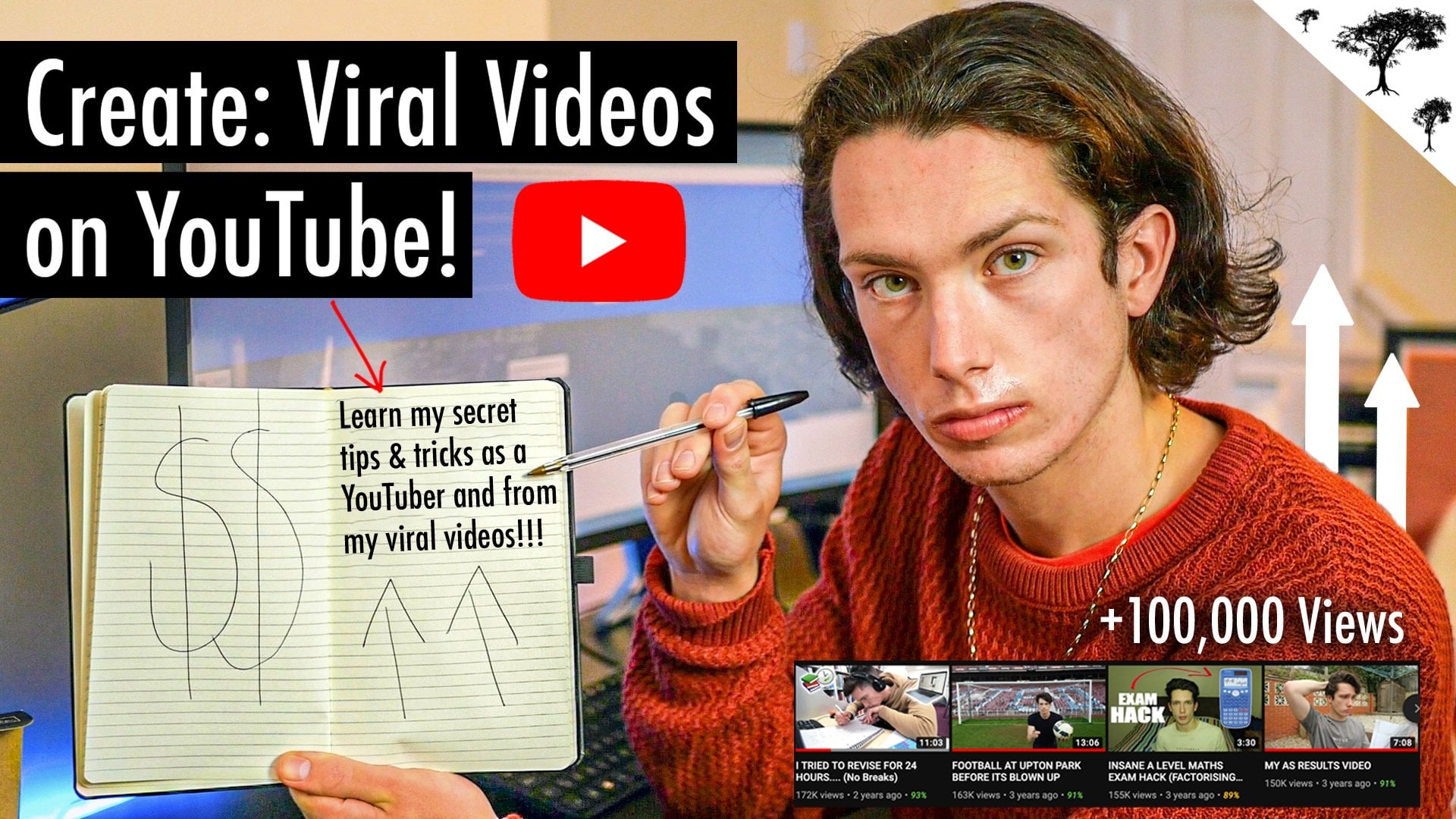
thumbnails and titles. Thumbnails are single-handedly
the most important piece of content that you make
for your YouTube channel. Everything starts
with the clique. If people do not
click on your videos, they will not watch it. I can't tell you how
many times I've seen good videos hiding behind
really bad thumbnails, videos that deserved
way more views, but they don't get it because people just aren't
clicking the video. Thumbnail should clearly show
what the video is about. And I want to put a lot of emphasis on the word
clearly think about a viewer who comes across a thumbnail and they don't really understand what
this video is about. It's not clear to them. They're just going to
keep on scrolling. And you won't be able
to actually pause and consider
watching your video. In order to do that, you're going to
need to make sure your thumbnail clearly
explains what's happening. A good rule to go
by is that you want to simplify your ideas
for your thumbnails. In order to do that, you want to minimize clutter
from your background. Use simple texts. And if you can use the
same font over and over, if you look at some of
the biggest channels, they use the same font in
every one of their videos, just because if they have a similar thumbnail style
across their channel, it's more likely that you will click on their other videos. Also, it's important
to make sure that your image is bright and clear and that you have
a good quality photo. Again, any concerns around quality when it
comes to video and photo content is all subjective
to succeed and thrive, and that is to just
constantly improve your skills if you always strive to make your thumbnails
just a little bit better, eventually your photos will have much higher-quality thumbnail
should spark curiosity. And there are a few ways
that you can do that. One way to do that
is to show emotion. I know we've all seen
thumbnails of somebody crying. And it makes you click because
they're showing emotion. You're curious about what's going on in this person's life. So yes, showing emotion
is a great way to spark curiosity, showing action. If I show you my process
through a photo, through my thumbnail photo, it will spark more curiosity for you to want to
watch the video. You can also spark curiosity from showcasing desired results. It gives the viewer that I
want that type of mentality. If you show a body
transformation before and after in
somebody's like man, I want those after results. Or if you show
somebody's hair all crunchy and broke
off at first and then the after photo is their hair long and
luxurious and flowing. It creates that,
I want that type of reaction to the viewer and his sparks curiosity and
makes them want to clip. Another type of way
to spark curiosity is to give your viewer that. I can't believe that
or what happens next? What happens when, when your viewers starts to ask
themselves those questions? More than likely there'll
be curious enough to actually click on
the video and see, did that really happen? Is this true? Did you really do this? What happened when you did XYZ? Will I get the same results? That's what viewers
are looking for. And if you can master
that in a thumbnail, you will have a higher
click-through rate. Titles are just as
important as thumbnails. However, thumbnail just
take a lot more work because it's a photo that you're creating and titles
are just words. But the same thing applies. You want your titles to be
simple and easy to read. They should clearly
state what's going to happen in the video
and they should spark curiosity is also a really smart to make
memorable titles. It makes it easier for people
to share your content if the title is more memorable when it comes to your
titles and thumbnails, once you have your video idea and you know what video
you're gonna make. You want to start thinking
about that title and thumbnail before you even
start filming the video, you want to search
for thumbnails and titles that are similar to the video idea
that you're making and noticing what
patterns are working. You want to spend
way more effort on creating your title and thumbnail because they are critical to people actually
seeing your video. If people do not
click your video, they will not watch it. And this is the lesson that
I had to learn the hard way. I was making some
really valuable videos, but the thumbnails were so bad that they weren't
getting watched. So let's go ahead and get into our action steps
for this lesson. For this lesson, you're
going to brainstorm three possible title and thumbnail ideas for
your next video. Make sure that as
you're brainstorming, you're looking back
at that title and thumbnail checklist
just to make sure that your title and
thumbnail is nice and clear and really gets
your point across. If you really want to be a
master of good thumbnails, then you're going to
have to start really studying what makes
thumbnails good. I will just get on YouTube and started learning about how to make better thumbnails and
how to take better pictures. And overtime, your thumbnails
will start to improve. And so once you've completed
your action steps, go ahead and join me in the
next lesson where we will start getting into filming
and editing our video.
5. Filming and Editing : Let's go ahead and get
into filming and editing. This is gonna be the fun
and creative part and it's gonna be your job to keep
your viewers watching, to keep your viewer watching. Hopefully by now
you understand that your video should be
interesting and valuable. And then once you have these interesting ideas or valuable ideas that
you want to share, then you want to
start learning about how to craft a story. Crafting a good story is going
to help your audience stay engaged throughout the
duration of your video. So as you are filming
and editing your video, you want to always come
back to this one question. Does this help tell
your story better? And so every time when you
need to make a decision on what you're going to film
or what's your editing? Always come back
to this question. Does this help tell
your story better? Let's first talk
about camera gear. Of course, if you're gonna take your YouTube channel
seriously overtime, you will invest in a
camera, microphone, tripods, lighting equipment,
laptops, and storage drives. But when you're
in the beginning, it's important to know that the best gear is whatever
you have available. At this point, the iPhone or
any smartphone really has such good camera quality that you don't have to
start off with a camera. It's just important
to remember that the best gear is
whatever is available. At the end of the day,
you, as a creator, you need to be
focused on filming. Now you can do all kinds
of cool different things with different cameras in different settings, in
different lighting. However, the most important
thing is to film. So whatever equipment you
have available is just fine. And you can make just as good
quality videos as any of the top YouTubers that
you see with your iPhone. And then obviously
over time you choose which pieces that you
want to invest in, but do not let the fact that you don't have
a certain type of equipment stop you
from making videos. Also, when it comes
to gear in lighting, a huge tip here is
that natural light is the most flattering light. If you were doing beauty videos, if you are doing any type
of lifestyle videos, natural light is the
most flattering, saying all that to say that
you don't have to invest in any specific equipment because
natural light is great, your iPhone is great, your smartphone is great. You can even edit your
videos right on your phone, and it's going to give
you great quality. Now let's get into what to film, what to shoot, what to
capture in your videos. And so we're going to again
get into our same question. What is going to
help you to tell the story better
when you're filming. It's all about the details. You want to take
your audience on a journey and start thinking
about your five senses. What sites, what sounds
with smells, what tastes. And as much as you can,
show those details, add those details
into your videos. For example, if I'm doing a
beauty video, they may be, I want to show some close-ups, maybe some wide angles, maybe some product shots. It's all about showing details. And it's up to you as a
creator to get creative and think about new ways that
you can show these details. The more details you show, the more engaging
your video will be. So if you want to keep
your audience's attention, then it will be good
to add some B-roll, which is just clips
that you add on top of your video that help to
tell your story better. Now let's get into editing. You're still going to keep coming back to the
same question. Does he held to tell
your story better? What you want to do
is you want to cut out all of the boring parts of your story because
that just doesn't help to keep your
audience's attention. Anytime when you have
non words like take out any long pauses or anytime when you have like
a sidetrack conversation, delete that from your video because it doesn't help to
tell your story better. Once you've deleted
all the things that take away from the story, then you want to add in things that add value to the story. And so there might be elements
like B-roll or adding music or adding different
sound effects to your video. When it comes to filming
and editing your videos, you can always learn new videography and editing
skills for this lesson are mainly wanted to
encourage you to always be learning something new that can improve the production value
of your content. If you want to experiment with different camera settings and different lighting and learn
different editing software. To be a YouTuber, your content is your craft, and that makes your camera and your editing software,
your instruments. You want to master
these tools always be learning about film and editing. These topics are so
large you can find hundreds of videos on Skillshare or on YouTube that
can help you to improve the production
value of your content. So always, always, always
be learning your tools and aim to become a
master of your tools. And I just want to
encourage you to not give up because
it really takes practice to make
the quality videos of some of your favorite
YouTube channels. Chances are some of your top favorite
creators have been making content for a long time. When you're comparing
your videos to them, just keep that in mind. It takes a while to make
good quality videos. When I first started my channel, my first videos were terrible
quality compared to now. Pink tone will help correct a lot of my darkness that I'm just going to every time I make a video and I
go back and edit it, I'm learning something
that I could've did to make that video better. So my next video is always
better than my last. And if you keep doing
that over time, eventually you will
make the level of quality videos that
you desire to make. So let's go ahead and get into our action steps for
filming and editing. The first thing that
I want you to do is to plan out your video. You can make this plan as detailed or as loose
as you want it to be. I'm not gonna get
too into specifics, but you want to make sure you
have your talking points. You want to have a list of whatever shots
you're going to need or what things you're
gonna capture. You're going to also want
to make sure that you have a plan for the location of your shoot and the date
and time keeping in mind that date and time will
affect the weather, which will affect the lighting. And then the second action
step is to charge all of your camera equipment and to clear off all
of your storage. I cannot tell you how
many times I have sat down ready to record a video and then come to find
that my camera is not charged or that
I have no space on my SD card and I have to
like go back and start deleting stuff before you're
ready to start filming. Makes sure that all
of this stuff is charged preferably
the night before. Once you have everything all set up and you're ready
to make your video, you need to do a test shoot Patel shoot is just
about ten seconds of Utah and recording
yourself and then watch any back just to make sure
that everything is fine. There have been so many
times where I've could have saved myself so
much headache if I had just done a little
tin second tissue before I actually recorded
the video as a YouTuber, you're usually the only one
who is making the content. So there's nobody around
to tell you, hey, you have lipstick on your teeth or the microphone's
not really on. I've made dozens of videos where I have to scrap the video
or remake the video again the next day because
I have lipstick on my teeth or because
my microphone wasn't on or because my hair was sticking up and I just
didn't know the whole video. And it's just very frustrating. You can save yourself so
much time and energy if you just do a tin second
chute and watch it back, just to make sure that
everything is fine. Then once you've done that, then go ahead and film
and edit your video. Always keeping in mind
that you want to craft a story that your
audience will enjoy.
6. Post and Engage: It's time to post videos. This is when I'm
always most excited. This is when I'm at my happiest
because I have completed yet another video and now I can finally share it
with my audience. It's the point of
the process that I'm constantly seeking to get generating ideas is always the very beginning phase of
me creating my next video. Filming and editing probably
takes the longest time. And then posting is
when I feel the best. Because with each new post, it is an opportunity for your channel to have
another breakthrough. And that's what's so exciting about posting every time you're releasing an asset onto the Internet that can
make you more money, that can build your following, that can make an impact, that can inspire and
motivate others. So when it comes to posting, the goal is to simply
be more frequent. And trust me, posting frequently is easier
said than done. However, if you want to
hit certain milestones, you have to get videos posted. And I know in the beginning
your abilities and skill level may not be at the level that
you want it to be. I know you may
even struggle with certain resources in
creating your content. However you want to try your best to be consistent
and post frequently. Youtube is one of
the few places where your content really lives for a longer time period
because people are on YouTube watching
videos from years ago. So YouTube is a long-term gain. If you look at some
of the top creators, I'm sure some of the favorite
creators that you watch have been on YouTube
for many years. And when you go into YouTube, you want to think about
it for the long term, aim to be consistent and
persistent with your channel. Now let's talk about engagement. Because YouTube is
all about community. Youtube is a global
community that consists of real people. And if you want to connect
with real people than I suggest you start to
become a comment reader. Actually read your comments and talk to your own audience. In addition to reading
your own comments, it's also gonna be very
beneficial if you read the comments of and comment on the channels that
you already like. There's a lot of valuable information
in the common area because like I said, the comments are coming
from real people. This is the real community. So it's good to always read
your comments and of course, read other comments
from other channels. You might get some
really good ideas from what's in the
comments section. So before we get into
our action steps here, I just want to remind you that YouTube rewards
consistency. Your channel taking
off and blowing up could literally
be the difference of you just being consistent and posting more frequently
on your channel. So with that being said,
let's go ahead and get into our action
step for this lesson, which is to post your next
YouTube video and link your video or your
YouTube channel to the class projects board. Then once you've done that, we'll go ahead and get
into our next lesson, which is all about
YouTube analytics and using the data from our channel to help grow
our channel even further. I will see you guys
in the next lesson.
7. YouTube Analytics : Let's go ahead and get into
our YouTube Analytics. I'm obsessed with the
YouTube Analytics. Let me just say that
first and foremost, when it comes to your
YouTube analytics, you want to think about what
are the important metrics. I know for me in the beginning I really wanted to
monetize my channel. I know that the
requirements to get into the YouTube Partner
Program and to start monetizing your
channels that you need 1 thousand subscribers and
4 thousand watch hours. In the beginning,
my goals are all focused around these analytics. And unfortunately, I did not
realize for the longest that these analytics don't help
you to improve your content. These analytics are
actually a result of views. So if you get more
views on your channel, you will get more
subscribers and you will get more watch hours. These aren't the
types of metrics that you can focus on that
will actually give you anything positive to
improve on for your channel. So instead, what you
want to do is you want to align yourself
with YouTube's goal. What does YouTube's go? Youtube's goal is to
get people to click, watch, and enjoy videos. Youtube wants to keep people on the platform for as
long as possible. With that in mind, your most important metrics are going to apply
to people clicking, watching, and
enjoying the videos. So the three metrics that
you're going to want to pay close attention to is gonna
be your click-through rate, your average view duration, and your watch time. If you focus on improving
these three metrics, you will get more views. And in turn you will get the subscribers
and the watch time that you're looking for. I'm gonna take you guys into my own YouTube Studio analytics. We can take a look at my
click-through rate average, be iteration and watch time. And I'm gonna show you how you can look at these on
your own channel. And I'm gonna show
you how you can use them to help to
improve your content. And if you focus on
these three metrics than your channel will
continue to grow. So let's start with
click-through rate. When it comes to
click through rate, there is no number
that I can give you. What is a good click-through
rate on my channel might not be a good click-through
rate on your channel, your personal numbers
do not compare to others when you're
analyzing this data, kind of keep that in mind. It's not about what
number like I can't just say 10% click-through
rate is going to automatically get you a viral
video or that that's even a good click-through rate because that may be good on my channel, but it might not be
good on your channel. So click-through
rate is just when your thumbnail is
being presented. How often do people
actually click the video? And when you get on here, YouTube already sorts
it out for you. And I can see which of my videos have the highest
click-through rate. So what you want to do
is start analyzing why certain videos have high
click-through rates. And then you want to test
these theories out by applying them to your next videos and seeing if it's actually true, if it actually improved the click-through rate
of your next video, like my highest click-through rate is this stair master video. And it's probably because this video is a
transformation video. And so anytime we were showing
before and after results, that is going to
typically have a higher click-through rate
because it clearly shows what this video is about. And eight is transformative. So it makes people want to click same thing with
my time O'Hare video. It's a before and after. It's giving some type
of transformation. And then I can also compare
to some of my other videos, like down here I
have videos that have like a 1.8%
click-through rate. You can see how my views also correlate
to my click-through rate. If a video has a very
low click-through rate, then it's also going to have low views because nobody's
clicking on the video. That's why click-through
rate is so important because if nobody
clicks on the video, then I can't even get the
average view duration and watch time metrics going because they're not
even watching it. So click-through rate is
gonna be the first thing. The second metric bench
are going to look at is your average view duration. On the overview tab, you can get a quick look
at your top videos. This kind of sorts it
out for you just to show you how important
this metric is, because YouTube has it
on the overview page. So it's letting you know
this is an important metric. Here you can see where it
says average V0 iteration. And these percentages is just the percentage of the
video that has been watched. If I have a 10-minute video and someone watches five
minutes of the video, then that gives me a 50%
average view duration. And like I said, there is
no set number that I can tell you that once you make a video above this
average iteration, you're good to go because it varies depending on
how long the video is, what type of content, what type of audience you have. There's so many variables. There's no set thing. You just want to mainly aim
for your own personal best. If you're always trying to
get your view duration up, then it's going to
improve your channel. So you always want to shoot
for your own personal best. And I know a lot of
people get confused with average view iteration
versus watch time. Which one does
YouTube value more? Now, if you go back
to YouTube's goal, which is to get people to click and watch and enjoy the video and to stay on the platform
as long as possible. Here I have a video how I
grew my glutes in one month. The average view
iteration is 36%. However, the watch time for this video is less
than two minutes. Now I might have
another video that has a smaller average
view duration. Let's say this time
O'Hare video only has a 21% average view duration. But because the video is longer, if people watch 21% of a sixth of a 16 or 18 minute video,
how long has the video? Because people are
watching a longer video, it's giving me a
longer watch time, which means that YouTube is
going to favor this because it's keeping people on the
platform for more minutes. So yes, you do want people to watch your videos
all the way through. The higher you can get your average view
duration, the better. You also want to
keep in mind though, that YouTube wants people to
stay on the platform longer. So that may mean to experiment
with longer videos. Just keep in mind that
you never want to stretch out a video just for the sake of making a longer video or something
you're filming and editing, you're always keeping in mind, does this help me to
tell my story better? So don't just add in
a bunch of stuff to make the video longer because you think that's
what YouTube wants. That's not necessarily
true either. It's gonna be a mixture of
increasing your watch time and increasing the
average view iteration and increasing the
click-through rate. If you can do all
of these things, then YouTube will reward
you with impressions. To get impressions is
how you get views. So those are gonna be your most important metrics
to take a look at. So let's go ahead and get into our action steps
for this lesson. The first thing that you're
going to do is determine which of your videos have the
highest click-through rate, average view duration,
and watch time. And I want you to just
write a list of your top, maybe three to five videos. And then you're
gonna ask yourself, what patterns do you notice? Why are these numbers higher
than your other videos? And then you're going
to ask yourself, how can you test this
theory and apply your findings to
your next video? And if you continuously do that, you're going to continuously improve your channel
and overtime, you will see growth.
8. Recap: We finally made it to
the end of this course. And I just want to give you guys a quick recap to help you
get started on your journey. And so the main takeaways
that I want you to get from this course is to constantly look for ways to provide value to your audience. The more value that
you can provide, whether it's through
entertainment or informing your audience. The more views you will get. Another takeaway that I'd
like for you guys to have is to really become a student of video and always look to improve your skills
in video and editing, but also become a
student of YouTube. You can use your
analytics and research, improve each new video. And by continuously improving, eventually you will get to where you're trying
to go with your channel. The most difficult
part about YouTube is to actually get videos done. And that's why I'm going
to really encourage you to post your video in our
class projects board. And I will also be uploading
my next video there as well. If you have any questions, please let me know
in the comments. Also check out the
resources tab for any additional tools
that may help you succeed in your YouTube journey. And that is all for this course. Thank you guys so
much for watching. I wish you the best of
luck with your channel, and I will see you
in the next one.
 Terran Dailey, Content Creator