Transcripts
1. How To Make YouTube Videos Without Knowing How To Edit Intro: My ducks, swans,
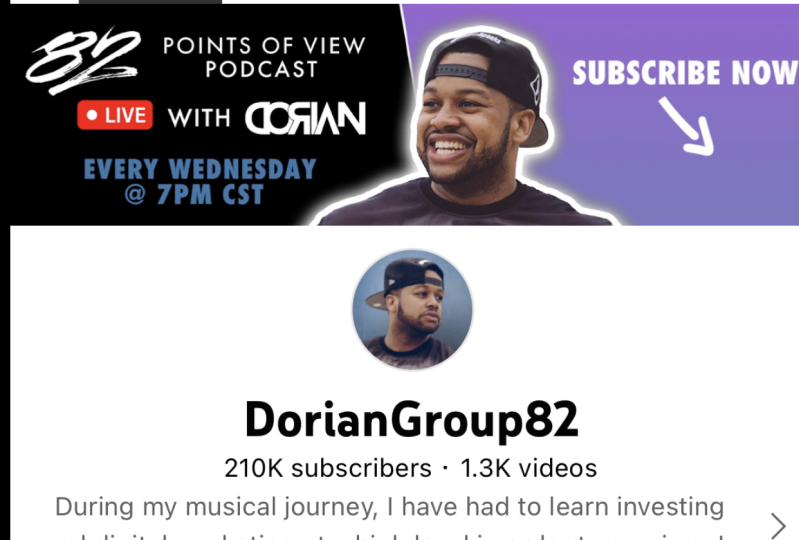
welcome to the pond. My name is Dorian from
group AT to university.com. Like to welcome you to
this course about how to make YouTube videos
without knowing how to. And this is something that
terrified me when I first started my YouTube
channel because I'm not an editor in any
way, shape, or form. Yet I was still able to get
200 thousand subscribers and overall 100 million views on my verified channel, wild
charting simultaneously, the iTunes charts going number one while rap music
and getting millions and millions of Spotify using the same principles I'm going to teach you inside of here, you do not need to know
how to edit and mortar, make YouTube videos, guests
at him, an entire team. I teach you at a higher
editors in here. I'll teach you how
to make thumbnails, and I teach you how to write
your video scripts in here. I teach you how to setup your own production studio in here. This is gonna be
invaluable for any of us that have trouble
edit videos. Here to the rescue. Makes sure you watch the entire course. Make sure you watch
everything in this section, and make sure you
are fully engaged in participating
the entire time. I see you all in the next
lessons. Amount to POD. Yeah. Stay true.
2. Simple Course Project: Confession. I'm a YouTuber that doesn't know how to edit
long-form videos. I know that's why
you're here because you probably don't know how to
edit long-form videos neither, even though I don't know how
to add among four videos, I have a YouTube
channel that has a lot of long-form videos out there have YouTube channels or aspiring YouTubers that have
long-form videos as well. I want you to do, I want
you to take a screenshot of your YouTube channel and
posted for the class project. If you have a long form video that you would like
to attach to that, please do that as well. And what we're gonna do wouldn't come in and we're
gonna comment on it because if you don't know how to edit long-form video yet, you got cool law for videos. We want to know Automate
cool all for video. So error by do that, participate in the
course projects. That's the only way. It's not editors are
ever going to feel like we're editors that could do something good and
his YouTube Space, look forward to seeing
your course projects amount the POD, Yeah, stay true.
3. How To Never Run Out Of YouTube Video Topics: It hadn't never run out
a YouTube video topics. If you're a content creator, you do anything online. This is something that
you have thought about before because once you get into Groovy
gotcha system going, you want to make sure that you have something to talk
about or maybe you don't even have a
groove or system at all because you don't know
what you'd want to talk about. There are so many
easy ways to do this, but I'm just showing
you two right here, 12122 right here, that
anybody could do it. You follow these
directions which will always give you ideas and inspiration for how
to find video topics. The first thing you can do is something that we've all done is you can go to Google now that sounds like some generic info, but who owns you too? Google. If you need to make
YouTube video topics, why not go to the
company that owns them, alphabet and asked him, you type your
keyword into Google. You're going to
see all this news and also the stuff that pops up. But I don't really want you
to focus on there so much, which is scroll all the
way down to the bottom. And I want you to see the
related searches under that keyword and see what
everyone else is talking about. If you had a great
things about doing this, this way is free. You can do it anywhere
and you know, as real-time, this is Google. People are using
Google non-stop. And if you're able to see what they're searching for real-time, That's unbelievable free data. So make sure it should
take advantage of that. Now, for those yada, I want to go a
little bit deeper. They're really want
to get the root of what people are actually
searching for a YouTube, your content is
really optimized. We're going to go to the screen. I'm gonna show you
exactly what I do to find video topics and
then never run out of them. So here we are inside to screen. This is my vidIQ, vidIQ.com whacking,
telling me y'all, please go download that. It's such a crucial
YouTube SEO tool. I have a link for it. Click DAG, get it. When I want to get video topics, what I'll do is I'm
on my dashboard, I go to keyword
opportunities and right here you can see
the search prompt, search keywords, I'm
a type something and so I know it doesn't
get a lot of traction. So let's type in NFT. Now what you can
see right here is an overview of what's
going on with NFT. That keyword they have a
search volume has very high. Competition is keda high, but because of search
volume is so high, has a high overall score of 62. This is a good topic
to do videos on it. You have related keywords. This is only paying
too much of this. I want you to look at this. You have matching
terms and questions. As you can see, there's
some continuity here, but I want you to come up
here to the questions you can click and view all
300 questions. And these are the
questions that people are typing in under this keyword
with the search value. This is such a great way for people to have topics
to talk about forever. Because look at this. You can see the search volume, you can see the competition
going all the way down. I doubt anybody Omeka as
many videos about NMT is, but you can do this for
any of your keywords. So it makes you
download that IQ and put those keywords in there
and get these topics. So that way you're
never jammed up. You always have a way to
give value to your audience.
4. How To Write YouTube Video Scripts: How to write video
scripts that get views. This was a very tough
section to write. I have studied this extensively. I've written thousands of
YouTube scripts at this point. What I've learned is
that you have to be comfortable with yourself.
What do I mean by that? You have to get comfortable
about how you look, how you sound, how you
dress, your setup. You have to be comfortable with how you're gonna be conveyed on camera because it doesn't matter what type of scripts you have. If you aren't
comfortable with that, the message just isn't going to resonate with the
audience right now. This is all off the top. I didn't write any of this down. I asked him general notes, but I use those notes
for a description, for the comments, for an
e-book later for a blog pulse, because it's really organized. I use this time to
really connect. And the great thing about
filming YouTube videos and having scripts is if
you mess something up, you can you can edit it and bring you back in when you're writing
your scripts, I want you to think
about yourself. Are you somebody
who always needed outlines when it was time
to write papers in school, then approached her YouTube
scripts the exact same way. Are you a person that is not
really that good at writing, but you can think of stuff
off the top of your head, but it gives you
yourself general notes and just be yourself. There's no rules to this, but people make it so
difficult like there's an exact science to writing
a YouTube script is not. You're talking to an audience about a topic you're
passionate about, just let it free flow. But with all of that said, here are the things
that I do inside of my YouTube scripts when I
try to make it structure, the first thing I do in my YouTube scripts that I
have an attention grabbing. This used to be me
doing silly stuff like when I'm filming right now and I'm like smack the mind Rom, I get really close like
this and go back and point. Or I might dig my nose
or something like that. I used to do that to capture people's attention when it was primarily long-form videos
and what Short Form took off. I learned this a
different way to capture people's attention
with the information. This is what short
form content is taught me now when my intro is, it might be a stop or MIB. I started the video off
what a YouTube short and add short has information
might be a countdown, might be a checklist
that draws people in my intro screen and didn't
allow foreign video. Here's a little
bonus tip as well. In your introduction,
makes sure to tell them what you're going to talk about inside of the law foreign video, what does does is it sets anticipation and it
makes them stick around. The longer they stick around, the longer your session time is your watch time in the
more ads are gonna watch, the higher likelihood of
sugar to make more money. Another thing I really try
to do in my inch roles for videos that I didn't know I needed him to stay
around for awhile, is I let the audience know what the video
is going to be about. What this does is assess anticipation and it makes
them look forward to what's coming up next
is like when you watch the Grammys and they say
Drake is performing later on, Kanye West and I want you
to watch the entire show. You can watch ads. You need to treat your YouTube
videos the exact same way. So in your intro, let them know what you're
gonna be talking about, which is the crown jewel of
your video and asked him, I said expectations and they're gonna stick
around for a while. Number two, branding after
your attention-grabbing intro, this is the perfect time
to interject your brand. You are all YouTube to
amplify your brand. Yes. You want to help people? Yes. You want to make
people laugh? Yes. You wanted to start
a fitness campaign? Yes. You want to pop
in YouTube channel. You want to be on billboards,
you want to win awards. But at the end of the day, the only way you could do any of those things that
if you use it to amplify your brand after your intro catches
their attention, they're gonna be locked in to your video because they want to know what your crown jewel is. That next thing is
going to be vital. This is where we inject our
intro screen, my ducks, swans, welcome to the pond, because that is our slogan. It sticks in people's heads is quick and let people know
what this video's about. Who group 82 years. And now they're in a group, a two zone while they're
watching the rest of the video, everybody does is EA Sports
is in the game, Netflix. When you log in to make sure
that they brand themselves, you need to be thinking about
doing the exact same thing. And I always do this
right after the intro. Number three, the body. This is like the human body. The body of YouTube videos is as different as it can get its
based on a myriad of factors. What's show business goals? What keywords did you use? What's the topic of the video? Wins the video being recorded. What's the weather outside? Like? All types of stuff that you
got to be thinking about, what you write in the body of that video in addition
to your creativity, it might be a how-to video. That day you might
be feeling kind of funny and this might be how to put together a
tombstone for your mother. You probably can't
be funny in it, or maybe you can go viral. You got to think about what is it that I'm in the
mood for right now that's going to
serve the audience for all the bodies of my videos. I had sort of a format. It Bill was the
interview reaction. I made sure I had my dogs
mouse wants its row screen. I went right into my
reaction to the interview. I make sure I gave my
audience three tips. That way is set to
anticipation and expectation that they
need to stick around. So that was that format. But if I'm doing a video
about Bitcoin or about NF2 is more of an
educational format. I got to make sure that I keep the audience attention
every ten to 15 seconds. So we felt doing a
more educational video that's going to be an
entirely different format. And it's based on what
I'm talking about. If I'm educating people
about digital marketing, I could put up a bunch of
examples in the video. It can be kind of
dynamic from educating people on how to
invest in stocks. I can spice that up, but you really need to know
the fundamentals of debt. And there's only so much
that I can really do. So that's gonna
affect the body too. So my suggestion for all
of this is to go to vid IQ and look at what the trending videos are under
your keyword right now. And look at the format and read the comments and
studied a competition to see what's already
when you were a lot of different videos
that I went viral, YouTube rely on
different body types, but there still are
common denominators you could take from each one. So go to your research
for your trending topic, and I'll give you a much
better idea where to start if you make in
the body of your video, inside of the body
of your video, this is when you want to
deliver the crown jewel. This is when you want to
give them that piece of information that they
had been waiting for? If you go to my YouTube channel, you look in my video, How much did 13 million
YouTube views pay me? You can see how I said
that U2 short up. I gave them the crown jewel
at the end of the video, which for short is essentially the body because it cuts off. We'll talk about that
a little bit late before your lawn for videos, make sure you give
them the crown jewel in the body because that's
where they came near. Four, that's going
to set you up for the next step, number
four, connection. This is one of the
most underrated, under utilize unbeknown parts of the YouTube Creator
user relationships. Someone typed in a keyword
into Google because you've optimized his video doing everything that you've
learned from us. You now have someone who was in your pipeline
based on that topic. You all have a similar interests because you made a
video about that topic. They were looking for that
topic. Now they're here. They are grateful to you now because you've
given them so much. And it's social psychology. This is when you
want to implement the law of reciprocity. What's the law of reciprocity? Let's say that every month starting this moth for
the next 60 months, which is five years, I gave you $1000 for no reason. Every month. Vows. Dao, Dao, Dao, Hey, I want your money no
more thousand arima, when most 61 columns. If I asked you for $200, what
are you going to say to me? I've given you a $1000 for 60
miles straight and now I'm asking you for is $200 once you go and give me that
at the drop of a hat, as the law of reciprocity U2
works the exact same way. You gave them the information
they were searching for. Now, this is their towns rewards you and what
you need to do, you need to prime
them to rewards you, you need to tell
them who you are, needs held and why this
topic interests you. You need to open up
about your personality. You need to let
people know about your brand and why you
did all these things. This is we need to
connect with them and let the user know
that you were just like them when we were making long-form video content for
group aid to music.com. I knew I was speaking to
wrappers and producers and I knew they were independent and I knew they had big dreams. I knew they wanted plaques and I knew they wanted to get
paid from the music. That's why I said everything up back here the way that I did. And that was a time in a video where I will connect with them. I know what it's like
to pay $2 thousand for a music video you posted on
YouTube and it gets 35 views. I know all of that pain
and I can tell you this, that is why my brand was
able to go the way it did at the velocity idea because I use this time to connect number
five, call to action. Once you connect
with your audience, now they're listened to you. Now they realize they are more
like you than ever before. Now they are going to do
whatever you tell them to do. And this is your time to
drive that traffic somewhere, who's going to benefit you? It could be another
YouTube video. It can be to your website, to your e-book, to your course, to your podcast, to your album, wherever he is you want
to go, this is your time. You have earned this audience, not a trust shoe, because you've
connected with them, because you open note to them. Now you need to use this
to benefit your business. So make sure you put a call
to action here because people do what other people tell them to do on the internet. I know it sounds crazy, but it's the truth. Make sure you listen
to this next tip, number six and outro. If you do your call
to action, right, your altro is built-in and you can smoothly
just walk out. For some people, there
might be another outro or there might be another
philosophy behind the altro, YouTube Altos economy
controversial. The reason being is because of the metric known as average
view duration, AVD. Average view duration is the average completion
percentage of people who watch a video
for law, for videos, 75% is an amazing AVD
for short form videos, seventy-five percent won't even get you on his shorts feed as like nothing because ADD became
such a heavy metric debt, YouTube used to push
you in the algorithm. A lot of law foreign creators do when they enter videos is they might just cut off abruptly because if you start
having our SRO, Eli, hey guys, check
me out on Instagram, check me out on top. If you're interested in my email is done is what I usually do. We get CS6 to the video,
usually click off. So if you ended abruptly, everybody's house
watching a video at the exact same time. So your AVD is through
the roof with that say U2 node when you're
trying to game num, side note, don't ever
try to game YouTube. They know everything. And also, at the end of a video, if you say, Hey, follow me on Instagram and follow
me on same time. If you're interested in
more news like this or more tips like just
get on my e-mail list. Those things can draw a
serious revenue TO brand. Those things can build
your other platform. If you made a great video, Let's go end up getting millions
of views down the line. You can keep sending people to the same place organically. To the end of time. The altro is up to you
how you want to do it.
5. How To Film YouTube Videos On Your Own: Out to film YouTube
videos on your own. When I was taking
the bus, said No, my own production studio
that thought was terrifying. I had watched a lot
of these behind the scene YouTube videos and even though they
made it really simple, I felt like it
wasn't I felt like I was not technologically
savvy in that regard. I didn't know how to take care
of this type of equipment. So I was terrified man when he came to setting
all that stuff, I learned very quickly that just like anything
in his YouTube process, it can be done very simply
ineffective if you're comfortable with
who you are when you're setting up your
production studio, work with what you've got. If you got cameras and lights
and wires and monitors, and speakers and all this
stuff, roll with it. If you've got an
iPhone in some books, put it up there
because the quality of the video is not as
important as you think. I'm not saying you
can lump it in, but it's not as important as you think when it comes to getting subscribers views and
growing your chat to prove the ya'll is not as
important as you think I'm gonna do something
I've never done before. I'm gonna give you a
tour of my studio. I'm literally going
to show you my setup. In this setup is a
setup that got me to 200 thousand subscribers and it got me to a 100
million views. And it's slightly upgraded
from what it was before. It. Even with these upgrades, you're still going to
see how simple this is and how you don't need to
make it over-complicate it. Here we are. This is what I see when I'm recording this, my entire setup. I'm walking out through and
show you how everything, some stuff I know exactly
about some things I don't, but just to emphasize
what you have is not that important nor to space. This is my office, kind of my studio
kind of workroom. Got a bit of here through
the family downstairs. I come up here and I get it in. And this is an upgrade
from what I had before. So once again, I was
able to have a lot of success on YouTube without
a lot for the Run. Now, before we get into it, this I MET is new. You don't need that.
And worried about that. He Bluetooth speakers are new. You don't need those.
I'm worried about that. This desk, I love it. It's new. But don't worry about that. I hadn't ikea desk before that. Let's get started. The microphone. I love this as a sure. S7, if I'm not mistaken, was about 200 bucks, is that Guitar Center
and also had an arm, the bus separately, which is
probably about a 100 bucks, very easy to set up. The mic literally goes
right into this arm and then you can screw it on,
makes everything good. This is an XLR cable. You can get that at
Walmart at Best Buy, a Guitar Center as well. Any mic that is like this is
going to need an XLR cable, goes into one end, very easy to plug in and it
comes out the opposite in, and it goes into an interface. This is very easy set of two
is a scarlet 212 interface, basically entry-level
interface for anybody who's trying to
make music or do u2. Xlr cable plugs right
in, That's easy. This other chord that's my
headphones is all I have plugged in all the time
for every YouTube video, those two simple,
super-simple these lights. No, none of that
light like that. But I learned that
this setup works well. Once again, I was
able to have success. That light came from
Walmart, 20 bucks. These two lights
came from Walmart, but for ten bucks
each tripod right here because cameras on K
for Walmart about 20 hours. This is a Canon EOS Rebel SL2. Got to notice that
specifications. So that's where
somebody's Canon cameras. This is about 550 bucks. I got it from Best Buy. Great camera. I've had it
for about five years now. Bought around the
same time that ball, those LiveSafe all
lasted the same time. So great camera for anybody
who's just getting started. But once again, if you have
an iPhone, just do that. This light right here
came from Home Depot. It's about 50 bucks. It has a charging pad, which is great when he
charged my devices and it has a USB cord port
from the back. That was great when my desk
was smaller by the hookup or plug up things in order
to make sure that your film, this huge light in the back, I just got a couple of weeks ago off of Amazon when we wanted
to upgrade the studio, as one of my quote, unquote
upgrades about 80 bucks. This chair was a quote,
unquote upgrade. Not gonna tell you how much it costs because it's
not necessary. You do not cause there, but I had a whole depo chair
that was about a 100 bucks. It was cold but he got worn out. Don't go over 300 bucks or the
chair man raping boys off. I'll pay way too much for that. These lights are part of the
best investment that I made. I got them for Walmart
domain, my bower. I got this tripod for Walmart. I forget who was made
by what the state can kill whenever one
more it gets down. But these change colors
and I got three of them. Got all these staying in
bed over the areas really how artists get it in and shock them are ours and
know how we do it. These lights are
phenomenal at it, so much texture to the YouTube videos once
we implemented them. So I would highly
suggest getting him, but yeah, I'll see man, it don't take much man.
6. How To Hire Video Editors For YouTube: How to hire video editors for you to whatever
you're doing right now. If you are serious about
this YouTube thing, I want you to stop. We should really pay attention
to this because this is the backbone for my
entire YouTube career. I don't want to edit
videos long-form, no idea. And this has always
been the case. It's not like I learned
that and I forgot, but I knew if I wanted
to have a presence on YouTube, videos edited. So how was I able to put out so many videos without knowing
how to edit them myself? Step number one, I approached YouTube video making the same way I
approach music-making. I'm the talent,
I'm the creative. Hire someone else to handle
all the technical stuff. When I rap, I go to
studio, hire an engineer. I feel videos, I hired editor, and that's how I approached it. Now there's pros and cons to
this and I will talk about, but I'm gonna give you the
entire step-by-step process of how we hired
our video editors, which allow me to build
this back catalog of YouTube videos that's
gonna make me forever money. The first thing I did is I made my company group AT to an LLC. I did this for a
myriad of reasons, but the primary reason that's relevant to this
topic right here is because LLCs have to be
registered with the state. Once you register
with the state, you can have interns. This is huge. Colleges, universities,
trade schools, tech schools, people that just want
to learn new skills that accompanies are
looking for interns. So you have an
opportunity to get early developmental video
adding services for free. Now, like I said,
they're early services. So before you do that, make sure you read the
internship laws in your state and your country
and make sure you abide by them because they
can get really tricky. Step number two, after
we set up an LLC, we posted a job at
YouTube video editor. We did this for a
number of reasons. Number one, these job sites, no matter which one
you want to use, they already have a built-in
algorithm and audience. There's no reason to really set up something on your website. We can just embed that
number to YouTube, video, YouTube,
which is own brand. When you put video editor in the algorithm on
these job sites, you're going to
be competing with a lot of other companies. We didn't put a
YouTube video editor. You're gonna be competing
with a few companies a year, really going to get people
who want to edit for video, which leads me to number three, adding YouTube videos
is a lot different than anything else that
you're gonna do inside of the video editing. We want our video editor
to know what they were gonna be doing
before they even apply. Therefore, putting a
term U2 right there, served as that
purpose, the doorstep. Anyone who applied
to our posting, we sit them pretty interview questions and no
matter who it was, it was very basic questions. Do you have an Internet
connection and a smart phone? Do you use u to k? You speak English, any of these basic questions that we
need it just so we can see a weekend communicate with them if they didn't answer
those questions within 24 hours like we told them to inside of the
bottom of the email. Another thing you can do,
we didn't respond to them. If they didn't go one by one and answer the
questions we asked them to. We didn't respond to them
if they responded with any nodes because all of those were yes questions
I need to answer. We didn't respond to them. If we let them know, Hey, we're not looking to
hire somebody right now. Whatever it is you want to do, whatever you need for your
company and your internship, makes sure that you have those
questions in some sort of pre-interview format
because people do not read job postings. So make sure you can vet these people before you take them down to
interview process. When we were going through
the interview process, what we look for with our video editing interns was there. They
are professional. They showed up on time if they knew how to use a
video chat feature, if they can speak English and if they knew what they
were talking about, these interviews were not to see if they were the best
editors of all time. These interviews
were not to see it. We're going to hire
them full-time down align these interviews
words to see if we can even work with them because we knew that we
were getting interns, you will be surprised if you vet people just off
those metrics alone, how many people will eliminate themselves from your
selection pool, which makes it a
lot easier for you. The four-step that
we do before we hire a video interns is after
the interviews done, we send them an audition video. The audition videos we film a long form piece of content and they have to replicate it like our YouTube videos that are on our channel right now as closely possibly
can we give them access to our digital
assets like logos, colors, instruction
guides, things like that. And they have 48 hours to get it back to us because that is the deadline that we operate on with our
long-form editors. This is another way to vet these edits to see if they
have the work ethic, if they had the
skills that they have the organization and
if they want to do it. Because if you get
someone who was answered all those
pre-interview questions, who showed up for an interview, who was able to be there long
time and due to video chat, convey and articulate themselves well enough where it can be a video editor taken
your raw video content, made their own video
incentive back to you, you guys, Somebody is probably gonna be a pretty good editor. Once you do that,
Congratulations. Not only do you
have a new editor, you also have a free piece of content you can post if
you're comfortable with that. Now, once you hire enters,
your job is not done. You just start. You now have to manage
them and their humans, they aren't robot and
these are in turns. Lot of times these
might be people, agents, 18 to 25. This is not their primary job. They have other
responsibilities, they have other things
they want to do. Date might just be doing this because it's a hobby
and I think he is cool. This is your business. You have to understand. You get what you're paying for right now.
You're not paying. So therefore, there's
gonna be an extra level of care and management in
patients and coaching. That shortcoming to need to
have with these editors. And you're a human being too. I went off the rails
plenty of time, but I also had to
bring myself back in, humble myself and make sure I understood that these adders,
we're working for me. They were doing me a favor. They were helping
build my business. I tried to be as fair to
him as I possibly could. It's a tough gig. But if you get some
good at and interns, you're able to pump out content
like nobody's business. And that will really
make you and channel grow at an exponential rate.
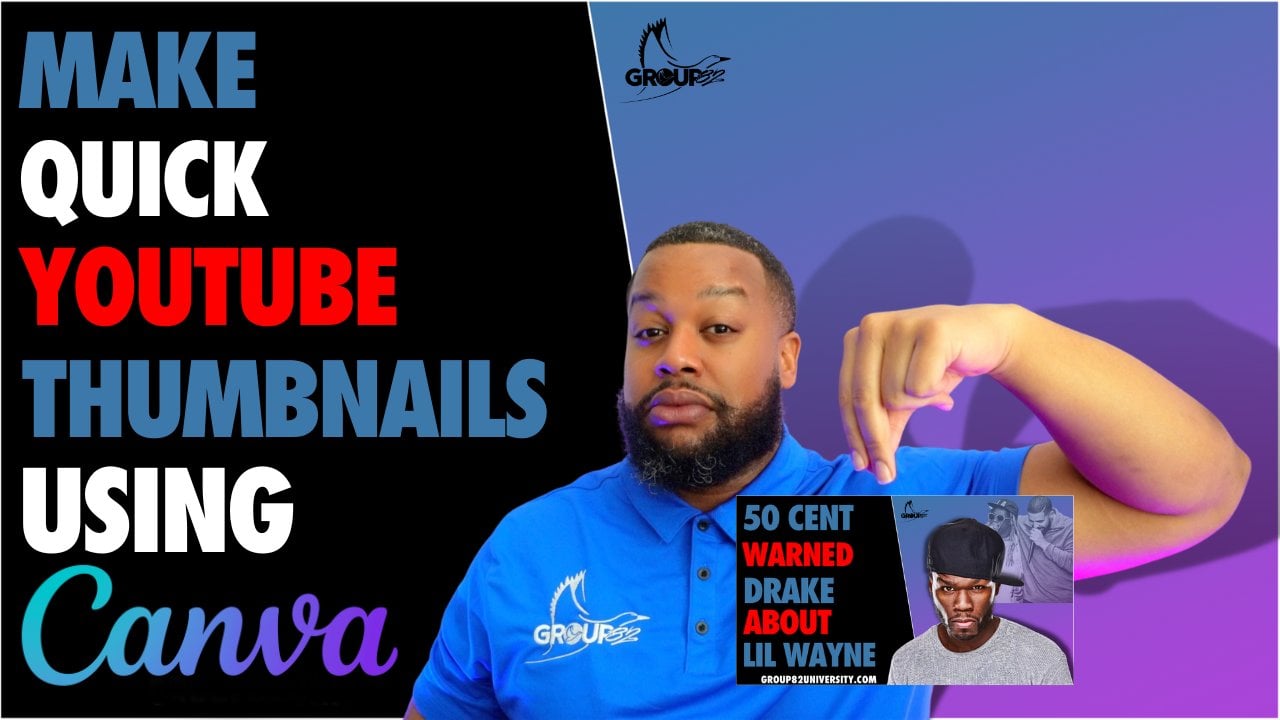
7. How To Create Great YouTube Thumbnails: How to create great
YouTube thumbnails. You don't know why I did that. Probably the most
important piece of YouTube metadata debt exists
because it's the one that we see as the
one that is still ranks very high in
their algorithms. Your YouTube thumbnail is of vital importance and it has progressed drastically
over the years, is going to continue
to progress. This section of the
video is not going to be an art to do all about how to make
YouTube thumbnails. I'm not gonna give you that. There's gonna be a
marketing to do all about your YouTube thumbnails
because I do not care how well
they are designed. If you don't do certain things, people are going to
scroll right past the point of a YouTube
thumbnail is not to have it hanging up in some Museum of Fine
Art in New York City, in the art district. I don't know if
that's a real thing. It's so people can
click on your video. Here are a few
items and not think makes for a great
YouTube thumbnail. Number one, bold
and direct thought, I'm looking at
YouTube thumbnails and give me an idea
about the video. The title is the first thing
I'm going to read with a thumbnail is gonna give
me a little bit more. There are things that
you can't put inside the title that you can put
on that YouTube thumbnail. Sometimes you can repeat
what's in the title. And in the YouTube
thumbnail was a strategy. I would like to do what it
needs to be very easy to read. You weren't competing
with everybody on a YouTube homepage or in
a YouTube search prompt, or in that Google search
or wherever it is, YouTube API ascending your video in competition
with that keyword, your thumbnail can tell people more about your video
than your competition. So take advantage of this
with font that is bold, that as direct and very easy to read number to a
clean color scheme, although you should not focus on your YouTube thumbnails like they are, art is gonna hang up. But in New York Museum, a
foreigner, that's a real day. Hey, write me down
in outcomes CEO, your YouTube thumbnail
still needs to look like art because there are people to take
this very serious. And if you're a
YouTube thumbnail, looks like it was
made on Clip Art in 1998 before scrolling
right past. But a very YouTube thumbnail
looks really cool. Cloud and edge, it pops. That's gonna make people stop, which now the bowl
and direct font, that's only a thumbnail, comes into play even more
because you got to the stop. And now they're gonna
read number three, sex factor, sex, sex, sex. I don't know that's
about to do for some algorithms,
but I don't care. The sex factor inside of your YouTube thumbnail
is beyond important. What do I mean by sex factor? There needs to be something
that makes you stop. Like if you see net worth spelled out with the
exclamation point, we have seen a lot of
advertize with assets. Sex did not. I got you to stop combine
couch and my furniture store. You got to do the
exact same thing, which a YouTube thumbnail. There needs to be something in that thumbnail that
makes people stopped. They recognize it isn't biasing face isn't the
Mercedes Benz logo. You need to put something
in there that makes people stop because if you have
a Bolden direct font, a very clean color scheme, and something that is
familiar to that audience, all optimized around
these keywords. You've got the
perfect thumbnail. I know for some of you all, you all think this might
be a little bit too much thinking into
this thumbnail. But YouTubers that make a million plus dollars in
ad revenue are on record saying that they spend
at least an hour a week talking to their team
just about thumbnails. This is real. These three things have helped me get more views. Didn't just me talking
and given knowledge ever will because I got to get them into
the door somehow. And your thumbnail was a
great entryway to that. Look forward to seeing you
all in the next lesson.
8. How To Have Videos To Post Everyday: How to have videos
to post every day. Now that you have your beautiful
production studio setup, you have the ability to make
videos every single day. The great thing about
YouTube is that your work ethic is not
tied to outside factors. Your work ethic is not tied to an interview or a gatekeeper. Your work ethic is
tied to you and your success on YouTube is directly tied to
your work ethic. So use your work ethic to bring your YouTube
dreams to reality, that you can do this
by making videos nearly every day without
filming every day. I noticed from experience, this is a very
general system that anybody starting off
on YouTube can use. This is the system that got me to a 100 million
views on Youtube, dot Me and 200 thousand
subscribers on YouTube. I have since upgrade
that system. But since this is a
beginner section, I want to make sure
I give you all something that everybody can do. The first way to
have videos to post every day is you've got to have some sort of content
idea organizer. Once you start making
YouTube videos, you will start having an
idea as to YouTube videos, you're gonna start watching
YouTube videos differently. Do you watch YouTube
videos before? Because you're watching
two videos before as a fan who's trying
to get information. Now you're watching
a YouTube video as a creator who was getting strategy ideas and analyzing other creators YouTube videos. So therefore, you
go start thinking about YouTube all the time. Do not think you can hold all
these ideas in your head, write them down somewhere. The easiest way to do this, the student notes
app on your phone. I had multiple notes about multiple topics
that daily them up. So that way when I got
back to my computer and I wanted to organize
my video ideas, since I had to
notes in my phone, I could just go right
there and boom, all the dots came back. I could do it right
there on my computer. Once you get a little
bit more advanced, you don't want to do notes
or your phone anymore. You can use some sort of
pipeline system like Trello, which is what we're
using currently, which allows me to put cards and columns and list and have
all my ideas listed out. And then when I went to collab
with my lawn foreign team or in my short for team or
my graphic design team. Things I got later on, it allows us to see
all my ideas too. But the reason they want
to have Trello now, you cannot start
off with the notes app on my phone first, which made it very easy to share my content ideas
with my entirety. The second way to
have videos of pulse every single day is
to batch filming. Do not film one video at
once unless it's a very, very long video, like
30 minutes or more. If you are making eight to
15 minute YouTube videos, knockout as many of those as you possibly can
telling yourself that you're gonna film
every single day for the rest of your
life is insane. You want to set aside time
throughout the week to film 34 or five videos
as many as you can. So that way you can
build up a catalog in the weeks or months
or even years, you don't feel like filming. You have a back
catalog of videos for your editors to edit from
our reaction videos and tastes me about 15 minutes
east to film knows when our Agni close to for those done when I was posting
every single day, I would film three
days out a week. That's about 12 videos. And I was sitting them
off at the peak of our group 82 long-form position. I had four enters that we're making three videos per week. Four times three is 12. It's only seven days in a week. In just one week's time. I'm already five videos ahead. If I want a pulse
every day, batch film, give them to those adders and
even if you aren't posted, just hold onto it
for a rainy day. The final way to have
videos of pulse every day, just do Google Drive. I won't be all the
way around which all Google Drive is not the best platform to
collab with people. But if you use Google Sheets, you use Google Docs, use Google Meet,
you use Gmail you already assigned the
Google ecosystem is very easy to use. Google Drive to collab
and they give you a decent amount
of room for free. Once you start off, I setup
folders inside of there. I have a video editing folder. There are raw videos
while I'll put the raw content inside
of once it's done, There's a completed
video, solar. They put the completed
videos in there. We label each folder
based on the topic of the video because
it allows us to extract all the digital assets. We can distribute them
out to the world. A law for video as
a digital asset. Digital assets can make you
money in a myriad of ways. When you film a
long-form video, no, you post on YouTube, you need to get as much out
of it as you possibly can. You took time to write to
the script, so milk it. This is the type
of digital assets we get off our YouTube video. We have the long-form
video format. We now only upload to YouTube. We upload to other long-form
platforms as well. And we make the
adjustments that we need to base on what the
platform asks us to do. We also have long-form
audio that comes off of that based on how
the long-form video was, that can serve as a podcast
episode that can be distributed worldwide
are thumbnail art that can be posted as graphic design anywhere where graphics are
seen and shared and posted. And it can even be meant
it and turn it into a digital art that we
can make royalties off of down the line and
Web three metaphors to NF tease the video script
once it's broken down. Those can be individual
infographics. Those can be tweaked themselves. Those can be converted
into graphics, or those can be blog posts. Or we can combine that to make an e-book that can be sold as the individual product itself. And then with our
video description, what we do is we take that, we turn that into a blog post. So group AT to music had a blog. We will put that as
the actual blog posts, since it's our description
is already optimized, kindly went to wherever
they optimize it. So now it's going to rank on Google anyway under
that keyword, once we add our video, does also optimize their, their keyword
inside of that blog now is going to break
way hiring Google. And everything that
is getting from that Google search is being pushed back to our YouTube video because it's letting
Google know that this blog in this video are
so much about the same thing. They need to be
married together. So anyone who searches for his blog needs to
be shown as video. Anyone who watched
this video next time showed in his blog.
And we own both. Once the video is posted, we send out an email
about it and we put in our lifetime vault just in case you want to do something
with it ever again.
9. How To Make YouTube Videos Without Knowing How To Edit Outro: That was a lot, that was
a lot that wise a lot. But it is so important because even though you're
not a video editor, now you know how to edit video, you know how to get videos done. And this is going
to set you up for your YouTube career for
the rest of your life. These are the principles
that I've taken to my YouTube channel at
Dorian group and e2, There's been able to have
the success that we've had. This is why I give you
two tips on that chat. Go subscribe to that channel, and go watch my
courses everywhere because I'm a continued
to give you these gyms. There's more gyms
in that one too. And how led me on Instagram, visit my website as
well while you add it, get on this email list. Don't make me come
through the camera. Mount the pond,
you all stay true.
 DorianGroup82, Father | Educator | Coach