Transcripts
1. Introduction: Professionally designed
posters, they make a lot of difference in terms
of marketing, branding, graphics design. However, not all of us have the creative ability to create
posters which stand out, including myself, but that does not mean we're
not able to do so. In this current class, I'm
going to show you how to utilize hat GPT in order to create professionally
looking posters incorporating best
graphic design practices. Branding practices, best
marketing practices. That way, you have the ability to utilize these lessons in whatever way or form possible to showcase your
creative projects, to showcase your own vision, or to get inspired. All of these
important lessons are going to be tackled in
this current class.
2. Your Project: Project for the class
revolves around creating your own unique poster. After which you're
going to be sharing your uniquely designed poster with the rest of the
community for feedback.
3. Setting Up ChatGPT: Welcome back. Now, the first thing that we need
to do in order to create astonishing
and amazing posters, we need to set up chat GPT
in the right direction, which is what we call
as the prom priming. So I'm going to say act as a professional
graphics designer, where you are specialized in creating
professional posters. So when I'm doing this, the
first thing that comes to mind is the direction I'm
having Cha GPT focus on. I'm having it focus
on the profession. As a graphics
designer, that's one. Two, I'm having it get
specialize in creating professional posters
because this is the current scope of
this current class, and we need to channel the outcome from HAGPT
in this direction. Now, this is the additional
part that I would like you to have in
order to get inspired. Now, if you have a clear idea what is
your poster dimensions, the template, it's up to you. But if you have no idea
what to begin with, this will guide you
in terms of getting inspired to build
up on the results. So where you are specialized
in creating posters, I will share the
branding materials. And you suggest the
design, layout, and various posters,
sizing and options. So this will provide a full
and comprehensive prompt to Chad GPT in order to go about the process of developing the posters in the most convenient
way possible. Take a look at the
feedback. Once you share the branding
materials, the logo, the color palette, topography, brand elements, product or service focus, I will
provide you with. So at this stage, feel free
to prepare your own logo. If you have all of the rest of the branding materials,
feel free to use them. But for the sake of simplicity, I'm going to just simply share
a design logo to help you get inspired and to
demonstrate the application. So the design proposal
on the visual direction, it will go with
the style concept, modern, minimal,
bold, luxury vintage, the poster theme,
image treatment. We're dealing with
this at a professional level when you're
creating a poster, every single one of those
applications or details matter. The image treatment photo based, illustrative, AI
generated, white space, grad balance, we're diving into those details to distinguish our design from any
typical design. The typography
hierarchy, the headline, subheading, the font pairing, the color usage as well. And then this is where we dive
into the important piece, which is the formats, the
sizes and the formats. The standard poster size, 24 by 36 ", store
front and events. This is what I'm focusing on. Obviously, when you're
creating a poster, you need to make sure that it aligns with a
certain application. So if you have no idea
which one you go for, this will help you
guide the process. Are you designing this for a cafe board, indoor elevators, Instagram Pinterest, general
social media website or storefront or event. And based on that, you
have the ability to create the poster and
select the sizing. HAGPT will provide
editable layouts. I'll show you how to edit the designs once we
are done with them. And for the variations, it will suggest the
following options. Product launch,
event announcement, sales or promo posters, seasonal campaigns, service
showcasing testimonials and the list goes on. This confirms that we
have actually set up CHAGPT in a professional
fashion to guide us through the entire poster
creation journey and the variations of
these poster designs in the most convenient
way possible. How do we conclude this by the following reply from ChaGPT? Please upload your
branding materials. Logo, sample imagery, moodboard, or any key visuals and
tell me your brand name, primary product or service, preferred platforms, any poster type you want
to prioritize first. Excellent. So this
confirms the setup. At this current
stage, make sure that you get your own
branding materials, your logo, any mood boards or any visuals that you would like to use to guide the process.
4. Building The Structure & Fusing the Brand: Now we are ready to
begin the design part where I'm going to
add in the logo, which I'm going to be using for the current project
or the current brand, where I'm going to mention
this is the logo for a cafe. Feel free to use the
color palette from the logo and suggest the best design option
for the posters. Be hat GPT at the stage
is going to be asking for the variations and which direction I
would like to go with. So in order to get inspired, I'm going to have sample
options in order for me to have a clear idea which option
fits my own purpose. And like I mentioned, you
could design the poster based on the sizing over
here and the usage. This will guide the
prompt structure. I'll take a look at the
analysis from hat GPT. Thank you for sharing
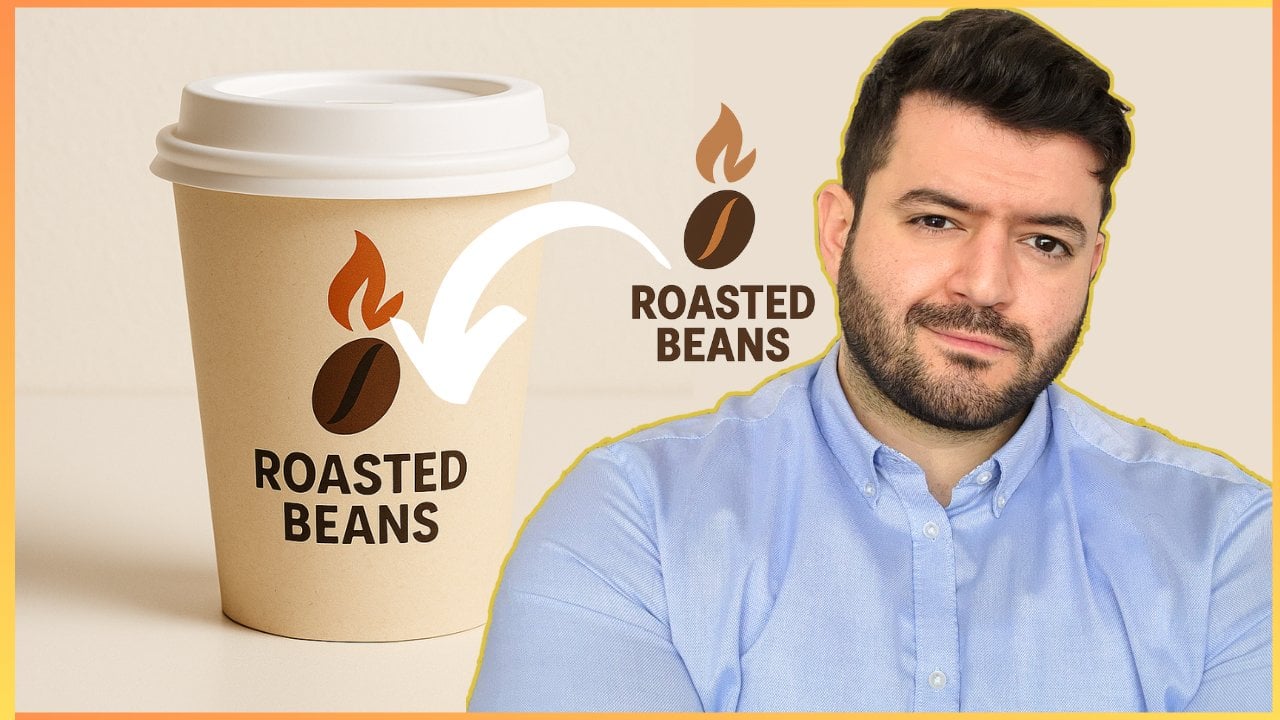
their roasted beans logo. The branding conveys
warm, premium minimalistic modern
cafe. Excellent. Perfect for high end
coffee marketing, based on the logo and
it's glowing flame. Here's the full poster
design strategy. Now it will present
the actual concept, and it's going to
extract the details from any visual elements that
you have been providing. The key colors, the hex
codes for the colors, the suggested fonts,
the mood style, and then we'll refer back
to the actual sizes. Based on the application. So main store front poster, in store poster, and
the list goes on. Let's take a look at
the design concepts based on the previous details. Signature coffee highlight
poster. That's one. Limited time offer
poster, coffee, education poster,
testimonial poster, either for social media or
the actual wall of the cafe, seasonal posters and
modular poster system, which is basically to come up with ideas for the posters
over and over again. This will provide
me with a template, either square, vertical
landscape formats, editable zones, and consistent
layout grid in order for me to manually export it
and to edit it if I'd like. Take a look at the next steps. Let me know the first poster you'd like to create
product highlight, promo, tip base cost or event. Then this is the
interesting part. We'll have the actual mockup, the social format, if needed, optionally prepare
edit variants. Would you like to begin with
the signature coffee poster, grand opening promo,
social, a tip based visual? What I'm going to start with is the actual grand opening promo. Let's start with a poster for the actual physical
setup for the cafe, which is going to be a
grand opening promo. So I have selected one of the suggested templates
or formats for the cafe, which is the storefront poster. And I have picked up a design
concept which is something related to presenting the
um opening of the cafe, feel free to tinker with us. You're able to generate
posters for a certain event, let's say winter theme, holiday theme, whatever it is. Let's take a look
at the concept, grand opening
announcement, now Boeing, grand opening, catchy title. We've got the subheading, experienced aroma,
taste of craft. We get the main visual, and then the details block, we insert the
address of the cafe, the opening day,
timing and hours, free coffee and opening day. So it's fusing actual
marketing tactics into the posters creation
process. Call to action. We got the design elements, and then we'll suggest again, the sizes of the posters which would fit my
current application. Either print poster,
flier handout, social story version
or square post. Take a look at the
design variations. This is something
that you can keep up you can keep as a backup. Let's say you create a poster, and then you would like to
shift the actual design. Go from minimalist to vibrant teaser to countdown
poster, it's up to you. Now, take a look at the
fun request from Chad GPT. Action needed from you. Before I generate the first visual, please confirm and
provide the following. Grand opening date and
time, cafe location. Would you like a QR code
added for directions or menu? Choose between minimalist,
cafe worm, countdown. Once confirmed, we'll go for
the main print and matching the Instagram story version
if we would like to. Why? Because it's acting as if as a professional graphics designer and poster generation expert, which are subdomains of
marketing and branding. So that's why it's suggesting the Instagram story
if we need this. Take a look at the
final comment. Let's bring Roasted
beans to life. Just drop in the details, and I'll get started
on the design. So now we have fused our branding elements
requirements into the actual design process, and Chat GPT is
ready to actually generate our first
crafted poster.
5. Creating Your Professional Poster: Welcome back. Now, let's add
in the following details. The opening date
is on December 12, 2025 at 8:00 A.M. For example, location is Paris, then
would you like a QR code, no need for the code, no
need for the QR code. Then let's take a
look at the style. The style is you can
copy any one of them, minimalist dark and bold, cafe warm, and
inviting. Here we go. Just paste it as is. Now we are going to click
the full stop and then proceed with creating the
main print ready poster. Here we go. So now ChaGPT has gotten
sufficient details from our end in order to start crafting the poster which should
pop up over here. Now, this is the first option or the first suggestion from ChaGPT based on the prompt
engineering structure that we have created up to
this current stage. If you refer to the sizes, it has suggested the
following options, print poster, flyer handout, social story version, square post based on
the actual setting, which is the opening
of a cafe, right? Take a look at the use cases. Window front of the store, distribute in nearby locations
for the flyer handout, Instagram WhatsApp and
Tik Tok for social media, Square Post, Instagram
grid and Facebook. So it's combining the
marketing initiative as part of the design process
for the poster as well, which is quite convenient
and quite professional. Now, we are going to take a
look at the first design, as we can see that
it's quite extensive. Take a look at the
dimensions of the poster. It looks quite professional. I'm expecting it to be
in quality resolution because if everything has been understood
properly by CHAD GPT, it would actually
create the display for the logo or the pixels
for the logo in a way that you're able to print it because that's the
whole purpose of this. I'm going to be using it for online purposes, but
at the same time, if I'm opening a cafe, I need to actually be
able to print the design. And this is the whole purpose of the activity to
go from online to offline in terms of the
posters generation process. I'm quite excited to see
the first main poster, which is for the grand
opening of the cafe. I'm going to show
you how to alter the variations either based on the style or based on
the actual sizing, if you have certain preferences
based on the sizing. But what I would suggest is
you can just simply take a copy of this for the poster sizes and use cases
and keep it on the side. That way, for future purposes, you just simply inject the
size and the application, and then you have your own
poster generation machine, sort of speak, think
about it this way. Now, as we were able
to see the design, it's quite perfect in the
sense of the heading, the fun colors, the layout, even the logo of the brand
is placed strategically. Now growing grand opening, experience the aroma,
taste the craft, location, Paris, December 12, 2025, a am, free coffee on
opening day, roasted beans. This is a professional poster. If you print, and then I'm going to be placing
it at my storefront, for example, for the cafe, then it look professional
and inviting. It's a professional
gray poster, right? So this gets the job
done for creating a professional poster for the opening of a
certain location. Now, let's see some sort of different variations that
I could come up with to even take it further in terms of the process for
designing posters.
6. Variations and Options: Welcome back. So we've
created the main poster. Now, let's say, I would like to come up
with different options. However, I have no idea which direction I
should go with, right? I need to get inspired
or to compare. Now, I would like two more different variations
in terms of the theme, and this is where
you're able to inject your own requirement,
by the way. Let's say, in terms of
the theme or in terms of the text or in
terms of the color or in terms of the
icon or the shapes, whatever it is,
this is basically the context that
we'd like to modify. Now I'd like two more
different variations, terms of the theme
to compare the best to compare the options
for the best poster. Now, Chat GPT automatically
will jump into the creation process based on that because everything has
been set up quite properly. So it'll create
the first option, and then once it has been
done with the first option, it's going to ask us to
proceed with typing over here. Proceed with creating
the next poster. This way, we're able to create a loop of endless variations. So we have the layout. Then we create
variation number one, then variation number
two, and it's up to you. That way, if you have
set up everything properly as I'm
teaching you so far, you will have your own
poster generation machine, and just simply a matter of
injecting those details. Based on your own brand or
based on your own theme, and then Chad GPT will be able to generate the appo for you. So we're expecting to
have the first option, which should be quite different compared to
this one because we've gotten the grand opening
structure for the poster. What I would expect to change is actually the background colors, probably, the fonts, and some of the highlights
related to the image. Now, I can proceed with a different variation as well by changing not just
simply the theme, but like I mentioned,
being quite specific with what I
would like to be changed. Instead of going
with, I would like two more different variations
in terms of the theme, I can just simply type in. I would like two more
different variations in terms of the opening
season, for example. So this is for the year's end. How about winter season?
How about summertime? How about springtime? So this will alter the entire variation of
the current template. Now, let's take a look at this current option that
we're having over here. It's a completely
different variation. You can see from the
background color. It's beige and over here, we got brown with a bit of contrast between
black and brown, as well. Now, I can see the flame logo
being present at the top. We get the flame
logo over here and the flame logo over here, we've got the actual
full on logo, the roasted beans logo
present completely. But over here, we don't
have the full on logo, rather a small part of the logo. I like this current variation. So far, it's quite professional. Now, I'm expecting
to have some sort of a different variation
in terms of the text, something which is quite out there in terms
of the styling. Like, if you notice over here, it's quite congested
with the text. Like we do have a
lot of details. We got text over here, text over here, also
here and here and here. Then we've got a
visual in the middle. Now, this is quite,
let's say, crowded, but it serves the purpose
of a grand opening. Now, if I take a look at the different option,
quite simplistic. This is the minimalist option. Roasted beans, grand opening, December 12, 20 4:00 A.M. Paris. Excellent. So this is a poster, which is a minimalist design. This is more of, let's say, a modern, luxurious design. And then I have the ability to create it on another design. So let's proceed with
the other option. Or with the next variation. So if you keep on selecting
or copying the same prompt at the stage and placing it in the prompt window
over and over again, proceed with the next variation. Proceed with the next variation. Every single option that you
are going to be getting for these posters will be different compared to
the one before it. Now, I truly hope at
this current stage you understand the
importance and the significance of having such a powerful posters
generation machine. This is one format, by the way. So this is for the
store front purposes. I can just simply ship this to flyer format in store
poster, digital menu banner. And if I transition
to social media, I can go for Tik Tok, Instagram, Facebook, whatever it is. So at this stage,
you're able to create the physical posters as
well as transition to the online posters with ease without any complications
simply by typing and proceed with the next poster for the storefront or for TikTok or for YouTube,
whatever it is. Then by default, it will use the previous setup in order to create all of these
variations for you. Now, I'm sure you got the
idea at this current stage. I'm going to just
simply show you the final variation
that we have. Before I will teach
you a tactic to design or to change the designs based on
your own preferences. Let's say I would like to
change the text over here or the labels or I
would like to change the color or remove the
cup of coffee completely. Or change the font for the
specific piece of text. How would I go
about this without the need to type a prompt
over and over again? Because this could be
quite tricky because if it's prompt based structure, Chat GPT might have a
hard time trying to map it to the actual image to figure out what
would you like to have. However, there's a tactic that I'm going to show you that will that will allow you
to specifically modify the graphic design, the elements, the features within the poster in order to be able to get the design that you would like
to truly achieve. Now, this is the third
variation of the poster. If you have noticed,
every single one of them is quite unique in
terms of the coloring, as well as the nature
of the design. Over here, we're able to
see that both of them sort of represent the
same text based elements, yet the color is
quite different. So these are various
variations that you could have as part of
your marketing material, your graphics design
material, or your branding. However, let's say
I would like to do some sort of manual
edits myself. How would I go about this,
which is coming up next?
7. Manually Editing The Posters: Back. So at this current stage, we have created a series of professionally
looking posters. However, let's say I would
like to conduct some sort of edits, manual edits myself. If I'm going to proceed with a prompt for every single edit, it might get complicated. Not to mention we might ruin the design because Chat
GPT has a hard time translating these manual edits through prompts to actual
edits on the images. So how do we go about this?
There's a way for you to do so professionally.
Click on any design. Let's say this design.
Once I click on it, I will be prompt to
the following window or shifted to the
following window. Take a look at the
bottom over here. Describe what you want to
add, remove or replace. Before you actually describe
what you need to do, take a look at the stillus
on the right side over here. Click on this.
This will transfer the actual editing option
from being prompt based to something related to actually highlighter
based or stills based. Take a look at the
edit selection. Now I have the ability to
highlight certain areas. So I'm going to highlight
this area over here. And now it will be dynamic, which means I'm ready
to actually edit, remove or replace
certain elements. What I'm going to do
is I'm going to say, replace the highlighted
area with a realistic, happy smiling face for a man. Oh. So that specific area, I would like to replace it from text based to an
actual visual graphic. So if I wanted to
do this manually, JTGPT will have a hard
time to figure this out. So by inputting the prompt,
take a look at this. We have selected the image, and this prompt is basically generated based on that image. Now, JAGGPT might have
an error in the process. So I'm going to have the
process regenerated again, just simply type in proceed because JAGGPT sometimes might not be able to understand exactly what's going on
from the first time, and this might result in
an error in the process. So there's no need
to rephrase or resend the request or
alternative solution, simply proceed with
the same prompt that I mentioned, and
this should work. Chat GPT now will
try to figure out a different variation based on the same prompt that
I have suggested. Now, feel free to tinker
with this, by the way. And once you see one
of those messages, it doesn't mean the generation
part will not work. Means from the first
time HAGPT had a hard time understanding
this because it's quite specific or there
are many requests taking place at the same time
loading the actual server. So just simply type in proceed with the same
prompt that I mentioned, and hatGPT will figure this out on its own without the
need for you to rephrase this, and then we'll generate the design exactly as
you have mentioned. It happens, it's a tool. You should be able to learn these prompt engineering
tactics in order to maneuver your way across various responses.
Take a look at this. Very professional, right?
So we shifted from this design to this design. So Chad GPT tried
to do its best. It did not place it in the
middle exactly because I just mentioned replace
this with a smiling face, for example, a smiling man. I did not mention
anything specific. Take a look at my prompt.
Replace the highlighted area. It was quite broad
with a realistic, happy smiling face for a
man. That's mainly it. I did not specify exactly
where to place it, but I have given it some
sort of a direction for it. It has done a really good job. Now, let's say, I would like to remove the text completely. Going to click on this,
go to the stills again, highlight this area
and be specific with your highlighting approach. And I just simply type in
remove the highlighted text. And once you specify
the element that you would like to
remove, edit exactly, Chat GPT will have an easier time trying to add in the edits that
you would like to add. And by the way, this is a
professionally designed poster. Like this is one of the best
posters I've seen so far for the opening or the grand
opening of an actual cafe. Now, let's take a look
at the output from HGPT in terms of we have
seen the visual edits, right, by adding some
sort of visual elements. You could add graphics as well. Now, the text based edits, where we're going to ask it
to remove certain features. Now, I wouldn't be surprised if ChaGPT ran into the
same issue before because it's quite
taxing on CHAT GPT to figure this out extensively
through a basic prompt. But we will get the job
done by simply either. Using the previous
prompt, proceed with the same prompt
that I mentioned, or Chat GPT will figure
it out by itself based on the previous feedback
because it has shown me this current message and I have replied in the same format, so it will understand
that I need to proceed exactly as per
the mentioned prompt. These are smart prompt engineering
practices, by the way, they will help you shape
your interaction with artificial intelligence to get the best output in the
best way possible. Now, let's take a look at the finalized design
by removing the text, and feel free to
experiment with this to see your own design outputs.
How do they look like? You could change the features, for example, you could change
the placement of the logo. You can remove certain elements
or change certain color or add multiple individuals or even have a
certain individual, let's say, smile, laugh,
raise their hands, whatever it is, whatever it is, have some glasses
on, it's up to you. You're able to
generate this ease. The tactics I'm
sharing with you, these are professional
grade tactics, which will help shape
your creative journey, your business ventures,
your approaches, your tactics, whatever it is. If you apply them strategically, it will surely elevate
your current situation. Now, take a look at the output. We have noticed
over here there's a slight variation in terms of the facial features slightly
to a certain point. Well, actually not, but it might have some
sort of variations, which is perfectly
okay, by the way. It has removed the text. And shifted the label from
free coffee slightly upwards. So it's getting quite
tactical with the approach. Free coffee on opening
day was placed over here. If I'm going to remove
this text from here, the place will be
empty, the location. So it has shifted upwards
to fill the poster. Why? Because I have
properly instructed Chad GPT from the get go to behave like a professional
posters and graphics designer. Free coffee on opening day, it's a very professionally
looking poster, and feel free to
tinker with this based on your own
unique application.
8. Wrapping Up: So what do you think?
I truly hope that you found the class helpful
if it helped you get your graphic
design skills to a new level where you're integrating
artificial intelligence, specifically Chat GPT, as
part of the creative process, as part of the design process, is a job well done. And I look forward to receiving your feedback on the current
class and make sure that you follow my profile for the
latest releases and updates. I'll see you in the next class.
 Engr. Hussein Attié, Entrepreneur I Engineer I Educator