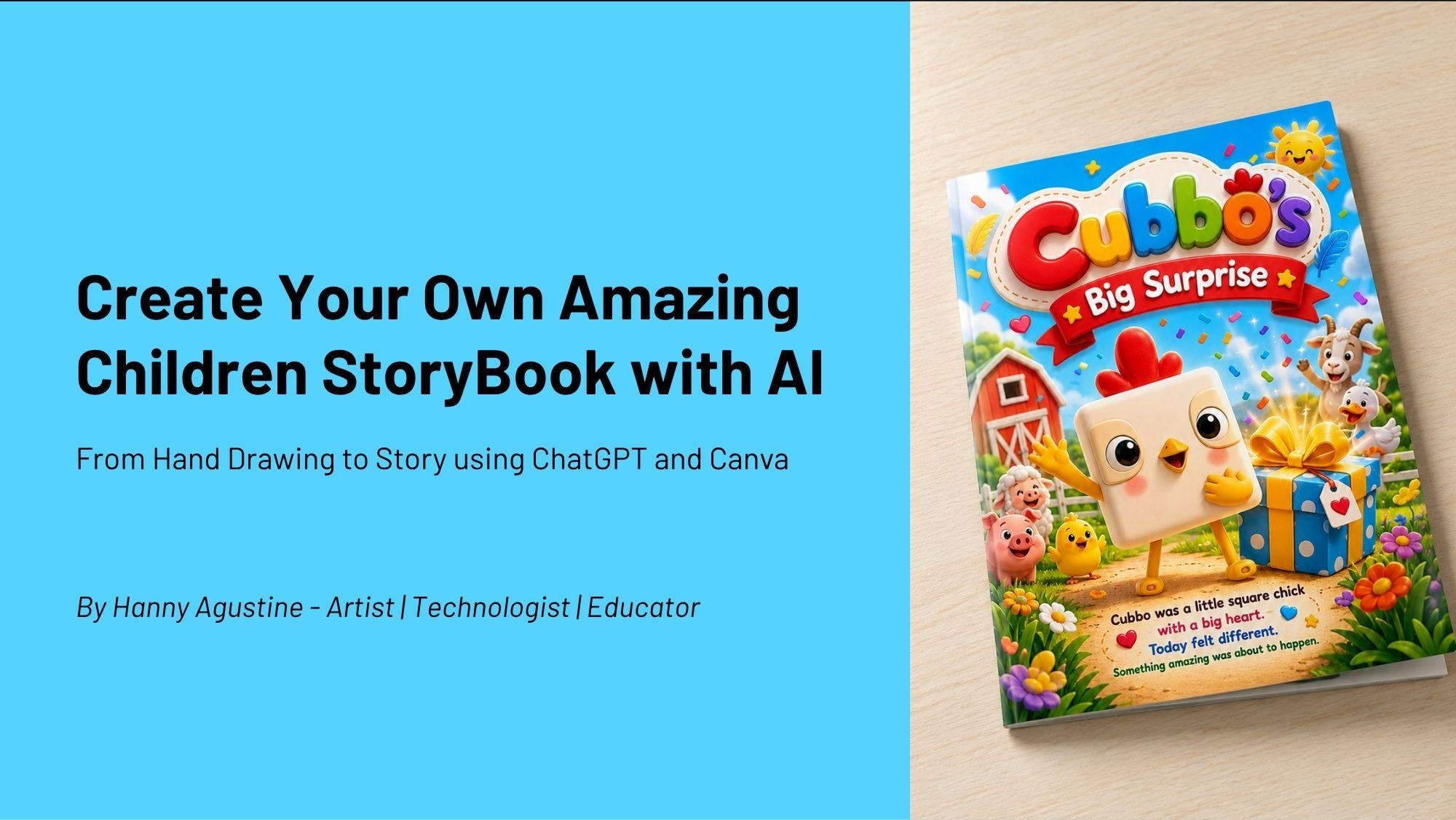
Transcripts
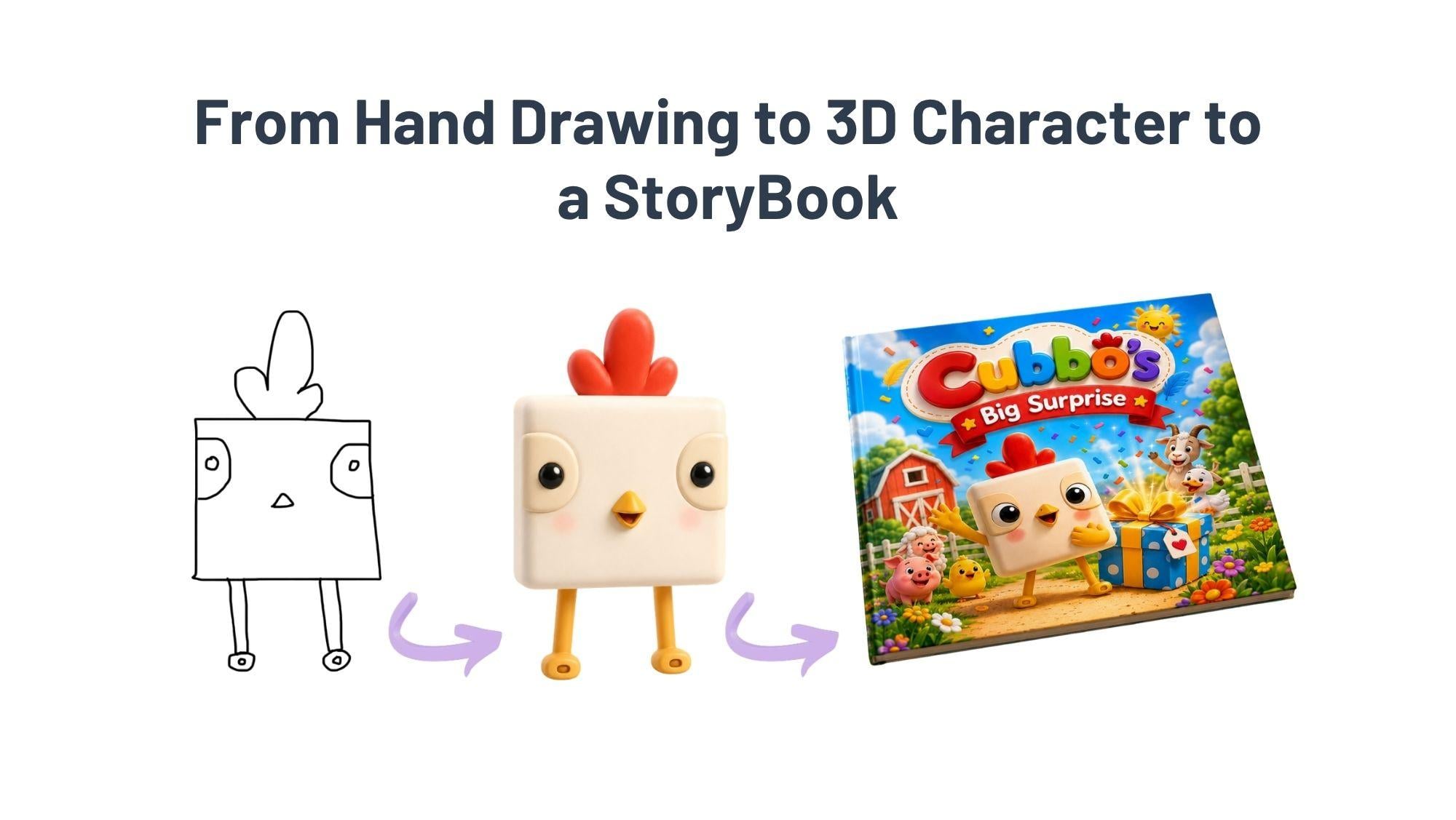
1. Trailer: How about if you can create your own amazing
children's storybook with AI from your hand drawing to story using
tativity and Canva. How about if you can turn
simple drawings into storybook characters,
stories, and illustration? This is where creativity
needs technology. Have you ever wished you
could turn a simple sketch on paper into a beautiful
children's storybook like this? In this class, you
will learn how to use AI as your creative partner. To transform your simple hand drawing into fully
developed characters, stories, and
illustration concepts, even if you are not
confident at drawing. By the end of this class, you will be able to turn a simple hand drawing into
a three style characters like Cubo transform
your character into engaging story
for children. Then you can use the powerful anti Pm formula in JTBT create beautiful
illustration of 12 pages children's
storybook and you can generate storybook video like
a professional with Canva. This class is perfect for beginner who wants to create
children's storybooks, or if you are parent or
teacher, illustrator, who wants to explore
AIN five this class is also for anyone who loves
storytelling and creativity, and I guarantee
this is perfect for beginners no drawing
skills required. Hi, my name is Hani Agustin. I'm an artist,
technologist, and educator. Let's turn your hand drawing
into something magical. I'll see you inside the class.
2. ANTIF Prompt Formula: Create your own amazing
children's story book with AI from hand drawing story
using Tet TPT and Can fa. I'm Hany Agustin, an artist, technologist, and a
dokeor. What is AI? Artificial intelligence is a tool that understand language like human talk to other humans
and then generate ideas, helps create stories,
characters, and narratives. This class, we use AI
to understand language like we talk to our
friends and other people, process and respond
to text naturally. And then AI will generate ideas, create new concept and
variation in second, and then AI also will
help us to build stories, develops characters
and narrative in a very effective time. In this class, we
will use TPE a AI Ts. What is the difference between
Google Searce and hatTibT? With Google Searce, we
find existing information, shows links and sources, but we must think, read and choose the
information by ourselves. Google Search don't
remember your task and act only as
searcher or finder. But hatibT can think. And analyzed like a human
creates new concept, generate ideas and
responsive in seconds. JatiVTRmember all task today, tomorrow, the next
week, next month, Jatibt always remember
all task given to it, being smarter when we
give more tasks and act as our intelligent
assistant. So why we use TTIPT to
create a storytelling? Because it helps to have
a faster brainstorming. We can generate ideas in
second instead of hours. Endless variation, explore countless creative
direction and possibilities. And then this is the one that I like most when you
get creative blogs, and then TTIBT will help to get unstuck with fresh
perspective and inspiration. Story structure will
also be helped by TPT because it can build complete narrative frameworks
from start to finish. And this is very
important to know what is the anti Prom
formula because it's like we talk to people
who speak English. We have to know the
formula in English. Or in my country, if we talk in Bahasa Indonesia, we also have a formula how to make a sentence in
Indonesian language. So we use a structured
approach to make proms clear,
specific and effective. Like human to human, we have to talk in clear language specific words to have an effective
communication. So what is TIV? Atif is from A for, and then N for Ns, T for target, and then I for instruction, and F for format. So first, who is
Tati BT acting as? Do you want JatiVD acting as
your sorry writer assistant, or do you want JATVT act
as your designillustrator? And then and for Nis, you must mention the
specific field or context to make TatiBD
understand your situation. Target, who is this for? Do you want to create
children's story Book 45 to eight
or even younger? And then I for instruction. What exactly should be
created in details? This is the important part. You can say many details
instruction to JTPT. Last one format is the output format like
the size you want to create or kind of layout you want to make pullers
or long sentences, any language you need
to create and so on. So for example,
we want to create a character like this little
cute punny so adorable, and I'm so happy
to see this bunny. Then your prom should be
egg as children's book Illustrator for ages five
to eight. This is A. And then also Nis because we already mentioned
ages five to eight, and then the target also
clear for children. And then create a character. This is the eye
instruction with name, personality, look,
and unique trait. And then the output
Ja GVT will give you This is Milo the
bunny personality, curious and kind.
Yes, yes, kind. And then look soft pastel, pure. Mmm. The view is so soft
and when we see it, it's like, we want to
touch it directly. And then the thread
is cling backpack. Yes, I want that backpack, too. Okay, and then the story
structure over view, we will create a
very short story in this class, for example, ten pages, page
one, introduction, page two problem that
our characters have. And then page three,
the journey begins. Story become more
interesting pages 4 to nine development and challenges of our characters in specific situation and
withstand happy ending. So the key takes, we master the anti framework, use structured prompts for better result,
amplify creativity. With JGBD because it enhances
your creative process. And then practice makes perfect practice,
practice, practice, and experiment different
prompts because bad proms, bad results, and good proms
will give you good results.
3. Using Google Doc To Make ANTIF Prompt: To make anti from formula, you can use dog like Google
Doc that I make here. And also, you can
use your note or you just write your handwriting
on a paper is okay. So you just try to train
your brain to have a formula AMDIF because the more you
use this anti formula, the easier prompting you
can create with JTPT. So this is a practice, a practice, and so on. No. I will teach you how to make a prom using anti formula. The first A, you can write as a tree D design graphic who
has ten years of experience. And then because
you want to change your hand drawing to
be a T D character. So Denis I would
like to say, Oh, has been a global designer for children storybook
industry. Okay? So we want TTBD act to be TD graphic designer who has
a very long experience. And then she is also
a global designer, especially for
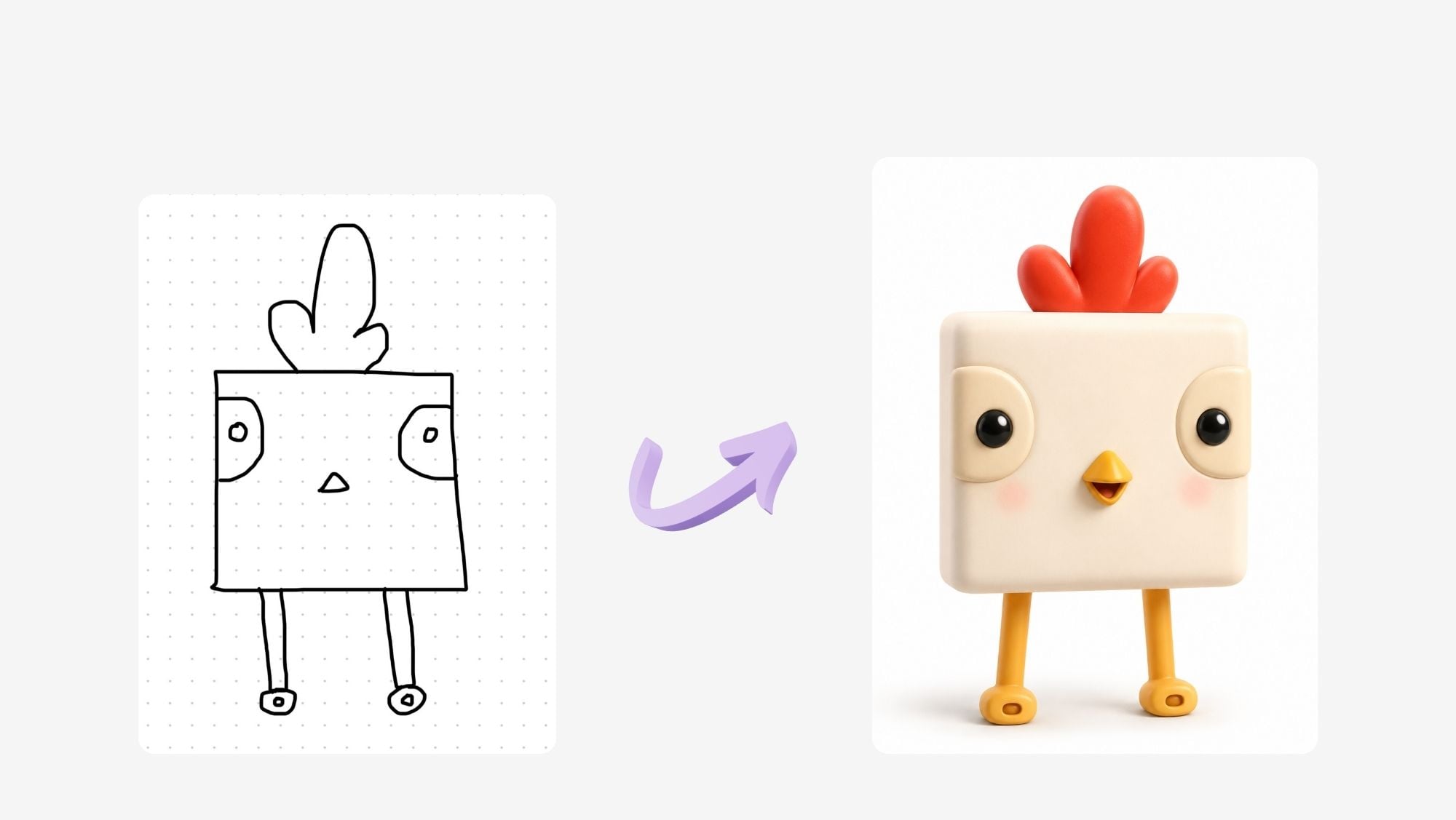
children's storybook. And then the target is create a three character from my hand
drawing that I touch here. So you add your hand
drawing into JatiVT, create a three
character from my hand drawing that I attach here. And then for the instruction, now you give a very
detailed instruction. So JatiVT will create the
character like you imagine. So I imagine a character that I always see in a Disney
or Pixar movie. I love it so much. So I would say, with Disney
Pixar style looks durable, cute, but feel premium and
has a premium lighting. So I would not say only good
looks or good lighting, but I said premium lighting. And I think this is very simple and enough for us to
practice the first time. And now the format. So I want Ja DBD to
give me the image of the character in
square or in rectangle, portrait or
landscape, and so on. So in square size with
white background. Why I just white because when you have an image with
white background, then you can remove the
background, and later on, you can put the character into
a illustration or drawing. So in square size with
white background. So if I summarize the endive
as a Tre design graphic who has ten years experience
and the niece who has been a global designer for
children's storybook Industry, create three D character
from my hand drawing that I attach here with this new
xar style look adorable, cute, but feel premium and has a premium lighting in square
size with white background. And then all these, you can copy and paste
into Jet TBD directly.
4. Comprehensive ANTIF Prompt: Okay, now, after the simple one, I will give you more
complex anti from formula. So let's say for A,
you can write also. You are a world class three D character designer
and illustrator, specializing in high end
children's book his wal with expertise in Disney
pixel style aesthetics, soft storytelling, emotion, and premium lighting
composition. So this is more complete
than the first one. And then for the niche, you create stylized
three D characters for children's storybook
combining cute, expressive forms of
simple clean design. Your work emphasizes
soft textures, rounded shapes, emotional,
facial expression, and a magical heartwarming
atmosphere suitable for kids age four to eight you have longer sentences to give instruction chat TIPT,
this is the way. You can say anything you want huge, expressive, clean design, simple, or cartoon looks
or eply looks, and so on. And then I continue. For target, you may have a bullet to give chat
TIPT instruction. So the target is output is intended for children's
books, illustration, premium educational products
for the instruction create a character illustration with following requirement. You can write more details again than the simple one in
the previous video. It's like design a
three D character from my hand drawing
that is attached here, use Disney Bizarre
inspired style, apply premium lighting
and cinematic softness, keep the design
simple and clean, not overly detailed or crowded,
because this is, I think, young reader four to 8-years-old is better
not too crowded. And then use pastel color
palette with harmonious tones. If you want to have
a special color, then you can say
pastel color palette. And character, you'll feel friendly, joyful, and emotional. Aging. For a format, I want a three D
render illustration. So my language is like
a three D illustrator. So I use the word render here instead of only three
D illustration, and then the aspect
is square one to one, and then the background,
pure white, clean minimum. So instead of using
only white background, you can say pure
white, clean minimal. So this is example how you use anti formula with a longer explanation,
longer description. So JTBD will create
the things and the image that you imagine
in details as well.
5. How to Create Character in ChatGPT: Let's continue. Now, we have to make a character
with Jet GBT. But first, you have
to prepare your prom. This is one example for simple prom formula for
creating three D characters. So Auntie from egg, Nis, Target,
instruction, and format. So as a TD design graphic, who has ten years experience, who has been a global designer for children's
storybook industry. And then for Target,
you can right? Create a three D character for my hand drawing
that I attach here. So you will attach
your hand drawing to JatiBT Instruction with Disney
pixel style look adorable, cute, but feel premium and
has a premium lighting in the format in square
size with white background. So this is a symbol from
that you can give to JatiPTT create three D character
from your hand drawing. So I will move to my JatiVT. Here is a new Jet, and then I will click
the plus sign to add files from my hand
drawing character. Here I have character image, and then this is my
final hand drawing. So I attach here. And then I have to write
down the prom here. So I go back to my file, and then I can copy this. And then I paste into my JE TPD. So I will paste here, and this is the anti
prom that we have to give JGBD to work for us. I click Send now
and we are waiting. I use JGBDP because using P, you can create more than
five images per day. So without P, there is a
limitation for creating image. But using P for $20 per month, you can subscribe in JGBT
and then you can get as many images that you so here the result
of the character, if you like it, you
can download it here. So you can click
this and then you can download into your computer. So here is download here, you can click, and then you
can save your character. So for example, I
click Download here, and then I click here, the folder for character image, and then I save it. I change the name first pinkoKrem because
the color is Crem. I call it pink o
Gram, so I save it. That's the way you save your character in
chatty but later on, I can show to you, this is the next
level prom formula, the same job for JTPT to
create Tree D character. But here is you are a world class TD character
designer and illustrator specializing in high end
children's book visuals with expertise in
Disney Pixar style, aesthetics, soft story telling, emotion and premium
lighting composition. For Nis, you create
stylized treaty characters, small children's story
books, combining cute, expressive forms with
simple clean design. Your work emphasizes soft
textures, rounded shapes, emotional facial
expression and magical, heartwarming atmosphere
suitable for kids age four to eight
and the catarget. The output is intended for
children book illustration, premium educational
product instruction. We give more details here. Create a three d collector
illustration with my hand drawing using this Nip
Big Star inspired style, premium lighting,
cinematic softness, simple and clean, not overly detailed or crowded
pastel color palette. Friendly, joyful and emotional
engaging the format, three D render illustration, the aspect squared one to one, and then the background pure
white, clean and minimal. So you can save the PNG. So I gave you the
simple one like before, but this is the next level, more detail, more comprehensive. And the key is because you already imagine
what do you want. So you can explain as a prom
text like this one. Okay. So now I make it smaller first, and then I copy this one. And then, again, I go to JahiVT. So now we repeat the same job. We add files first
from the hand drawing, and then here we base our
next level prom from egg, Ni starcht instruction,
and format, and then we'll see how Jahi VT will create another
character for us. And do this so many times I like it because
it's like I talked to my assistant who is a world class three t character
designer and illustrator. That's the good thing using AI. If you don't like
it, you can ask Tati beauty to change
or to recreate, repeat resulting a new one. So I like this one. This is more
comprehensive prom and create better result
for the textures, for the treaty feel, and then the ice and so on. So I prefer this one, so I will download it and
then keep it pink cream, but this is number two. I put peter here. Okay? I keep it. I save it. And now our character
is ready to be a story book
later on in JaTiPT.
6. How to Create Character's Name: Okay, now let's continue
to create symbol Brom to get character's name
because I want to as TBD, the name for our character. So as a children's
storybook writer, Nis, who is a world class writer in children's storybook
industry for ten years. And then target, I want to
create a children's storybook, or it's four to eight
prom three D character that I attach here. So in chat, you attach your
three D character emits. The instruction create
five name options for this character that is
suitable for this character. Sounds like Disney pizza style, engaging for young parents who has children age four to eight. And the format, we ask
hatibT just to make a name in one word we copy again this prom and then we pase into our Jatib here we upload first. This is a pink cream to better. I want to use the second one, and then here I baste. So egg, knees, starched,
instruction, and format. And then we create San from now. We will get five name
options from Jati PT. But here, you see that it works in Indonesian,
my language. So I will change the brom. I will repeat it again, so it will be
written in English. So I copy this one, and then I page here, and then in format. Name in one word in English, and then write in English. Okay. And then, again, I upload the character. So with JTBT you can
use your own language. But if you want to be
written in English, just inform it, say
it write in English. Let's see. Now, we
click Send prom again. And then now's
written in English. So it's that for this new pizza, inspired children's character, the stronger names usually
easy to pronounce. To sylla bell, sometimes three sounds playful
and memorable. W globally in English
speaking markets. Its like character,
not just an animal. There are five options. Cubo. Mm. Acute cube shapes, little chick who sees
the world differently. ChaGVD gave the character
personality here. And then platy, warm,
friendly, timeless. Sounds like a pigtar side kid who becomes a hero. Hmm, hero. Di hero. Cubo little chick. Bigsby playful, quirky,
and full of personality. Great for book,
toys, and animation. And Nippo sweet, gentle, memorable because Nippo I think it's like Cubo Nippos very easy to say it's like a character children
would instantly love. Bigby and piplet I think still quite difficult
to pronounce, but Cubo Nippo is easier. Juli is okay. So for me, I like Cubo, Juli or Nippo. But what Jach vD give? My top three picks, so JachVT choose for you Cubo Bigb Tuli soft
heartwarming storybook feel, great for emotional
story telling, and Cubo matches the square. But it's a perfectly strong
IP, easy to remember. For example, the
book titles would be Cubo learns to fly Cubo
and the golden Feather, Cubo Spig surprise or for Juli, Julie finds a friend, Julie and the Tiny star. For a long term
global character, I'd be similar to Nemo, WE Ping Pong, Cubo is
the strongest choice. I think I also love Cubo. So later, we will choose
a name of our character, Cubo and then we
can choose one of the suggestion of TBD
for the story titles, or you want to make
it by yourself. So that's the wa we create names and character in tat tit.
7. How to Create a Short Story in ChatGPT: Next, we create a story of a short story using JTPT and
this is the simple prom. The same thing as before, act as a children's
storybook writer, who is a world class writer in children's storybook
industry for ten years. The target, I want to create a children's storybook
for it is four to eight. That will be a viral
in the market. Engaging story,
and every parents and children will love it. The instruction create
a story of 12 pages, including the front
cover and back cover. So the story itself
is only ten pages. The title is boos big surprise. I choose this one from JTPT suitable for children
ages four to eight. Each page has a maximum
of three sentences. The surprise is
adorable, unpredictable, and amazing, as well
as for the parents. For the format, write in
English for each page. So later, I can use it as a prompt to create the
image for each page. Two. Now, we already
prepared it, we copy, and we
go back to JGIPT. And then now we
page here because above JGIBT understand that we have to create the story book. Now we can click here, and then we'll see what story would be in
Cuba's big surprise. Here the story is designed
with a surprise ending that children will find magical and parents will
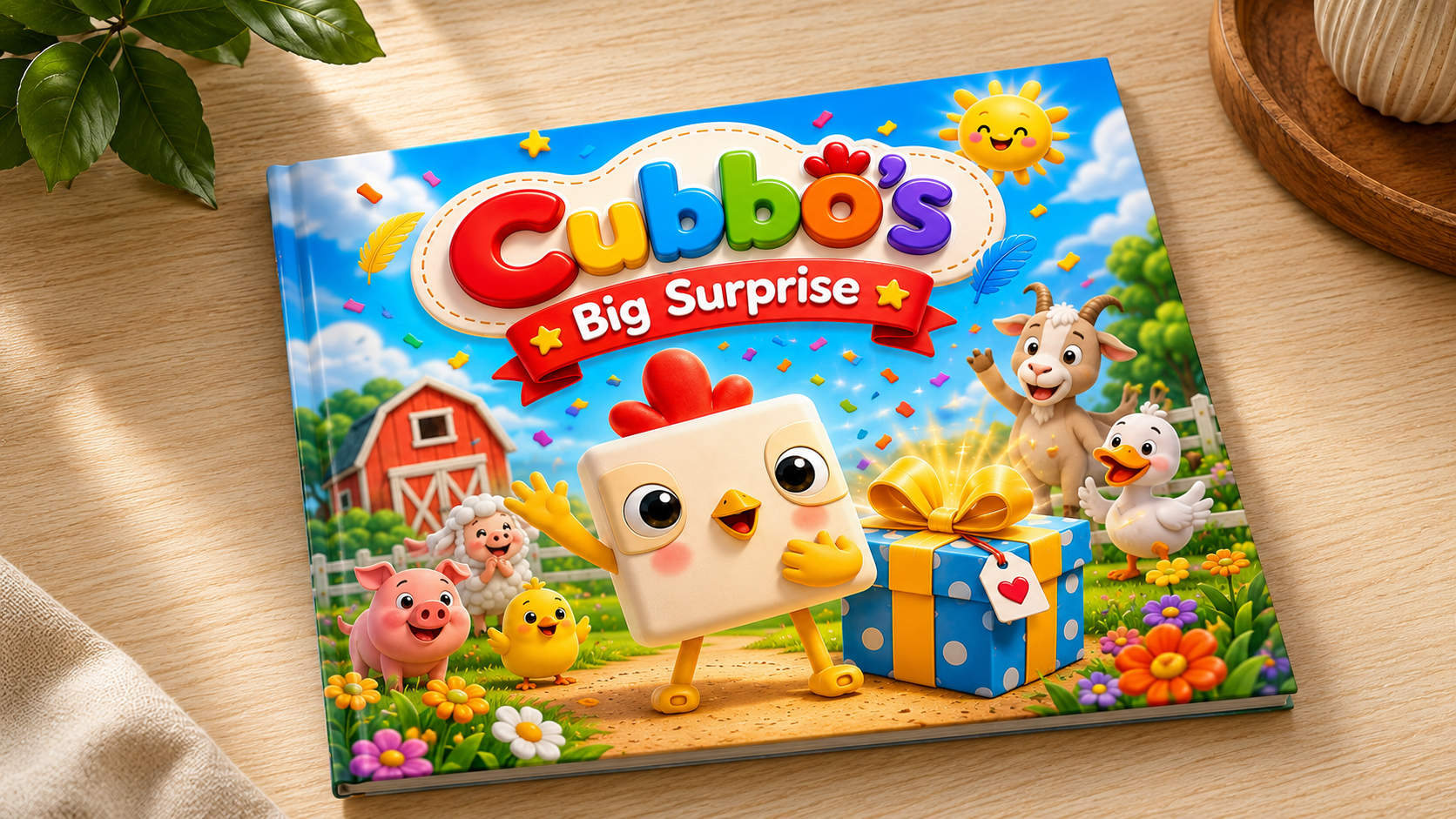
find heartwarming. Front gofer. Hubo big surprise. Hubo was a little square chick with a big heart
today felt different. Something amazing
was about to happen. So this is the front gofer. And then page one, page two, page three, Djibts As by us. It has only three sentences, maximum for each page. So here we can read Cuba
live on sunny weather farm. Every morning, he waved
hello to everyone. But today, everyone
seems very busy. Mama hen smart and said today is a special
day, Kubo. What? But she wouldn't tell him why? Kubo asked Doc Hubo asked Cott, Cubo even asked the sleepy cow, but nobody would tell him. Mm, said Kubo. Maybe it's a birthday party. He imagine balloons as
tall as trees. Watch five. Then Cubo heard igling
behind the barn. Peg around the corner, the giggling suddenly stopped. Cuba spotted colorful
feeders on the ground. They let into the meadow. Maybe it's a treasure hunt. He chirped he followed the
feeder trail over a hill, then through a field of daisies, then beside a sparkling pond. At the end of the trail
stood a giant red curtain. Kubo's eyes grew white. What could be behind it? Slowly. Very slowly. Kubo pulled the curtain open. Behind stood where every
animal on the farm the eye did hear Cuba
pling in amazement, but there was no
cake, no present, only a huge shiny mirror
covered with stars. Cuba looked into the mirror. Around him were
hundreds of drawings, paintings, and photos
made by his friends. A golden sign read Cubo. You make every day brighter
just by being you. You smile, and that was the
biggest surprise of all. And for the Bover, sometimes the greatest
surprise isn't a gift. It's discovering how
much you are loved. Join on heartwarming adventure
filled with curiosity, friendship, surprise
that will make children smile and
parents' hearts melt. So JGBT already create ten pages story and then plus the Buver and
front cover for you, you just use it later
on to create the image.
8. Create Front Cover & Page 1: Okay. Next, we will create
the image of each page. So from the story that
being created by JTI BT, you can click copy here, and then you can make
a notes in a jog. You just paste here, and then I go back
to front cover. So I don't need this. I will delete it, and then I will arrange
W one, page two. I need this one to
create the image, so I will continue and delete
pillow part because I do. After peover I do need this one, so I delete this. Okay. And then now I use
one by one of these pads, for example, the front cover, and then I copy, and then now I go back to JatiPT and then I said
as graphic designer for TD character and well known illustrator for
world class children story. Hook. You can record your voice, by the way by clicking
this microphone, you can dictate
your instruction, read for trade image for the story one by
one and start with, and then you paste your text from the
chattiPT for front cover. This is the title and the text. Okay. We'll see, the chatty pt, we're creating images for you. We just wait and then you
can drink your coffee or your tea or going to take some cookies while we
think it works for you. So this is a very short prom. You can use anti formula again, but I try to just write it as graphic
designer, blah, blah, blah, and then create portrait
images for this front cover. We'll see. It's finishing up
now, adding final touches. Sometimes I feel curious
what kind of images TTIPT will make for me
with using P TTIVDP, you can have unlimited
image in one day, so you can subscribe
TTBT and then you choose a $20 TatiBTP
and it's Okay. The TVT gives us two images. Image one is better, Image two is better because
TatiVT wants to know our preferences Which
one we like better, which one we like
the style more. Image one is more colorful. The title is also in three D. Colors here looks like very
engaging for children. Image too soft and more subtle, calm, cool with
less bright colors. So I choose this one. So I choose Image one is better. And then we will use
this as our front cover. And then click here again to download to save
into your computer. So this image and then
here you click Download, and then you keep your
file in your computer. So for example,
this is imit Cubo. Cubo pig, sir. Right. Okay. And then here, raw one is run Cubero. It will be sifted
into your computer. And then again, we will
continue with page one. So I need to copy this prom, I put it here phase. But because I want to
continue with page one, then I delete the front cover, and then I go to page one. Here, I copy again, page two, and start with as
graphic designer, well known Illustrator
and then I ask to create. I will fix the words here. A for portrait and still the same for the story, page one. Page one, this is the story. Let's see now click
Centrum and relax. I'm curious for page one, Cubo lived on Sunny
Feather Farm. Every morning, he wave
hello to everyone. But today everyone seems
very busy how it looks like. Hechibide will use Image one style for another
pitch after this. Okay. Look, the style
is the same like the front cover because we choose Image one
instead of Image two. The color is more brighter, colorful and here is the text, Cubo leaf on sunny feather
palm and so on. And I love it. I think I don't want to edit it. I loved it so much. There is a duck,
there is a cow, pink. So cute, isn't it? And look at the sun. Yeah. And then if you like it, again, you download
it, download, and then change top page one, page one, and save. And then you continue again. You just copy put
here for page two, and from here, you delete, and then we go into our
story page two and copy, I go back to my ta tivity, and then I write it page two. The instruction is the same. And now click this one. And look. Wow.
9. Create All Story Pages: I love this image so much. Mama Hen smiled and said, Today is a special day, Gubo, but you wouldn't
tell him why. Mm Guboys curious. Mm, big surprise. What is this? Okay, I like it. And then, again, you download it and save
into your computer, and then you name
it as pats two. And then let's continue again to find the
Pat three story. You copy here, and then create. Oh, for Pis three, I copy again like before, and then I paste the
text for Pis three here, and we'll see how
it will looks like. After this, I will
not record the video, so you can continue
for pits four, five, and so on until
Bu do the same thing. You give the prom and
then copy past the pads, the story for its bits, and then you save it
into your computer. Okay. This is page
three. I like it. And then, again, I
download it and sip it into my computer pits three. Okay, I already show to you three times to
meet front cover, pitch one, pitch
two, Phase three, and then you can
continue by yourself for pits four until the after creating image in JGBT now we have our folder
QBO big surprise, and we have front cover, Bcver plus page
one until page 12. So before I think JGBT will create only ten
pages of the story, and then front cover
and Bcver we have 12. But here we bonuses to 12 pages of sorry and front
cover plus B cover. So if we see the result, this is very frightful. I think kids will love it. And then for the B cover, sometimes the greatest
surprise isn't a gift. It's discovering how much you
are loved by your friends. So this is very thoughtful
and touching image because Cuba's friends all are coming and
celebrate his birthday. This is page one,
Sunny feather fam. This is page two. Mama, hen. This is page three, act cow. This is page four. This is what Kubo imagine
about his birthday. And then we see patch five giggling and then spotted
colorful feathers. Uh oh. Hm, up to the hill. And then red curtain
slowly, very slowly. Then surprise Wits
11 big mirror. And this is page 12. So I'm still can't believe it. Chat TI BD can create a very beautiful storybook for children just by
using my hand drawing, and we name it Cubo with a very interesting and
touching story like this. After this, we will go to Can fa and create the
children's storybook. Instead, you will print it on paper or you make
it as with you. Let's continue then.
10. How to Create Storybook in Canva (paper format): Now let's continue to create the children's
story book with adding all of these 14
pages image into Kan fa. So here in the Coco
Chrome I make a new tab, and then I tap Kanfa. You can go to your
Kan fa and then this is home because I
want to create a new file, then I choose Create. And then the image is in
A four portrait size. So I will choose document A four portrait with this
size 2,129.7 centimeter. And this is the
canvas that we will create our children's story
because we need 14 pages, so I just duplicate 14 times. I click this one, and
then I Command D to duplicate until I got 14 pages. And then I go back
to the first one. I spread my screen
into two apps. This is my folder with
all 14 pages image, and this is Canva. And then I want to make
little bit smaller so I can see for all each bits will
be position in this size. So first, the front cover, I just drag into Kan fa. I have to make it full
for a for portrait. Actually, you can use
upload your file here, upload files and so on. But now I just track
my image into Kanva. Okay, so this is good. I continue with pitch
two will be ***** one. So I click pitch one here, I drag and drop in my
Canva and then Again, for Big three, I need Big two. Mama hen Mama hen is drop here. And then I go to page four, page three, page
three, drop here. And then I continue
to do this for all of my pages 14 pages. I will speed up the video
because it will take sometimes you just do it
one by one until finish. And then Bits nine. Okay? We still have six more. Bits eight to be here. And then bits nine, drop, and then bits ten, drop here, B 11. And the last bit bids 12. Okay. And we still have
page 14 for Bauer. So I go up, I find
Bauer and drop here. Okay. So because I
don't need this folder, so I will enlarge
again on screen for CanfA one by one now enlarge
your image into a four. Then page 13. If you print, then it will look like a four. Sorry. I do this for all bits, so I will stop here
and then just repeat the same thing until
all 14 pages finish. Okay, I already
done with 13 pages. So now one left. I continue again. I enlarge this. Yes. Okay. So from page
one page 14, finish. And if you want to
see the presentation, I will click Present
full screen, and your storybook
will be very nice. Mama Hen got com, and then bid party, cling colorful
feathers and so on. So if you want to brnt
this for your kids, then you have to save your
Can fA by click Share here, and then you choose here. This is a download. And then this is first choice PDF standard
as suggested by CAFA, you only select pages. Select all means all 14 pages will be printed
and will be saved. So it's done. Just
1214 and download. It's downloading now, and it will be saved in your computer. This is the title. Just first one is final. The title is Cubo Big Surprise. But this is in PDF. So it'll be printed style, printed and it will be PDF. But if you want to save
it as digital as a movie, you need to add the text, and I will teach you how to use AI Voice over that
cap into its page. So after this, I will go
into the next lesson.
11. How to Create AI Voice Over in Canva (Part 1): And now after you created
all the images in Canva, we will add x. So the AI voiceover
later on can read a narration or audio story
into your storybook. So first, we will need a new page so you
click on page one, and then you add
pads, just plain. And then here I choose
text because I want to move all the story into
this page in Canva. So because one is
the front cover, so I need to text, this one, I copy and then page here. Base. The size is not an
issue because this is only the text that will be
narrated by AI VoiceOver. Again, bits two, I add bits, and then I just
the smaller text. This is page one, page
one, text is this one. I copy, and then I confide, I paste it, and
then I move again. This is pitch two. And then I add bits here, add text, and then I
go back to my story. Mama hen copy. Then page here, I continue again with
this one, seven. Now, I add big and then
just a little text, Ubosjo Ub s code. This is copy here. Just repeat for
all ******* here. So I will stop the
video, I will continue. But now that what you have to do is only move all the story, the three sentences
story into your Canva. And then after this, I
will teach you how to make AI voice over for your
children storybook. In this lesson, we will
continue our next step. First, we will add Audio
voiceover and then we use Canva Audio
and use AI voice. Then we copy paste story
text to scrap one by one, arrange the image page
match to voice over, hide all text page because
we don't need this anymore, and then we test it. And if you like it, you can save or download it as a video by Jose and before. So by doing these steps
later on, using Canva, then you can make a video form or digital form of
your children's story. I had this page because I don't want it to be shown after this. When I present it, now I start with front cover. So the front cover
has the text here, and then page one, and this
is the text and so on. And now we have 29 pages. So this is back cover, and this is the text for B. Later on, we will hide all this text page because
we don't need anymore. We need this to
create AI voiceover. Now we start with front cover. So it has the text
here, Cups pixerPriz. That's the title, and so on. In Confirm Nu, here
you can choose audio and then voiceovers
generate AI voice. You can choose this
one and the text here, you can copy paste
into this script, and you can also select voice, English Australia,
English United Kingdom, but I choose English
United States. And then you have two ladies
here and two men here. I prefer female, so
I will test Lisa. Did you know Emus and kangaroos
cannot walk backward? Oh, I test Carol. You know ems and kangaroos
cannot walk backwards? I think I prefer Lisa. And if you see this is
the crown sign here, it means this is for P. So
Canva Pro subscription, you can use all this
with crown icon. If you have a standard Canva, then you can choose Lisa or w. Now, I just Did you know Emus and kangaroos cannot
walk backward? Okay. And then I copy all
these text here. I st and because there is a
title for the first time, so I need a pause for
Lisa to read this text. So I give three dots here, and then I move to pet because I want the voice over belongs
to the front cover. So I now generate voice. It takes a moment while, and then now it's already here. So you choose the page that you want to put the voice over, and then we'll be here. And because this is
one, two, three, four sentences, we need to
add the page, I duplicate, and then Command D. So
you have two same pages, and I rearrange the voiceover in the middle of
those two pages. So it will be
presented like this. Cabot's big surprise. Cabo was a little square
chick with a big heart. Today felt different. Something amazing
was about to happen. I stop it, so that
will be like that. So there is a little puse
and then the voice over, and then a little puse again. And we continue with pitch one. Because I don't need
these spats anymore, then I can hide bits. And then I continue with patch.
12. How to Create AI Voice Over (Part 2): Gobble live on
Sonny feeder farm. So this is the text. Again, I copy of this, and then here, I paste it. So now the text is
new from Bach one. Gobble lived on
Sonny Feeder Farms. This is the same and Lisa
generate voice over. And which one W bits
This is the right bits. And then generate a I voice. It's not too long, and we have it here. Again, because three sentences
is longer like this, then you have to
duplicate Command D, the same bits and then rearrange the audio in the
middle of two pages. So if we preview it, let's see. Tabo's big surprise. Tubo was a little
square chick with a big heart. Today
felt different. Something amazing
was about to happen. Cabo lived on Sunny
feather Farm. Every morning, he waved
hello to everyone. But today, everyone
seemed very busy. Okay, I scape, stop, and two ******* done. And I don't need this anymore, so I hide these bits. That's the way we do
voice over one by one, bit by bit, and we will continue with the
next page, Mama hen. And this is the text that we should copy and then page here, Mama Hen smile and said today
is a special day couple. And again, I go to page A because I have to generate
Aioice and it's already there. Again, I commend D
duplicate because it's a longer audio voice Soper
thishs one, I hide bits. I don't need the text anymore. We continue again. Here is the text and then copy, here I paint and then
I go to page 11, Lisa generate AI voice. It's already here, and
then come and deduplicate. I rearrange the voiceover and this one I
don't need anymore, so hi pads we continue. Hmm, said Kubo. Copy. Here, I paste, and then go to Big 14. And then, again, I duplicate, rearrange the middle 16. I will page Continue. Then Cuba heart kickling
behind the barn. So copy pase. And then go to Big 17. And then command deduplicate, re arrange audio 19 high bits.
13. How to Create AI Voice Over (Part 3): Let's continue. Now we are here. The next page is Cuba
spotted colorful fetters. Again, we copy and then
page two AI voice. I go to page 20, is generate AI voice, and then com D duplicate, I rearrange the
position of voiceover, 22, I don't need you
anymore height bits. And then now we follow
the Fater copy and pace and then 23 generate AIPoie
and then command D duplicate, I don't need you
anymore high pits. Have some more. Now,
next, copy, Base, and then 26, generate AI voice, duplicate, and then arrange. I do need you. High bits
slowly, very slowly. Then base here, 29, generate Aioice
because the AIVoie is shorter than the bits here. So we don't need to duplicate. We need only one,
and that's enough. Only I arrange from here
to the center of the bits. 30, high bits again. And the last one
copy all the text, put it here, and then go to 31. Generate please
because it's longer. Then again, come
and deduplicate, we rearrange in the middle. This one, I don't need you. Big mirror now. Again, copy, page 34,
generating a voice. This is duplicate, rearrange. Good. I don't need you please. Then this is quite long copy. And then page, go
to 37 generating. And because this is long, let's try duplicate first. The voice over is still longer, so we need to duplicate again. Command B. Okay, they
need three pages. Okay. And then for
D, please, last one. This is only two sentences. B, page and then 41, the back cover generate a voice because it's
only two sentences. It's already enough for one pit, and we hide this one. We finish now hide hide. I check again, Hide height. The tags all our hidden, including my notes here. This is my notes. I hide. It's ready now. We close
this and we present it now. Fabo's big surprise. Fubo was a little square
chick with a big heart. Today felt different. Something amazing
was about to happen. Fubo lived on Sunny
feather farm. Every morning, he waved
hello to everyone. But today, everyone
seemed very busy. Mama Hen smiled and said, Today is a special day, Cabo. But she wouldn't tell him why. Cabo asked duck. Cabo asked goat. Cabo even asked the sleepy cow, but
nobody would tell him. Hm, said Cabo. Maybe it's a birthday party. He imagined balloons
as tall as trees. Then Cabo heard giggling
behind the barn. He peeped around the corner. The giggling suddenly stopped. Cabo spotted colorful feathers. He followed the feather
trail over hill, then through a field of daisies, then beside a sparkling pond. At the end of the trail
stood a giant red curtain. Slowly, very slowly. Cabo pulled the curtain open. Behind it stood every
animal on the farm. Surprise, they cheered. Cabo blinked in amazement. But there was no
cake, no presents, only a huge shiny mirror
covered with stars. Cabo looked into the mirror. Around him were
hundreds of drawings, paintings, and photos
made by his friends. A golden sign read, Cabo, you make every day brighter
just by being you. Cabo smiled, and that was
the biggest surprise of all. Sometimes the greatest
surprise isn't a gift. It's discovering how
much you are loved. Yes, our story, Sweenye. Do you like it? I
love it so much, and I hope you also
love it like me.
14. A-Bot's Big Adventure on Carrot Island: For another example,
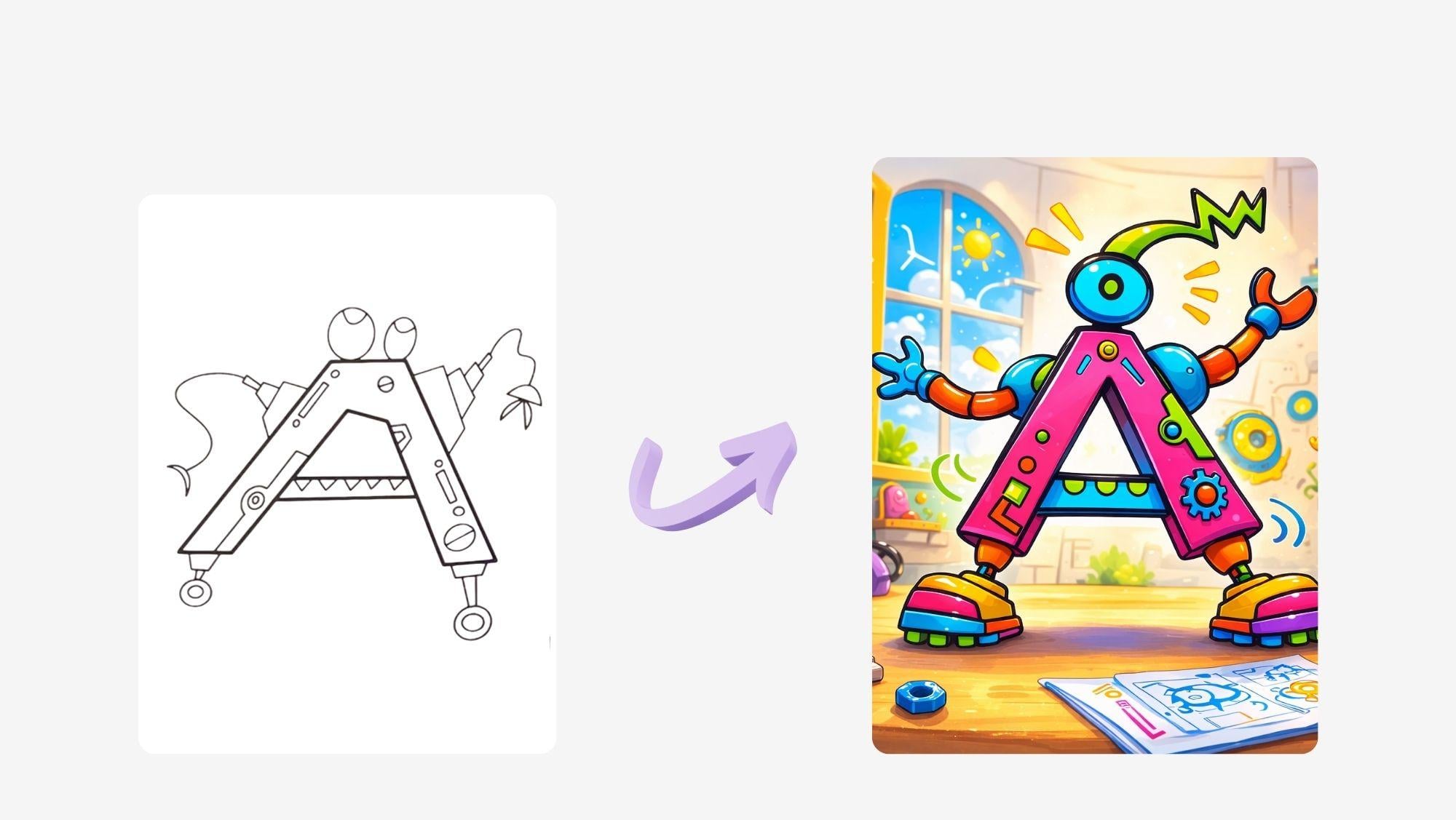
this is also the same for hand drawing to
children story Boo. I draw letter A, and then after I
make it as Robot, so I name it Abod
and then in JatiVD I created two D and then
three D plus the story. And the title I choose Abod Big Adventure
on Carrot Island. And you see here, I also do the same thing
as I teach you with Cabo. So in each page, there is AI voice over, and then you hide the text here, text height, text height, text height, and so on. We finish it with
around 28 pages, and then we can create
a video in CNA. So do the same thing.
You draw your anything, the character from alphabet or from chicken and shape
like Cabo and so on. You can also draw the carrot for the story
inspiration and then ask GBD to create the
three D character, the story, and 14 images for
your children's storybook. Here, I choose a landscape size. So Cabo with portrait, but a bot with landscape. And the video also will be kip. So this is another
example that you can use it as an inspiration
idea generation to create your own
digital children storybook Abot's big
adventure on Carrot Island. This is Abot. He is a robot
shaped like a letter A. One day, Abo found a map. It pointed to a place
called Carrot Island, adventure time beeped I bought. He zoomed across
the shiny blue sea. Soon he saw it Carrot Island. Huge carrots grew everywhere. Bunny robots hopped
out to greet him. Welcome to Carrot Island. Oh, no, said the bunny robots. Our golden carrot is missing. A bot scanned the ground. Beep, beep, beep. I found carrot footprints. A bot followed the trail. Through carrot forests and carrot hills behind
a giant carrot rock, a sleepy carrot crab was
holding the golden carrot. Let's share. Se boot kindly. The crab happily gave it back. The golden carrot is back. Hurray. The bunnies jump with joy. The bunny robots
cheered and danced. Carrot Island was happy again. Abot said, It's time to go home. The bunnies looked a little sad. Abot waved goodbye. I'll visit Carrot Island again.
 Hanny Agustine, Artist | Technologist | Educator