Coloring a Portrait in 13 Minutes Using Procreate
 Yasar VURDEM, Creative Art Director
Watch this class and thousands more
Watch this class and thousands more
Lessons in This Class
-
-
1.
Introduction
0:59
-
2.
Painting Base Colors
2:31
-
3.
Painting Shadows
3:03
-
4.
Painting Details
3:45
-
5.
Complete Illustration
3:22
-
-
- --
- Beginner level
- Intermediate level
- Advanced level
- All levels
Community Generated
The level is determined by a majority opinion of students who have reviewed this class. The teacher's recommendation is shown until at least 5 student responses are collected.
3
Students
--
Projects
About This Class
Do you want to color portraits in Procreate quickly and confidently without overthinking every step?
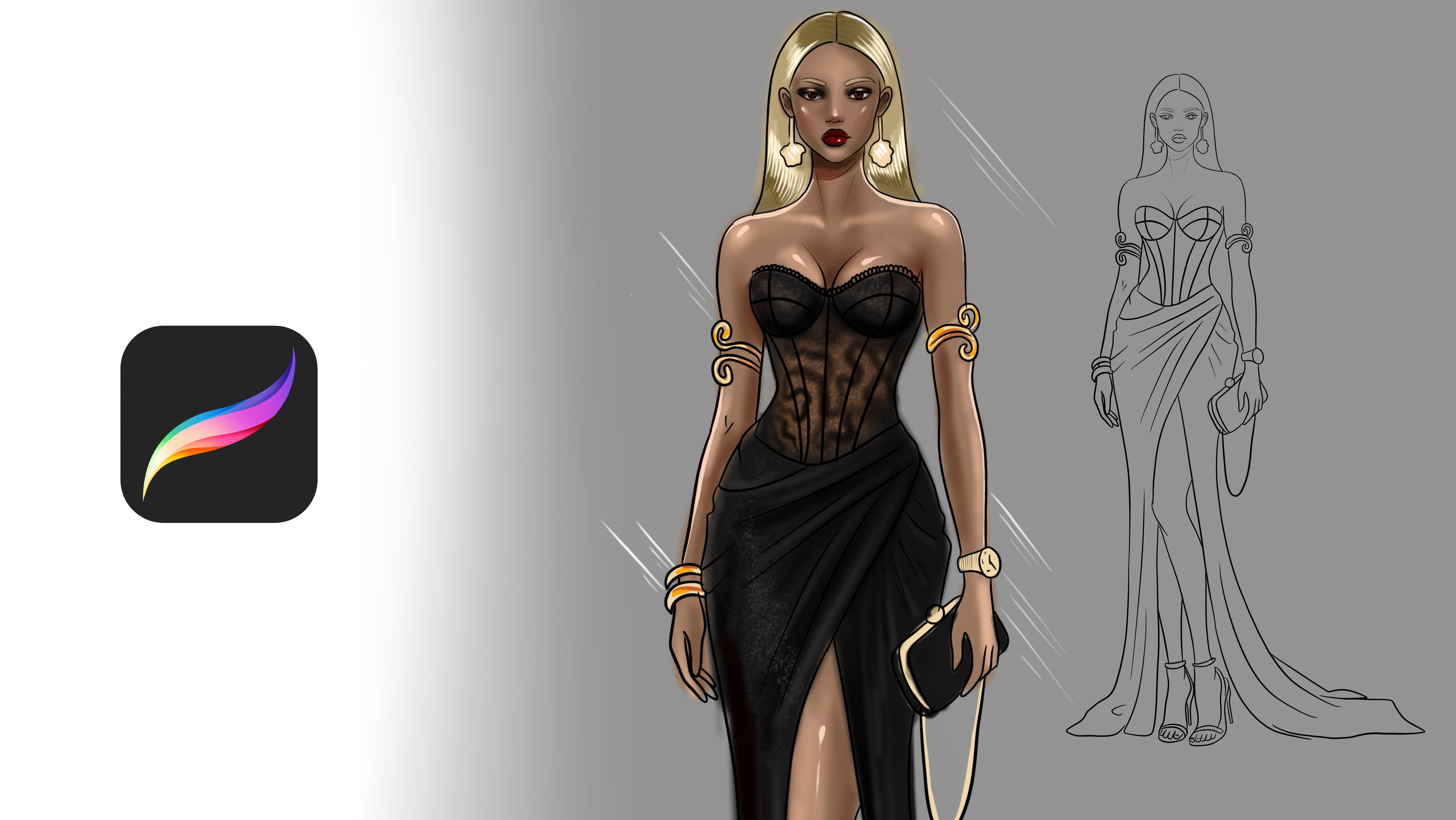
In this short and focused class, you’ll learn a simple, repeatable workflow for coloring a portrait in just 13 minutes using Procreate.
This class is designed to show you how speed and quality can work together. You’ll focus on smart color choices, efficient layer use, and clear steps that help you finish portraits faster while still keeping them expressive and polished.
We’ll work from a provided sketch file, so you can focus entirely on the coloring process rather than drawing from scratch. You can follow along exactly or adapt the workflow to your own style.
What You’ll Learn
-
How to color a portrait efficiently in Procreate
-
A clear step-by-step coloring process
-
Using layers for clean and controlled coloring
-
Blocking in base colors quickly
-
Adding simple shading and depth
-
Making fast color adjustments
-
Keeping portraits fresh without over-rendering
Who This Class Is For
This class is perfect for:
-
Beginner to intermediate Procreate users
-
Illustrators who struggle with finishing portraits
-
Artists who want to speed up their workflow
-
Anyone who wants a clear, no-pressure coloring method
Basic knowledge of Procreate is helpful, but not required.
By the end of this class, you’ll have a finished colored portrait and a fast workflow you can reuse for future illustrations.
Grab your iPad, open Procreate, and let’s color
Meet Your Teacher

Check my Etsy Shop
Welcome! I'm Yasar Vurdem a digital artist, illustrator, and passionate instructor.
I've spent years developing a vibrant, expressive portrait style that blends realism with bold, painterly energy. Over the years, my artwork has been featured in collaborations with global names such as Billie Eilish, Adobe, Prime Video (The Lord of the Rings: The Rings of Power, The Wheel of Time, Citadel), Wacom, Logitech, XPPen, and many more.
As a professional designer and illustrator, I work across digital painting, character art, concept design, and stylized portraiture. My goal as a teacher is simple: to share the exact techniques, workflows, and artistic mindset that I use in my professional projects in a clear, practical, and inspiring way.
Every ... See full profile
Hands-on Class Project
Your Project: Color a Portrait Using the Provided Sketch
For your class project, you’ll color a portrait in Procreate using the provided sketch file and the coloring steps shown in the lesson.
Project Steps
-
Download the sketch file from the Resources section.
-
Open the file in Procreate.
-
Follow the lesson and color the portrait step by step:
-
Base colors
-
Shading
-
Simple refinements
-
-
Feel free to use your own color palette or experiment with different moods.
What to Share
When you upload your project, please include:
-
Your finished colored portrait
-
(Optional) A short note about:
-
Your color choices
-
What you found easy or challenging
-
How long it took you to finish
-
You’re welcome to upload multiple versions if you try different color variations.
This project is about progress, not perfection. Focus on finishing, experimenting, and enjoying the process.
I can’t wait to see your portraits
Class Ratings
Why Join Skillshare?
Take award-winning Skillshare Original Classes
Each class has short lessons, hands-on projects
Your membership supports Skillshare teachers
Learn From Anywhere
Take classes on the go with the Skillshare app. Stream or download to watch on the plane, the subway, or wherever you learn best.