Transcripts
1. Welcome: You ever feel as though you're spending more time gathering and organizing
marketing information than actually using it? AI tools are becoming
increasingly capable. But for small businesses, the real question is how to use them practically
without creating overly complicated systems or automating everything
in your business. Hi, everyone. I'm Louise. I'm a marketing strategist and educator with over 15
years of experience, and I create educational
content around marketing, AI, and content strategy
for small businesses. In my own business,
I've recently been experimenting with
ChatGPT Work Mode, and I've been using it for audience research,
content planning, and helping me to organize my ideas and plan my
week, for example. This class, I'll explain
what work Mode actually is when it may be more useful than the chat mode
or deep research. I'll also show you one
connected marketing workflow that I have set up
for my own business. The aim with this
class is to show you what is possible with
ChatGPT Work Mode. And hopefully it will
give you some ideas of how you could use it yourself
in your own business. In this class we'll
create and review an audience insights report
using ChatGPT Work Mode. We'll then schedule
the report to run weekly and then
turn those insights into a focused content plan that you can use for
the upcoming month. By the end of this class, you'll know how to choose
an appropriate task, how to give work mode a clear brief and review points as well so that you
always remain in control, which is really important. Class is ideal for
small business owners, freelancers, creators,
and marketers. You don't need any
technical knowledge or advanced knowledge of ChatGPT
or lots of customer data. You will need access to ChatGPT Work Mode to
follow the examples. It's currently available
on eligible plans, but usage limits and
features may vary. So for the class project,
I'd like you to create a simple Workflow Snapshot based on one useful marketing
task of your own, and I'll go through what that could include in
the next lesson. So if you'd like to spend
less time organizing marketing work and more time making confident
decisions from it, then let's get started.
2. Class Project: Okay. For your class project, I'd love for you to create
a simple workflow using ChatGPT Work Mode for one focus marketing task
in your own business. My aim with this project
is for you to leave the class with one practical
workflow that you can test, review, and improve over time. For example, this might be using ChatGPT Work Mode to research your audience
questions each week, reviewing your
customer feedback, organizing content ideas,
or planning a campaign. For the project, you will choose one recurring
marketing task that takes up your time or that you may not have time to do as
much as you would like. Next, use the prompting framework
from the class to brief ChatGPT Work Mode
and we'll go through how to prompt ChatGPT
Work Mode in Lesson two. Then if you have
access to Work Mode, test the prompt once manually
and review the result. If you don't have access
yet, then don't worry, you can still complete
the project by sharing the prompt that you
would use with the class. Finally, I would
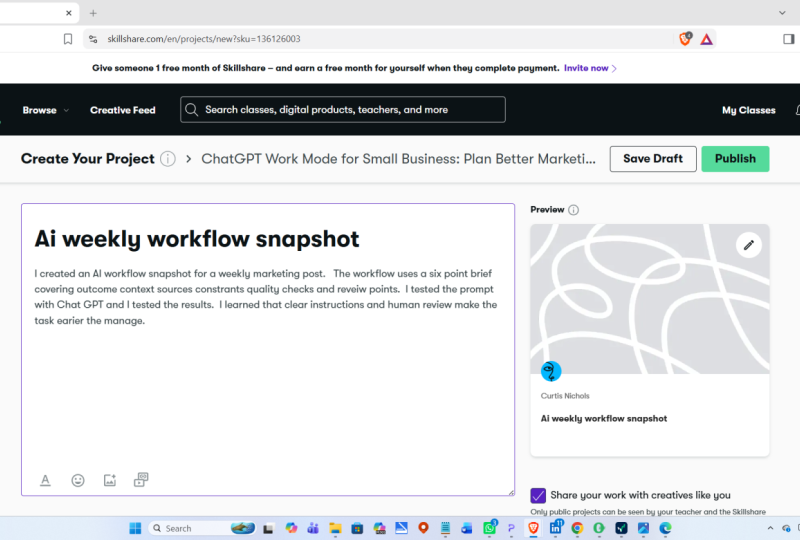
love you to upload your Workflow Snapshot
to the Project Gallery. Final project can be a
short document or slide or screenshot containing
the task that you chose, your final brief or prompt. Might want to include
an optional screenshot or a short example
from the result. Then a couple of
sentences on what worked, what you would change, and where human judgment was still needed. I've included a template in the project and
resources section which you can fill
in if you prefer. Just remember to remove
any private customer or business information
before sharing. Don't worry about
it being perfect. The useful part is
showing how you turned a real task into a clear,
reviewable workflow. I'd love to see how you adapt the prompting framework
to your own business, and I'll provide feedback on the project shared in
the project gallery. In the first lesson,
we'll look at what work mode actually is and how it differs from chat mode and Deep Research.
I'll see you there.
3. What Is ChatGPT Work Mode?: Before getting into the
prompting framework, let's clarify what ChatGPT
Work Mode actually is. A simple way to understand it is to compare it with chat Mode. Chat Mode in ChatGPT
is useful when you want to work through
something with ChatGPT. So you might want to ask a question, brainstorm
some ideas, rewrite some copy,
summarize a document, or create a short
email, for example. Mode, on the other
hand is designed for larger tasks with multiple steps where you need a
clearer outcome. So instead of only
asking for an answer, you are giving ChatGPT a piece of work to actually complete. For example, in chat Mode, you might ask ChatGPT to give you ten Instagram content ideas. But in work mode, you
would say something like review my audience research,
my existing contents, then create a four week Instagram content
plan for my business. The first request will
give you an answer. The second involves
reviewing source material, working through several steps, and then producing
something that you can actually inspect and use. Now, Wmode can use files, plugins and approved
tools to gather information and create
deliverables, such as report PowerPoint presentations,
Excel spreadsheets and plans. It can also support
recurring tasks and workflows when those features
are available to you. As it's working, you can
follow its progress, provide more information,
change direction, and approve important actions. So where does Deep Research fit? ChatGPT also still
includes deep research. Now, Deep Research is useful
when the main outcome is a thorough cited investigation
of a complex topic. There is some
overlap here because Wmode can also conduct research. The difference is mainly what
you want to happen next. If I only wanted an in
depth report on a subject, then I might choose
Deep Research. In this class, I'm using Wormde because the research
report is part of a wider repeatable process or workflow because
I want to review it, schedule it, and then
use the findings to create another
marketing deliverable, which is a content plan. A useful way to
think about it is use chat mode when you
need a quick answer, a brainstorm or a short draft. Use deep research
when the main job is a thorough investigation or
documented investigation, and use Wmde when you want
a larger task carried out through to a
reviewable result or a repeatable workflow. So not every task
actually needs work mode. A simple question
is to ask yourself whether you need a
detailed research, an answer or a piece
of work completed. In the next lesson,
I'll show you where to find work mode and how
to create a clear, practical, prompt or brief so you get the best results
possible. I'll see you there.
4. How to Brief Work Mode: We we look at a framework
for prompting Wormde. Let me show you where
to find Work Mode and explain the connection
options that you may see. To access Work Mode
in the desktop app, select ChatGPT and then switch the composer at the top
here from chat to work. Now, the exact
position may change, but you can switch
it to Work Mode, and then one shot in Work Mode, you'll notice that it says, work with ChatGPT in the text here, and you may also be
able to see the plugins. Now, if you click
on plugins here, you can see all of them.
If you click Browse. Plug in will add a particular
capability to Work Mode. Some plugins here
will add a connector. So this allows
ChatGPT to work with information in an external
service that you authorize. So you can see here
Google Calendar, which I've already
got connected. You've got Canva,
you've got Gmail, there's lots of different
things here, Slack Teams. Basically, this means that
hATTbT can then access those applications. It doesn't give
ChatGPT unlimited access. You may need to
install the plugin, sign into the service, and then approve the relevant
permission from ChatGPT. Here, ChatGPT can only work
with the information and actions that are
available through your account and your
work based settings. But basically,
you've got lots of different plugins
to choose from. You don't need to
connect everything here. My advice would be to just connect the plugins that
you are going to use. So I've only
connected things that I've used or experimented
with so far. So I've got spreadsheets,
presentations connected. You can also install things like Notion, Bello,
I've got connected, which is really f. You've got Github if
you're a developer. There's so many
different things. But yeah, just focus on
the task that you want completed and then connect
the relevant plug in. So now let's have a
look at how to brief your task clearly or write a prompt for ChatGPT Work Mode. Now, you don't need
it to be perfect. You can talk to
ChatGPT naturally as if you were explaining the task to a colleague, for example. But because work Mode may be carrying out a larger task here, it does help to give it clear instructions and
also boundaries as well. I have been experimenting
with this and I use six elements when
creating a prompt. The first one is outcome. Start by explaining to ChatGPT what you actually
want it to produce. It might be you want
a research report, a content plan, a presentation. You might want a
comparison spreadsheet or a marketing brief. Here you would also specify the format that you want
the finished work to take, it might be a
response in the chat. You might want a
structured table, you might want a Google Doc. That's where you would connect it to Google Docs
in the plugins. You might want to Google
Sheet, and again, you would need to connect to
the Google Sheet plug in, which it would prompt you to do. You might want presentation. You might want a
downloadable file or you might want
something interactive. They do have a feature
now called sites which will enable you to create something a
bit more interactive. Like a dashboard
or a landing page. Choose the format based
on what you need to do. A document may suit a
detailed report, for example, while a spreadsheet may be
more useful for a content plan if you want to be able to sort
it, update it, and track. Availability of plugins
can vary by the plan, so it's helpful as well to include a fallback
format in your brief. The second thing to include
in your prompt is content. This is really important. You need to include
all the information that changes what a
good result looks like. For example, what
your business does, who your audience is, what you are promoting, and also your current objective. Now, be as detailed as you can here because this
information will separate a good output
versus a bad output. Thing is sources. So explain specifically
to HATWBT which files, which websites or which
plugins it should use. So sources might
include your own data, things like customer research
that you already have, survey results, your
own existing content, a brand guide, your
product information, or a previous campaign
results, or it external sources like
particular website, forums and things like that, would be crystal clear,
which files and which websites you want
ChatGPT to use. The fourth thing is
really important is to give it useful boundaries. For example, you
could say just focus on one platform for
a content plan, for example, cover one month, use only these approved sources, do not invent statistics, do not invent quotations
or testimonials because ChatGPT can hallucinate. You have to be very, very
strict with the constraints. Next thing is qualities. Explain to ChatGPT what a
good result should contain. Brought an insights report that could include cited evidence, recurring questions,
audience language, content opportunities, and a
clear limitations section. You can also provide
examples here to ChatGPT and specify the tone and
the style if needed. And the final thing is to
include a review point. So tell ChatGPT where you
want to remain in control. So, for example,
tell it to return a draft for my review or
stop before publishing, sending or sharing anything. Aim here is not to create a
ridiculously long prompt, but you need to make
the outcome evidence and boundaries crystal clear. In the next lesson, we'll put this framework into
practice by building a weekly audience insights report using ChatGPT Work Mode. You'll see this
framework applied to a complete prompt that I
have used and tested myself, and you can download an editable
copy of this prompt and all the prompts from
the course from the projects and
resources section. Remember, you can adapt and
experiment with the prompts, which I would
encourage you to do. The ones I've provided are
just examples of prompts that I have created and
experimented with recently. Hopefully, they offer a
useful starting point, but they can be adapted. I'll see you in lesson three.
5. Setting up your Audience Insights Report: Let's now look at
the main example, a weekly marketing and
audience insights report, which is a report
that I have automated with ChatGPT Work Mode
or my own business. Now I'm going to show you how. The purpose of this is for ChatGPT Work Mode to
review a defined set of accessible online sources and identify useful audience signals
from my target audience, which are small business
owners in the UK. So what I wanted
this report to show was my target
audiences recurring questions and frustrations
about marketing, specifically, any
misconceptions that they have, any barriers that they have, any topics that appear across more than one
credible source, useful language that's being used, potential
content opportunities. And I also wanted ChatGPT
to highlight any gaps, any uncertainties
and any sources that could not be accessed. And the purpose of
this report was to help me with my
audience research, so then I can use the results
to inform my positioning, my messaging, and my content. The process of this
particular report is that once it's run, then I will personally check it and approve
the initial report. I'll then ask
ChatGPT to schedule this report each week and then
notify me when it's ready. Before I show you the prompt
and the report output, I'm just going to run
through some tips based on what I found through
experimenting with this. Make sure that you
choose dependable sources. So what
I mean by that is that work Mode can access
them consistently, so they're not behind a login
or something like that. Named approved sources usually
make the report easier to verify and more consistent
from week to week. You can make sure that the
sources are accessible online, or you could provide hate
Bit with your own sources, such as your own files of customer research
or customer reviews, customer question
documents survey results, for example, selected
industry website previous research documents or information in a connected
Google Drive folder. But you also do not need
a large collection of customer data to begin
with a task like this. If you are a newer or
a smaller business, you can give work
mode criteria for finding suitable public
Internet sources instead. This is what I have
done initially. You're asking ChapBT to
search Internet sources, then it's important to divine the audience and the location, the topics as well, and the time frame to investigate
and also the types of sources to prioritize and which
sources to avoid. And also how much
evidence is needed before something should be described
as a recurring theme. The more specific you are here about where work
mode should look, and what counts as
sufficient evidence, the more consistent
your scheduled reports are likely to be. If possible, begin with five to ten dependable
core sources and then allow Wmode to discover additional public
sources when they add useful evidence or challenge the findings from
your core list. But you can refine the source
list as you learn which websites and communities provide the most useful signals
for your business. When the research comes
mainly from public Internet, I would describe the
results as audience signals rather than proven insights
about my own customers. They can suggest useful
directions to investigate, but they don't automatically represent everyone
in my audience. Now, what you can do is try and verify some of the themes that come
up from the research, so you can ask your customers
or do your own research. Just to verify that the
themes are accurate. Remember here as well, that login requirements,
platform restrictions, and personalized feeds
on social media, for example, can affect
what ChatGPT can access. So if you wanted to use social media comments or
analytics in this research, then it would
probably be better to export them periodically and save them in an approved folder
for work mode to analyze. Over time, you could
then strengthen the report by adding
first party information, such as questions that
people regularly ask comments that you regularly
get on social media, email replies, survey
responses, and things like.
6. Run, Review & Schedule Your Report: Before I run the task, let me quickly show you
the prompt I'll be using. You don't need to copy this
from the screen because I've included an editable
version in the projects and resources section along with the scheduling prompt and content planning
prompt, as well. So the first thing
you'll notice with this prompt is that it follows the six part framework
from the previous lesson. So we have outcome here, context about my business, told ChatGPT what
my business is, who my audience is as well, where the geographic focus is. And then I've also told it what sources that I want
it to focus on. I've also given it
some constraints, some quality checks, and
also a review point. What I would say is to
treat this template as a starting template rather
than a perfect prompt. Obviously, I've been
experimenting with this, so it's not perfect and adapt
it to your own business, your own sources, and your own output so they
reflect your own business. So now I'm going to run the report manually
before scheduling it. This gives me an
opportunity to check whether the
instructions are clear, whether the sources
are accessible, and whether the result
is genuinely useful for. Tasks like this can take a
little bit of time because ChatGPT may be reviewing several sources and
organizing the findings. And you can see here
that it worked for 3 minutes and 2 seconds before it produced
the final report. So let's have a look
at what it's created. So you can see here it's created a weekly audience signals and content
opportunities report, and it's a draft for review. It's got an executive
summary here. Got recurring
audience questions. So the main one is, what should I use AI for in my business? And it's got all of
the sources here. Got confidence, whether it's a strong
signal medium or weak. So it's got all of the questions here that are useful for me. It's got frustrations
and misconceptions. And then it's got here
emerging signals as well. So here, AI search visibility is becoming a small
business question. It is useful because it gives
me an indication of what could be useful for
future courses like this, future contents or
future services that I may want to offer. Business. It's got here,
audience, language. So these are some
questions here. So again, these are questions
that I could create content around blog posts
around social media posts, for example, to help my ideal
client find my business. And then it's given me five
content opportunities here. One useful AI workflow, a four week marketing plan for an owner with
2 hours a week. Freelancers can build
a client pipeline. They own AI assisted content
that still sounds like you. It's very popular at the moment. And then what I like
here is it's got findings that need
further validation. So this helps me
because I can go away, and if there's things that
I want to research more and research further and as my
own audience, I can do that. It's also got some gaps and limitations here, which is good. And then it's got
all of the sources, so I can go and
have a look at it myself if I want
what I would do now is I wouldn't go away and immediately turn every
suggestion here into content. I would recommend
reviewing this critically. Check whether it used the
correct time frame here, check whether you can
open the cited sources and whether each finding is supported by credible evidence. For example, I'd be more
interested in the questions or themes that appear
across several sources, and I would also pay attention to the language
that people use here when describing their challenges
because that could help me to improve future messaging
and future content. And like I mentioned
before, as well, if a finding is based on one isolated source or
one red it comment, for example, I would personally treat
that as something to investigate rather
than approving trend to base all
of my content on. With this, ChatGPT has
saved me a lot of time because it's helped me to gather and organize
this information, which would have taken
me probably days to do. But I still decide
which of these signals matter and which are relevant to my business and which
ones I want to follow up. First result is too broad. If it's repetitive or if it's
missing important evidence, then this is the point where I would refine the instructions. And just a tip here
because it's what I did, you can use ChatGPT to help you to refine and
improve your prompt, because you probably won't get exactly what you want
on the first try. So once you're happy
with the report, that's the point to ask Wormde
to schedule the report. So if you wanted it to be run every Friday or at the
end of every month, for example, you can
ask it to do that, so you don't need write that huge long prompt
in every time, and then every week or every month or
whatever you decide, it will then
automatically run in the background and you'll get a notification when it's ready. Do this. In the same chat, you would then say
something like this report structure
is now approved, schedule the same
research task to run every for example,
Monday at 9:00 A.M. UK time, but you can obviously adapt to that to however
often you would want it to then you'd
ask it to review only material from the
previous seven days or the previous month or again, however you'd want to do it and return each report to
this chat as a draft. Do not publish or
share anything. If an important source cannot be accessed, state that clearly. Then you can just
type that in the chat and that will be
scheduled for you. What I would personally
do and what I did do here is to review the first
few scheduled reports, and then you can always adjust
anything like the sources, the instructions or frequency
if you it's definitely a good idea to test a workflow like this
before scheduling it. That way, you're not automating an untested prompt and
hoping for the best. There might be something
that you've missed out, and then every report
will have that. In the next lesson,
I'll show you how you could turn
approved insights like these into a focused
content plan using a separate prompt.
I'll see you there.
7. Turning Approved Insights into a Content Plan: The weekly reports are not
the end of this workflow. Over the course of
a week or a month, they can become the source
material for the next task, creating a focused weekly
or monthly content plan. I recommend keeping this as a separate manually
initiated prompt rather than automatically
generating content from every new report. Work Mode still creates
a content plan, but my role is to still
review the weekly research, approve the findings
that I wanted to use, and then decide when to
start the planning task. This creates an important
human review point. I can also give Wormde the
current content goal as well, such as building awareness,
nurturing trust. Generating inquiries or
supporting a launch, for example, so that the plan reflects what the business
is trying to achieve. Remember, the more context
that you give ChatGPT, the better the output will be. You can also choose the output format for the content plan. Could ask ChatGPT to create
a table in the chat itself, or if Google Sheets
is connected, you could ask Wmode to create an editable Google Sheet with
one row per content idea. Then columns for the insight
objectives, and so on. Before I run this second task, let me show you the content planning prompt that I'm using. Can download this from the projects and
resources section, though, don't worry about trying to copy it
from the screen. This prompt is deliberately separate from the research task. It also narrows the
scope by defining the platform Instagram,
the audience, and the objectives, and also the information that
content idea should include. You can obviously adapt these
to suit your own business. Also, as a side note that when I first began testing
workflows like this, I tried asking for
content across several platforms and
formats at the same time. But what I realized is
that the results were often too broad and quite
difficult to review. I found personally that focused tasks tend to
produce better results. So I'm limiting this
task to one platform, one month, one main audience, and one clear
business objective. This example, my main
business objective is to grow awareness of my business and
generate relevant inquiries. So in the prompt, I've
asked the plan to include the audience
insight behind each idea, a suggested content format, a hook and key message, a call to action, any claim
that still needs checking, and I've also instructed it to use only findings supported by the approved report and not to introduce new trends or
claims without evidence. So these are the
guardrails here. So let's run this here
you can see it working, and I also will need
to allow ChatGPT to edit content or access certain things like
my Google Sheets. Even though it runs
in the background, just be aware that you may need to be there to
give it permission. You can see that this
took around 13 minutes. Let's have a look at
what it produced. Here, you can see it's
created the content plan. It has the week, the
publication date, the content pillar, the
approved insight, the source, how it supports my business
objective, the platform, which is just Instagram
for this one, the format, and then it's got hook and key message and call to action. Now this is really
good and based on the research but obviously, I would still need
to edit the content. Some of it here I've
noticed is quite vague in terms of when
it's talking about here my services and courses. It's got want help
turning this into a plan, explore my services and
begin a friendly course. So it doesn't mention any
of my courses or services. And that is something that obviously I could
add into the prompt. That's something that
I would probably refine for the next time. I didn't give it context
what my actual services are, what my actual courses are,
which ones I want to promote. But as a starting point, I think this is very good and
it can save a lot of time. There are some ideas
here that I could just take away and adapt. So, for example,
this one, only have 2 hours a week.
Marketing start here. That could be a
really good hook. I could use that as a piece of content or a
blog post, for example. Once this plan has been created, that's when I would
try and look for themes that I feel would genuinely align
with my audience. I would look for hooks that feel specific rather
than generic, and I'd also look
for opportunities to add my own experience
and perspective. Definitely wouldn't
automatically create every post that's been
suggested on here. Some ideas may be useful. Others might need
a different angle, or they might need more of my business in there and
more of my experience. I'd always recommend rewriting the final content
in your own voice. The value of this
workflow for me is definitely not that ChatGPT makes every creative
decision for me. It's more that I'm no longer
beginning with a blank page. I now have a structured plan informed by reviewed research, which I can refine using my own experience and my own
knowledge of my audience. Just to clarify, the
complete workflow here is a defined set of sources that feed into a weekly or monthly
audience insights report. I then review and approve
the useful findings, and then once a week or
you could do once a month, a separate prompt is then
created to ask Wmode to turn the approved findings from the most recent reports into a content plan aligned
with my current. You could do the findings from the foremost recent reports
into a monthly content plan, and you could do that
maybe once a month. Then I would then
manually select rewrite and develop
the final content. This is what I mean
by thinking in workflows rather than
isolated prompts. In the next lesson,
we'll look at the checks, limitations, and human review
points that make these workflows safer and more useful. I'll see you there.
8. Review, Limitations and Responsible Use: Before using anything
that work mode creates, it's important to
review it carefully. Remember that a
polished looking result or report can still
contain mistakes, missing information, or
unsupported assumptions. For marketing work, I recommend checking
things like names, dates, figures, quotes
and statistics. I also would recommend checking
links and cited sources, whether the correct files
and time frame were used, whether an audience insight is actually supported
by evidence. Whether the tone reflects
your brand for copy. And for a generated file, I would check every page, section, every slide,
or spreadsheet tab. You can also explicitly ask ChatGPT which
sources did you use? What assumptions did you make? Which claims are not
strongly supported, and what information were
you unable to access. It's also very important to protect any sensitive
information, so avoid sharing passwords, any private customer data, or any confidential
information that you don't have permission
to upload or process. As we've already
demonstrated in the course, it's important to maintain clear approval points before
anything is published, sent or shared externally. Personally, I find
it most helpful to treat AI outputs as first draft, research support,
organizational support, creative starting
points, and workflow. Persistence. Remember
that your experience, values, creativity, and judgment
still very much matter. The aim with this isn't to remove humans from the process. It's just to remove some of the unnecessary friction
and also save time as well with tasks that might
take up a lot of time enabling you to spend
more time on your business. In the next lesson, I'll show
you a quicker example using connected business
information to organize your weekly
priorities. I'll see you there.
9. More Ways to use Work Mode for your Marketing: Before we finish, let's look at one quick example that uses a connected business tool
rather than Internet research. So if the Gmail
plugin is available, then Wmode can review a defined group of
emails and turn them into a concise
weekly priorities brief. So for example, I might ask
it to review emails from the previous seven days and identify urgent actions,
replies needed, upcoming deadlines,
decisions I need to make, useful information with
no immediate action, and three recommended
priorities for the coming week. For a task like this, I would keep a clear
approval boundary. Ask ChatGPT to not
send any replies, archive messages, or
change anything in Gmail. Here, Wmode can gather information
from several messages, decide what needs attention, and then provide a
practical business update. Then after refining
and testing the task, it could then be scheduled to run on a Monday
morning, for example. Thing that I use hat i Bitty
Work Mode for is to give me a weekly summary at
the end of the week of all of the tasks that I've
completed and the progress, and then what things I need to prioritize
for the next week, which is really useful because it helps me to see how much I've actually achieved
in a week because it's easy to forget sometimes. I also have it set up
to every day review my email and my calendar and give me an update on what
meetings I have, any important actions from my emails and any important
tasks that are outstanding. I also use Trele and I have connected work mode to Trell as well. I can
do the same thing. I can review your trellbard, tell you what are the most important things
to focus on that week. It can also add tasks to
your trellbard as well. So if you're discussing
something with ChatGPT and it
gives you an idea, for example, you can say, Oh, can you add that to my trellbard and tell it where to add
it and it will do it. There are some of
the things that I've been doing
with it recently. Some other ideas could include an idea organizer
that groups all of your notes, voice
note transcripts, and any unfinished drafts into
a structured content bank, a Zoom meeting follow up that reviews an available
transcript or summary, and then drafts decisions, action items, owners and
follow up questions, a weekly team update
that combines relevant meeting
notes, Zoom summaries, and project documents
into progress, decisions, blockers
and next step. Meeting preparation brief that reviews the calendar events, previous notes, and
relevant documents before the next team
or client meeting. A customer feedback report that identifies
recurring compliments, concerns, questions,
and possible follow up actions
from your reviews. A weekly content
performance review based on an approved analytics
report with three suggested experiments
for the following week. And another way I have used it recently is I asked ChatGPT to research competitors to benchmark my prices and
then create a report. Then out of this report, it created a Google
sheet for me, containing all of my prices
against my competitors, internal rates for me, and also a quote calculator, which I was very impressed. And also work with
ChatGPT sites as well to create interactive websites
and lightweight tools. You might want to build
a launch planner, a content dashboard, a lead magnet resource, or an internal marketing
hub or report. These examples obviously depend on the relevant feature plug in, file or transcript being available and on the permissions
that you've granted. I would still ask Wmode to
prepare drafts, previews, and summaries for review rather than automatically
publishing, sending team updates,
sending emails out for you or changing
external system. Say the most useful workflow
will depend on where you are losing time or repeatedly organizing the same information, and it's probably best to start
with one narrow workflow, one dependable source
or connected tool, and one clear output because you can always expand it later
if it proves useful. In the final lesson, I'll help you choose your
first workflow and bring the framework
together into a practical next step.
I'll see you there.
10. Final Exercise and Next Steps: Thank you so much for
taking this class and congratulations
on reaching the end. We've explored
what work mode is, how to brief it clearly, and how to build, review, and schedule an audience
insights report. We then turned approved findings into a separate content plan and looked at responsible review
and connected tool examples. For your final exercise, I'd recommend choosing
one marketing task that normally takes you
a meaningful amount time, gather two or
three useful sources and brief work mode using the
framework from this class. Remember, the
framework is outcome, context, sources, constraints,
quality, and review point. You can find the
example prompts in the projects and resources section that you
can edit yourself. Remember to run the task manually before deciding
whether you want to repeat or schedule it and then reflect on three questions. What was genuinely useful? What needed correcting
or refining. And where did my
own knowledge and judgment add the most value? And remember you can always refine your prompt
and experiment, and I would encourage
you to do so. If there is one thing that I hope you take away
from the class, it is to start with the
problem and not the tool. So, for example, if
there is something in your business that takes you
a lot of time each month, can ChatGPT Work Mode
help you to automate it? For example, you might create a monthly marketing
dashboard from your data that takes you hours and ChatGPT could do
it in 10 minutes. Remember, you don't
need to automate your entire business. Start with one focus task
that creates a useful, reviewable result
and then refine it only if it genuinely supports
the way that you work. Remember that AI
should always support your creativity and your
expertise and not replace it. Well, your past project,
I'd love for you to share your workflow snapshot
in the Project Gallery. So this would include
your chosen task, your final brief or
prompt for ChatGPT, and then a short
reflection on what worked and where human
judgment was needed. You have not run the prompt yet, then I'd still love
to see your prompt. Just please remember to remove any private information
before sharing. And I'd love to
see how you adapt the prompt to your own
business and context, and I will provide feedback
on the projects shed. If you've enjoyed the class, I'd really appreciate a review and a follow here on Skillshare. Thank you again for
learning with me, and I'll see you
in the next class.
 Louise Laurie, Marketing Strategy & Courses