Transcripts
1. Introduction: Instagram, it's great, isn't it? It allows you to share lots of lovely pictures of products and your team. But there's a catch. You can add only one link on the site and that's in your bio. So what do you do when you need to pause more than one link? Well, that my reference, you'll find out real soon. By the way, my name is Russian. And in this series of classes, you will be learning about what is LNG? Why do you need a link tree? I will ask or be showing you guys a few examples of some link trees. I'll be showing you guys exactly how you can use Canva to create a link tree. And last but not least, I'll be showing you guys how to publish yearling tune. I hope you guys are excited for this one because I am super excited.
2. What Is A LinkTree: What is a link tree where it'll basically adding tree allows you to create a personalized and easily customizable pH that stores are important links you want to share with your audience. It can be used on social media platforms like Instagram, Tiktok, twitch, Facebook, YouTube, Twitter, or LinkedIn. Or you can use it as a discovery of your work, brand or a business. Once you've set up your LinkedIn and added Ali earnings, simply copy your unique link to URL and paste it into the website field of your Instagram or Twitter bio are a share it in Facebook post and YouTube videos if you would like, then I'll you need to do is update your link to your Links. You'll never have to change the link in your bio again.
3. Why Do You Need A LinkTree: Why do you need elementary? Well, firstly, it's free unless UP for a pro features. Secondly, you will get one by all link to all of your content in one place. It's super simple and quick to create a link tree, setup your links and paste the link chilling into your Instagram are other social media website field. So you can share your content with your viewers slash bar audience. And that's exactly why you need the link to you.
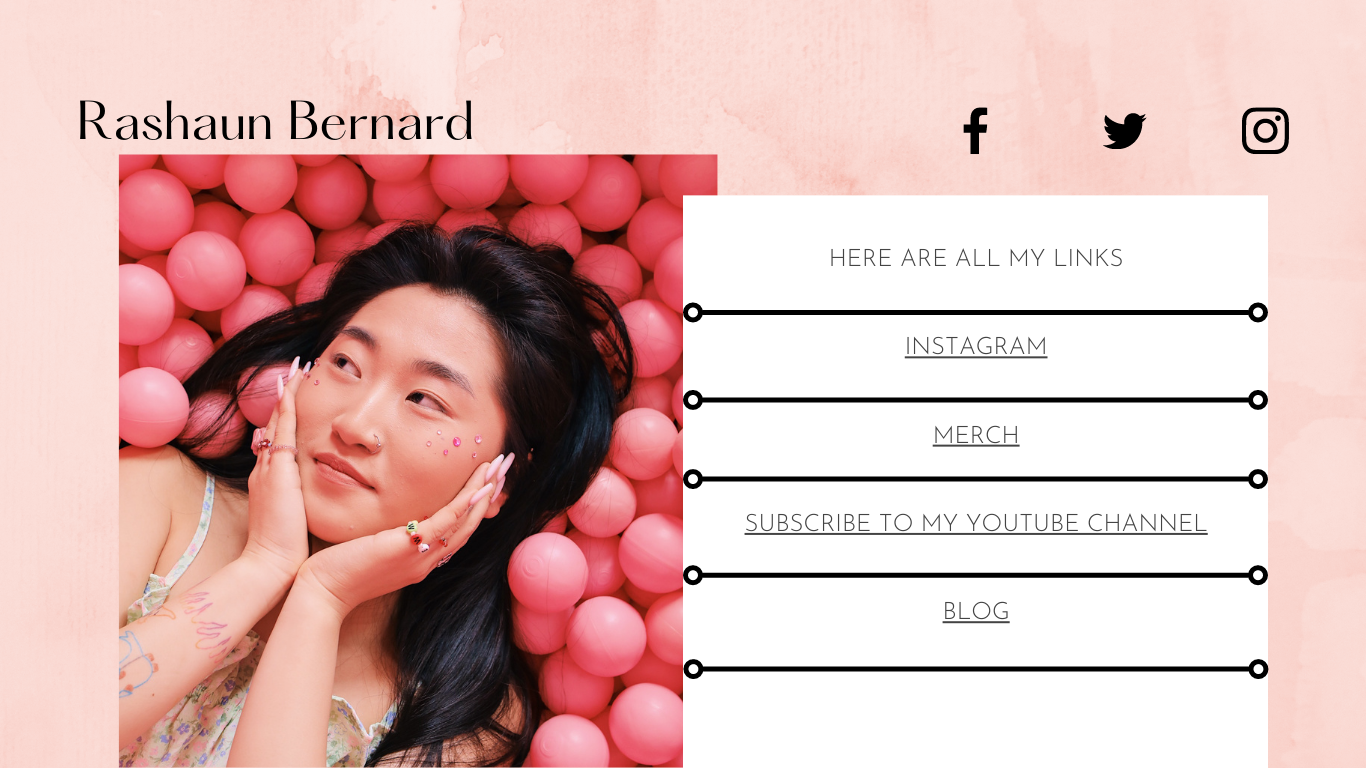
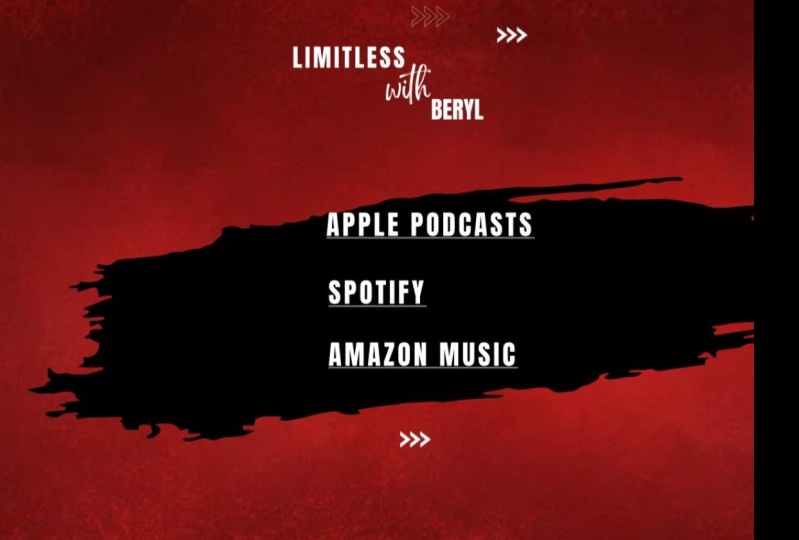
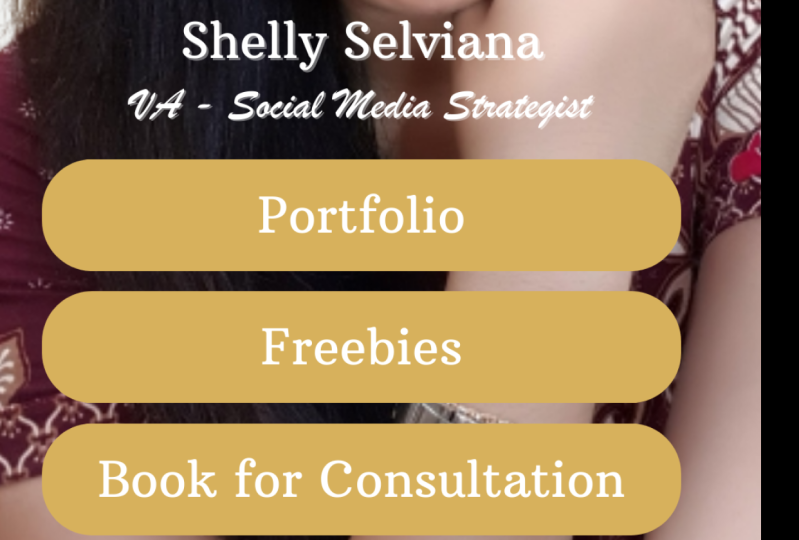
4. Examples Of LinkTrees: So guys, the first example that we have here is a one-off myelin trees. If you're a person that's been watching my classes, you should know that this is one of my smaller brands. But anyway is where enough here for that. So if I showed over here, you can see this right here is actually moving. And the reason why I say at least walked into move is because this is one of the meanings that I would want someone to click on if they managed to land on the speed right here, outlet persons to click on this link first. Obviously, if someone saw the voting or moving on every other button is still mostly activated. I'm going to click on the move in Wharton right here, right? And as you can see, ID of Azure Storage own, I have a list of links right here that persons can click on. So let's say for example, someone phoned this link to you via my Instagram account. And let's see, on my Instagram account, I am posting content about motivation. Or if someone managed to click on my link in my bio and land on this page, they most likely to click on this link right here. Then also manifest success and the life you were to or desire after reading a motivational post on my Instagram, are if they would like to learn how to meet at least $300 per kidney working from home with affiliate marketing. They would also click this link right here. So basically, these links are all under one meaning, right? And as you can see right here also that a small message for the persons that managed to land on my link tree. And this message is basically telling them that here are some really helpful programs that I used in the past and still use to this day that helped me to change my whole mindset through my entire monument, making money online journey. And just from the help of these programs. I know I know Mecca live in online while being at home with my family. Yeah, a lot of resources you can take advantage of to invest in yourself to better your financial future. The future of make enough with them live in online is already here in the present, what we would automate more money online. So I had a small message right here just to ensure that the click on a link before leaving this page. So once again, if someone reads this message, most likely they're going to click on the mic in money online slash online business type links. What someone that's actually coming from my Instagram page would most likely be interested in the link right here. At first, what if I'm managed to see this message I hear who wouldn't want to learn how to make money online. So they would most likely to click through these things. The second example that we've got here is a person by the name of x hustlers, shadow know this person. I just found them on Google just to use their link tree as an example. So if I showed on here you can see the Hawaii link to your YouTube channel linked to their Instagram. They are discord. Their Twitter, their website there. X milli on solar genic decks near coastline. So if their audience monies to click on their link in their bio, they would most likely find a link that they are interested in the first place. And they might even find more as well. As long as it's related to whatever you're posting on social media, your click-through rates for all your links will be more than if you're just posting random links in different, Nietzsche's talking about different topics. So moving on to the third and final example. So we got who may cross gene kras, gene beefy, Nikki Ni Fei hobo for SDK in teens and interoperability in our error. As you can see, the link to their Twitter, their Discord. If Telecom there, get home graded, basically all their social media sites, their blog, an additional ring, right? So basically these are just different links that their audience might be interested in. I know guys, all of these examples right here that I'm showing you is created by either link t, t r dot e, r econs dot AI, right? But obviously in this tutorial, I'll not be sure new base how to create a link trees would link tree are MY cons dot AI. And the reason being is because most of these link trees, you have to actually P, but by using Canva, you have a lot of flexibility and also a lot of free features that you can use in your link tree to make it look even more professional. And costume.
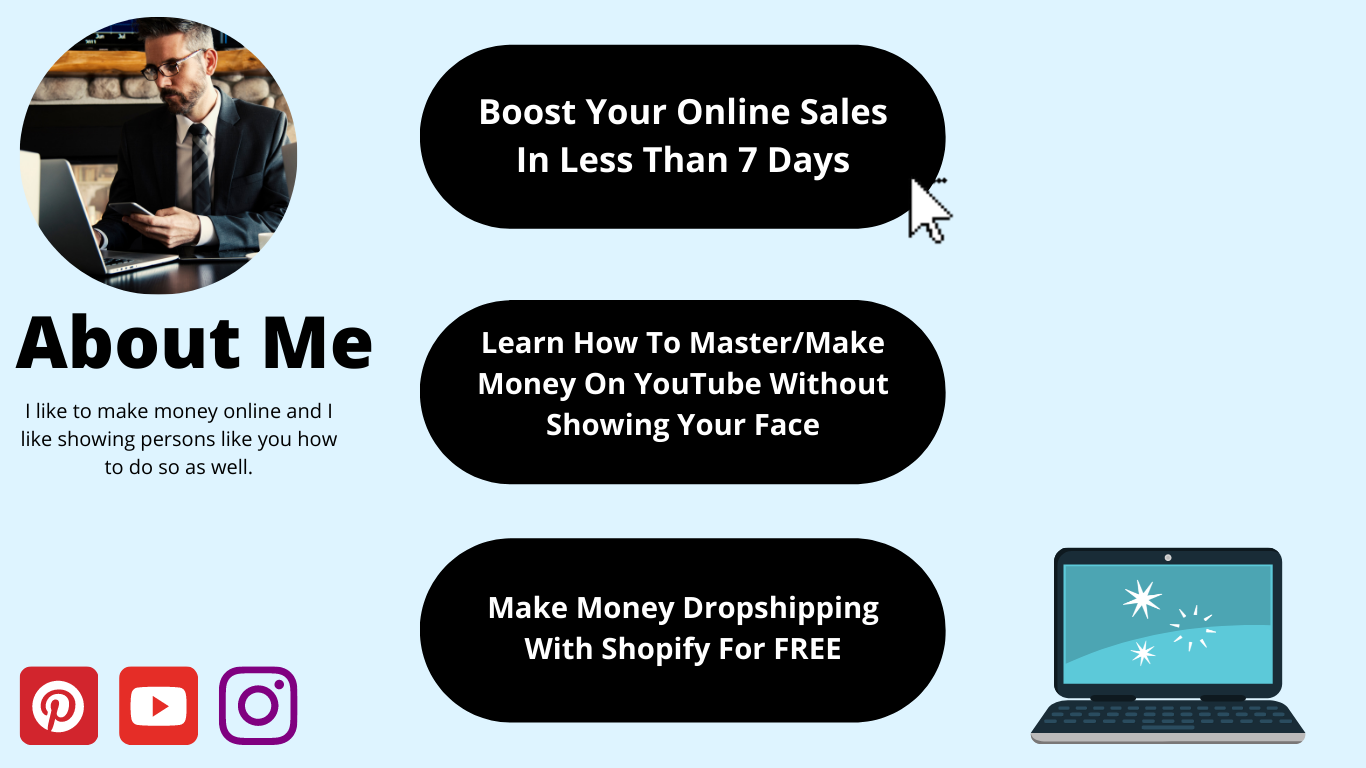
5. Creating A LinkTree: I would assume that all stuff you guys watching this right now would already know what is scan but what if you do not know what he's Canva. Canva is a free and easy to use graphic design into it where you can create Instagram posts, logo, posters, presentations, videos, and more. So when you're in Canvas, you're going to go into the search box right here and search for something like y o bring. And here you can see biofouling website. You're going to click on this right here. And as you can see, the dollar sign right here on P. Basically what this mean is you can purchase a multi-user license for the image, right? So if you were before it, just once, it's yours to keep forever, you're basically paying for a license. So as you can see right here, we have 46 templates to choose from, right? And why do we, I'm using a free a and for this example so that I can create a linked gene. We fuel values from company, beginners, the edge, and from scratch. So as you can see, there are a whole bunch of different templates that you guys can choose from. Right? Here's one right here that he's free. This one is for you right here. Free. So there's a whole bunch of free templates as well. So if you think that there is no free templates here, if you were eight here. So for the first example, we'll be using one of these templates. Unchanging lethal. So it means chewed own. And by the way, you can also cite way free our pool. So let's see it a free templates. Why is it showing me these guy auf dem v is 0. These are the free ones. So let's see, for example, I would like to, you was simply right here. I would just click on this template right here. So we're going to change over the Stimpy right here. So first things first, Reagan and go into Elements section right here. And we're going to go into the lines, I'm sheep section. So we're gonna click on see all. So here are a few lines. Sabi was in the slide as an example. Very soul, I'm opposition this right here was tricky. This debate more. So I duplicate this line and put one or eight here. I want to duplicate this line ones again. Duplicate, duplicate. Perfect. So we are going to change this image right here to me be an image of our sales. So let me go into elements right here. We should own. So here are some garage right here. I'm going to use the grid as an example. Sodomy, jug. Still understand me and jump over. Right? And let's just change this name to see her schon Bernard, which is my medium. Right? So I'm gonna go ahead and use enough a photo of someone else as an example of a because I already know one to me with an anytime uploading an image of me because I would often look for a specific image, right? So for example, let's see in this season me this as an example. Obviously I'm not a female. This as an example. So here you can see something like are all my being. So right here you can see something like basically it's all based on what niche you're in and what are the topics that you're covering on your Instagram or social media, right? So if you let the ideas, social media, you can say something like Instagram. And LinkedIn or Instagram, you will basically highlight the Instagram and click on the three dots right here. And then you are going to click on this link icon right here. Then you are adhered in gray here. Certainly see for example, each is an issue. For example, I'm just gonna go ahead and Good, Are you a link? So I'mma hit over to my Instagram account. I want to copy this link right here. Comeback over its Canva and paste it right here. And here you can see this line under the Instagram. It's basically mean it's selling, know, right? So anyone that should click on Instagram would be taken to my Instagram pH. So what it's changed features. Let's see emerge. For this collaboration. Let's see, subscribe to my YouTube channel. So let me move back into the center. Right on my blog density right here. Contact me. Now. I'm going to delete this six answered when I click on this icon right here and delete. Not group in 18 element would only mean the contact me that is highlighted. So just to add a little more sauce. Oh, here are the sauce that I always go into. Just TO eye level. They're already here. Right? So basically I'm going to paste my Instagram link right here on this insect in Instagram icon right here. And I'm going to show you how exactly to do this. So I'm going to increase the size of the social media icons right here. So first of all, we're going to click on the icon. We would like to insert the link. And we're going to click on this link icon right here. We are just going to piece through your Instagram link right there. So if someone should click on this link, you'll be taken through to our Instagram. Same thing for Twitter and Facebook. Right? So far merch, you basically will do the same thing. You would click on More. Then you'll click on this link icon right here. Then you will just provide a link to your merch. So far, I mean, you see, for example, spring. But come an example because I don't have any merge. Well, that's a lie. You would take way too much time just to go for that link and come right here and P stitch, right? I really want to meet too much of your time. So a teaspoon not come there, subscribe to my YouTube channel. So I get a link to my YouTube channel and PST right here. So here's the link off my YouTube channel. Right? I don't have any blogger. So I'm just going to paste our random blog link right here. So what you guys can get a basic understanding of where I'm coming from. My highlight. Here, the conduits three, the three dots right here. The corner link, these or blog link right here. I'm basically Arlington. She's finished on if you'd like. You can also change the color of the bug grown, right? If you like, you can also add unbaked grown. These guys are going to click on More right here. I'll click on button grown. And you can just choose from any one of these very here. I kinda like these pink, this pink one right here. You can also change the color of the text if you would like. Now, block. And it color of the elements as well. Block, block or unblock. And just lay that you have your own Linji, right? Basically I just showed you guys how to create. The Maya 0, 0, 1 linked tree using a template, right? What for I? This example right here, I'll be showing you guys hold to create a clean sheet from scratch. So first things first, we're going to go into element 6, 7, or 8 here. And we're going to search for something like one. And we're going to click on graphics right here. And as you can see right here, a whole bunch of different kinds of mountains here. So I would increase the size of these Putin right here. Duplicate at another one right here. Duplicate this one. I, once again at another one right here. So for this example, I'll only be within three links, right? You can add any amount of links that you would like. More for me. I'll be using only three. So all of these right here. And our position, position them in the middle. All right, So second thing we're gonna do is we're going to click on elements. Once again. We're going to assure known. Look for something like frames, right? We're going to include our freedom in any corner that you would like. So basically in these free and you can add an image of yourself, are your logo. So far I'm me. I wouldn't be adding an image of myself. I'll go in photos or eight here. So let's see. Reasoning is under. So here's free one right here. And by the way, guys, if you know one to me, using Canva to create your link trees, which I would highly recommend you use Canva. What if not being our, our link to two alternatives that you can use, that you do and have to start from scratch. You don't have to be doing all these stops right here. Our doubling down below the, each alternative. Feel free to check those old. And also guys, you can also change what Goan, some octagon, what groaned right here. Let's see. Let's say for example, I using this, using this backbone right here. Now, let's see this one. This one looks much better. So what we're gonna do now is we're going to add some icons that some social media icons Insta Graham. So we're going to go into graphic section right here. So you can choose any one of these icons right here. So I'll click OK. So ami was in, let's see it. See this icon right here. And this one as well. Let's click on see all because I want the same type of icon for a social media site. So you will shoe pinches. Okay, That's fine for our null. So we're going to decrease the size. Right here. Nick uses, say is when it comes to submit more and eat right here, decrees the Facebook icon. Any rate decreases this debate more. And last but not least. Or Instagram decreases, saying is w more. And you can also change the color of off the icons if you would like. You can also change this tier. Brand colors are a year fee, red color is persons with Stephen know the difference, right? So I want you to be changed. Instagram from block to purple. So this is okay. And also if you guys like that as I'm small details about yourself, you can add a sub-heading right here, an add-on and see something like a boat. Me here. And right here you just see something emoji. I like for me on me on the line. And I like showing her sins. Like your owe. As an example, might decrease the size. So I like to meet Mooney online and I like shoe in persons like you hold the dues, Holton, Rousseau. Rousseau. You can also change the name of the site right here to, let's see Russia being Shri. So for this example, I'll be within 3 off my links from one-off myelin sheath. And here it is. So most your online C is in less than 70 is. Some accompany these comeback over to Canvas. Click on A1 and paste this right here. Obviously I went off to decrease the size and increase the size is a bit more and make it more. Right? So I mean, sticks to it, see white and the a there. So I'm gonna go ahead and get the link. Copy, come back over it, Canva. So we're going to click on, we're going to click on a text first. I ever going to click on More and add the link right here. And peace. And here you can see. So I'm gonna come back over it. Admiring tree. Should own it or an automobile. Asked her stress, make money on YouTube. We don't show in your feces when a copy of the sticks right here and P steep. And obviously these x86 has the ceiling. So we're going to have to change it. So you're gonna move up over authority, CI, coffee on the street that's right here. The unlinked DC sleep right here. And why do we, if you like to remove the, the line, you can like pick enough by Tyrion off to underlying them right here. Declined the three dots right here. I pick on under it, right here. Dear, the line is gone. So do i we duplicate in this text right here. Once again, Let's see. Me want to jump ship. Shopify for a free piece. Go ahead and get the link. Click on this tree that's right here. Pieced. We've gotten three links right here. You can even add a few elements on the right as with, if she would like, It's all go into any monetary here. Are locked up. Anything really the tilt working from home. So he was in this laptop as an example, saw decrease the size. As you guys can see, laptop fits perfectly. So what we're going to do 10 easier, I'm going to add oil links to these icons. So first the Instagram on it and get my Instagram link. Copy and paste distinct right here. This MOOC, I really use Facebook. So over 90 you too much, I fuck, I mean in 1803 is because I want our clickability for feasible. So you will to copy this here and here. Last but not least, Pinterest on these two right here. And just lay that guys, You have a colostomy me the link tree from scratch. You can always add even more elements. You can even add animations. So on Etsy for example, E10, me it did R0. We're going to click on graphics. So for example, if you would like someone to click on this link first, moves here online. In less than seven years. If you will think that this link is more important vendor list, you can use something like this. For example. Decrease the size, right? So automatically persons with no What, that they should be slim grayish here. First. You can also change the color of the button as well. So let's see black. Yes, sir. Leclerc. Much better. Luck. So they are eagle days a professionally me the link tree in minutes. There's a whole lot of things that you can include in yearling when creating the inside chamber, right? Let's see. An immediate stars. So let's say I would like T was this right here, right? And I'll put it in leaped up frame right here. Right. You can anything anything that has an I see anything I mean, literally anything in yearling sheet. So this is exactly hold to create a link inside of Canva.
6. Publishing Your Linktree: So if I should go come over to the first example that we created before. So the publisher website, your risk and we're going to click on publish as website. And here you can see the option winner. You want to open your hips. And at that presentation, scrolling, seeing the P site, a multipage and navigation site, a seamless by P site. So what I would recommend is choose in the standard syncopy, say, navigation bar, right? I wouldn't recommend you guys choose in Claudianum, single-peaked, say we parallel effect our presentation, or even classic navigation, right? I would recommend you best cooks click on standard. And here you can see as well what your website would look like before publishing. So if I should click on classic navigation, you guys can see it a go. And right here behind right. Click on presentation is basically going to play as our video, right? So I'm actually was a mommy be choosing standard and open website. Here is our link right here. Over. You can see that this is a clickable link. These are clickable links, as you can see right here, example number 1, you exactly what I see this link tree as example number one. So it wouldn't be showing up right here. So example number one, you can change it to a name like for example, Russia link sheet. All my links. You get what I'm trying to see you guys. And yes, we're in mind that whatever you include as your name or to link tree is going to pop up right here. So if I should click on Instagram icon right here, it should take them to my Instagram, right? Same thing farmer would take me to T spring. Right? Let's see in blog. So as that phase, we've got a fully functional linked she created with Canva. So this right here is the early, right. So you will copy this link right here. And on our website like Bitly.com, on that link in your bio. And whenever someone clicks on that link, you'll be taken into this speed right here. So here's the knee right here. You can change it. Right? So let me go over it, the example number two. So it would meet a siem thing basically, you would click on Publish as website, click on standard and open website. And here you can see Russia link tree. That's the nice guys. So mostly online here it's a less than 70 is if I click on this button right here, it will take them to a landing page I Here we are. We'll call it their emails in exchange for these free e-book. See him thinking if I should keep this thing right here. And as you can see, the laptop right here with an unmediated it stars. So it's just looking at very attractive and nice. Right above me. I like to make money online and relax when persons like you all to do so as well. So if I should click on Pinterest, say here, it will take them. It will take person's through auto, my opinion has a colon. And once again, here's the link that you guys should be sharing on your social media. You can go over to our site like neatly. That come on, peace. Oh, peeling. That can buy that gave us right here. This robot over here is the link right here. Copy and paste and tick on Sharpton. And there you go. You're going to copy this link. And this link will be at a link that person's will be clicking on to go through a tear link tree. Right? And as simple as that days.
7. Outro/Assignment: And just like that guy is, you've got your own costume and more professional looking link cheat. You can go ahead and add in your social media bios. And as I stated before guys, you don't have to be using Canva if you don't want to use Canva if for some reason, yeah, I think in Canvas is too complicated or too hearty was which I don't think you will be thinking. What if you, I think in that I've linked the two alternatives don't below that you guys can use. And it's totally beginner friendly. Like literally a newborn baby can use it and create a Lumetri. So you can as well. And also Days be sure to leave a link to your a link to it down below, because I would like to see what kinda link to your created and also person's just like you that is watching this class, right? No, would like to see it as well. Because one thing to bear in mind guys, is that most of you guys are beginners, right? So if a beginner like you should share your work, don't be low, it would give the other beginner more and more deviation and more inspiration to go ahead and create the years even bitter. So you get the idea if you would like to see you even more classes like this one, be sure to follow my Skillshare profile and also leave are reviewed on below of hole will this class was for you warranty that long to do, to be honest. And by doing this will also help me to create even better classes for you guys to consume. So if you've got any sort of value from this, please leave a review and below. And last but not least, thanks for watching and enjoy the rest of your body. Ph.
 Rashaun Bernard, Affiliate Marketer, Freelancer, YouTuber