Transcripts
1. Lesson 1 - What This Course Gives You (and Doesn't): I'm a professional engineer
registered in Canada and I was making well over six
figures here in Canada, but that means
like $20 american. Either way, I was making
pretty good money when I left my job and my YouTube channel
at that time only had 19 thousand subscribers. Almost everyone will tell you that that was far too early. And that's because most
YouTube courses and content that I've
seen about creating a successful YouTube channel
is not focused on creating both a business and on
the tech side of YouTube. In many cases, I've found
that tech YouTubers job to be more difficult than
most other creators, but with some of the biggest opportunities and
as highly technical people, there are certain things
we're gonna do really well and certain number of things
that we're going to suck at. So that's what I'm focused
on here in this course. We are going to prepare you for both solid growth on
your YouTube channel, but more importantly, the
different ways to make money.
2. Lesson 2 - ICYMI, Tech YouTube is Different From Others: I have worked with a number of other YouTube creators and help them build their channels. I've enjoyed both
success and have felt the sting of failure
while doing that. And within both of those
successes and failures, I have learned there are
some pretty big similarities between different segments on YouTube and there are some pretty big differences that need to be addressed
for each niche, for myself in order
to get in front of a camera and talk about the latest Smart Home product
on automate your life, I'm going to have to really
work with that product. And sometimes it's
up to a couple of weeks before I feel
ready personally, go and speak to my audience. This puts a pretty
significant time gap between the time I get a product
or a service and the time I'm ready to create and then even think about editing
and publishing a video. Some other niches share this restriction on
their content creation. But in many cases, craters in other Nietzsche's can almost start scripting or writing down their ideas and be ready to film very quickly. There are other
differences including how your audience
responds to your content. As the tech community
can be some of the toughest critics
you will ever meet. You will also find that explaining tech can
be really difficult. It's not like you're
telling someone how to cook a piece of
toast and a toaster, you are often trying to explain how the toaster works and then telling them how they can use
that toaster to make toast. This adds another
level of difficulty. However, this can
be one of the most rewarding Nietzsche's
to be a part of. Because not only will you
feel excitement when you grow as a creator and as your
channel grows as a result. But you will also feel
really good about bringing people along what I will
call the timeline of tech. You will literally change lives as you recommend
products and services or you show people that how they can use those
products or services. And this will change significant things in
their lives in many cases, to bring all of
that home for you and to help with a future
part of this course, I will tell you that
one of the best things I do on a regular basis is to create tutorials that
will help people who have significant
disabilities. They aren't necessarily the biggest trending
videos and they aren't necessarily going to
grow my income exponentially. But each and every person who is able to make their life
a little bit easier, makes my life a
little bit happier.
3. Lesson 3 - Your Mindset Going In is HUGE: Let me tell you why every creator I have
worked with has failed. It's not because they don't have a nice enough camera
or because they didn't take nice enough B-roll shots or Because they
aren't smart enough, those things matter a little bit and you
will improve them over time in order to
accelerate growth. However, the biggest
reason a crater fails, and the only reason
I have ever seen a creator fail is
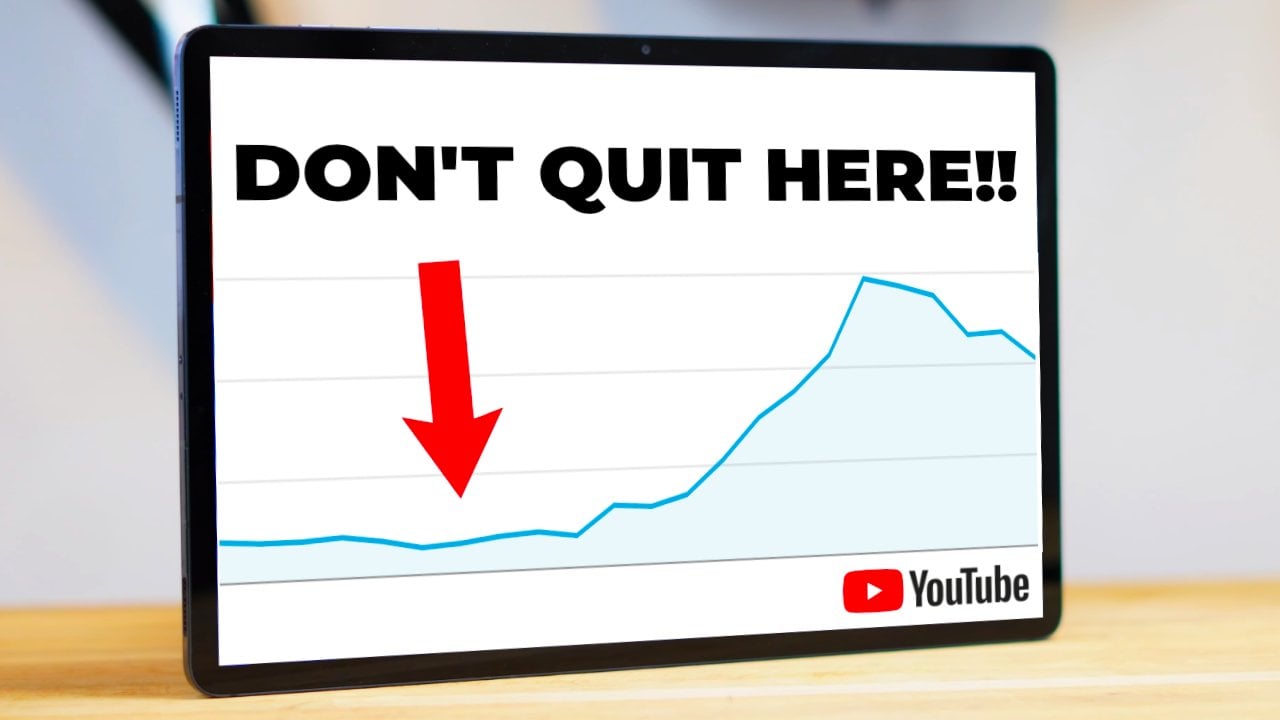
because they quit. That might sound funny and you might think
it's a bit of a cop-out sort of reason because they all had
a reason to quit. And I'm not addressing that. The fact is your mindset going into this so important for you, not quitting that I've dedicated a whole chapter of
this course to it. Most people go into YouTube thinking that they're
going to be able to copy someone else or what
someone else has done. And they're going
to be able to see steady and consistent
growth if they just follow a couple of courses
are a couple of other YouTube channels who
say they should do X plus Y. Every YouTube channel will have a different pattern of growth. Some people are
excellent at developing audiences and
choosing great topics and they are hitting things
at the right time and just everything is
firing on all cylinders. But for most of us, myself included, reality
to this business. It's not easy and you won't always grow in the
direction that you want. Some days you'll grow your subscriber count when
you're first starting out and some days you will grow in your understanding that
when you do something, your subscriber count decreases. But if you walk into this
with an expectation of consistent growth
at a certain pace than you're walking
into disappointment. Do not come into this with the feeling that by
next year I will have 10 thousand subscribers
or I will be upset. It's great to have goals, but there's a difference
between an expectation of achieving
something and a goal. I would prefer. And I think this
is much better for most YouTube creators for
you to set goals around accomplishing some
of the basics that I'm going to give you in the
next parts of this course. Setting a goal around
subscribers or views is setting yourself
up for disappointment. And there are days when
YouTube will beat you over the head with the idea that
you are not good enough. The tech community might
tell you that some days too. So come into this with
a mindset that says, I'm going to learn, I'm going to grow every day and you will
continue to succeed.
4. Lesson 4 - Your Channel Needs This (Go Deep): Watch a lot of content from a YouTube channel
called Video Creators and I 100% recommend that you start watching that
channel today. Tim Shmoys is one
of the most down to earth creators that I know. And that is even with a multi-million
dollar business that he has built out of what started out as a single
YouTube channel. There are a few things
that Tim and his team will preach to you very often
within their content. And what they will
tell you is that your channel needs
to have a reason for existing and that it needs to be deeper than I
want to help people. Almost everyone that I talked to says I want to help people. And it's not the people
who just want to help people who succeed
in this business. It's the people who want to help a certain person with
a certain thing. I will again dig into my own personal history to
help illustrate this one because I actually started
out my tech channel automate your life
in the wrong way. And I learned over time what
it was I had done wrong. And instead of quitting, like I talked about in
the previous section, I worked through it and
came to a better place. Automate your life
was initially about helping people with
smart home technology. That's helping
people with a thing. So it seems fine. But one of the things that
I continue to find was that my videos had really
inconsistent performance. I had started off my channel creating videos about
Google Home products. And that meant that I quickly
developed an audience that like the tutorials that I was doing for those products. Then when I started to diverge from Google Home and I started to work with
other products. Suddenly my subscribers didn't
care about the content. I think it's pretty obviously obvious why they didn't care, but how do we as tech
content creators, shift gears like this? You need to go
another layer deeper. And as I was working with Tim and Delaney from the
video creators team, I realized what it was
that drew me towards home automation and helping people with smart home products. I had spent my life as
a child rushing from one thing to the next because I constantly wanted to get to fun. I hated it when I
had homework and I rushed through all
of my school work as fast as I could to make sure that I never
had any homework. And so my afternoons
would be free. As soon as I was done playing
hockey or as soon as I was done doing one of
the things that my parents wanted me to do. I rushed out and ran to
that next bit of fun. Why was I always doing this? Well, number one, I was a kid
and kids want to have fun. And actually, I guess
I'm still a kid. But I remember one night
sitting in my bedroom. I'm from Northern Canada
and that means that the sun stays up in the sky very late in the evenings
during summer. I was looking at the
blue curtains on my bedroom window that
my mom had made me in. The sun was still kind of coming through and keeping me awake. My room was bright and my
mind got to wandering. And I had recently
watched a science show. Many of you will remember nova, or many of you will
be too young to remember Nova and I've
just dated myself, but that show taught me
that eventually the sun would become massively large and potentially
envelop the earth, destroying it to the
six-year-old kids sitting in bed and with a
mind that was very active, it became very frightening
to consider the end of time. It was so frightening that
it became ingrained in me that I only had so
much time in my life. In fact, it became apparent that even the universe only
had so much time and I had to get every ounce
of time out of my life. What better way to
do that than to automate the boring
tasks in my life that my parents had been making
me do for years and that teachers had been asking
me to finish in school. What I discovered was I wanted to automate in order to save time so that I could get to the better things
that I wanted to do. So over time, recognizing
what I had done, initially automate your
life became about saving time instead of telling
people about Google Home. And what I see a lot of tech YouTubers making
mistakes with today is that they attach to a certain
product or are they attached to a
specific technology? When that technology
changes or it goes away or a product lineup disappears
because a company has decided they
are done with that. Those tech YouTubers are
stuck and they will feel significant pain in order
to come back from that. And many of them will
have expectations of growth that will end their
careers in this business. And I want you to be about something that you
really love and enjoy so that no matter if
Google Home stops being made, you can still save
people time because you believe that is
what is important. So that's what you need to do. And I want you to get
out a piece of paper or get out your phone and copy these things down that
you will need to create as soon as you can in
your channels journey. It doesn't have
to be on day one, but it does help if you
are focused in this way.
5. Lesson 5 - Your Videos Still Need This (Target Practice): I just spent a
whole bunch of time telling you about how
having a focus for your channel that
has a deeper meaning and something that is
important to you is really important for the
long-term success of both your YouTube channel and
eventually your business, which we're getting to
in the course today. But each of your videos needs a few things that are important for your long-term success. Start with the idea, then create a short outline. It can be just five
or six minor topics that you want to talk
about or display. Then full stop. Go see if people are
actually looking for what you are creating
and if they are, if you can find search terms, which you can do
through simple tools like answer the
public or just by simply starting to
type a search into YouTube, then you're good. If you are finding
a topic that has some searches about it and
you feel strongly about it. Then the next step is to
target your audience. When I talked about your channels reason for existing in the
previous segment, I was really talking about targeting people
who want something. The same holds true for
each individual video. You need to identify
who this video is for and then you craft it
for that specific person. If you are creating a tutorial, then you need to imagine what
level the person is at in terms of their understanding of the topic when we're
talking about technology, if you want to target an older audience
than you need to slow down and you need to explain more of the
steps individually. Once you've decided all of that, then I want you to craft your title and I want you
to craft your thumbnail. I don't mean that
you have to create the final version
of the thumbnail, but it helps to have an outline
for both of those things. And we will talk
about ways to make those more successful as we go. Target market for an
individual video shouldn't be one or two lines and it should actually be really specific. I would expect you
to have at least a three to four components and hopefully five or six about
the person you are targeting. The reason that this
is so successful is because YouTube is a
massive marketplaces, eyeballs, they have
millions of people who will fit the five or six indices
that you're targeting. Those people will absolutely love your content and they will eat up every second of it. And that is exactly what
you need to develop. People who love your content
for what it stands for, and people who love your
content for what it gives them. Once you have those people, they will do the
promotion for you. And that is your
ultimate goal because as a tech YouTuber and
as a business owner, you don't want to
have to do all of your own self-promotion
just to get a few views from things
like social media, the biggest trap here is
that people will say, Oh, this is a video
for everyone, or this is a video
for everyone who owns this product or wants
to own this product, that will get you people
who may enjoy your content, but it will not get you
super fans who share everything you do in spout
how amazing your content is.
6. Lesson 6 - KISS and Build up: One of the things that I found
myself doing early on was constantly trying to ramp up to the same quality of
video and audio, and lighting and
cinematography that I saw other amazing
content creators doing. The fact was I was an engineer with a background in
engineering and I didn't have a ton of experience in creating cinematic
experiences. Actually, I had actively
avoided learning how to work with cameras
and audio equipment, even though my
father had given me all kinds of
opportunities for that as a child because I was
trying to run out and have fun like we've
talked about anyways, the point I'm making here is
that your mindset of growing every day is important and
will drive you to improve. However, I don't want you
to get stuck trying to improve so much at one time
that you cannot create. Truly the best way to learn
in this business is to go out and create 500 videos. I'm giving you as much
knowledge as I can. And after having created
about a thousand of those videos and working with many other creators to
create thousands more. But the honest truth
is that i and u, we'll learn the most by doing. So, start simple and accept the fact that your
content will maybe not look as good as some of those amazing
creators out there. Use your phone and find out what works with it and
doesn't work with it. You don't have to
try to do a ton of fancy editing and maybe you won't even be able
to do editing, or maybe you'll just use
an app on your phone to do very simple edits and
then upload to YouTube. There are so many different
moving components. And again, as a tech creator, you're going to have
the additional effort of really learning your technology or your
products or services. So it's best to
just get startup.
7. Lesson 7 - Organizing Around A Good Video Creation Process: The biggest thing that I have struggled
with personally as my main channel has
continued to develop is that I want to be
everything to everyone. I think lots of motivated
people will run into this. And for myself, I
just want to fill every need that my viewers
tell me they have. As such, I've found myself
bouncing around a little bit within videos that
don't fit my channels. Reason for existing. It's very painful to do this and I have felt a ton of pain. Plus I've watched other
creators who bounced around chasing views or bounce
around chasing fame. What happens when you move around like that or
bounce around is that you are creating a
structure that keeps you in check and
you will get lost. And then you'll start
developing an audience outside of what it is you
are supposed to be about. And listen, I'm guilty
of this, but as such, I have had opportunities to find ways to not
do this anymore. I'm not perfect, but I
will say that I'm in a much better place than I
was a couple of years ago. The title of this section
of the course is called organized and have a good
process or something like that. And I will tell you my
process for creating videos, but your process might
differ a little bit depending on your approach to things and there's
nothing wrong with that. But because we are working with technology and in many
cases you will be showcasing what's good and bad about a technology we
need to work with it. This can often mean
unboxing the products, setting it up and it can mean working with the product
over a number of weeks. For me, reliability is really important
because it saves people time to not have to worry about a product's performance
over the long term. This means that I will spend a couple of weeks making sure that the product actually
works as intended. And you will have your
own process that you will start to develop with
your technology. Again, based on your
objective as a channel. Many of those parts
of the process you might want to capture on film. I capture my unboxing and I've actually started
to create shorts with it for a separate channel
because that's not what my main channel as
a boat unboxing isn't core to my
message of safe time, but I still capture that on film because I can
use it for B-roll later and then I can
capture that setup process. And sometimes those I will make entire videos off of
to save people's time. As I'm doing all of this, I will say that my radar is up. I'm waiting for the story
behind the product to strike me and will talk more
about stories as we go. But what it is, I think that will
be most valuable to my audience to create
another product or services, what I'm looking for. And I told you that
before I start down the path of a video, I'm going to create the topic
and write a quick outline. Then I'll go and I'll make sure there's actually an
audience for it. In some cases, I
have ignored that. There didn't seem to
be an audience for it. And I just went with my gut lots of times
that works out too, because as tech craters, we know our audience
and what people are wondering about
especially new products. I told you then I will
create a couple of titles, choose one of them, and then I'll create
a thumbnail outline. There are tips and
tricks around both of those and I'm not going
to address right now, but I'll tell you that
simpler is better on your thumbnails
on something that Tech creators do far too much. Adh tried to add about 50 things that tell everyone what their
video is about. I'll tell you that in general, you're shooting for
about three elements on your thumbnail. Not a lot more than that
and not a ton of words. Anyways, from that point on, I'm going to start scripting, take that outline and start
to build it with scripting. And what I do is I
use Google Docs plus their ability to voice type through my
connected microphone. And this makes it very easy for me to type out my scripts like this course that I actually used in that way to
create the script. Within this whole
scripting process though, I want you to notice that the big thing I'm
doing throughout this course is actually imparting knowledge
through stories. This is one of the hardest
things to do and it's okay if you can't do
it right off the bat. But whenever I create
stories in my video's, engagement is much higher. You can create a
little bit of suspense and you can take people
on a little bit of a ride in terms of
what you manage to accomplish and what you
maybe didn't manage. Once I have completed my script, which can take a day
with some of them, then I'm ready to film
what I would call a role. This is the main
talking head segments for me in my videos and then I'll film lots of my B-roll because as I'm making my script, I'm adding little
notes that say what kind of B-roll I'm
going to include. Then it's off to the editing. In many cases I end
up blowing up what I said I was going to do
in the script anyways, but I have a good feel for the video at that
point in actually editing becomes a
lot quicker when you understand going in what it's
kind of going to look like. So I will make those finishing
touches and then it's about uploading and filling out the components of the
description field and tags and all of those
things on YouTube that you've probably already research
then don't need to hear about in a course specifically designed
for tech YouTubers.
8. Lesson 8 Way More Ways to Make Money: Okay, so you have a
basic process for creating videos and you
have all the basis for choosing the right videos and the right topics and
you're ready to get going. Creating videos on
YouTube might not pay for a significant
amount of time because nowadays you have to get a thousand subscribers and
forth thousand watch hours. Then you have to apply to the YouTube partnership
program and they have to review
your channel, which can actually take
a couple of months. And then you can
start to monetize the content on YouTube with
the ads that they provide. One of the reasons that
I was able to leave my engineering job was because I had a wife at the
time who was working. But one of the other
reasons was that I had a number of other
sources of income, worked into my business that in many cases paid as
much as YouTube was. I'm going to give
you a number of examples of ways
that I have made money and filled in gaps as
I went through this stage. Affiliate links are an easy one and just about everyone
signs up for Amazon. But did you know
that in many cases, when you make an Amazon
affiliate account and you grow large enough on YouTube that you will get the opportunity
to upload videos. In fact, many creators are going now live streaming
on Amazon as well. And I've done that myself. That will fit
certain creators and will not other creators, but affiliate links can come
from more than just Amazon. And I have used a number
of other services to get other websites or
companies links in my description of
my YouTube video. But the most lucrative
affiliate links are sometimes ones that really fit your audience and R with a brand that are
going to pay better than, you know, Amazon to sell
from their own site. The example for me is I have
worked with this company for a long time who sells smart home products and
there are smaller maker, but they make really
interesting products and affiliate program
pays over 10 percent, whereas Amazon pays about 3% on most of the products
that I will sell, I can also get good promotional
coupons from that vendor. And if I'm speaking with them directly or through
their PR company, this helps me to sell more
in a short timeframe. And they've been very good
in terms of payments. Not every company
will be this way. And I would say that
you need to identify companies that fit your
channel, your video, and your audience every time Patria on or memberships in general have been a good
side income source. And I will tell you
that it's important to have this kind of
an income source, but it's more important to have people who really care
about your content. And that's what patriarchy is. More for me, it's a gauge of how well I'm connecting with
people on my mission. Youtube lets you run memberships once you
get to a certain size. And in some countries, and I think that's a
good option because then you can stop people
from leaving YouTube, which YouTube really
doesn't like. Anyways, that's a
big hint for you. You don't want to send
people outside of YouTube unless you have do and
are making money from it. Another way to generate income
is to sell ads are cells, spots in your channel's videos. And I think the
best thing you can do is to check in with
other creators that you know and respect and ask them
what they're doing within your market for pricing and who they've worked with
that has been really good. This doesn't mean
you need to follow what they're doing
because that what's going to be right for
your audience might not be what's right for them. And I think a lot of
creators have trouble taking money for this kind of worker
working on these deals. The biggest piece of advice I'm going to give
you here is that you need to feel comfortable
with the sponsorship. Number one, I think you need to make sure
that the product and the company fit
your brand fairly well. It has to fit your model and
it has to make sense that the product would come on to your channel and be shown here. Audience brands will
ask for things like putting their link at the
top of your description. And they will ask
for things like, you need to say some six
lines throughout the video. You might get asked to have them review the video
before it goes out. And they might require an opportunity to change
elements of your production. But what you have to
plan for and what is the most important component
of this is that you have to be charging enough to
make that kind of an effort worth it and you
have to be okay with the requests from the brand. For example, I don't
allow brands to drive what's in the first
few lines of my description. This is non-negotiable for
me because I often use the description box as a way to communicate with my audience. In another way, I allow minor
adjustments to the video, but I actually send the company
my script before I go to film and allow most of the
adjustments to happen there. This keeps me from doing a
lot of work like filming a whole video and
then having them come back and say that it's not okay. I'm also really clear up front that the
video will be about both good and bad things about their product and that's what they get as part of the
sponsorship within my brand. This allows me to enter into a sponsorship and
not have it become too much work and not
lose the feeling of giving my audience the
truth as I see it. You will have other requirements and I think you should build your process behind sponsorships a little bit different
for your business. Now, it would be wrong
of me if I didn't give you some guidance on pricing. But I think every segment
of YouTube and even tech is difference and you will have a different level
where you think it's worth it for yourself. I wouldn't do a
sponsorship Even for a 30 this 60-second ADS BAD for less than 300 us no matter what size of
channel I was working with. That's because it's
going to take you extra work for those
short add integrations. I think a great person
to watch for how to do these is Linus on
Linus Tech Tips, watch any of his videos and
you'll see great examples of how this can work for
you and for brands. Any full or dedicated video
to a product or brand, I would be requiring 500 for small channels
and you should be quickly ramping up based on viewCount and subscriber
growth in the past, we've used a $100 per 10 thousand subscribers
up from that. But when you make videos that show people how to do things, one of the sneaky little
ways that I've been able to make money through
my YouTube channel is by offering tutorial videos to companies that maybe
can't create their own. I'll price mine around 300 for a two to three minute
production for showing how to do
something with a product. And I don't normally show up
physically on those videos, but you can make your own
pricing decisions there. And pricing obviously also increases as effort
level increases. And this is one of the
ways you can start to bring an editor into
working with you as you can pay them part of that fee and get some
of your time back. And that has opened
up another way for me to work with
friends in my space. As you become a tech creator, you will find yourself
becoming a bit of an expert in the
products in the market. At least, that's likely to
be the goal of many of you. Through that, you're
probably going to be able to engage with companies in a way that helps them quickly understand the market
or quickly understand the big gaps in their products or even the
things they're doing, right? What I have offered
companies in the past is both reports
that help them in their product development cycle and with reports that help them understand how consumers will see their product from
the outside looking in, this should open up the
idea of consulting to you. And I thank you. Consult for both
businesses and for individuals who need help with the tech that
you're focused on. I usually offer
these sessions for a 100150 per hour and I do
charge more for businesses. This can easily be
managed through a PayPal account and
a Calendly account, but you need a way to tell
potential clients that you offer these kinds of services or they won't show up at
your door very often. I think it's easy to say that merchandise is a method
for making money, but I actually think that
digital downloads have more of an opportunity for
creators in the tech space. For myself, I've been
creating e-books which allow for a small
repeatable income source. And obviously I'm
creating some courses. These are all methods and
opportunities for you to digitize your
knowledge and pass it out in different formats. But one of the ways that I think is a sneaky good way to build up some income is to augment your content with a
digital download. This could be a free or
a paid newsletter or a knowledge dump
that you create on a monthly or quarterly basis. As you acquire eyeballs, looking at whatever it
is you're creating, it becomes an opportunity
for you to stretch that sales and marketing
piece of yourself. What I've done in the
past is if I'm creating a newsletter or a
digital download, then I offer some ad spots to companies that I'm
working closely with. Within those pieces, you have to be very clear
that something is an ad, but it's a really
great opportunity for you to bring
your audience and your partner companies together and to have that
work be paid for. I hope you have a number
of ideas at this point. And I think that as a creator, you need to be creative with the ways that you
are pulling money, especially at the start. As you continue in your journey, your focus on a few
good things that are making good money
and you'll cut out some of those things
that you might start doing today in order
to pay the bills. That's okay. And I think it's important
that you don't take on too much because your focus still needs to be
on your channel and on growing your
audience the right way.
9. Lesson 9 - PR = BFF: There is nothing then
has set my videos apart more from other creators than working with the folks from PR. These are people that either
work at companies that use a lot of products from or are
important in your industry, or they are from PR
agencies that work with a company or a brand
that you know and love. The fact is you have to dig hard sometimes to get a
good PR contact. But I would suggest
that this is one of the best things you
can do because they provide all kinds of
B roll material for free and easy ways for you to incorporate
in your content. You always have to tell
your audience that you're using something from
one of those companies. But it's really effective for you as a creator
to have all of these amazing assets that
these companies create. The other piece of
this is that as you develop your relationship
with those PR contacts, they will give you access to additional information
and they will help you answer questions that are important
for your content. I always say treat
everyone with respect, but treat these
people as best as you can and they will
help you immensely. These are people
that can make or break you in a tech space. So always consider that and one of the easiest
ways to get in contact with PR people the first time is to find
the company's media page. Are there Press page and to reach out on
something very simple, don't go in asking for products
or asking for the world, but asking a simple question
that will help you with your next video is a great way to start
the proverbial thread. I also always send them
the productions of the videos that because this
helps them as PR people, they need to tell their bosses or the company they're
working for as a consulting agency that
they're succeeding in getting good press
for their products. So celebrate your successes with them and make sure
that you're treating them with the respect they
deserve the who works so hard to do the job
that they're doing.
10. Lesson 10 - Prepare For The Tech Community: When I see that you need to prepare for the tech community, understand that most people
are wonderful and they will treat you with respect
and in a lot of cases, you'll enjoy your interactions. However, part of being a
successful tech creator is understanding that
there is always someone smarter
than you out there. I am absolutely
sure that there is a ton of people watching
this course that are way smarter
than I am and will produce way better
content than I ever. Well, that's okay,
it's even good. And I think that you
need to encourage people to have a
conversation with you because you will
develop a community of people who are interested in
what you produce and you, as a person, there
will always be people who will challenge
what you said on a video. And I find the more
technical you get, the more challenged you get
from experts in that area. What's great to do with that
instead of what I would call right fighting is to embrace their perspective
but say back, why you believe something
is the right way. Things like saying, Hey, this is really smart. I just like doing this it this way because
it saves me time. And I will again give you an
example from my own life. Home Assistant is something
that is very important in the smart home
space because it's like linux for the smart home, it's open source and it's
also relatively difficult. So there are a lot of people
who come and tell me how amazing that platform
is and then I should switch to it. To them. I wouldn't have to
then solve all of these problems I'm
solving in my videos. And I tell those people that I'm glad it's working for them, but I choose other
platforms because they see me more time on
a regular basis. Now if you have been
following along this course, then you know what I just did. I stayed true to my message
and brand as a creator, but I also recognize the other
person as being valuable. It's a hard thing to do and you will feel sometimes like
you're being attacked. And I think the
tech community is pretty good at not
attacking people, but you do need to be
ready for all of this to happen and how you need to
handle it for maximum growth. And listen, there are
some days that I'm just not in the mood to
take those comments, so I try not to answer
comments on those days.
11. Lesson 11 - Reinvest in Yourself: You took the leap and
you join this course, and that essentially means you spent some money
investing in yourself. This is one of the
best things that I think you should be
doing and I would always allocate at
least 10 percent of your earnings to re-investing in yourself and your business. I don't mean take
that 10 percent, go get new cameras. I mean, you need to learn
new skills or even have things developed for you
because in many cases, having a branded intro created
for you in the right way, we'll teach you something
about animation or editing or just
composition in general, re-invest in yourself in
terms of knowledge on YouTube constantly
that reinvestment can be in terms of time. So it doesn't always need
to be an expenditure, but don't stop growing
as a creator and don't stop growing in your technical
knowledge base, either. One of the ways that
I have found to be really effective is to offer percentage points on
my channels revenue to people who are bringing
in new skill sets. Keep in mind that you
need to be very careful with offering an ongoing
percentage of your revenue and you should always
have a lawyer look at an agreement to make sure that you can get out
of these arrangements. So can the other person. But for example, I have been
working with a number of different editors and
this has meant that I've had the opportunity
to learn from them. Every single time I
work with a new editor, I pick up a new skill. So I offered on one of my
channels a small percentage of the revenue in this not only engage that person in the
growth of the channel, but it allowed me to keep on the positive side of
income at all times. This can make it difficult to find people who
will work this way. And I've also worked on a flat fee basis with
certain skill sets. But if you find someone
who wants to learn from you or wants to be a
part of what you're doing. Find the percentage and
tying them together with you as a business can be a great way to
re-invest in yourself.
12. Lesson 12 - Tools I Use To Make Videos Easier: Anything that can save you a little bit of time as
a crater is of big you. So I want to share some of the things that I
use that helped me go a little bit quicker and maybe a little
more efficiently. I think it helps that I use Adobe Premier Pro as well as Adobe Photoshop and
Adobe addition. It's not that I use a bunch
of workflows that are overly complicated between those different
pieces of software. It's that over time I have
learned how they work and it's easy to learn one once you've learned
one of the others. So I think that's better
than maybe trying to use a one off a video editor. And the subscription
for all three are actually a ton of other
Adobe products is not unreasonable
for a crater who's going to be creating
monthly income. A lot of creators will tell
you that Max are amazing and that you should spend your money there on that system. But I think the answer here is go with what you
are comfortable with. I have always used PCs
and when I've used Max, I've found them
to be a struggle. Plus I don't like the cost for products
from Apple in general, so I don't head down that path. But the most important thing is that it works for you
because you will spend a ton of time with whatever you're going
to use for editing. And it can be as simple as
an iPad or even your phone. But over time you'll
probably stretch out to an editing tool beyond
a phone or a tablet. I think both the umbrella lights that I purchased
early on and my H for an audio recorder had been extremely important
investments in my content. The lights obviously
make sure that things look good in most
of my shots and they're soft so
they're not super reflective off of every surface, which you will find to
be a problem with tech. But if you can use natural
lighting, That's the best, but you want it to be fairly
consistent when you do that, each foreign pro audio
recorder allows me to use relatively inexpensive
microphones and still get a good
quality audio product. People will watch
poor video quality, but they will not listen
to poor quality audio. And one of the things that a good recorder allows you to do is to really customize
the audio input. So I can use that with
different microphones, which I've done in many cases, but in most cases I'm
just filming with a fairly inexpensive
lavalier microphone. And that brings the sound
very close to me personally, and it doesn't pick up echo
in the space in my room, which is a problem most
creators will encounter.
13. Lesson 13 - Tools I Use To Make By Business Run Smoothly: When I talk about making a
business that runs smoothly, then I'm not talking about
the content anymore. But you need to focus
on this just as much as your content
because this can eat your lunch and actually literally eat your
profits in an instant. Profits are great, but
you won't have them for very long if the government
gets all of them, Let's be honest and
say that governments today take quite a bit of your paycheck and they will do the same thing with your
YouTube based business. This means that you need
to understand what you can and can't write off
as part of your business. For myself, I write off
parts of my home in some of the expenses that are associated with running a
home, you should look at that. And the reason I point this out specifically is because you're already going to spend
money on living at home. So taking advantage of that
expense, that's perfect. So this is money
you will leave on the table, or better said, leave with the
government if you don't take advantage of
those write-offs, many of you will
be able to write off portions of vehicles, and this will all depend
on where you live in the world and the tax
system of your country. So if you don't understand
your country's tax system, then it is totally
worth your while to get an accountant to help you with this, especially starting out, this doesn't mean that you
need to engage them long-term, but you should gain an
understanding of what you can and can't do with in your business
in terms of expenses, I of course, right off all of the electronics
that I purchase as well as the different things that I need as a business. Those are things
that you should be writing off against your income. But again, you have to
know your taxation system. I use PayPal to take most
of the payments that I make and I actually just use a personal account at this time. But switching to a business
account isn't a big deal. It allows me to
transfer money in from Patria on and
it's something that connects to most of the affiliate programs
you will sign up for. They also give you a very
nice and clear report of your activities
so that you can be ready come tax time.
14. Lesson 14 - Tools I Use To Help With YouTube: Vid IQ is great for helping with topic research
and it helps with making sure that I tag things
appropriately as well as pointing out things that I
can put in the description. In some cases, many creators
use too buddy instead, and that works just as
well and has a number of great tools associated with it. I think that one of
these can help every once in a while to give
you a bit more knowledge. And I treated it as a
reinvestment in myself because every time I enable one
of those two services, I learned something
about YouTube. I spoke earlier about working with the folks from
video creators. And I will tell you
that reinvestment is a tool for you to use every
time I speak with them. And because our
general take on how to work with in
YouTube aligns well, I learned something
and I gain a lot. So it's almost a
tool that I use to bring knowledge up in
the area of YouTube. And you will find
certain creators or certain companies that you will want to work with that align with you in your values. Go find those people and find either a Consultant session
that makes sense for you or find an e-book or digital product that you
can work through from them. I also use something called
answer the public.com. That's a really great site to research topics and I
haven't ever paid for that. So I feel a bit bad
telling you about it, but it works really well to visualize some of
the topics that you could address around
a more major topic. It's really great at
showing you the questions that people are asking
about a product or a topic. And if you address any of those, you will find some people that are wanting that
question answered. I find genius link really useful as an aggregation tool
for affiliate programs. It does cost a little bit. It also allows you
to send people from different countries or with different operating systems
to different links. And it allows you to use
multiple affiliate programs in one single link so your YouTube descriptions and
comments don't get so busy.
15. Lesson 15 - Thank You: I want to thank you for
sticking with me through this, and I hope you gained quite
a bit from this course. And if you haven't or your left wanting something more than
I'd love to hear from you. There are tools wherever this is posted in order to
give me feedback. And of course, I
would love to hear both the positives and
the negatives or what really helped you so that I can make sure maybe in
the next version of this course that I delve
a little bit deeper or I addressed certain
topics even better. Otherwise, thanks for
watching today and of course, don't hate automate.
 Brian
Brian