3D Pralinen-Box Illustration | Blender 3D Tutorial
 Sandra S., The Coaching Artist
Watch this class and thousands more
Watch this class and thousands more
Lessons in This Class
-
-
1.
Intro Tutorial | 3D Pralinen-Box
0:20
-
2.
3D Modeling | 1 Herz-Box-Boden
4:33
-
3.
3D Modeling | 2 Herz-Box-Inlay
11:06
-
4.
3D Modeling | 3 Pralinen-Basis
3:07
-
5.
3D Modeling | 4 Förmchen
5:19
-
6.
3D Modeling | 5 Streifen-Verzierung
4:55
-
7.
3D Modeling | 6 Raspel-Verzierung
5:54
-
8.
3D Modeling | 7 Pralinen-Duplikate
5:48
-
9.
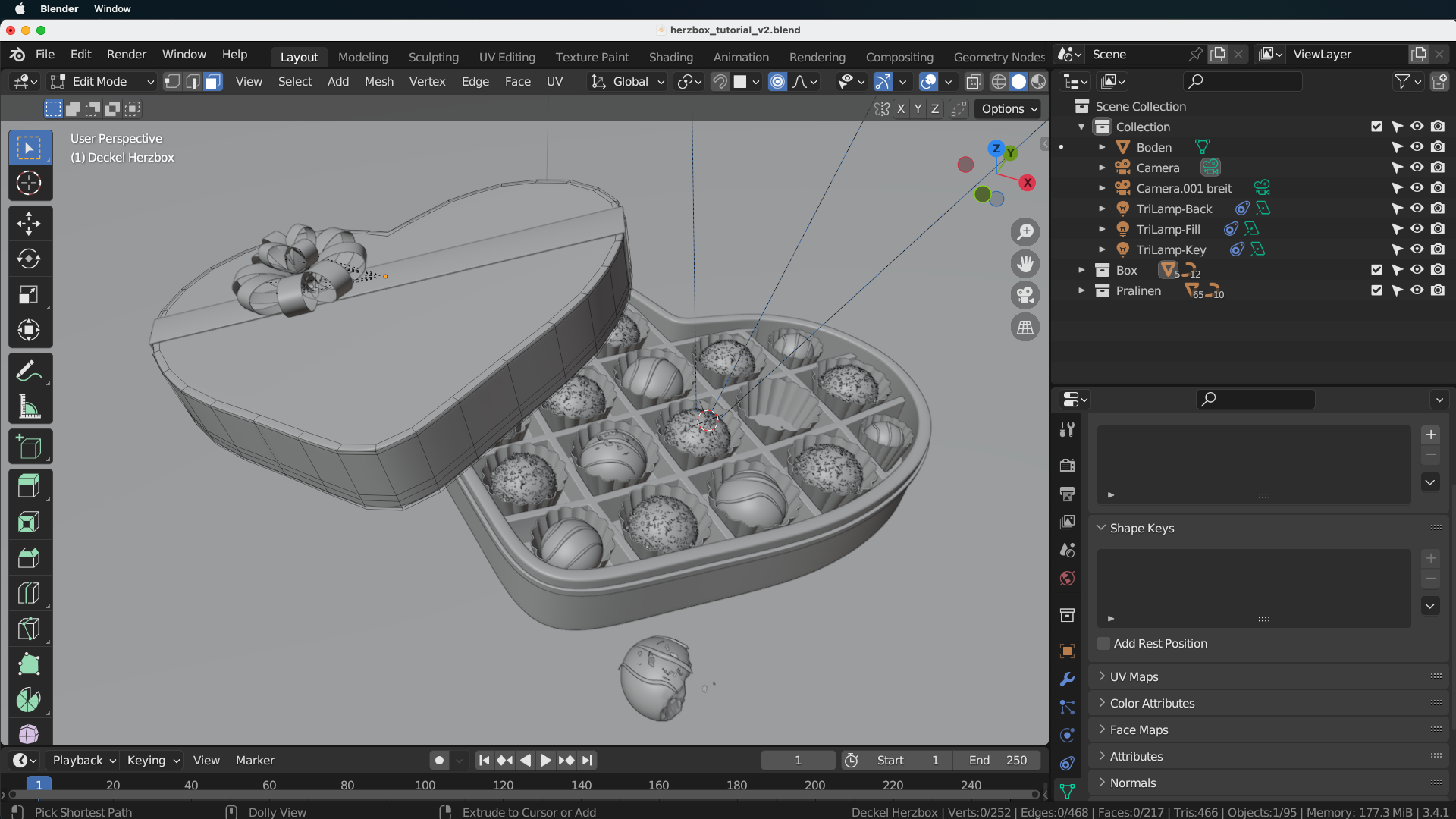
3D Modeling | 8 Herz-Box-Deckel
10:30
-
10.
3D Modeling | 9 Angebissene Praline
9:35
-
11.
Shading | 1 Basis-Materialien
4:32
-
12.
Shading | 2 Detail-Materialien
9:37
-
13.
Shading | 3 Vertex Painting
3:57
-
14.
Lighting
1:36
-
15.
Rendering
3:19
-
16.
Resultat Tutorial | 3D Pralinen-Box
0:50
-
-
- --
- Beginner level
- Intermediate level
- Advanced level
- All levels
Community Generated
The level is determined by a majority opinion of students who have reviewed this class. The teacher's recommendation is shown until at least 5 student responses are collected.
31
Students
1
Project
About This Class
In diesem Tutorial lernst du eine 3D Illustration einer Pralinen-Box in Blender 3D zu erstellen.
Damit lernst bzw. vertiefst du gleichzeitig folgende Aspekte:
- 3D Modeling in Blender 3D (Polygonales Modeling, Curve Modeling, Modifier Modeling)
- 3D Sculpting
- Partikel Systeme
- Shading inkl. Texture Painting
- Lighting
- Rendering
Du benötigst:
- Software: Blender 3D ab Version 3.4 (kostenloser Download via: https://www.blender.org/)
- Wissen: Grundwissen in Blender 3D (Navigation, Basic Navigation & Modeling)
- Level: mittel / fortgeschritten
- Dauer: ca. 1-2 Stunden Zeit
Happy Blending! :)
Meet Your Teacher

Ich bin "The Coaching Artist".
Das heisst: Als Digital 2D & 3D Artist erstelle ich freiberuflich Kunstwerke in den Bereichen Game Art, Concept Art, Illustration und Grafikdesign.
Andererseits helfe ich als Creative Coach anderen Kreativen, ihr volles Potential zu entfalten.
Hier findest du dafur verschiedene Tutorials, in denen du Schritt fur Schritt eigene Kreativ-Projekte umsetzen lernst.
Mehr Tipps, Masterclass Kurse, kostenlose Brushes, Blog-Artikel & Videos findest du auf meiner personlichen Website und der Website meiner S-Art School.
See full profileHands-on Class Project
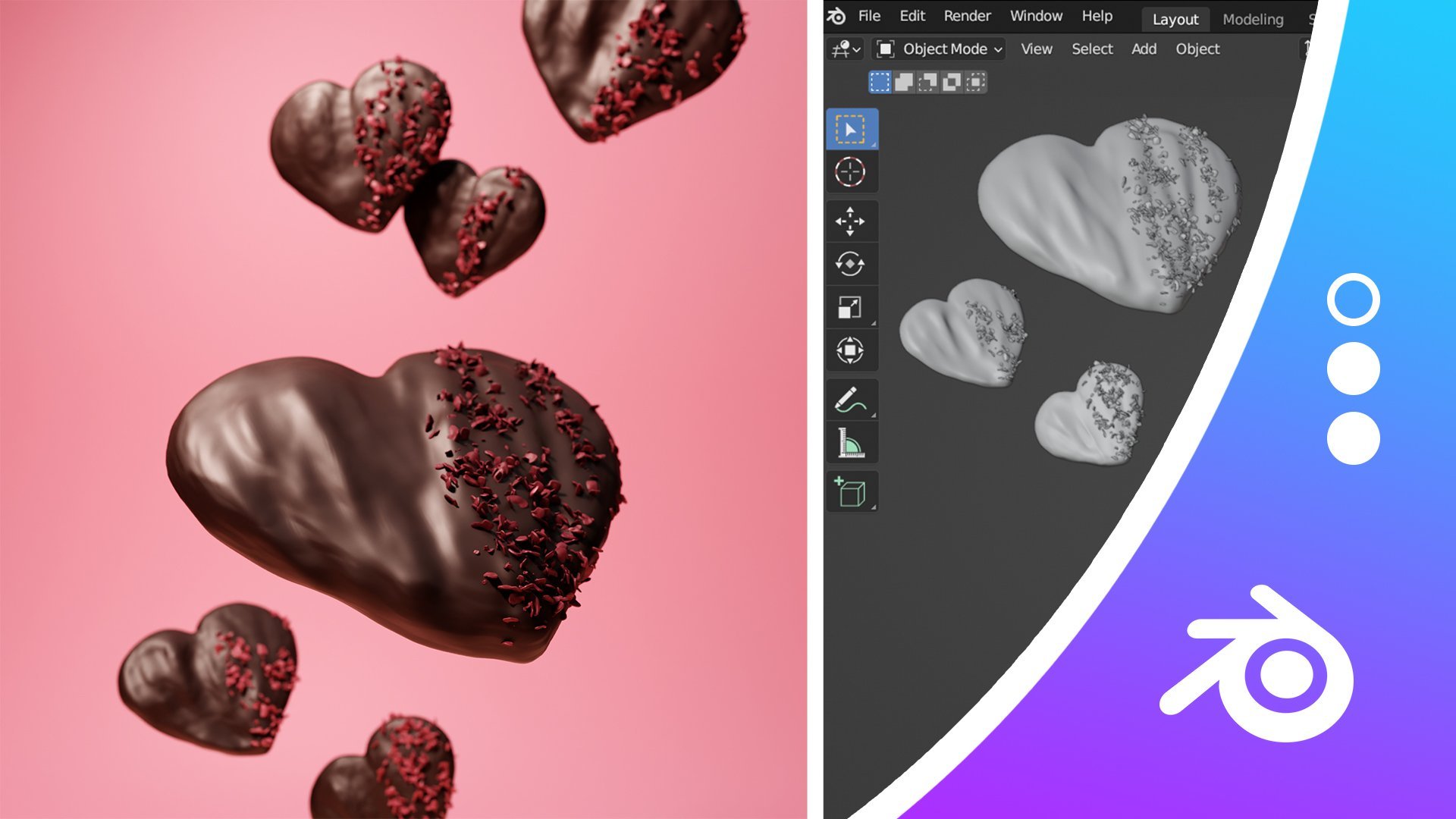
In diesem Tutorial erstellst du folgendes 3D Rendering einer Pralinen-Schachtel:

Du benötigst:
- Software: Blender 3D ab Version 3.4 (kostenloser Download via: https://www.blender.org/)
- Wissen: Grundwissen in Blender 3D (Navigation, Basic Navigation & Modeling)
- Level: mittel / fortgeschritten
- Dauer: ca. 1-2 Stunden Zeit
Gehe folgende Schritte wie in den Videos erklärt der Reihe nach durch:
- 3D Modeling
- Herz-Box-Boden
- Herz-Box-Inlay
- Pralinen-Basis
- Förmchen
- Streifen-Verzierung (Curves)
- Raspel-Verzierung (Partikel)
- Pralinen-Duplikate
- Herz-Box-Deckel (inkl. Schleife)
- Angebissene Praline (Sculpting)
- Shading
- Basis-Materialien
- Deko-Materialien
- Vertex Painting angebissene Praline
- Lighting
- Rendering
Wichtige Shortcuts des Tutorials:
- [SHIFT + A] — Objekt oder Node hinzufügen
- [O] — Proportional Editing
- [SHIFT + Z] — Wireframe Shading Mode
- [K] — Knife Tool
- [STRG + N] — Recalculate Normals
- [ALT + S] — Kurvenpunkte skalieren
- [STRG + A] — Apply > Scale (Object Mode
- [SHIFT + K] — Gesamtes Objekt mit Vertex Color füllen
- [F] — Pinsel-Größe ändern (bei Sculpting / Vertex Painting / Weight Painting, ...)
- [SHIFT + R] — Voxel Remesher Größe anpassen (im Sculpting Mode)
- [SHIFT gedrückt halten] — Smooth Brush (im Sculpting Mode)
Lade das finale Rendering deiner eigenen Pralinen-Schachtel als Projekt hoch, wenn du den Kurs fertig durchgearbeitet hast! :)

Class Ratings
Why Join Skillshare?
Take award-winning Skillshare Original Classes
Each class has short lessons, hands-on projects
Your membership supports Skillshare teachers
Learn From Anywhere
Take classes on the go with the Skillshare app. Stream or download to watch on the plane, the subway, or wherever you learn best.