9 Surface Pattern Design Ideas for a Standout Portfolio
Ready to land more clients and make your surface pattern portfolio pop? These collection-worthy project ideas can help you stand out.
Inhaltsübersicht
- Design Out-of-the-Box Themed Pattern
- Hand-Draw a Pattern Inspired By Nature
- Create Pattern Mockups
- Build Patchwork Patterns
- Create Your Own Ogee Patterns
- Design Your Own Gift Wrap
- Paint Your Surface Pattern
- Create a Seamless Pattern Using Typography
- Design Organic Abstract Patterns
- Dive into Your Next Pattern Project



Anyone who knows what it takes to become a surface designer knows that the hard work doesn’t end once you book your first client. Staying fully booked, getting cool opportunities and defining your unique voice as a designer come from constantly keeping up with new tools and techniques, always adding new skills to your creative toolbox, and continually updating your pattern design portfolio.
The world of surface design and pattern design is filled with diverse designers with different styles, techniques and niches. Whether you already know what you love designing and are just looking for a project idea that aligns with your current vision, or you're starting from scratch and want to step out of your comfort zone, these surface pattern design ideas can help you attract clients, explore your style and further develop your professional or personal portfolio.
1. Design Out-of-the-Box Themed Pattern
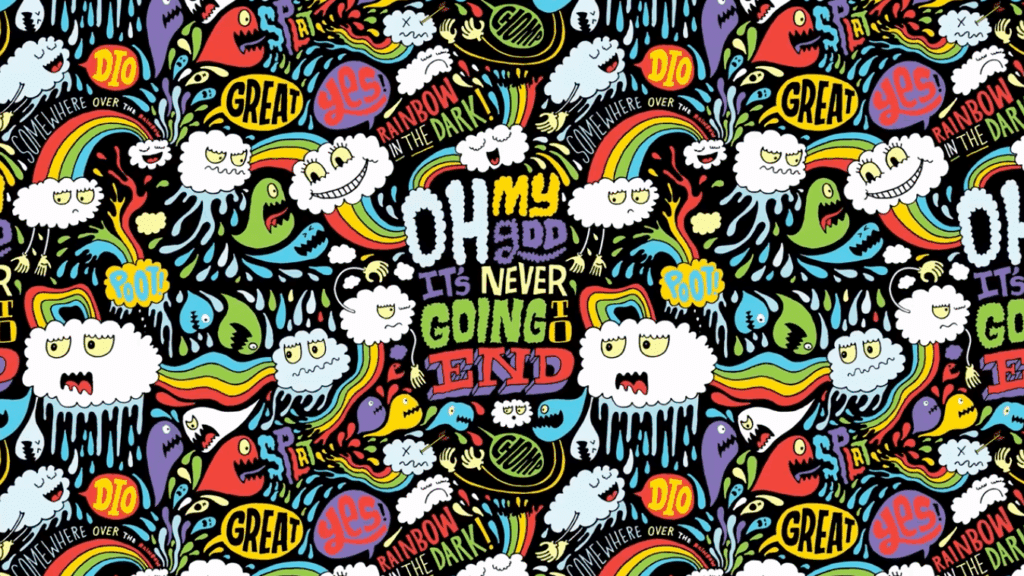
Adding an intricate and out-of-the-box pattern to your portfolio can show potential clients both your creative vision and the technical skills it takes to design a detailed final piece. By creating a pattern filled with dozens of different elements, you’ll learn how to balance intricate detail with perfect tile alignment, which is a skill that will impress art directors and licensing clients alike.
From rockets to super villains to eyeballs to monsters, pick a theme and transform it into a seamless and repeatable pattern in professional illustrator Chris Piascik’s class Seamless Patterns Made Easy: A Fresco + Capture Workflow.
Teacher Tip: An Intricate Pattern Needs Diversity
“As you work on your sketches, make sure you're covering a broad range of things of different shapes and sizes and proportions because it's gonna make your life easier when we start to assemble your pattern later on down the road,” shares Chris.
2. Hand-Draw a Pattern Inspired By Nature
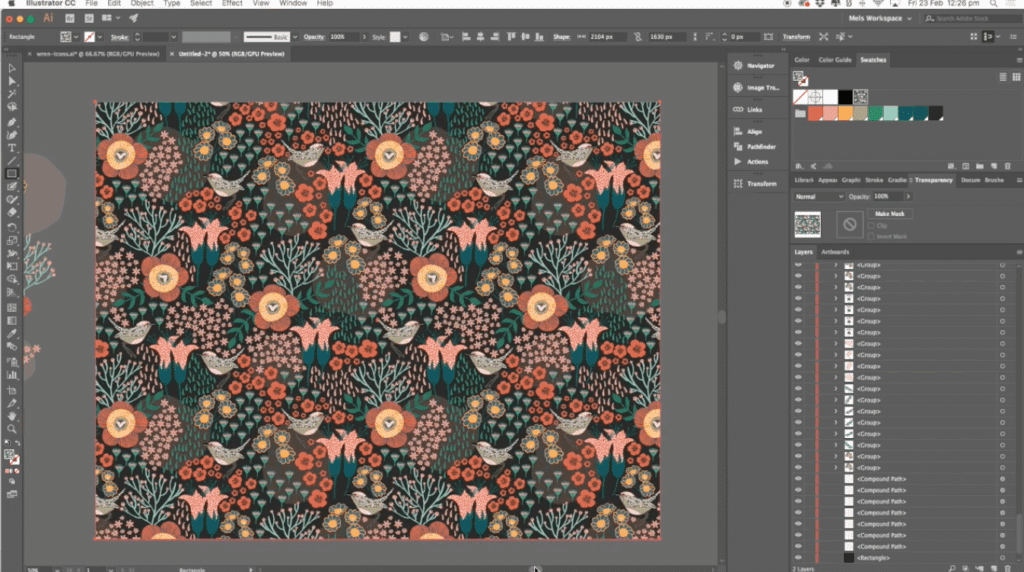
Use inspiration from the natural world around you and transform it into a market-ready surface pattern. By creating a nature-inspired pattern, you’ll show potential clients how you can turn real-world reference into a stylized design that could be used for fabric, gift wrap and more.
In the class Surface Pattern Design Fundamentals with surface pattern designer Mel Armstrong, you’ll take your own nature photos and then turn them into hand-drawn icons before putting them together into a seamless pattern design in Adobe Illustrator.
3. Create Pattern Mockups

Turning your designs into polished product mockups can help sell your vision before a single sample is made. Whether you want to design your own fabric or put your pattern onto finished products like a makeup bag or dress, creating a realistic mockup can give potential clients and customers a crystal-clear look at your work’s potential.
In surface pattern designer Mel Armstrong’s class Create Realistic Mockups to Showcase & Promote your Designs, she’ll show you how to use smart objects, blending modes and fabric warping in Photoshop to place any pattern onto clothes, wall art, cushions and more.
Teacher tip: Sourcing High Quality Mockup Images
“It's really important when you're sourcing an image that the image is clean and that it doesn't have anything distracting,” shares Mel. “It should have nothing hanging down in front of the thing that you're mocking up, just to make it easy for yourself and to make it look professional.”
4. Build Patchwork Patterns
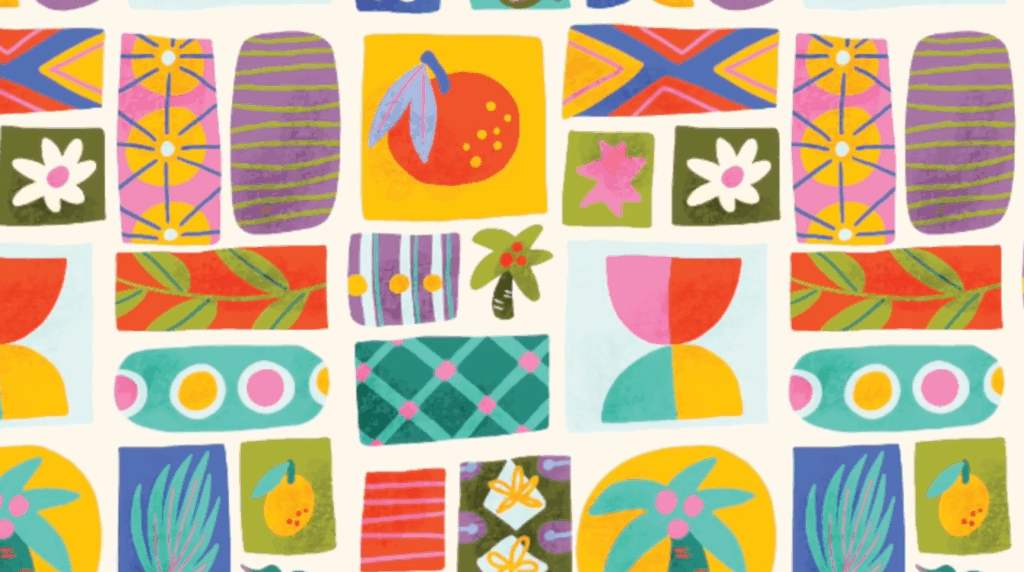
Patchwork patterns aren’t just your chance to make something trendy and colorful; they also show potential clients your ability to combine a range of colors and elements together into one cohesive creation. Designing your own patchwork patterns can also show your stylistic range, which could make it a standout portfolio piece for designers who value versatility and creative diversity.
In illustrator and surface pattern designer Kristina Hultkrantz’s class, 3 Patchwork Patterns in Procreate and Adobe Photoshop, you can make three different patchwork patterns to add to your portfolio or to use on your next client project. You’ll make a traditional patchwork pattern, an icon patchwork pattern and a bold, maximalist, “more is more” pattern.
5. Create Your Own Ogee Patterns
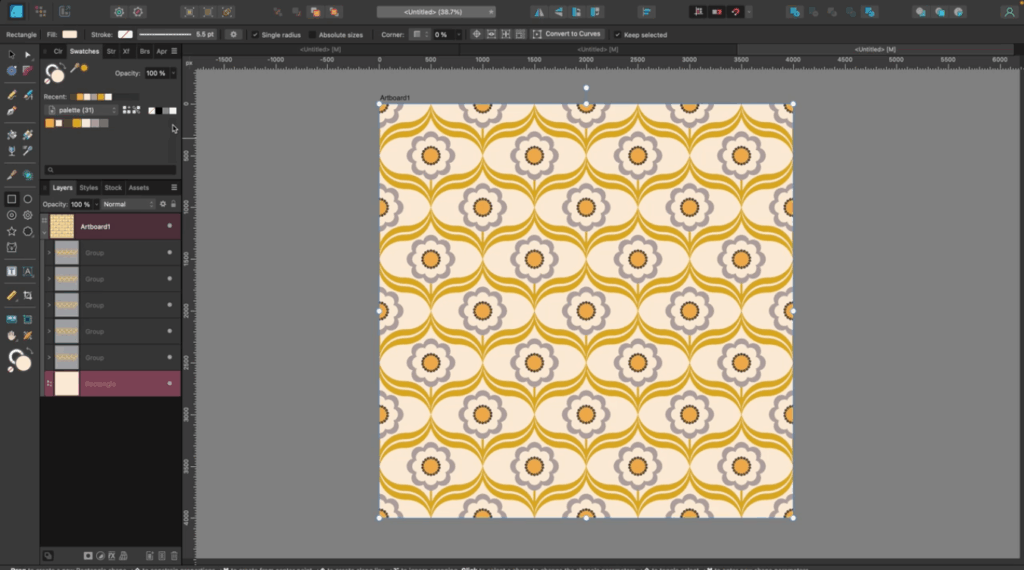
Even if the word “ogee” doesn’t mean anything to you just yet, you’ve definitely seen the timeless elegance and interlocking curves of ogee patterns on textiles, wallpaper and home decor at some point. By creating your own ogee patterns, you’ll learn how to break down complex shapes into simple, repeatable elements and create a professional and portfolio-ready pattern that countless professional designers use in their own work.
In Surface Pattern Design in Affinity Designer V2 | Ogee Patterns Three Ways with illustrator Tracey Capone, you’ll discover how to make three different ogee patterns by breaking up an ellipse into multiple curves, turning a straight line into a versatile ogee grade and using the shape builder to create any size ogee all within Affinity Designer.
6. Design Your Own Gift Wrap
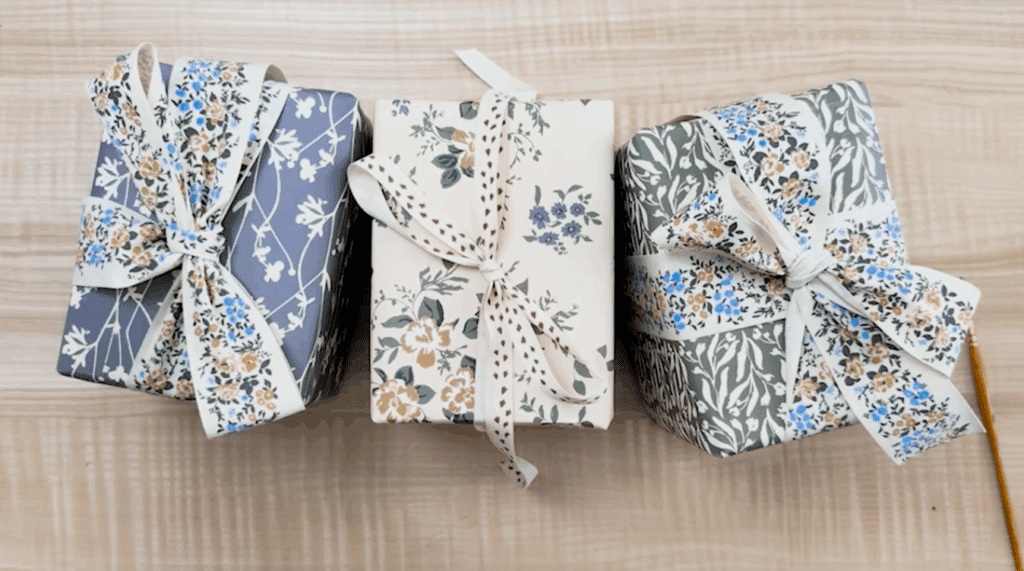
Creating your own signature gift wrap can add an extra touch of personalization and delight to any gift-giving experience, but it can also make for a fabulous addition to your portfolio or work as an add-on for other pattern-based client projects. Designing gift wrap can show your ability to build coordinating color palettes and create more diverse custom products.
You can learn more about adapting patterns to gift wrap and creating final creations that feel personal and marketable by taking surface pattern designer Bonnie Christine’s class, How to Design Gift Wrap: From Sketch to Print-Ready Patterns. This project also makes a great tactile addition to any physical art portfolio.
Teacher Tip: Explore Vintage Magazines and Books
“If you're looking for some inspiration for your patterns, one of my favorite things to do is to gather vintage magazines and books that have all kinds of fauna and local birds and flora,” says Bonnie.
7. Paint Your Surface Pattern
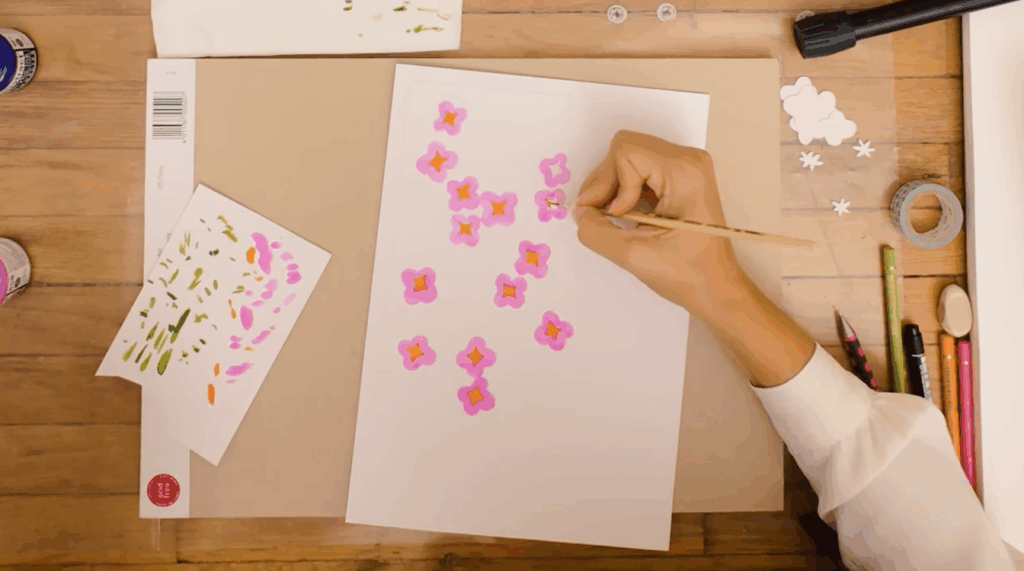
Surface pattern creation doesn’t have to be completely digital and devoid of any texture, and can have a handcrafted feel. You can design a seamless and repeatable pattern using just paper and paint. Learning how to illustrate a repeat pattern by hand can help you design a one-of-a-kind pattern and show any potential clients how you can merge traditional creative avenues with digital tools for a high-quality final product.
In Surface Pattern Design by Hand: Create a Repeat Pattern on Paper with Di Ujdi, you can learn how to make a texture-rich pattern that digital tools can’t fully replicate using paper, paint and Photoshop.
8. Create a Seamless Pattern Using Typography
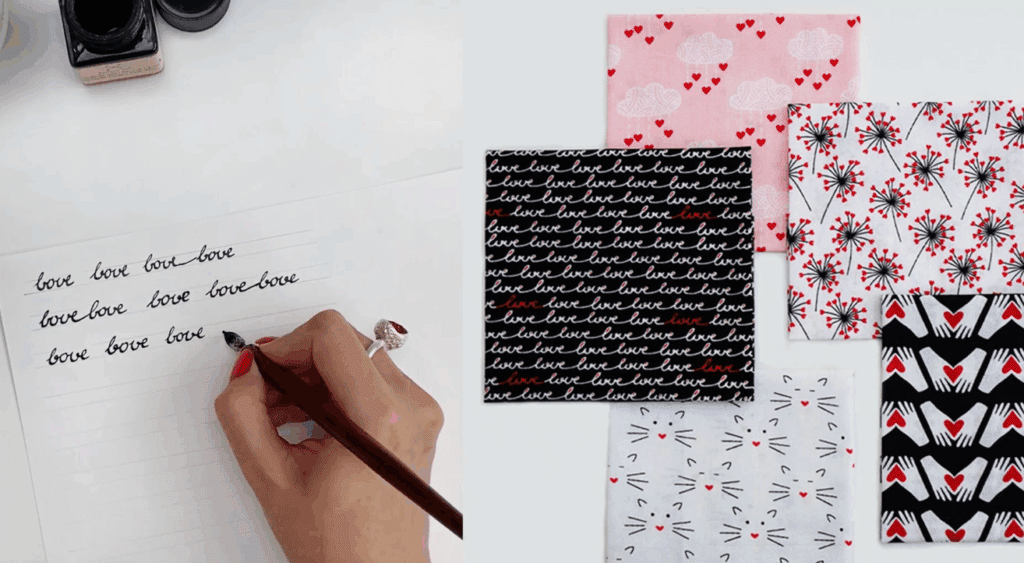
Patterns can be made with more than just icons and abstract shapes. You can use hand lettering to create a repeatable typography pattern that can pair easily with other patterns like florals and geometrics. In a portfolio, a typography pattern shows range, originality and an ability to work with different projects like textiles and stationery.
If you’re looking to attract diverse client work or add more offerings to your current pattern repertoire, you can try illustrator Maria Vashchuk’s class, Typography Pattern Design: From Sketch to Portfolio Ready Piece.
9. Design Organic Abstract Patterns
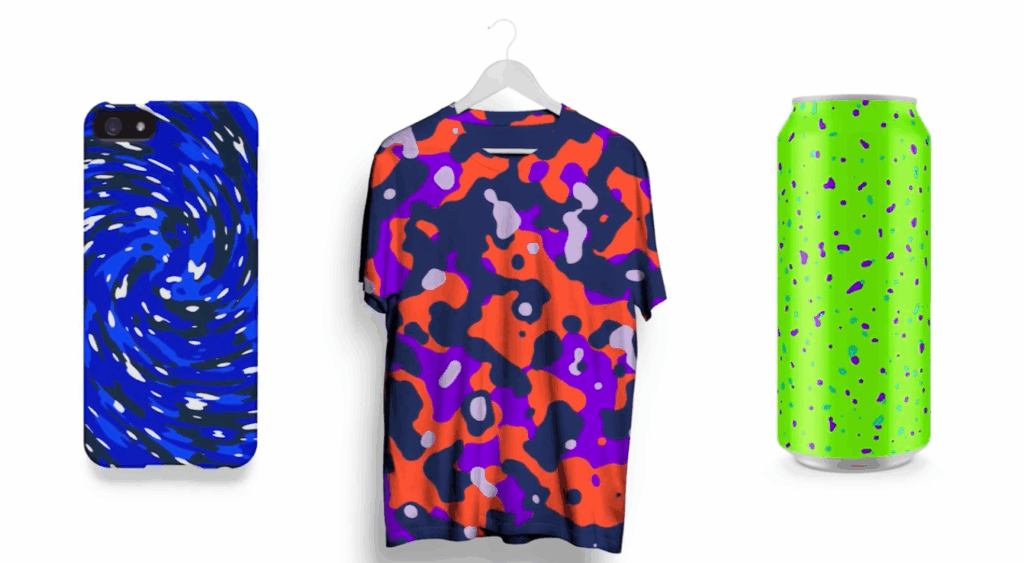
Organic abstract patterns are popular in high-end packaging, digital backgrounds and tech accessories. By learning how to create these fluid, unpredictable designs, you can show your ability to produce trendy and versatile designs that can meet a wide range of client needs.
In the world of modern design, learning how to make organic abstract patterns can help you stand out in today’s competitive design market. You can design an abstract pattern that’s entirely unique for you in the class Creating Organic Abstract Patterns in Adobe Photoshop by Evgeniya & Dominic Righini-Brand.
Dive into Your Next Pattern Project
Now that you have a few pattern ideas in mind, it’s time to start creating. Set aside some time in your calendar for this upcoming week so that you can commit to working on your new project.
You might be brainstorming for a new client or just looking to diversify your portfolio, but either way, exploring projects that are slightly out of your comfort zone or different from what you usually work on can help you expand your skills and discover approaches you might not have considered before.
Related Reading
Calli Zarpas
Producer & Writer by occupation. Ceramicist & Newsletter Editor by avocation.
Melde dich noch heute für eine Probemitgliedschaft an und probiere Skillshare 7 Tage lang kostenlos aus!
Jetzt starten- Unbeschränkter Zugriff auf jeden Kurs
- Hilfsbereite Online-Kreativgemeinschaft
- Offline lernen mit der Skillshare-App