Steam UX Research Report
Summary
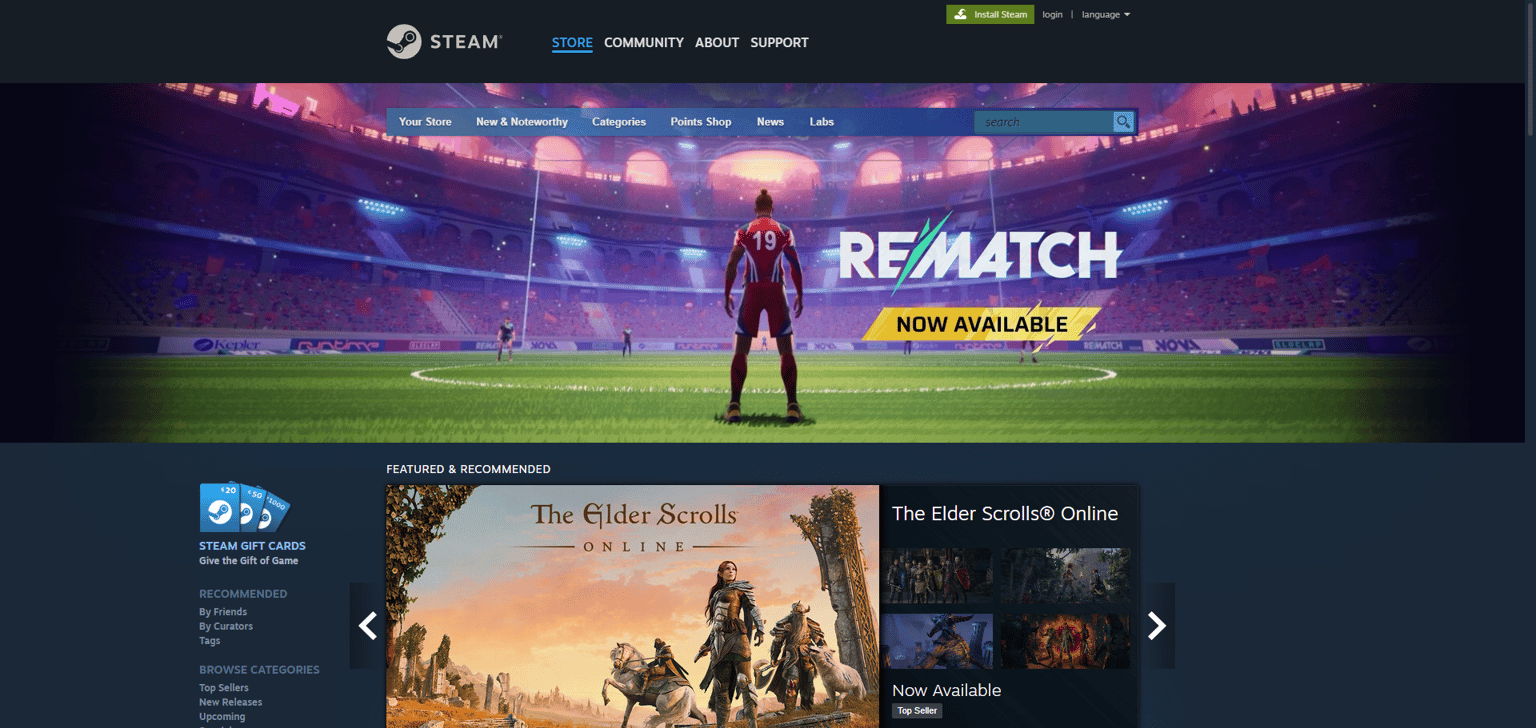
This report explores how people use Steam, what works well, what causes problems, and how to make it better for everyone.
Research Methods
-
Competitive Review: Compared Steam’s store and features with other game platforms.
-
User Interviews & Surveys: Gathered feedback from both new and experienced users.
-
Community Feedback: Looked at comments from Steam forums and Reddit.
-
Usability Tests: Ran tests where users completed tasks like finding games, using filters, and purchasing games.
Strengths
-
All-in-One Platform: Games, friends, community, workshop tools, and game streaming are all in one place.
-
Good Discovery Tools: Users find new games easily through tags, recommendations, and collections.
-
Social Features: Easy communication and multiplayer tools while playing.
-
Regular Events: Frequent sales and events keep users engaged.
-
Strong Search Tool: Users can quickly find games using search and filters.
Pain Points
-
Too Much Information: New users feel lost because there’s so much on the screen.
-
Confusing Navigation: Menus and buttons can be unclear, making tasks feel complicated.
-
Inconsistent Design: Different parts of Steam look and work in different ways.
-
Filter Confusion: Tag filters help experienced users but confuse beginners.
-
Slow Page Loading: Game pages and the homepage can take a while to load.
-
Accessibility Hard to Find: It’s difficult for users with disabilities to find info on accessibility features.
User Types and Journeys
-
Novice (New User)
Goal: Quickly find and buy a game.
Pain: Overwhelmed by too many options and unclear navigation. -
Expert (Regular Gamer)
Goal: Easily manage games, find deals, and launch titles.
Strength: Knows how to use tags, wishlist, and sale pages efficiently. -
Accessibility-Focused User
Goal: Find games that support needs like remapping or colorblind options.
Pain: Hard to locate accessibility info before buying.
Recommendations
-
Make the Interface Simpler
-
Group related items clearly on the home page.
-
Use clear labels and consistent buttons across the site.
-
-
Improve Onboarding
-
Add a quick guide for new users to explain key features.
-
Highlight main actions like search, wishlist, and purchase right away.
-
-
Standardize Design
-
Use the same look and feel across desktop, mobile, and console.
-
Refresh fonts, spacing, and menus to feel more modern.
-
-
Enhance Filter Experience
-
Make tag filters easier to find and use.
-
Add tooltips or examples so new users understand how to filter.
-
-
Speed Up Performance
-
Optimize page loading, especially for game detail pages and banners.
-
-
Improve Accessibility Visibility
-
Clearly show which games have accessibility options.
-
Add filters or labels for features like colorblind mode or subtitles.
-
Conclusion
Steam is a powerful and popular gaming platform. It combines social features, game libraries, and community tools very well. To serve both new and experienced users, however, it needs a simpler interface, better onboarding, consistent design, improved filters, faster performance, and clearer accessibility resources. Making these changes will help all users enjoy Steam more.