Transcripts
1. Introduction: Hello friends. In this class we are going
to discuss about one of the most interesting
topic, networking cables. The Internet is just
load of computer physically connected
using a lot of wires. And in our network
industry we have a lot of wires including
optical fiber cable, twisted pair cable,
and coaxial cable. In this video, we
will practically learn about how to
make a straight cable, how to make a cross k well, using Lambda crimping tool
and RJ45 connector also, we will learn how to test
cable using land tester. Besides this, in this class, we will learn how
these cables walks on Internet and how single mode fiber and multimode
fiber will work. How coaxial cable transfer their data into telephony
standard lines, as well as in television media. So happy to learn. Thank you so much.
2. Coaxial and optical fiber cable: Hello guys, welcome to our first class of
networking cable. In this class, we
are going to discuss about two important networking
cables which are used to transfer data inland
as well as in van. That cables are coaxial cable
and optical fiber cables. First, we're going to
start with coaxial cable. Basically, coaxial cable
is used to transfer data over the Internet with the
help of transmission signal. And it is used to transfer voice and video,
both communication. Basically, coaxial cable is made up with the
aluminum and copper. So this cable is basically used in the
standard telephony lines, as well as any television media. On the other hand, if we talk about
optical fiber cable, that cable is used for
long distances data. If you want to send high performance daytime
your networking technique, then you have to use
optical fiber cable. And commonly it is used for all the
telecommunication service. So let's discuss that
coaxial cable first. If you want to check that
detailed description, then you can see that diagram
of ZL cable, coaxial cable. You can check you have
seen that cable in television as well as in
standard telephone line. Because when you connect
your LED or television, then you can see there is a black cable on the
backside in BNC connector. That cable is known
as coaxial cable, and that black cable
is the plastic jacket. And if you remove
the plastic jacket, you will get one
metallic shield. And in-between the
metallic shield, you will get
electrical insulator. But the main data transfer is send with the inner conductor. It looked like this. All the data transfer
through inner conductor. But if you want to remove
the cross stroke effect, then you need to
shield this table with a dielectric insulator and metallic shield and
plastic jacket. On the other hand, if we talk
about optical fiber cable, optical fiber cable is the high performance data
networking technique. If you want to transfer your
data with the high-speed, then you can use
optical fiber cable. If you want to see
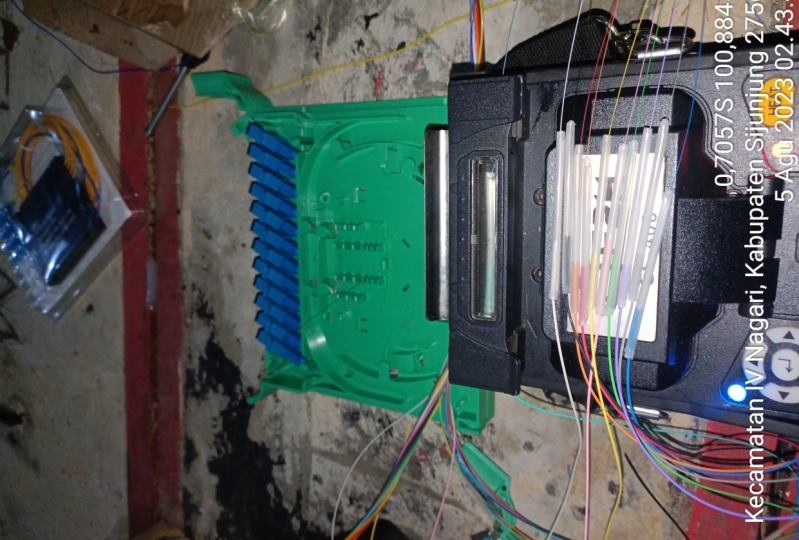
optical fiber cable, then I have that cable. This is called
optical fiber cable. Now I have single mode, which is, which I have
connected with my wifi modem. And my wifi modem is transferring Wi-Fi signal
to all over the media. In optical fiber cable. Same, we have outer jacket and we have strength
member would mean that basically this
optical fiber cable is where the core and
cladding technique, it is quoting same
as coaxial cable, but that strength of this
cable is core and cladding. It is a lightweight cable and it is sending data through
transacting lights. So optical fiber cable
is the fastest cable. It is also used in submitting. Also, if we talk about
types of optical cable, then we have multimode
and single mode. In multi-mode cable we have
single transactions of light, which is sending that data. But in multi-ported we have multiple cables in between that. So basically if you want to transfer data
over the Internet, you want to know that
concept of internet. Then you can check
submarine cables. Submarine cables are known as optical fiber cable and
they are the fastest cable. So in our next class, we are going to discuss
about that cable which is used within the premises
that is twisted pair cable. So, thank you so
much for this class.
3. Twister pair Cable: Hello friends, welcome again. In our cable lecture, in our last lecture, we have discussed about fiber optics cables,
coaxial media. In this lecture we are
going to discuss about twisted pair cable that is
used to connect in intranet. Intranet means like you
are going to connect to your on-premises
and twisted pair. We have two types of cables, straight cable and Cross Cable. We need to understand the basic concept of
street and cross cable. But besides this, we need to understand what is
twisted pair cable. So this is the
twisted pair cable and twisted pair
cabling is a type of wiring in which
two conductors off single circuits are
twisted together. Why they are twisted together? It is the purpose of improving electromagnetic compatibility. You can say twisted pair cable is used as a balanced line. And we have to talk about straight cable as well
as Cross Cable both. Okay? So let me start
with my straight. So it is a first type
of twisted pair cable. Straight cable is
basically used to connect different network
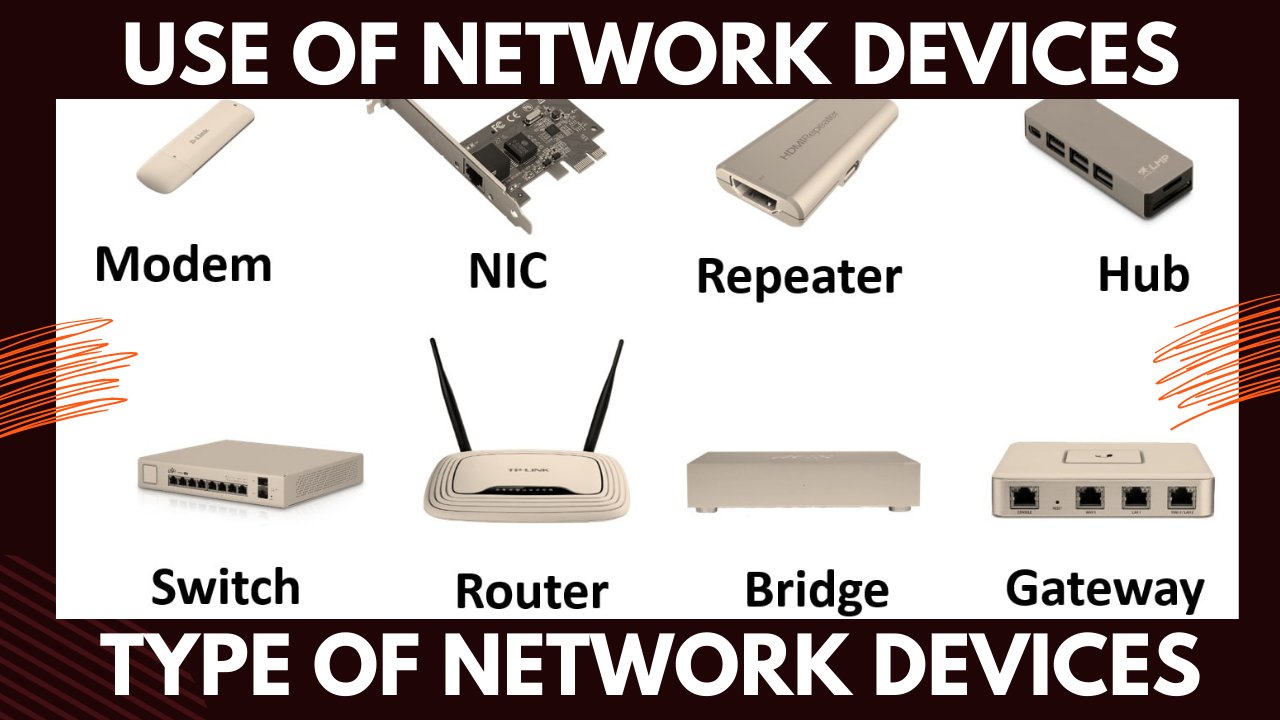
devices with each other. As we know, we have so
many network devices, like we have computer, we have laptops,
we have switches. Now for example, you
want to connect to your PC with the switch, or your laptop with your switch. And switch wants to
connect to the router. Now, if PC and switches
are connected with each other than they both
are different devices. For different devices
connectivity, we use a straight cable. On the other hand, if we talk about Cross Cable, cross cable is used to connect the same devices
with each other. For example, PC to PC, router to router and
switch to switch. But there is one special case. Yes. There is one special case. If you want to connect
to PC2 router, you have to use cross cable. Now. Now you can say that
PC and routers are the different device than they should have connect
with straight cable. But the land cut off PC and
routers are almost same. So that's why PC2 router we
have to use cross cable. Now, what does that color-coding
used in this great evil? So now we have to discuss about straight
cable color-coding. So if you check this table
now in my next class, I will practically explain this, but we need to learn the theoretical concept also
how this cable is made. So we have eight cables, including the four colors. I will write on my whiteboard. That is orange. But starting from orange and white and one cable is orange
and one is orange white. And second is orange. Third is green, white. Fourth is blue. 50s. Blue, white, green,
brown, white, and brown. These are the eight cables
and why these are called, which should be a
given because orange, white and orange are
twisted with each other. Green, white, and green
twisted with each other. Blue, white and
blue twisted with each other and round white and brown twist with each other. I already told you for
electromagnetic effect. Now, if you want to
create a straight cable, then if you have used, on this side, I'm color-coding. And on the other hand, the second end of connector, you are using same color-coding. Orange, orange, green, white, blue, blue white, green, brown, white, and brown. Then this is not coding
for straight cable, which is used to connect different devices
with each other. On the other hand, cross cable is using the same color coding. On one side, like if
you start from scratch, then same as the straight cable. You are going to
start with orange white, orange green, white, blue, blue, white, green, brown, white, and brown. But in cross k, Well, we need to cross the
cables like cross. Okay, so we have to use
one simple formula, 1326. Like 1326, what is
the meaning of 1326? If you replace your
first cable with third, then there is a
crossing between them. Third cable is on the
first place, green white. And the first cable is
on the third place. Orange, white. Same as if you replace a second with the
66 width setting. Second. That is green
and orange, rest. All other cables
remains the same. Blue will be on
the same position. Blue, white, brown,
white, and brown. This is not coding
for cross cable. Now, on the other hand, we have straight cable
as well as cross cable. And one more coding is also
there, rollover cable. But rollover cable is not
that twisted pair cables. Some people think that we have to change the coding
for rollover cable. Rollover cable is used
to configure the device. So these are the straight
cable and Cross Cable codings. In our next video, we will practically make
straight cable with the help of land crimping tool and
with the RJ45 connectors. So thank you so much.
4. Practical Cross and Straight cable: Hello friends. Welcome to our practical
Making class of cables. In today's lecture, we
are going to discuss about how to create land cable, including straight
and cross cable. In my last class, we
have discussed about the theoretical concept of straight cable and cross cable, in which we are discussing
about that straight cable is using same color-coding
on both ends, but in cross cable
you have to use 1326. So today I'm going to let
you know about how to make this cable for
making this table. First of all, we need
a land crimping tool, which is used to cut that cable and it is
used to peel the cable. After that. When we made that cable, we need a land tester. After in this land pesto. After making that table, we can test that
cable like already. I haven't cable. So before going to
start practical, I will show you the first cable that is already made by me. So in this case,
we can test that k. But like if all the
links are blinking, then it means all the
cables are working. But if any cable link is missed, then we need to make
the cable again. So I have Cat six cable
because we have Cat5 cable, CAT five cable and categories six cable nowadays we are using characteristics. So first of all, what I will do, I will use the
land crimping tool and I will cut this connector. Now, this is not usable again, it is not reusable. I have so many land
crimping tools as well as so many
RJ45 connector. So I can use RJ45 connector. So same as we have to
first build this table. With the help of land. Two. I have to remove
this gray part. This is the outer
jacket off table. Now when you check this cable, you can check that there are four pairs of cables for pairs. Four pairs, one is
orange or any white. One is blue, blue,
white, one is brown, brown, white, and one is
green and green white. So that's why it is called
twisted pair cable. Now we have this white
shield in between this, so I don't need it. I will cut this. After that. I will arrange the port. So I'm arranging the
cables for RJ45 connector. So again, if you want to make
straight gable than coding, you remember in my last video, I have told you about
orange, white and orange. After that, green,
white and blue, blue, white and green, brown, white and brown. So I'm using these cables. After that, I'm going
to cut the part, some part of cables. Now I need RJ45 connector. Rj45 connector is used
for land cables and RJ 11 is used for its
standard telephony lines. I'm using this. You can check, I'm starting from my right side, left side. From the left side, I have to start
orange bright orange, green, white blue, blue, white, green and
brown, white brown. So I have too little
bit tight this cable and now it is the
time for crimping. This part is used to crimp. You will check there
is a sound, tick. Tick sound will come. It means your cables are connected and your
connector is John. On the other hand, same as I have to cut this. Again, I have to peel this. It is the same process
that I have done. It is very easy. You just remove the outer part, you just remove the white part. And when you remove
the white part, again, the same process. In the same process, what do you have to do? You have to rearrange
the cables because have a coding and this color-coding,
orange bright orange, green, white blue, blue,
white green brown, white brown is given by ISO, International Organization
for Standardization. If you want to make
a straight cable, then both the codings
will remain same. So I'm using orange,
white, orange, green, white, blue, blue, white, green, and brown white wrong. So what I will do, again, I will cut the some
part of cable. Again, I need RJ45 connector. Same as I have used
the last one part. Another part, I'm adding this
RJ45 connector and cables. Press this and after
that, crimp this. Now they are connected. Now we have to check that these cables are
working fine or not. So again, I'm using
my cable tester. One part is in this second
part is in this yes. Yes. You can check 12345678. All parts are blinking
sometime it may be lose, but all the parts are blinking. If all the parts are blinking, it means your cable
coding is good and it can be used to
connect different devices. Now, I want to make cross cable. Now I have a straight cable. I want to use this
cable as a cross cable. For cross cable,
I'm going to remove the one connector only because on the one side you have
to use same coding. I'm cutting this. Again. It is very easy. Again, remove the gray white
jacket, outdoor jacket. Okay. So outer jacket is removed. And after that again, the same process we have to
follow nothing different. But in cross cable, what you have to do, you have
to change the coding also, because in straight
gables, same parts, orange bright orange,
green, white blue, blue white green brown, light brown was used. Now on this side we
have to use 1326. What was the meaning of 201326? In our last video, we have
discussed the meaning of 1326 is that first cable will
be replaced with the third. Now, on the other side, I have used orange, bright orange, green, white, blue, blue, white green, and brown, white brown. Now I have two startswith. Third cable is green, white, green, orange white. After that, blue, blue, white. And instead of green, we have to put orange,
brown, white grown. 1326 means first cable I
have replaced the way the third and the second cable
I have replaced with six. Now the coding is green
white, the green, orange, white, blue, blue, white, orange and brown, white, brown. Again, I have to cut this. I need again RJ45 connector. I have to put same process
you have to follow. Now, you have to
cut this and this. So now your cross k will is taught or now
you can check here, green light green,
orange white blue, blue white, orange
brown, white brown. Now you want to check again
with land land tester. You have to take this. Yes, you can check. One is blink with the third, and the third is blink with 1. Second is linked with sixth. One is blinking where third, second is blinking
where the sixth. So it means my cross
cable is ready. So these are the bolt cables
which are used to connect the same devices and different
devices with each other. Thank you so much.
 Balvir Singh Chahal