Transcripts
1. ChatGPT for YouTubers: In this course, we're
going to walk through two different YouTube videos
into different fields. And I'm gonna show you
how to use chat GBT to create your keywords, titles, thumbnails, descriptions, and even community post
from these videos. If you want to get started
with how to create, even create your content ideas, or even your niche. I would check out my chat GPT for content
creators course first. That link will be in
the class details. But if you've already
gotten your content ideas, you have your YouTube video and you're ready
to get started on using chat GBT to make the
publishing process easier. Let's dive into this course now.
2. Keyword Research: So once you have
created your video, the next thing we
wanna do is really focus on what keyword should we be targeting for that video to perform well in the
YouTube algorithm? We're going to cover
certain prompts that can help you
figure out what keywords you want to
focus on for that video. So one example is to just as Chat GPT for certain keywords
that people would surge. In my prompt, I told Chuck GBT what I made a YouTube video
about in this example. It's to remove a strip screw. And then I said, can you
suggest ten keywords that people would
search on YouTube for? That would be good for
my period to appear for. The reason why I'm doing this, instead of just saying what are ten good keywords is whatever
it's ten good keywords. Chat GBT doesn't know that what you're really looking for is to SEO or even necessarily
the best to SEO. So I specifically want keywords that people
are willing to type and then I would be
able to appear for that. So it gave me ten keywords here. How to remove a strip screw,
screw extractor tools, DIY screw removal, screwdriver tips and tricks,
broken screw removal. These are things that
people may be searching for that need to find your video on how to remove out a strip screw. Now, you don't necessarily need to try and optimize
for all of these. But I would say in finding
three to five really good ones that you want to optimize your
video for is a good idea. Now as a second example, to be able to find
your keywords, I'm going to use video captions. For me. I used a script to
edit all of my videos and that automatically gives
me the captions for it. And I will leave a link
to touch a beauty and described in the class details. When I'm going to do
is open a new chat. Every time you're talking
about a new video, you want to open up a new
chat so that it's now cooling the previous
information into the new chat. I'm going to ask it
something very similar way you can see I did here
is I literally just pasted in my caption from this particular video
and output top, my prompt was, can you suggest t ten keywords that people
would search for on YouTube, that the below video captions would be a good search
result for you. What I got is this
particular video is about four tools that you can use
to find research articles. If you're a researcher or
research articles software. These are the four
tools I talk about. Organizing research articles,
literature review tools, citation management tools, and even efficient
research techniques. Again, these are
really good ideas for things that I could be
using in my video title, my video description, all of those things to help
it rank in search. So now that we have
our main keywords, we're going to jump over and
start working on our titles.
3. Titles: Now we're going to come
back talking about the video of removing
a strips grooves. So for this one, I haven't
actually created this video. So I'm not gonna
be able to give it a video captions or
anything like that. So this is gonna be R1 with us just giving it information. And then our other video
about research tools is gonna be R1 for if we actually have video
captions to use. So I'm just simply
going to ask it to suggest some titles that
I could use for this video. So because in a chat, chat GPT can remember
everything above, all I have to do is tell it
to suggest for titles for this video because it now remembers the previous
information you've given it. And if you need to move to a previous chat and
you can always look on your left-hand panel and go to the specific chat
you're interested in. So you can see here that it gave me four different
versions for this title. How to remove a strip, screw, strip screw removal, the ultimate guide to
removing strip screws and say Here project how to remove
strip screw in seconds. So you can see that three of these titles have
very similar structure. It has a kind of initial title and then a colon and then a subtitle
included in it, which can be really
helpful to use. You may want to have
a different kind of feels for this title. A better way to ask
it for titles is to ask it to create
specific versions, but then tell it what
those versions are. So for this prompt incentive, asking it force for
specific titles, I asked it for four lists of titles and each list should
contain four titles. So ultimately I'm getting
16 titles from this prompt. And then I tell it
specifically for each list, what should those titles
include or how should they be for added to create your
sentences on different lines. Just hold Shift Enter and
then you will actually create a new line instead of sending
the prompt into chat GBT. I said for the first list, please include titles
in a listicle format. So I got things like
ten hacks, five, tools, seven, common mistakes, and three, creative solution narrow. You may have created
Warren video on this, but now looking at
this, you might think, Oh, I could make these
four different videos. So you can also
maybe come up with some ideas for your next video. But you can kind of figure out what's the best one
that works for you. For the second one, I said please make
titles that feel urgent and target the
audience emotions. So don't let us strip screw
ruin your DIY project. The shocking truth about strip screws and
how to fix them. Time is running out quickly
remove strip screws with these tips and you
won't believe what happened when we tried to
removing a strip screw. All of these, you can almost see common
like templates if you watch YouTube videos of other people who use these to play on your
emotions to get you to watch the video because you feel like everything's
going to fall apart and it's really an emotional reaction instead of a logical reaction to the video. Now with how to, how two's are really great
for appearing in surge. And so you can say how to remove a strip screw with
household items? I would probably
watch that video. How to remove a strip
screw in seconds. How to remove this strips
grow without damaging your material and how to remove
a strip screw like a pro. Obviously, these are
also similar ones to what would probably be that
you would find on YouTube. And it goes past just how
to remove is strip screw. Then the final one
is serious until the point just like
Give me the goodies, The Ultimate Guide to
removing this trips groups. So that's similar to the one up here that they gave us before. Diy E101. How to remove a strip,
screw strips grit removal, what you need to know and the do's and don'ts of
removing a strip screw. Now you can probably get another five to seven video
ideas just from these titles. But knowing you have a
way of saying, Okay, which of these titles really fits the video that I created? If you like, multiple
of these titles, you can actually ask it
to combine them together. So let's say we really
likes number four. And this one up here, number one, copy them. I'm going to say. So I just asked it to combine these two titles and
copied and paste it. You could try to say number four from serious
until the point, and number one from urgent
and emotionally targeted and sometimes stretchy
PT does a good job of this and sometimes
it really does it. So now it says the do's and don'ts of
removing strip screws. Don't let it just combined it together, like separated apart. And I want it instead to
really combine the notions. In this case, since the first thing it gave me wasn't really what
I was looking for. I said instead of adding
the two titles together, I would like one that combines the field because that's specifically what
I'm looking for. And then I get this expert
tips to save your DIY project. The do's and don'ts of
removing strips grows. And that kind of combines
together these two titles here. So now all the separate example, let's jump over to our
previous one where we actually had video captions. I'm going to take that original. Can you create for
list of titles for this video and copy and
paste it into here. So it generated and given
a list L of a CICS team at different titles that have
four different versions. So we have a listicle, so four must have software
tools for efficient research. These for software tools will revolutionize your
research project. Maximize your research
efficiency with these software tools
and game-changing. Afford tools for
literature review, urgent and emotional Tidal, stop wasting time on research. Revolutionize your research
process, shot process. Don't let inefficient
research holds you back and save time and increase productivity with
these tools, right? These are meant to make
someone feel emotional and feel like they're
missing out how to titles. So these three are the specific
softwares that I cover. It's actually these are probably three different
videos that I should make and not necessarily
titles for this one, but this last one, how to streamline your
research process with these four tools would be a good title for
this specific video. And then serious
and to the point, software tools for
research efficiency. Maximize your
research potential. Organize your research like a pro and efficient
research made easy. So again, you're getting a lot of different
fields and you can kind of look at what title
actually feels right, and which one should you use? So once you choose a title, we're gonna move on to
let check your duty, create our descriptions
because we know none of us really want to be
grading those descriptions.
4. Video Descriptions: In this lesson we're
talking about for all to now create
our descriptions. I have gone back to removing a strip screw to start
with this example first, you can start with
the very basics of just asking it to
create a description. So it generated a really
quick description for me, are stripped screws
derailing your DIY projects. Don't let them. In this video, we'll show
you expert tips and tricks. We're removing them from household items to
specialized tools. We'll cover everything
you need to know, learns the do's and don'ts, and whether you're working with any of these we've
got you covered. So you're probably going to need to edit whatever
description it gives you to make sure
that you're actually talking about those
things within your video. If you're not talking
about wood, metal, and plastic, don't include
this sentence in there, right? But this is really
just the start of where you want to start
with your description. Now, we asked for the
potential keywords up here. So I'm now going to
copy some of these. So what I did is I asked, can you rewrite this
description making sure it's likely to appear in search results for
the below keywords. So they've copied those
keywords from above, removed a couple that I didn't
want it to optimize for. And it rewrote a description looking for tips on how
to remove a strip screw. Whether you're a DIY
enthusiasts or seasoned pro, dealing with strip screws can be frustrating and this video will show you a variety
of screw extractor tools. So it pulled in
that keyword there, DIY screw removal methods. So it's pulling in that
keyword there and strip screw hacks that you can use to remove stubborn
screws in no time. Learn screwdriver
tips and tricks that will make the
process much easier and discover how to remove screws without power
tools will even cover dripped screw repair
and removing rested screws. So this has no making sure that you're including
those keywords in where this one didn't have it had strip screw and
strip screw removal, but it didn't have a lot of the other keywords that
we wanted to focus on. Now, personally for me, I didn't really have a one-sentence
description and then I have a longer
description after I have the different links that
were covered in the video, I'm going to ask it
to do the same thing. I'm asking it to create a
one-sentence description. And this is basically
what's gonna go The very first sentence
of my description box. This allows for someone who's looking at my video
through surge. They're gonna be able to see this one-sentence description. So say goodbye to strip
screws and hello did DIY of success with our
expert tips and tricks, learning how to remove it
easily with household items, specialized tools
and techniques. I'm gonna go to
YouTube real quick, going to come in here
and put in strips grow. So you can see that you get a little sentence here of the first sentence
of the description. So that's about as
long as probably, maybe this part, I might ask
it to make it even smaller. So that's section was
about 87 characters. So I'm going to
ask it to make it small enough that it's
an 87 characters. I'm not asking you to
rewrite the sentence so that it's 87 characters long. This will make
sure that it does. The entire thing will appear in that description section under the videos when
people search for it. And so now if we take
this little section here, we can see, is it actually, this is actually 145
characters long. If we take out that
part, we get 118. So we know that at least the very first part
is going to show up, but the entire thing is
actually not going to show up. So it didn't do a great
job with that here. Then we're going to jump over to our other video example
on research tools. And because we actually
have video captions here, this is going to go a
little bit differently. So I've given, it basically asks the same
thing I asked before. Can you please write a YouTube
video description that will help it up here and
search for the keywords below. And I pulled those
keywords again from this keyword
research it did up here. But now that it has so
much more going on in it, you're going to see that
you're going to get much longer descriptions if you give it the video captions, instead of just giving it
what the video is about. So you can see
it's talking about the different tools that
I cover and it can eat. Because I talked about
those tools in the videos. It knows what to suggest
for those tools, and it includes those in here. This part is a promotion that I had in my video
and a bonus tool. And then it's
optimizing for some of the other tools
down here as well. So now I'm going to ask it to give us that
one-sentence version. I'm asking it now Kenny suggests a one-sentence description of the video that will get
people to click on it. And now I'm specifying it a little bit more
than last time. It cannot be more than 87 characters long,
including spaces. So officially organize
your research articles with these for free tools. I'm going to copy this and
just check it real quick. So you can see this is
77 characters long. This prompt actually
did get it to meet that limit so that you can
have a really good hook. Basically that not only
the title and thumbnail, but also that first sentence
of your description can also help you to get people to actually
click on your video. Now that we have
our description, we're going to jump over
to you if thumbnails and how we can use chat
GPT for thumbnails.
5. Thumbnails: So now I only want to
work on our thumbnail. And obviously touchy
PT is a chat bot. It's a language model. It is not made for images. So how can picture GBT really
help us with our thumbnail? And if we just ask it
to create a thumbnail, it's not going to do a good job. So here we see it tells us just a few images or
something like that to use. If we know on YouTube, this probably isn't
the best way to do it. So instead, I'm going to
ask it to generate a couple of tables with
different elements that we would want
in our thumbnails. So instead what I'm
asking it ischemic create three different tables with information about for YouTube, thumbnail ideas,
each for this video. So you can see here it's
saying thumbnail idea, background image and text
overlays the first one. So I simply asked it to include an idea for the
background image and three to five words
that would be overlaid. So a frustrated hand holding
a strip screw with the words removing strip screws or
no more stripped screws. The second table that I asked it for is more of
the typical thumbnail where you have a
background color and then you have the creator
on it and some texts. And so this says something like a light blue
background color with the close-up of the
Creator Space and says experts grew removal tips. Or the creator holding
a script screw that says Solving strip
screw nightmares. Then the final one is
a solid background, a creator image,
an overlay image, and a text overlay. So if you have a gray
background color, a creator holding
the screwdriver, a close-up of a strip screw. So you'd have the crater
holding a screwdriver. Then next to it will be a
close-up of a script of a strip screw and then say goodbye to
Scripture strip screws. Personally, I'm not creating
these four different ideas. So that I'm gonna go
straight across and say, yeah, I want this, then this, then this, then this. I'm doing this so that
it gives me all types of potential ideas
for creator image, overlay images and text image, and even just background images so that I can think through what might be the best thumbnail idea for this particular video. So now what I'm gonna
do is show you how to do the same thing whenever
you have video caption. So I'm just going to copy
this same prompt up here. And I'm gonna go over into my other video and paste it in. Now remember, because this
one has a video captions, it has a lot more things than just the description of
the video to go off of. So it might be able
to include things like the different tools that I'm actually using
and things like that that couldn't be
included before. So you can see like e.g. it includes icons
of these things, which for what I actually did, I had a creator image may
holding up the number four, I included icons
of these things. And then I think I said like literature review tools
or something like that. So this is a way
that you can figure out what's an overlay texts
that might be helpful. What's a creator image? Just a smiling face, maybe holding a laptop,
pointing a camera, reading a book, writing, working on a computer, posing with a research book. So a lot of different
ideas that you can have if you're just stuck on what
you actually want to create. And then you can even do
it with just a background, like a stock background
photo with text on top too, if that's more of your style. Once you take your thumbnail
idea and create it, you've done all the
things that you need to do to actually upload your video and most likely
get it to appear in search. So the next lesson we're going to cover is
actually how to take your video and then create community post that promoted and help grow your
channel that way.
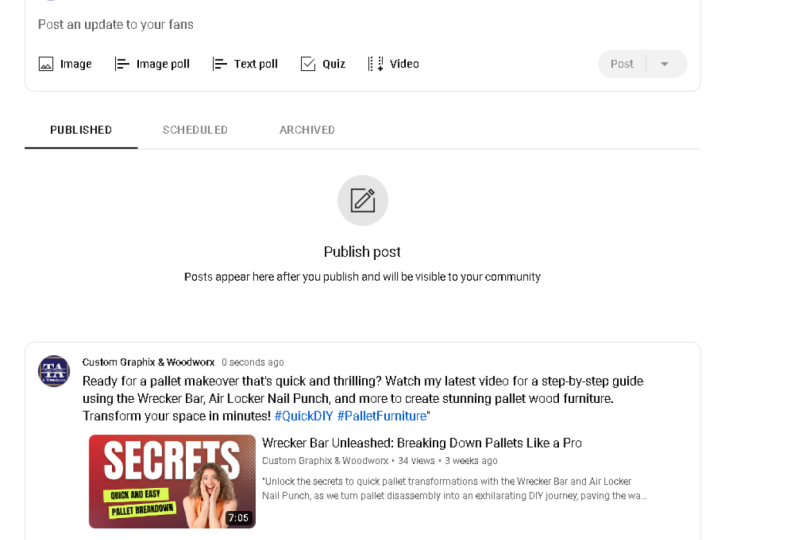
6. Community Posts: So now that we have our video, it's ready to go live. Let's talk about
community posts. So if you don't know on YouTube, you have community posts where you can post
things like poles, images, even post that. You can attach your video
to promote your video out. So now, whenever
we're dealing with the video idea about
removing strokes screws, we can now have chat GPT, create some community
post for us. So I created a prompt that said, can you suggest five
YouTube community posts to promote this video? Two are going to be polar. So this allows us to
pull our audience. So it gave us something like, what's your go-to
tool for removing strip screws and there
are some options there. And have you ever
accidentally stripped of screw while doing
a DIY project? Some more options. So these could be
good as like before you actually create the video, maybe doing this one. And then you can even talk about the answers to the
poll in your video, or even before, after
you've launched the video, you can do this one. And then when people respond, you can always have
a comment that says go check out this video. Then the other three
are announcements. So these are just
gonna be texts that includes a link to the
video within that. So attention DIY enthusiasts, if you ever struggled with
removing a strip screw, this videos for you learned
our expert trip tips and tricks for removing
stripped screws without damaging your project. Strip screws, ruining your
DIY projects checkout, our latest video to learn
the best grew removal hacks. And are you tired
of struggling with scripts, groups,
stripped screws. Our latest videos here
to help watch now, to learn how to remove
strip screws with ease. Now I asked it to
provide me three, but I don't actually plan
on using these three. I would maybe pick one to two, depending on your
specific audience, and then have one go live
when the video goes live, and maybe another one go
live about 12 h later. So it's something
new in their feed, even if they are like get on YouTube 12 h afterwards
or something like that, I wouldn't have a ton of announcement post within
your community posts just promoting the videos
because that's also getting put onto your subscribers
feeds and stuff like that. So there it is,
how you can do it. Get some ideas for community
posts to help you promote. And community posts have also been known to have
organic reach. They reach people who are not just your actual subscribers. So especially poles where
people want to give their answers can actually get around and get
you more subscribers. Now, I want to do
something similar for this research software
recommendations video. But it's gonna be a little
bit different because we actually still have the
video captions in here. So I can actually have
it pull quotes and other things that may be
helpful to my audience, even if they don't
watch the video. I don't wanna do that for
my removing strip screws because then it's going to
give me generic quotes. And then what specific
things that I would say are related to
my experiences. Here, I did something
similar to before. So I said kidney create TIN,
YouTube community post. Two are going to be pulled
so similar to before. I'd like to to be announcements. And then the last one I said
is I would like six to be quick lessons or tips that
I cover in the video. So this is a little bit different because it's
actually taking some of the information from
my video and allowing them to find it without
ever clicking on my video. So I hit Options like poll, What's your favorite
research organization tool vote now, so taro notion, research rapid and elicit
those were the four I covered in my video
announcement, discovered the most efficient
research techniques with my latest video. Click here to watch
now, quick tip. Don't waste time organizing
research articles. Learn how to use software
to streamline your process. That's a really,
really quick tip. How to use a citation manager to simplify your literature
review process watch now to learn more. Not relevant to exactly
what I'm saying. Whenever I'm doing
this, I'm always asking for more than I
actually want to use because I know it's not going
to give me exactly what I want what I would probably
do from Mrs. use one pole, one announcement, and then maybe two to three of the
quick ticks, quick lessons. So this is again how to use Zotero citation feature
to effortlessly create. So like that is like
more of a question. I need to actually
tell them how maximize your research
productivity with notions powerful note-taking an
organization features. That's a pretty good one. Learn how to use. Again. I would instead say, you can use research rabbit
to quickly find an organized, relevant research articles
for your lit review. You may have to change how some of these are
phrased to really make them make sense as
a community posts that's actually giving
value to people. And then in your
first comment or so, you can always the end state. If you're having
issues with this, watch this new video on this. So overall you can
use shattered beauty to take your video
and expand it out so that it's just auto creating basically different
community post for you, different descriptions, your
titles, thumbnail ideas, and even the keywords
you want to rank for, for that video to
help you hopefully create more videos
and with less effort. So now you can use chat GPT to create
these community post. And you can even ask it for more or less community posts based on what you're
actually interested in.
7. Organize Your YouTube Videos: Thank you so much for watching
this course and I really hope that you're now able to use chat GPT at
for your project, which is basically using
it to create all of these things for one of
your own YouTube videos. If you enjoyed this course, it would really help me out. If you would leave
me a review below to let other people know
how this course is doing. And if you wanted to go further, you can always check out my chat GPT for content creators course. This course is
specifically going to help you figure out
what your niche and actually create out your content and your
content buckets. We create a year's worth
of content in that course. I will leave the link to that course in the
class details below. The other courses that might
be helpful or my Notion for content creators course
and Notion for you too. If you want to organize this
information within a system, you can check out those
courses that will also be in the class
description below. I really hope you enjoyed this course and if
you wouldn't mind, take a few minutes to
leave me a review below.
 Alana Rister, Content Creator and Data Scientist