Storyboard Fundamentals for Instructional Design: Plan and Structure Effective Training
 Dimple Sanghvi, AI Consultant, Lean Six Sigma Master Black Belt
Watch this class and thousands more
Watch this class and thousands more
Lessons in This Class
-
-
1.
Storyboards and eLearning
1:38
-
2.
What a Storyboard Really Is?
1:39
-
3.
Storyboard Source Material
2:40
-
4.
Storyboard Purpose
2:25
-
5.
Storyboard Elements
2:55
-
6.
Storyboard Approaches
2:07
-
7.
Tools to Create Storyboards
1:02
-
8.
Templates That Save Time and recap
2:34
-
-
- --
- Beginner level
- Intermediate level
- Advanced level
- All levels
Community Generated
The level is determined by a majority opinion of students who have reviewed this class. The teacher's recommendation is shown until at least 5 student responses are collected.
31
Students
4
Projects
About This Class
Storyboarding is one of the most important steps in instructional design and eLearning development. Before building slides, recording videos, or developing interactive content, designers use storyboards to organize ideas, structure learning experiences, and communicate clearly with stakeholders.
In this class, you will learn how to create effective storyboards for training programs, online courses, and eLearning projects. The course begins by explaining what a storyboard really is and why it plays a crucial role in transforming raw content into structured learning experiences.
You will explore how instructional designers gather and organize source material from subject matter experts, documents, and training requirements. From there, the class explains the purpose of a storyboard and how it helps teams visualize content before development begins.
As the class progresses, you will learn about the key elements of a storyboard, including learning objectives, narration, visual design, interactions, and learner flow. You will also discover different storyboarding approaches used in modern course design and how instructional designers choose the right method depending on the project.
The course also introduces practical tools for creating storyboards, along with templates that help designers save time and maintain consistency across projects. By the end of the class, you will understand how storyboards help align instructional designers, developers, subject matter experts, and project stakeholders.
Through examples from corporate training, HR programs, compliance learning, and operational training, this class demonstrates how storyboarding helps convert complex information into clear learning experiences.
By the end of this class, you will be able to:
• Understand the purpose of instructional design storyboards
• Identify the key components of an effective storyboard
• Organize source material into structured learning flows
• Explore different storyboarding approaches used in eLearning design
• Use tools and templates to create efficient storyboard documents
• Communicate course structure clearly with development teams
This class is ideal for instructional designers, corporate trainers, HR professionals, L&D specialists, educators, and anyone interested in designing structured learning experiences.
No prior instructional design experience is required.
Meet Your Teacher

About Me
I am dedicated to empowering individuals to unlock their potential and make a meaningful impact. As a Consultant and Independent Director on a Corporate Board (NSE & BSE), I bring a wealth of experience to my roles, including being a Lean Six Sigma Master Black Belt and a Leadership Coach & Mentor. My expertise extends to AI, ML, and Data Science Coaching.
Let's connect on LinkedIn for professional growth and networking opportunities https://www.linkedin.com/in/dimplesanghvi/ to explore opportunities for professional growth and networking. I often discuss topics such as #ChatGPT, #DataAnalytics, #CoachingBusiness, #StorytellingWithData, and #LeanSixSigmaBlackBelt.
Join my Telegram channel to embark on a journey through Lean Six Sigma and Storytelling. Here,... See full profile
Hands-on Class Project
In this project, you will create a simple storyboard for a short learning module. This exercise will help you practice organizing training content before development begins.
Storyboards help instructional designers visualize how a course will flow, what learners will see, and how information will be structured. By creating your own storyboard, you will understand how designers transform raw content into a clear learning experience.
Step 1: Choose a Training Topic
Select a simple topic that could be taught in a short lesson. Examples include:
-
Time Management Basics
-
Customer Service Best Practices
-
Workplace Safety Awareness
-
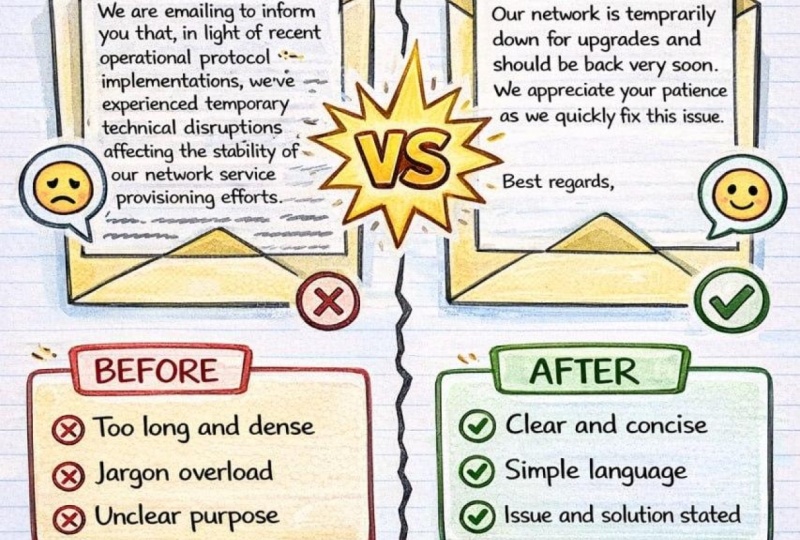
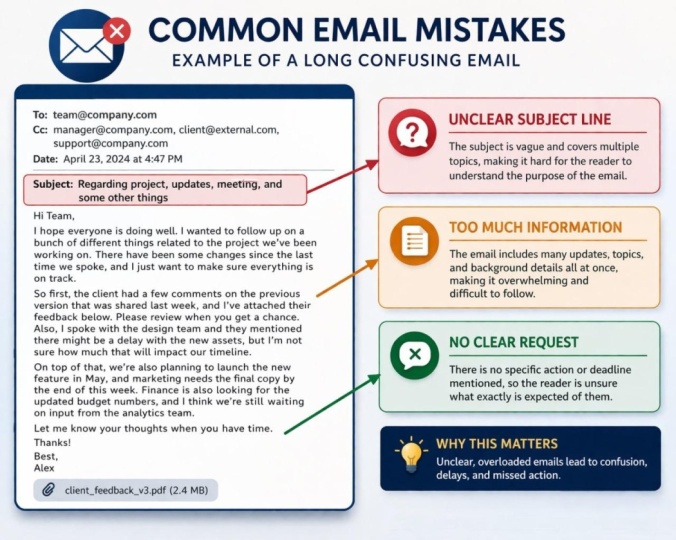
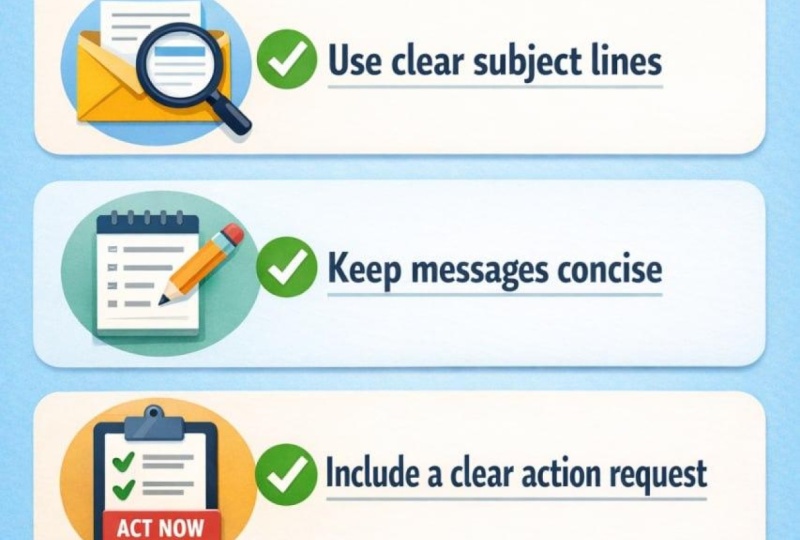
Effective Email Communication
-
Introduction to Cybersecurity
Your topic should be something that can be explained in 5–7 slides or screens.
Step 2: Identify the Learning Objective
Write one clear learning objective describing what learners should be able to do after the lesson.
Example:
"After completing this lesson, learners will be able to identify three techniques for managing workplace emails effectively."
Step 3: Outline Your Lesson Flow
Create a short sequence of screens such as:
-
Lesson introduction
-
Explanation of the topic
-
Example or scenario
-
Key concepts or tips
-
Short knowledge check
-
Summary or takeaway
This step helps structure the learner’s journey.
Step 4: Build the Storyboard
Create a simple storyboard showing:
-
Screen title
-
On-screen text or visuals
-
Narration or explanation
-
Interaction or activity (if any)
You may use any format such as:
-
Word or Google Docs
-
PowerPoint
-
Excel
-
A storyboard template
Step 5: Share Your Project
Upload your storyboard in the project gallery and include:
-
The training topic you selected
-
Your learning objective
-
A few storyboard slides or pages
You can upload a document, screenshots, or a PDF.
Final Tip
Remember that a storyboard does not need to be visually perfect. Its purpose is to clearly communicate the structure, flow, and learning experience before development begins.
I look forward to seeing how you structure your lesson ideas.

Class Ratings
Why Join Skillshare?
Take award-winning Skillshare Original Classes
Each class has short lessons, hands-on projects
Your membership supports Skillshare teachers
Learn From Anywhere
Take classes on the go with the Skillshare app. Stream or download to watch on the plane, the subway, or wherever you learn best.