Transcripts
1. How To Plan A Corporate Video Project Introduction: I'm Tom and I'm a professional videographer
working mainly on corporate content for small and medium-sized
businesses. I create corporate
videos, advertisements, product videos, case studies, and everything in between. So I've got a lot
of experience in how to plan a project
so that it runs smoothly and produces content that works for both
you and your client. This course will cover all
of that planning, right, from taking the initial
booking all the way through to handover
of the final files.
2. How To Plan A Corporate Video Project Lesson 1 Preproduction: Let's say you've just
taken a booking for a video project with a client that you've not
worked with before. Before getting started,
it's a good idea to do some field research of the
client that exist in videos, any social media
content, their website, anything that might
give you an insight into little bit more about
who you're working with. The most important thing when taking on a corporate
video project is finding out both what the client wants
and what they need. Now some clients will have a very solid I didn't
solely an idea in their head of what they want. And others will need a
bit more guidance through the process and not really be sure exactly what they want. I found the best way to
get this information is to have a research
meeting with the client. So that can either
be face-to-face in-person or it can be
virtually over video colleague. And that is an opportunity where you can ask a lot of questions. You can take little notes. And ideally you can record the
conversation with consent, of course, so that you can
refer back to it later. There are 1 million
different questions that you can ask depending on the
specifics of the job. But I'm gonna go over some
of the general questions I find it will apply
to most projects. First thing is to find out about the client what
makes them special. I like to start by getting
them to talk through a little bit in their own words about the history
of the business. The USPS, what we'll accept, what makes them special is it they're amazing
customer service, either really strong environmental initiatives
that run through the company or do they maybe just sell one
really great product? I really competitive price. More information that
you get at this stage. You can really get a feel
for what they value. And then that will help
you to assemble a script. When it comes to video. And it's really important
to make sure that everybody's on the same page in terms of what you're
going to create. If you think that client wants a 60-second short video
for social media, and they actually want a 15-minute epic than
there are going to be massively
different requirements between those two projects. This is something that's
normally covered when you're pricing and
booking the work. But it's important
to confirm now, finding out what mood or
tone the client is looking for will influence a lot of decisions that you make
throughout the project, such as what can remove so
you use and production. I'll maybe what music
using the Edit. They looking for something calm and sleek and professional, awesome thing, a bit
more upbeat and edgy. I didn't want to create
a lot of energy with quick cuts and upbeat music? Or are they wanting something
that's a little bit slower and more
emotionally driven? Determining the key message or the video will help you to
tie everything together, as well as to create interview questions
and to write a script. It's important to
not try and say too much as you risk
diluting the message, but rather focus on a small
number of key themes. Generally, a client will
have some visuals and mind, some key shocks that they want
to see in the final piece. Now this could be maybe their customer service
team hard at work. It could be a delivery on dispatch and
route to a customer, or it could just be
a piece of machinery that they're
especially proud of. I'm want to show off, make sure that you find out
what these visuals are, because that will help you
to build the video together. And of course, it'll make the
client happy because you're focusing on what they think
is important to the company. The type of narration that you choose to guide
the viewer through the video will have a big impact on the final
style of the piece, as well as some considerations that you'll have to
make during production. If you go with a talking
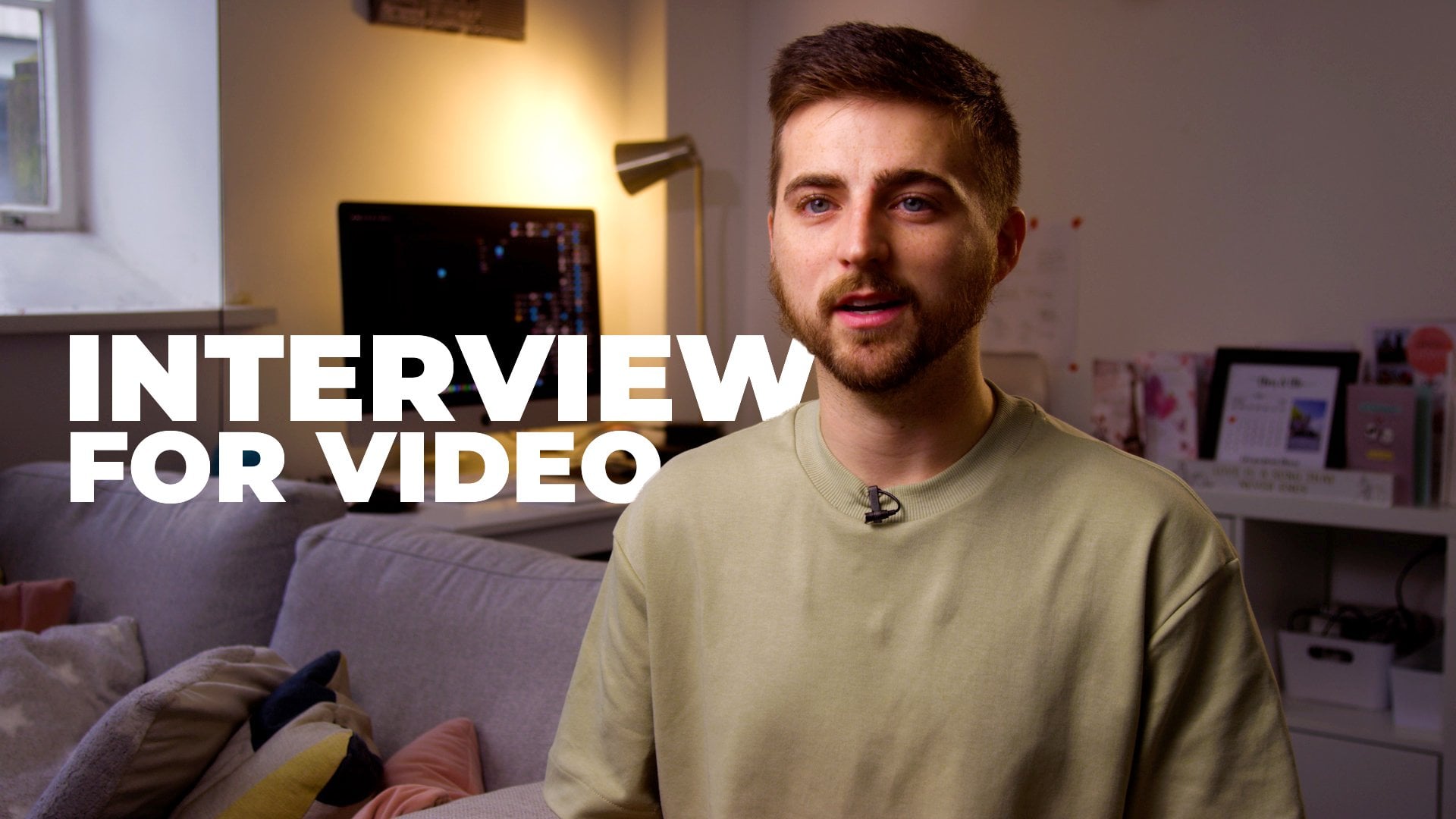
head or interview, then that can add
a human and a link to the video that
will build a bit of a rapport with the viewer. If there's someone who is
a notable figure within the company that can help
get their face out there. And you also need a little bit less
B-roll because she can cut back and forth from
B-roll to the interview shot. Interviews do add a
layer of complexity to the production because of course you have to
film the interview. But I think they're a
really important part of a corporate video and I'm a
big fan of them personally. If you decide to go
with a voiceover to narrate the video, well, this gives you the
maximum amount of control over the content. It also lets you choose
from essentially any style of voice possible and gives you a lot more
flexibility when it comes to translating the video
into different languages. If you have a an
international company, narration through voiceover can potentially mean that
you have to shoot a little bit more B-roll as you can't cut back and forth between the interview
shot and you potentially lose a little bit of the human connection
with the viewer. But the amount of control that using a voice-over offers
can be incredibly valuable. There's also the option of
using no formal narration. So no interview, no voice over, and you're relying
purely on visuals. Could also include
on-screen text. And it's just another
approach for how you may want to guide the
viewer through the video. One question that I find
is very valuable to ask at the research stage
is what don't they want? I like to leave this as
quite an open question because their responses
can vary wildly, but it can save you a lot of potential trouble
further down the line. Now, it might be that they
just don't want to see too much of the interviewee token on screen, they
might find that boring. Or maybe there's an
area that premises that they do to do some
refurbishment on. And so you don't want to
share those because it's not going to be up-to-date
for very long. Or maybe there's just a product, but it hasn't been launched yet. And then already true that to the public they might not
have an answer for it, which is absolutely fine. But I find asking
this can open up some really interesting
discussions and provide a lot of insight. It's a good idea at
the research stage to discuss any brand assets. So any fonts, color schemes, logos, anything like that, and get them to
provide all of that as soon as possible so
that you can include it in your
pre-production and take that into consideration whilst you're shooting and planning. And also so that you've got everything on hand when it comes to starting the idea
in post-production and assembling
everything together. Final thing that I'd
like to talk about from the research stage
is a site survey. Now, an in-person
rekey and tax scouts sometimes isn't in the budget, especially if the
location is hours away. But what is really
important is if you get the client to send
either a series of pictures or just to walk
around using their phone of the areas that you're
going to be filming in so that you can
start to punish shots. You can flag potential issues. And it'll give you
a really good idea of the space that
you're working in, you can start to assemble
everything a little bit more slowly in the
pre-production planning. It's cliche, but the old saying of proper planning
prevents poor performance. Really dose done, true? I've known
videographers who would turn up to a shoot with
absolutely no planning, shoot, effectively
what they saw, and then try and pull everything together in the edit afterwards. And I'll be honest, it's
something that I found myself doing earlier in my career
before I knew better. But all it does
is creates stress both in production and
especially in post-production. And also creates content that is unpredictable
and might actually be quite a long way from
what the client had in mind, what you had in mind, and
what they really need. Having a solid set
of pre-production gives confidence to both
you and the client. And it makes everything from concept to delivery
so much smoother. Keeping everything
tidy is a no-brainer. So it's a good idea to
keep your pre-production organized and consistent
for each project. I like to keep everything digitally and I think
it's a good idea to have a folder for each
document type and save each version separately
so that you don't have to go digging around
when you need something. Unless you are producing
purely visual content, then you will need to produce a set of interview
questions or a script, both of which have
their pros and cons. First option is to
write a script and then to have the person
in front of the camera read that script either
via teleprompter up simply by remembering
sections at a time. The main advantage of a
script is that a lousy, a lot more precision when
it comes to the wording. And it lets you
incorporate things like facts and statistics
more easily. The main disadvantage of
using a script is that the responses can sometimes feel a little bit
worn in an unnatural, especially if
you're working with someone using a teleprompter. They've not had much experience from reading a
teleprompter in the past. And it can just comes across like they're reading
from a book. When you're writing a script, it's important to think about
the way that language is spoken in conversation rather than the way
that it's written. We tend to write more
formally than we speak. And so it can be a good idea to keep that in mind while
you're writing the scripts and tried to keep it
a little bit more casual without being
too casual goals. And another idea that I
found often helps is to have the interviewee or the person who's
gonna be on camera, just to have a read through
the script beforehand, make some little alterations to translate our scripts into their own personal
speaking style that can often make them
feel a lot more comfortable. The next option is
to write a set of interview questions that you'll ask the person in
front of the camera. Now this will often give you
the most natural responses, but with the least
amount of control. And it can often take a little
bit of problem-solving, almost like a
puzzle in the edit, to edit the responses
together so that they fit together
and flow naturally. The third option is
really a mixture of both, where you'll write a
script and then break that script back down
into interview questions, end up reproducing the script. This is my personal
favorite as I find you get natural responses, but with a good amount of
control over the content. As an example, if you have a line in your script
that was something along the lines of we
pride ourselves on our customer service and
our attention to detail. Then maybe you can ask
an interview question, something like, what are two aspects of the business
that you pride yourself on? You could even tell them
attention to detail, customer service, or you
could trigger things, get that line out
and give you the response that you want to take a copy of the script and just have them memorize that passage. Feel free to mix
it up. Shot list really is what it
says on the tin. It's a list of shots
that you need to capture in order
to make the video. And there are really key part of making
sure that you stay on track during production
and then nothing gets missed. It's rather I'd
send a shot list to the client unless they
specifically asked for it. Now, I'd rather send the client a document
that says, okay, we're going to capture a
sequence of this action taking place rather
than the shortlist, which might say, okay,
well, this is the action. We're going to capture a wide, a close-up, the reverse shot. And we're going to
use these camera movements, this focal length. I think sometimes it's best
to keep things a little bit simple and just as
**** with the client, the overview of the visuals
that you're going to capture. Storyboards are a fantastic
way to communicate specific ideas to your client
and to the production crew. And they can be anything
from crude stick figures, do highly detailed drawings. I don't typically make storyboards for the majority
of projects that I do, but there are a great tool
to have on hand when you do need to communicate
those specific ideas. An AV script or
audio visual script, is a table where you list out for each specific
time throughout the video what the viewer will see on screen and
what they will here. Now this is where you
will pull together all of the interview questions and
scripts that you've written, as well as all the short listing and planning
that you've done on the visual side of
things into one format. That is really clear
to understand. If you're really good
insight into what the final video will
actually be like. It's important to
make a schedule for your prediction days to
ensure that you don't run out of time and to help with any organization on the
client side of things. Now, often doing corporate work, there are time-sensitive events that you might need to capture
that can't be rearranged. So you can organize the
schedule around those things. Maybe there's a fleet of
delivery trucks that it's really important to the
video to capture those, but they leave first
thing in the morning. So in that case, you
set your schedule around the delivery trucks leaving first thing in the morning because she
can't rearrange that. I also like to try and organize
my schedule by priority. So I'll have the most
important high-impact shots with plenty of time
earlier in the day. And then it's a downhill ride
towards the end of the day. So if you're say losing light at the end of the day and
you're really pushed her time. You're not trying to
capture the key shots that are really vital
to the project. It might just be
some little pickups that aren't the
end of the world. If they're shot
at maybe a little higher ISO because she's
struggling for light. Or if you'd maybe just don't count, capture
those entirely. It's not an absolute
deal breaker. It's important if you're
flying a drone for the project to
produce drove runs, which is a risk assessment
method statement, and to do things like a site survey it to check that the airspace
is appropriate, to make sure that
everything regarding the drone is as
safe as possible. Now, this drone operation
will of course, vary depending on what country you're in and what region urine. So that's important to just
check on local laws to see what you need to do to
be compliant with those. In terms of planning
what equipment you need. I don't wanna go too
much into the specifics, but there are some things
that I'd like to mention. Digital cameras are an
amazing place right now. And really you can get something that's
going to produce you an amazing image from any
of the major manufacturers. Websites are a
black magic Canon, Sony, panasonic, the cam. They're all putting out
amazing cameras these days. Some of the more modern
cameras like the A7, S3, the autofocus has come
along such a long way to. It's not always something
that you'd want to rely on. But there are certain cases like say you want
to do a gimbal shot your associates or I'm
going to push him in a subject and you will not
subject to stay in focus. Sometimes the autofocus
can be a great tool. Often in corporate
video production, you'll find that you have
to adapt to work with the lighting that's already
available in the space. Now in an office environment, then that's usually
fluorescent overhead tubes that are about 4,000 Kelvin and have a
green tint to them. And having a light,
why you can dial in the color temperature
and also green magenta offset can be a fantastic
tool to make working in those environments
easier because she can match it to the existing lights. And then when she do your
final white balance, everything looks clean
and the way they should. In terms of audio
equipment, in a nutshell, in camera, audio sounds bad,
but you can hear right now. So get a good quality microphone and get it close
to your subject. Generally the most
common microphones that are used in
video production. Shotgun mics and lab mikes are also known as lapel
mics are level is. Choosing between. These
can be quite a debate. Generally speaking, aloud can be quite quick and convenient. So if you have a wireless love, you clip onto your talent, but the receiver into your
camera and you're good to go. It gets a lot more
complicated if you want to hide
the level yet say, under people's clothing,
or enter the various rigs. There is a huge
amount of expertise in concealing a microphone. Microphone so that it's not seen and still gives you good audio. Generally speaking,
a shotgun microphone will sound better than the love, but I love is quick and
convenient if you don't plan to hide it on the subject
and consume it in any way. And you don't need a, either a boom pole operators
for your subject round. You don't need a stand to hold that shotgun
microphone overhead. And you can just
click them icon, run the wire somewhere, the roads out of the way,
and then you're good to go. The tripod might not be
the most exciting piece of equipment in your arsenal, but it is absolutely vital. There's nothing worse
than shaky footage. So get yourself a
decent fluid head. A decent video had a
stable set of legs. And if you look after them, the last few tens of years, Gimbels are continuously getting better, cheaper,
more feature-rich. And they're an amazing
way to incorporate smooth motion into your work. And also to capture
a lot quickly, especially when combined with
modern auto-focus systems. The main thing is to be
purposeful with your movements. Plan. How are you going to move the gimbal before
you do the movement? And above all, practice so that in the moment
everything feels natural, it goes without saying that safety should be a
number one priority. So don't overload
your standards. Why things down
with some bikes to prevent them tipping
over and keep everything tidy to prevent tripping hazards,
cables, especially.
3. How To Plan A Corporate Video Project Lesson 2 Production: When the production day comes, it's important to remember that it's a lot
easier to tidy up your scene before hand than it is to try and fix it in post. And believe me, I've
had to digitally remove everything from dirt to stray packets of sweets
and plastic water bottles. And all of that can be saved by just having a tidy up ones that have a wizard and
before you start filming. So pushing chairs, tidy up
tables, neat and desks. Anything you can do to get the place look in a
bit more presentable. There's nothing worse than
feeling a bunch of B-roll. And then the client says, Oh, can we just
change the shout-out? Don't like how untidy
the area looks. So preventable and so easy. Shooting for the edit means
filming what you need rather than just filming anything and everything and then
hoping that you use it, which really is the
entire principal of this planning process. That being said, don't
be afraid to capture a few extra shots here and there if the schedule allows it. If you see something that is an impromptu event
that's happening, or you see a creative new angle that you didn't imagine before. But only, of course
do that if there is time and flexibility in the
schedule to allow for that. Or you can make
some substitutions here and there if you
think it's worth it. The main thing that
we're trying to avoid a spending hours in production filming content that we're just
not going to use. And then further time
in post-production, looking through that to find
the actual useful stuff. The style of the piece is
something that's determined early on based on what
the clients looking for. So unless you're
doing it with intent, tried to stay consistent. That means don't go from smooth gimbal shots,
too erratic, frantic, handheld work of firm,
softly lit, smooth, neutral interviews,
too dramatic, hard light setups
with bold color. Even though your
interview shots might only be on screen for a
couple of seconds of time. Once you've added B-roll, it's important to make sure that they're looking,
they're very best. Finding the frame comes down to finding the nicest location
that you have available. And then choosing the best
angle within that location, look for somewhere that is quiet and you won't
be disturbed. And has space behind the
subject for some visual depth, as well as space in front so that you can play
some equipment. Also make sure that the interview location has some contextual relevancy
to the topic of the video. E.g. if you're shooting a video
that is about technology, it's not likely that the
car park is going to be a contextually relevant
interview location. Generally speaking, you want
to place your key light, which is the brightest light
that you have lighting your subject on the
side of this object so that the camera is
filling in the shadow side of the face rather than the
bright side of the face. This helps to create a bit more visual depth and is generally speaking a
bit more flattering. You can also use
the natural light from a window to achieve this. And if the contrast between bright and dark is a
little bit too high, you can bring in a
white reflector or bounce card and
the shadow side of the face to help fill in
some of those shadows. The camera angles, the E
Cheese for your interviews is something that will develop
with your personal style. However, a good
starting point is to start with a medium shot from the waist up and then off to the side having a closeup
from just the shoulders up. For an interview, it's a
good idea to use a longer lens further away than a
really wide lens close-up. It's usually more flattering for these objects can
also a little bit more comfortable having
the camera set further back than write-up
in the subject's face. Over time, you'll develop
your own style of conducting an interview and find what
works best for you personally. But here's some general
advice to get you started. The most important
part of filming a successful interview,
whether you, using interview
questions or script, has nothing to do with lights and cameras or
anything like that. It's about keeping the
subject comfortable. Take a little time
before the interview to make some conversation. Keep it friendly, keep it light, and tried to help them to
relax as much as possible. And what can be sometimes
quite daunting situation. Whenever possible, try to
make sure that they've seen the interview
questions or a copy of the script so that they
know what's coming. It can also be a good idea if you are giving
into the questions to give them an idea of what length of responses
that you're expecting. If you're expecting a
ten to 15 second reply and they think that they
have to go on for a minute, 2 min, then it's not
going to be useful to you and it's not gonna be
enjoyable for them either. Make sure that your interviewee
knows that they can redo their answers and that mistakes don't really matter
all that much. If you're using
interview questions, it's incredibly important
to get the interviewee to frame the question into
their response. So e.g. if you want to ask them what
their favorite color is, they might just say blue. And then once you cut out your own voice
asking the question, then you just have a clip of
the interviewee saying blue. So a better response
would be something like, My favorite color is blue, or blue is my favorite color. Just something to work that
into the interview question, back into the response so that your voice asking the
questions can be cut out. Another important tip for
keeping an interviewee comfortable throughout
an interview is not matched with the camera. The aim is to have the
interviewee having a conversation with you
as the interviewer. And you want to
draw our attention away from the camera
as much as possible. So try not to be constantly adjusting settings and
staring at the monitor. You want to get the attention
off of the camera as much as possible and onto
you as the interviewer. Having the interviewee look
to you off-camera rather than looking down lens during the interview can
help with nerves. However, if they're
addressing the audience directly than sometimes looking directly through the lens
down the camera can help to establish a bit more
of a connection and build a bit more of a
rapport with the viewer. Even if you don't plan on
using it in the final video, start by having
your interviewees introduce themselves with
their name and their job role. If job role is relevant, this helps them get warmed up and used to answering
questions on camera. And it also gives you
information that you can use in post-production to make
lower third name cards and graphics, things like that.
4. How To Plan A Corporate Video Project Lesson 3 Postproduction: Organization is as important for post-production as it
is for pre-production. Setting out a file
structure that you're comfortable
with will help you work faster and keep
everything in order. This is how I like to organize my files and post-production. Everyone will have their own preference on the exact details. But the important
thing is staying consistent and organized assets. This is where I keep
any client assets that were discussed in the
research phase such as logos, brand guidelines,
any color schemes, fonts, everything like that. The footage folder, I
make a subfolder for each production day and then another folder for each
memory card within there. If I'm using a dedicated
audio recorded, then I'll keep those
files and footage folder alongside footage music folder contains any music
that I plan on using his background
music and the edit from sources like music, bad art list all motion array. As f x contains any sound effects and
Foley they might be used. The voice-over folder contains any Voice-over files sent
from a voice-over artist. The exports folder
is where I keep any renders of the edited piece. Feedback is an important part
of the creative process. So it's important to
approach it right? Using a platform that
allows the client to leave timestamped
feedback like Wistia or frame IO less than leave very
specific feedback which can prevent potential
misunderstandings and saves emails back-and-forth. Choose an iterative naming
convention and stick to it. I can't stress this
strongly enough. I just use V1, V2, V3, and so on. For each revision, rather than updating the
same edit file, duplicate your timeline
or edit session, and update that number. And the same for all your
corresponding exports to make sure that
you have access to all the previous exports and
all the previous versions. If you need to go back and pull something
from one of those, then the feedback cycle is complete and you've made any
revisions that the clients asked for it you can send
over the final files and any subtitle files and then wait to see the video
out in the open world, which is very exciting. I want to thank you for taking the time to watch this course. And I'd love to know what
you thought about it and how this course has impacted your video production workflow.
 Tom Broadbent