Transcripts
1. Midjourney V6 - Bring your Art to Life: Hello and congratulations
for joining me in this new adventure
that will lead you in a new, incredible,
exciting world. With my journey,
you can visualize your imagination and
gives life to the world. In this class, you
will learn how to unleash the full
power of my journey, combining with a new
incredible technology that augmented reality to
bring your artworks to life. With my journey, you can create almost any
type of images. And in the last 12 months, amazing leap been done
on the quantity and the details of images you can generate with
this incredible software. Augmented reality is a
very hot topic nowadays, with all the big tech company fighting to win this
new golden rush towards a world of endless possibility
through the camera of your smartphone or the lenses of the future smart glasses. And of course, the
new VR sets that are coming layers can
be added to reality, giving you much more
information and experiences. In this class, you
will learn how to create standing artworks
that came to life. Thanks to this technology, images will transform into
videos, treed objects. Music Whatever you
want to enchant your viewers and show them
a glimpse of the future. Let's see together
how this class is structured and what you'll
learn in the next lesson. But first of all, let me say this is an advanced
class of journey. If you're not too familiar with this software or
you're starting now, your journey through
the imaging. I suggest you to
follow before one of my basic level classes like
Journey 0-0 or kick start your creativity with maturity
because that will give you the foundation to learn how to create standing
artworks and of course, bring them to live with
R. So the first lesson, I will guide you through
all the features released with the latest
model of Journey. Then we will create some
amazing artworks to animate. I will show you some
prompt and give you some means on how to
create standing artworks. Then I will show you two different ways you
can animate your images to create videos that will be shown with your R presentation. Then I will show you how to quick edit these videos adding music transition effects
with Cap that you will be ready to create
your first R artwork. I will explain you what is
how word augmented reality. Then we will see
the magical soften that will transform your images into AR marker that will trigger the animation we
created in the previous lesson. And together we will create
your first AR artwork. For the project class, you will have to create an AR artwork that any
student will be able to experience with this or Air smartphone without
losing any more time. Let's jump in this new
incredible adventure and see you in the next lesson.
2. Welcome to your Project Class: Welcome to the project class. For this class, you
will have to create your own first artwork. You will have to choose one of your artworks created
with Journey. Then you will have
to transform it into an animation using one of the software I show
you in the lesson. And there you will bring
everything together, creating your first AR,
artwork. That's amazing. All the students
will be able to scan your image of the project class and see what you
created for them. I really hope that you
will be inspired to create something beautiful to
share with other students. To help them to spark
their imagination. And hope you will
enjoy all the process. So see you in the next lesson.
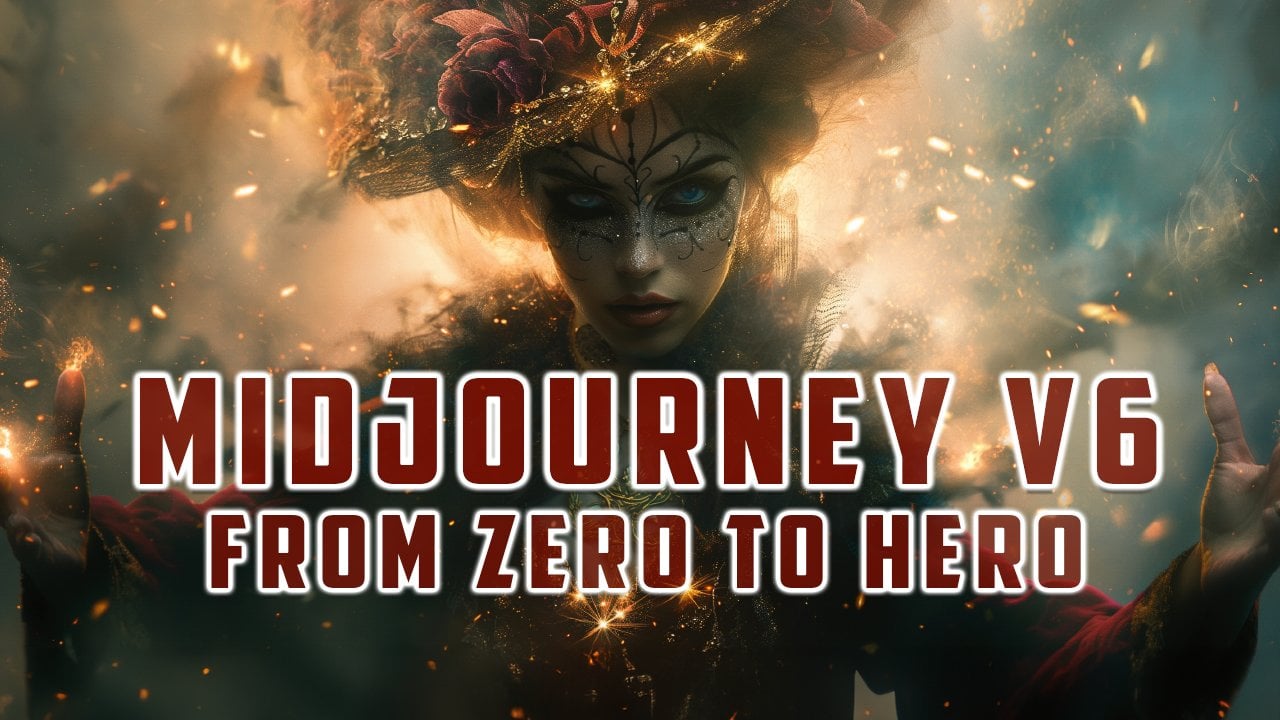
3. Intro to Midjourney V6: Hi, welcome to another
incredible lesson. Today we will use Journey to create some amazing artworks. I've prepared some prompt
that will give you standing artworks to animate in the next step of the process. So without losing any more time, let's go to my computer. So we are inside. And that's the announcement
tonight and been released. The latest version of
Journey Journey six. There's a quick introduction to what you really
can achieve with majority six and how
to get used to new way to create your prompt David H to what we have to expect
from the new majority six. To activate it, you have
to go under settings or type B six at the end of
your prompt. What's news? We have much more
accurate prompt following as well
as long prompt, so it will be easier to get the right images even
with longer prompts. Improved coherence
and model knowledge, improved image prompting and remix better quality in
the development process of image prompting when
you use an image to create a new image of the remix. Now it's starting to be
possible to create text, but it is still very early. This is just a test beta version of the six that will be
released in the next week. Now for the style they told
us that it will be different. To create prompt you have to be very careful that now six is much more
sensitive to the prompt. It's not more necessary to add junk text like our winning
photorealistic 4k8k. You have to be explicit
about what you want. It will be much easier
and there will be a much better
understanding of what you want will give
you a better image. If you want something
more photographic, probably you should styro. The lower value of stylites will help journey to
understand better your prompt. While higher value, up to 1,000 we'll have
better aesthetics. So it will be a
little more creative. Speed and image quality, it has to be improved
in the next month. But this is just already amazing how much better Megasis and
created for realistic images. These are all other
information that you can find. But let's try create some new image to see
jury basics at work. Look at the, by the way, I just did some tests. How amazing is this image? How really incredible
detail in the skin, in the hair, in the lighting. Everything is amazing. I've prepared some examples to create standing images and
we will test together. First of all, you have
to go settings here. You will have the
ability to choose the model and choose
journey B alpha. Once you activate it, you will start creating
images with journey X. Let's go with the first one, it could be interesting
to animate. Later on with the software, I will show you the next
lesson. Let's go another one. We are back for view of an arsenal working exotic
Alan jungle ship lightning. As angry ocean waves crashing
angrily into a lighthouse, fighting against a giant
crack, epic traumatic fight. These are just images that could be interesting to animate, to see how can really create standing artworks to
share with other people. Sural waterfall, dreams
plus epic fantasy. Plus butterfly plus magical
and ethterial atmosphere. I create this prompt with different structures,
different style, just because I want to test
out really how amazing is me journey creating
this kind of image and look at our astronaut. How beautiful is this
place, our landscape look, how amazing are this artwork, and how much details
is inside that images? This is really beautiful. This is quite strange
with the helmet. Reverse it, but the
other one are amazing. Let's see our ocean,
hungry ocean. And really these are
so epic, so beautiful. Look how beautiful
are these images. Sounds so cool. This is beautiful like it would be perfect
to be animate this. 12 beautiful, this is amazing. Sunfouvn one. Look how much detail
is there inside our images. Let's try to create another
abstract image image, Att design. Look how realistic
are these images. This is crazy asking the portrait of a sailor
man, these are pitiful. This is a model, how close
are to the photography. The level of detail in every
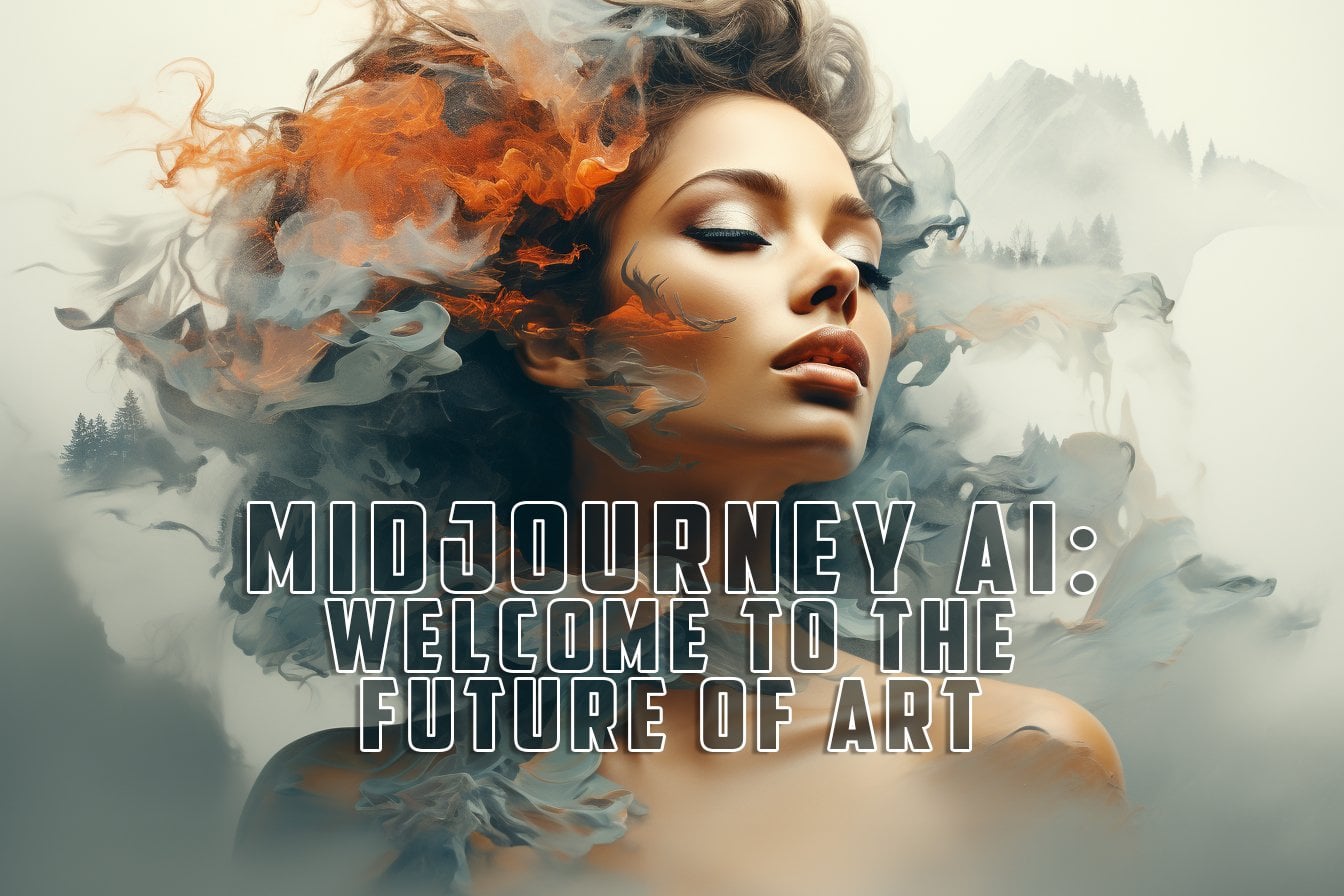
pixel is credible, credible. Let's look girl, how
incredible is this? Yeah, that's our
double exposure. Wow, really, really interesting. In this lesson, we saw
some amazing prom, to create standing images
that you can't animate. In the next lesson, now it's time to start
dining into eight hour. In the next lesson,
I will give you all the basics to understand
this incredible technology. So see you in the next lesson.
4. Let's discover Augmented Reality: Welcome to another
incredible lesson. Today I will give you the basis about an
incredible technology that is changing the way we experience our reality
without losing any more time. Let's go to my
computer because it created a very rich
presentation with all the information
you need to start understanding how works
augmented reality. Today we'll see an
introduction to augmented reality and
efficacy from this image. This is something futuristic. That's a glimpse in
the world of tomorrow. But let's start
from the beginning. Let's imagine that you are
lost in a bustling city, desperately searching
for that hidden gem of a restaurant your
friend recommended. It's a city that you have never been before and you
are feeling a bit disoriented thanks to
AR you are not alone. Your trust ismrphone comes to rescue and suddenly a world, new world of
possibilities open up. This magical experience is
powered by augmented reality. Today we are going to dive
into this amazing world. What is AR? First of all, let's demystify the enchanting world
of augmented reality. Agumented reality, or AR, is like a bridge between the
digital and physical world. It announces what you
see here and feel by overlaying computer generated information onto
physical environment. Ar is a technology
that is changing the way we see and feel
the world around us. Adding new layers of information to create
unique experience. Ar relies on three
key components. Sensors, display and
computer algorithms. Sensor, gather information
about your surroundings. Display, project digital
content into your view, and algorithms make
the magic happen. Sensor is what is needed to
trigger the AR experience. Display can be the camera
of your smartphone, smart glasses or VR visor. The concept of AR is a new. It has deep roots in history. From head up display
in fighter jets to early experiment with
head mounted display. It always has been a question
of adding information into what we see with
display Mirrors, glasses. There are different types of AR. We have Marker Pace AR. This uses visual markers, or QR codes, to trigger
digital content. It's like casting a spell where your device
recognized the marker. A new, incredible word to
explore comes to life. Next we are markless R. It
doesn't rely on markers. Instead it tracks your
environment using sensor, creating seamless and
natural interactions. Then there is project based AR, bringing holograms to life. It's like painting the
world with digital light. There are really a lot of
different applications of AR. Now we explore the
exciting applications that are changing the way
we live, work and play. First of all, one of the
most famous examples of AR applied to gaming
was Pokemongo, Where the real world is your playground and
anyone became trader. A couple of years ago, there was this incredible
explosion of Pokemongo. You could go around your city and using the
camera of your smartphone, you can catch some
amazing Pokemon. And there was a lack of collective fever and people
gathered together in places because there was
a news about some Pokemon spawning in that place
that was really amazing. Another incredible application
of AR is in health care, where it can be lifesaver. It assists in surgeries, medical training, and
patients education. Education too, is another
field where AR shines. Bringing textbooks, life, and making learning more
engaging for students, new ways to transform the learning experience
for the new generation. This is amazing because with AR, we can really deliver much more engaging
information to students. So that learning could be no
more just a reading process, but involves all the senses in a multi sensorial experience. Then another field where R is
used so much is marketing, because with AR it
gets a makeover allowing business to create
immersive advertising. Experiences for customers
and in navigation. Ar makes it easier to find your way around even in
a big, familiar city. Augmented reality is more
than just technology. It's an enchanting blend of
the virtual and the real, transforming the way we
interact with the world. Another cool use of
AR is what Amazon, another big company, are using to show the product
in your house. You can project the product in your living room,
in your bedroom, Creating a mixed reality
experience in which the reality blend seamlessly
with the digital. Augmented reality has made significant inroads
into the world of art, enhancing traditional and contemporary
artistic experience. Now we will spare some
fascinating application of AR in the realm of art, as this represent an
incredible step forward, a more immersive and
complete experience. First of all, there are
interactive art exhibitions. Imagine walking into an
art gallery and instead of just viewing static
paintings or sculptures, you can use your smartphone or AR glasses to interact artwork. R can add layer of interactivity
to traditional art, allowing viewers to see the creative process
behind the painting. Here the artist's
voice or explore it then details the talent
visible with naked eye. Many museums and galleries are incorporating AR to announce
the visitor experience. Visitors can use AR apps to get additional information
about an artwork, watch videos about
the artists process, or even see how a statue or an artifact may look
in its original state. Another crazy possibility
is augmented street art. Street artists are
using art to bring their word to life by scanning
a mural or a graffiti. With a smartphone viewer
can see animations, video, or interactive elements that complement the artwork. The fusion of physical
and digital art blurs the line between the
street and the virtual world. And then you can use art
to create personal art. Ar art creation apps empower individuals to
become artists themselves. Augmented reality as open up exciting possibilities
in the world of art, offering dynamic and
immersive experience for both creators and
consumers of the art. That's layer of interactivity, education and creativity that enriches the traditional
artistic experience. Let's do a brief summary of
how AR is impacting art. Ar enhances art
through interactivity, allowing viewers to engage with artworks in galleries
and in the street. Art based AR apps enable users to create and share
personal art installation. Art is a valuable tool for artists, museum
experience education. Reaching the art,
we hope you find interesting all
the information I shared with you in this lesson. And hope now you understand the really amazing and
endless possibilities that R gives you. In the next lesson,
we'll see the first of the two software we will use
to animate our artworks. See you in the next lesson.
5. Midjourney V6 Vs V5.2: Welcome to another
incredible lesson. In this class, I will show you all the different
features and improvements that
have been released with the latest
version of Journey. And I will show you a comparison between images generated with the same exact prompt,
just different model. So without further
losing any more time, let's go my computer. So again, we are inside this. Now I will create
image that we will have a comparison with
the previous images generated with journey B 5.2 I prepare a
list of prompt to test out the new
ability of journey B six and to have a
direct comparison with the other images. I tried to mix together
different kind of prompt to see how ma
journey basics behave. With this different prompt, it will be very
interesting to have a side by side comparison
between the image. Look how beautiful these are. These are really astonishing. Reflection is amazing. Really, we are in front
of a photography, a new way to create
photography for the future. Wow, this is something
unbelievable. Here we are, that's major six versus majority B
five comparison test. Let's see our image. I've chosen different
type of prompt to create different type of image just to test out how majority six work. If we find out the main
differences between the different model
of generation. First, prompt resolution,
digital manipulationsles devoid and encroaches on a prestin reality,
mythological cosmic start. Hansen, medical
scene, parole Embry. So I ask to create
abstract images, very creative, open to just test out the creativity and how journey perform and
understand my prompt. As you can see, really six, create stunning
images, very detailed. It's interesting
how it understand my prompt and render images that are very
creative and detailed. In this case, I
really love that in pinkish tree at the end of the tune of this
gallery and the light, even the B 5.2
image was stunning, but I really love the six. Next we have the macrophotography
close up of stones and flowering focus with many
small water drops in micro, smooth color scheme
shot on non zine, 100 millimeter micro here. As you can see, journey B six give more attention to the
stones than to the flower. Instead, journey 5.2
give me images that were more focused
on flowers here. As you can see, the level
of the tails is incredible. We have similar outcome in both the model of
journey in this case, I think that probably just We can guess that is different. The way how journey. Understand my prompt and
give interest and create images on focusing on what I write at the beginning
of my prompt. In this case stones and flowers. A little more space
to the stones. Another very interesting prompt. Here we can see
something different. The prompt was candid, close up of a standing
woman's face. Red eyes shining brightly
with deep emotion. Pupils diletated as she gaze, loving at a soft light from the skin
reflects in her eyes, emphasizing the intensity of her affection as a
medial composition, 35 millimeter shallow
depo field film grain, and in this case mid journey. I understand much better
what I had in my mind. In fact, in the image we have
the close up of the woman, but there is the men too. It's a romantic scene. Instead, in the mid
journey 5.2 we had just this amazing young
girl that is looking at us. As you can see, we have an
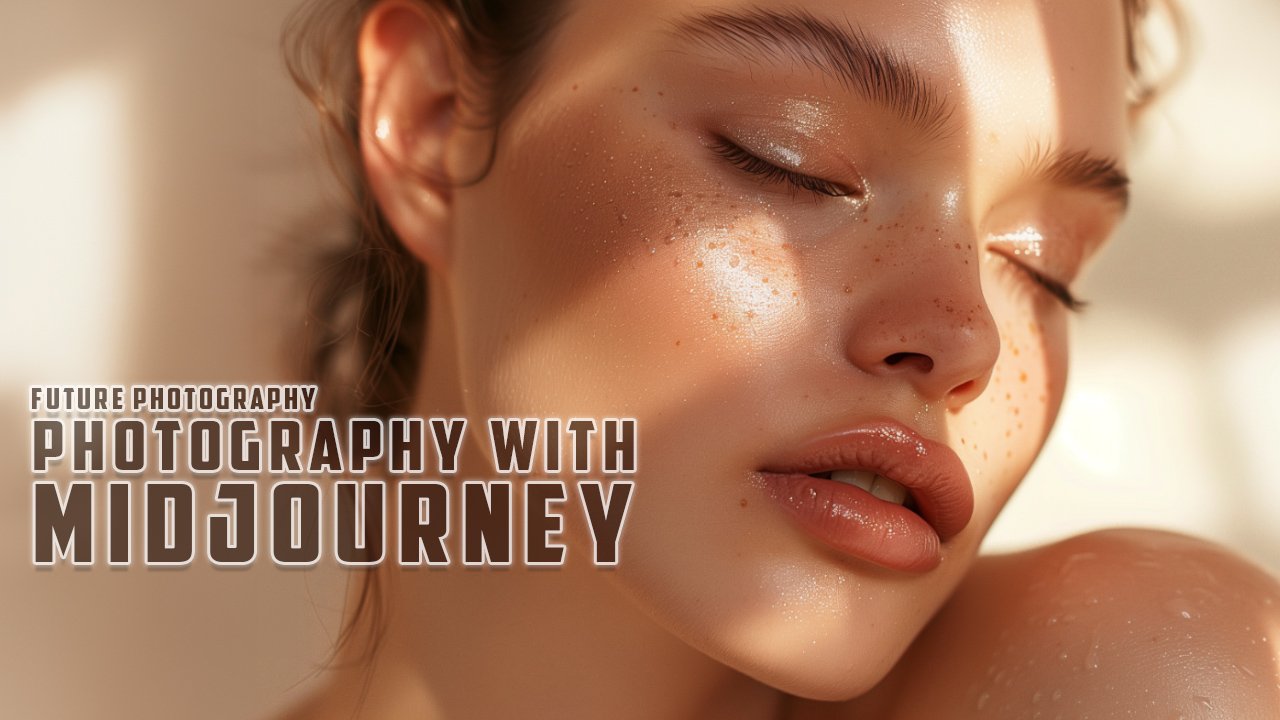
incredible amount of detail in the new images and jurys is incredible in
rendering the skin, the detail of the eyes. The high quality version upscale of this image is breathtaking. As you can see, jury give us that emotion that
it was involved in. My prompt, really the
jury physics image is, I can't say how much love this image the way she look at us expressing the feelings. This is amazing. So now we
have automotic photography. Lamborghini, a technical alter detailed
professional photography, Canon L five speed. In this case really
the details shine out and the photoalistic aspect of journey physics shines. Because this really
could be images that could be used for presentation from Lamborghini
or for their catalog. Because they are really, really, really very accurate and you can't really guess these
are generated by AI. This looks like real
photography and that's amazing. That's what I
really love in Jon. It can create photography
and that's the future. Last prompt, I asked jury to
create a realistic view of New York travel Post Retroputis
style happiness mode. In this case, the image
I got from Meji v 5.2 are brighter,
are happier somehow. Instead, jury six give us more accurate images
with more detail, even if they are not so happy. In this case, the
mood was applied better in journey
V 5.2 but overall, the images are really standing. There is so much detail in
each pixel of this image. To get to a summary
journey B six, create incredible, more
detailed and realistic images. As a better accuracy in prompt, understanding and
for longer prompt. Because journey B 5.2 was very good in
understanding short prompt. But with longer prompt, it was a little bit harder
for journey to keep up. Instead, journey B six has a better understanding
of long prompt. Overall, there is a better
quality in the image and is really a step further into the
creation of photography. With I think that this
really could be the base, the foundation for the
future photography. So in this lesson, we saw all the amazing
difference and improvements that have been released with the latest version of journey. In the next lesson,
we will start creating some new
incredible art tours, 20 May for our project class. See you in the next lesson.
6. Animate your Artworks RUNAWAYML: Hi and welcome to
a credible lesson. Today we will see the
first AI software that will help us
meeting our images. This is a software
very powerful, AI powered, and there
is a free triad. So you can start practicing with your images without any worries. So without losing any more time, let's go my computer
and see Runaway. We are on the
website Runaway ML. That's the tool we use to create our videos
from the images. That's an amazing website. When you will find a
lot of useful tools that use AI to create
something incredible, you can try ML for free. You just have to create
your free account. And then of course you can do the login to enter
your dashboard. When you will find all the tools that you will be able
to use for free. That's the tach board where
there are all the tools, and all the tools are
divided by the medium, videos, images, and more. In the asset folder, you will find all the asset you uploaded to runway
Ml and then you can use for your project
question mark. You will find all the
info so that you can go deep in the learning
on away runway work. That's your profile
and here you will find your plan when there are all the different options
for subscription. On the Fif tier, you
have 125 credits. You can buy more credit. You can use them to generate
videos with Gen two, but you can't upscale or
remove the watermark. All the video will
be up to 16 seconds. You can have three
different projects and only 5 gigabytes of memory. To upload your asset
from the video editor, you can export only
720 P. If you pass to the basic standard plan that's 12 for the year or 15 monthly, you will have 625 credits. You will have the opportunity to upscale your video
and remove watermark upload up to 1,000 gigabytes of videos and content for your asset and
many more features. Let's see all the different
tools you can use. Video, video one. It's the first one of runaway ML to use AI to change
the style of the video. So you could Ppload the
video and change the style, adding some text
or images to it. That was crazy. Now the gen two is
the model that we will use to animate our image
and this is very powerful. It's crazy what you
can do with this tool. Then there are many other
tools that use AI like background removal
or text to image, or image to image. You can use image to
generate other image. You can expand your
image to creating what's outside an image I. You can replace elements
inside your images. You can scan and capture a
three world with your phone. There are really a lot of many different
tools to play with, but for our purpose we
will use just the gen to video generation starting
with images and text. To start creating
your animation, you just have to
click on the button. And that's very simple
dashboard where you have just to upload your image or you can
insert some text. You can use both
image description, text or just image. There are a few
settings you can use. You can choose the motion, that is how much impact we have animation
inside your video. The full value is five, the top value is ten. So you can choose which is the impact you want
animation for your video. Then here there are some
advanced camera control. You can move the camera
inside the video, like through the
space of your image. So you can have an
horizontal movement or vertical one like pan. You can have zooming
throughout role in the different direction
and the speed is the velocity of the
movement of the camera. With the free tier, you can't check the upscale and you can't remove
the watermark. You will have to use
the video as it is. When you will pass to
the page subscription, you will be able to upscale
without any watermark. Duration is the duration
of your video that For gen two, it's
up to 16 seconds. Fpview will work
with text input. When you put text input, you can ask for a Freeview. Then when you
approach your remute, you will generate
four second video. Then then you can extend. Let's drag and drop an image. It has been uploaded. That's the image we
will use for our test. Now I want to show
you some image I already created with Runway ML. Click and Go Assets. It will show you all
the asset you uploaded, all the video you created. You can put in the
remote or list mode. That's the video
generated from our image. It has a very high speed and intensity and it
transformed our image. Of course, the more strong
is the motion and the speed, the more transformative and distortive will be the result. From here, you can download, rename, or share
to the word space, or even delete if you congen
generate another image. May be changing some
input for the generation. Maybe we can lower
the speed a little bit, going to three. Maybe we can take off
the zoom and generate a new image. Here we are. As you can see now, the movement is much
more gentle and soft. We choose to lower the speed and the impact of the
motion into our image, and the video is much more delicate from
you can download, you can report if the
content has some problem. You can read and you can share the image
with the community. You can put some stars. Now I want to show you some
other videos I generate with runaway ML because
they are really amazing. First of all, we have this cake, the movement is incredible. That really seems
real life shot of this cake that was designed
by Journey. That's crazy. Then we have another image
generated from Journey with this woman with this
butterfly all around. And look how beautiful
is that video? In this case, I made
it last 8 seconds. I extended the duration
of this video. This is another run
of the same video. Let's see another
one. In this case, the movement was much
stronger and there was this rotating effort that
is very interesting. That's another one that's a zoom out in this
cyberpunk city. And I extended this one to, and is really amazing, what you can have from
a single frame image. I really hope that now. You just want to create your
first animated I image. In the next lesson, I will
show you a second software. You can animate your images
so that you will be able to create your R work
U at the ex lesson.
7. Animate your Artworks CHROMOX: Hi, and welcome to
another exciting lesson. Today we'll see another
software that you can use to animate your
image and of course, prepare the video
that we will use in the R works without
losing any more time. Let's go to my computer and
I will show you some magic. Okay, so we are on my computer. And this is the alternative
to runway mail that we will use to animate our images and create standing crazy video. The name is Chromox. That's the website,
romoxlkidpsion com. This is really interesting. It's in the beta stadium and
you can join for free here. You have to do the sign up
to create your account, then you can do the sign in. I've already created my account, so I can just do the
sign in every day. You can claim 3,100.50 tokens
to generate your videos. The first time you
create your account, you will be asked to fill a survey to get the
access to the beta. After you complete the survey, you receive an e
mail with the link to enter the beta and
start creating your video. When you have
access to the beta, you can go to the dashboard, that's the interface, you
will find different channels. Playground, It's
a general channel where everyone can
create videos. You will find your
video two here. These are other videos
created by other people. Remix Plaza is a place
where to create videos. This is another function
you can use to mix and match different video
to create something new. You can create in your space, different channel where you
will create your images. Here you will find all the
video you as to create. As you can see, when
you ask for a video, you receive four
different animation that you can download or share. This is a free
beta and you can't download the video without
the watermark in this space. You will have to use the
video with watermark. But they are pretty interesting
and the quality is good. The video are very big. You can use a foot screen
like this. This is beautiful. Of course, you have
to do some tests to see which one has the perfect
movement for your needs. Every video has 4
seconds length. And to extend this video, you should save the
last frame as an image, upload that image,
generate a new video, and then you can
put them together next to the other to
create a longer video. It's a little bit complicated, but you can do it.
Let's see this. Pau's nice, how it moves
to create a new video. You can just enter text, image or video to
such generation up to 320 characters
and all in English. You can click on the
image that should be less than 5 megabytes. And these characteristics
you can click and we can choose that image that's interesting
and as you can see, is upploading the image. You can give some
information like zoom in, slow zoom in, then click on the arrow to launch
the video generation. Yeah, we are, our
generation is in Q. We can send another
time to create four different other images. Maybe in this case without text, we can click on the X to cantel this image and choose another
image, maybe this one. Then we can send again. As you can see here, we are consuming our tokens. It use 15 credits
for each generation. If you create four
different videos, if you create video in
the playground channel, it will generate just one image. Four. It will cost you less. As you can see, it
costs just two token. But you will have just
one video, not four. Yeah, we are in the test. Our first video is generating some video
is already arrived. Let's see. As you can see, we have a slow zoom in as we requested is generating
other videos. Let's wait till all the
video are complete. From here, you can download the one you like or maybe all. And then you can choose and maybe join together
the different videos. That's cool base moving around. It's still embedded but the
quality is quite impressive. This is a test I did with
some videos and I can say that the results are
pretty up, very cool. Look, these were all images generated with mid journey
and animated with Chromox. From here, we can
load the videos. Let's see the image we requested
on the playground space. As you can see here, we
have just one image area. Download this one too. Now I want to show you
another software that is in the beta step,
is very interesting. From here, you have to join
the beta, it's Pica Labs. You have to accept the
invitation for this cord. Because Pica is working
directly inside this cord, you can accept the invitation. You are in the Pica server where you can
generate your image. What you have to do is to go in one of the different channels, generation and type animate. That's the command animate. Then you can drag and drop the
image you want to animate. You can change the aspect
ratio of the generation added R and the aspect
ratio you want to use, like the one you
use with Journey. In this case, we can use 916 because that's the
format of our image. Then click Enter to send the
generation of your image. This channel could be a
little bit overwhelming because there are all the
people creating your image. So it could be a
little bit messy, like generating on
the Journey Channel. What you can do is
to use the Pa bot, you can have your
own where you can. As you can see all your videos, I want to show you some
video I generated with Pica that are the ones used
in the editing lesson. These are really interesting. Pica is completely free. You can generate any number of video you want to generate. And of course, this
video will have the watermark because it's in the better phase of the process. But as you can see, pick
up is really amazing. In animating your images, the quality is very
high most of the time. Sometimes you have these
strange art facts. It's a little bit
simpler then runaway ML. You have less control way. Ml is the one with
the highest quality. But even with the other tool, you can create really
amazing videos. Look at this, that's
really incredible. With Pka, you can create infinite animation
of your images. As you can see here, it's easier because you
just find your images, not all the videos
generated by other users. Okay, animate drop off the image from you can. The video you can ask to re very well. Now you know how to
animate your image so that you can create
standing a tour. In the next two lessons, I will introduce you to Cap Cut. A very powerful free
tool that you can use to create standing animated
video with music, with transition with
effects with stickers. So that really you
can create something que see you in the next lesson.
8. CapCut Crash Course 01: Welcome to Pcap Crash
Course Part One. In this lesson, we will see
the basis of how to use Cap Cut and start
creating unique videos. Let's call my computer
and I will show you how to set up and start. That's the website where you can download this
amazing software. It's very good because
there is the version of Care is the desktop
version of card. You can even edit your clips on web
directly inside Chrome. You can try for free. It's completely free,
is very easy to use. And you can create
something really beautiful with this
powerful software. First of all, you have
to create your account. Of course, I've already
created my account. This is Capcut Web. As you can see, there
are a lot of model you can use right
away for the social. But now let's see. Capcut the desktop
up because it's the most complete and
powerful tool you can use for free to
edit your images. When you open it, you have this interface with
all of your project. You can click on your project
and that's the interface. Here you will find the timeline where you
will edit your video. That is the main
menu with media is where will have your clips that you can import
from this button. From the gallery you
will find a lot of effect generator you can
use for your video audio. And there are a lot of music you can use with your video effects. Here, there are a lot of cool audio effects to use
to make your video richer. Then you can extract
audio from some videos. You can log with your account
on Tiktok to use some audio directly from Tiktok library
is to create some text. Then we have text effect models. You can create
animated captions. Automatic. You have sticker that you can add as a
layer on your video. Then you have effects that
will change the way looks your clip there for video
and effect for the body. If you are speaking into your video and you want to
apply some cool extra effect, you can use this one transition are interesting effects
you can add between the cut of two clips to change the way they
interact and mix together. That are really a lot of many different options you
can experiment and play with. When you move your
mouse over the icon, you can have a preview
of the effect. If you have a clip
selected here, you will see directly
how the clip react to that effect
or transition. Then we have many filter you can apply to your video to
create something unique. First of all, let's import
some video we created. In this case I will import
these two clip we are, that's an astronaut
in Ali word this 12. To add the clip to the timeline, you just have to click on the plus here in
the right corner. And it will be added
to the timeline. As you can see here, you have the timeline where
all the clips will be added. Here you can have a
zoom into the video. This is just to see
maybe some details. It doesn't change the
size of your video. Here you can change the
aspect ratio of your clip. You can chase 16 by 94
by three to buy one. Or you can even change and
pass to vertical video. As you can see, it
recites our clip depending on the
canvass of our video. Then if you want to change
how it looks the image, you can grab an angle and adjust to the sides
of your canvas. That's all the setting
for your video. We have position and sides, so we can scale it up and down. That's the percentage we
are scaling our video. Let's go back to
100% Here we are. That's the position we can move around our image, we can rotate. That's how it blend
with other levels. And there we can
change the opacity. We can apply stabilization
to the video. And we can apply the cavas in which we can
create different effects. Like this blurred background. Or maybe we can use a
color for our video, let's say opacity to 100. Or maybe we can use some style you can play with
creating different effects. What I really love
when I use images that are not native in the sides of my canvas is to
blur them as a background. That this is very beautiful. The effect it creates here, you can create a new folder
and you can put your clip in the folder so you can organize
the clip in very good way. You can see with this button, you can see the
grit or the list, depending on how many clip
you have, can organize them. With this button, you
can change the way they are ordered using
different order, ascending on the sending, or dealing them with this other name of
the file or the type. You can even filter between
video, audio, and images. If you put the video on
the very first level, it will move the clip when
you edit them like this, if you put on the
superior level, you will be able to move them
without changing the basic. This is really important
when you will be creating some more complex edit To remember always that if you edit the clip
on the first level, it will impact all
the other clips on the same level like this. If you use from the second
to how many you want, you will not have
any impact on them. Here, you can lock the tract so that you will not do any
kind of edit on that crack. When it's slow, you can hide so that you will see
through the track. You can remove audio for that specific truck if you use
clip with different audio. The same is true for the
audio tracks that are bottom. Now, these are just
clips without audio, so it will not be
shown very well. In the next lesson, I will
show you the editing tools. I will show you how to add
music effects, stickers, transition everything
you need to create a standing
animated video. And then I will show
you how to export your video so it will be
ready to be transported. See you in the next lesson.
9. CapCut Crash Course 02: Hi and welcome to Pct
Crash Course Part Two. Today we will start
editing our video. We will add some music
and we will create something magical without
losing any more time. Let's go my computer
and see how words Pct, we are inside Pct. Our project is already open and we have a couple of
clips in the timeline. These are all the
buttons you can use. The tool you can use
to edit your clips, there is the selection tool
and the dividing tool. You can just drag the
cursor on the timeline, select the place where you
want to add your edit. Clicking on that button
will create division, or even you can do
with command B. With this button, you
will delete the part you don't want to
use in the video. With this other tool, you can create a fritz frame from the last frame
you selected. Then this tool will
invert your clip, making it reverse in
the speed and movement. With the other tool, you can mirror your clip or rotate it so
that you will find the perfect direction
and you can create some different effects with this matching your
editing style. The last one tool
is to resides crop your image so you can
change the sides, you can change resolution and the aspect
ratio of your clip. This is very powerful
if you want to do some advanced clipping
of your video. To add some effects
to your clip, you just have to pass the cursor on the
different effects. The one you already downloaded into your
computer will show a review on the clip where is positionatedcursor
in the timeline. To see the review of the effect, you have to click on the download R and load
them on your computer. Then to add them
you just have to just click the plus
button or Dragon drop. As you can see, there are
so many different effects you can apply to your clip. When you eat the plus baton, it will create a new layer with the effect that will be
applied to all the clip. Besides that effect
with the end, you can drop the length, adjust the length of the
effect In the detailed stab, you will find all the setting to change the strength and
velocity of the effect. So you just have to move
the cursor to adjust, can be stronger or smaller. An interesting use
of the effects is to create transection
between a cut. In this case, it will add
the effect just the last few seconds of the first clip and the first second
of the second clip. You can add more
effect stacking them. They will be put on different tracks and of
course you can adjust them using the Dls
like in this case, it can create an effect
as a transection, you can change in the aspect of your canvas and of course, adjust the clip to make the position correctly
inside the canvas. Like this. Look how
cool is this effect? We added two layers to create really endless
possibilities. You can try so many
different effects. If you want to add a simple
transection between two clip, you can just put
the cursor between the edit and pass with the mouse over the different
effects to see the preview. In this case, before you had to download them
into your computer, when you find the one
you like you just a plus backtone and
it will be applied to the edit or you can drag
and drop the effect To change it for the transition to, you have the detail tab
where you can change the duration of the transition
that can be quicker. Or. A slower. Of course, it will affect differently the two clips involved
in the transition. Yeah, look how amazing
is this effect. With this zooming out. Now let's add some music. That's really a big list of available music in this field. You can just insert
keywords to find the perfect audio for your clip. In this case, we can use, let's look for some
music we are from here. You can click on them, download to listen, and then
you can add to your truck. Yeah, you have a preview of the music download into your computer and then you
can add to the time line. Okay, so this is cool. You can drag and drop. As you can see in the lower
part of the timeline, where will be all the audio. You can adjust, lend with the handle and move so that
it will match your clip. Look how amazing is this. You can stock more
levels of music. It will create new trucks for each different music you add or effect you add
to your typeline. You can adjust the volume. They blend together
perfectly like this with the base
settings of your audio. As you can see, you
can mix them with the different level of volume
to find the perfect one. You can create some
dissolve in and out. This will be useful to
blend in an easier way, the different sound and music. Here you can add a cut just by clicking the button or
clicking command control. On Windows, the selected clip
will be cutted like this, or if you want to clip
all them together, you have to hold
shift command B. Now we cut the music for the length of our video
tract and we can add a dissolve just holding the endo and dragging or
using the detail tab. Okay, now our video,
It's almost ready. We can export it. To export a video, you can hit the Export button. You will be able to choose the setting for
the exported file. Here you will have to add a title and choose the location where
you want to save it. Then you can shane the format. The default is 180, but you can export into four
K if you want a bigger, much higher quality
resolution or 400 ATP. If you want smaller
file size three, you should leave the
advised as code. The most common is H 264. That is the better between
compression and quality, the format could be move or MP four that's sold,
both very used. So you can leave
whatever you prefer. Usually the correct frequency is 24 to 30 frame per seconds. You can leave 30 frame per
seconds in this dialog. Then if you check, it will export audio
as a separate file. That could be MP three, could be Wave or AAC. The audio, it's
already in the video, so it's not necessary. This is just if you want a
separate file with the audio, it will show the duration
and sides of the file. Now you can just click Export to finish the
exportation of your clip. That's the file we exported. Now you're ready to create
your first AR artwork, and that's really exciting. In the next lesson, I will
show you the software that will bring to life
your AI artwork, transforming them in a new,
incredible AR experience. See you in the next. So.
10. Discover ARTIVIVE: Hi and welcome to a new,
incredible, exciting lesson. Today I will show you
the software that will create the magic that will combine your image and your animated video
into AR, artwork. And this is my blowing. I promise you will be
really blown away by how simple and powerful is this tool to create
something unique. Let's go to my computer
and see how works. This new groundbreaking
software. Okay. So we are on the
website that create magic. That's Artvib.com and
that's the website that allow you to create
standing AR artwork. As you can see in this video. That's what they can
really do for you. Create a new, amazing AR world in which arts or
images can take lives. The first time you
arrived on the website, you have to register and then of course you
can do the sign in. That's how you can start
creating your AR artwork. You have to go to
Artivive Bridge. That is the place
where you can create your AR art and connect your
artwork with the Artivive. Up, so you have to
do the log it here. Here we are. Inside Artivive,
that's the view. When you want to
create a new artwork, that's the number
of view you have. With the free trial
each month you can have 50 views that we
reno view automatically. You can create DD artwork is only available if you
have a paid subscription. And of course that's your profile with
all the information you can insert a cost control. These are all the settings
you can in your information, your website, your
social angles, all the payment settings. From here you can upgrade. That's the different
plan you can access to. The free plan is with
50 view each month. And you can create limited, but you have very
few other options. You don't have support. You can use the D Pro Editor. You can sell your
artwork directly inside the marketplace if you want to start creating and
having much more views. The basic plan that
they call Pro, it's this one of course
if you bill yearly, you have a light discount. With the you have the support, you have the possibility to
create three D AR images. Of course, you still
have unlimited artworks. Then of course,
depending on what is the use you do with
your AR artwork, this could be other
possible plan. The key factor is the
number of each time someone scan with up your artwork and
trigger the animation, the video, it will
count as a view. You have to pay attention
to the number of times your art is scanned To create
your first new artwork, what you have to do is
just click on this button. The interface is very simple. On the left side, you have to upload your artwork, the image that will trigger
the animation video. In this case, we will
drag and drop this image. Then on the other side, you can add a video because with the free Tria you
can just upload the video. You don't have access to the Tred modeling
system to place trad object and create some
many more different effects. You can upload your
video, that's it. Here you can rename your
artwork Alien World. You can insert all the input
you want in the artwork. Like the website, artist name. That's are the common to
start and stop your artwork. This is the effort you
can add to your image. Fed or fail. Fed will the video over
the image you just have to save and that's create
your new first R artwork. It's processing and when it's ready now something
incredible will happen when you will scan
with the app of artivive that's image
and I will show you. So that's really where
the magic happens. That's the artwork, the
first artwork we created. Now when we use our phone and open the artivive up
and scan our artwork, it will come to life as you can see is
moving and it's amazing. You can add sound
even at the effects. If of course you
are on the pay plan even get closer and you will see the action on your
phone that you create. The experience you created
for your Ewerscan image, it almost instantly take lives. When you are scanning your
artwork with the app, you can record a video
directly inside the app. Ten second video to share with other people for this
crazy experience. That's it, very well. Now you're ready to create your first R artwork
and they're really, really excited and can't
wait to see what you will create with
all the information I shared to you in
this amazing class. See you in the last lesson.
11. Well Done, You Made It: Well done. We arrive
at the end of this class and you have a new, powerful tool to create your own art and
share with the world. Ar is a technology that is changing the way we
see reality around us and knowing how to use technology will be a key
skill for the future. I'm sure that you have been
blown away by this technology and all the opportunity and possibility that this
technology opens to. There are endless ways in which you can use
this technology. And I'm very, very happy if
I spark your imagination. I've lost so much the time I've spent creating this
class for you. And I hope that you
really enjoy this class. And I hope that it will be a turning point for your future. If you want to be
updated on my content, you can follow me
here on Ski Share, you can find me on
Tiktok and Instagram. I'm creating always
new content about AI because I think that this is really the technology
of the future. And knowing how
to interact with, I will be something that make the difference
in the future. I invite you to check out my other classes
here on skill share. If you like this class, please consider leaving
a review and share your project with other
students so that you can inspire and maybe we
can discuss together all the opportunities
and possibilities that this new technology will create. Thank you so much for the
time you spend with me on this journey and see
you in the next class.
 Riccardo Scrocca, Follow me in a crazy new world!