Transcripts
1. Introduction: Hey, everyone. I'm Taylor from
the Stray shop, and today, I'm going to be
teaching you how to set up a skew system
for your business. Skew stands for
stock keeping unit, and they allow you to keep better track of all of your
products and inventory. Skews are sequences of
letters and numbers that you create and customize
to fit your business needs. However, a bad skew system can really hurt your business
more than it will ever help. Trust me, my first queue
system was absolutely awful. Let me show you the best
way I've found to set up an easy and useful skew system that can grow with
your business. Let's go ahead and hop into
this quick mini class.
2. What You'll Need: Once you're done
with this class, you'll have all the
skills you need to make your very
own skew system. All you're going to need is some products that need skews. You can start with as many
or as little as you'd like. I have a lot of products, so my skew systems a bit large, but yours can be as small or
as big as it needs to be. You'll also need access to
Google Sheets or Excel. You can use Google Sheets for
free with a Gmail account, so that's one I'm going
to be using today. But you can replicate
all of this in Excel. If you have any questions as
you work through this class, feel free to pop them
in the discussion tab below. Let's get going.
3. Why SKUs Are Important: Like I mentioned, I'm
using Google Sheets, but all of this will
translate to Excel just fine. Before we get started,
first things first, you're going to want to open the program that you
would like to use. Like I said, I'm using Google Sheets to keep
everything organized. I went ahead and named this
skew class and from there, we're going to
start making skews. But what does that look like? If you're like me a
couple years ago or if you already have skews or
you've thought about skews, you're like, Well,
I need a way to label these products.
That makes sense. You need to label them. Especially if you
start having more. When I started
having ten and then 20 and then now we're
up to 250 products, I'm like, there's got to be
a way to identify these. When I started, I would say, draw a cat in a pumpkin. I'm like, Okay,
cool, that's a cat. This would be my
skew, a cat pumpkin. Dash sticker. I do all caps. That's descriptive.
That's super easy. Well, say I wanted to draw another cat in a pumpkin that also happened
to be a sticker. What am I going to call it now? I would be like a cat pumpkin, sticker two or a cat in pumpkin. Dash sticker? Sure. I
guess that's helpful. I mean, it's not going
to matter, right? Like, I'm just going
to look at what the customer ordered or what they told me they
want into the market. I'm just going to pull it
up, right. No big deal. Well, it ended up
being a big deal. I'm a really descriptive person, but it got to the point where some of these
were getting really long or I was drawing
similar things. So I I have Pride
cats and I have three different versions and a sticker sheet, and
they're all stickers. So what am I supposed
to call them? Then my partner
started helping me to pack orders because we just were growing
and it was great. But he was like, Babe, what is cat pumpkin sticker? How am I supposed to know what Cat pumpkin sticker
one or two is? He's like, looking
through my stuff and he's like, This
is not helpful. I'm like, Oh my gosh,
you're so right. This is totally not
helpful at all. But the idea of having more of a numerical skew system
scared the crap out of me. But I promise you, if I can make a skew system, you can make a skew system. Even if you're scared
of a numerical system. I promise it has been
so life changing. It's much easier, it's much quicker for
me to pack orders, and it's so it's really setting me up for
growth. I true essence. I am now going to be able to eventually hopefully hire people on, and they know
what I'm doing. It's not up to chance, whatever someone wanted to describe the thing
I drew that day. It's actually going
to be helpful in the long run for everybody
associated with my business, as well as for myself. If you never want to hire anybody, that's absolutely fine. It's going to help you
too. Even if you're the sole person in
your business and will always be the sole
person in your business, having a skew system is
going to be super helpful. So now that I've got now why I think it's
super important, we're going to move
on to the next lesson where I'm going to show
you how we're going to set up a key for your skew
system that's going to make it really easy and take the guesswork out of
it moving forward. I'll see you there.
4. Having A Key: Okay, so I mentioned
having a key. This is my skew spreadsheet, and this is how I
have it broken down. These are just my
single sticker skews, but they're the most basic ones, so we'll go over those first. I have my spreadsheet
broken down into product name, identifier, category ID, product ID, and all of these are going to put together to make my skew. I'll show you the formula to
do that in a later lesson. But these are very important. These are things I set
up within my key that I'm about to show you that
makes it really easy. I also, you can see over here, copied over part of my key just so I don't have to always
go back to the key tab. This is just quality of life things, but I just
wanted to show you. If you see 01, 01 is
miscellaneous for my category ID. That means this sticker, kiss my fluffy butt is a
miscellaneous sticker, whereas I have some
stickers that are very specific to
say festive season, or I have spooky stickers, which I obviously made 13. Those are going to help
me keep up with those. If someone ordered
an SS 13 oh two, I know SS is my identifier, which to me signifies
single sticker. I created these myself, so
they're easy to keep up with. That might not be
what you want to use. That's fine. But then
I know my category 13, I know that that means spooky. Some of these I can
immediately always get someone ordered
an SS ten, whatever. I don't immediately always
know that those are gardening, but I can put them
in a system that goes together that when
I'm pulling things, I see all the gardening
things there. You start to get an
association with it. I always know 13 spooky. I did that on purpose, but that way, it's easier
to know, Okay, I'm going to look in the
spooky section where I have all my thirteens and then all I have to
look for is the 002. I work with these a
lot, especially right now as I'm recording
this, it is October. I get a lot of SS 13 Ooh ones. This is what I was explaining
to you over there, but this is across
all of my product. So these are my category IDs. These are my identifiers, which is the first
thing that goes before the category ID, and I've set these up myself. So single sticker,
like I mentioned, SS, sticker sheet to me, SH. Again, CSS makes sense. It's double S, but I can't
do a double S here, but SH, short for sheet, greeting card, GC, so on and so forth. Some of these I don't use a lot. BS is funny haha but I only
have one bumper sticker, but I still needed to have an identifier for that because
I do have bumper stickers. These is when it gets in
the weeds a little bit. Grading cards are a
little bit different, but if you are a
stationary person, this might be relevant to you. I have a grating card ID that I use specifically
for grading cards. I have everyday birthday
and I just labeled these by a letter because
I'm using these regularly. Then apparel its own thing. But I had to be able
to break down the skew by the size as
well as the color, and these are colors
that I use often. At any point if I create a new product or I
get a new color, I can just go into
my key and add a new color code.
It's not that hard. It's your skew system, make it work for you and make it make sense for your brain. The most important thing
with skews, though, is having a key and a clear
way to set up your skews. We'll get into that in the
next lesson when I show you how we're going to get the Excel sheet to do
the work for us. But having this key is
vital to making sure that your skews not only
makes sense for you but makes sense
for you down the line, say you take a break
or you go on vacation, or you have an employee working for you or you have a
friend helping you. This just makes a lot more
sense for everybody involved. Okay, I know that was
a lot of information. I hope that all makes sense. In the next lesson, I'm going to show you
how you go ahead and set up this system
to make it work for you. All you have to do is
put in each of these and it'll spit out the skew
for you. I'll see you there.
5. Making Your SKUs: All right, so now we're going to fill out our skew system. First things first, we're going to start with our product name, and I'm going to
go with the kiss my fluffy butt
sticker since I know that's the first
one on my sheet. I'll pop a picture of it up
in case you want to see it. It's one of my longest designs that still sell really
well, so that's great. From there, I don't put the identifier written
out, if that makes sense. So even though this is a
sticker for the product name, I'm not going to put kiss
my fluffy butt sticker. The identifier is going
to tell me what that is. That's why in the last lesson, I had different tabs. So if you don't have a ton
of different products, you can definitely do
this all in one sheet. I just have enough
different types of products that I just have them broken down into
different tabs below. Anyway, keeping it simple,
not adding sticker to that. Then the identifier is going
to tell me what it is. I have on my key, we'll go back to really quick. My key, it's a single sticker, I know, so my identifier is SS. So I'm Ss. I'm going
to go back again. This is where you're going
to reference your key a lot, category IT. I feel like kiss my fluffy
butt falls into miscellaneous. I don't have a butt
line of stickers, although maybe one day
I do need to add that. I don't know what number
but would be funny to be, but maybe 33, two butts. Anyway, I'm going to keep
it as miscellaneous. Then I also miscellaneous glitter since I do have glitter. But my category ID,
I know I'm going to use right there is OO one. If you put one,
it's going to make it just one. That makes sense. For this one my product ID, I know it's the first
one in that series, so I don't need my key for
that. That's just OO one. But if I enter that, it's
just going to do one. Then when I make this is
going to say SS one, one. Well, that's not
quite what I want. I want to have a couple
spaces, digit points. I hope you guys think I know
what I'm talking about. I do know what I'm
talking about. I just don't know how to express that. Here, instead of
just putting one, I'm going to put
an apostrophe 01. That's going to keep my zero and it's going to put
it onto the left side. Looks very nice. I like it. But it is going to be
helpful later down the road, apostrophe Ooh
one. There you go. That way, we're leaving
enough room for variation. So if I go back to my key, I don't think I want to have a label system that
goes above 99. That's getting crazy. If I get to 99 of these
labels for my category ID, I probably need to to col them or group them a little bit better because I
just added food, but technically tea and
coffee could be food. I just have very specific
tea and coffee things that I sell frequently, so I did want to
keep those separate. But again, I think two digits, that's going to be
perfectly fine for me. Now, when it comes
to the product ID, which is the design ID. If you saw I had the one,
it was SS 13 oh one, SS 13 oh two oh three, oh four. That's just giving
me a little bit of room to continue to grow. I might not keep what, 999 of those objects. But that way, say I keep
SS 13 oh oh one forever. Like I said, that one's my
favorite It's kitty bones. When I continue creating
more and more stickers, I'm going to have a lot of
room to grow off of that. So if I eventually
say have SS 13 oh 25, I'm still going to have a lot of growth, like room for growth. And again, I don't
think I'll ever get up to 999 but you want to give yourself room
for growth just in case. So now that I have
all of that set up, I'm going to go over to where I wanted to spit out my skew. From there, I'm
going to put equal C plus equal concatenate, it says, string each one together, and then I'm going to
select the first one, B two, which is going
to be my beginning. Then I want them to
have dashes in between. What I'm going to do and
then hit comma quote, quote. That's going
to add a dash. I'm going to select my next one, which is my category ID. I'll say C two, I need
another dash in there. Tab, quote. All those things, words. Then my product ID. Then I'm going to
parentheses, Enter. It's going to spit
out my skew with those dashes attached.
So that's pretty cool. If you know how to
use Google Sheets or Excel, then it might
not be that cool. But if you're not a person who uses them a lot, you're welcome. That's amazing because I was
like, what is this doing? And now I know, so it's great. Now we're going to continue
creating more skews. But we don't want to
do that every time. That's really annoying. That would suck. What we're
going to do is we're going to select all of this right here. I'm drying, I'm drying. I'm struggling today,
guys. Select all of this, Control C, Control V. Then from there, can control V. It's going to
drop all of those in there and that's a mess, we're just
going to delete those. Thank think I can select all
of these and delete them. Boom. But do you see how
their dash is there? That means our formula
is still working. Let's say we want
to do kitty bones. Again, I'm not writing
sticker because I know my from my
identifier that sticker, put SS in here, tab. There goes. Look, so cool. Maybe you don't think
it's cool. That's okay. I'm going to put 13 again. From here, I could just put 13, so I'll put that there. But it puts it over
here and it bothers me. I'm going to put 13, not 12. Then ooh one because I know that's the first in
that series I created. I created your skew and it
spit it out right there. That's how you
create skews, guys. It's really simple and you
can go back to your key and you can use the same setup to create all kinds of things. I have my identifier,
my category ID, and then my product ID,
that's spitting that out. Here I have two identifiers, the apparel color
and the identifier that is a T shirt
pushed together. You could do that way. I
think that's also how I did my greeting
cards. Same thing. Identifier, category ID. Product ID, boom. There you go. Same for all of my other stuff. Sticker
sheets is the same. So yeah, I really, really hope that was helpful. I hope it wasn't too
simple or too complicated. But like I mentioned, if you
have any questions at all, please just drop them in
the discussion tab below, and we're going to finish
up the class real quick. Like I said, quick
and easy class.
6. Conclusion: Really is that simple.
And like I said, I really hope you
thought it was simple. I tried to explain why
I do the things I do, but also the nitty
gritty of how to do it. Not that nitty and gritty, but it's still very
helpful and skew systems are essential for a
growing, thriving business. Even if yours looks different
from mine or you only have an identifier and a product ID, that's
absolutely okay. Maybe you don't have categories. But having a system in place that not only
you can read easier, but that maybe future
employees or helpers, even if you just need
help for a short season, are able to look at your whole system and
go, that makes sense. I know where to find this
thing. It is so immensely helpful and I really
hope that you could see the value in
having a skew system. I really hope you
like this class. If you did, please leave
a review down below. Be sure to share this with any other small
business owners who you feel might benefit from having a skew system in their business or just sharing with people because
you thought it was helpful. I would really appreciate it. I would love to see
your skew systems down in the Projects panel. Go ahead and drop a
project in there, do a screenshot of your
beautiful spreadsheet or Google Sheet and let me
see what it looks like. Maybe you color coded
it better than mine. Maybe you have ideas for other people on
how they can come up with identifiers
for themselves if they work in a
different industry. Also, if you're ready to take it to the next
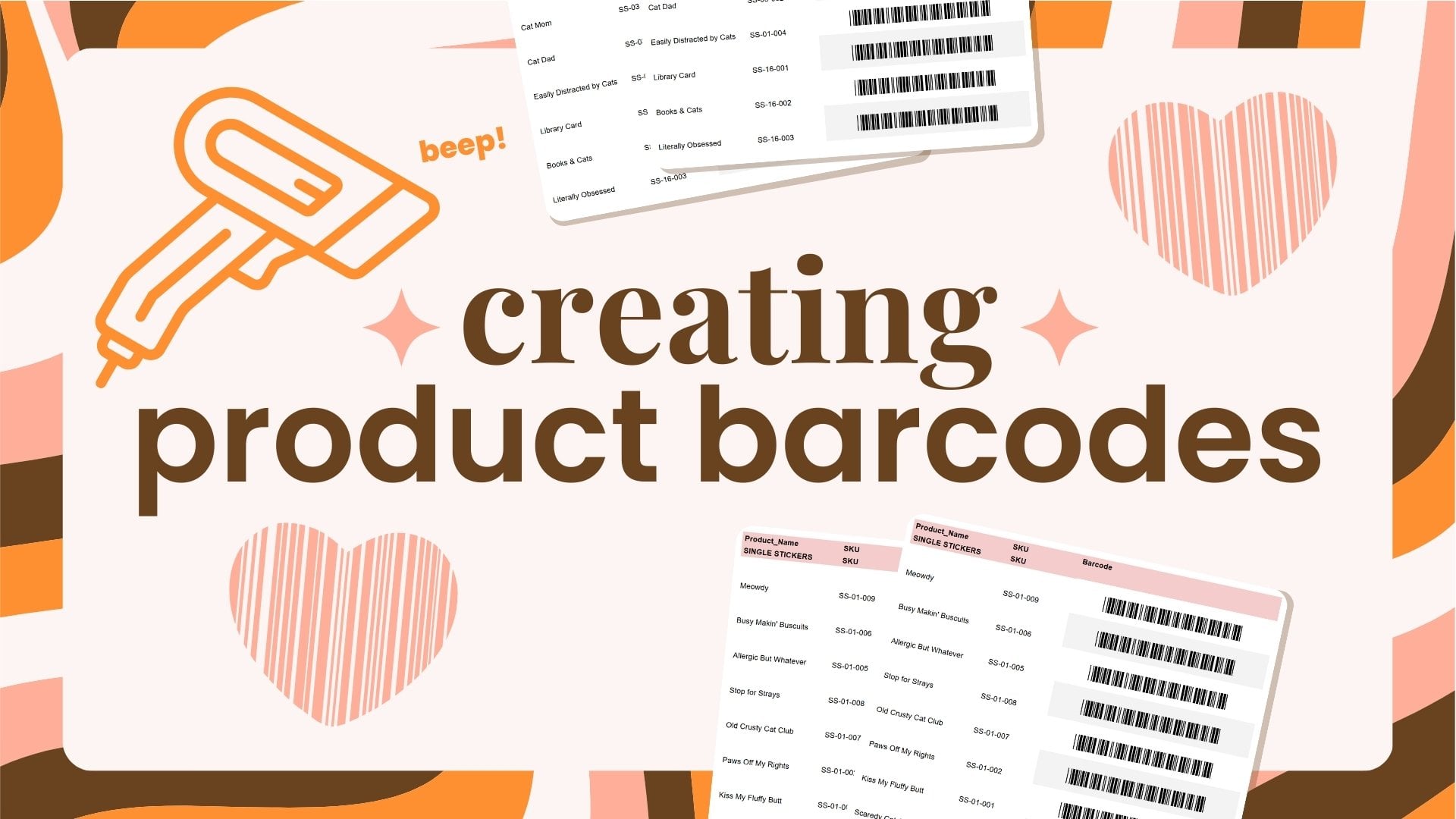
level with your skews, go ahead and hop over to my barcodes class and I
can show you how to make your own barcodes right
in Google sheets that you can print out and then use to scan when you're
fulfilling orders, you're doing markets,
all kinds of things, even inventory, and
it's super helpful. Once you just take a moment to get these systems in place, they can help grow your
business exponentially by saving you time and effort in the future because you
already have systems. You know what you're
doing, you're just popping it in and
moving forward. There's no weird
naming cat pumpkin, sticker two, three, whatever. Um, so yeah, again, I really hope this class was helpful and I hope
you enjoyed it, and I can't wait to see
you in the next one. Bye.
 Taylor Carroll, Illustrator & Chief Cat Mom