Transcripts
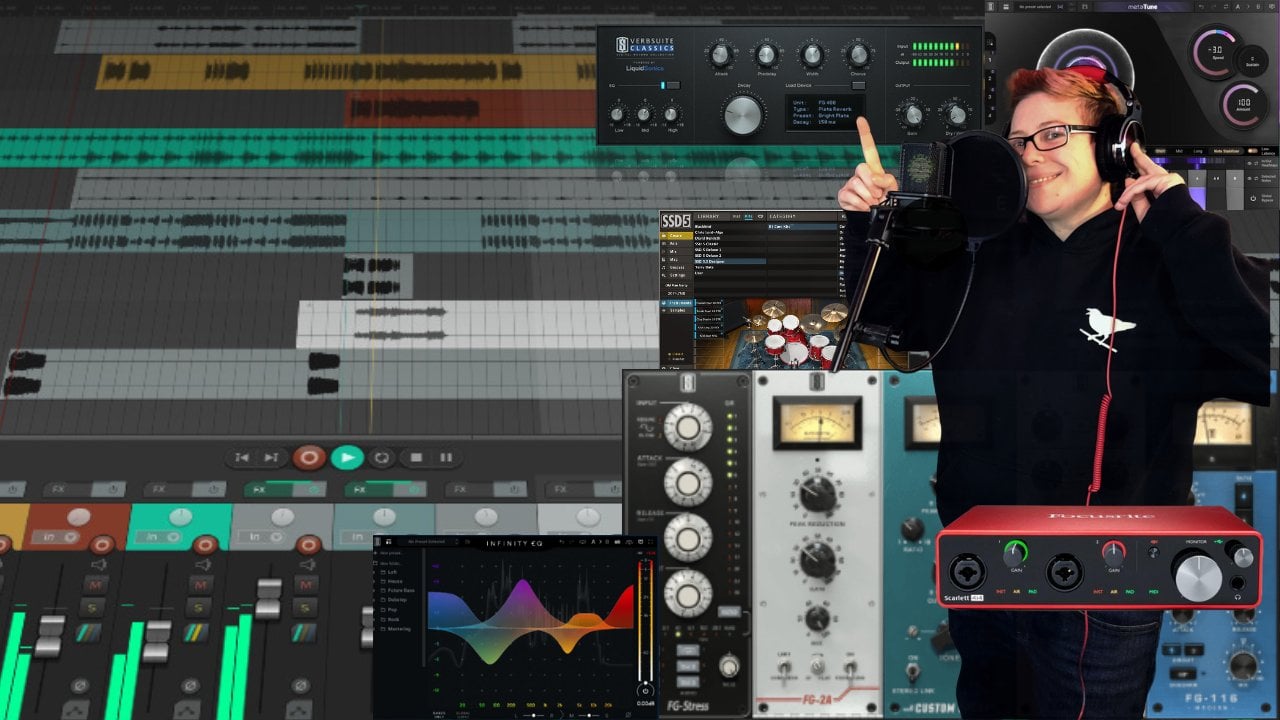
1. Overview Video: Hey runner, I am void or a professional sense sound designer
based in Germany. I've created a few bestseller sounds as with my
futuristic style. The most recent one is called analog save up
time for pigments. And that's the one you
see here right now. I have created a
sound design courses specifically for beginners
and intermediate levels. While I will explain
everything from scratch, I'm going to maintain a slightly steep
learning curve and dive into some advanced
techniques as well with you. So here's what you get. Let's take a brief look at the chapters and start
with chapter one. In the first chapter, we will create four
different patches of the most important
patch types. I will show you how to take
a patch from here to here. In chapter two, we will dive deeper into things
like play mode. Lfos, randomizes, and how
to apply all of this. In the first chapter, we will explore the most
important and common effects, and we will finish with how to organize them in
your plugin chain. In the fourth and final chapter, we will have a look into arpeggiator sequences and as well into FM synthesis
and wave tables. Before we finished with some nice tips on how to
make progress from here. When you are ready for
his big adventure, grab a drink, enroll to this
course and load up your sin. We have got some
sounds to create.
2. Chapter 1 - Welcome Video: Hello and welcome
to our first video. So I'm glad to have you
around intercourse. And I just want to give you a brief introduction
in how I approach this and how you should approach the course and just a few tips. So first of all, like I told on the product
page and in the video, I'm doing this course for a
beginner and intermediate. So the challenge for
me is because you guys have two different levels
of knowledge to bring you together on one level
without being too fast for the beginners and not bore
out the intermediate people. So what I do, what I've seen
several times when people create tutorials or
guides or courses, is that they would explain every little knob all the time talking
about envelopes for 10 min without you hearing anything at all in
the first place. And I think that's
boring because the cool thing is to see the magic of sound design
happening in front of you. So I follow a
different approach. We will create four patches in the first four episode as
you probably already know. And each time I
do something new, I'm going to explain this. So if we introduced
modulation in our chapter, I will explain what it does. If I use the fine tube, fine tune up in a
lesson the first time, I will explain what it does
and why I do it, of course. And the same goes
for everything else. But I will only explain
as much as we need in this particular moment
to create the patch. However, in chapter two, I am actually then going to
die for view into envelopes, LFOs functions, randomizes
and all of the stuff. And then I will explain every little button and
every little setting. The only XX acceptation is that I won't go over these here. Can I turn this thing down? Because this is usually
not on synthesizers, but I mean, this will
explain by yourself. If you, if you understand
envelopes later, these will be self-explaining.
So it doesn't matter. Yeah. Because like maybe in the
first or second episode, it can be a little bit
challenging for you if this is the first time that you have to deal with new things
that I explained here. So don't feel discouraged if you can't follow up completely and really beginning because
we will repeat this. So we will be creating
patches again and again and again like four
times in the first chapter. If you don't understand
envelopes or oscillators, are filters really well in the first episode than maybe in a second or third or fourth. So we'll go over and over again. And I think this process of
doing this while we create something is way more interesting than
explaining it one-by-one. So just keep that in
mind that it can be a little bit challenging
in this way, but it will, you will get it over time the more we proceed
and then more you do. Because what I want from
you is that you don't only watch these episodes, but pause after each episode and try to recreate or use
what you've just learned. So let's say you
stop after episode 1.1 to recreate the
pad that I built. Then load up your
synthesizer and start to build at one-by-one,
step-by-step. And don't only copy values, so don't don't go through here and read these
numbers and try to bring an ops to the same amount until you have done the patch, and then you have a nice patch. Then you have effectively
copied the patch, but you haven't learned a
lot about the processes. I mean, you have done
it then for one time, But what is better than doing? Only dad? Don't be afraid to experiment. Before you set up the envelope. For instance, two
settings that I have, play a little bit
around with it. Play with the settings. Play some notes,
look what they do, and try to figure out their
relationships to each other. And experiment a little bit. Don't be afraid to do that. And then when you've done, maybe after 10 min or so, you can then apply the exact values that I had
in the video if you want to recreate the exact same
patch and move on, because this way you will, you will have more benefit from, from creating, from doing this. You should always
keep this approach in mind even in the
further chapters, if you go through the
effects or the LFOs, really take your time to play around with each
of these elements. So that's the advice
I would give you two, how I approach this course and
that you keep in mind that you don't feel discouraged
in the beginning, if something is maybe a little
bit steep learning curve, I think you will get there
over time the more we proceed. And the second thing
is that pigments, like I told you
in the beginning, that you don't need pigments to take this course, which is true. You can do it as with
most synthesizers that are subtractive,
like this one. However, you maybe don't
have all the functions are the same features because every synthesizer is different
and pigments is really, really fully fledged
in that regard. So maybe some, some things
you won't be able to recreate and it
will be generating a bit more challenging
for you to follow up. Because sometimes buttons are a little bit different, labeled, most of them will
have the same names, but sometimes it's
labeled different, are laid out differently. So I hope this won't be
too much of a problem. However, if anyone of you
is now not owning pigments, are not having
access to pigments. What you can do,
I just wanted you to know about this opportunity, is you can move over
to spliced.com. It's what I did. And you can rent it there. You see it says here free
to use ten days left. So I've paid €10 and I could
use it for a whole month. And you don't need to
subscribe further as you can really just
subscribe for one month, pay only ten bucks and
use it for a month. If you want to have another
month, you pay another ten. And this rent to own concept means that you
are not only renting it, it saves your balance. That means that if you pay in, let's say five
months for 50 bucks, and then you say, I want to own pigments now I want to buy it. You only pay the remaining
balance, the difference. So what you paid already is being subtracted from
the final price. So just that you know
about this opportunity in case that you
rather want to use pigments to have it easier to follow up or to have
access to the synthesizer. But enough of the talk. So I'm glad to have you here. I hope you enjoyed us. We will have a good time and we will see us in the next lesson.
3. Chapter 1 - Creating a Pad patch: Welcome to our first patch. So let's start with
creating a pad. And in pigments, you just
click here and click on New Preset and you're given
a completely blank patch, which sounds like this. So you click here and then
bring it back to analog. So we have our basic waveforms which are sought
to this one here. This is an inverted saw tooth
is just the same inverted. This is the pulse wave and
the triangle and assign, and you will later here how they all sound or even I
can show you just buy now. But like I said, I
don't want to bore you with all the
little things like so. I will try to keep
a certain tempo. But first and foremost, because maybe some of you are not using pigments
in this course. Maybe you use your
own synthesiser. So somewhere either
you will have a menu where you can
create a new preset, or sometimes it's hidden
in the factory presets. It's called init. In it, like initialize, somewhere has to work in it, or initialize which will
give you a blank new preset. So that's what
you're looking for. This is how the song
waveform sounds like. This is the pulse. Sounds more hollow. A little bit like ritual games. So this is more edgy. Says more low end, a little bit more powerful
than we have to triangle. It's more subtilis, you
can hear, more rounded, not that edgy, and assign
this even more smoothed out. And this is something
you can even tell from the waveform a little
bit because this has more edges here. And this is more rounded. And that's actually
how it sounds. So the first thing
when we create a new patch is we have
our oscillator here, which is or sound source. So what we hear is this, this waveform being
played if I hit a key and we have
three oscillators, they are turned off now
because the volumes is not dialed in. And the first, like the absolute basic of
every patch you create is your oscillator and what wave form you choose
and how you set them up. So let's just
proceed from now on. So we have a filter on
every single patch. And the filter is
basically like what you hear is the full
spectrum of sound. So if I bring in my
equalizer just to show you, Whoops. No, come on. So let me actually remove this. So if I hit our key now, you can see the frequency. So we hear the whole spectrum
from all the way down here, Up to hear sound. And this is why it sounds
so harsh and so strong because we just hear everything in the same time and this is
not what you want. Usually, if you go to a filter, in this case it's a low-pass
filter, just by default. It, it cuts off
higher frequency. So if I play and just look
at this graphic here. Okay, Maybe I should
move the windows so you can see what
the drought does. It cuts off the
higher frequencies and the less of them are given, the quieter and more
subtle sound comes. So while we do, when
we do create patches, we first of all removed
some harmonic content. We remove some frequencies. And this is called
low-pass filter because it Let's pass through
the low frequencies. So a high-pass filter
is the opposite. It, Let's pass through the high frequencies and cuts
off the low frequencies. This is the, exactly, the exact opposite here. So you can see it. So it takes off the lows, even until you can't
hear anything anymore. Then there's bandpass, which
is the same from both sides. So it cuts off a little bit from the top and a bit
from the bottom, so it's a bit more well-rounded. And you can shift the emphasis. You can say red, I want more of the highest or red I want more of the lows. But personally for me, low-pass filter is the best
thing for almost every patch. So personally, I believe that high-pass filter and band-pass you can
work with them, but they are more specific
for specific purposes. Just because they are more
harsh and less powerful, because you have
less low frequencies and more high frequencies. So after we have set up a filter to level
that you'd like, for now a baseline. What we do is we work with
envelopes and envelopes. We have three of them
here, so you can see, but we have only
one by default now activated and this is
linked to the volume. So what we set up
here is what we hear. So if I hold down a key, you see this little
dot going through. But let me actually change the settings so you
can see it better. So what it does
represent is all volume. So the bottom of course
is not not audible. This is no volume or just
to initialize position. And then this is the maximum amount of volume that we can
have in our patch. It's just determined by the maximum volume you
just set up on yourself. Or you could of course, may
use after sustained button, but I'll explain
this in a second. And with the attack button, you can determine how long it will take for
the sound when you hit, hit a key to get to
the full volume. So 3 s, if I hold down, it will take 3 s to get there. On the other hand, the opposite fingers
to release button. If I release it,
it will now take 3 s and 77 s to fade out. If I bring this down to one, if I release the key, we're instantly here
nothing anymore. Because to release time to fade out of the whole volume
is one millisecond. So this way we can determine how our
instruments should behave. So if I bring it like this, this is what it sounds like now. And even if I bring
it down to zero, which means that we instantly
start at a maximum volume. The tail is determined
by their release. So if I just hit a key ones
now and you can see it here, I'm not touching it anymore. This is to release fade out now because we
put it here on 4 s. If I bring this down and played the same
key, it's shorter. Envelope is basically like the control unit that shapes
the volume progression. And since we want to make a pad, which is a huge texts or
texture of sound, soundscape. We want to have a longer
attack and release because this is what is the
core of a pad sound. So then we have
two other buttons. We have sustain, which
is like the name says, when we keep holding down notes, sustain their sustained note. So if this is 100 or one, It's the maximum
amount of volume. But if you bring this down, changes and the
decay is basically the button that
determines how long it takes from the highest position, the highest amount of volume. If if we reach it after these two point
five-ninths seconds, how long it will take from
there to go to to sustain. Right. So if the case on to, Let's bring it to 3 s, it will now take 3 s
from here to here. And here we'll stay
as long as I hold down the key because
it's sustained. As the same name says. When I released the
key, they release one, the release button is
triggered. For volume. I usually have
sustained just on 100. So that means that
indicate button, It's not doing anything, doesn't matter where it is. Because 100-100 is
no change in volume, no matter if it takes 20
s or one millisecond. So this is a good base for
our lead, for our paths are. And the next thing we might want to do is add a little bit
more thickness to the sound. So we have only one
oscillator activated. Now, if we activate
oscillator two, we just increase the volume here to bring it in
to make it audible. And we can change the
waveform if you want. So this sounds
different from this. So this brings more
power into the patch. Or this one would. Add more low end
but more subtle, but we go for something more strong than something that is really like common
on a lot of patches. Sometimes you don't want it, but what is common is to add our so-called sub oscillator and Dennison oscillated as
playing one octave below. Which means if I
play this a here, now, it's like here's
another one octave below. This is an a, this is an a, and this is an a.
And this is an a. And an octave above just
means the same node, one octave higher or
one octave lower. And by bringing this
down 12 semitones, because one semitone is the distance from
one key to another. So this is an a, and this is an a flat. This is one semitone. So if we count down
123, 456-789-1011, 12, we end up on the same note, just one octave lower. So if I bring this to 12 -12, it means if I hit this key
now for Plato's state, one is playing this and oscillator to which I
brought down by -12, is now playing this note. And this is adding
low-end. Compare this. If I bring this back to zero, c, This is stronger,
it has more low. And by the way, if you ever want to reset
anything and pigments, and that is true for a
lot of synthesisers. You just double-click it. Dan, whatever you
click on double-click, we'll reset it to default. Even for make this double-click, it's back to default. So we have now a sub-oscillator, which gives our patch
here more power. Now thicker and stronger. And I want to add something
because this is a pad, right? And a pad needs needs more room to expand
and we have no room, you have no effects applied. Now. We have two effects that are turned on
as you can see, but they are set to zeros
so we don't hear them. So this dry wet button
wherever you will find it on whatever plaque
and you will find it. It says dry is your
is your patch without whatever you find this
button on and wet is with the maximum amount of this
button off this plugin. So this is a reverb
module here, right? So this is giving us room. So now a reverb has added some
room to a patch, to a pat. And we will be talking about
effects later in the chapter three where I will explain reverb delay everything
really in detail. So don't worry now,
what basically here we can dial in the amount of
rework, how long it should. So if I bring this down to here, there's almost no tail
when I release the key, but here we have more fit. Here we can change the size of the room
to make more huge. Right? So we have now a little
bit of reverb on a patch. But it still doesn't
really sound massive. And we can do something
to change that. So we had the envelope with volume before and
had set up and it's fine. But a filter here is
not doing anything. It's just set to
this value, right? But imagined fertile would be
doing something like this. This is something that
I didn't know by hand. Well, we actually don't need to do this by hand all the time. We want to program
our patch so that it does these things
for us when we play. So we can focus on playing. So what we can do is we have
two other envelopes here. So I click on envelope
too, which is this one. And I can just go up here to the cut-off knob until I
get this double arrows. Hold the left mouse button down, and then just move it up in
this way, in this situation. So it brings up the
value here from zero, which is our default
position now, up to whatever value I want. If I bring this to,
let's say 0.20, you see there's a
little glowing, even more glowing
part of the ring on the right outer edge here, which shows us the range, range that I just have set up. And this envelope is
now linked to this. So if I now bring this
up to, let's say, Well, do we have here 3 s, like yeah, around kind of similar
value if I don't, if I hold down a key. You can see it here.
It moves up like here. And then jumps back. Because this envelope is
not affecting this filter. And the reason why it jumps back is because of the case time is set to
true 100 milliseconds. Do you remember? If you keep holding
down to note, this sustain is determined
whether highest position is, in this case it's zero, it's back to default, right? And the decay tells
us how long it takes from the highest position
to, to sustain position. So if we want to have a smooth, smooth transition
back because we go up here and now we
want to go smooth back. We need to increase
this as well. To at least something close. It could even make it a
little bit more longer. Read bring it close
to two attack so we have a better feeling
of transition here. And to release button again
is if you release the key, so if you play now, and I stopped here,
it's instantly gone. The filter cutoff costs are released a set
to 100 milliseconds. So I need to take
care of this as well. I will bring this up around
similar value in this case, because I want the patch
to behave the same no matter if I hold down a
key or if I released the key, I want to have the same
amount of filter paper. So if I release it here now, it was still have
some smooth fade out. You can see it up here. So if I released the key, now, see it's still
going a little bit back. And this is something
that you really need to get into your head, like the difference between
release and decays releases when you release the
key asset sets and TK is that decay time. Cheers, sustained value. When you hold down the key. He sustaining. So you may notice now
that the pad here, it sounds good, but it sounds
a little bit metallic. So if you spend
attention to the tail, There's some metallic sound. So what can we do about this? If you turn off the reverb for now so we can hear
our basic patch. It's metallic but not that much, but we could now take to solve with instead
of this Paltz. See if that makes a difference. And I'm really, so we go back to the rework and we
have filters here. So like I told you here, I told, I told you that the
low-pass filter, Let's pass through
the low frequencies. This is why it's called
low-pass and high-pass. Let's pass through
the high frequencies, which is why it's
called high-pass. So the same concept
applies here. This is a low-pass filter. This means that
if I want to have less of the higher
harsh frequencies, which sound metallic, I
just cut a little bit off them in the reverb tail. So if we do something like this, just to show you on extreme value so you can
really hear the difference. This makes a difference. It smooths out a little
bit too harsh part. Again, we can hear filter
out lows with this one, but I don't, I mean, it's by default on 200 hz. This is good because it
filters out the very low end, which can get muddy in a mix. And we'll just leave
it around this. But I wouldn't do anything
with this because I don't want to filter
out our core or middle. And their dendrites damping, which does the same job like damping the
higher frequencies. I'll explain this in
the viva video in Chapter Three, more in detail. But for now it's habitats. So far so good. But the patch is still
not very interesting. I mean, it sounds lovely, but it's not really interesting. So what can we do next? So you see we have a
fine-tune button here. And fine tune is, the fine-tune is
between as semitones. So if you remember
a semitone was from one node to another node, no matter which one. This is the distance
of a semitone. Then fine tune is in-between. So this is zero semitones, which means exactly
the key that you hit. And if you bring it
to one semi-tone, it's basically the next key. So if I bring this up to one, if I would play now our C, I would get a C-sharp because
the pitch has now shifted. So this is something
we don't want to do because it messes
with our scale. With a music theory, we will be, we will end up and out
of qi AFP play around now because we're not hearing
the Keystone we pushed. However, if he used his
careful in some middle value, even some higher one, it will still leave
us on the key replay, but with a shift in the pitch. So I will show you what it does. Separate equal effect.
As you've seen. I just did this with
my mouse, but again, we want this to be
automated maybe, so we can again just
focus on playing. So this is something where
LFOs come into play. And again, don't
feel overwhelmed. We will, we will be working
with LFOs and envelopes and all this stuff and every next episode when we create patches. So you will see it
again and again, and it will become more clear to you the more
often we use this. Lfo stands for low
frequency oscillator. And you can just see that it is something that is in motion. It's something that
is constantly moving. And we can use this as a modulator to move anything we see here that
we can attach it to. So if I click here, you see all, all these knobs. They got a white
circle around them. So if I click here, spent
attention to all the buttons, they become highlighted,
which means I can leak does now to
any button off them. So if I link this now
to fine tune here, you can see it starts moving. So if I hold down a key
now, it does that for me. And it does that in
the passion of the, of the waveform you see here. By the way, they
are not connected, even if it may look like
it's floating, true. They are all this LFO 2.3, they are separate, they
are linked to nothing. We just spent
attention to LFO one. And this is a little bit
strong of course right now. So we maybe, first of all, click here on sync binary
because hertz means it's, it's completely free things. So you can pick any
little value you want. Well, maybe we want
it a little bit more. Sync with our ribbon in
Adi HW in our program. Because when we create music, we want to have everything be in kind of
correct ribbon time. So it's, it sounds not off
but sounds right together. So here we can change the speed, the rate of the sink tempo. So this is a half-note. This is a whole note or
acquired a node or an 8-note. So this is simply basically just the tempo and I
wanted slower first. I don't want it as extreme, so I click again on LFO one. And I can either just change this number here or
just grab it here again visually and bring it
a little bit down like this. So if I play it now. All right, so you hear it, there's some motion
in the patch now, but it doesn't mess
with the pitch so much. I still think that if I release
a key, brings up on it, but I think the fade-out is a little bit too quick still. So maybe bring a little
bit more decay and release and make this a little bit louder by way of thinking the patch
is not that at all. So let's hear it with the other. I think it's too slow in the
beginning should come in. Precursor. We can play better to submit a bit better. But knifing the pad
is still too smooth. So I would like to add something more to
make it even more edgy. But before we do this, look at this beautiful button
here, it's called drift. This is really something
special to pigments. This is not really given any other synthesisers
most of the time. But if we increase this, it will just add some
randomness to the pitch of each voice at it
says on the bottom. So this means that what we did
here, we've defined units. Now, even by the synth itself applied to
every node you hit. So basically every
node has a little bit different in its fine tune
value from beginning. So to make it extreme,
so you can hear it. Of course, too strong now. So we will bring this
to a septal value. Maybe leave them
off to high-end. Sounds pretty cool to me so far. But now let's bring in some distortion for the
pet to be more edges. So we actually bring in just sort of starting
module here, which just interrupts the
waveform a little bit. So what you can see here, it just adds more
edginess, right? So by the way, what I did is I decrease the output gain because
two numbers here, because if you introduce
distortion to your patch, everything is getting
really louder. So here you can work against this volume gain
and make it again. Bring it back to the
volume that you had. Celebrates strong. So I would maybe even
reduce this a little bit. So the dry wet button again
just determines how much of the distortion
is being audible. So if we bring this to
100% all the way up, we hear the fully
processed patch. But if you bring it
to a value like 60%, that means that
40% of our signal, just how it sounds without
this module at all. Plus 60% distort it. A little bit of fine tuning
between both values. And to drive button just just determines how strong destruction
shouldn't be applied. How hard, how harsh. This is, how much more
strong and the sustain. How much of it you want to be audible in your patch at all. Because I can make this
super hard but say, Okay, I want only 10% to be
present in a patch, right? Or I can say make
a super smooth, but I want it all to be
mixed into the whole thing, which is quiet or now, because it's so sad that we
don't have a 3D volume gain. And I had this button here, reducing it down, but
you get the idea. So let's bring it back
to something like a mix. Too strong to me. You hear this a
fluttering effect happening. We don't want this. Let's see, maybe under
the bit less gain. But not sounds pretty
good in my opinion. So this is a pretty
cool, nice pat. Then there's a resonance bad
button next to the future. So if I increase this, you can even see
it visually here. It basically just boosts
specific part of the frequency. So if you remember, this year, can see if I bring this up. So you have seen this
little wave going through because offered
a moves of course. But you can see instead of
wave that went just through here is this boost in
frequencies are resonances, just basically adding more
resonance to the filters of boost a little bit of a
specific part of the frequency. And all you need to know is
that it makes the sound. It adds more character,
more saturation. It makes it more
edgier, grittier. Well, of course would now interferon more with other parts of your composition
because the pad this way is really strong, but it can play in
the back of this. Other instruments would
have a hard time to fight against this because it's
so loud, it's so powerful. But just so you get an idea of what the resonance
button does, you can even add, it's
something like this. And what you've noticed now that generally like when you
apply effects, LFOs, stuff like resonance, I'm personally I do it
always up there, but I think the combination of septal things shape the sound. So we have the fine-tuning, it's just a little
bit, but it's there. It adds a little bit
constant motion to a patch. We have this filter opening
by this envelope here. That's again motion and
life to your patch. You have a little
bit of resonance. And then we have a little
bit of distortion. Actually, not just a
little bit actually, it's pretty strong, but it's not consuming
your whole patch. These little things
together, they add up. And we have to drift, right? Each voice that we play, each note that we play as a
different shift in its pitch. So I think that's it
for the first patch, I think it sounds good. It's good so far.
You've learned a lot. So yes, we will, we will just, we will be
creating three other patches. We will make a base, a base patch of black
patch and a lead. And we will again use envelopes
and LFOs and filters. So just hang in, you will get a
better understanding of it the more often we do it. And then we will reach
Chapter Two where I will explain all of these in
detail a little bit more, explain their
buttons and show you some practical ways to use them. And then you will really feel more confident
with these things. But what I want to
emphasize to you is you can just move on and watch
the next episode if you want, of course, or your grip, your synthesizer now, no matter if you use pigments or not. And try to reproduce things
that you have seen now, you can just rewind the video, click on positions to lag, and then try to apply what I've been showing you experiment
a little bit with it, because this is what creates true connection in your mind, which creates memory
and understanding of their after techniques. So have fun with this, and if you feel you're ready, start the next episode. We will see us there.
4. Chapter 1 - Creating a Lead patch: Welcome to Episode two. Here we will be creating
a lead this time. I've already started
applying patch for us. Sounds like this beautiful. And like always, we begin with
setting up or oscillators, shaping the behavior of the volume with the envelopes
and off the filter. And of course setting
up the filter. So these are always the basic, three basic steps you start
with when you create a patch, no matter if it's a pad, a base or plucked, or a lead or whatever else, we're going to start with
the car off the patch. So let's start with
the chair again. So I'm going to adjust
this to a minimum level. Like where does sound
will end up when we play something around this. So we had a pad in the last lesson and a
pad is evolving texture, but now we are creating a lead. And lead is something that you, you know, you play it like. Now this is just,
just playing around, but you play it
like this, right? Or lead is there. The main, like the name says delete, deleting part
deleting instrument. It's the main thing
of your song, probably, except you have a singer and in
front of something, but it's the main melody. It's, it's, it's the voice
of your song, the core. And it needs to be
playable quickly. So we don't want to
have a text like this. Because as you notice, you can't even hear this
if I play it is Craig. You want to have an attack
that is nice to play with. And if I release the key, the button as you
hear, nothing left. So we want to have a release. And of course I
released that is good, but not too long because
if you make the release, something like this, I mean, you can if this is a special
purpose and your son, but if I put a release on 5
s here, see what happens. So this would
function in a song. Not so much going on
where the lead can really fall out like this. A busy song with a lot of
instruments, elements. And when this, when this
patch here has done and it's louder and it's now more
present in the mix. And you played and
stuff like this. You see it's just
all overlapping. This is it's consuming
a lot of space. So we'd go for something
with a nice tight still. Fades out, fades out nice. I think this is good, is good. And then we are going to bring in the filter for now
as we did before. So again, we click
here on envelope too and just grab the button. Whoops, not the main button, of course, always the
outer edge of the ring. So we can apply this
modulation here. And here we increased
the attack a little bit. Since almost dreamy. This is true long as you notice, it takes too long until it falls out and are released
for the field as well. What do we have
here? 1.95. So let's go for something similar. I release the key,
I get the same. Maybe a little bit shorter. So it's not open all the time. Ndk button when we hold
down the key and unit, remember the release is
when we released the key, If I just quick, but if I hold down, the
decay is the main parameter. So in this case, when you
do something like this, you have two choices. Either you said released
indicating the same time. This means that when
I just play now, no matter if I play
quick like this, I've released all the
keys or if I hold them. I mean, okay, this is
still a little bit longer. But let me just
show you one key. So if I hold this down,
just playing a short, it's pretty similar now. Or Bring the K just up and
uses performance-wise. That means that now if I play quick sequence
sequences like this, it sounds different than when I play it and hold
the keys longer. Soup of these settings, I have the choice as player to play the instrument
differently. This can be cool. If you want to play it
this way, then it's great. But if you just want to
program in your notes, maybe in your DAW and you
always use the same nodes. So you only use eight
nodes for the sequence, for instance, then
you don't need it. But then if you
want to play stuff, life in and choose, sometimes hold notes longer
than you want, just, just because you do when play
and you get a longer decay, then it's good to bring this to the same amount so
it doesn't affect your playing if you
get what I mean. So, but this sounds really good. And let's see, we
have just one, right? So we could bring in
second oscillator. So maybe with a triangle, the triangle is less edgy. I show you how it sounds again. This is only the oscillator
to now when it's turned off. Right? This is a whole
different sounds, so it adds a little bit off, a little bit of thickness. And if you play with
the fine-tune stuff like this here, you had started. It was stopped to sweet. Faster and faster. You can even get us better
with the same waveform. Here. This, it sounds like
this looks like this. I just stood up for leisure. Idea of autosomes. It's not actuated, right? So this is what you hear
and emailing pieces. It's getting faster happening because oscillator one is
of course tuned perfectly. And if you use
oscillator tuned, you, you tune it a little
bit different than the two waveforms. Stay, swing a little
bit different. And the difference is
what you're here to. This can be a cooling effect. You could even what we
usually do on other senses, we have two oscillators with this knob and then just do the same on the other one to
the upper side, opposite. Something like like this. Now, this of course, already extreme value
could bring this back to around 112. Maybe. Sounds like this. It's a pretty cool
effect as well. So if you want to make use of this effect really
strong unique to us as one Austinite and a
second oscillator that has the same button so you can detune them against each other
like I did here. But having first year and just doing this
does the job as well. It sounds different because only one of both
states, you know. But just remember, this here sounds a little
bit thicker because no one is in tune and only choose adding a
little bit of movement. Here. It's not that audit name. We will stick with this one. Or we go for a pulse. But we could do here
at ports with module and see if that sounds good. Not really convinced right now, but when I talked with
something like this, but it gets an artefact. So I will be talking about
ports with modulation, maybe. Other in another lesson. So let's stick
with this for now. Detuning. It gets fine. And we could leave it like this. So not turn this
into a sub ostinato because we want this
effect with the de-tune. Be present. Bring this down.
It's still there, but it's not as present as here. Because in the lower end, it's just down there and being
masked by oscillator one. So if we want to have
a sub-oscillator, we can now turn on
oscillator tree, de-tune it. And we have more low end. And we can make this extremely
short triangle waveform, which is most often and just add some more sap the low-end, not as gritty as this one, is way more smooth. And of course this
is even more smooth. But the sine wave
has really a lot of harmonic content and
it starts to rumble a bit in the low side would
be careful with this one. But this is good compromise. And about the volumes I
have just oscillator one at the maximum volume
than oscillator to adding a little bit less. So it's, it's just not as super present and oscillate a tree, even a little bit more quieter, just as low end, so that our main oscillator, which is the most stable one because it's not
detuned and it's not shifted down in pitch, is the strongest, loudest. Give a good base. So far so good. So let's
actually work with modulation. Modulation is a
pretty cool thing. As you see here. The more I increase this to
more away from here changes. And if I hit Aquino,
sounds different. Donor can then move this. So of course we
need to figure out if this fits into the patch. If we don't have
practical use for this, we will ditch it. But let's see. So what is modulation
in general, right? So modulations basic Kelly, in this case feeding oscillator
tree into oscillator 2.1. Or actually you can decide
that with this FN button, which stands for
frequency modulation. So if you turn this off, it won't do anything. So you can say, Okay, I just
want only oscillator to be affected by the
modulation if you just activate it on
oscillator two only. This means we can keep
the stable sound of oscillator one and have this effect only on to signal. Isn't as strong
distorted like this. Right? Then we can make this more sap to in this case because
oscillator tree is modulating oscillator to the way this looks like
and the way it's set up. It makes a difference. If I
change this to semitones, for instance, you
will see that it changes the shape
of oscillator too. Because this one is
being fed into this. And of course, the shape of this one will then affect this. So you can't make
changes here without affecting what it modulates. Sounds different than this. It's by the way, not important. Like if you asked
yourself now, maybe like, how is a pulse waveform effecting this
different like this. So you don't really need to know the technical details
behind it because it's, it's just it's just what it is. You just need to figure
out what you like. The sound brings us back to suppose. But now it sounds hollow, right? So if I turn this
off, so normal sound, frequency modulation
has metallic sound to it a little bit hollow. Don't quite line. By the way to source, you can change to noise. Then this here becomes
the modulator, which does nothing
because of course, because the amount
button is turned off, this is really smart. So now nicest demodulator, even if it's turned off and we will be talking
about noise later. So you know about this option. But I wouldn't actually
use noise as source. So by default is just
set to oscillate it. This way, we just add a
little bit of grittiness. Maybe we could take
our envelope to further filter and add it here. So it does this job
for us just for the same time in the
filter opening happens. So if I hit a key, now, you see this. The Fed or obese demodulation happens and then both goes back. Thanks to our annual up to It's not that super present as if I just
bring it here all the time. Because it's somehow sounds like it's bringing
down the quality of the patch because it's not that clear and
strong anymore. But this way we can edit a little bit more sap though
we can even make this less. See if you liked it. So far, so good, but are patches pretty dry? There's no effect on it yet. So let's start by let me think. Do we want to have delay? Let's see. Let's see if he wants to have
delay on this patch. So of course, we
turn it on first. So delay as you here, if I play a key, just bound, bounces,
just duplicate off to signal a visual
representation. It doesn't really show the times it balances because
if I bring the feet back up and I hit a key now,
so basically forever. It's not showing
the maximum amount of visual representation. So first of all, you set to
feed back to a level that you like so that your delays not going endless into your mix. So if I hit a key now, still too long for my taste. Still, that's maybe good. But first of all, it sounds
even more metallic because we have this metallic sound
because of our modulation. So what we can do here is
apply a low-pass filter. And it's actually doing what we do here or what
I showed you on my, on the equalizer
before, like here. You remember, here's the signal. And the low-pass filter is
cutting off these heights, again from the delay and from the DA Only this is something that you
need to keep in mind. If you find buttons like
this on an FX plugin, it only affects what
the plug-in creates. So if I bring this all the
way down, It's not that. I mean, of course
now you don't hear the low end anymore
in the delay, but you still hear
it in the patch. So it's there. It's still there. The
patch sounds the same. This is really only
affecting the day. We can make it a
little bit darker. So that delay is not increasing
this metallic sound that we have too much patch. But actually I think that sounds less
metallic than before. Yeah, definitely. This is, this is more where rounded, It's not so metallic. So let's make a
better ribbon first. So we have these ribbons
for the, for the delay. This is acquire a note ribbon, so it will give us four bounces in the time
of a whole note step. And when I say this, I mean
like in context to a tempo in DDH W. Right? So this is, this is four
beats for a bow, right? It's, whoops, it's 1234. So if I play just one note
here at the beginning, we should get four bounces for bounces in the first bar. And this is because we set
this to one quarter note, which means four bonds is
a bar if I bring it up to one-eighth. So we have 81. We maybe not here all of them because the feedback
is turned down, but this would equal
than eight bounces. Or if you make it a
half, half, note, it means to bounces
beat. So for planar. Difficult because
when I record I have a little bit of delay. I mean, in my DH
W, If I hit a key, it takes a few more milliseconds then usually until
I hear the sound. So it's hard to play live
performances sometimes, but just so you know. And anyway, what we can do about the timing,
which is pretty cool. What I like is we can either
go for triplets or dotted. So triplets means
the value we have, but a little bit shorter. So speaker, you could say. So compared to a quarter note, quarter note triplets quicker, while dotted means a
little bit longer. It sounds terrible
now to be honest, but we will, we will
make the sound good. So let's, let's make
the delay really, just, just really subtle. And then let's add a little
bit of room for rehab module. So this is pretty good in terms of the room after delay and reverb together. And we will be talking
later, of course, about a plugin
chain like in what, in what order should you use your plugins and
stuff like this? I will cover this in
the effects section. I would like to give a little
bit more power to lead because it reacts a
little bit sloppy. So let's make the attack
a little bit shorter. Let's see if that's better. So now the delay mess
a little bit with my ribbon because it's
distorted sound that's loose. Fingers delay has a better value because I can play
whatever I want to know. I don't get ribbon that
messes with my ribbon. The time I am playing. Would like to have it
a little bit smoother. Let's look if you turn off
the modulation because I am, I'm showing you things
like modulation. But maybe sometimes it's not, it's not fitting
into the patch and it's totally fine if
you remove things. Like if I'm playing this, I don't like this,
this distortion at the beginning of each year. So for smooth now, let's look if you can. More interesting. So let's talk about randomized. I think we could
use a randomizer. Well here, let me actually turn this away from our modulation because
we don't use it anymore. So thinking even
sounds good with this trying to form because
it's even more smoother. Now go for smooth sound. Bring it back up
again a little bit. That's pretty good.
So randomizes. So randomizes are pretty
cool because you can just apply them to anything and
they will add random values. And they are like two main
ways you can use ten. So this is the cheering mode. So you see it's creating
values all the time. So if I take this randomizer now again by just
clicking on it, and let's say I would bring
this here onto our filter. I choose to arrange the area
where the randomness should happen right from a default
position up to in this case, like around 03:00,
right, around 0.30. And as you can see already here, these random values are
moving or filter knob. So this position here
is not true anymore. It's actually there with a blue highlighted colors
jumping all the ways. If I hold down on note now, of course, a little
bit edgy because we have chosen such a huge range. So if I bring this down, we will get more
balanced changes. But this is something you would use on a pad or something, or something that is longer evolving because if I hold down, we can barely hear this. I mean, it's there, but it's not in the sense of our lead. You want to play
on it like this. And here it comes in a way
as to see sometimes I get random values that are
closing my filter too much. And this is not
what we want, but just so you know
what Turing does, we can see in the next lessons. If we can bring this into a pad, actually in the randomizer
lesson, I will do this. But for now let's bring
it to a sample and hold. And sample and holds
means if I hit a key, I will get a random value. If I hold it down,
nothing happens. And if I play, ever get random values all the time
for every note that I get. But again, we don't want to mess with the filter because
sometimes it's super open, sometimes it's, it's close like this and it just
doesn't sound good. It gives inconsistency
into our sound. So let's think about
where could we use this randomizer too At benefits. So what we could
do, we could bring the resonance a little
bit down and say, we want to have some random
values here in this area. So if I play now, you can see it's not really
altering our sound so much that we get
completely different hits. It's even almost
inaudible, but it's there, it's modulating the
resonance level. So each key has a little bit
of a difference back to it. You can't really
hear it on each, on each hit, but it makes the patch my
interesting when you play it. But of course it's the septa. We don't really notice this. And by the way, let me
see how to trigger modes. So actually I would
now choose poorly. I will later, we will have
a lesson later about, about mono legato poorly, well, we'll explain
this. So don't worry. If you're interested like
Leganto actually just means, I can show you this here. Just, just short. Legato means if I play a note and then another
upload the note, what I still holding
down the first one. Not re-trigger or envelopes. Not a fit or nothing because it just takes the value
from the first note. Hold down on one of these upper ear and
placement females. They will take it from there. So basic Kelly When I, when I happily gather
when I hold down unknown, and then we end up getting, you know, new random values. So, but if I bring
this to poorly, she hits, gets a new value
instead of just one. So this poly mode in this case is better
for a purpose to get each notes on some specialness,
some individual things. So we can now take
this randomizer and bring it onto the fine
tuning knob a little bit. If you noticed from
the first lesson. Basically doing the same
thing as if we would use the drift button to add some randomness to the
pitch, often nodes. So this drift button is
something special on pigments. So here we could actually
just use this much. Usually just this
button is not on since. So if you want to
have this effect, you could use the randomizer I suggested and bring it a
little bit to the fine-tune, just subtle like 0.6 because you don't want to
have something like this. Maybe you want for
particular sound, but it messes with
your scale, right? You're not in key
anymore when I play now. Sounds terrible like in a
horror movie or like if you're playing on really, really
untuned instrument. So if you bring this to a septal value, already
pretty present. So I could hear the
changes in pitch. So I bring this back to
0.06 and its receptor. But now we have random
resonance values and random fine-tune radios. And this makes a sound
already way more interesting. And he could even
now this is crazy. Let's take the randomizer and bring it just a
little bit to the attack. So this means that sometimes
the attack will be shorter, so we will get a quicker attack and sometimes it will be longer. Be cool if it wouldn't go up in the same time because
I don't want it to go up because then we can run into such a way as to take long and we want or lead to be
playable quick still. So usually it's not in here. But on LFOs it is if I take an LFO and let's say
I bring it here, onto here you see it's
going into both directions, but I could click on unipolar
and it will only go up now. So not down, it will
just start a default, go up and bounce back. Our randomizer sadly, doesn't
have the function here. We can do this. It's actually nowhere. So it's not good for
the purpose of routing. These two are envelope. However, let me
think for a second. This is function one and I
guess we have side chain. Yeah, So let me actually
explain you what side-chain do. So we can do this
with the function. This is now really
getting complex. So don't worry if you can't, if you feel a little bit lost. I just wanted to show
you this opportunity, but as I said, we were going to repeat the staff and you
will grow into it. But functions like this is an envelope like or
envelope here, right? So it's not doing anything now. But I could now,
let's say link it to filter and dot floating. I drew here all the time
because it's unmute. I can bring it to one shot
and we'll just do this one. So while we could try to do
is to take this function, this is basically
buried by the way, this is special
because you can create your own wave form, your own envelope, sorry,
not waveforms envelopes, because here we only have four dots in a special
relationship to each other. But here you can really
do whatever you want. You could now linked this to year-end, Something like this. Right? So this is
special about functions. Let me erase this quickly and bring this back to
what it does, right? So that's dealing
from the cutoff and let's take this and
route it to the attack. So if we now, because
remember I didn't want it to go up to
not get longer value. So if you bring this out a
little bit down, however, by -11, and then side-chain
it to the randomizer one. It means. By 100%, it means that the randomizer now
picks random values for us from our default
position up to down there. So if I now play but still going up sometimes, did you notice this? I don't know. I think the text should become
actually, let me try something. I have the feeling that
it's still going up. Sometimes. It's actually look at this little that
it just see this. Sometimes it brings it up. It sets the starting position higher than it is now.
I don't know why. Because it shouldn't
this like I have picked my range only down. But it did, so we were
just not used as nouns. Maybe it's a buck, but it shouldn't. Do this. On the positive is
unipolar, yeah, and we headed to Unipolar. If I click here,
it would start to work into both directions. You see this, this is why we didn't want and
where we didn't have. And if I set this to bipolar, which it was it shouldn't actually you wanted
the other direction. I don't know why. Maybe
like maybe it's a box. Sometimes this can happen. I mean, usually this
synthesizers bug-free. But anyway, you've got
the idea, I hope so. Um, what, uh, what our
lead sounds now like, I think it sounds pretty good. So we have to randomize
on the resonance, sorry this the LFO, but it's still affecting the resonance. You a little bit arrange D. When did I linked the
LFO to the resonance? I can remember doing this. I didn't know when
this happened. So the randomizer is giving us random values under resonance and making sound even a
little bit more interesting. We could even see this is the width button
for the triangle. Changes. The sound. Actually sounds
pretty cool as well. Let's bring it a little
bit to the middle. And around here, take the randomizer and give
some random values. It's better at some
more clear sound. But now we have the randomizer. I'm just adding a little
bit of variation here. It's like a told you
this approach that we had in the first
lesson and that I did here too is that we use little
modulations here and here. Little randomizes,
stuff like this, but we keep it softer. But if you apply it on the right things and
just a little bit, you will have the, you will have a patch that
there's more coming alive. It's not a static, it's not at every single key it
sounds the same, but now they have some third dimension to
it, right? Some deaf. You can really hear that
they are different, that you can go down
into the sound. This is how I feel about this. So I would say, because this
was a quite long lesson, but I hope you
learned a lot about the new things that
we covered here. Sounds pretty good. I mean, it's not super bright. I mean, if you could say
this is not bright enough, you could just bring
us a little bit up and do stuff like this, but it acts like a lead now
it sounds beautiful I think, and I would love to
keep it at this point. So we will be creating a
black patch and a base and the next two lessons and go over again through all
these settings. And I will show you
some new things, why we get the old things
deeper into your mind. So I hope you stay tuned. I hope you're good
and don't hesitate to grip your synthesized
and try some of this stuff out before you
start the next lesson. See you there.
5. Chapter 1 - Creating a Lead patch 1.2: Here a little after video to
our lead patch because after the lesson I was
playing around with this function here to figure
out why it didn't work. Actually it wasn't a buck, but I found out now, why does weird
behavior happened? So if we take our function again and route it to the
attack and you remember, we just wanted to
have it go down. So let's say by -12. So if I just do this now, it will always start
at minus term, right? So I wanted to apply to
randomize or for us to pick random values in this range. So on the side chain button, I picked the randomizer one
as source to affect this. And then you remember we
had something like this. And if I play now, look at the position of this
orange starting point is two times now started above or threshold below. No way up. And this was what was
confusing because I've set this up and you can see it's just -120.12 and it
only covers this range. So I was wondering
why is it going up? And I figured out so 50. Why they decided to do so, 0.50 Is your whole range. If you go above that, it means that it will duplicate your range in the
positive direction, in this case upwards. So if I, if I would
make this 75, it, we're probably at a
range of 0.6 upwards. So I never bring us up to 100. It will duplicate this range up. And if I bring this down to 50, it will again just cover the
range that we have set up. But if I bring this below 50, it will duplicate into
the negative direction, so this time downwards. So if I play now, span attention to the
starting position. You see it started at the
bottom, way down there. It's out of a range, but this setting here
is duplicating it. So if you want to
stay in your range, you just got to pick 50,
positive or negative. As far as I found out so far, it doesn't make a difference. It's -50 plus 50 doesn't matter. It only matters if
you go above that. So that starts to create a duplicate into that direction
beyond your threshold. But so you get the idea. This is how it worked
and how we can make this function work
on our attack knob. And by the way, I did
watch the part of the episode after
episode where I was wondering why there's
an LFO on my resonance. And I completely forgot that
I explained this to seconds before to you and forgot to turn it off.
That was pretty fun. But yes, so I hope you understand now the thing with the functions and
the randomizer. And we will see us then
actually in the next lesson.
6. Chapter 1 - Creating a Plucked patch: So welcome to our next episode here we'll be creating
a plaque patch. And the first question that you might ask
yourself now is, what is the difference between
a black patch and delete? So you remember the
lead was, like I said, something that you
need to be able to play in quick sequences. It needs to be powerful present at carries the
melody of your song. So a black patch kinda falls
into the same direction, into the same, the
same kind of patch. And it's just, it just
sounds different. So if you plug an instrument, you usually pluck on
own string instruments, something like a guitar, like a cello and the
orchestra, or viola, double bass, or a
Japanese kowtow. Things like this are
plucked instruments. So the first thing
you want to do is to set up or envelopes
to pluck characters. So first of all, we
bring the filter down, make this louder, and apply,
adjust our envelopes. So we went to have a really short attack
and are released and they have a little bit of tail. And then we want to apply our filter envelope to
the cutoff envelope two, like we did with
the last patches so that we have this effect. So before we delete, we add more tags so that we
could do something like this. Or he will go for
really short attack. And you already here. This is way more. Click here. It sounds like something
being plucked. So this is the basic
concept for a black patch. Now we need of course, to adjust the release as well
for the filter. How long it should and fade out. Maybe a little bit less
than the volume envelope. And then the decay, of course it matters
because if I play now this filter is
different. If I do this. So the decay, I would
just bring it to the same amount of volume value. Because on a plucked
instruments you can't really hold the string when
you plug it, right? You pluck it with your
fingers like this. And then you can
hold it and make it sustains not possible. I mean, this is a synthesizer and you could go for it, right? So you could, you
could go for it, could say, Hey, wider, I'm creating my own instrument. I want to be able to play
something like this. It's totally fine if this
is something you want, go for it, you can create this. So there are no
hard wired routes when you create
your own patches. But for the sake
of presentation, of creating a real black patch, where we will be doing here is we will get rid of the
sustain for the first time. That means that even
if I hold down now Accord, it will disappear. This is a new behavior that
we didn't have before. For black patch, I like it
because sometimes when you play you tend to hold down
notes longer than you need. And if it's, if there's
any amount of sustained, you will hear this
and it will take away the character
of the plus-minus. So we will get rid of this. And this in the same
time means that the decay button here becomes relevant
for the first time. Because if I hold down, you remember the decay is
active when you hold nodes. Why they're released only is active when you release nodes. So if the sustain is up,
it doesn't matter, right? Because we always
have the sound no matter if I hold
it or play short, we have always maximum volume. But you remember the
decay is determined how long the volume travels from a maximum volume to
a sustained value. So if this is ten value is zero, it would travel to that point as long as we holding the keys. Since this is a
plaque instrument. And like I said, we don't
want this to happen, to have sustained sound. We will bring the decay to something short as
well, even if I hold down. So make sure that your decays
not sure then you release, which is now 7,600.600. So we need a similar value. Because it could then
happen that you hold down a note and it fades
out too quickly. Now if I hold down,
sounds like this, and if I played just
quick, sounds like this. Pretty similar, there's
almost no difference. So this is fine. Sounds plucky already. So let's now look what we can do to make this
patch more interesting. So again, we can
bring in oscillator to maybe should turn
up the volume on it. Of course, I did. Sorry, I was just confused. I was looking at the
volume button here next to it not being being up but real audible. Okay. But it's there. Okay. Maybe because or envelope is so short that we don't
hear a lot of stuff. Maybe we can make this a
little bit more audible. Let's go to 5 s here. This tear down awesome. Facing issues. If course, because I have, this is something interesting. It didn't, didn't
mean to happen, but something's really
interesting for you. Maybe waveforms they can, they can kill each other,
so sound disappears. This is happening when they
have a special relation, relationship to each other, which is called phasing, it will then make your sound disappear because they
any late each other. If we have a saw wave here
and a saw wave reversed here, it seems that they sometimes emulate each other. It's not happening
So strongest time, but we just added in
the last one when I played a case and now
everything is fine. Then let's actually add modulation and not to our first oscillator
on each was seconds. Because as you hear, What do we hear this,
this is a little bit more sounds more realistic, right? It sounds like plucking
on an actual instrument. But I don't want
this all the time. I wanted only only in this attack time of
the filter together. So what we can do, we could
now take envelope to which we have on a photo and just
let it do this for us. But as you can hear, it's already getting
distorted a little bit desk, this is because even
this little attack time 0.3 and the decay time here, especially to the k, which
determines on the release how long we hear it gives us
too much of its content. So what I would do
is I would take envelope tree so we can set it up individually
and make it way shorter. And now you notice that we get less of
this distortion in the sound are still there. But it's now adding more
clicking once to a sound. And let's make this an order. So we will find a way to
make this parents actually, let's bring this a little
bit up and way down. It's not that strong. So the goal is not
to get rid of this, this distorted sound
because we want our crystal crisp, clear plucked
instruments. So let me change the shape of oscillator
tree because as you know, oscillator tree is
modulating two. So it is a difference. This waveform resistors. You cannot really hear it
now because it's a short, but it makes a
difference definitely. And then I will show you this actually so
you can hear the difference. So this one versus
all sound different. It's by the way, a
good way if you're creating a sound and you can't really hear
what it's doing. Just bring it up to work with an extreme level and then you can
still bring it down, But then you know
what's in there, right? So I think this one's good. This one's and ended super edgy, a little bit more well-rounded. And if we bring
up the semitones, this is not actually
shifting or pitch. It just changes oscillator tree, which affects the wave
from oscillator two. So this, now this sounds
really plucky to me, like a real plucked instrument, maybe for juristic CO2 or
something. So this is cool. With this. Let's stick with this. And then again, now
we bring it down. So it's more
subdued. Yeah, Still the secretion is
in the beginning, but that's fine
for now, I guess. Yeah, I think the
tail is too short. There could be more
of a release time, even a little bit more. Let me bring this a little
bit. This is better. But less for the filter. The filter should close
earlier than the volume. So does the storage and only happens in the lower register. For play up here. We don't have so much
of this problem. I mean, we could even
look if we bring this up. Sounds to synthetic,
not a good idea. So now let's actually take a randomized again because
it sounds pretty static. So let's take the
randomizer again. It's on touring as bring it
back to sample and hold. So we get only new value
each time we hit a key. Bring it back to poorly. You remember from the
last lesson what it does. So we have not shared values, but each key gets its own value. And now let's just
add little things. So actually I would
first of all, bring resonance in a little bit because plucked instruments
definitely have some, some resonance in their body. It resonates when you play them. And then let's bring
our randomizer into play and add
some random values. Just, just slight stuff. Let's do the same. Let's, let's work with the filter later. I think I will go for the
functional thing again. Let's effect a little bit of the modulation and maybe a
little bit off to fine tune. So you see I'm just working with real small amounts of numbers because you need to be
careful with stuff like this. If I did this, you remember, you get this out
of tune stuff so I use real tiny numbers. Sounds good so far. Let's see if we can. Actually. Now this is too strong
that you hear this, so we get too much
inconsistency with a sound. But this so far is good. I'm still a little
bit bothered by this started somebody will
get rid of this later. And of course, here
you could again use the drift button
for what I did with the randomizer on
the fine tune up. But for the sake of this tutorial and
using the randomizer, we would just apply
it to fine tune. And now sometimes I
would like to cut off filter to be a
little bit more open. But you'll remember the problem
of the randomizer is that I only get into both
directions which I don't want. So we will go to function to our envelope and
bring it in here. And you see it's now
pulsating because it's set to loop being a 21 shot. So it does what it
does only one time. And you can hear the speed. That's too long. I think we should bring it to one eighth. See
the difference, right? Makes a huge difference. It's not really audible now
because the sound disappears. So Craig, you want to
snap your text here. And then function one. We will, we have
brought it now here. So that is sometimes opens
the filter but not by, not by this huge amount. We go for something
subtle again, like like 0.8, right? We just wanted to
have this little human factor coming
in because you're not plucking the
string each time of the same strength and
at the same position. So we want to simulate this. And again, we will side-chain
it with the randomizer. Which means again that
the randomizer will pick random values
for us between default position and
this area that we just increased here each time we hit a key
and remember by 0.5. As 0.50 really only cover the section
that we have picked. Now even think this
is sometimes too bright because there's a little bit more of distortion going
on. So I bring this to 0.5. So of course, playing chord
sounds a little bit odd. We've plucked instruments,
it's possible, but let's take care of this distortion thing because
how can we make this? This would be an option. So we would have less
modulation in it at all. But by the way, before we proceed,
let's add delay, because delay is really, really beautiful on,
on plucked patches. And this is because, because they have such a snappy, snappy attack and
the delay just, just mimics this beautiful. So. So show you what I mean. Actually, let's bring
in a little sequence because then I can
adjust it better. Because just sounds
not really good. Now. Just some random melody. Let's just see how this change to really delay. But I'll turn this off for now because
I'm not quite happy. Thing it doesn't sound
really good now. Sounds realistic, but
it's super, super thin. So definitely know. This sounds like a little flyer. This is just not good enough. Let's bring up the
volume a little bit. Still. Release is too short. Let's bring this down. So if broke down this
heavy semitones, so we're back to normal
patch for the modulation. Normally pitch maybe. So let's take a good delay. Beautiful. This is way too long. And deliberate. Reruns. Usually reverb on a plaque. This a little bit odd, but it creates a beautiful
Taylor's. You can hear. Nsa odd because a
string instrument is something that sounds
realistic and tin and tiny. And then you have
this huge room on it. It's a little bit. Working against intention. But again, we are in, we are in the
futuristic instrument, actually a
synthesisers, the most modern instrument we can play. And it's completely
okay if we do things that are not common. If you make a real
Marina, not as crap. Let's see if I can quickly
improvise something for even way too slow. This is just a sequence
like different and a little bit lighter. Can you hear this
all to stay okay. So we can make it a little
bit smoother if we increase. This is like move because it doesn't
sound plucked anymore, but it's still a difference
from here to this. It sounds too black. Kids, pretty much static detail. So we can get rid of this
year. In this audience. It's pretty cool that we have
this bouncing delay now. We have to rework with
a little bit of room. Can get a little bit rid
of this super edgy attack. But you hear this beautiful, I love how it fades
out now. You play it. And then the right side is
like mimicking this in the, in the, in the far,
in the distance. Sounds lovely. But this is like this is a
black patch, right? So it's pretty smooth. We could now of course
be working on it, getting it more smoother
or more edgier, adding more correct or
grittiness, whatever you want. You could even bring
distortion in. Just show you. So if you just take
distortion little bit, not really audible. Audible. But what we could be
doing is taking or envelope tree to really
support short one and just add this to a tech
transient in the beginning. So now with this, it's still. It sounds a little
bit more aggressive. So if we bring this, if it turns off, the
sounds more clean. And this is a little bit. Hope you can hear differences receptor again, but it's there. And notice what it does
a little bit louder. It's adding a little
bit of this when the click illness could of
course goes up to again, must not be a lot of ways. I can always preach these
little things here and there, then they add up. Now let's not beautiful
or patch has become. And then there's one
last thing I want to introduce with
you, and this is, I don't know if you have a
midi keyboard in front of you, but usually it looks
without these, of course, it looks
like this with the keys and these little two
wheels on the left. And we have this
pitch bend wheel, which will bend the
pitch as it says. So if I play a note
and move this with my hand on my physical
keyboard here in front of me. Change this to pitch, but you
can move it while you play. Of course, you can move
it with the mouse as well here and in pigments, but it's more of a
performance tool, something that you
use for your play. And then we have
this mod wheel here, which does nothing currently. It is here. So you can click here on MV for mod wheel and route
it to something. So if I bring this to
the fridge and make a negative range like this, and I let it play now
this spec that we had. And if I move them, it will
move the cutoff, not for me. Right? So instead of clicking
with the mouse, because I think this now
here to this area -31, I can shift the default
position for me. And you can see this by this
new area that it travels. So this is not, I mean, it
doesn't move now, right? Because they didn't any main it. But usually this little, this little line
here would be now here because we
closed the future. It's nothing different from taking this now with
the mouse and bring it. It's just not animated, but that is what this minor things. You can make cool foods as we can even you go for
something like this. Because the delay and reverb, they mimic it so well. So yeah, I hope you enjoyed
this episode, this lesson, and I hope you enjoyed
this patch and learned something about black patches. And I will see you in the
next one for the basis.
7. Chapter 1 - Creating a Bass patch: So welcome to our new
episode number four, where we'll be creating
our base patch. And before we do so, I just want to talk
with you about what is important when
you create a base, what to spend attention on, what to consider like before. Every patch type that you create has a specific purpose
and you should make sure that it's really good at
what it should be good at, and it must not be able to
do everything else well. So for instance, let's, let's pick our base from
my analog Cyberpunk sound set just to
show you what I mean. So let's take, for instance, does crush our base, which is pretty strong. So it's supposed to sound
good down here, right? So base place on the lower register to
accompany your song, to add low-end to,
to support it. So it's really important
that it sounds good here. Rather than here. In this case, it
does sound good app here because if I play
something like this, so you could actually
play a lead with this, but it's not really
a great sound, like it's possible, but it
doesn't really sound grade. It would need some delays, some other filter
settings maybe to really, to really carve this
out as a lead sound. But down here, just a random sequence, not supposed to sound good, but just from the sound itself, it sounds some way thicker
and powerful down here. So this is the
purpose of the base. It's not made to play up here. Maybe look at another
one that I have, like this lower district bass. Sounds like this down here. But up here. So way better in the low end
because that's the purpose. So don't worry if your base is not going to sound
good app here, you don't need to make it sound good here because that's not the purpose is most of the time it won't
never play there. So just keep this in
mind and then let's just jump straight
into the base. And by the way, there
are two ways of basis. So I mean there are more than
two but two most common. Let me first bring
the cutoff down. So you can get either all. Let me introduce SAP
oscillator quickly. So we have no end. So you can either have
a base like this, which is for sustained notes. So I could play
something like this. Of course this doesn't
really sound good now. It's just like just to
give you the core idea. Or you could have a base
with a quick attack. So we again take or
envelope too, as you know, as we did in other
lessons and bring it to the cutoff filter
to add more power. And if I play this now, it's more made for short notes. If I hold it down, you can still play a sequence
like this with it, but it will have the
stronger attack transient. It's important for you to decide what kind of
base do you want. The one mode is rolling
SAP database in the back without
the clicky attack, or do you want to
have this one here which is better for sequences? So let's just play
back a sequence here. So this one handles the
sequence way better than without this envelope, right? Because this doesn't really put so much emphasis on
each little note. So if I hold it down
now, or even lower. So just keep this in
mind when you create basis as you have these
two main opportunities, of course there's even more, but that goes into
the advanced range. Like if you want to create
stuff like wobble base, as you know it from
dubstep are some, some experimental
stuff with the filter. We will go for a
clicky base year now. Are piercing base. I think this is actually
already a good base for, for obeys this, but this was really not intended
to make this joke. Well, it sounds good so far. So we can add some
resonance on base. It really adds character, but would be subtle with
it because as I say, the base is more made
for the lower register. And if you increase this as well so much you can see like we have a boost of frequencies here and from the spectrum
just from the picture, you can tell that this is not the low end and low
end is around here. So this would now really
go too much into your mix. So just use WhatsApp
to maybe if you want, you don't need to
put resonance on, but I think it's not bad. And then we could actually, so usually I create a patch first in its
core and then add effects in the end so that
the core sound is done. And I know how it
sounds with artifacts. But just before we
start moving on, you usually don't
want to put reverb on your base because
the base is more in the middle and
strong in the mix and it's not there to fill the
whole mix with its tail. Of course, down nor
hard-wired roots. As I always say, if you have
a song and you're like, Oh, we were perfectly fits in
here, then you can go for it. There's no rule that
forbids it to you. But if I play this now, so this is way less
powerful than this. And it might, it might
sound good in isolation, but if you use it in
your composition, it can easily bringing problems into your mix
because it has a lot, a lot of low end that is now being made longer by
where you obtain. So just a heads up. I wouldn't put reverb on it unless you have a specific purpose for that and your song. And with delay, It's
kind of similar. Sometimes a little bit of
delay can make a base a bit more interesting by really depends on
what you're doing. If you play, if you play
short sequence like this, you won't have a lot of
effect from the base because denotes plays a quick that you don't hear
the delay anyway. But if I play this solo now, like something like this, well, let me actually
find a good rhythm. So let's go for dotted. Then. If I played this doesn't really sound really good now just so
you get the idea right? If I would be playing
something like this, and it would maybe benefit a little bit from
the delay because it creates a room with
the base. Right? So I can play with this ribbon just as an idea. So really, just sloppy playing, not really
a good sounding, but just wanted to show you
the concept of this idea. But usually I wouldn't use
delay as well on the base. Things that are common on base is stuff like
distortion overdrive, because you just make
it sound more powerful. But this again like
the way folders to really harsh version
of the distortion. So I think this doesn't
sound really good, but it doesn't really sound good
as well, in my opinion. Try without resonance. A
little bit better now. But this is still
pretty strong, right? So what we could be doing again
is bringing this down and just let our envelope duties for us and Oakman only for
a short amount of time, so we don't have to strong
effect all the time. Or we going to tag a separate
envelope number three. So we can mess a little
bit with the timings and maybe start a
little bit in already. So we have a little bit
of basic distortion and don't start at zero and
bring this a little bit. Back in compensation. Yeah, that sounds right. So without hope you can hear the
difference, it's not much, It's not really
important at this point, but as always, it
adds a little bit. So now we can maybe use our
envelope to for resonance. But I wouldn't do it in
this case because it all starts to get too harsh
on the higher frequencies. In my opinion. Of course, this is something we
can take care of. So we could click in here
and bring in an equalizer, which I will be
explaining later, but just filter out a little bit off the
higher frequencies so it sounds a little
bit more smooth. And we will be
talking later as well about the pluck and chain. So the order that
you put effects in, So don't want me to be
covering all of this. So what we could do
now to make this base thicker and stronger as
we could try to bring in, I thought austenite and see, maybe this is all it's giving. Now. Let's see if we can bring in some
modulation. If it sounds good. Here at this really
small value it gets, it becomes a little bit
more edgy and gritty. If you bring this mom and
with some metallic and high. Here's the basic sound like me. If you just bring in a
little bit of a mount, it just already has impact. Maybe some drift from the
drift button as you know, it gives each note a little shift in the
fine tuned amount. So while we didn't
have this button. So let's see, can we do
something with an LFO? Deb would sound good here. Bring a little bit more
breath into this patch. The thing is that with the base, since we playing all
these short notes, you won't really hear,
hear a lot from the LFO. I guess, because it's just
all happening to create. But if I hold down because
you may feel play, well this is too
strong because we can control it if you play, you never you never can really good time when this
happens and when not. So I wouldn't be doing this. I mean, the base itself is
pretty solid right now. It's really basic as far So unison is something
we could put on it. But it will bring the space
more into the stereo field. Thicker now. It's more present now. And the left and right speaker, regarding units,
and what it does is you see the
wisest button here. It creates basically
duplicates of a patch. So the default is one. So this means just a patch. If you bring this up to two, it will mean that we have a
patch and duplicate it once. So we have two
instances of a patch. And the more you go
up, the more we have. So this is eight times or patch. Then we have to detune button which determines how they're fine tune and pitch is being
detuned from each other. So if I increase this, you will hear all
of the advisors have different
fine-tune settings. So this is the really
extreme amounts, so you can hear what it does. But if you bring it
in a little bit, it will just add small
whiteness to the sound. And my emotion as
you can hear it. It swings like this, right? It has some movement. The higher you go, the quicker it will become. Or even. Or. The problem, however,
with this is, like I said, it goes
more into your mix. It, the base becomes
more prominent in the front and can bring travel into your mix with your other
instruments that should be in the front because
it's steel stair there and show you could work against this hysteria about
mono again, like this. Still thicker than, like this. Well thicker in dimension. So you have the feeling
that this is deeper, right? It's wider, but this one strong. So unison might not be
the best way on a base. You can do it. I have
it on some patches. But for this one I
wouldn't go for it. But just so you know
what unison does, because the purpose, I mean, we are creating patches now, but sometimes I just want to
show you something and tell you how to use it and
why not to use it. So it's not that
much about making this patch now the best
base that we've ever heard. It's more about, I'm playing
through all the options and opportunities and explaining
some of these functions. So actually, I would say that I liked the base
the way it is, no, I wouldn't really start
to mess more with it. Like the base usually is something in the
back that is SAP. They'll sometimes people
create as my main types of music or tracks where the base is more important
thing in the middle. So these are songs
than where the base is in the same time
the lead instrument. And then you have just some
effects being here and there, some pads and percussion mainly. So if you go on to do electronic
or experimental music, a base patch could of course, sounds way more
interesting than this one. But this one here is a good base for every other song wet, it just sits in the back, right? It just supports the base is something that is not
so super prominent. And this is why it
shouldn't overload your base because then
it could make your mix, could really bring
travel into your mix. So you have a hard time
taming the base and bringing it in and playing well if the order
instruments together. So this is a pretty nice
real basic example. So without LFOs because denote, denotes are too short to
really have a benefit from it. And what you could do is, of course now add some
stuff to the mod wheel. So let's, for instance, bring down the filter here. And then if you
play the sequence, you could just have nice
filter sweeps like this. So this is pretty,
I think that I use pretty commonly
on my bass patches. Because I think this is
something you always want to have easy access
to on your monitory. I like this, which you could
be doing of course as well. Like it's making fewer. But then decreasing the
decay in the release time. So we will get this effect. Clicking has been
reduced, right? This is something that
could be usable on a face patches and is telling me what you
can do stuff like this. Yeah, and and effect wise, there's not so much stuff
that you can use on this, otherwise maybe compression
and stuff like this, but we will be talking
about this later and in other lessons. So I would leave
it at this point. Sometimes it's just
better to keep things simple and keep them
the way they are. So you don't need to always go full hand just because you can. Sometimes patch are just
better when they are simple. We will see us in the
next chapter two, where we will be talking about this middle section
and dive deeper into LFOs and functions
and randomize this. I will give you some
practical examples. It will be really interesting. I would do it on my, my sound set patches. And I will give you way
more insights into this. So stay tuned and see
you in the next chapter.
8. Chapter 2 - Playmodes: Mono, Poly, Legato, Glide: Welcome to chapter two, where we will be going
through all of these things. So you will learn
more about envelopes, about LFOs, about functions, about randomizes,
about mod wheel. Yeah, about the material
that we can apply to things. But I, first of all, one to start with this one here, because this mode button here gives us mono legato
poorly and all of this stuff. And when we will
be talking about LFOs for instance later, and we will be talking
about research sources. It's better that
you understand what mono legato poorly
and after stuff is. So you understand what all of these settings do
and why we pick them. So let's actually
start right away. So I've picked a patch
from my sound set. It sounds like this beautiful pattern. And you see it's
set on Pali eight. And what this means is, let me actually start with mono. So I show you what monitor. So if I play a key and
then play another key. So what you notice, each time I play a new note, denote that I was playing
before it's getting replaced. So if I hold down this and
no matter where it is, her play another note
incidentally gets killed. Because on mono, the whole synthesizer
has only one voice, which means you can only
play one note at a time. And we will be
talking, we will talk later in this lesson here about why you would pick mono or poly to over 40 trail for
something like this, but just hanging for now. So the difference is then, if you look at poorly to, as you may think by herself
now, probably two means. We have polyphonic, which
means more than one voice. A mono actually stands for monophonic and Pauly
stands for polyphonic. And two means that we can
play two notes at a time. So I can play a firstNode
and a second notes. But as soon as I play another
node and another node, it will always start to replace the first note that
the oldest nodes. So if I played this one, does aid that you see
it bound down there. And this a one octave above
on a play another note, the first one is getting erased. So you can see it now because
I was calling down to note, but the synthesizer
that kill these voices, so they disappear at this point. So this basically means the
higher you go with poorly, the more notes you
can play at a time. If I play eight nodes, it means I'm safe. As long as I play
eight nodes or less. So I can do something like this. What you need to be aware because SUSE these envelopes
are still running. They're all running
and it's something, it's part of the sound off
the pad, how it sounds. So if I play eight nodes and
I played the ninth note, the first one is getting killed. And maybe the first one is
still in the process of this. Because if I play
quick, Like, like this, where if I'm not
wrong, nine nodes. So the first one was probably not finished and got killed. In this case, it doesn't
matter because we have enough voice is going on eight
at the same time always. And they have a lot of
reverb and they have a lot of a tail so
you don't hear it, you don't notice that the
first one is getting erased. So in this case, pulley
eight is no problem. But just be aware that when
you go for something like poorly for which makes it more audible when you when you play a day
where getting erased, it's still not as strong
as onto our mono, but you still hear it. Suggest. Just keep that in mind when you make
these decisions. And we will, like I told you, talk in a second about
when to use what. And then we have
League Gatto, um, which is something
special and legato, especially because if I hold
down a note and then I play another note while I'm still
holding the first node. The next node will not read trigger anything. It
will not re-trigger. Or envelopes or
LFOs are filters. It for just half the
exact values that are firstNode is currently causing,
which sounds like this. So I play and now I add notes. The first nodes started this whole process of this envelopes and our
filter and everything. And when I play another note, it just takes the value
that is currently given. So does this leak
out? Oh, this is a special way to play things. So you may not ask
yourself when to use what. So usually, I mean, in the hardware world, a lot of synthesizers in the lower budget range only have monophonic, just one voice. Some of them have two
or three or four, but often not more and more expensive synthesisers
go up here. In a digital world, you could, you could argue that
it's not important, like we have no
limitations here. Why not set it to 32? While it could be that
you have a sound that is so huge that it's not
made to play chords. So with this pad,
I can play chords. Maybe another pair that
I've created is so strong, so powerful, so brooder. That's only made for
single solo performances. So that if you want only to
play one node at a time, and you don't want to play
more than one node at a time. So this way you can even remind yourself or if you
give patches away to others to tell them
that this patch is not made to play several notes. Or maybe their
tails are adding up and you don't like how it
sounds. So something like this. So this is a way where you could go for mono or you could go mono with base because you don't want the base to overlap when you
play quick notes, right? You want them to
embrace each other. And maybe you have
a base where it sounds good, where
it doesn't matter. It's just a little fine tuning. It's not really
necessary because you could create a base
in a way that you can even play it
with poly aid and the tails will never come
into each other's way. But you get the idea.
This is when you could set something to mono. And the same applies to things like 456 and
so on, so forth. So maybe sometimes
you have a patch that is so strong that you can play a few notes about
maybe not more than four. I would play you an awesome. Now hit that reset because
it wasn't fully eight. Let me bring this up. It's still not bad. Actually sounds good,
but only sounds good If you hear it alone, no. Now, but if this would happen
in a whole composition, it will consume the mix. It will overshadow all of
your other instruments. However, then it's still not really super helpful
if you are bringing us to pull the four
because then you play and you're
just disappointed when the voices
disappear, right? When you do something like this. But this effect of cutting
voices, It's not always bad. I mean, listen to this, except the first low note that disappeared,
which was not good. But if you play it in
the same range like I did here up here, just Dan, you can still play it
a little bit more free without worrying about too much of the tail getting
into each other's way. However, personally, I always put it up
to at least eight or 12 or as high as possible because I don't
like this limitations. And I just spent a tension
in my composition 2, kt overload instruments
with too much notes. If they're not, if
they can grant that. 99designs sounds in a way that
they won't come in a way, even if I play 12th leg, you're just here on
this patch here. You notice I can play this
with really a lot of notes and it still sounds good because I have
designed it this way. So this is just so you
know how this works, but I think they
are really rare, rare moments where you
want to go mono or limit yourself to fewer voices. I just wanted to give
you some ideas we had maybe could be
a good decision. But generally you can go with a high number
and you don't need to worry about anything.
It should work. It should just work out. And then we have glides, which sometimes also has the name port our mental
and other synthesizers. And glide is something that just introduce another glide
from one node to another. So if I bring this to, bring it first up to a higher value so you can really hear it. So if I play a low note
and then a high note. So what it does, it just
said some time that a note pitch needs to travel from your first
note to the next node. So from here to here, It's a pretty cool effect. It's not really good for Craig melodic lines because as you
notice, it takes too long. At least at this setting. I mean, you could
bring it down to something like this
and then it doesn't really prevent you from
playing quicker sequences. Can't even really here to see, I will show it to you
on another patch. Before I do what
you've maybe noticed. If you play close notes, even on this huge setting
of 2.8, It was good. It was better with
no notes together. And then the glide time between two nodes is
still two points, 7 s, but it's not
such a huge distance, so it's not that extreme. But yeah, that's, let's take
a patch where you can see to the slower glides. I think this one is good for it. So if I bring this up
to something like this, maybe a little bit
less so you hear it. So this is basically it. Glide with a lower setting. You can even go lower and
make it more subdued. Even fear, because it's
still some extreme. Just want to show you that
you can even work with low. But without it sounds like this. But if you go high
with short instrument, like we're short
notes when you play melodic lines like
this, this happens. So this one workout
because you will never hold a note for 2.7
s and you won't even hear the correct
pitch because you don't have the time to
let the nodes glides. So this problematic with
instrumented you play like this. And even if you release a key, they're synthesized,
remembers your last node. So I just played a high note. If I play a low note now, it will glide to the position. So as you see for
instruments like this, one, blow values. So that's actually
everything about this. There's the earlier,
the other thing that we can do is we can change the mode that the voice steering mode works like voice dealings
like a torture. You hold down like a note
and you play another note. And it's, it's why
stealing what happens when the firstNode is getting
replaced by the second? And you can just switch to mode. Actually, I don't
know the difference between reassign and rotate. But I think you could just just play around and
figure out easily. You could just
pick the other one and this one paid the
same three or four nodes. We follow Pauli to
amount and then just see what happens and you would easily find out what it does. So it's not super
important because usually the most sense just had, have reassign at all by
default, usually you can't. Change modes. Holds probably
that I may know about. This is cool when
you use sequences like we will be talking
about sequences later, but imagine you have
something like this. I'm going to place this for me. So I don't need to no matter what I had now,
hold that for me. So this is just the hold button. Like it's really not necessary in today's
times because we have for sequence and can just just put notes in and loop
them here and something else. This is something that was taken from hardware
synthesizers, but maybe you'd like
to work more on your synthesizer or
yeah, or I don't know, maybe do some stuff
that should not be triggered by new nodes and you
just want to hold OneNote, then it makes sense, of course. So it's not completely useless
or not just a gimmick. You can really use this
when you have use for it. I on this button, it says When sets are always
all nodes were glide. Otherwise only nodes
played legato will glide. And you remember legato
means that you play a new note while still
holding down another ones. If I hold down this one should actually
introduce glycine. So with lines down, but what we're not
happen anymore if you, if you deactivate always, is that the next note is
always following the picture. You remember I told you, if I play this note, if
I know play a high note, it will go there. But if you turn this off, it won't do this anymore. Now it will only glide
if you play legato. And you remember from
just that leg out who was playing mode where you hold down a note while you
play the next one. This wasn't bad playing, but you just get the idea right. So this is everything
about these modes, everything that
you need to know. And we will see us then in the next lesson where we
will be talking about envelopes and how we can incorporate them more and
some practical examples. See you there.
9. Chapter 2 - Envelopes: So welcome to our next episodes. Let's talk about envelopes. But before we do so, I just want to
compare it shortly, briefly with these
other two because I want you to understand the whole concept
of this better. Because envelopes, LFOs, and functions they
all have in common. They add motion or
movement, two things. The question for you is when to use which of those when
you make decisions? And of course it's somehow
limited to their capabilities. You can do things with LFO, so you can do with
envelopes and vice versa. But the concept of envelopes is that everything has starting
point, our peak position. So the highest
position it can reach, and then it travels
back to default. So it's a journey
from a starting point to the highest point and
then back to default. Lfos, however, they are
in constant motion. Of course they will
at some point in time be at their
first position again, but then they keep moving. They don't have this progression
and they always repeat the same shape. Then functions. The special thing
about functions is as I told you earlier, that you can do
something like this. So you're not limited
to either have the same progression and not only just once because
you can set it on loop. And you're not limited to have the looping same
stuff all the time. I mean, if you hit
loop here, of course, it will always repeat
what you see here. But you can't make this
shape in an LFO or an envelope because this is completely free drawn right now. So just that you
get the idea about these concepts of these three, we will cover this in the
next lessons, the other ones. But just that you have
it already in mind. Now when we apply envelopes, we want to look for
things that we can, that we can manipulate
in a way that they have a peak position and
then go back to default. So where does that make sense? We could, for instance,
now just take our envelope to listen to the patch for
us that's from the sunset. So it sounds like
what it sounds like. So quiet, a little
bit of resonance. So you could, for instance, bring this down. So
it sounds like this. It's more powerful
in the course on, because these high frequencies, they are not of making
the sound so thin. But then we could take
our envelope and let it do it as far as a little bit. So there'll be only half this resonance at a reverie attack. I mean, look how short it is
at its peak position, right? And we instantly back
after a defaults. If I hold down notes, That's quite a difference
to if we bring this up to this position already and don't mind this
Greek gray line. I deactivated the filtrate. So this is our
default position now, like when we had this activated, it would jump for us to
this point and go back. But now it's always
on this level. Now listen to compare. It sounds way harsh on we have way more
distortion and it's fine if you want this on your patched and this would be
the perfect setting. But this is just a
good example of how you can make use of envelopes. So if you bring this
down and say, Hey, I only want this resonance
at the very beginning for the blink of an eye for 1 s or half second.
And this is perfect. Of course. States cleaner. And then you could of course, at this to something
like fine tune so that each node starts
with a little bit of instability and goes back. Of course, you can bring this to the maximum or
something around. Stronger effects. This already other the two
strong because if necessary. For scale, you can really
hear the melody anymore. But you get the idea right? So this is, this is some
familiar quit apply. It's okay. I just want a little pitch
shift in the beginning. The difference here to the drift partners to drift pattern adds this instability constantly
to each note you play. Each note will be different in their fine tune as
long as you hold it down. But if the envelope,
it would just be for this tiny second before
it goes back to default. This is the concept
that I told you about. Like if you did this with an LFO as we did in previous lessons, the fine-tune would move all
the time back and forth. But with the envelope, we only have it for the attack time. And another thing that you
could add this of course, is something like the
shape of an envelope. You can say, oh, I want to whoops,
this envelope tree. I want just to have this shape for each
in the initial node. So this apparently makes
no difference now, at least, not really audible. But sometimes it does. Depends on the patch, how much impact our
waveform hairs. So you just have the idea, you could do the same
with the modulation. You could say, I
just want to have modulation at the
very beginning. This case, I don't really think
it sounds good because it somehow cracks up the
sound at the attack. There's this. And then, you know, like if it kills the EdTech
transient a little bit. But this is something you
could get rid of rats, you could then mess
with the attack time, make it shorter so it
instantly starts higher. And has not this time
where it goes up and you hear this diving in. But therefore you would then let's actually do
it is to show you, it's actually take
envelope tree for this purpose and then
make this super short. It should be a little
bit better. Let's see. Yeah, so now the tech is more
stable because we don't, we don't here this part, this part of going in at least edit settings
we had before, did a little bit
mess with the sound. If you have a strong,
it's again good. If you want that, of course. Whoops. Oh, which one does? Um, but yeah, or you go to Chris can bring
this up a little bit. So we start with a little bit of this already and then have just a little impacts. Or just printing doughnut if twice it's going so I think this is still
it's still modulating. Yeah, I was wondering because it went way higher
than I clicked. So I have no close just to fill that with my mod wheel here, more here. So if the filter close, this effects are stronger
audible than here. Because this is a
really bright patch and you are adding brightness. So it's not, it's like holding your lamp into
the sunlight, right? It's maybe a little bit
visible in, but not that much, but if you make it all dark
and then bring in some light, in this case some
higher frequencies. You will hear this
effect stronger. So yeah, this is one way to use envelopes and just wanted
to show you another thing. Let's just for fun a bit Garcia at the
end of a chain here. And bring envelope
to tree into this. And let's, let's make it
some progress in here. And then if a pretty nice effect now because if this is an extreme
setting now, right? It's long, it's set to 3 s, almost four so you can hear it, but this is pretty cool. Of course you could set
this to lower settings, but then it's not
that cool anymore. There's just like, like water. Sounds a little bit like water. But you get the idea right? So, so we set our end positions
where it should start and then it takes
all the way back. Of course, we can increase
the attack as well. So we have going all the
way there and then back. I just went with this four 0s. But this is the concept
of an envelope. You have a journey,
you have a start and an ending and
a peak position. Just keep that in mind
when you use them. And then you will find a lot of opportunities to apply them. And I will see you in the next lessons when we will be talking
about other folks.
10. Chapter 2 - LFOs: Welcome to our next episode. So I've picked already a patch for us like always this time my mega city pad from the
analog Cyberpunk sound set. This is what it sounds like. Don't know if you can already
hear this, but the LFO, what is dying doing
here is changing the waveform off oscillator tree is just a little bit audible, little bit of movement. But like I told you
in the last lesson, that LFOs are something that gives constant motion to whatever you want
to route it to. And this has two main purposes. So the first one is to just change the
color of the sound. So let's take LFO
and for instance, added to fine tune just to
give it more instability. Here it's adding, it's adding some motion Trudeau
sound itself. There's more stuff going on. This is one way to
apply a force to you either way is to create Ruden, actually, and you can do this really well
with the cut-off. But let me actually
take on a patch because this one has a huge, huge tail. Let's go for all
dystopian future patch because it's a little bit
cleaner for this purpose. So by the way, let's see this modulation here
on engine to sue. You can see what it does. Here. It's really slow, really subtle, but it creates a
part of the motion. But I wanted to tell you about. So let's, let's take out of
O2 and routed to our filter. You see it's pretty quick now. So first of all, we're
going to bring this down to a shorter value. And we click on this button. This is unipolar. You can see it better
if I click here, you see usually it goes into both directions
from the default position. But if you make it unipolar, it goes only in one
direction and bounces back a little bit like an envelope
has a starting point, goes up and comes back. But on repetition this time, what envelopes want
to usually, I mean, probably you could now
could actually not. Yes, no repetition button. Yeah. So what we have here, the benefit is we have to
repetition and of course, we can do more with a wave form. So this is a sine wave. Sounds like this. If you really want to, sounds a little bit metallic,
tried other direction. What you could do is you could change the shape of the wave, but we won't do this, but rather above the
waveform button. But if you, because if
you bring this to square, it will mean that
your modulator here. Let me try something. Okay, I'm just wondering
that this little, this little dot here is just
flying on random positions. I hope it doesn't
do what we see. But the waveform,
the square wave, usually means that the
sound will start here. And then this is the highest
value or default position. And when we reach the middle, it will instantly be
at a lower position. But now it's creating random
values. I don't know why. Let me try something. Alright, this is okay, I
can explain to you why. You see the values here. When I'm here, I'm on square, which means it will
only bump between the highest and lowest
position as you see here. If I bring this further, we will get a little bit of sample and hold and
sample and hold, which you will learn later in the random chapter
about the randomizer. It's a sample and
hold always gives you random values when you hold down and out
something like this. This is not control, controllable and we don't
want to have randomizer here, so we just bring us to square. Where is it here? And
then you can really hear this effect. This
is what creates For instance, let's make this
a little bit more subtle. So this is strong example font LFO set to zero where wave. Because with this you can
really, really, really, really play crazy with ribbons and you can apply
this to many, many things. And now let's first of all talk about this
little thing here. And because I told you earlier that it's
better that you know what mono leak out and
all of this stuff is. So this is where we are now. So mono as you remember, means that y is
stealing is happening. That means that let me make the slow so you can really see this. So if I play a note,
I play another note. I'm going to reset the envelope. So what this does mean, let me show you this
in our better example. One sound really good, but you get the idea better. Let's take this away
from our cutoff. And its brings us to pitch because then you
can really hear it. Sounds terrible. I say not to dispatched to the whole
pitch of the synthesizer. We have two engines on
charitable, no budget to read it. I really can't
hear what it does. So on mono, if I
play another note, I will re-trigger
this LFO and we will again start at the
default position each time I hit up note. Right? So this will steal
like each new. Oh, no, don't don't
think in stealing. Just, I mean, mono and
this way and legato poly, it won't affect the amount
of voices you have. If you have set here eight voices you can play
advice is even if this is mono, it just means that every
new node that you play, I'm starts to cycle
for every other node. So even if I play four notes, I play on getting
reset for all of them. Legato, however, is,
as you would suspect, if you hold down a note
and you play other nodes, they would just take whatever value that
is currently there. And poorly starts a new cycle for each node that you play. So I have played four
nodes now in every note. When I hit them,
starts here and it has its own cycle independent
from the other nodes. Maybe another node is already here when I
played a second node, the second note
was to start from here and not re-trigger
the first one, which is still in the
process of going through. This is This is poorly, so poorly means each
new node starts at the default position
and then gets its own cycle without
affecting all the others. Mono is really triggering the cycle for every other
node that's being played. As soon as you play a new node, Leganto keeps the settings
for each other node. If you hold down one node
when you play the next one. And the last important
reset sources you need to know
is free running. Free-running means that this here is just doing its thing. It doesn't matter when we play, what we play, how we play it. It will just do what you
see here already all the time and we will just jump in
whenever we want like here. Notice I started up here. We have a higher value. If I hit a node when it's down
there, we will start low. So this is what free running is. It just lets the LFO
mind its own business. So this was a really terrible
black sample for your ears. But a good way to hear this, because I will show you this
now on the cutoff filter. But just so you have an
understanding because sometimes it's
really hard to hear. I mean, if I make
this on Paul II, can you really tell after us? And if those get triggered? I mean, but you can
hear one thing. You can hear that
every node that I start playing starts
at a low position. They all start at like
at the default position, at the beginning
of the envelope. So the LFO, so if
I, you can see, know which notes I'm playing
just spent attention when I hit a new key
that they all start it, start at a dock stance. You compare this Mono. Mono will reset it for each
node so you can see it. You could even hear this interruption of the cycle. If I do legato, just join wherever we are at. But it was not that
audible again this time maybe because
sometimes when I'm like what I played the
first nodes, we went here. But when I played the fourth
node, we were back here. So you could, it's just sounded like you would
start at this position. So this is why I showed you the thing with the pitch before, because it was my Audible
there. What's really happening? Free-running, as I told you, is it starts where it is. So if I start now
when this is up here, we will have a brightest sound. What you see here, this, this resetting of this curves. It's just happening
because of our envelopes. Because if I turn this off, so this is our default position and when I play something, they move in a play on
new kid and your kid. And you note it shows us again the
default position where it starts at surf had
two days and I plan on a note, these jump back. But it doesn't mean
they get re-trigger. It is just a visual presentation of me playing some notes. So this is the different
modes from the LFO. Like I said, you can either
use them to add a little bit of sound difference like
modulating the fine tuner, as you can see here, modulating the amount of
frequency modulation. Or you can use them to create ribbon like
a torture here with doing this and doing
something like this. Creating revenue. What else do we have here? We have to symmetry button, which will shift or
WAV format as a bit. So maybe you say it's not a good example of this
waveform but with this year. So this is the common sinewave. But let's say, you know,
like you remember, if I play a key will always
start here at this position. So maybe you say, Hey, I want to, sorry, this
is the wrong button. Actually. I wanted
to talk about faith. Sorry. You could say, Hey, I want to start up here. Oh, hey, I want to
stop down here. If I play here, you see it's actually
verify this. So if we start here, we have this downward movement so you can hear the foot are
closing when I play a note. However I start here. We were rather get an opening. So this is just to adjust
your starting point in some way. For the NFO. Then symmetry, what I've
been talking about before, it's simply just a
button for you to shape the waveform a little
bit more from the LFO. Just so you can do
different things like this. Which is pretty cool as well. Then we have to fade button. So if you see this is
getting darker here. This is our fate in which means if I make this
two and level of 11 s, it won't actually take 11 s until this audible
because you can see this dark line is
progressively going higher. And the time from the dots
starting on the left side until it hits the black
areas just a few seconds. But its fate in it
means just that the LFO takes a little bit of time
before it gets activated. So if I where is it? What is that? This is real, we don't need this. Okay. So I love O2, so let's
bring it to the pitch and then maybe hit that. When I started, we had done
all my pitch of our node and it took a few
milliseconds until it started to detune procedures
this fate in its subducts, but it just gives a
little bit pre-delay. This is cool if
you want an effect to come in a little bit later. So maybe you want the first seconds of the filter be normal before it starts to
do stuff like this. So if we, if we did
this again, Let's see, not this one, this 12 square and we have a maximum amount of
fade-in time. Let's see. Okay, I was wondering why
nothing is happening. That's because I've
picked LFO one. Let's take this away again. I don't know why I
wasn't no wrong one. So again, let's take this. Now you really start
to hear it, right? It's getting stronger
because of fate in its 20 s. So it takes really 20 s
to complete the unfolds. If I start, you won't
hear this bumping. Know it slowly comes in.
I always get it. Hello. This is what the fate is for. Of course, you can
make this more subtle. So say, Oh, I just want a few seconds to be on the fact that
this can have a lot of purposes depending on the
patch that you're creating. But that's basically
it about LFOs. So you can add motion, you can add ribbon. Of course, you can apply
them to everything. You can again, go to
your effects like here's a tape echo in this and you could be
modulating the time of it, which we sound a
little bit funny, but just so you see
another opportunity, so you see this moving now. Of course, an extreme example. But just so you get an idea that basically no limits
can we just apply them to whatever you want and find
the kind of modulation, the kind of motion, the ribbon that you want. And then you just pick your, your part of the
synthesizer, your knob, and then you just
start modulating it and then you can
mess with the shape of the starting position
with the reset type. And of course he had at times I think this is self-explanatory. It's just the quickness. And like I told you before, you can have triplets which
are a little bit quicker. So like a quieter note, triplets is a little
bit quicker than a quarter note,
does the opposite. It's a little bit
slower than quieter. And this is true for every
other value that you pick. And this is simply just a time or you bring it to
hurts to freezing. And can just pick
whatever value you want. But I always recommend to use the sink versions because they are linked to the
tempo in your DAW. So you don't have issues when you put this
into your composition because it will all be within the beats of
your composition. So far about LFOs, and we will see us in the
next lesson about functions.
11. Chapter 2 - Functions: Welcome to this episode. I have already
picked a patch files from my sound set that has huge function applied to it. This is how it sounds. So span attention
to this thing here and this moving line. Maybe you'd better on
a high note because it actually down here,
yeah, He gets better. It is. This will grow. By the way. Did
the reason why we don't hear this up here is, like I told you earlier, what this is doing. It's bringing up a modulation. And as you know, modulation increases in this
kind of frequency, the higher Harsha
notes frequencies. And if you played his
high, it's still there, but it's kind of sad. But if we play a
really dark nodes, then we can heal way more of this harmonic content
added on top. This is why a dark
note here is useful. So what you see
is what I've done here is I've created
basically a sine wave. So basically
something like this. But as you can see, I
had already tree LFOs in use for this patch and they all have different
speeds and purposes. And this one, the only
sinewave is really slow. And I wanted to have it
a little bit faster. So just picked a function and
both myself, a sine wave. So this is, this is one
way to apply functions. Actually, if you run out of LFOs and envelopes at could
it, could do the same job. You could take your
function and do it. But yet the special thing about functions is as I
told you earlier, you could even do
something like this. You can just create your own envelope and shade. This is pretty cool. Let's do something like this. It's kinda funny. But you get the idea, right? So this is, you can
just go crazy and can do whatever you want with this. Could even apply this a
little bit to the cut off. And here's this bipolar button. It does the same that the
uniporter button here does. So if you click on bipolar, it becomes bipolar like
the LFO by default. So it goes into groups, into two directions as you
see here, left and right. And if you click unclick
this, it gets unipolar. And now has only one direction. Of course, this is not in
sync now because you can see here this little
brighter lines. So I could actually
bring this up here. So this is, this is
our quarter note, I guess. Then this here. And then this year
and this year. And it should now be a little
bit more room, Let's see. Yeah. So here you can have a
little bit of orientation. So you see this line here, it's a little bit brighter
than the dark lines. So these are markers for
your beat parts of this, the first part, the second part, the third part and
the four-part. You can see it here on
this big on white lines. And you can have functions which
are extracellular here or just click there. Like I said, you can
change the polarity. If you rather want to have it
go into both directions or only one here can change
the speed as always, if I bring this up
a creek or speeds. Then down here we can
pick between loop. Which is looping this envelope. Or we can click on one, which means it's a one shot, so it will be only played once. And then stays at the end. And because we have they
got home and I'm holding down to node, we would
stay at as well. You can see it says legato
keyboard on the bottom middle. But if I release the key
downplay another key, trigger. Remember legato only
triggers when we hold down on when we
play another note. So it's just dives into
that current value and run like on the LFO means the function envelope just minding its own business. So it's running all the time
and we just get the value, whatever it is on
when we play our key. If a plane, the middle straight
jump into this values. This is true for
every are the nodes. And then of course you have the different gates
sources again, some mono re-trigger
for every nodes. Which sounds pretty **** on
this one. I have to admit. And then we have poorly,
which means every node gets its own cycle independent
from the others. But it's a C. It doesn't sound quite good
with this because this, he is creating kind of a ribbon. And if you create a room, you want everything to
play in this ribbon. Because there's no
point in me playing three notes with
different rhythms. They just get into
each other's way. So for things like this, you want to have half
either free running, which in this case is
just clicking on Run. So what am I place
in the sequence? You just want to have
the legato option. Exactly. This is, this is what
makes most sense. And as you see, there are lots
of other sources to start, but I won't cover them right
now because this is all of this is going into the
advanced sound design stuff. It's really getting
complicated from there on. So this is why we
don't need now, and this is what you won't
find on most synthesizers. Like I told you
in the beginning, I want this course
for you to be really about learning sound design
and understanding it. Not in particular, learning pigments inside out
just with this course. So most of the time, if you have an
envelope like this, you don't even have
the choice to make this start function to our randomized a tree
or something like this. So I really teach you the
things that are common that you will hopefully find on
most of the synthesisers. Some even don't have
these settings here. But these are the
most important. This is how you can
apply functions. So the principle of envelopes, we had explained a few of times, like I said in the last episode, LFOs create motion or written, but on a constant repetition and wafer with a fixed waveform. And here we can create
our own envelope. So wave form, an envelope in
this case means the same. You could even call this
here waveform or envelope. So here we can create
our own envelope and we can make it one shot or
loop, whatever you want. And this is simply
how to apply these. Which just gives you
one more example. Let's see what we
can pick for this. So what is this a texture. Actually nice example because it always already has
three of them. So we have functional one, moving the filter like this. So I set this up like in
square wave in the LFO. This is actually something I could have done with TAF role, but I decided to make
it with the functions. We have function two, which goes, Oh yeah, okay, this is getting complicated
because this is granular synthesis
super-complicated at when stuff. But basically messes with the start position
of the sample here. Just in this shape. Again, something I could have
done with an LFO probably. But as you see, I
only had one left. So probably this is
why I started to use functions and
then just stick with them so that I would run out
of space with LFOs anyway. And when I was working
with functions, I just stick to
this function tree. Is just moving
this further here. This first effect by two things, not only by this function, so this function here changes
the starting position, as you can see here, it goes up and down
and something else, Dennis, even messing from
there on off this movement. Probability function
one or something else. I don't know. Maybe an LFO, LFO one, I guess. It doesn't matter if something is modulating this,
but you get the idea. So in this case, I've
just used the functions. Sometimes. You just
want to draw in your own stuff and
then work with this. And by the way, the
other things here, they don't really
matter like here's just presets that you
can use are safe. Dan, this is just
another way to, to draw, as you can see
these numbers here, these values, they
change when I make this. So you can get type in precisely values if you're not sure if you're perfectly online, but they are magnetized
as it says here. So if you want to bring this really, really into position, it falls into place so
you don't need to worry, it will always have
the right value. Of course, if this
is off and you make something like
this and it looks, it looks like it's straight, but you can see here it's
not, right, this is straight. But this is just what the
magnetize button for us. With scale, you can just shift
a little bit of the shape. And the Draw mode is just when
you want to create stuff, you can go with something
like this as well. So now we have different values. So this is good to create
a ribbon actually. So let me draw that
bit difficult because you need to click in
the proper second. But you know, like
you could build ribbons easier with this. Come on up. Yeah, you can hear
this, I guess. Also now we have this revenue. And then you can just change the draw mode and
do stuff like this. This just helps you if
you want to really create ribbons with particular
forms that you can just draw them in
easier and generate. This is just a free draw tool and you can do whatever you want if this
is just shortcuts, if you already know you're
just wanted to create something like
like this ribbons, then you can do this
perfectly with this tool. So that's about functions. So I hope it's clear for you the difference between
these three concepts now. So it should make it easier
for you to decide when to pick which of these
opportunities that you have, depending on what
you want, right? So you have these
different choices and you now know how to apply it. So in the next section, in the next video, we will be talking about the randomizes. See you there.
12. Chapter 2 - Randomizers: So let's talk about randomizes. We have been working with
them in the past already. You remember that we added
them to some values to give each note that we play a little slightly different
starting position of something like fine tune
or cut off or resonance. Just to add a little bit
more life to a patches, but randomizes can do way more. And this is what I
wanted to show you here. We have actually three modes, which is a special for pigments. Sometimes you just have randomizes at all
that you always the same and you can
just apply them to something and set the amount. But here we have three types, so we have binary. And as you see,
I've already rooted this randomizer for us
to the cut-off knob. So I've picked a
value around 0.20. 20. If I can hit the number. And what you see is it's jumping between the lowest and
the highest value. Nothing in-between. The binary mode just jumps between your maximum range
and the default position. And everything you
can do here is to change the, the sync speed. You can change the probability that a higher or lower
values being hit. So this is 100%
high-value, 100% loan. Everything between
will just shift this relationships so that you get more of
one of the other. But what you can do
here is you cannot get a ribbon or something. This is always randomized. So no matter what you do,
it's always randomized and only between the lowest
and the highest value. So Turing, turing is
something different. If you bring this flip
mode down to zero, it will always create
the same sequence. And by length, you can determine how long the
sequence should go. So if it should be
eight nodes long, you do the setting and if
I hold down a note now, you always get the same secrets. Let me actually bring
us into the other side. Maybe we can hear it better. So as you notice, we have the
same ribbon hold the time. It was one screen randomly, but then it repeats.
Stay in this room. If you want to create
a random room. This is the way to go. Here can decide how many steps
does ribbon should have. So 20 steps means 20 different values until it starts again from the beginning. And something like, let's say four means only
four different steps. It's up to you how
you set this up. And then move the flip button
and it says on the bottom. So it sets the probability for a sequence to evolve at 50. 50% is fully random. At 100 flips each time
the loop repeats. By flipping. Let's actually see. If you bring this to two. It looks like a plane
repetition home. Yeah, I don't know what
they mean by this. But at 50% at here is random generated,
randomly generated. So here you want Current
written like before. If you grow something between, you can make the changes more subtle that happens
happened to the ribbon. So if you say, Hey, I want to have an
eight-bar written that is mainly the same, but a little bit different each time you can go for a value like this and then
alveolar difference. This is weird that it did
stop now for so long. I guess this was
just an accident by the algorithm which just created so many steps that
we're all the same. Yeah, You see, it's you
can't really count on that. Sometimes it will give you some, some trashy ribbons or evolve into a direction
that you don't like. But if you want your sequence
to evolve all the time, you can, if you are, if you want to be happy, random. Then you can just do
something like this and see your cigarettes evolving
all the time over and over. So it repeats each time itself. If little alterations
and belong on your player will be changed
from the beginning of course, because each new cycles and
human evolution in your, in your, in your values. So this is a turing mode. And by the way, this is always
asked, you know it, right? So, um, so if I hit legato, notes will have
to current value. If I play poorly, each node will start to sequence that's currently
running from the beginning. And moonlight, guess what? Then restart each sequence. You already here, it is
cut off corrected at Mono often asked when
it replaces something. So these are the settings
as you know them. And then we have to
sample and hold section. So if you hold down a note here, when all the time get
randomly generated values. Completely. There's
no there's no, there's no shape that
you can recognize. A ribbon like before. And then with this button
so you can just determine how the values should be
generated to each other. So it says here, when the new value is higher
than the previous sets, the time it takes to
fade to the new one. So instead of getting
this rapid strong changes like a square shape, we will get more curves. And you can do this into
the opposite direction. So this of course, changes to weigh
everything sounds because this shape here, if it goes from down
here to up here, it means it's instant
jump in, in value y. This here now is our transition. So what we could do to
make this pulley first, or even free running, is free running an option? No, I can't. And we
stick with holy. Holy means that each note that
I will get another value. Basically what we
did earlier than, let's say with mono, maybe. Just wondering that it stops. It did stop to create
values for us now, right? Because it just stays there. I don't know
why it does this. Let me reset this. I don't know. Let's see if this is going
back to what it does. Because this is sample and
hold as well as you can see, it generates force
all the time and this one is just stopped. I don't know why. Let's just for now take random
either to Dan. I don't know why they stopped.
Maybe this is a buck. Let's bring us to pitch so you can hear what I really mean. The curve. So this is a rapid
change, right? We get instantly all
the other values. But if you are okay, was set to clock
because I changed. If I bring it back to clock, it will probably start
again with this. Clock means send that
it's generated by this rate button in the
time that you set up. And if you take any of
these keyboard settings, it will only be
triggered when you hit a key and then behave
to where you wouldn't, you would expect from it. So as you know, poly sequence
for each node, legato, all join the current node
that you hold and mono resets the cycle for every
other node being played. If you play on new node. Okay, alright, so good that we have to sort it out as well. But yeah, remember
how this sounds? The rapid changes. And if you make
something like this, we will have more of
a pitch shift effect. A little bit like applied
function that I showed you earlier in the video
with the poorly modes. Because now we have this transition instead
of this rapid changes. So this is again the same
principle like with the LFO. You remember when
I applied this, we had this constant jump, this bump here in the middle. Instead of working with this, which is more smooth right
here we have a transition because from here to
here it takes some time. This dot here needs to travel. And if this is pitch, it
goes down and then goes up. And in this case it's
just bumping down. So this is remembered. Ignore this dot because it's randomized and everything
is back to square. So you can see now it comes and faults and we have rapid change. And this use the same
behavior on pitch. You can hear me well. This is what the settings for. And with this little button, you can sync them to each other so they have the
same value all the time if you don't want to have
differences between them. And here you can pick the
source for the generation of the random values. So it's not linked white noise, which we'll be covering later. And it does, it's the source no matter if
it's activated or not. But we could link it
to something else. But actually, I must be honest. I think it's pretty
like yeah, okay, Now you can see it's sort of so I linked it to the LFO one. You can see it moving
here up and down. And this is still values that
it generates now. Right? It goes up and down like this. So this is a little bit, yeah, like white noise is probably a bit more core and this is why we don't have this movement. But we will be talking
about white noise later. So this is how, you know, now you know about these
three different types. So you can make decisions
based on your on your plan, on your goal with your
sound, which one to pick. And for this, for this mode that is now running
true with random values, there are really no roots. You can really put
it on everything you want as you just heard on, on this course button
with the pitch. This is something that
you can only use in an intro or if you want to
play only with this one patch, of course, and I'm
musical composition. You can use this because
it will mess with your scale again with
your music theory, it would sound out of qi. But like I showed you, you can, you could link this to 2D, cut off random values. You could put a module here in the middle and
at the randomizer. So you could give us some
random values all the time. Charitable. Maybe not aquatic sample. Maybe we will run out. Yeah, look at Temple. Didn't lay the
speech sound funny, but it's way too strong. Well, maybe this is
cool if you would use the touring and bring it to
a fixed sequence of 8 bar. So we'd get the same amount. It's always maybe
bringing it back from this button. Turn this off. Just so you get an idea. It really didn't
sound super well. It's not like this is not
the best presentation ever. But just to show you some ways, like fine-tuning something like this to make it sound good, can really take long, sometimes an hour or even
longer to figure out where to route things too and
make cool stuff of them. Just so you have an idea. So we could even when
you're bringing us to this one here. Let's get something
like a sequence starting to combine this
with other governments. So of stuff like this, you could be creating
then sequences and, and figure out what you want
to do with the randomizes. But most of the time I
used them as I showed you. So I think it was
on sample and hold. And then we change
this to poorly. And that means we get
a new value every time we hit a node, which is of course on Dispatch, not really audible
because it's a pad and we would need to hold
it longer to hear it. But then an issue which
evolving scale you want, she had a difference. But just to show the concept, again, take this one. So here's our randomizer
on the cutoff filters to see it gives all the time
little different values. So I put it here on touring a little bit further, which you want here because
this is a black patch, so you read a plate like this. And then it's not a problem that this is all the time moving. But let me, let me change this to sample and hold and then we bring it to Pauli. And the way we did it before. And then we could take
this randomizer and say a little bit of
fine-tune changes. Just a little bit of resonance. Go to the fx is nothing we
should modulate right now. She is not much on this
patch and we can modulate. But just so you
remember the concept, so we have now the cutoff to
resonance and the fine-tune being a randomly generated at each key and
just a little bit. And then always make sure that it's not
working against you. So if I would say I would do this into
the negative position. Remember coast into bulk both
directions as you can see. If I bring it into a
negative position, um, and then play. Just to see all the time
now I got high values, but sometimes I get
these low values. So this would take a lot of control away from
a patch if I would be playing now it will come
into my way because sometimes I've really bright
and really dark nodes. Sounds weird, right?
Because some nodes are really inaudible and
some are super loud. And so you want to be careful
with stuff like this. If your player in
him as an actress, I really only use little super literal
values like this to just add more
organic to the salt. So yeah, this is
so much everything about randomizes that
you need to know so far. And I will see you
in the next lesson.
13. Chapter 2 - Noise: Let's talk about noise. So I've started a new
blank patch for us. Sounds beautiful like this. And I just wanted to show
what, what noise is. So if we, if we bring down the volume from oscillator
one, we have no sound. Bring in the noise now. You hear it. This is how it sounds, no
matter what note I play. It has no pitch.
It is what it is. This lets you play it a little
bit more, but don't mind. This is just I'm
just playing around. So this is noise and
you can either he had changed to a darker
tone. Red noise. Are brighter tone, blue noise on a balance
middle, the white noise. Usually you don't, you only have white noise in your
synth if at all. At least from my experience. Now you may ask yourself, what the **** is
this far, right? Because it sounds like
a TV on snow picture. So it adds some it sounds
like like wind sometimes. And it mainly has two purposes
on to kind of patched. So either you pick up pads, so let's make it
look into a pad. We could actually make
quickly or on Pat. I mean, this is really set up. So you can just show
you the the principal should bring a lawsuit. Give us some delay. So now just a quick patch,
that's a creek pad. So what you hear is that this noise is just adding a little
bit to the patch. It's just adding
some kind of yes, some wind in S, If
you can say so. But actually to some not
so good because the patch, this is so bare bones that we hear too much of the
wind off the noise. So let's actually
really pick a pad. Just go off the dystopian
future pad again. So this is what it sounds like. If we bring in noise. So you hear it here. More subtle. Span attention. Swift has, it adds, it adds air, venus air
to your patch, right? So it makes it a bit more
airy, is what you could say. You can even then make it
less area if you go into the darker range here in there, but you can read
it here and that's when it adds some
arenas to the past. So does this one way
to apply this on? The next most common way is, let's take our base is
find a bank that is good. So pancreas, now you hear this. It's like there's this new. It sounds like if you have
a blank sheet of paper and hitting our table
with a Sufi, right? So it adds some air
attack. Transient. Hey, this is not
how to play a base, but this is pretty strong. So again, if you say,
Oh, this is too much, you can just year ago Dr.
volume or make it less bright. Dial it in gently but it adds more clicking as to their tech
opposite to this. Yes, just clicking
this minded heck. This is already the two
main purposes of noise. You either bring it into
our pad from arenas or you bring it into a
base or a black patch, anything with a quick
attack envelope on the furniture so you can hear
the sound snappier heck, because the volume is more audible when the
failure asthma opened. This means that when
it's opening happens, you hear it because if you
turn this off without this, you still hear a little bit. I guess. Just that, but it's really you can't
really hear it here. But with this envelope
because the envelope opens or let me actually
bring us off again. So if I hold down, now, you start to hear it down here so quiet you can
hear the noise anymore. However, or envelope
takes care of this and then we get
this snappy sound. So this is the two ways that
noise is mainly used for. And everything else is probably just specialty
effect sound design. So if you're creating some
crazy as f x patches, then maybe noise can
add up some fee. We can actually open one of these patches
and look into this. I don't know if
this will work now, but I have this time
modulation patch here. I say not even audit, but because the filters to
close, it can't hear anything. Yeah. Do I have another
SFA eggs? Too quiet. Be audible in this
range here, here, here. This costs if I bring this down. You can here. This is a weird kind of sound
design stuff that I mean, where volume, volume, when noise could actually add
something to your sound. Personally, I think
there are not that many opportunities
for your users. But you know, like you need to figure this out for yourself
when you create patches. If you have used for this. Sometimes when you
build ribbons like this with photo filter and then you have to noise
like let's actually do this. Let's take this LFO off and
instead linked this to here. Let's see. Here. It sounds terrible. But once you get the idea, so on other patches where this would actually play
a snappy sequence with almost a
percussive character, then volume would
really add onto that. So, yeah, if you create a percussion with
your synthesizer, because you can
absolutely create cakes and snares and high hats
with a synthesizer, which is another whole topic. But you could, if you then
take your eardrum patch and add add noise to it. Let's see if there's
like, I mean, here we have the Where the
**** is the Victoria Here. Victoria. And then this is
what I was looking for. So let's let's look
for do they have percussive as I've never, never ever looked into this. I was just creating sounds. I don't think that they have a section that is percussive. Maybe. Maybe on a sequence is, let's see here. But it's wave table and
we don't have noise on this wave table we will
cover in the next chapter. You can heal wave table again. Let's look for something
that has no wave tables and a loop year. Here you can really hear the, so this is the basic zones. Bring this in. So you can hear changes like it adds more percussive elements because the noise is giving us clicking. What do you notice? Maybe it
changes to solve over all. This is because as
you maybe noticed, sometimes you have the noise as a source for some modulation. So I guess somewhere here, yeah, here this randomizer
sample and hold to as white noise as source. So if I make changes up here, it changes the way it is randomizer works and
probably be here. Morphing is connected to
having the noise as a source. But you get the idea right? You, you hear the clicking
SDA was coming on top to it. Of course, you need
them to shape this and plan this from the very beginning for it to
release on good and Apache. But this is the next way. So you have, you can apply
it to pads, to add arenas. You can use it on basis to make to attack transient,
transient harder. Or you can just add it on percussive pet patches
with sequences where they're clicking
has often noise can make it just sound
more percussive. So that's it. See you
in the next episode.
14. Chapter 2 - Modwheel, Velocity, Aftertouch: So let's talk about velocity
after touch and mod wheels. So I think they, they pretty well grew up
together to explain them. But I wanted to start
with the mod wheel here because it's the most
interesting one. We can start right away. On your heart, if you have a hardware midi keyboard
in front of you, which I strongly emphasized
you to buy one if you don't have one already because it's really fun when
you create music. Has these weird attached to it. And I have, I've been
talking a little bit about them
earlier, but again, let me play and I took a patch from episode one of
pattern we created. So if I bring up the left wheel, I do it manually in the
real world on a keyboard, but you must see
it moving here in the graphic. Receive messages. This is what it's for. If I release it,
it jumps back into default position is
just how I how I pitch. We are set up. So you always get back to the
initial position and don't, you're not stuck on e to figure out where it was,
the middle, right? It jumps back to
the perfect pitch. And then you have this
mod wheel attached, attached next to it, and it will stay
wherever you live it. So I'm moving this with
my hand now in real time. You could ofcourse click this with your
mouse here as well. If you don't have
a midi keyboard, you can make use
of it like this. But it doesn't really make
sense because it's more of a live performance towards
so that you can play and move this in the same
time if your left hand. So here's the mod wheel field. And you can just apply to anywhere and it's simply
does nothing else than just scroll through
the range that you set up. So if I bring this value
here down by -30, 40, point -34, I bring this up now because this
is the default position. If I bring this up, I'm
closing the filter, as you can see here
in this window. If I do this via Play, I can just affect the
Santa Maria Times. I could actually bring
the moderate all the way up and starting point and then play and then
slowly increase it when I play,
bring it back soon. So as you can see, I can use it as a creative
performance tool while I play. I can all the time
work with the filter. Why, Why did I play with
my hands on my keyboard? And this is something that
is cool because it gives you some real-time control
over yourself. Because if you would be working on a hardware
synth and the rearward, of course, you would have all these knobs in front of you. Probably not as complex
as the synthesizer, unless you spend a
few thousand bucks for a modular synth. But in real time, in real life, you would just be messing with all the knobs and faders all
the time while you play. The mod wheel is like
an excuse for that. So we can link things
to this and you don't, you're not limited to link only one thing you
could say, okay, if I increase this, I wanted to fine tune to go
all the way down. I want this waveform to
shape the pulse-width. I want to add a little bit of resonance, and let's see here, I want to increase
the distortion to go really crazy now with this
and even add some modulation. Let's see something like this. If I move this mode, we now have a huge
impact on our salt. Suceed. This is pretty,
pretty, pretty cool. I mean, if you like this, if you say, Wow,
this is pretty cool. I like how it
sounds, but I don't want to move it with
the hand all the time. I wanted to synthesize
or to do this for me. You could now go to
the LFO and just, just try to add the same
value stream, everything. And then you have 0 would be doing what I just did for you. But yeah, this is about
them what we are. So this is like when I move it now you can see I can even
sweep through their positions. I could just leave
it halfway and say this is finite,
just stay here. And LFO can do this. Lfo will always move and the functions and
the envelopes as well. But if the mod wheel, I can just Let it stay here
in the middle and then splayed a
pattern does value. And then adjust if I want by
just moving this element. And basically do macros
here are the same. I just want to show it
as at this opportunity. So if you click here on M1, you can just, I don't know, do something like this. Do something like
this, and like this. And as soon as you move
this macro enough, it will move all
these knobs for you. So you can see them moving
up there if I move this, so this one I can control my keyword because my
keyboard only has these two. But some keyboards have an
obsolete cater to them. And then you can connect them and move them by
hand on your keyboard. And this way you can make
wrap some functions on a single button to
have this effect controllable the same way I
do with my mod wheel here. Pretty, pretty cool
if you asked me, so this is just some opportunity how we could make use
of this mod wheel. And then we have velocity. And velocity is
something that I read. I show you on a different patch. But let me actually
save this before. So we have this and let me just take
something from my bank. Maybe stuck neon. So this is how it sounds. Velocity is the amount of pressure you put
when you hit a key. So you see here's
the velocity curve. And if I hit a key now, you see how strong I hit it. So faded, really gentle. It's probably not all
the way down there. But Suseela, different values. And velocity by default
is linked to nothing. But I could link it
to the cutoff filter. And the strong I hit, the more open to fetter as so. Cea. It's really hard not to, not to push the keys
too strong because different keyboards are
different, velocity sensitive. So to get to real low values, it's hard not to get too
strong, but you get the idea. So like I have
performance options, I can play stronger. Would even be better audible if I bring this cutoff
even more down. And then increase range so we have more
range to play with. So just to see, just by pressing harder, I can now control this. Usually I don't work with this because I like to type into, to draw in sequences
are played them in, but I don't want the velocity
to affect the sound. But for people who play a lot of life with
the keyboard and maybe they like pianos and they want to have
a similar feeling. Or even if you're just like life performance on your synth. Then you can play with
this velocity values. And they will become relevant later when we will be
working with the sequencer. Because here you can add changes to the
steps of the velocity, but we will cover this later. Don't get confused
by this just now. But just so you know, there's some, some reason
on our reason for it. And this curve here, this curve, Let's set you up how
it should respond. So this means if I
bring this down, it means that the low
notes that I hit, I mean, everything
like this is 0-127. Don't ask me why does
a certain range, but as the range for velocity. And let's say that this
year is around 50. If I bring it to this point, it means that every note
that I hit that has a velocity pressure
below 50 will be. At the minimum position. So you see all these down there. No matter where the Linda dot
lands, they sound the same. Really hard to play this
little differences, but you get it. And when I play stronger, I have my normal progression. So what you actually could say, I wonder what most of the sound to be a
little bit darker. So you set up
something like this. I can only make two
dots as it seems. Okay? It says
something like this. Can even here and move
the curve a little bit. Let's actually
make it like this. And this means that we will
be presented with less of these really high notes, right? Because I limited how loud, how strong discipline as velocity notes should have an impact because they
are routed to the filter. And if I bring it all
the way up like this, and then all notes and pass this threshold will be having a real huge
effect on the future. So I am by right-click, you can just reset this, just right-click on a dot
and it will disappear. This is by the way, true for, for this year as well. So if I hold right-click, I can just have
this rubber symbol and get rid of everything. Here. It's not true for these. Here doesn't work
with the reset, but just so you know, yeah, This is basically what
velocity is about. And same is for after touch. Let me actually remove
this velocity after touch. I can't show you in real time
simply because aftertouch, not every keyboard hazard, and especially the cheaper ones, don't have really
good aftertouch. So I don't have it because I purchased just one for my
performances, but I don't mind. But after touch, you usually
is if you hold down a key, how strong do you all that? Because I could now start
to holding it still, but not as strong as I do. So if I would like
pushing this key down, let's say, let's say 0%, 100%. I could bring the key a little bit up and you
still hear a note. And if your, if your
keyboard has aftertouch, you could link something
like this to it. And it would mean that
if you hit a key and then slowly release it, that this range that we just set up would move regarding
to how hard you push. So basically you can say velocity is two initial
pressure you put on a key and aftertouch is the pressure that you put on
a key when you release it. So it basically does the same, but from the other side
after you've played a note. Then let me actually look
at keyword tracking. So keyboard tracking, aldose, this goes into both directions. Okay, Interesting. Yeah, So
what you can do with it. So let's say I'm usually keep on tracking as well
as your keyboard, the keyboard you see down here. And pretty similar to
what I did with velocity. I can now say, I can pick this range here
on the cutoff filter. I could say that I want to lower keys to have fewer impact
on this than the hierarchy. So actually it's
the opposite now. But if I, if I play now, really soft, I get
a huge effect. In effect, strong,
sorry, not strong. This is not velocity. Sorry, I don't get confused. I actually went confused because I talked about something
that I'm going to tell you. Just forget what I just said. So if I play higher high icon, the more close to filter is, the low I play,
the more open is. Because this
velocity curve here, it works together with
my with my keyboard. Let me grab, Thank you. Wes, together with my keyword
and move this little dot. You can see how Hi, I'm playing. So if I play a low note, we
are here, the Fairplay high. We are up here. And you can
change the relationships. So I could say I want
the lower notes to have less impact on the future. So I would make
something like this. And Dan. Now come on and then do
something like this. This is an extreme
example of cross. Now, don't set it up like this unless you have a
special, special purpose. But now if I play low notes, everything in the lower range. So this is about nodes. Now this is not about pressure, not about how strong
you hit a key. This is why I just was confused because I wanted to
tell you this and I accidentally spoke
out what I just talked. So what I wanted to tell
you as velocity is about pushing somebody I can push
as strong as they want. It doesn't matter
because this is representing just the pitch, the node on my keyboard. So this here reacts to your, to your range on your keyboard. And if I pass this
threshold here, to finish, I will be more open. Down here, doesn't it? So I could have. So now my my lower notes
acted like a base. A base accompany their
pledges of my hands and my right hand can write notes. But this is an extreme
example, like I said, what you could do
more in practice. So you could do something
like this and could say, okay, it's, it's, it's flipped right
now is because it's minus. Let's bring it up to two plus because it was just inverted because of
the negative value. So you see, this goes
into both directions, but I have had a negative
value and this is why this was upside down
in the way it reacts. Now it's, it's an,
a positive value. Now it actually
does what you see. So if I play something here, down here, let me actually
bring us even more. So if I play a low note now,
the closer furthermore, because it's lower, this year, will be in the upper
range of values. So we have a value here, right from default
position two plus 19. So this basic area, especially in combination with the filter, usually you have
this button here. In this case, it says it adds frequency modulation
to the filter. Let me reset this one or let me actually just reset
the whole patch. So what this does for you
is basically the same, but you can't control
fine tune the curve. So this means that now
the lower notes here, this, they are darker. The higher notes
sound like this. So basically this here
puts more emphasis on the power off your,
off your nodes. So the lower nodes can darker, the higher nodes can write this more for difference
between them. So this is basically
doing the same like this. But here you have
more fine tune. Because you could say, I
wanted the opposite, right? I want to have the dark, the lower notes to be
a bit more stronger present and the higher
notes, they should be. Have a curve like this. This is now not super
beautiful setup. But this way. This way. If we link it to something
whereas it keyboard here, the lower notes will be
darker and brighter. If you went the opposite effect, just bring this into
a negative value like we had before.
Now it's flipped. The darker notes. Now here, open the
filter more in the higher notes. Don't. This is a way for you to do a little bit more fine
tune with the keyboard. And yeah, you can just apply
this the way you want. So this is basically
everything you need to know. So I hope you enjoyed this and I see you
in the next lesson.
15. Chapter 3 - Reverb: Welcome to chapter three. In this section we'll be
talking about effects. So I won't cover all the away blur effects here because some of them are
really special specific, and I will only cover the most common and most important ones
that you will find on almost any synthesized
that it comes with facts and stuff that you will
most likely actually use. And except, except equalizer and the
compressor which is here, except these two, I will
explain all of them completely. These two I will explain to you as well and as good as I can. But they are really topics
for itself because they are a lot involved in
mixing and mastering. And there's so much
to know about them. One could really, I could just create a whole courses
just for these two. But I will, I will give
you a brief intro, introduction and a
good fundamental, basic understanding
of what they do and of course that you
are able to use them. So don't worry, just as a
little introduction speech. And I would actually like, I've picked a patch already
for us from my set. This is how it
sounds of artifacts. And with a little bit
off the filter closed. So let's actually start with rework in this session
as the title says, reverb is your number one tool when it comes to creating room. So without this
patch is pretty dry. The only thing that you
hear is the tail from the patch itself,
from the envelopes. And it's just a short tail. So if we dial in and
let me reset all of the stuff to where
it was by default. So let's dive in some
rework issue here. The more we dial in, the
more far away the sound seems to be, right. If I increase it even more, That's pretty far away. So the amount of reverb is
one of the factors that come into play to
determine the distance. So if you want your
instrument to be stronger, to be more present, to be audible better, especially in the attack. You want to pick values
here around this level because we still have
the power and the tail. If you go up here, it
starts to become weaker. So let me first of all explain all these buttons
and knobs to you. So size apparently is
the size of the room. Let me increase
this a little bit so you can hear it better. Justice. So this sounds almost like via
analytical base med room. While this huge soundscape
listened to the tail. Some beautiful tail. So to decay button tells you how long it takes for
the reverb to fade out. And I don't know why they picked these weird numbers
because like this here, it doesn't mean 8 s. I guess. Now 8 s are gone
and still going. But this is pretty
long, by the way, if you do it on the maximum, I think it will be endless. The same goes for delaying. You control with the feedback, how long it fades out. If you make this to 100, you will hear it forever. Maybe this is not the case here, but it's true for delay. But the edist distance
fade out slowly. But yet the decay
is like the tail. And the size is how
huge room sounds. So this is, sounds
tighter, right? Not a huge space like this. This is a cool effect,
but unfortunately we can't modulate this pattern
as you see, it has no A circle around it so we can
do this with any modulation. But still good to know. Dan, we have pre-delay. And pre-delay is pretty
easy to explain. Maybe you can hear it.
Maybe you notice something. Basically tells you how
long it takes until the reverb kicks in
with the setting, 200 milliseconds will pass
before we hear the delay. Compare this. Here we are already in the delay
from the very beginning. Here. Take some time. Except
from personal taste. When you want to
use this or not. If a sound source is
far away from you, Dan, you will most likely, if the signal finally
reaches your ears, hear everything
at the same time, the instrument and it's
reverb tail already. So this is the setting for
us as far or further away. And pre-delay is
actually when you have a player sitting in front of
you, for instance, I mean, if the sound, it doesn't quiet sound like this because this is a really futuristic synthetic
instrument right here. And the room size is on deck. But generally, if a
player is sitting in front of you and place our node, let's say a cello
player on our channel. And imagine, let's say this is the middle and these
are the awards. Then he placed a node and
the sound of him playing the note completely without re-wrap from the surroundings. We're reached your ear
before the sound has traveled to the wall and then
bounce back to your ears, which is the re-wrap
than that you're here. I hope you get that.
There's always the dry signal from the player itself and then the rework, the whole that comes
back from the wards. And if someone is close to you, when a sound source
is close to you, you will hear the
original sound before you hear the reverb from the
surroundings coming back to you. And this is what
pre-delay can simulate. If you want to have
a realistic sound. If not, then you can still
use this in a creative way because maybe you like it that there's some initial delay. Then we have stereo width. I think this is pretty
sad explaining. It does affect the stereo width. So if you have good speakers now or you are on headphones, you should hear that this
is now in the middle, not on your left and right ear? Well, technically it is, but it feels like
it's in the middle. And this is really wide. If you ask yourself,
when would you use this? Apart from special effects, where you want something
to sound like this. Maybe you, you have the left
and right speaker already occupied by instruments that you have panned left and right. And you have another
instrument that you want to have some steel roof
from the real-world, but you don't want it to fight against the other instruments
on the very edges. So maybe you do something like this and it's a little bit more
well-balanced in your mix. But this is really up to you and there are no hard
wired real roots. I mean, you could even
drench everything and reverb on the
sites a few fields. So and then we have damping. And damping you can imagine is, first of all, I'll
let you hear it. Without the default position. And damping is
basically imagine a whole and are empty hall
without everything inside it. Just an empty hall
would sound like this. Sound would just
traveled through. But in reality, in a hall or whatever room you are
in, there are obstacles. So there are humans or
chairs or instruments, walls, stairs, furniture
and stuff like this. But depending on the
room you are in and all of these objects in a room. If the re-wrap is
passing them by, a little bit of it
is getting catched, especially in the
high frequencies. And this is what
damping simulates. So it simulates to sound. But for you as a sound designer, you can just keep in mind that damping is
simply another way to reduce the harshness to higher frequencies
and the higher range. Just this has a
really bright tail. And this hasn't. If you go too far, of course
you will cut off your tail. Because it has
almost nothing left. So it's not only working
on the frequencies is I think it's kind
of algorithm based. And then you have classical
filters like you know, from a footer here, we have this low-pass filter, which lets pass through
the low frequencies, which means it cuts
off the highest. And we have the
high-pass filter, which lets through the
high-pass frequencies, as the name always say. And let's end, cuts
off the low end. So it's basically the same here. Your input low-pass filter is filtering the
higher frequencies. This is why it starts at
the top at 2000, 20,000 hz. And you can just adjust this to taste so full
sounds like this. If you go down, you
have a way darker tail. And this filter is only
affecting your reverb. It's not working on
your patch itself. Your patch is the
way you set it up. This only counts for
the reverb module. Only for the tail, even
for making to this, you still have to low-end
from the patch here. Still there. It's just not in the reverb. You see the patch itself is
really unaffected by this. So yeah, this is if you have a reverb and you say this
is too bright or some time, sometimes it sounds to
metallic, too harsh, then you can just go down here and find a setting
that you lack more. And on the other hand, and just reset this. The high-pass filter
is doing the opposite. So it cuts off your low end. So if you, sometimes, if
you do something like this, you notice there's a lot
of low end and the river, but if you do this to
re-represent way thinner. So compare this again. Right? So this is a way to take some Martinez
out of your mix. If you have reverb on an instrument and it's playing
in the lower register and creating a lot of dark reverb
tail that is too much. But of course, you
can also use this in a sound design fashion just to taste without
a specific purpose. Maybe you just want your
tail to sound like this, then you can just apply this. As always, you don't
have to use these two. If you apply reverb and
you like the sound, you're not forced to
play around with this. I'm just saying you can and
then this is what they do. But Indiana, It's up to you. Just, just do what
sounds right to you and fits into
your composition. And this is basically
how a reward works. What I would like
to try with you now is to simulate a
room like I told them, I will just take a
sample for this. Louder. Because this patch actually, I created a hybrid between an analog synthesizer
and the sample here. So let's take this
off so it sounds. And do you hear this clicking? Sometimes it clicks. Let me
just find out quickly why. Now probably be then
it's the attack, like I told you once, if you get clicking here, so you can just increase the attack a little bit
and then shouldn't happen. I hope I'm right here. Yeah, it's gone. So it doesn't matter on a
full patch because this year is so loud that you don't hear
the clicking, right. And it's even not bad if it
adds some trickiness because this is a black patch. So this was not a mistake. If we play with
the sample alone. Just smooths it a
little bit out. So let's add reverb. And what I told you
if the pre-delay, so let's add a little
bit of pre-delay and let's make the room smaller. This sounds more like a
smart room we're in now. Maybe less damping because tiny room can't have
that much obstacles. So this sounds like we're
pretty close to the source. Doesn't sound super realistic. But you get the idea. And opposite to this, if you create a huge room. So just to show you these
two ways of doing this, and most of the time they rewrote that come with
since our good, however, you can buy separate
reverb plugins and apply them to your
synthesizer from some companies you will find the exact same back
buttons there. Most of the time you will have a damping and these filters, you will have pre-delay, you have fully k times
size. All of this. There are two types of reverbs, algorithm based
reverbs like this. One It's simulates a
room in real time. And then there's something
that's called convolution reverbs a day
simulate real rooms and actually they have recorded
we're rooms and capture their space inflammation and the convolution reverb
is ten, simulating this. So convolutions a
little bit more realistic when you want to make realistic compositions
with real instruments. For synthesizers, it's not necessary unless
you dislike it more by taste and find it
a cool hybrid to use synthesizers on realistic reverb so you can experiment
if you'd like that. But every, any reverb
should do the job. Indiana, It's just something
that you need to like. But so much about reworks now, and I would say we will move on to the next lesson and
talk about delay. There.
16. Chapter 3 - Delay: So welcome to delay episode. So I just kept the
patched or we just used and because
delays already on it, Let's deactivate the reverb
so you hear it alone. So delay creates a room as well, but in a different fashion. So you see these
little things here. They symbolize the
bouncing effect. So you play a note
and jumps like this. And this is not the actual
amount that you see. Even if I bring this up, you can see it will bounce
way longer than you see here. I think this is endless, like a tortilla maximum amount. But this kind of
shows the delay, how it would look like
if it was visible. And yeah, like the buttons, you have the stereo
spread button here, which again is just making this balanced
more between your left and right speakers, which I had around here. Then the feedback, as
you just noticed, it, determines how long the Taylors or how many bounces there are, if you want to say so. Be careful with some of my patients actually have
a really long delay time. But if you make it too
long, something like this. This can be cool if this is
really part of your song. If you do this on purpose, if you know why
you're doing this. But if you just
throw out too long feedback on your delays, and you have three instruments playing with a delay like this. They will get, get into
each other's way in your composition because all these tails will
fight for space. Then we're fine tune
as you know what fine-tune does in
the synthesizer. We have used it so many times. It just shifts the pitch. But just a pinch off
the delay again, like I told you hear everything you made two changes
you make here. They only count for
everything that comes after the delay plug-in
or better said, everything that is another
delay plug-in soon, case only the patch right now. We will be talking
later about the chain, the order in which you organize your plugins, your modules. But first of all, I want you to know and understand all
the plugins before we talk about how and
when to stack them. So yeah, just to fine tune where you can detune
your delay a little bit. And then you have the two
filters, just like here. So you can cut off
the heights again. Have a way darker delay. And of course the opposite here. And we have the ping-pong
button which makes the delay bounds
between both sides. If you remember, this
did kind of the same, but there's one big
difference this year. Has kind of a I mean, they bounce a little bit
between left and right, but they are kind of in-sync. They're not super out-of-sync. If you activate ping-pong, will notice this way my
really jumps between left and right. On headphones. You should really hear
this pretty well. I don't know how it's
on speakers now, but it should be audible
as well, pretty good. And then times the time
setting that you always know from other from all the other sections
that we had before. So let's run a look
into analog delayed, which is the tape
echo first of all. So tape, as you remember
from the '90s and earlier, is these ancient technology with the bands where
music was recorded on. And these bands, this tape could get old over time,
could get used. And if it was overused
at a certain point, it started to be a
little bit in stable, which introduced a little
shift in the pitch some times. And had some analog
feeling what people like. So tobacco kind of
simulates this. And I'm bringing this up. The intensity
button here is what the Feedback button was before. So it determines how many
bonds does you have, how long the Taylor's, you notice when there's
delay disappears. It's a little bit
low in quality. Has some fine-tune
instabilities. So a little bit pitch shift
and has a warm character, as people say, is
this a subject? If maybe you could
say a sound card too cold to you, that's fine. Just saying what people usually
connect with tape echoes, they say as vom. So this is what it sounds like. Just has a different algorithm. The settings are all the same. You can again go ping-pong. It is a bit dreamy
hypnotizing how I would describe this
as a tape, a coup. And the other last delay we
have here is two P S delay. And the cool thing about this is this pitch shift buttons. So as you see if I move this, it changes the balances to
bounces now go upwards. This is what actually
is happening here, is kinda really
experimental delay. And then of course you
can do cool things like this. If I move this. So this is an opportunity
for you to modulators with LFOs are with your mod wheel or anything to get cool
effect out of it. Then we have to spray. This is just how
much they, I mean, just listening without and with a little bit how they how
they spread into the room. Then we have the
photos as you know. Again, descending thing here. Pretty dark coffee filter off
all the high frequencies. And the feedback is
how long the tailors, as you have seen earlier, previously, how many
bounces we have. So it could start on a
really no load here. Would jump all the way up. And you have stereo offset is just how much the left and right channel are
different from each other. Basically gives a little bit
more of a wide stereo sound. And then we have stereo detune, which is basically
a fine tune button that changes to fine-tune
between left and right side. So yeah, this is basically
how this one works. It's a crazy today. It's really more for special things. I
could imagine as well. If you scored some horror music, you could probably do
crazy stuff with this. Especially if you load in
some channel samples here. I'll make a cool
patch with Shelley and some creepy synth and
then do something like, like this stuff here and well, yeah, so far about delay. This is the tree
times we find here usually only have one
delay on a synthesizer. Sometimes you will find
tape delay or tape ICO, however they call it, sometimes just as a preset
here and other sins, but that's about delay your second best
opportunity next to the reverb to create room.
17. Chapter 3 - Distortion: So welcome to our
distortion lesson. I've picked our dystopian
future patch that we've been using a few
times here in this course. Because this one is a soft pad. At least software from my
terms for the things I do. And that means that we can
apply distortion for it. So let me actually show you distortion on this pad, Sophie. Well, this is came
from the tape echo. Now, if we bring in distortion, make this up as quieter. You should instantly here
that it's more aggresive. So distortion basically brings in more of this
two-year waveform. So you can imagine like
this modulation here. It just interrupts more of the waveform and makes
it more Diddy, dirty, more gritty, more Cracking
depending on how you adjusted. So you could either
set your rework, your distortion
to a fixed amount or you take your envelope, maybe the same one that
goes into the filter and open the drive of
it in the same time. And then you won't get
an interesting effect. So you have to
distortion getting wider over time as well, which makes the whole
progress of this patch opening more special
and more powerful. You don't have to.
You can actually, if you want, just work
with the fixed value. And this output gain buttons here to work against
a volume game. Because if you introduce
distortion like this, your patch will become louder. And with this
output gain button, you can work against that
and make it quieter again. So it's not, oh, we're driving
actually in your the H w. Let me look something up. I guess this is
routed to the cutoff. Does it close it? Know it opens it. So let's just change
this to negative. Well you, so we can close the
filters with the mod wheel. Because distortion, as
always, like I say, if you apply something with high frequencies as
something that is harsh, it even sounds stronger if your base patch is darker because of
course you have more, more for Canvas to
paint with this effect. So Here's you stronger. Then it's almost sounds like a storm. By the way, on this patch here I have noise, as you can see. This is just as a reminder
to annoys episode, practical example for it. And I've as well the
modulation source here set a little bit to noise. This noise is affecting this year more than
oscillator tree. So it's a mixed
between both a blend, but you get the idea. Then S, you notice like the
distortion is adding some, some chaos to the sound. It makes it sound like
we're in the middle of a storm, something huge, epic. And the drive button
is just telling you, or you tell them module
how much distortion, how distorted the
wave should be. And here you can apply how much of this should be applied
to your whole patch. So even if you put
this on 100 per cent, in this case, 36 decibel, you can turn this down
to 20 to just have this heart amount of distortion only dialed in by
20% into your patch. All you could say,
I just want to have a little bit of distortion, but I wanted affecting
almost everything. In then we have four other
distortion modules here. And actually I will show you all of them because
they are common. At least two. I know. So we have Overdrive. It's almost the same like
the one we had before, but it sounds different. First of all, the level buttons, same night two output gain
to control the volume, to work against a volume gain. Notice what Dr. more aggressive, it's Harsha and the frequency. Therefore, you have this tone
button to work with this so you can change to two. So this is like it's almost the same
night to just tossing. It just sounds a
little bit different. You can even find tune the tune, but it's really
different things. So it's not just
about a tone button. Then we have the wave folder. This is pretty harsh
as it looks like. It looks harsh and it
sounds harsh often, what you see is
really what you get. This is really a strong, strong, strong kind of distortions
that we could turn this down and have more of our real
estate with patch playing, with just a little bit
of this wave falling, being dialed in a lot
so can even go down. But now it's red. I
just cracking noise. So I would incent incentives. Instead, just maybe make this a little bit more balance
and then dial in more. Real difference really comes up here to the ones
we had before. So if you pick wave folder, you may be actually want to
use what makes it special. And here you can just switch
between triangle and sine. So trying to just a little bit sharper as you can see here, you get this sharp spikes
instead of this smooth waves. Like, like I told you earlier, what you see is what you get. So this will even sound harsher. Justice, just a harsher
type of waveform, the output gain, as always, it's just your volume control to work against the volume gain. Usually, you want to turn
this down instead of up. And the last module we have is the bit crush on one
of my favorites. It's on my main synthesized
and June 2 and 2.3 as well, which are usually used
to do sound design. Next two pigments. And the really cool thing
is, let me play something. So maybe here already. This maybe noticed that it crashes or quality of the sound
is what you can see. This crushes is usually
something that is evil, more cool and motion. So if he would just
bring our NFO into this, let's see. If that's cool. Air. Definitely. Submit cash-out,
really mess us with. You have your sound and
it will show you this on a blank page so that you can
It's already here on FXB. Then I swap them modules
because I'm wondering why FXB is before f XA didn't even
know this is possible. I don't know how of course here I switched
the routing. Okay, Cool. Yeah. So if you, if you have your chain setup like this and instead of
shifting one by one all of them, you can just switch them or
you can make them parallel. But this is something
we will cover later in the chain in the
effect chain lesson. So here's the big crowd. Just as an extreme example. You can hear it stronger. Das, really a cool effect. But often I really make, just use this together with my envelope
because you don't want to have it all the time. One extreme, so
something like this. But just a sample mean. Maybe this is the envelope
for our footer now, but just for the
presentation saying, like we did earlier
on, of course, the fewer envelopes lumbar you have walked
from the effects. Okay, but yeah, so far about
the distortion plugins. See you in the next lesson.
18. Chapter 3 - Chorus, Flanger, Phaser: So welcome to this episode. We will be looking into phaser flanger on
chorus because they, they tree, I think they fit into the same category,
something somehow. And let's first of all make space in our plugin chain here. And I would add it
here at this position. So let's actually
start off chorus. I've picked a lead for
us because these effects are strong on things that
you can hear longer. So they won't make
so much effect on black patch or a base, which doesn't mean you
can't use them there. But only if a specific
purpose most of the time. But for leads and pads you
will have most effect. So the core rows here
makes the sound. You could say wider without the chorus, as the name suggests, you can imagine these
two waves here as two separate instances of a patch or two singers
if you wanted to, if you can remember it better, but if you think of acquire. So these two are singing
next to each other. This is why we get
this white-space because they are slightly
delayed from each other. And we can change the
amount of voices. This graphic is not adjusting
to what to do here, but basically three singers. And this is again, just
the shape of the LFO. And what is meant by LFO? This thing here, its wings, it has motion but we
can't really hear it. So span attention to the
movement in the sound. So this LFO is
doing a little bit. So let me actually turn this off so you can really
hear it better. This is not just a knob. You can really determine
how your sound sounds. If you bring it up, your
notes will sound like this. Like a spawn off insects or something like really
quick Roberto, or even something
slow, more evolving. And then there's
this button here. Now what it means by LFO is
how and this thing swings. Does it swing in sine waves or does it swing in square wave? Which Run button,
which is this, right, which you had before as if AT a square. With more extreme. This is smooth here and the sine wave
has more humming like between and this is more like if you
spent attention, this is the best thing, the
best way I can describe it. So here's more humming.
And if we had square. So if you can
imagine what I mean, like it's exactly
like I told you, what you see is what you get. This is the humming,
the smooth ER thing. And this is more like this thing here happening with the sound. This ofcourse are extreme levels here which you
wouldn't work with, but just so you
hear what it does. So you have to re, do half the amount of voices
you have to feed back. In this case, it's just a little bit how much the signal is
fed into itself, I guess, if I remember correctly, you can just come, you could say this
is the intensity. And then we have the
deaf button which determines how much of delays
they're a little bit like. How much tail you want
to have in this fashion. Usually I'll use there too. Let me pick a preset because I've met so
much with the settings. Now, let's just start to widen
your sound a little bit. In stereo. Off course. If you turn it off, it
gets more and more. No, it's still I mean, we have to we have
to delay and reverb. And this is why you
hear it in stereo, but it's completely mono. And if you put it on stereo, smarter sides of your speaker, just because we had delay
and reverb activated, you couldn't really hear
the difference because the delay and reverb as to
creating pretty nice rooms. But you still hear
the difference. Just wanted to show you. This is what color is this about? Something that adds thickness
and tree dimensional sound. I would describe. Then
we have to flanger, which does this here. Let me play a note. So it adds some kind of
some motion all the time. I think it plays a little bit with the
filter and the frequency, stuff like this and creates
again a little duplicate off or sound and D2 one's
just a little bit. So here we can even shift them more foot away and you
can even hear this. This is more wider between them. Here we can kind of dial
in more stronger effect. This is why it's not
pretty savvy about, you know what I mean
compared to this. Then here's the
speed it's set to rate to free sync by default. So by freezing, I mean, you just can't pick
the heart's numbers. Well, of course you can
sync this to binary, to your DAW tempo. You don't need to
on your, I mean, in this case it's
not super important because this year won't
mess with the ribbon. Because I can still play I can still play an arithmetic. Wanted to change the ribbon. It just changed the written
off the danger in itself, but it's not so super important here as
you go for binary. So you can mess with little
amounts or even modulators, put an LFO that does this year. You stuff like this. The feedback is then
again the, the amount. So at 100 person
it's being fed into itself and it starts
to self oscillate. So it swings. So quick intro itself that creates a new sound. And then you have your occasional high-pass
and low-pass filter to change the detail. But the flanges
producing phasors basicallly, pretty,
pretty similar, but it has more of a
YoY effect like we say, sometimes it's even called
ligase is called wah-wah. Don't know if you can hear this. Like this. I think it does work a little
bit more of a resonance. It's not affecting or extra resonance button just saying it, it works somehow with more resonance is what
I would say by ear. This is maybe why you can pick your frequency where it
should do its magic. Chesterfield. Move the resonance here we are. Well, we are actually just
increasing the same amount, the same spot all the time, but it shifts the wave. You get the idea. Then we have the LFO wave
again because this has some sort of emotion
again, like it's here. So it has some movement. And by LFO wave, I don't know why
they go for the, for the all fought his button here and we only
other pluck and we just had this little knob to switch between sine and pools,
sine and triangle, but Yeah, if you have to sign here. Trying a little bit
more edgy, the saw. Actually they all sound
the same right now. He has better. Let me start from the beginning. So sine should be smooth. Then we have the triangle. Should give a little
bit more like this. If the salt and the salt looks like this
or actually like this, I saw wave, so it goes
up and then instantly jumps down and this is what you hear if you spend attention. I can try to make this the
same speed just that you see at the function
is not activated but just span
attention to the dot. So what it basically
does is something like this here, right? It goes up and down and up. And at this point it
jumps instantly back to the default position
at the bottom. So just to get a better
understanding of what did they mean by saltwater,
if you can't hear it. What is the split of
balance at the end? Sinus mover? Small like this. Then we have a ramp. It's actually I think
it's the inverted. Let me just show you here. Like we had to
solve wave before, like up and down like here. And I think the ramp is just the same thing in water because can't think
of anything else. When I think of a
ramp right now. And then we have to square, which is this here. In the shape swipe. She had strong
switch up and down. And sample and hold from the randomizer is you hold down and you
get random values. So this is the different
settings for the, for the LFO wave which affects
how your phasor was swing. Then he can fly how
strong the LFO should be, or just less. Then here we have the
N poles, as I say, determines the steepness of the filter frequency response. So basicallly, the
steepness of the curve, as you see here, if I click something else, the steepness changes here. And I guess this
is what they mean by poles because pods are in photos as well and determine the steepness
of the curve. So by ear, this to here is more cutting off,
more like this. And this high thing here on 12, it sounds more like this because you hear him off
the higher frequencies. So the lower you go, the more steepness is Dan to craft, the more
it's cutting off. Stereo button, of course again. Oh no, actually not I
wanted to say it makes the whole sound wider
but it doesn't, um, it said Quit gradually changes the phasor
from mono to stereo. But I don't really hear. I don't know maybe its receptor, but I can't hear anything. So but what it should do is
make the whole thing wider. But doesn't matter. This is basically what these
tree plugins are. The phaser, flanger
and the chorus. Um, so the phase of things, and they sound quite different. Quite similar, the same time. But if you mess with them, they were brand-new
different effects. I would say that
the phase that just has more of this wire, wire effects, it is hidden. It has more resonance here, which is probably
why you can mess with the photo steepness curfew. So yeah, so far, so good. About these three plugins. Then we will cover the equalizer and the compressor
and the next two videos. And then in the last one, the plugin chain
on the left side. And of course I will be
explaining to you as well the auxiliary channel.
So stay tuned.
19. Chapter 3 - Equalizer: Welcome to this episode
about equalizers. I have already set up
the patch for us and edit an equalizer
to a plugin chain. However, I think this is not the best visual
representation of it in pigments because you
can see the bands here, but you can't see
anything behind it. So if I play a note, there's no visual spectrum that tells us how the
frequencies look. So let's actually, before
we work with this, use this one here. Because it has the
spectrum analyzer, which you can see here. I like, I can just turn it on. So if I play, can actually see
what's happening. Can even see when
I played as patch, how the fertile opens up more and the frequencies
travel higher. So first of all, what
is an equalizer for? So once you see here is our frequency spectrum
from a sound, this is what it looks like
visually, all the frequencies. So this here is the
base down here. In the lower area. This are
the mids and the highs. And they stare split into
different parts of the sound. So if I bring this
up just so you can hear how these
different segments sound doesn't stay low and
area it sounds like this more for travel, true? So this is just basically
highlighting how these sounds, how this frequency sound like. So if I boost them extremely, you can hear them stronger than even equalizer plugins way you can isolate the
band that you've picked so that you hear only the
sound from what you've chosen. On financially. This one can't, but it's
not super important. So the most easiest answer about what an equalizer
does is that you can, you can edit
frequencies with it. You can either add frequencies, boost them here, or you can cut them out if
you don't like them. And let's actually give
us a reason to do so. So let's go back to a
patch here and let's introduce elements that
will make it sound harsher. So I will add resonance
a lot on purpose now. I will open up the filter
a little bit and maybe, maybe we can add some
way folder here, which were as well
introduce more high-end. I believe this was
sound terrible now, but not even that super terrible, but it's pretty harsh, right? There's a lot of noise
in the higher segment. So if I e.g. have
a patch like this, and I find that this
is too harsh on top. What I can do is first of all, I just grabbed a band and
make it super small surgical. And then while I play, I sweep through the frequencies just by dragging and moving it. So trying to find really
nasty sound frequencies. So they all saw nasty, of course, if you
boost them the strong, but you need to learn how to
distinguish between the ones that are just nasty because you boosted them and dose
that really sound bad. So DOS who really isn't bad. It's like this. She had just
a lot of resonance going on. This is really uncomfortable, not just, not just harsh
like the other things, but this year it really introduces some rumble and stuff you don't
want to have. So even if you don't hear, there's really no basic patch. It's Dara, you're just, we have just detected
with this technique. And we now, we now can see like I figured,
no, not this one. This is the band. I'll write here as I can. I can now grab it here and just bring it
down to the opposite. Well, I could probably hear
just used to invert button. But yeah, you can just bring it down and make it as small as possible so that you only trying to cut this
one frequency out. And by the way, you don't
always need to cut like this. Usually if you make
cuts, it shouldn't pass. Minus six decibel is
like a thump rule. So you don't always
need to listen to this if you feel like
six is not enough. If you have to deal with
a really harsh frequency, you can even go further. But if you face
something like this, I would either say, try to fix it in
your sound design if it's so brutal that you need
to filter it out so hard. But just that, you know, as a, as a rule of thumb
is around minus six. Ditsy boats. So this
freq frequency, it's not tamed a little bit, but we have still this
harshness over here. And what we can do here
is just a hard cut. Just take a band and showed
extreme here what it does. So now we hear less
of the harshness. This is an extreme example. Now of course you wouldn't
never go this brooder, right? I just want to show
you the effect that you really can hear it. Usually you would be doing
something maybe like this. So this is less
harsh than before. Compare this with
bout for bypass the plug-in and with a turned on. So it only affects this area
that is highlighted here. And you could even
go more chapter. We must not always be on
the peak of minus six. That's even true
or free decibel, like we have a gain
of minus two here now can make things better. This is of course now
an extreme example. Usually you don't want to filter like half of the
frequency like this. But this is just an example
because this is our pad. And if I'm playing this
only in the low range, and I want just a little bit
off this harshness here. I can go for
something like this. Then I could say, Hey, I want to boost a little
bit here when it happens, more base, so I can bring
it up here a little bit. Now it has more power in the low end because
I boost the slower. And of course this patch sounds terrible now
because I really wanted to show you
this harshness and would even sound terrible
without the filter here. But just to bring
you the concept of an equalizer closer to you, this is how you would
work with this. Usually if you do this
on your music itself, you will work more subtle and don't do extreme
things like this. But regarding sound design, when you create a patch, you can actually do
anything you want as long as it
sounds good, right? Because you're creating a
sound and whatever gets the job done, gets it done. However, like I said,
I would always try to make your patch sound
good in the synth itself. And that you need, that
you don't really need to apply equalizers at all. So they can sometimes
be a tool to push something or to
smooth something out. But they shouldn't really be your main source of
shaping your sound. So let's take something else, like the space, for instance. And let us bring
in the equalizer. I think I will put it
in after distortion. Like I said, we will be taking we will be talking later about the chain and why you make specific decisions
about the order. So of course we can see
again the spectrum here, which I don't like about
this, a paramedic or q. Let me actually turn
this off, bypass it, even if it's not in
usage now and just feel better if it doesn't
affect anything at all, Just in case it does
somehow do something. So what you can still do, I mean, it's about
your ear, right? It's not about your eyes. So even if you can't see
it, you can hear it. So if I so here we'll notice
this is a lot of more base. Of course, this is
opposed by 11 decibel, way too strong, so
you can bring it down to maybe, maybe two. And you will have a
little bit more base. Competitors. Bring it a little
bit more up, right? So you want to be
subdued with this. And then you could say,
hey, this is a base. It's supposed to play
in the lower range. Anyway, I'm not
playing it up here. So decent notes don't need so much harmonic
content up there. Then you can just, you know, like can change the sound. So in this case, what
you can do is again, use this sweeping technique. So you bring up band up. Then you go for the Q button,
which determines how, how broad use your slope is, make it really, really,
really surgically. And then we can seep through and identified
dose nasty frequencies. Here's a little bit
of big resonance, but it's not really terrible. And here as well. So
you could now say, okay, I want to bring
this down so you just Just go a little bit down here. And it's a bit filtered out. But this is more about
mixing in whole contents. So if you have a full song
with a lot of instruments, you may be want to try to
identify things like this. Usually you don't do it
on single instruments. I mean, you can, but
usually you do it on groups of instruments
because if you have, let's say, five different
cello plugins playing, or five different
synthesizers in our group. And all their frequencies
come together. They might be clashing and creating some nasty resonances. And then if you filter
on the group with you equalize that you will find
these spots where clashes. So like I said, on, on patches itself, I would be really careful
with this and you don't really need to
use this allowed, however you can if
you want to really fine tune stuff like this. Personally, I don't use
equalizes on patches because depending on
their composition, I will equalize
them differently. So it makes no sense to me
to equalize them before. But this is how you
would use equalizes in a way to improve your
quality of sound. For sound design, however, when you create patches, it's not really about making this surgical tiny differences, but it's rather about doing major changes to shape your sound because we
are sound designing now, we are not trying to
make a clean mix. So if we say, like
I told you earlier, I'm playing down off the base, we can actually just try to cut some highest because
we don't need them. Right? Compare this. So this is darker, it's not so harsh. And we, I mean, a part of the middle, MID area frequencies
and high frequencies. They are still
part of the space. They are. What is,
what makes this bass sound the way it sounds
compared to other bases. But it doesn't mean
that I need to be super presents like this so I can even bring them a
little bit down if I wanted to. That's fine. So this is a tool
to shape my sound. In this case, of course, what you could do
or you remember I told you this
keyboard thing here. You could of course bring this
curve down and then route this keyboard thing to the
fridge and say, Hi, I play. The more close the
fruit I should be. It does the same. Well, no, it doesn't really
it doesn't do the same job. That was a wrong thought,
but I will explain you why because if we, let say, I will show you why. If we bring this to
the filter and say, Okay, everything I play,
let me reset this. Let me make a.in a
minute so the lower end is unaffected and
let's say we're doing this and like I need
to make another. So let's say even we go for
extreme values like this. So it's true now that the
higher notes quiet now, but it doesn't affect
the lower nodes. This node here has exact the same amount of high-end frequencies
than without this curve. He had sounds exactly the
same. There's no change. So this was a this thought
from my side was not accurate, but I think it's better
to explain you why. So you get the concept
behind it more. So this is more
of the equalizer. It's more about if
you hit a node, no matter what notes, you are going to produce frequencies. These. And if I make this
equalizer on top, you can see here now, it's here, more time to induce higher region and the basis
in a bit more boosted. So if I turn these off,
a little bit more, high-end, little bit less base, but it's more audible with
your ears instead that you can really super
strong see it here. But yeah, this is the
principle behind this. So only use equalizers if they really add something
to your sound. Actually, I don't know what this is basically
our veteran up. So if you bring this to zero, this thing won't do anything. I guess let's try this. This brings to
equalize the way why, the reason why they did this is because what
you could do now, you could take an LFO
and modulators and then we have this effect, would even hear it stronger
if the failure is. Let's actually do
something more audible. But I'm not impressed by that. I mean, it's an option, but there's so much
better things to, to modulate on the synthesized
at sound way better have way more impact and don't mess with your
frequency spectrum. Because if you do this here, I show you the Equalizer. It's probably too quick to see. Usually all these things
would go up and down. Let's make this slower maybe
then we can see it better. So this makes your sound
uncontrollable because you usually want to have full
control over your frequencies. You want to make sure that
all your instruments are well laid out and the
frequency spectrum, you don't want them to class, you don't want them
to fight for space. And if you do
something like this, in the moment where this goes up and all of this
gets activated. Your balance of your frequencies
in your mix is getting interrupted because
this will crash and clash into all your
other instruments. That would actually not make
use of this modulation wise, except you really find a really good sounding
setting when you open and close this
here and you're using only one single patch
in this moment. Like you're just make an
intro or a solo part, then you maybe can
justify to do this, but I really wouldn't. And yet this is basically
what equalizers R4. So unless you really can't do something with them
to shape your sound, that you can do
with anything else on the sound, on the synth. I wouldn't use them. And as well, I wouldn't try to fix
problems with our patch. With the acronyms are
rather fixed them in your patch itself
because the patch itself is the main source
of the sound and should really sound well executed. So what you really can
do is like I told you, the basis too bright, we really could just search
it out a little bit here. Just a slight change. This is okay, right, Because
you have less harshness now. That's pretty fine. Of course
what you could do here. So you could say, hey, I'm
making the curve steeper. But you're here. Still still pretty
bright because yeah, the curve is now steeper, but the photo opens
up when we hit a key. So we will get the full spectrum for a second here, right? Because this is opened and
this still sounds harsh. So this is something that just
equalizer contain for us. So this is really one of the few moments when
you design patches. Well, you could justify
to put the equalizer on. But on the other hand, notice that this kills a
little bit after character of the patch because this is usually the
character of the patch. It's made the way that it
sounds a little bit harsh. And it's okay if you make
a composition and say, Hey, I don't want it that
harsh, I wanted more like this. I'm just saying be
aware that when you cut away frequencies, you are actually taking a part of the curve of the
instrument away. And the more you cut, the
more the instrument becomes more and more LDL and HDL and
even less characteristic. And again, if you boost as well, you need to be careful because
if you boost too much, then you can even
again introduce frequencies that you didn't
want to have in your patch. And then they may interfere
RAB of other instruments. So just keep that in mind when
you use equalizers at all. I would, like I said,
just use them gentle to cut off sometimes
things if you really know that a patch has this
purpose because this is a base now and you
really know you will always play it in
the lower register. So it's not that bad if the higher frequencies
are cut off. But if you play black
patch like this, and you know, it's
something that you might want to play here. Then this beautiful
brightens up there is what makes this
patch sound good. However, in this case, if
the low-end is too strong. So let's bring this in here. Right now we have really
a lot of low end. And let's say you're playing
with this instrument now, low notes because that's how
your musical pieces set up. Then you could say, okay, I'm, let's just take this
one for this purpose. Just take an equalizer and
tame a little bit after. No answer. It doesn't rumble so much and doesn't
crash with the base. Right? Just a little Locard here. It's only taking 4
db away at 50 hz, and here already only 1.6. So this is even pretty
much honor inaudible. So it really just cuts
on this big chunk here, but makes it less rumbling. But this again is more in the, we're talking already about
mixing your music here and not really
about sound design in your synth in the patch. So like I said, I would not put it on
because it really it matters how you play our instruments and
where you play it. So even if this patch
had this much low end, I wouldn't go on
with an equalizer. Us sound designer, you will make this choice from the
right beginning. So if you say this is, this has too much
low end for me than simply take it off, right? There is no point
in bringing this in and then filter it out. I just wanted to
show you that if you play maybe with
patches from someone else or you are in your
composition and instrument is, has too much low
end and you maybe can't just tweak it
easily like this, then you can go in
with the equalizer and take care of this. Just so you know the, the general purpose of an equalizer, because equalizes are way
more important for stuff like this rather than
for sound design. So this lesson here
is a little bit about musical composition
and your whole mix and less about creating
patches on a synthesizer. But no, I hope you get the
concept clear now and you know the differences in
the ways you can use them. So I hope you enjoyed this
episode and we will see us in the next one and we will
be talking about compression.
20. Chapter 3 - Compressor: Welcome to our
compressor episode. So explaining a
compressor will be really tough because like
the equalizer, the compressor is
usually more of a tool that you use when you mix
and master your songs. And it has so many purposes as well as the equalizer
that you could make a, I could make a whole
course about this unknown. But I tried to bring you further to understand
the basic concepts of a compressor and how you could benefit from
that in sound design. So let's actually bring in
a compressor and we will do this before the reverb and
actually before the delay. So here's the compressor. And what it does. I want to show it as a visually first and I will just
for this purpose, make our funny, funny paint paint sketch for
you so you see it. So this is, trust me, this will get the job
done pretty well. So imagine this is the amount of volume
we can have, right? So you know that every
patch that is passing zero decibel is going to
introduce distortion. So if I waste my
filter, my mixer here. So you see this is
my master channel. And if I play we as
seeing the volume here, if this would go all the way up and then pass zero decibel, we will get distortions
that we did. The sound will start to
crackle and to sound ****. So we want to avoid this, but it always in
the same time means that we only have limited amount of volume
we can put into this. We can only fill up
so many instruments in here until we
reach zero decibel, and then we run out of space. The same as true for signal sounds as well for
your whole composition. So imagine, I'm trying
to draw our waveform. So let's say this is no signal. And then here we
start to hit a key, we play a note and it starts
to make a sound wave for us. And then let's say there is sometimes this peak and volume like this
is volume, right? So it's mirrored into both
directions Usually you could, you could imagine that this here is, sorry, it's not zero. Let's say this is minus -20. He has zero dB. We don't want to get
over this, right? We want to stop here. And then we have like, let's say -15 and then minus ten and then
minus five as arrange. And the higher this comes
closer to zero decibel, the closer we are to the limit of maximum sound
that we can have. So we play a note
and this volume here is being generated. Okay enough. Let's just, just ignore that here. Down there. The
problem is now, well, it's not problem, but
it could be a problem depending on your,
on your needs. So we have content, right? So let's say this is
a patch and let's say dispatch has a quieter, a lower part of sounds which is represented in the middle and
it has some harsh clicks. Let's say just something like a percussive element as now
high at something, right? And this is causing this huge, huge peak and volume. So it means because we already
almost here at the top, we can't really bring
this patch louder. It were, we can't increase
the volume because this, these peaks here,
they will scratch at the surface here at
zero dB and go beyond. And it was sound ****. What a compressor does, it compresses for
us this content. So it will push down
some of these a day, all of them that pass
at certain threshold. What this means is in the
seventh I will show you. So this is the, this is the scale that
I just painted, right? So we are here in the
middle or at -20. And if we place our faith, bring this up or down so we
can see it here, see it now. Usually a song would come
from the bottom, which is, isn't displayed here, but
you'll see it like here. Sun's coming from the bottom
up filling our volume bar. And this is what it
represents this way, I don't know why they
don't show it here, but this is how it usually is. You could say now, okay, everything that goes
higher than -10 db should be reduced in volume. So what we just did here, right? So let me reword this. Now peaking, let's say
around minus eight here. And we say everything
that is above minus ten should get reduced. So we cut it away with
the with the compressor. So actually we
don't cut it away, we just make it quieter. There's nothing getting cut out, it's just getting quieter. And it would of course happen, whoops, happened from
the other side too. But just in his visual
representation, when we talk about volume, there's only one direction and that's towards zero decibel. But if your display, our
waveform or a WAV file, you can see it like this. And I will show you what I
mean later in the lesson. But the compressor
is now compressing, taking away these peaks. And what that means is that now what we can do is we can increase the volume
of everything, right? We can bring this into both directions and
make it bigger. Because now we're still not we're not reaching
the ceiling here. We have now increased. Like you remember,
if I rewrote this, look how tiny these
middle parts are? Or even, let's go
even further back. So this is what it
looked like before. Now, look how tiny
these middle parts are. And if we make these changes, we cut or not. Let's not say cut this, this around what word
we compress from the, from the peaks, make
them less loud. And this gives us more space. So we can, we can now make the whole thing
bigger because we have more space to
fill with volume. So this is basically
what a compressor does. So the dead CBA, the real true loudness, is not bigger, but we humans, we will hear it louder because we can hear more of
the content that is now more audible because
it became bigger. And this is what a
compressor does. So if you have the sound here, if you spend attention
now to the sound, we have this loud
clicking noise. Each time in this photo. We have to really
quite low end here. So let me actually look which LFO is affecting
a filter, this one. So not only this one, okay, So there's even
more stuff going on. What is affecting this
envelope and the mod wheel. Okay, So let's actually take envelope to off for now
and this one as well. So this is the low-end
only that you're here. This would represent the middle, these quiet our pods. And then we have where's
the LFO that I turned off. And then we have this
loud noise clicks. This would represent those higher peaks
that were up here. And the same principle
that I explained here too, you would apply
here if you say no, I want this whole
thing to be louder. I could do now is to tell the compressor that
everything that passes, let's say minus
four strong effect. So you really can
hear it. I'm making this now excessive as always. So if we say everything
that passes through 20 db -20 db should
be compressed. So it's now quieter, but mainly only further apart. Louder part. Everything is a little
bit quieter now, but you get the idea
what's happening now. These edges are compressed. And to compensate, we can
now bring this back in. We get here a compression of
around minus eight decibel, so we can bring in a debts evermore around,
maybe even more. So this now represents
this part here. So we have cut, we have not cut, we have compressed the edges, and now we increase everything because we have
more space available. This is what we did here. And if you listen to the sound, we hear less of this clicking this and more of this
inner part, the low-end. Compare this without
stickiness now is strong. When everything inside
or it'd be low, the dark sound a bit quieter. But with the compressor, it comes more closer to us. And with the right
shoe button we can determine how strong the compression
compressing the sorry, the compression should be. It's a little bit difficult
because in Joanne vf, just like a compressor is in German, is
actually compressor. And Compression is complex,
shown in German, so we don't have this
difference between compressor and compression
with this different. But what I wanted to
say is the rate you, what it does is it does determine how strong you can see it here
on this curve, how strong the sound is
getting reduced in volume. So 0.2 to one means that it is, it's getting two times
quieter than it was before. And three means it's getting three times quieter and
so forth and so on. The more you increase it. So we can make our hada
compression or lower compression. This is really up to
you and down no roots. So I can say something
to you like you should always go with the
2.5 for something. It's really up to the patch. But usually you want
to be around 0.2, up to maybe five. In extreme cases, stuff like
this is really uncommon. You can do it, but it's
not really common. And again, this is a really, really deep topic
when to use this. But you get the idea. This is what this
thing here is about. Then we have these attack
button which tells us how long it takes for
the compressor to work. This means that if I bring
this up to 100 milliseconds, I think that's, I think
that's equal to 1 s. Now it's equal to
10 s apparently. So 100 milliseconds or 1 s. Or am I wrong? Okay, let me not
talk **** actually, in the last time I've checked how many milliseconds or
1 s is long time ago. But I guess towels
and it's just, this is just 1 s, right? And 100 milliseconds or
probably, well, 0.1 second. So what this is about is if you bring
this up to here 1 s, it means that if a sound, Ara Pacis, your threshold that you set
in this case -20 decibel. It will check 1 s until the
compressor starts working. And the release is basically the same as
the other direction. It says like from the
moment on when nothing is anymore passing through
20 decibel -20 deaths. But in this case, how
long it takes from that on until the
compressor stops working. Because if you have
really short times, it was sound a little bit. Depending on the sound source. This is why I can show
you this, but it will, it will sound interrupted. You know, like like maybe yeah, you can see it here. Because every time anything
past this -20 decibel, it attacks instantly, but
it instantly stops working. And this is why it
starts to do this. This is an extreme
example now of course, but on other moments, if you use this on slower
patches that have more time between the peaks and the moments where the
compressor's not being triggered. You will hear the strong bumps and going up and down
if you have this. So this is basically making
a smoother transition. You can imagine this. You remember the
randomizer. We had this. Let me show on which one
we have this option. So you remember these
hard bumps here, right? If you, if you remember back to our randomizer lesson,
we had this on, on-page. And you remember that
every time this drops, we had a strong,
really huge effect. And I told you that
with this here, you can smooth the
transitions a little bit out, so it's not happening,
That's super strong, but there's a little
bit of transition between what this thing does. And you can imagine
the same thing on the compressor with the
attack and release button. It's moves a little bit odd when this starts to work
and stops to work. So you get a smooth transition
so it doesn't sound like the compressors working or the compressor
stopped working, you know, like it's
more smoothed out. This is what these are for. Mainly, you can use them for a specific sound
design techniques. But this is again something
foreign advanced course because this goes really deep. But just so you understand this, and of course you
need to make sure. That's your tech
is not too slow. Because if it's too slow, it won't take too long until the compressor
reacts and it will let pass through loud noises
that you want to compress. And of course you don't
want to release too long because then it
will still compress. When usually there is nothing you would want to
compress right now. Because the last thing that
past your threshold is, again, 2 s ago like here. So be careful with this. Again, it's hard to tell you specific values here
because it's really up to your sound and
when you use it. The last thing that
you might want to understand on this compressor is the makeup button that
is basically making up the amount of compression
for you automatically. So this button that I used here, you remember, I played. And let me bring this
back to what we had. So I noticed, oh, this is, this is compressing
or soundbite -10 db. So I will bring it up by ten deaths so as to
compensate, right? This was a process to make
this part here bigger again. But if you don't
want to do this by hand and you want
the algorithm to somehow look up the values and real time and
make up for that. You can just hit this button
and it will Augusta for you. So this, this can
be a little bit better sometimes
because it reacts in real time and
tries to maintain a well-balanced
compensation of volume. But sometimes I feel
it can be a little bit sloppy and not boost of volume at parts where you
want to boost them so that your signal is not
getting as loud as you want. So we need to always try and
figure out if you'd like to make a pattern more if you
want to do it manually. I usually go for
the manual thing. And because this here
and doesn't move, it just, it just boosts. When I click here,
I'm not actually sure if this compressor here is actually doing it in
real time or if it just bumps this up and that's it. Here at the bottom
says automatic control of the output level. But I don't know if it puts us in real time or
if it's just us. Some automatic value
regarding to your threshold. Because if I move
the threshold now, you can see that it tries to
compensate whatever I do. If I remove the band, make up be only half or
steepness that we control. But if this is
turned on, it will, here on this other curve, adjust the levels for us. This is what a compressor does and you mainly use
it to make things louder. And this is really
the main reason you could even limit just
hard limit sounds. But this is again, I'm mixing thing and not really
a sound design thing. So you want to use compression. And when you want to
make signal's louder, or even four different
things like if you have a little bit
more of a tech time, you can let the attack transient go through and then the compression
will start to work. This has the benefit that let me show you this
on a black patch. So if I play, we have this initial
powerful attack, right? This is what gives
our sound power. If I compress this, it will sound way weaker. So if I bring in, let's actually do this
even if it's homework. Now, I want to show you
this because this is, think this is important. Let's keep this at 100. If you notice, if I make this, let me actually compensate
much justice on 12. And let's make the attack
law. So what do you notice? I hope you notice. This is a little bit
more powerful than this. It's not a good
example because we can't really hear
us now so strong. But if the attack is so low, it will most likely
start to compress. Four, we hear the full
power of stickiness. So if you bring this
attack a little bit up, there, there you hear it. Now you hear the difference
how powerful this kicks in. Because the compressor, it now takes these 60 milliseconds
until it starts working. So it leaves are powerful
attack pass true. And then it starts
working and compresses everything else which
we again then boost. So while we effectively
doing with this now is we are making the
whole thing louder. We are making the tail louder without affecting or
attack transient. This is the full power. Of course, you need to
be careful because we have a serious volume gain, because only this
attack transient is getting boosted by 12 db
without being compressed, which means it
becomes a way louder. Need to be careful with
this and spend attention. But you don't need to use
this in such a hard way. You can just, you know, like we can just make
this That's brutal. Let me actually around minus five and then
be boosted by five. And we still have the benefit of this more powerful attack now. But the whole patch became
louder competitors. This is way weaker. This is a little bit stronger now I hope you can
hear their friends, but it's mainly really
no audible on Ditech. And yeah. You hit it
before when we had the double twice the amount from now it was
even more audible. But this is a way to deal
with the attack button just so you understand
that principle, what you can do with it. But this is a so far for the basic fundamental
understanding of our compressor really,
really, really well. So you should come
away along with this. You will have enough to
experiment, to try out. Again like with equalizer, I think compressors are not
super neccessary on patches. Not everything
needs to be louder. There's a thing going on. You can Google that up. It's called loudness Wars, which is a debate about that from the '60s or
'70s until today, music are always louder and louder and more compressed
and compressed. And while it's true
that people seem to perceive louder music better, you're losing dynamic range, which means you're losing. You're losing this
beautiful differences between the highest and the lowest parts are the
loudest and the quietest parts. You're losing the flavor, the correct characteristic
that it's creating. So when you apply
this on your patches, be careful again
that you don't kill the character of your sound because if you design a patch, you had reasons
to make decisions that something is quiet
and some things louder. And you don't always need to compensate this with
our compressor. You can just leave
it the way it is. Or you can say, okay, I'm
making a little compromise. I will just use a little
bit of compression. Just something even less than, just something like a
slightly mini compression of two decimals just to add a
little bit more clicking as to their tech and make the whole
tailor a little bit louder. So you could do this, so you can be gentle with this. You don't need to go
all in full force. And again, you don't
need a compressor on most of your patches really
like with the equalizer, like I told you, only
use it if you have really a specific
purpose for it. If you're creating a sound
and you're like, oh, okay, dispute now, fit
perfectly, then go for it. But don't feel that you
need to use a compressor on every patch you create because
that's just not the case. The same if the equalizer. There are way more important
towards like the reverb and a delay that should be used
more often if you like, to create rooms and
stuff like this. But I hope that the concept of a compressor is
now more clear to you and that you've
enjoyed this episode. I think that's already
everything with chapter three, I will see maybe I will add another video if
there's something that I feel that I missed. But otherwise, we will
see us in chapter four.
21. Chapter 3 - When it all comes together: Organizing the plugin chain: In the last episode, I said that that's it and we will
continue in Chapter four. But actually I forgot about
the plugin chain video, which is really important. So this is of course to official and lesson of our chapter Tree. So let's talk about plug-in
chain because I told you we would be we
would go over this. So before we talk about
the plugin chain, let me first of all tell you the difference
between an auxiliary channel, as you see here and
the insert channels. So we have a reverb
here on our Insert. I've created a
simple patch for us. Doesn't really sound good, but it's easier to hear. The difference is here,
and I will adjust this patch when it matters. So if we use this
insert reverb here, because we are on ethics a here, as you can see, this is fx. If I bring this to 100 persons, you will notice sound
is really far away. So if we do the same on the auxiliary
channel with this reverb here, we hear nothing right now because we need to turn this on. So this is turned
off by default. So no matter if you have plugins in here and
they are all wet, you won't hear them until you actually increase the volume. So listen, this is now the full range 100 person
like we just did there. Listen to this. You'll notice there's a strong difference even if I make the
same settings, like longer decay, bigger room. So what is happening on the
auxiliary channel is this is a duplicate of our
patch, you could say. So. Even if you have
nothing active on it. So this is louder than this. So this is creating a duplicate. So a whole patch is sent into this auxiliary channel and they work independently
from each other. This means that one signal is being processed by these
plugins in fxy and FXB. And the duplicate is being, being processed by the
auxiliary channel. This is why if we do
this on 100% wet, we still hear or normal
patch because we have one time or main patch
which has no effects. Delay is activated but it's not, it's on zero so we
can turn it off. Actually, I remove this just for the better
visual understanding. So we have our blank patch. So without auxiliary,
this is a patch. And if you bring this reverb in, we now hear onetime a
whole patch dry as it is, plus this auxiliary channel
with the reverb on it. This is why even on 100%, we still adhere or normal patch. But duplicate this now, 100% wet, it's
completely processed. This means that this second
auxiliary channel here, let me actually see if
we can still hear it. Even when we use this,
the same button. Yeah, this is the
same Send button that we have here.
They are connected. Let's see, even if I bring
down the volume from our output, now k We can't hear. But basically, if I
turn this off now, and let's go to FX
and put a reverb in. If I bring this to 100%. I was confused why
we hear so much of a patch because to send
us now duplicating. So this is the
whole reverb sound. So this is, this is the only
sound we get from here. When this is on 100%
mixed together with a dry signal from a and B. I hope you get
the concept clear. Let me think of
something that could even show this better. We could do this with
an equalizer as well. So if I bring in an equalizer here and do
some crazy stuff like this. So this is a real sound. And now we have a mixed between our radio sound
and this duplicate, which sounds way higher. Because of this. This is a really ugly example, but I hope this
makes it a little bit more clear by fingers, should be clear with
the web already. So what is the benefit of this? The benefit is that if
you bring in the reverb here and 100% and of course need to bring
down the auxiliary as well. Because if he has no
effect on it actuated, it means again, this does is creating a
duplicate of a patch. So this of course, is too far away to
play around with. And of course you can go
for something like this. Right? So now we have
40% of our signal is wet with rework and 60% range that we didn't cover is our
main signal or dry signal. So now this is a mixed, but you notice this still
sounds different. So if you say, Hey, I still want our main patch to sound stronger
to sound dryer. You can only go further down, but this results in a
really quiet rework. Can almost hear it anymore. So what you can do about this is you could just use
the auxiliary rework, bring it to 100%, and then you have a mix between a 100-percent dry signal and a 100-percent wet signal
here and the railroad. So this makes our main
sound stay strong and powerful because
it's not drenched in reverb while we
get the full tail. And the same is of course
true for, let's say delay. So this is a full
vet delay here. And make this dotted. Just to compare how the sounds, Let's bring this over two or
f x a and turn down descent. So you didn't even
hear my notes here played and down there.
But you can't see it. And because this isn't 100%. So we would need
again to mess with the button and it would sound like this. On delay. It doesn't make a
huge difference. But it does make a
bigger difference on I mean, it's
different, right? Or main patch is way
stronger now because there's no there's no mix. Maybe it just was because
two button was still here, which made a duplicate of
a dry signal by 56 65%. Which of course makes the
signal louder because this basically is just a
duplicate of a patch, right? And if I just diet in
the delay a little bit, it still means that the
other untouched process part is to duplicate it dry. I hope you get the
concept clear. I hope this is really clear. I hope in the
feedback form you're going to write things
that you would have loved to explain
more and of course tell me what you
liked and what you want to know more about
it as soon as it still fits into our beginner
and intermediate range. So some things I really
don't explain on purpose because it would just be too much for this course. And I don't want
to discourage you and overwhelm you with
too much information. Because if you really want
to master all of this, what you need to do is after in-between the course
is of course to take your synthesizer and
doing work, right? It's not just about watching, but about trying things out. And you will be busy a lot with all these things and
all the knowledge. But this is the
different difference between the arcs and they insert so that you first
of all know about this. And now let's only work
with our inserts for now. So you see, you see here is you
have three slots and F. And then F x goes into FXB
with tree sloths again. And then this is sent
down into our output. This simply represents
the output. And the auxiliary is separate. It's a new block here
with three slots and it just goes into the same line, into the output then down there. Yeah, here you can
change the volume of these of these FX
blocks if you want, and you can change the
routing so you either, instead of a going into B, you can make B go into a. This is really, it
doesn't matter, but maybe you have a
plugin chain set up here. And once this plugin
go into them. Instead of moving them
all hand by hand, you can just swap them. This is why the
function is therefore, but it makes no
difference at all. The only difference is
parallel routing here, a and B, which means, as you can see it on
the picture now that a is being fed into
the output separately, B is being fed
separately and the auxiliary is being
fed separately. This doesn't mean that we
get tree the duplicates. Now, that's not the case. A and B are still,
are main thing and the auxiliary is
still the duplicate. But it does mean that
everything you do in a is not sent into B. It sends parallel away from it. So they work independently
from each other. That means that if
you put a rework on FXB and you put a
distortion on ethics. We want here the distortion
in the reverb tail, because if I now play, so I hope you hear the reverb. Let's actually turn it higher. So so here the
reverb is untouched. It's super crystal clear. There's nothing from
this distortion. So again, see the
revolt was super clear. If you have a bring the
reverb after the distortion, you can clearly hear
that the rework, the tail is actually a tear it off or patch
with the distortion. So this is a and B are parallel, like we say this is
parallel, parallel FX buses. So it this way you can
separate them if you say, Hey, I want to have distortion
on my main sound, but I wanted to revert
to be unaffected by it. So this is but
usually gets none. Let's start from the beginning. You have just a going
to be into the output. Your plugin chain
matters as well because now I see noticed. Reverb is now containing
the distorted signal. But if you swap
them, this happens. And that is because now the
reverb is working first. So we have our patch. The reverb is creating a tail and then we put
distortion on top of it, distorting the rework as well. This is y of t and now
sounds are distorted because the distortion is
processing the rework. If we swap this again or
patch goes into distortion, which then goes into rework. Rework is a little bit cleaner because it's
not being distorted. It still contains a
distorted information. And you can hear
this in the tail. Because the main
sound is distorted, but we are not adding another Processing Unit on top of the reverb that is
distorted, distorting it. This is why your
plugin chain matters. So genera as a, as a rule of thumb, I would say the reverb should always be on the last place
because you don't want to process it in any way
no matter if you put distortion after
it or any stuff, it will just change the room. It will just make
it sound not good. However, well, what you can bring up that
of course, is an equalizer. For instance, if you say, Hey, I have so many plugins in and the reverb tail is
getting really harsh. You can then in the end, at an equalizer for instance, a little bit of that out. I mean, you have these
filters here as well, but these are knobs. They act more like
a filter like this. They do hire a strong cuts. So if you, if you
actually bring this down, What's happening is that you're doing something like this. And if you bring this here up, what you're doing
is something like this because you
make strong cuts. But with the equalizer, you have the opportunity to
just make things like this. So if you say hey, to
tell us, Let's see. Let's just imagine you
wouldn't like to start here. You could say, okay, I will
bring this a little bit down. And now, and now this equalizer
is processing the reverb. So in this case, of course, you want to have this behind. However, if you would
swap them over, the equalizer would work before and wouldn't affect
the tail of the reward. So this means for you
that, for instance, if you use a compressor to compress your
whole signal, right? You don't want to have like I'm compression. I mean, this is no hardwired roots. If you find a good reason
to do so, go for it. But if you, for instance, make this to compress
your signal, but then distortion columns, then the equalizer crumbs
than the reverb qualms. This means that your
compression will be not as useful as it wasn't a beginning because
the distortion, the acuity reverb again
will make the waveform go big again and mess
with your loudness, which is not what you want. So in this case, you would
bring the compressor at the very last position and
reverb just in the end. Because as I said, reverb is something that you most of
the time don't want to touch. It should create its
room that it creates. If you put a compressor
on the rework, you would actually hear
how the Taylor's getting. I can show you what I mean. If you bring this
compressor here, right, you can hit us instantly. It will sound odd. I can hear how the tail
it's not flickering. Can you hear this? It's like flickering all the time because to compress us now, working on the tail
of your reverb. So you want to have white
as you would swap them. And just see, whoops, your Tiana is clean again. Compressor messing
with it, flickering. So this is wider. The plaque and chain
really, really matters. So let's say you would
have a delay in this. Where would you place
the delay at this point? I would say you don't want to
compress the delay as well. Everything that
creates room should come after your processing. Things that shaped
the core sound and delay should
come before reverb. Because if you put the
delay after the reverb, you are bounds the
reverb tail as well. So you put the re-wet first and the delay first and the reverb will create a natural tail, even including these bounces. So let's see how this sounds. So let's do something or no pain continents to
something like this. Here the delayed it bounces. They are in there,
but they are in the core and the reverb is creating a nice
table out of it. If you however, swap them, you hear that your VBA, your delay now contains a
tail off to rework the delay, these bounces that
you get day now sound more ambiance because they contain the tail of the reverb. You can go for this
if you like that. If you have a specific purpose. As I always say, go for it
because there are no rules. Just because they say, do it the other way. Maybe one day want
to be experimental, wants to create a
new kind of sound. And if you want to create
a new kind of sound, you need to mess with things. But before you do so it's
important to understand the rules and why to
do what at what time. To make creative decisions
when it comes to printing. And S2 here now, this reverb is way more smooth. And this cross here, the delay contains detail. And he had a rebirth. Again, creates its
beautiful soft smooth tail. So this is about the order
of your instruments. When it comes to the equalizer. Remember the reason for the
equalizer is that you don't like some frequencies
that are in the patch. Distortion can add
frequencies and compression can as
well at frequencies. So in this case, what you would want to do is put to equalize or maybe behind, because let's say you forgot our frequency out that
you disliked here. But your distortion is
adding new frequencies, your compressors even
making them louder. And then you have
again two d over frequencies you don't like. So E or you can leave
it like this and put another equalizer
than here to deal with them with the new
frequencies that happened. Or you can of course,
make sure to remove this. Or you can just of course
swap them and then work with the equalizer
just at the end. It depends in this case, if you feel that your
basic sound already needs an equalizer before it even goes into the compressor
and the distortion, because you don't
want a compressor and distortion to make
this even worse. Or if you want to just routed through and then
process it in the end, this is really up
to you and really individually about your sound. And then other things like
roads and stuff like this. Everything that gifts to
sound some room or changes the shape I would put before
the before the compressor. Compressor. But it's
really, really hard to say. So if you, let's
say you own chorus. Because the reason why
you put a compressor is you want to make
the amplitude, the volume from the edges. You want to crush them on
in a bit and then bring everything a little bit
up to make it louder. And you remember it's about reducing the peaks
on top and on the bottom, or just at top. And if you do it here
in the beginning, but your chorus
and distortion and acute are adding so
much new stuff content, then you will lose this effect. So it's better to bring this somewhere after the main
things that change your sound. So in really compressed. By the way, what I wanted
to show you in the, in the episode about
compressors just shortly. We've talked about this
now because I always say this thing like the
bottom and the top. So our waveform is being
displayed like this. It has the top peaks. This is what I painted
for you earlier, are drawn from your
earlier and paint. It shows this into both
directions, of course, because this is what a
sound wave looks like. But if we talk about volume, it's just that you can
forget about the downside. Volume buys is just
from zero up here, zero decibel, he has some value. And this here is then
the thing that is peaking close to zero decibel. Just, just as a little help
for your visual imagination. So this is the general
rule I would say for, for setting up your FX
chain, it really matters. So we rub always in the end, if you can, for your tail
to be smooth and beautiful. Except you want to do
something if it on purpose, to get creative than by all way. By all means, just
play something behind it if you want and delay. Second part behind reverb, I would say because
often you want to delay your whole signal, you hold sounds, you don't want to have delay and
then distortion afterward because then
your delay gets distorted. So I mean, if you if
you would swap this, let me bring the car was I don't know if you can hear this, but the distortion make it
stroma for you to hear. The delays distorted
bounds that you're here. They are more like. And if you swap this again, I mean, well, it's really
strong no S because the delay, delays, of course, mimicking the sound and the sound
has distortion in it. But it's not that
the delay itself as being processed by the
distortion module. Of course, widest
sounds so strong. Now, you may notice that if
I play these notes here, this sounds stronger than this. Or even this we had before. That's because if the
things are missing up, give me a second to
reorganize this. Yeah. This is how it was. If the if the distortion comes
before the compressor, the compressor will compress
the distortion as well. If we do it this way, then the compressor
will first of all.
22. Chapter 4 - Sequencers & Arpeggiators: So welcome to our episode about sequences and arpeggiator. So I've just picked a
patch for it already. Sounds like this beautiful dark Neon Parc patch. And you can just go
here on sequence or button in pigments and
just initialize it here. And then you will start on
the sequence of page here, which is C. The only difference between these two
is the notes here. We will be talking
about this later. So start with the arpeggiator. What it does is if I
hold down a note now, it placed this node for us. And I just use my mod
wheel too close to filter and it's not coming
from the Apache Ada. I'm just holding down
the slow ray here. Nothing else and a place
to sequence from here. And if I play no two new nodes, it will play them for me. You just noticed you need
to be really good with the timing if you
miss the timing up your willingness to secrets. But this is how you can play
around with an a pedometer. So it does cycle through the
notes that you hold down. So if I only hold
down two nodes, my sequence will
be shorter than if I hold down five nodes. Then as you see, we have
plenty of things here. So let's start one by one. So first of all, this year is, or we could say the
step sequencer. So each bar, a bar is
the whole thing here. 1-16 is containing 16 steps, or if you want to say 60 nodes. So all of these are nodes. If I hold down a note being played, all
these nodes for us. And we have plenty of
options here of parameters. So let's look into what they do. So let's start with
the octave button. If you remember, let me
turn this off for a second. And Octave is the same node. One range higher or lower, you could say. So. This is an a, this is an, a one octave higher. And this is what? A EV-1
octave higher or Alloway here. It's all the same node, always transpose by one octave. And this means
that it will never mess with your musical scale, so you will never get out of qi. So this is a C and a C and
another, and another C. They all sound the same, just different pitches,
but it's the same note. So if we play around with
this octave thing here, we could say the first node should always be
one octave lower. Then what we play, the second one should
be one octave higher, and then the next
one should to lower, and the next one
should be to hire. And it would do as far as
if I hold down now a note. Each time we come across
these four steps, it will do it as far as
if I hold down two nodes. Now, it will do the same for the note that is actually
being played at this time. Then we have to trick
our probability, which means the probability that the note is
being played at all. So at 100 person denote all
the notes are being played. But if you bring this down to this amount, maybe for instance, then it means that
the chance that this note is being
played is only 66%. So it could be that you
want here as noted are. So this can kill some
random nodes in between and can make everything a
little bit less predictable. So if I just hold
on OneNote now, we will only always
get different values. So, so each time it passes one of these, it rolls the dice and determines if that node
as being played or not. And then we have
the gate length. This is determine how
long a note will be. Yeah. Audible. You could say it's a little bit
like the sustained. If I make this a little bit
of difference but not strong. So let me bring the release down so you can actually
hear us better. My God, why do we
have three envelopes? Okay, so let's bring this down and this down, and this down. So now I can really
hear it as print. Let's bring all of these down. So here the difference
now, because the lowest, the lowest values, of course still on default position here. So if you bring
all of these app, the lowest position
is just not sure. So in short settings, of course
you can hear this better. But then on the other hand, if we make this shot again and then bring
some app of those, that's something
you will notice. Never released a queue
after one of these. You will hear it way
longer. Opposed to that. If I release it here,
instantly getting killed. So this way we can add some, can create some Ruben with it. You could say this is what
this option is good for. Let me bring this
back for a second. I don't know the
original values. Fingers was around this value than the cell and the choroid as well, something like this. So the next thing we
have is to slide. So the slide does
what the glide does. Remember the glide
if I turn this off, light at something like this. And basically when you're setting up here
is Glide as well. So if I make
something like this, it will glide
between these nodes. Only of course, if you play
different notes, if I, if I play only one node
now at where glide back to that node because the
sin from MSU last note, but then it will stay the same. Because I'm just
holding down the a. It's playing all the time. A and from a teenager can't glide because
it's the same note, but if I play two notes, so this already sounds
extreme on this value. So you should, maybe not, you should do whatever
sounds good to you. Maybe you want to
have a crazy patch, but you could bring
this a little bit down if you hold down
Control on your keyboard. And this is true for
all the other buttons. You get these little
fine-tune values so you can work with them. So here we have minus ten. Let's make this minus ten. Minus ten, but bringing it to us and you
know what I mean? So we get only a little bit
of this glide and then let's shorten this so we can grab
it here and make it shorter. Just Sui here only this part. Mhc place something better. So you see the slide
is adding a lot, especially if I make
this mode we movements to dive into our dark filter. So pretty cool. So these are the options here. So we have still the velocity open that we didn't
talk about yet. Let me reset this. K Zorba, the velocity, you remember the velocity
is how hard I push the key. And basicaly this
arpeggiator here can program the velocity
for these nodes. So insert like if I play a, all these ASU could have
different velocities. You could push this one really hard and this one really soft. And do something like this. Because it simulates how
you would play, right? This is what we do here. And it of course
does nothing now because velocity is not
linked to anything. So we need to bring
it to something. So let's, let's link it
to this modulation here. It's an extreme example, but let's do it. So you can really hear better. And you need to spend
attention to this year. So by a 25%, it means that if I push
the key really hard now, so let me, let's, let's
say we bring all of these. Let's just bring the
first four downs. I don't need to
reprogram everything. So this says velocity
is basically at 01 is likes us
the minimum value. So usually if I hit a key now, we should not have any
modulation at all, right, because default
position is at zero. But if I play strong
now, we start here. And that is because 25% of what we play will
be taken first. So default position
and then this applies. So if you want this
only to apply, your will, bring this to zero. And if I play really hard now, we still start at zero. If you really completely
program your patch with this, you need to bring
this down to zero. Otherwise you could mess
something up with playing. Or you say, Hey, I want to
have a little bit of control. I bring this to 50% or 25%. So you have a little
bit of control and the rest is done by. Now what you program in
here, this is of course, an opportunity as well, but this is how it
sounds at zeros. So these nodes now
have this velocity. I missed one step. You could bring this to something else. So let's let's take this here just to a little
amount and then open the food are a little bit more resonance and maybe mess with
the pool's worth. Yeah, sounds absolutely
terrible. But you get the idea. Gets completely messing
with our with our notes. So let's get rid of all of this. But you get the idea, this
is how your program then velocity in and then you could
just link it to something. If you really want to
have a cool effect, like bring it on
the cutoff, e.g. and then of course, don't
make it so super strong. Dan. Still too strong.
So you could eat. I bring it down here, of course, reduce the value here from a velocity that we
linked to the cut-off, but you can go into
negative positions. I was going to close
the folder each time. The velocity is higher than one. If you bring it down
by the multiplier. Now the filter, you will
have a cooler effect. Because the filters
now pretty close. And these velocities,
I'm opening it a little bit for us
on each second note. But enough playing for now. Let's cover all
the other elements because they are
still quite a few. So let's finish with
this window here. So we have the app
mode, so it's up. Now, if I play a chord, Let's say I play
a C major chord, which is C, E, and G. Place this for me. Now it's going up because the
mode is set to app. If you said it two down
and I play the same chord, it will play from the last
node down to the first one. Then we have S played. This means it will do, what am I do is if
I play the C first, and then let's say the B, and then the E and then the G. It will do it in this. Fashion in this order. So for us to see
the E and the G. So you can see that it follows the ribbon that I played
while they order. Then we have up and
down, including, which means if I play
a C major chord, C a place the other nodes twice, they may actually play a minor. I just think that sounds better. So you see if I
play this sequence, a place where a place this. And then it starts
again from the top. This is why it's placed
your notes twice, twice because of place
now, same sequence bag. And now it starts here again. This is why we have these
double altered notes. If you don't like this, you can set this to excluding here. And it will do it, play it smooth without this. And of course you have random, which will just pick random
nodes from whatever you play. So if I hold down or something with four nodes, like this year, we'll pick everything
completely random. So can happen that sometimes I notice being played three times
in a row and another one, not at all for ten steps. So, well, the fun that
you get with random. So talking about random, we have this randomized option here and we have two dices here. So the diocese, they actually, if you roll the dice, it will create new
values for us. So let's click at the octave, for instance and increase this. And you'll see there's a
gray area appearing behind. And we get these new
dark horizontal lines. Which means that instead of
the one that we picked here, the highlighted
one, it will play the dark one because we have
added this randomizer here. And as randomizer gives us, well random values in
the range that we set. So if I play this now, we will have all
these random octaves being played at are now in here. And they stay always
the same unless you go here and you can say how
often they should change. So you run by 1 bar is
the whole thing here. So if I bring this to one
buyer for player note now, so after one cycle is completed, we get new values. If this is too slow for you, you could, or too quick, you can change it
to bias means it needs to pass two cycles
until this happens. However, if I bring
it to a quieter bar, it will change every four steps because this is a quarter. So basically, you could say
that this is the speed that you set up for dicing out new values for the randomizes
that you've applied. So if I bring here
some randomizes, and here's some randomizes and
a little bit on the slide, but just tiny values. Because it's so extreme, then. You see this is now
a few randomizes. Let's get a little bit
creative with this. Maybe let's see what we can do. So just a little
performance to show you. Did it just play a few
chords and a few notes? And see, the arpeggiator is adding a lot of tears through all of these randomizes, right? Um, I could even
go more crazy with this stuff like I
showed you before, so that it follows
my sequence as played or stuff like
this, by the way. So we have the
regeneration button here. If you click this, you'll see that we just get new values. Because if you
bring this to zero, it will never refresh, as
you remember, stay the same. If you don't like these values, but you don't want to always
get new values because you want some kind of consistent
rhythm or sequence, then you can just roll the dice this new until you find something that
you're happy with. And you can even
then click on Apply. And if I click now apply, you will see that are
highlighted bars. We'll move to the position often new values and will become
the new default positions. If I click here, this
is now a sequence. Then we have this rate button, which is simply just speed. So we can speed this
up a bit too fast, but of course you could
make it really slow. Then we have to swing button. So if I hold this down, well, let me actually
reset this so you can better here what it does. Let's get rid of
these randomizes. Because he has so much stuff going on right now and
it's hard to hear. So without That's a sequence. And if I introduced swing, well then it gets
to swing rhythms. So you could say
it's a bit funky. Yeah, that's, that's
what it does is just to mess with your written. And the last thing that we have here is just poorly
written things. So if I click here, what happens is that I can now change the length
of these individually. So I could say,
whoops, oh come on. I could say that these are shorter than the restaurant could make them actually
have half the length. And then let's say
something like this. So you see it in motion. What did I do here? Let's
just do it like this. So basically you could say that. You could say like you
have a sequence that is 16 step lungs and you always want the octets
to jump lectures, but you want something here
to have a longer sequence. Maybe you want to have
something like this here, but then at this
part you want to go with values like this, while the octaves
still jump here. So you don't need to
program this all the way. You can just make it like this. And then you will
have the same effect so as to still leave. No, Let's see. Just so you get the idea. Sounds terrible. I think it's
because because of this, this is simply something
to set up your ribbons. So I think it's just think
making things easier. And as well, there is something that's called
realigns of this off. It will just like if I do
something like this here, you may notice that
things are getting out of sync from each other even
if there's no settings now, but you will see Israeli. So now they have all
different positions. And you could want, you could actually want that because maybe add some randomness that
you would like that you invite to your
piece of music. But just if you don't like, you could say, after half a bar. I actually after 1 bar, so after one cycle on off, these showed real line. So now out of sync, but at the end, they all
start again sheets together. This is what this is far. And if you bring
this to half about, they will actually
reset from here on, which means it won't
play for half a bond. This case would only make sense if you had something like this, something that is even shorter. So it will realign after that. This is what this does. And let's reset all
of this and we have one last setting that we didn't talk about,
he and his sister. This division, division
pitch rate divider. Yeah. So let's say we increase the octave here by two and
this one by minus two. So usually if I play now,
let me turn this off. It will only happen when these notes are
being played once. But this octave rate
divider thing tells to sequence how many steps he should stick to those values. If I bring this to four, it will mean that it
takes this value here. And the next four notes that you hear will have the setting. And then it goes
to the next value, which is minus two octaves. And the next four nodes will
have the setting as well. So if I play now, you notice like instead of
this, it did it for longer. I can even make a double
so lung eight times. So this is another
way if you play with this and
different settings to, to make your make your ribbon smaller and
maybe more interesting, or give them some variations in the length and
how they behave. So you can really mess with the settings and get
really wild with this. That's basically everything
that you need to know about this because
that's all the settings. And we have the sequence and
here on the last button, and I told you in
the beginning that you see that what
changes here is, instead of this arpeggiator, we become, we get
this pitch thing. And it says, see
everywhere here. But no matter what note I play, I get that note that
I played with her, play an a here and a
fair player B here, B NFL player C here, C. So this is actually not showing the true nodes, but it shows, and let me make this shorter
for ease of presentation, it shows the distance
between a node. So if I, if I make this CEG, CBGB, which is a huge, a major, C major chord. So this is, let
me turn this off. So if I play a C G chord, sounds like this.
That's the court. And if I have this programmed in here and I hold down only
see now a starting node. You will play it out for me. And that's cool. But if I play now the B
below, I'm out of qi. I'm not in C major anymore, so it messes with my scale. So I can't play with
this everywhere I want because I will always
be in another scan. So when could you do it is
you could actually do this. If you say, I just want to
play this patch this way, we just wanted to have some fun with programming ambient music. And that's cool. And I just want to play through all of these
defensive major quotes, Nazi Major, major quotes. And actually did you
hear this clicking this, I think There's sometimes sometimes to as just clicking,
let me check something. Still the I don't know
where it's coming from. Friendly but it's
not from my patch. Sometimes if you
get clicking this, you can check your tech times. If the attack is
set to zero or 0.1, that's really can
cause trickiness. I don't know why
it does this now. Maybe it has
something to do with yeah, with the smokiness. It seems to come from the sequence and I don't
know why it's doing, but it doesn't matter
anymore anyway. Just so what I wanted
to say is that it is hard to play with this in a real musical
composition because you will run out of
scale pretty quick. But if you just want to play
with a patch and just have some ambient or musical
performance fun on an evening. You can just program a
quote in here and then, and then play sequence. Of course, you could even make longer courts and
you couldn't make a minor chord and whatever
if you're good at music theory and then just
cycle through and play. And here you have even
more options to deal with how pigments works with
the things that you do. But in the end, it's a really specific
tool. In my opinion. This is why I usually only
work with the arpeggiator. I must admit that. It could be. I don't know. It could be that
there's some way to program this that you would
only get notes in your scale. Um, so I know if I
click on major bug, I can't even pick our scares. I can say that everything I
want to play is in C major, so I actually don't
know how this works. By Doesn't matter if our course, because we are here for sound design and
for sound design, music theory is now really not important and I don't want
to bore you with this, especially because
everyone has a different, different skill level
in music theory, but just so you know about
the option and that maybe if you're good with
music theory and you want to make use of this, just take a look at the
manual from pigments. Maybe we'll find something that makes it more playable, um, but yet the arpeggiator
is generally more versatile in
your productions. I find that's how
these two work. And I hope you
enjoyed this lesson. I hope you find some
inspiration in this towards and we will see us
then in the next lesson.
23. Chapter 4 - FM Synthesis & Wavetables: So welcome to this episode. Let's talk about FM
sentences and wave tables because you haven't really
heard about them right now. So actually FM synthesis
is really complicated. It's a different
kind of synthesis. So what we do here on the synthesizer is called
subtractive synthesis. So we subtract, we take
away stuff with the filter, shape or sound the way we want. And we take away volume
of these envelopes basically because if we set an attack to a value like this, we are basically saying, let's take away volume
from the beginning, or let's take a walk
away volume from here. So this is what we call
subtractive synthesis. Fm, however, is called
frequency modulation, or FM, is a different
kind of synthesis. And the third number, the third sentences that is out there as a type is
additive synthesis, which is really rare. It's on sale. Maybe if you notice from you
here, from this company. It's a German company. And the last and forth really known synthesis
or type as granularity, which is pretty new and pigments is capable
of this as well. I'm actually here
in the granola top, but this is something
really advanced. So we won't be covering in this basic to intermediate
course here because we want to
talk about what you will find on almost
any synthesizer. Wave table is a pretty
modern technique that is given on most
synthesizers today. So this is really
important to cover. What is special about wave
table is let me actually, I think we can just work with
this patch here. I hope. So. What is special
about wave table is that if you click here on 3D, it has more than one waveform. So if we usually work with
a saw wave like this, where we have Paltz with our, with our triangle wave. Wave table has a lot of them stacked behind each
other. You could say so. They are all a little bit
different from each other. So as you see, the last
one here is pretty linear. Why this first one
is really distorted. Even if I showed this in 2D. And yeah, and I bring
this position up now, we would suspect it to smooth out like the last
one that we see. The first one is pretty interrupted
like you can see here. And this has effect
on the sound. Of course, if I play a note, maybe this is not
the best patch. Two shoulders. Let's take a lead patch. So we have more open further away all
my leads, find a floor. Think we can work with this. So let's see what
they have here. So for instance, we have
this waveform here. My true can see a sound changes because
we changed the waveform. Basically what you can think
of as a wave tables offer you instruments that are more organic, they
have more movement. So what we always try
to create with LFOs. And so what we did on
the earlier lessons, it's already given here by
default in the wave table. If you want to. To change the position, you don't need to
make use of this. You can just say, hey, I want a crazy waveform like
this for my son, I just using this because every waveform sounds different. So you don't need to make use of this just because it's there. But it's an opportunity
for you to make your sounds and add
some life to it. So let's find something. I like this one. Even if it's quiet can increase the
volume. Yeah, I guess. Then you see there's a lot
of new stuff down here. So first of all, we have a modulator. This is basically the
same that you know from, from a modulation tap down here. We have used this
quite a few times. This is a modulator, which we can hear now, but we can increase the volume. And. The waveform to let sawtooth. By the way here to prove that
I was right when I told you that ramp is probably
to inverted sawtooth. It's actually what
I told you earlier. If you remember this,
just a little side note. So this modulator is basically
an oscillator dialing. This is nothing different from dialing in a
saw wave from here. So this in it's very quiet, just oscillator, but it's
a modulator as well, which means that this
oscillate as being fed into these
different modules here. The same way that
this modulation here feeds the third oscillator
into our oscillator 1.2, like we did in the past. So this is the same principle
that you already know. And the same way that this is
being always fit into 1.2, even if the volume is turned
down and we can hear it, is the same principle
here as well. Even if I turn this down, It's not affecting this
u now let's actually try their fingers not affecting it, but it will affect
these things here if you start to do this. And then you can see that
messing with these knobs will change this year
because it's being fed. And even if you can hear it, because the way it's fed in means just that
this waveform here is being mixed into
whatever module we have here to change its shape. So it's not about
the audible part, not about what you can hear. It's more about the things that happened in the,
in the background. So let's, first of
all cupboard is modules and then we will
talking about a modulators. So we have this frequency
modulation here, which is fn. We covered this after this. Now we talk about wave tables. Fm is what we did here. If this modulation button, I will explain
this later to you. But this is basically
doing the same thing. It fits this here into
the frequency modulation. So this is, this is actually
modulating the frequency of this wave form by frequency
from our equalizer video. You know what is meant
by frequency, right? The spectrum that we have. So here we can change the mode. Exponential if you
know from mathematics, is just like it each
time duplicates. So two becomes 44, becomes 88, becomes 16. So basically you can say it just applies to is way harder,
duplicate itself. Which you can even here. Getting really pretty. Then we have the
phase modulation, which just messes with
the face of the waveform. So if you turn this to the
opposite, it simply inverts. The waveform changes
the way it sounds like, of course, because
the waveform changes. And here we can probably
just change to source. So if our key
should affect this, or if we have modulator
oscillator effecting this. But this is not really
important right now. And then we have to
face distortion, which is first of
all the amount. And then we can
start modulating. It suggests a little bit of distortion and changes the phase by phase is just mean, meant the position
of the waveform. It's like when we move
this face and up here. And then the wave falling. You remember the wave folder
for moire effect video. It's a really harsh module. So what is really cool? And let me pick another
waveform for this. We can take or LFOs
to do stuff of this, we can modulate us so we can use this sparingly. Maybe this one isn't good. So see now we have created a lot of movement on
these parameters. If you combine this
with the glide time, maybe now, just to experiment. I think that's
pretty, pretty cool. Just to show you one
way to use this. Again, if I play
this on high notes, really not impressive
because as I told you, if you play the high
notes, if all the high frequencies and all
these cool modulation. So we do that at high-end
is not really audible. It's like my analogy with
the lamp in the sun. If there's all sunshine
on the beach and you pull out your land and try to make
light on the floor, you would barely notice it, but do you do it in
the dark down here? Or even lower? It's way more harder. Of course, it's still
changes to correct or main instrument up here. Doesn't mean that it's useless. I'm just saying that it's
more strong given down here. And this now is being modulated. This means that if you
notice when I play, sometimes when I play, when this is all bent
back to default, sometimes the notes
sound way softer. So this is of course
just an example. Now you wouldn't set
it up like this maybe, except you're really
going for the sound. Again. It's too much. You lose too much of control. So either you would bring these out a little bit
up so you don't have to strong difference between
no modulation at all. So if I play now, still too strong,
so still when it's, when it goes back to default, It's sounding like the
nodes get really weaker. But you get the idea. So you don't need to do
this with an LFO. Of course you can remove this. We can take our envelope tree and do this with envelope tree. Bringing us in a little bit
here and there everywhere. Just as an idea, right? So you can see it's not the best
sounding patch here, but, but you get the idea. And then we can of course, dial in as modulator
here louder. If you want. Or simply mess with
the semitones. Are bringing this up. Okay, Just some sloppy playing. But this Basie kelly, like this is the
pitch of oscillator, which we can here
because it's down. But as I told you earlier here, when we have modulation applied and we changed the
pitch here as well, it has an effect
on the waveform. And this is of course
true this year as well. This is really, really low. And the lower pitch is
the slower it swings, which means this here is
starting to get slower. The higher notes replay, the quicker this is going. So if I play a low
note, this is really, really slow because we have a slow movement
of a waveform. And then the slow -36 semitones
from unmodulated play. A higher note has a
pretty cool effect. This almost reminds me of the blade club team
from the blatantly. But here it is. I can't give you like a sketch and say do this and this to
make wave table sun god, you really need to experiment each time because every wave, for every wave forms different.
They also different. So even if I change
this now to this one, we will have a
completely different sound of the same settings. This makes it a bit like a pat. So yeah, this is
basically Kelly, what wave tables are and
how you can use them. And you can as always, modulators and your
tree common options are envelopes and LFOs and
functions and randomizes. Of course. We could take our
randomizer and you know, like add random
values all the time. Which was sound really weird
now because the envelope Buster, he wrote it's there. So plenty of ways
to bring life to this and played us
with some energy. And regarding FM synthesis. So let's go back to
an analog module. And let's get away from this. So about FM, There's not a lot of stuff to say because we have used this in the past and
you know how it works. You have just this little
amount button here, which feeds oscillator
tree into 211. You can turn it off
here if you want. You can take the
source of modulation. So if you don't want oscillate
a tree to be the source, you can take the
white noise here, which doesn't do a lot. It's just what it is. But, and therefore, I show
you something in tune to about FM synthesis
because I told you FM usually is a little
bit more complex. So this is my June
to synthesizer now. And if we bring this to FM, which you see here is that this is how FM
usually looks like. It's a little bit more complex
than what they show here. You have way more options. So in this case, if m has by default a little
metallic and bell-like sound, this is the correct
off FM usually. And as you can see here
on this algorithm, oscillator a is going out
being fed back into itself, but it's also being fed
into B and then it's being fed into C. And basically, you know, like we go
here from tree into 2.1. By tastes, you can
deactivate one of both. But you get the idea right? This is being fed
into the others. Here you can change
the algorithm. You can say, I ran, I want this one, I
run, I want this one. In this case, a goes into C and B goes into CS1
and gets fed into itself as well by a, B and C. They just, they have laid
it out here already, a, B, and C. So we don't have, we don't need three oscillators, we just need this section here. And with the amount we
can say how much of this, let's say oscillator
we want to have. And by Rachel, we can determine the speed and the frequency. Bring in some delay. Not the most beautiful sound
like if usually we need it takes time to shape. Well, just to give you the
idea of what it sounds like, usually, it's really
more like a bell. So you can hear
better now because I turned down the
wetness of these room creating a fixed clearance. This way you can
make it smoother. Notice this has a
lot of resonance. Can bring it all the
way down to reach you. And then, and then of course you can mix it with normal oscillators to get
the same way you do it here. Here it is getting
modulated by everything. But if you turn this off, then you have one fm oscillator if you want to say
so and one normal. But this is the
concept behind fm, just so you have
seen a little bit more what it looks like. And usually if you purchase a synthesizer that is
completely focused on FM, or true FM synthesizer, you will actually have
way more of these buttons and way more algorithms
and stuff to deal with. So this is a really, really dumbed down
version, version of it. So you can use a
little bit to get some of this frequency
modulation effect, but it's really a
bare bones here. So see you in the next episode.
24. Chapter 4 - What to consider when creating patches: So let's talk about
a few things. So we have reached the
informative part of our fourth chapter
because I don't want just to end the course
here and let you, let you run into the world
and do sound design. I want to give you some
useful information and some thoughts and perspectives
onto your way for now. So let's talk about
what to consider when creating patches and
how to approach this. So you can either start with a blank patch and just
fiddle around and play around and improvise and just go with whatever
sounds good. That is. One way to create patches
and you can do this. And maybe even in
the very beginning, it is maybe more enjoyable for you to actually do something. But what I will always
strongly emphasizes, try to build a sound
in your head first. So just close your eyes, go somewhere you like, or go outside, go for a walk
and try to think of unsound. So you can really,
really pictured in your mind and then think
of how you could built it. How could you try to
recreate that sound? And then try to build this? Because first of all, your imagination is less
limited than your skills to improvise because you
don't know where you would end up when you're just
randomly fiddling around. But in your head you
can build whatever you want and then try to figure
out how to come there. Because this is the
most important skill as a sound designer to be able to imagine something
and then build it. Because planning a patch sound is really
important as well. So I will just tell you to
practice this sometimes. And you don't need to overwhelm yourself so you
don't need to, um, think of the biggest and hardest sound that you
could ever imagine and then start to become depressed if you can't build it in
the first place because we can easily
overwhelm ourselves. So even baby steps
will add up over time. So don't be afraid to just
imagine are easy patch, maybe really a simple
thing to effect plugins or a specific envelope, or think of a movement
that an LFO could make and then try to produce
that patch actually. But so generally when
you create patches, like I showed you, the four main types. So what we have in front of
us here is the plucked type. This is just a summary so far. So, you know, for, for plaque pet, this initial attack transient
is really important. This transient is what
makes this patch plucked. Because a black patch. Answer. Remember,
like if you play on a string instrument and
you pluck on the string, on a guitar or a cello. Of course, this sounds
futuristic here because synthesizer
are pretty futuristic, but you get the idea. Then you know about, about pads, that they have
evolving textures, so they have these
longer envelopes. Then of course a big one, huge pads like
this you can't use in our composition
to play chords. You can do something like this. Because first of all,
it doesn't sound good. I mean, this was a
beautiful quote, but it just didn't
sound beautiful because this pad is harsh and epic. And the second thing
is that consumes too much space in
your composition. So if you play this, your base, your lead, everything else will disappear because this is way too strong. So when you create an
pads and they are IDA specific to play only
Singer notes like this one. You create a pair that
is way too narrow, way softer, so that you can
actually play chords with it. So of course, then you put
less distortion on it. Don't make them that loud
and open the filter so much. Just so you have some, some ideas how you could
work around this with pads. But generally, generally for
courts and stuff like this, if you want long evolving things or something that
has sustained notes, I would I don't know
what maybe go for. For strings or something like
this for other plug-ins. But let me actually open my megacities Six
Sound Bank for June to one of my sons is that I've created because I
have here dispatch. And as you can here, this
is beautiful to play chords because
it's really quiet. As a closed
furniture. It's soft. And it doesn't come in
the way of something. Of course, this is super quiet, so it's not super easy to make
this work and composition. But you get the idea. And he, I even included the opportunity to bring
this up with the material. So you can play this with
some expression like acquire. This would be a way to
make a pad of texture. Being able to play chords
in your composition. So this is something you need to keep in mind before
I create a patch. What is the purpose? How
do I want to use this? With basis? Let me change the synth
because it's still there with bases,
like I told you, you want to make sure that
they mainly sound good in the lower register because you won't
play them up there. So sounds good here, but doesn't need to sound good up here because it's a base. So this is something, again, when you create a base, don't, don't try to make
it sound good everywhere. Do it more on the lower edge. And for base, like I told you, usually you don't want
to use delay or rework. It's here, but it's
it's turned off, so don't get confused
by this basis. Usually they want to be
dry and want to be as strong in the low end
and support your track. So you don't need to
put room onto them except you want there's no rule that forbids
does three actually, I have a base here with delay. Let me find it.
Infinity, this one. But this is a really special. It's more like a smile I got like a club
based or something. And even with a
specific technique that is called side-chain, which is a completely
different topic, but maybe, you
know, a side chain with side-chain together, I can make this square. We're cool,
futuristic club team. This is why I have created
a space and this is how it's being played in my demo
video for the sound set. So just as an example
where you could actually use delay if you really
have an idea for it, if you know why you
are doing this. But of course, this base here. One support a song that strong with so much low
end, like this one. Right? This is completely different. So just be aware of this
when you create a patch. And then for leads, as
I told you earlier, you want to be able to play quick
sequences so you can really carry the
voice of the song. There should not be too short. Not too long, of course. And they should
sound well across the whole range keyboard
because that's the main thing. Of course not really
No Nick here. And of course not
really highlight here. That doesn't matter, but the, the main range that you have in front of you when you play. And then things that
I told you earlier, like spend attention to the release time,
so stuff like this. So if I bring this up to here, this will come in
the way when I play. So unless I don't want
a specific effect, expand attention
because too long, too many too long tears from
different instruments they can overlap with your
base is the same. Your base sometimes
sounds cool if, if, if it has a little
bit of a tail, like this, has a little
bit of a teaser. I could go down,
make it like this. But this is to interrupt us. And this just too long. So
I've taken a nice word, your photos for his base. But sometimes you want
to go really short, something like this. Because if you play
quick sequences, maybe, let's say this base would play something like this. There maybe such a short
time could sound better than this because this
becomes already Rumi. In such cases, you can just
set up a sequence for you. I don't know if
this is a good one. Yeah. And then you can just
fine-tune via place. So it can look what's
the perfect release. So even this becomes a little bit clicky.
Can you hear us? This is clicking this
because it interrupts him. So he's no clicking
as special art. But I can bring it out.
But you notice from here on it's dots there create more roomy Martinez in
detail because they overlap. So a good way to always
check things like put the sequence in that
you want to play and then play a
little bit around, or just do it with the
keyboard no matter which way. But just as an idea how
you could approach this. I think that so
far about patches, just a little heads up, what to spend attention
on when you create. And yet we will see us
in the next lesson.
25. Chapter 4 - Afterword, What now: So welcome to our last video. I just want to tell you how to proceed from here on because I think it's cool
for you to have some, some ideas for the future. So first of all, what you
can do from now on to get better is reverse engineering. And that means that I could, you could just
create a second copy of pigments are synthesized, are opened up simply. And then you load in a
patch that you like. And then you try to rebuild
it on a blank new patch so you create new
preset, start at zero. And then you just look what is, what is done here. And then you just replicate it. You take these values one-by-one over part four part and of course play
it in the meanwhile, you can really see
what it is doing, what it is contributing
to the patch. And therefore you recreated
from the very beginning. So this is really,
really helpful because rebuilding it by yourself,
just following this, like this plan that
someone else has created into a
patch will give you a better understanding on the different parameters because you building this
step-by-step together. So if I play this now, it's a pretty huge pads with
a lot of stuff going on. But if you build it
from the ground up and you build it one by
one in the parts here, you will hear every
little step between and you will hear what every part contributes
and what they do. And I think that's
really helpful. So you could just go up here and take any of the factorial
content patches. The problem of them
could be sometimes, of course, that they are
pretty, pretty advanced often. So if you click to
something like this, you see his granola or notice this granular synthesis
and the sample is in. Maybe you would skip
that one because you don't know yet how this works. Just assuming here
maybe you know, but just as an idea. So maybe you come across
this patch can say, Hey, okay, this is analog,
this is wave table. I understand both
from the course. And then you see okay,
different filter types, but you will figure
out what it does and everything else so far
looks not too complicated. Even here naught. And then you can just try to recreate this,
I mean, this patch, this now, maybe not the most amazing one. But
you get the idea. So if you see something
that overwhelms you, you don't need to rebuild that. You can, of course,
if you want to grow, if you want to get better. But for the beginning
I would say really just start with things that you feel
comfortable with. So don't overwhelm yourself
because this can lead to frustration and sound design
is all about fun, right? So enjoy the process of going somewhere and be kind to
yourself and your creations. So don't, don't be frustrated if something
doesn't work out the way you want in
the very first try. So yeah, the next thing is the patches don't
always need to be complex, but just because you can, just because you are able to do sometimes simple
patches are better. Because either, I mean, maybe you're just
creating patches for fund and then make them as
complex as you want. But maybe you create a patch for a specific production
that you have in mind. Maybe you want to create
a song and you're like, Oh, this song could now need
a pad like this and that. And then you create the pattern specifically made for this song. And often we realized and
that the things that we created don't need
to be super complex because they are just one
little part of the whole thing. And it sometimes doesn't
matter until a certain amount. Just keep that in mind as
well when you create patches. But I think the really the
best thing that you can do now is create your
first ten patches, your little 1st own sound said, Take your time for that. Do some reverse engineering
of patches that you like. If you want to do that. If you don't enjoy
this, by the way, if you don't enjoy
reverse engineering, you don't need to
do is of course, really go with what is fun too. You just want to
give you some ideas. And you will, over time, naturally get better
just by doing this, just by repeatedly
creating patches. And you can re-watch episodes. That's no problem. Maybe take a piece
of paper and write down some things for the beginning until you
have it all in your head. So what is really good is if you remember the concepts rather
than how a patch set up. So let's say dispatch here. Instead of remembering
how all of this is set up to get the sound. Remember the concepts
so that you, just for instance, now you say, I want to have this
patch more metallic, more digital, more
harsher than you know, that modulation
will give you that. You know that you want. To have more low end and you
know that you can bring in sub-oscillator or even two
sub oscillators, right? Or, you know, you need
more space, my width, then you know that reverb
and a tape echo and corals are your friends
and unison as well. Right? So it's about
the concepts is, it's about that you know,
that you understand. If you need something, where do you find it? It's not about mesmerizing the particular patches,
how they are set up. So you know that LFOs, they give constant motion
to your patch itself. You know that randomizes can
add some variety over time. Stuff like this so
that you rather think in this concepts and then you could maybe
just like I said, take a pen and a paper and write down like
words like motion and motion and grittiness,
edginess, and softness. And then write down which
waveforms do give you that, which functions can help
you to achieve that. So that you may be for yourself, create a little mind map, and then create some
patches of that. And until a certain
point it will just be in your head
that you naturally know where to look and what to do to get the sound
that you want. So, yeah, that's the advice I can give you to maybe approach this other bit different when you create
sounds in the future. But I think you're on
a good way with this. And everything we have learned
so far is really a lot. So this will take you
really, really far. Sound design is still so
much more to explore. Like we're just on the tip
of the iceberg, as we say. But still, this is a lot to learn and it will take
some time to master this. So I can't, I can't tell
you a specific time, but I think it will
take quite long. And you could
produce whole albums with only this knowledge
and come pretty far. Plenty of stuff
to learn for you. So enjoy the journey. Don't fit this courageous. Be kind to yourself
when you create stuff. So don't, don't compare
yourself to either know the biggest sound designers
out there that you like and then compare your
patches with that. Just enjoy what you can create right now because
that's absolutely fine. And you will make
progress over time. And only do stuff that really, that really makes you feel good. So don't force yourself
to techniques or learning methods that you
don't enjoy just because you think that they
will carry you through. Just really find your own way. And regarding on how
well this course will sell and how good the
feedback will be. Maybe I will in
the future create an advanced course and
take all of this to the real next level and a really complicated stuff and
really special techniques, but it's really up to how
all of this works out. So this is my first
course and I can't, can't really estimate right now how this is going to turn out. But I hope that
this course alone here was a huge help for you. A good starting point. I hope you enjoyed that. I really did my best and
I actually re-recorded this whole course a
second time because I wasn't happy with the
quality in the first time. And then I even rerecorded
some I episodes because I do really care about quality and that I deliver good content. So I hope you felt
that on your side. And I wish you all the best
for the future and for your cool sounds that
you are going to create. And I'm sure we will hear from each other
somewhere in the future. So see you there.
 Daniel Voider, from the future