Transcripts
1. Why You Need a Good Script: A good YouTube video
is not an accident. If your videos are suffering, it's probably not your editing, it's probably not your gear. It's probably your
script, a good video. It needs to be well-thought
out and executed. And all of that begins
with a good script. I think you'd be very
surprised how many of the big YouTubers you follow actually write very
detailed scripts. In fact, they can't afford
not to in this class, I'm not only going to show
you how to write a script, but what makes a good script, one that allows you to refer back to it throughout
the video making process to keep you on track so that the end result
is consistent. We'll look at the
most common mistakes that most people make when starting out
regarding things like clarity, flow, and structure. By the end of this class, my goal is that you will be in a much better position
to Write a script that has the
potential for you to create your best video yet. Then at the end, after you're
done with all of this, you'll be able to
put it into practice by creating a short
script and then posting it to get feedback from me and from other people
that take this class. And if something doesn't make sense throughout this class, feel free to reach
out to me through e-mail or just
comment down below, and I'll do my best to
respond to all of those.
2. It starts with an idea: A script for a video is
based around an idea. It makes sense then that the idea is the first thing
that needs to be created. It's the foundation and also the end goal that
you're working towards. Having written
hundreds of scripts. I've found that a script
is so much easier to write when you have a solid,
well-thought-out idea. And this is where creativity comes into play
because it's the, it's the building of the mental
video or the mental movie inside of our minds that later then gets turned
into the real thing. Let's have a look at how to come up with a good video idea. Something that I use is
called the MacGyver method. And I covered this
way more in depth in another class I had
specifically about creativity. But I'll give you a
brief rundown here. It involves writing down
a sentence on a piece of paper about what you would
like your video to be. For me, I usually write
something like I'm going to Write a video that has a slow dramatic intro
that captivates the audience and transitions into a topic that I'm learning. The video have a side
story as well if possible, and involve multiple
mood shifts. And here you want to be
as specific as you can if you already have
a general idea. Video, include that as well. And what this does is this gives your subconscious a
framework to begin cogitating and
meditating on that idea. And then what you want to
do is you want to go do something light
to take your mind off of this subject and let your subconscious work on the video. And for me, I usually
go mow the yard or do my laundry or clean
my house or whatever. Just something something light, something that's not intense. And it just, it just
takes your conscious mind off of the task of
writing a video. And it's worth noting
here that screen time is not a good idea. That's going to
overstimulate your brain. It's not going to give
you the desired results. And then after
about 15 to 45 min, depending on how
long you want await, you want to come back and then just start
writing something down just to get your mind
flowing again about the topic. And what you'll find is that the ideas they just seem to like tumble onto the
page out of nowhere. It's really a pretty
amazing feeling. And honestly this is how I almost never experienced
writer's block. But if you don't have an issue
with coming up with ideas, don't worry about this exercise. If I were you, I
would just keep it on the back burner just in case you ever needed something
good to remember too, is that you're ideas are largely impacted by the information
that you take in. So be very purposeful with the videos that you watch and also the
books that you read, because your content will
slightly resembled them, which is why you
need to take them content that is worth your time. And this is a really
good thing, right? Like it's not bad, but
your content is going to slightly reflect the kinds
of content that you take in. But what that means is
that you need to be very, very conscious with the kind of information that
you are taking. It
3. The brainstorming phase : The next question then is, what do you do when
you have an idea or what do you do when you
have lots of ideas like, how do you know
which one to choose? Now, I'll be honest, I do this a little bit differently
than most people. I have something called
a brainstorming phase. In this phase, I take
a notebook and I just work on expanding
the ideas that I have. I picture them in my mind and
I write them down for me. Usually, it works to focus
on the beginning and the end of the video in
this brainstorming phase. And I like to ask
myself questions like, how would I tell this story
with video or what would I say if I was to
make a video about this or what needs to
be researched here, what do I need to know? The reason that
this is different than most people is that I tried to enforce any
strict rules on myself. Like I simply let the ideas flow even if they're
weird or unusual. In fact, sometimes when
I'm brainstorming an idea, I'll get a totally different
video idea just randomly. It'll just pop into my
head and I'll go on this writing tangent
on now and for awhile. And then I'll leave that one and I'll come back to
this other one. I just kinda bounce
all over the place. It's very non-judgmental
and very loose space for me just to explore things. And I allow myself the
ability to bounce around and try these different ideas
and try different things. And yeah, like sometimes
I'll go through four or five entirely
different video ideas. What that's like
super in discipline, but you need to just pick
one and grind it out, right? Well, here's the
problem with that. Sometimes you'll have what
you think is a great idea and you'll get all excited
about it and you'll dive in and you'll
just start writing. Only to realize after you've invested a significant
amount of time in it, that you actually only
like the idea of making a video about that and not
making the video itself. This has happened to me like more times
than I could count. And yes, at some
point you do need to buckle down and start
grinding it out. However, where the first
hour or so give yourself the space to just toss the idea around or to scrap it
completely if you want, run with it in a
no-risk environment and see if it's something that you actually want to
make a video about. Or if you're only in love with the idea or the thumbnail
that's in your head. This is really, really
important because later when you sit down
to Write your script, like for real, you'll need to know that you've already
tested the idea. You'll need to know that
it can hold its ground. Like you need to know that
there's something there. And then if you
face doubts later, you can face them knowing
that you've chosen an idea that has
legs to stand on, like you've already tested it. Final word on this. Don't give yourself
more than an hour, maybe an hour-and-a-half
to throw ideas around. If at the end of that hour or hour-and-a-half or 2 h or
whatever works for you. If an idea hasn't stuck, I would recommend taking the
idea that excites you the most and just buckled down
and start working on it. This is not a time
for procrastination. It's a testing period. Use it as such, no phones, no distraction. You're there to figure out if this idea is going
to work or not
4. Rough draft basics: So you have an idea,
you've tested it, you've pushed on
it a little bit to see if it has any depth. You decided that it does, and now you're ready to do
the hard work of turning that video inside of
your head into words. Here are some non
negotiable rules for me during this process. Play around with them
or create your own. But this is what works for me. And for me like I've written hundreds and hundreds of scripts 20 plus hours every
week on this. Like for me, these are, these are just the things that
no matter how I slice it, they always prevent
me from creating and churning out a good script
on a consistent basis, especially when
there's a timeframe that it has to fit
inside of the script, word for word for this one, i'm, I'm actually going to hold
off for just a second because you'll see why we do
this a little bit later. But for now, just trust me, on this one script, everything. This means that you write
down the Bureau shots that you want, the animations, the voiceovers, the jokes, the phases you make, everything. And again, you'll see why we
do this a little bit later. And it's actually not that hard. I'll give you a system for this. So it's not super confusing. And possibly the most important for being efficient is choose an environment to Write
with absolutely no input. This means no music, no interruptions if they're
within your control. Obviously, no jumping to
other tasks, etcetera. This also means get
everything you need for the next two to 4 h
beforehand and get water, get a snack, whatever is a
part of your writing habit. Take care of that beforehand. Essentially, don't
rely on willpower if you can change the
environment instead, now it's time to write
your rough draft. So get your notebook that you
did your brainstorming in and whatever you use
to write your script. For me, I personally use a
Notion Template and that'll be linked down below so you can get a copy of it and
use it yourself. We're going to take a look
at that a little bit later and I'll show you
how I go through it. So if you don't want to
leave and check that out just yet, that's
totally fine. I'll give you some
examples and show you that a little bit later. And then I'll also
give you some examples of previous scripts
that I've written. You can look those over as well. Here's what my list looks like. And again, if you
want this template, you can find it down below. Think of this as you are
prelaunch checklist protocol. It's like the platform
that you launch off of. So don't skip this or
you'll crash later. The first thing is the
title and the thumbnail. It's very important
that you have those nailed down before you
start writing your script. Now they don't have
to be perfect, but they at least
have to capture the general idea of what
you're shooting for. Because if you wait till
after the script is written, it's very hard to
take a video and then try to create a thumbnail and
a title to fit that video. Instead of creating the title
of the thumbnail first and then letting the rest of the content funnel
through that window. For titles, I usually shoot for around eight to ten titles. After that, I moved
down to the thumbnail and get some ideas
down there as well. I also have a list to put
resources if I want them. That might be links to books
or videos or websites, other Notion, pages
that I have, whatever, then I have a section
called it tell the story. This is the real
checklists like this is where the real
stuff happens because this portion is where you determine whether or not this Video lines up
with your channel. And that is incredibly important that this
is getting into like Video Analytics and creating avatars and a whole bunch of other YouTube business stuff. But make sure you covered
this in your script. So I'll just run through the questions here
a little bit at the first one is what
do they really want? Like, what is your audience
really want from this video? Do they want to feel better? They do, they want to laugh too. They want a short
concise tutorial. Whatever next to have
is what are the stakes? What will happen if they
don't get what they want? How are they transformed
by this experience? How is this content
consistent and authentic? And then the rest of these are a little bit more specific to my channel based around what the main focus
of my channel is. So how does this content
include growth and learning? How is this content
new and novel? How is this something
that my viewers will be interested to watch? And what is my point of view? Basically, am I learning
with the audience on this? Do I have a general
idea of what it is or do I feel like I
have a good grasp on it and I could
comfortably teach my audience what I'm
trying to convey. And that's part
of the reason why I love Notion so much is that you can create these templates every time you
create a new video, it automatically puts all of these questions
in there fresh and you get to fill them
out and you don't have to worry about, you know,
thinking about them. They're just
automatically there, which is really, really nice. So now that we've
done our groundwork, Let's look at actually
writing the script. And we're going
to divide this up into two different sections. The first one is gonna
be hook slash intro. Second one will be main
content slash altro
5. Scripting the hook/intro: The first five to 10 s, or the absolute most important. This is where you
convince your audience that they need to stay
and watch your video. It needs to be something
that the person watching can relate to, such as a problem that
they need solved or something that they
would like to become, or something that they
would like to learn. It needs to be something that your audience resonates with. A few examples might be, I set off to find the best
way to improve my life. Or I hate how hard it
is to get out of BED in the morning or I spent a
day in total darkness. Here's what happened. And obviously this
depends on the content that you're making. But preferably it needs
to be something that makes the person go like, Oh, I've wondered the
same thing or like, whoa, this is gonna
be interesting. The hook is like the promise. It's like you're saying, I promise that you'll learn, you'll enjoy, you'll laugh in
this video, and here's why. And then the next ten to
15 s should communicate to them that you're going to
make good on that promise. So don't goof off
during this section. Don't be like and subscribe
and blah-blah-blah. My mom's doing
this and whatever. No, like this needs to be clear, concise, and as
interesting as possible. And ideally this should be done through good storytelling, through graphics,
music, sound effects. All of that funds tough, but that's a whole another class and we're not going to
get into that just yet. Now sometimes you're
going to sit there and your brain is
gonna be so blank, you can see your
reflection in it. The best and easiest
way that I've found is to ask myself something like, what video would I be interested to watch
about this topic? And then let yourself kinda
Daydream a little bit. Like, like what would hold your attention
like legitimately, what would it take for
you to be entertained in the first 5 s of a
video about this topic. What would you find engaging in like, unusual in stimulating? And this is where we get
to a fundamental part of the script writing process, which we'll touch on
it a little bit later. But the process of
writing a script is largely picturing
something inside of your head and then
writing it down, picturing the next scene inside of your head and
then writing it down, picturing it and
writing it down. And it's really
interesting because if you study creativity
like neurologically, there are largely two
brain regions responsible. One for imagining
the thing and the other for expressing it
kinda makes sense, right? And the studies that
I've found show that these two parts of the brain can't both be
active at the same time. There's always, this is
kinda flip-flop between these two parts of
the brain where one lights up and does its job, thinking of the picture
or the imagination, The movie, and then it turns off and then
the other part of it expresses it and writes it down and then you flip back. And what studies have found is that highly creative
people and people that practice this
a lot are able to switch back and forth
between these two modes. Very, very fast. And so if you're
just starting with this Creative Writing or
creative storytelling, give yourself some grace
because this ability, it takes a bit of time to
become proficient at it. But the good news is that you can become proficient at it. It's a skill that can be cultivated just like
any other skill. I certainly wasn't that
good at it when I started. The imagination was there, but I did not know how to
translate that into words. So it'll build, just,
just give it time
6. Scripting the main content/outro: At this point we're about 30 s to a minute or so
into the video. And hopefully you've
hooked your audience by promising them
something that they want. And you showed them, hopefully, that you are capable of following through
on that promise. Now it's time to flush out the rest of the story and
you go through this the same way you did with the hook and the intro
with that flip-flop, between picturing your
story and writing it down, even if it's just you doing, you're talking heads and
like, just like this, right? Imagining yourself saying
those things and adding in the gestures and the
voice inflections and all of those things is a great way to keep that
creativity flowing. And also, it's really important
that when you do this, you try to feel the mood
that you're shooting for. Like feel the tempo
of the video and feel the mood and the feeling that the video halves
in the main content, there are two things
that we need to do in order to keep
the video interesting. The first one is building
and breaking tension, and the second one
is side stories. Building and breaking
tension is how you add emphasis and dynamic range. Without this, your
video is going to resemble someone giving a speech and a monologue to the topic may be
very interesting, but you're going to fall
asleep listening to it. So you want to build up
and break that tension by changing the speed and
the mood of the video. This can be done in
any number of ways, but some of the common ones are like an unexpected tempo shifts. Most delete independent
of each other. Humans are taking in
more information right now than they ever have in the history of
human civilization. But we already knew that. So how much information are we taking it
on a daily basis? Well, a study found that the
average American consumes 34 gb of data and
information per debt. With that amount of data, you could watch every episode of Stranger Things you could, you can play Fortnite
for 15,000 h. You could scroll
TikTok for like 94 h. Okay, we get it. It's a lot of information, maybe a plot twist. Okay, I need to make a
confession with this story because I intentionally left something out in
the very beginning. Or maybe something isn't going the way that
it's supposed to. Maybe you were,
maybe the audience was expecting this
one thing to happen and all of a sudden
it doesn't happen. Like there's this,
there's this drop. Wait, that wasn't
supposed to happen. Is that change, that drop
that makes the audience go, Wait what they like, they lean into the video more and that's
what you're after. That's the way you
keep them engaged. You'll have to play around
with these a little bit. It depends a lot on the genre and style of videos
that you're making. Some videos do this
very naturally. But I personally
try to shoot for a tempo shift or mood
shifts every two to 3 min. One of the best ways of figuring out if you're doing a good
job with this is good a friend to review your
videos and ask them to make a little check mark every time that they caught their
attention starting to drift. And notice how often that is
then determined that those are the points where you
need to have something happen to change up the tempo, change at the speed
to make the person watching like kinda like, kinda snap out of that
hypnosis and just kinda lean in like Wait
what's happening again? So it comes with experience, but try to shoot for that
as early as you can. The next one is side stories, and there are some
amazing examples on YouTube of side stories. In fact, almost every
good YouTuber that you watch introduces some
kind of side story. Every four to 5 min. Mr. Beast and Ryan
Tron, for example, are masters at this. Ryan did it in his video, trading a penny for a house. I think it was this
very first one that he made in
that series where he found posters of
himself all around town, like telling people, like
trade with this person, like he's a YouTuber
and whatever it creates this tempo break,
it makes the audience Good. Wait, what, who do that? That's what, what's going on. He creates this little side
story that introduces this, this fictional like post
your picture character. That's like putting up
these things about him. And it's like re-engage as the audience
because it's unusual. An example of how I
did this and one of my notebook videos that
got over 2 million views. After buying the notebook, I almost turned it
into a character. I talked about it, like how we went everywhere
together and like I took it places that I didn't
even take my phone and how my phone was very
offended by that. It's really trivial, but like it creates this like little, little side story
between my notebook and my phone was kinda
this competition. Like it's really small and
again, it's really trivial. But even for just
a split-second, it replaces me as the
center of attention. And it worked like I pulled on that line throughout
the rest of the video. And it worked very well. If you haven't already, like, grab one of Ryan's
videos are like Mr. Beast and watch them and
take really close note of every Side Story and
every break that pops up. And when, even if you don't
really like their content, like you will learn a ton
from that end there hooks. Oh my goodness, there
hooks are so good. Like Mr. Beast is making a
25-minute video that's holding people's attention
better than Netflix does. It's like, okay, like There's
a lot to learn from that. And for the outro, the goal
here is to steer them, do another video and then end the video without
dragging it out. Something like something like this Video taught you how
to Write a youtube script. But something that's just as important is visual
storytelling. If you want to learn
that, check out this video where I teach you everything you know about
visual storytelling. And just like that,
the audience goes, Oh cool, like I learned
this great thing. But it's also just as
important as this. So I'm gonna go
watch this one too. They kinda redirects them
right into the next flow. And instead of them
leaving your channel, they stay on it, which
is definitely preferable
7. How to add broll, notes, and voice over into a script: Now you may be wondering, like, how do I add b-roll into script without obstructing
the flow of recording. This is a really
important question because like we said earlier, your script is like
your blueprint, which means that if one part
of your script is over here, and another part is over here, and another part is over here. Like if it's spread out, it just, it creates
this disconnect. We need to keep all of
this in order and in a linear process the whole way
through as much as we can. If you don't, inevitably, you'll come across something
that you recorded me like, where does this go
again, you'll be like, I think I got a shot of that
or hey, where's that clip? Like I know I shot it draws me. I've had a lot of these.
It's very time-consuming. So here's how we're gonna
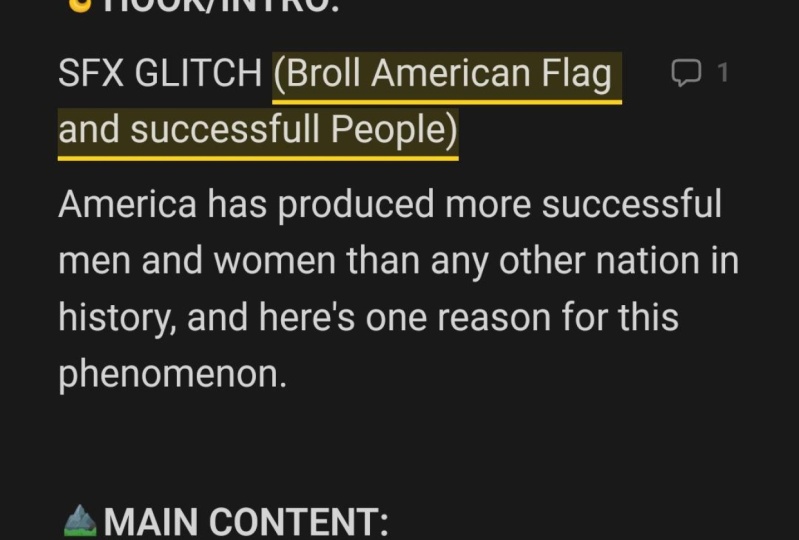
do this in my script. I have a word for word, what I'm saying just like this. But when I went to add b-roll, it looks like this. And the script just
keeps right on going. That's the b-roll that I need. Anything that's underlined. I know that means that it's b-roll that
I needed to go shoot. Voiceover is almost
identical except for I usually
highlighted in blue. For example, if this
was a voice-over, This is what it would look
like in my script after the b-roll or voice-over has
been recorded or finished, I simply highlight the text and then put a mark through it. And that tells me that the
Bureau has been shot at, the voiceover has been recorded. It's all done. But the critical part is
it's still in my script, so I can then refer back to
it if I need to determine, okay, where does this go or What was I thinking
in this part? Some of you who are probably
thinking like, okay, this seems a bit clunky or just cluttered
for that matter, but let me explain
why I do it this way. First of all, it saves
you a lot of editing. When you're editing, you refer back to your script
and that way you never miss a spot where you had marked for b-roll
or for voice-over. Again, your script is kinda
like your foundation. It's your blueprint. You refer back to it to
know where things go. If you ever come
to a point where you come across the clip are some b-roll that you just don't remember what you were
thinking when you recorded it. The context of the
script is right there. So you just glance
at that and you'll almost always remember
what your thinking. And similarly, when you
are recording your b-roll, It's right there in your script. So oftentimes I'll, I'll read
the context of the script and it'll help me get a
better idea of the field of, of what I need to record. Like maybe it needs to
be a certain angle or a different speed or whatever. It'll just give me a lot better
feel of how to record it. For example, if the b-roll line is me watching a movie
on my laptop, right? It's just like, Okay, I'm
sitting there watching a movie. But if the line right
before that and The script is when I feel
overwhelmed, I watch a movie. How I shoot that clip is going to be totally
different, right? Because I need to now emphasize the emotion that goes
with that phrase. Not just the, He's
watching a movie. Cool. And that's why if you put your b-roll in a
separate location, you'll usually miss
stuff like that. And you're video we'll, it will be very
flat and it'll get, will suffer because you're
not conveying that emotion. And the last thing is that I record my b-roll
from top to bottom. So I'll start at the
beginning of my Script work all the way down
and record it in order this way when I
import it into my timeline, I know that I mostly have
it in a linear order. This isn't a big deal if
you have five clips, right? But if you have like 50, you don't want to have
to search through all 50 of those clips just
to find one shot. And it is time-consuming
to kinda do it that way. But it saves you a lot
of time in the long run, at least for at
least from my work, I usually add them the b-roll while I'm writing the
main script draft. Because as you're flipping
back and forth between the mental imagery and
the writing process. It's pretty easy because
anytime you have a mental image and you think you
could convey that through video or illustration. Add that in as b-roll. It's very natural, very intuitive. Here's a
great example, right? Because as I was reading
through my script, I read because you're
flipping back and forth between the mental
imagery and the writing. It's pretty easy, right? The mental movie inside
of my head looked like me thinking with my eyes closed and then snapping out of it, writing for a little
while and then going back and kinda
going back-and-forth, kind of illustrating
that flip-flop back and forth between the
imagery and the writing. So then I would shoot
something like that and put it over top of that
sentence in my video. Because as you're
flipping back and forth between the mental imagery
and the writing process. Either way, I always go back through my script top-to-bottom, specifically looking
for b-roll that I can add and for ways to
clarify the text. And you can use any marking
system that you want, but I'll just quickly recap mine in case you're interested. So if it's underlined, that means it's b-roll
that I need to shoot. If it's highlighted in blue, that means it's voice-over. If it's just parentheses with no highlighting
or underlining, then that's simply
a note to myself. I use this to give myself
notes in editing a lot. It'd be like zoom in here or add cool sound effects
here or whatever. Then finally, for the
voice-over and for the b-roll, if there's a line through
it and that means it's been recorded or shot
8. Imposter Syndrome: There's something that still happens even to some of
the really big YouTubers. And it's called
imposter syndrome. Almost every single
script I write, inevitably, I get to a point around like one-third
of the way through. I just reached
this point where I look at my script
and I'm just like, there is no way anyone is
ever going to enjoy this. It sucks. Why did I ever think I can make
a video about this, everything inside of my
being once to just take that script throat away and just completely start
over with something new. And this is why it's so
important that you have a testing period with no
restrictions and no judgment. Because what I've
learned is that if you can if you can just
keep pushing through, that feeling usually
gets resolved. In fact, now I look forward
to that feeling because it usually means that I'm
about to make a breakthrough. Because oftentimes the
biggest breakthroughs come after some of the biggest frustrations or the biggest moments
that we felt stuck
9. Final script review: Right, So now you've written
out your rough draft, you've added in your b-roll
or your voice-over ideas as you go and you're at the end of your script, you finished it. Now what, at this point you
want to read back through it, speaking the text
inside of your head, the way you would be if you
were recording it for real, you went to add the inflections, the gestures you
want, the pauses. All of those things
will give you a better sense for how
the video is flowing in this first run through is aimed
at removing and adjusting any sentences that
are unclear or that they just don't
flow properly. Because what you'll find is that sometimes it'll sound
great inside of your head. But then once you
read it in context, something about the wording is just like it just
doesn't quite work. Feel free to add or remove b-roll throughout
this process as well. But predominantly, it
needs to make sure that the talking portion flows. After that, I recommend
taking it about a 30 to 60 minute break from
it and just clear your head, do something else, take
your mind off of it. Sometimes I even
will sleep on it. That works great. And then go through it from top
to bottom once more, this time looking specifically for any b-roll that you can add. And this time you'll
probably find a few wording things I
need to be fixed as well. Just remember that you always
want to show what you mean. Instead of just
tell what you mean, show, don't tell as
much as possible. I've done enough scripts that two or three run-throughs
are usually enough for me. And often it the last run through like right
before I record, if familiarize
myself with content. So I know it better when I'm actually recording the video. And often I'll catch a few
little things here there. And if you're just starting out, figure a few extra run-throughs. We're doing this to refine the script as much as possible. So don't be afraid
to say like, Hey, that paragraph is just
not really adding anything to the video
and just cut it out. Just chop it out. It's okay. Every piece do you cut out now is going to save you recording time and
editing time later on, only keep the best that
contributes to your story. Something else that I
found really useful is when you come
across something in your script that doesn't quite flow or make sense first ask, is there something that I
need to cut out of this? And after you do that, then you ask, is there something
that I can add to this? What I've found is that I have a tendency to find
something that's unclear, doesn't flow and just add
more to it to clarify it. When in reality, maybe
the thing that I'm clarifying or adding to doesn't even need
to be in my video. Like maybe it just
needs to be completely cut so I could add to it
and make it make sense. But in reality it
just needs to be cut. So that's just a
tendency for me. I would encourage you to do
it in that format as well. See if there's anything
that needs to be cut and then see if you
need to add anything
10. Why scripts should be word for word: I'm guessing that most of you
are still wondering like, why you can't just wing it every now and then.
Like, come on. Well, you can, but I just
wanted to give you some reasons why I think that you should write your
script word for word. And if you choose to deviate from that, then
that's your decision. Reason number one,
using a teleprompter. Teleprompter or one of
my favorite inventions. It's one of the most
important pieces of gear you will ever buy. If you do a lot of talking
head videos like this, you can pick something
like this up for around 40 to $60 and
it'll work just fine. I personally use the
parent teleprompter, which has a mirror system, which projects the words
from my phone onto a one-way a piece of glass
directly in front of the lens. So it allows me to read the text while looking
directly into the lens, but it doesn't obstruct
the lens in any way. This way, when you
write word for word, you can add in jokes, pauses, weird faces, or
whatever you want, and you'll never miss a cue. When I started doing this, I literally cut my
recording time in half, plus that then reduced my
editing time by half, at least. Those two things right there
saved me over an hour. The one that I use
has its own app and you can just paste your
texture. I didn't do it. Everything is customizable
in it if you want. And obviously, I only paste
over the talking head bits. Um, I leave the b-roll and all that stuff in
my other script. Since I'm copying
and pasting it, I just quickly remove this. And what's really nice
about this one is it comes with its own remote that
connects to your phone. So you can speed it up,
you can slow it down, you can pause it, rewind. And when you consider
the fact that I'm using a teleprompter right now and my record time is
like well over an hour. That means that it's saving me at least 3 h just
in this one bit. Which is like really
huge reason number two, less rambling and
editing cleanup. When you write word for word, you're less likely
to miss a point, to forget something or just
plain get information wrong. It also means that you won't
just ramble on and on about something that's unimportant or that you've already explained. And this saves you so
much time while editing because there's so little that you actually
need to clean up. And since editing is very
exhausting for most people, the less time you spend, like cleaning up simple
little mistakes, the more energy
you'll be able to redirect to visual
storytelling and creativity. There are very select
few times that I will allow myself to explain
something without scripting it. But if I do, I specifically
add that into my script. And it has to be something that I've explained multiple times. Reason three other
forms of content. When you script out your
videos word for word, you can easily take that
and turn it into a blog, post, newsletter or some
other kind of content. The more refining you
can do on the front end, the less overall time
you'll spend down the line
11. Common mistakes beginners make: I spent a lot of time
making mistakes. So if I can help you avoid
some of those same ones, I'm going to count that
as a win in my book. And some of these we've
already discussed, but I'm still going
to go over them just for the sake of clarity, not having a good
storage system. This one is very practical when you're scripting
a lot of videos. Make them very easy
to store, sort, and find from the
very beginning, it's a whole lot easier to build a system when it's small
than when it's big. Like I said, I use a
Notion database for this, but you can use
whatever you want, just make sure that it's
organized and searchable. And if you want to use
the template that I use, you can download that. And down below, number two, non visualizing the
video while writing, It's really important to
learn how to flip back and forth between
visualizing something in your head and
writing it down. It's so easy to slip into this like this mindless
writing state. Ensure that works if you're like writing a
blog or something, but in a video, you just
can't afford to do that. You need to see and feel the video while
you're writing it. And if you don't do that,
it'll end up being unclear. And it's going to need
a lot of reworking. Number three, distractions,
I spent a solid like 6 h per video
script, I would say. And historically, if I listen to music or setting a coffee shop, it adds at least an hour or two, which kinda sucks
because I love music, but it over stimulates
my brain and it makes my mind just jump
all over the place. You need that like single-focus
without any input. And since Music is always
inputting some kind of mood, it will affect your video. Not only will these things
make you take longer, but taking longer than
wears you out more, which leads to worst
scripts, more errors, longer edits and corrections, and possibly even re-shooting
something that you missed. It's not worth it. Trust me, maybe it's just me, but like every time
I tell myself that music doesn't distract
me and stuff, I pay the consequences
number for dropping an idea because
it's not exciting. A common mistake
I see is dropping an idea simply because
the excitement left, there's almost always a
transition from the excitement of an idea into the hard work of
making it become a reality. And my advice to that would be just push through
for a little bit longer because usually the
idea is still exciting. It's just being clouded
by the hard work, which is in fact heart. And if you push just
a little bit farther, you'll break through that layer. And the idea will be illuminated out in
front of you again, and it'll, it'll
pull you towards it. Number five, not
recognizing that the script is the video. For some reason,
most people have a disconnect with the script. They think that
the video becomes a video in the editing
or in the shooting. Okay. Yeah. It does vary on
different kinds of videos that you make
and I get that. But at least in this case, the script is your entire video. Like it's the skeleton
that holds everything up. It seems like when
people miss that fact, they end up putting less
effort into this script. And my advice to that would be, don't skip the details, like put it all in
their science stories. Notes to self, b-roll, tension, rise and fall. The music tempo, the
mood of the shot. Put it all in because
what you're writing is 80% of what makes your video. So don't hold back
12. The class project: The Project of this class is no surprise going to be
writing a script of your own. This can either be a
part of a video script that you're actually
going to use in a video. Just a small portion
of it if you want. It can be a sample that is
shorter and just for practice for me to thousand words
including B-roll shots, etc. will get me about a ten to
12 minute finalized video. So probably shoot for
around 300 to 500 words. That's usually enough
to get a good hook. Intro and at least some
main, main content. As for a topic, Here's an idea that usually it
seems to work pretty well. Pick something that
you enjoyed doing or something that you're
decently proficient at. And then what I want
you to do is write a how-to video script about that. And again, 300, 500 words. Should it be a decent
amount of practice, but obviously, more the better if this was me
writing the script. Here's a few ideas
that I would consider. How to choose which book
to read, how to journal, how to play
volleyball, how to tie your shoes two times faster. Honestly, sometimes the simplest things are the most often to tell stories about how
to play Apex Legends. How do you operate a camera? And if you're
curious how I would actually do this with
one of these topics. I took the first
option about how to choose what book to read
or which book to read. And I quickly wrote
out a hook intro and a little bit of
main content for it. So if you want, there's a link down below in the Project notes where
you can click on that, open it up and see
what that looks like. What 385 or 400 words
actually looks like
13. Wrap up: Okay, so I know that was
a lot of information, but I also know that having examples to look off
of is a huge help. So I'm going to make
several scripts available for you that you
can look off of. The first one is about
a video that I made about a pocket notebook
on my YouTube channel. And the whole thing is
in there from start to finish, everything
b-roll voiceover. It's all there. I also have the example
script from the Project, which I mentioned
in the last video, that one will be available
down below as well. And the entire video script for this class will
also be available. You'll be able to
view them, whatever, look through them, read
them, all the Fun stuff. However, if you do want the Notion Template that I
use for my YouTube channel, there's a separate link
for that one specifically, so that you're able
to duplicate it. So if you want that you can
click the link down below. There'll be instructions
on there on how to duplicate that and
how to use it. I've got notes
inside of there as well that could be helpful. And again, if
something didn't make sense or wasn't clear, please don't hesitate
to comment or email me and I'll be happy to
answer any of your questions.
 Austin Schrock, Building a better brain