Transcripts
1. Introduction: Without a doubt, building a second brain has
probably been in the top three or top five of the most transformative
decisions of my life. And today I'm going to show you exactly how to do that
from start to finish, building one from scratch, what it looks like and the systems that you need in place. And also what it looks like for my second brain after
I've had it for a number of years and
used it for quite awhile to iron out
all the kinks. So you'll get a very
detailed example, but then also a
structured example if you're building
your own from scratch. For our examples, we will be using a notion which is a very, very powerful note-taking app. Actually. Honestly, I don't even like
calling it a note-taking app because it's so much more than that, it's got
so much potential. But the important thing
to remember is that I'm teaching you a
bunch of systems which means that it can be used across virtually any note-taking
app as long as the app is, which we'll cover this later, but as long as the app
is cross-platform. So meaning that it syncs
between your devices. And preferably one that
you can search for things, something you can
type in keywords and search your
notes essentially. So like I said, we will be using Notion, but this can be used on virtually any note-taking app as long as it has a
few criteria with it, which we will cover later on, we're going to discuss what
building a Second Brain is. Um, what is secondary
it looks like, and then the systems
that needed to be in place for it to
function properly. Because building a Second Brain is basically exactly
what it sounds like. You place information in
this second brain so that your first brain does not have
to hold all of this stuff. You can free it up. And what this does
is this frees up your first brain so that it
can have more creative ideas. If frees up a lot of mental
space to learn new things, our brain is really
great for having ideas, but not really great
for holding them. We want to find
an external place to hold all of our ideas, to free up our brains so that
they can create new ideas, which is the beauty
of this whole system because that's exactly what
it does for me personally, building a second
brain has helped me organize my knowledge, um, and be able to move it from one project to another and move my projects and
my goals forward. It's not just a place where
you just dump information. It's very specifically
something that you organize in a way that pushes your projects
and your goals forward, which is really important. The other thing is
helping me do is it's helped me turn off work. I guess if that makes
sense because I know that everything
that I'm working on, everything that I need is
all being held by a system. And my brain doesn't have
to mentally hold all of it. Which is really
important because that means that when work is done, I can turn off my mind, I can focus on something
else because I know that's all being safely held in
a secondary location. Then when I come back to it, It's right where I
left off from it. It's clear. It's concise. I don't have to go. Oh man, what was I
thinking with that? No. It's like it's alright there. Possibly the biggest
thing is that it helps me organize everything
and it's all findable. That's the, that's a
really critical part of finding a note-taking app is it needs to be searchable. You have to very easily, very quickly be able
to find things. So at first it's going
to feel like I'm just throwing a ton of information
at you and you're like, How am I ever going
to remember this? And that's not really what
this course is about. Yes, I want you to
remember these things, but this is going to be more
of a step-by-step guide. What I would love for
you to be able to do is to watch
through this class, see the value in
and be like, Okay, I'm gonna do this and then
re-watch through some of the critical parts and have your laptop or your phone or something that you can
switch back and forth and duplicate and put these
things into practice and actually make this second brain while you go through the course. That way you're not,
that way you can build it and it's there. And then you don't have
to like hold all of this stuff of
exactly what it is. I want you to be able to let the class hold all
of this information for you and you can refer
back to it if you want. If you feel a
little overwhelmed, just hang with me. It's worth it. I promise. We will discuss at the very end what the project portion is. It's going to be something
along the lines of showing or presenting the basic groundwork of your second brain
after you build it, it's gonna be pretty basic,
pretty self-explanatory. But it's gonna be really valuable in taking
that first step, that first action
step of actually, I'm going to do this, not just, Oh, that's cool. Maybe I'll do it halfway. But it actually like
doing the whole thing.
2. What is a Second Brain?: What is a Second Brain? Information is the
building blocks of everything that you do. Your professional
success and quality of life is a direct result of your ability to manage
information effectively. E.g. a. Study I came across found that Microsoft employees
on average spend around 76 h a year simply looking for things
that they had misplaced. That's a lot of time. That's like several days. And so I'm hoping
you're with me on this, but if we wanted to do
more with our lives, I would appreciate getting
back a few extra days. That would be
incredibly valuable. It doing that will help
us to move forward with the things that
we're accomplishing and trying to achieve in life. And that's exactly what
a Second Brain does. It gives us a way to filter the stream of information
that's coming at us and to curate the very
best information and place it in a very
secure and private location that we can tap into
later whenever we want to think of it as a personal library inside of your pocket. And here we come to the
portion where you need to decide what note-taking
app you're going to use. And there's three criteria that you need to have for note-taking app if you're going
to use these systems to their fullest capacity. First one is that it
has to be organized. They have to be able
to catalog things, create pages, and whatnot. It needs to be searchable. So you should be able
to search across your entire second brain for anything and it needs
to be cross-platform. So that means if
it's on your phone, it automatically syncs with
your laptop and vice versa. Those are very,
very important to organized, searchable
and cross-platform. And the way that the second
brain operates and works is based around a system
with the acronym code cod. What this stands for is capture, organize, distill, and express. First, we capture information, we organize that information. We distill it down to the
most important part of the essence of what the
information is then expressed is where we
hopefully use that information to further our own life or someone else's life or to
give back in some way. So we're gonna break down
each one of these so you have a very clear picture
and you know exactly what it feels like to actually take a block
of information, put it through this system
from start to finish. And I know you probably
are just itching to just jump into Notion and let's
start setting this thing up. And I hear you. The thing is, this whole
process is a system. And these are a bunch
of systems with this. And you have to understand the systems before
you can do that. Because if you don't
understand the system, this isn't like a virtual
product that you dislike, observe and it's like, oh, that's simple, I got this. This is not like a
three-step approach of how to type faster. There are systems
here and you have to understand them
to use this well. And if you don't
learn these systems, it'll be very frustrating for you and you'll get
three-fourths the way through the class
and be like This is dumb, This doesn't work. And in reality it's because you didn't take the time to learn these systems and to pay attention during this
portion of the class, which is very, very important. So there's gonna be a bit of talking head here That's just explaining this so that you
grasp it and understand it. And then we can move into
the actual building phase.
3. CAPTURE: Keep What Resonates: Capture, keep what resonates. Think of information as
food for your brain. We say that's something
that's food for thought, e.g. the only thing is,
like I said earlier, your brain is really, really good at having ideas, but it's not great
for holding ideas. This section right here covers everything you
need to know about what to capture and whatnot to capture into
your second brain. And then the next portion of this class which
is organized, is the how does this work? So this is the what. Next we're gonna
move into the how and the what is
really important. So let's dive into this. The first thing we
want to know is what don't we want to keep? Because in a very
prolific information era, there is no scarcity of what we could keep in
our second brain. So we need to look
at what not to keep. The first thing that we
need to recognize is this sensitive information
that you need to keep secure. Anything that is
personal that you don't want anyone else
to find or know about. We're talking passwords,
credit card information, tax stuff sometimes like your second brain isn't
going to be 100% secure. So you don't want to put
anything like that in it. This isn't necessarily a
storage system for large, large blocks of information. This is mostly text and
a few photos sometimes, but it's not like
you're dumping in your entire Google photos
into your second brand. This isn't a storage system with actual gigabytes and
megs of information, preferably that you're
putting into it. The other thing is we
don't want to capture information that
we already know. This one really got me like, I tend to do this a lot where
I come across something. I'm like, Oh, that's
really great. When in reality, I'd
already known it, but it was just a reminder. I'm like All right. I'm
going to write that down. I'm going to put that in my
second brain, log it away. And the thing is like, what's the point of cataloging something that you already know? This is really tricky
because we'd like to, we tend to notice the
things that we agree with. But it's really important
that we keep new information. We don't want this to become
a stale storage system for something that
we already know. That that's really important. Try to, try to take things
and save them that you, that are new and novel thoughts
or pieces of information. And so it kinda
piggybacking off of that. Let's look at what
do we want to keep? What are the criteria
for capturing? The first one is,
does it inspire me? Inspiration is one of the rarest and most precious
experiences of life. It stands to reason that we
would want to capture that. It's think of it as
fuel for your work. If you're not inspired
to do your work, it's gonna be very difficult
to find the energy to do it. So capturing things that
inspire you, very important. The second criteria is, is this information useful? Will I be able to
use it in the future or take future action on it. Criteria number three,
is it personal? Personal information is
one of the most valuable. This is personal information and wisdom that you have
come upon based on your own life experiences and your own interpretation
of the world. And this is really valuable if you come across
things like this, you want to take them down. These are usually the
light bulb moments when something just
clicks and just like, whoa, and those are moments of inspiration
and all kinds of stuff. So we want to capture
those capture criteria. Number four, is it surprising? And here again, don't take notes on things that
you already know. If it doesn't surprise you, then you probably
already knew it. So why would you take
a note about it? Your second brain shouldn't be just another way to confirm
what you already know and ultimately capture
the things that resonate and kind of
trust your intuition on this a little bit like
when something just like you can kinda tell when
something just like hits you. Just like, Oh, that's important. Okay, so all this information about capturing is really great. But how do we do this? How do we practically
capture information? And since this is the first step is very important that
we get this right. So let's look at how
does capturing work. You need some form of quick capturing information that will be later sorted
and organized. It's really important
that we keep the first step of
this quick capture, of capturing as effortless as possible because this
is only the first step. And so it needs to be, it needs to be very quick
and it needs to become like second nature when
something pops up, boom, you know exactly
how to capture it, store it and you come
back and visit it later, which we will talk
about when we get to organize and when it
comes to quick capture, there's no right or
wrong way of doing it. There is simply doing
it or not doing it. And so it's really important that you just start doing it. A question I had to ask was, what would this look
like if this was easy? How can I remove
as much friction from this as humanly possible? So what I did is I
created a Notes tab on my phone that I leave
open all the time. It's always open on my phone. I can always reach it
within like a least a second to half a second
of unlocking my phone. The top it just says
Quick Capture or you can title it inbox
or whatever else. That is the place where I just dump information
throughout my day. Anything that I grasp, anything that resonates with me that I'm like
That's important. I need to save this down. I put it in there. I describe it clearly. Because when you come back to revisit this and organize it, you don't want to be like, man, what was I thinking there? You have to keep your
future self in mind. But I use that so that's
one area on my phone. Another area is I
literally carry a little miniature notebook everywhere with me if it's
in my pocket perfectly. And anytime that something
clicks are resonates, especially a creative idea. Oftentimes I'll put it in
there actually because I don't want to risk being distracted by
something on my phone. And this is very much up to the individual how you
want to do this. But yeah, for the most part, your phone works great as
long as you leave something open and it's very
clearly a quick capture. And since all my notes are in
one place inside of Notion, then this is the only
notes tab that is on my phone because I have no
other notes inside of there. It's literally OneNote. Quick Capture. That's it. So figure that out, figure out what that quick
capture looks like and how to make it as easy and as
every list as possible.
4. ORGANIZE: Save for Actionability: Now we move on to the
second part of code which is organized save
for actionability, we oftentimes realize
the importance of having very clean and organized
living areas that we are in, in our homes, in
our environments. But we oftentimes don't really organize our digital
environments. And this is where the second
brain is really powerful because it's not only a tool, it's also an environment. It's where you take
the morsels of insight that you've had and
you plug it in there, you capture it, and then
you organize them into a space that you can
do your best thinking. From here we come to a very, very important part of this whole system
organized for action. This is where 99% of
note takers gets stuck. And this is what
happens if you've ever tried to have any kind of note-taking system where you capture all of these things. We get, We get all
excited about this. We start capturing
things from books for this video over here
is gray, this blog post. While I'm going to
grab that, and then we run into a massive problem. What do you do with all of this valuable information
that you've gathered? Because it's great and
the first portion of it, because you don't
have that much, But as you continually
gather more and more, the bigger this problem becomes. And that's when
most note-taker is just fizzle out
and it just dies. And this is why we want to
organize by actionability. And I'll explain exactly
what I mean by that. And there's a whole separate
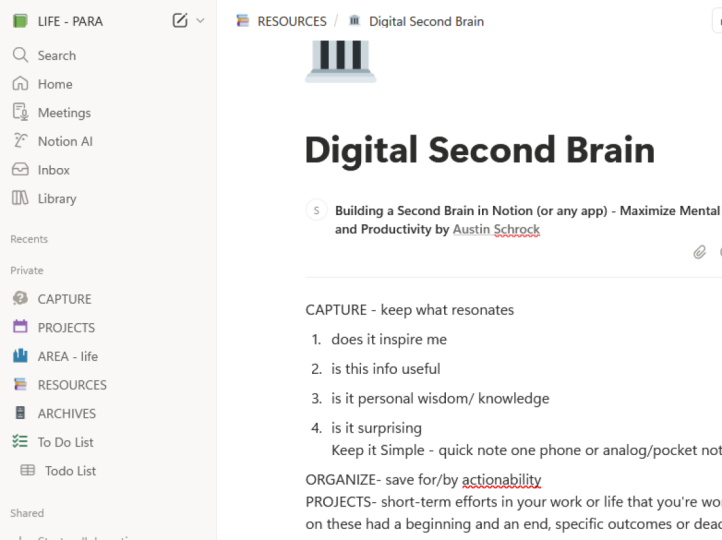
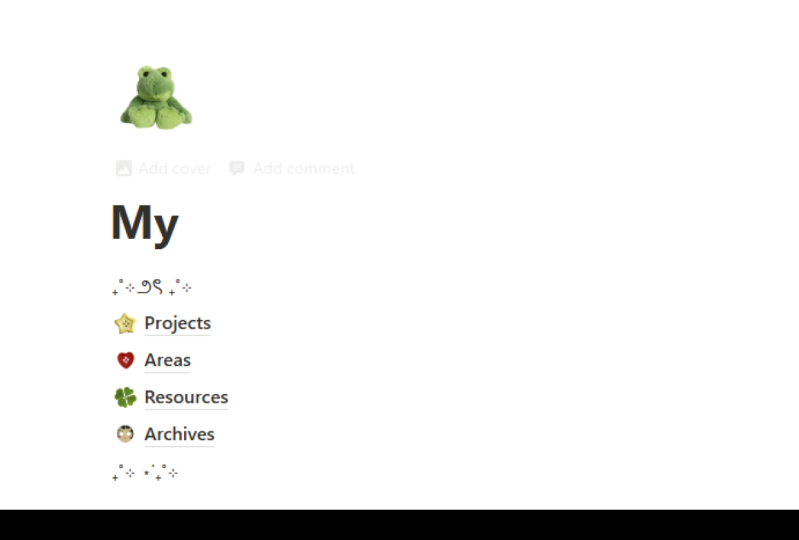
system just for this, the system acronym is para, which stands for projects,
area's resources, archives.
5. PARA: As we've already stated, para stands for projects
area's resources and archives. So why should we use
this para system? And I'll explain all of it
so that it makes sense. I know you're kind
of in the dark here, but I just want to explain why
should we use it this way? And the reason is
para can handle everything regardless of your, your profession or your field
for one specific reason, it organizes information based
on how actionable it is, not what kind of
information it is. This is where 99% of note takers go wrong thing of how
weird it would be to organize everything
in your kitchen, bye, bye kind, or
buy the food itself. We don't do that. We
ordered by what we use. We keep the accessible things upfront because we
use them quite a bit. We often organize our kitchen in a way that makes it usable. And this is because we
don't want to organize it from where it's coming from. We went to organize it
to where it's going. Para quickly organizes and
catalogs your ideas based on what really
matters and that's your goals and what you're working towards. Here's
what's going to happen. Let's say you come across
a fantastic article and it's talking about a certain kind of cognitive
behavioral therapy or something to do with
the brain or the mind. So you grab that
information like, Oh, this is great,
you capture it. You're like, alright, what
are we gonna do with this? So you come to your second
brain and you're like, okay, where does this fit in my if
this was a filing system, which is not but
where would this fit? It's like, Okay. Well, it
doesn't really fit anywhere. So I guess I'll just make
a new folder and we'll call it psychology, and
I'll just put it in there. Okay, sounds great. The problem is that in a month from now when you're looking for that information. In the meantime, you've probably grabbed a lot of
other things that fit under this
psychology framework. And so now all of a sudden
psychology is full of all of these random jumbling of things that somehow
relate to it. Whenever you're going back
in there looking for stuff, it's just confusing and
you don't remember, like, where did what
did this pertain to?
6. Projects : Projects, short-term efforts in your work or life that
you're working on. Now, what do we make
this folder of projects? I usually like to remember
or put somewhere in it. Something along the lines of these had a beginning
and an end. They have specific outcomes
or deadlines, you know, when they're finished,
when they're completed, published, etc. So, you know, when they
are, when they are done. And the reason
this is at the top is because this is the most actionable of the four that
we're going to cover here. Which projects area's
resources and archives. Projects can be anything from projects at work like
creating a new slide deck, creating a PowerPoint
for a conference, developing a project
coordination team, redoing your bathroom. They can be anything. It's a project in
your life that has a clear defined outcome and
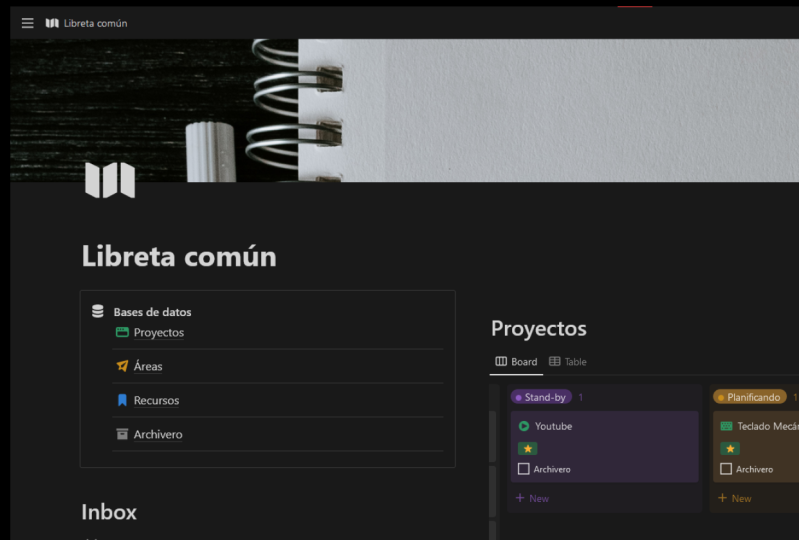
you know when it's complete. So if we hop into notion here, you'll realize there are a lot of stuff preset
in here for you. I'm just gonna go through
and delete all this because we're building
this from scratch. First thing we wanna do here is we're talking about projects. We're going to create. This is the place where
we're going to create all of these four folders. These para, first thing
I'm gonna do here is put a Projects folder in here and just add a
random icon to that. So what I actually like to do is just make a comment here. For me. This isn't what I do. It's short-term effects are short-term efforts and your work or life that you're working on. Now, the key thing to remember
here is all of these, like I said, have very
clear end dates in mind. This is why I like
Notion because you can create entire pages for these. For me, this could
be like a project, could be create Skillshare class on building a second
brain. Somebody like that. The cool thing about this is
then now anytime anything presents itself that would
lend itself to that, to this project, I now have a place for it and it's an
actionable place for it. It's not just a catch-all,
if that makes sense. So it's now, now have
a place to store actionable information that
I'm going to then use. Another project e.g. could be like I just purchased a new car. So there's a whole bunch of aspects of that that, you know, transferring insurance and title and payments and
all of that stuff. So I could create a
product for that. And here's a checklist. Here's what needs to
happen when it's all done. I can move it to archives
like we'll discuss later.
7. Areas: Now that we have the
project's portion in here, which is the most actionable. We want to now move to the second most actionable
thing which is areas. So what do we put in areas? Well, the things
we put in here are long-term
responsibilities that you want to manage over time. And this is really,
really handy because not everything in your
life is a project. I mean, take something
like finances, you know, that that's not really
something that you have a completion end date for. Or this could be like
product development or quality control or
human resources or something that just doesn't have a clear end date or completion. It's something you
want to manage over quite a long
period of time, but it's very clear
that whatever goes in here does not fit under
the project portion. Let me give you a few
examples from notion for moving to the next portion
which is called areas, we would go over here again, you don't have to use Notion, There's just personally
what I'm using. We can create a page for areas. So now that we have this, we have a drop-down. We have, we see there's
nothing inside of it. Instead of projects, we still
have stuff inside of here, so I'll just put
some stuff in here. A few areas of my own life would be like finances, fitness. I may want another area for
like books that I'm reading, reviewing them, putting them
in there, all of that stuff. My brother and I have a podcast called Mind castle podcast. So like EMC podcast. All of the ideas and things
could go inside of there. The thing to notice
with areas is that they're all very
action-oriented. They just don't have
completion dates. So these will get moved around a little bit here and there. But it's not like you
complete an area so much. So like I have my podcast
here so I could be putting in ideas on what would
go inside of here, and then it would
show up underneath this this page inside
of my areas folder. Again, what I like to do
with these is just create a comment and put in the
definition that I have for it. That way I can look at a
moment's notice back. Okay. Does my piece of information, does it fit with this? Is it a long-term responsibility they don't want to
manage over time. And if it doesn't fit with
that, then it's like, okay, where else should
I put this instead? Now, areas need to be reviewed, so we'll talk about this
a little bit later, having a review process, but it's important to come back to them even though they
don't have a finish date. It's still really important to manage them and be
active with them. So they don't want just what
we're really trying to get out of the stale filing system. Areas are still actionable. They're things that we
tap into and we refer back to and they hold a
categories of our life.
8. Resources: Now that we've kinda
summed that up, let's go ahead and
look at the next one, which is resources. Resources are
topics or interests that may be useful
in the future. Think of this as kind of
a catch-all for anything that doesn't fit under
projects or areas. And these can be things. Essentially you're creating
a library of information. There things that you
tap back into when you are working on projects
or adding two areas. These could be topics that
you're interested in or subjects that you want to look
further into her research, more useful information
that you want to reference or research later
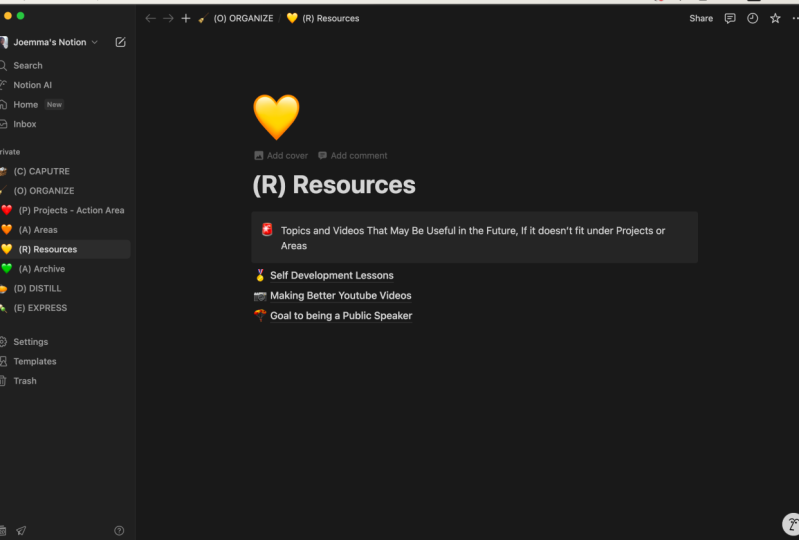
or use in the future. So moving on, the next page is going to be resources
for this one, I'm going to add the
comment, topics or interests that may be
useful in the future. So these can be things such as case studies could go in
here videos to revisit. I really liked this
one because then if I come across a video, I'm
like, Oh, that's really good. I want to study
that or whatever, then I have a place to put
it and I can come back and look at it, future artwork. And it's like, Okay, I'm
really interested in art. Let's create a space to put all of the resources and
knowledge that I know about art. And then if I have a
project from here, let's say I'm creating a art project and I need
to pull from my resources, I can go future artwork. All of a sudden, I have
a place to pull from. I have information
here that I can store and I can pull back out
and use it for the future. Think of resources as a
catch-all for everything that doesn't fit inside of
areas or projects, it's still based on action, but a lot more, little bit more of storage. In some regards. This could also be things that you're studying are things
you're interested in. One of the things that I'm personally interested
is like volleyball. So I can put something like
that and then anything that would fit within that
training routines, practices, videos
that pertain to that. It could all fit
inside of this folder.
9. Archives: Now that we've
covered resources, lastly, we want to
cover archives. These are inactive items from other of the three categories. This is really important
because we don't want to delete information. We just want to de-clutter it or keep it out of
our actionable areas. So Archives is it's kinda like cold storage
for information. So after a project is completed, you just take it,
move it to archives. That way you can move
on to the next project and keep working forward
because you want to keep, again, we want to keep
actionable things on top and inaction and we'll things all the
way on the bottom. This could also be a
area of your life. So take a area of
your life that you no longer have
responsibility in anymore. That would also
move to archives. So let's say that you
change jobs and one of your positions at your
previous job was say, human resources and your new job has nothing to do with that. And you don't even need
anything from there. But you don't want
to delete it because maybe a few years
later you will start your own business and
you want to refer back to it so you don't
want to delete it. You just take that and
move it to archives. So it's still there, but it's completely out of your way
so you never notice it unless you intentionally go back and search for
it and for resources. These could be
things that you are no longer interested in. They can be hobbies
that you've moved on from or subjects that you
no longer care about. Maybe that one time you are
going to learn Spanish. And so you dumped a
whole bunch of resources into spanish learning resource. And you're like, You know what? I don't have time for that now. Not planning on doing
it in the future, but just in case I
come back to it, it's their last page we're
going to create is archives. Now, archives you tend not to actually type or like put
information in there, at least not usually. What this More tends to be
is after your slide deck is completed and you've given the presentation, you
no longer need it. It's like, okay, this is done. What do I do with it? I don't
want it cluttering it up. So what you could do then is grab this and put
it in archives. Think of archives as
like your cold storage. So it's still there. You're not deleting it, but
you're just clearing it out, making it useful and so that it's not always
cluttering up your space. This can be anything from
projects that you finish. Maybe one of the
things under area would be like podcasts. Okay, this is
great. Maybe, maybe it fizzles out, maybe it dies. We no longer are
doing the podcast. We quit. Whatever it's like, I
don't need that anymore. I don't want to get rid
of it because I might need to refer to it someday, but I'm going to move it
out of sight, out of mind. Don't have to worry
about it. If I want it. It's always right here in
archives, even resources. Let's say that at some point I'm going to
quit playing volleyball. Probably, if that
point ever comes, then I can move it out
and declutter everything. And the reason why I
like Notion so much is because you can have these pages and then you can
have pages within pages. And that's really,
really convenient. So like e.g. you can, you can duplicate this
para in other regards. And I'll show you
this little bit later on when I show
you my own setup. But for my, like
my YouTube videos, I don't make a new project
for each YouTube video, I have a para system set up within my area of
YouTube channel.
10. How to Organize Captured Notes (Example): Setting up these folders
is relatively easy, but what strikes fear
into the heart of every single note takers
slash organizer is, where do I put this? And the temptation is to
try to catalog or organize or place a piece of information the moment
when you capture it. And the problem with
this is that the, the instant that you
capture a piece of information is the worst
time to try to organize it. You need time to think about it, process it makes sure that it's actually worth putting
in your second brain. The other problem
with this is if you try to do it immediately, it adds a ton of friction. And this is what kept me from
this system for so long. I never grasped with this. And this is super, super important because if you're
going to scale this, you have to keep this in mind. And again, this is why we separate, capture and organized. They're not one and the same. Captures very quick. It needs to have very little
friction in the process. So you grab information,
Notes, tab, whatever, whatever you need to
carry a notebook, something like I
have my Apple watch, so I have drafts downloaded on here so I can hit drafts,
two clicks, boom, I can talk to my watch
and instantly I have recorded something that removes
all the friction from it. It's reviewable. I can come back in, observe it and then I can organize it. The way I personally do
this is I at the end of every day or every week, depending on how busy I am, I will take 10 min. It literally doesn't take
more than ten or 15 min. I'll take a few minutes
and I'll sit down. I'll go through my quick
capture from my watch, from my phone, from all
the places that I have. And I'll organize
and place all of the information from that
into my second brain. Let me give you an example
of what this looks like. Hypothetically, if this
is our second brain, we're just getting you started. Inevitably, you're
going to find stuff that you're not sure
where to put, right? So let's say you have your catchall here and you find some stuff
and you're just like, Okay, I really want to put
this into my second brain. Where do I put it?
Especially because you don't have a whole lot
of folders in here yet. You're just kinda
still building it out. Sometimes it's hard to
know what to put where. So in this scenario, it's like, okay, that's the end of the
day. Here's my catch-all. I remember my friend
Chad telling me about corner trim molding for a
house that he was working on. It's like Okay,
that's interesting. That would fit I can put that
in redoing the bathroom. Maybe like consider that. Probably not. If not, then I would probably place
it somewhere like resources. And that will create a page for interior design or something
along those lines. And then I could
plop ceiling, trim, molding, good research it I
can turn it into a toggle. That way I can put
stuff inside of here and I can put web links and videos and whatever
else I needed to about interior design and then
sealing, trim, molding. That's an example
that I could do for that. So it's
like, okay, cool. And then I recently
came across this. Did you know that we only
have two natural fears, the fear of falling and
the fear of loud noises. All the rest are
learns like, Oh dude, that is really interesting. So does that fit
anywhere in here? Note probably
doesn't. And I don't have any projects that
it would fit into. What about areas? So I can put this
under something like personal development. So I could do a page like
that, something like that. Personal development. I can put it in there. I don't know. It's not a really a
responsibility, though. They don't want to manage
personal development is, but this is not what I mean. It's not like a responsibility. So it would probably
go into resources. It'd be under topics or interests
that I'm interested in. So e.g. I. Could either make a
page that is quotes or interesting facts that
I've learned from reading. Or maybe in my case
studies I have one in here that's
about phobias, like, Oh, okay, That's
really interesting. Maybe I could stick
it underneath that. You can create a
like a quotes page and put it inside of
there if you wanted. The big thing is when you
create pages like this, you want to be really
careful not to just do super generic and
broad that statement. Could, you could make
a page called phobias. It's like, okay, that's
a little bit broad. Could we narrow it down at all? It's about natural fears. It's a quote from a book. If I could put it in the book. Like if I had a
page for that book, that would be ideal or
like where I learned it from or if it's from a specific person
that would also help. I don't know if or something
like that. I would probably stick it in quotes. It's something I
might refer back to, but I'm most likely
going to search for it. I'm not going to browse
and find that necessarily. So another thing I came across, I saw an ad on YouTube before. Hand drawing like
those animations that they do with talking head or like with talking
over top of it. It's a new technology
that came out very, very easy and quick to now make these like, Oh,
that's really interesting. Okay. What would that fit under? So if I'm going
to research this, what would that fit under? It could potentially
fit into here like videos to
revisit maybe areas. Is it a responsibility? Not really. Short-term efforts? Yeah, it would probably
fit inside of there. So then I create a
project for that and then I would work backwards
from there and play. Okay. Research this and anything I find is going to fit into this. Eventually, if it
turns into nothing, I can just move it down
archives because like, Okay, I'll maybe I'll
check in with that later on, but I don't
need it right now. I don't have time to start
another channel, etc, etc. Okay, so a good friend
of mine told me about essential oils and
how amazing they are. And I was like, okay, I don't
know very much about them. Maybe I should research this. So that probably
wouldn't be a project. What I would probably
do with that is create a page inside of here. Now, there's two ways
you could do this. So you can go in here, so you can create a health, health page and then
stick it in here. So I would make a toggle
for this essential oils. And then anything
that I learned it can now fit underneath this. So that's one way
you could do that, or you could also
stick it in resources. So if you wanted to specifically make a resource or something, a topic or an interest that
you want to look into. And it doesn't really
relate to health. You're just maybe
curious about it. You're just like,
Okay, what is this in? Anything I find is gonna
go into this spot. For me personally, I'm
always looking for anything to boost my
cognitive ability. So that would actually go into personal development
because it has the potential to increase my
cognitive ability and awareness. So I would actually probably
put it under here as like mental enhancement
or mental benefits. And I know this is getting
a little bit long-winded, but it really helps
us see examples. Because when you open
something like this, I'll be like, Oh my goodness, where in the world
do I put this? That was really, really
difficult for me. And so hopefully this is at
least giving you some ideas. So another thing that I
did at first was like, Oh, I need a folder for this. So it's like okay,
Instagram Reels, I make a lot of those, so okay, Cool. Where
would I put that? That would be under areas because it's long
term responsibility. No completion dates. So for me I would
do something like personal brand and then I'll do another page for
Instagram Reels. That way it keeps it separate. And then if you want to
put YouTube channel, then you have that as well. Or you could also do like brand sponsorships
and most people, what they're gonna do is
this is a mistake I made, is they're gonna go,
oh, Instagram Reels. Okay, cool. And they go, Instagram Reels. It's like, Okay, that's great. But there's probably another, another area that you
could fit it under, such as personal brand. So just consolidate at the beginning portion
as much as you can. So lastly, I came across a
quote by Austin Kleon says, stop looking at the
world as good or bad only what is worth
selling and what isn't. Interesting quote, maybe
I want to remember that. So that's probably going
to resources, quote, I could put that in here or under areas if I
have a bookshelf. So if I go here, templates, reading list, use
this template. Boom. I would probably put
that underneath here. I could customize this
and whatever else. So that was in steal like
an artist, I believe. So if I go like that and
then open this up, Cool, I can create a toggle
for quotes from this book and then that would fit inside of there,
something like that. So hopefully that makes
a little bit more sense. I know this is all very quick. You probably have
to re-watch this in order for it to make
it a lot more sense. But hopefully that's
at least something to kinda show you what it would be like to build
it from scratch. And if you're still a little
bit unclear how this works, I'll give you a
checklist that you can. It's kind of a
filtering process. You can put the
information in through to figure out where it goes. So the first one is what project would this
be most useful for? And this goes against so
much of our organization. Like as a human, what we want to do because
we love categories. But it's so, this
is so important. And again, so many people
get lost here because again, like I showed you
examples and stuff. But if I have a project
about a term paper that I'm writing about
human psychology. And something pops up about
a case study is really, really tempting to try
to like put that in like a resource of science
studies or whatever. But it's like no, that is specifically going
to be used in this project. So I'm going to
place that in there. And it just like goes
against our grain at first, but it's really, really
important that we do that. Second question. If it does not fit
into a project, what area would this be
most useful if it doesn't relate to any area is what
resource would this belong to. And if it doesn't
belong to any of those, place it in archives or
consider don't even record it.
11. What My Second Brain Looks Like: At this point in the process, most people are slightly lost. And I completely understand that this is a lot of
information that I've been throwing at
you and it's very different than most
note-taking systems. And so at this point an
example helps tremendously. So let me show you how my second brain works and how I organize a lot of my life. And to be clear, I am not an expert here. This is a very simple
simplistic second brain for me because I don't have a lot of areas and
things that I managed. The simpler and easier I
can keep it the better. So this isn't going to be like
dramatically complicated. At least it doesn't seem
like it compared to, compared to other people that
I follow and my brother. Very complicated, very
in-depth. I'm not there yet. Okay. So let me give you a
quick little tour of what I have here currently. And again, I probably haven't
split this up perfectly, so yeah, hopefully
this makes more sense, but here's a list
of my projects. These are the things that I'm currently working
on at the moment. I had a meeting with
my brother Reagan and we came up with all
kinds of great stuff. And these are now the
action things that I need to do. Words, action. This is from a
YouTube video that I found where he was talking about vocabulary and changing and controlling the
words that you say. And so one of the
practices was make a list of the words that don't serve you and work on
eliminating them. So YouTube action items, these are the
things that I have, a friend that I meet with
who's also a YouTuber. And we discuss what can we change and approach
and make better? And anything that
needs to be changed, that is, needs to be
worked on falls into this. Then hopefully then
eventually I'll be able to finish all that and move
it to the archives. Taxes. I don't know. This isn't like personal
data unnecessarily. This is simply just like
records of my expenses. I don't know if that's
where it should be. I wasn't sure on
that one really, but this is a project
I'm working on. It's kind of hard to explain,
so I won't get into it. I have another meeting
with my brother Jonathan. Our youth went camping, so we actually just
finished that. So I will move to archives because we're
done with that afternoon. If searching that's another
project I'm working on, takes a little bit
of explanation. Kinda hard to explain,
but anything that would help add to these projects
are pertain to them, gets added in for
my daily capture. Moving on to areas. This is probably a little bit more of the extensive stuff. This is where most
of my time is spent. So e.g. I. Worked with
a shadow and companies. So stuff goes in
here of all kinds of people's schedules and all of that fun stuff,
personal development. So here I have my reading list. I have specific people
that I'm learning from. So Tony Robbins,
Jordan Peterson, and I have other
personal mentors that I meet with regularly. My reading list for everything
here is pretty extensive. Here's the stuff I want
to read and reading are finished building
a second brain. That's where I took most of
the script for this class. Tony Robins, anything that he, that I learned from
him falls into here. I've got lots and lots of stuff that would fall into
that if we move on to. So here I've got personal
brand Mimecast podcast. I'm slowly collecting stuff for a compilation of
youngest child facts that might turn into
a book someday. That's too long
term of a project. So I'm going to just put it
into here, values and goals. Financial, I love
playing volleyball. So anything that goes
with that, mind walkers slash memory, memorizing stuff,
favorite problems, wisdom, interviews,
all that fun stuff. These are just
categories I've made. So take personal brand e.g. this would be YouTube
channel Skillshare classes. I have a script for asking
for sponsorships newsletter. So if we go to YouTube channel, I have tons of stuff
related to this, so I save my comments
that are really good, sometimes have different
targeted audiences, mission statement. And this guy meet with regularly for a YouTube
analysis and stuff. I've sample hook,
intro sequences, have my YouTube videos here. And these are all kinds of videos that I'm working
on from not yet ready to written,
completely finished. Everything pertaining to my
YouTube channel is in here. And like I said, notion is very, very advanced in this. This is another example of para, but inside of this area. So my ideas and then stuff
that I'm working on. So like when I make a new video, I don't go here to projects
and create a new project for each video that would be
incredibly time-consuming. Whereas this I have completed
is basically my archive. And then it goes through
the whole process of making the video resources. This is, I pull a lot of
information from this notion. You can clip pages where basically it saves it
directly into notion. So I've got web pages in
here that I need to revisit. Stuff that I want
to take notes on. Same thing, videos that
I want to revisit, some studies and stuff, impactful questions
I'm pondering. And these are all things where I got them in my Quick Capture, I wrote something
down and I was like, Man, where do I put this? And it's like, oh,
you know what, It wouldn't hurt to have
like a interesting facts. And that's where the
fear one came from. Like I said, I'm working on
making a youngest child spot. Like, what am I curious
about with this? Where did this curiosity is
intersect and estrangement? It's like, okay,
that's something, Yeah, this is a great
example actually. So my my brother-in-law, Kyle, sent me this and he's like, Here's a really
interesting article I think you might enjoy. And it was binary strange meant
which is like alienation, but a little bit more specific. And I was like, well,
that really describes some stories that
I've heard about the youngest child and
their experiences. And so I just like, okay,
where should I put that? I could create a
like psychology or I could create a
interesting articles or just like it was like, no, that's way too generic. What does it pertain to now? It pertains to
youngest children. Let's see. I have a quote
section, class notes. So here is like everything
from any of the classes that I've taken over the years from college to all
kinds of stuff. And then if we move out
of this two archives, these are all the
things that I have. Projects area's whatever
that have moved on with. Remember that thing
up here in projects, the meeting with
Reagan action items. So that's actually this is the meeting notes
for that meeting. And I just distilled it
down into the things that I needed to take action on and
put that as a new project. My friends and I
started a podcast. It kinda died, but I
don't want to lose it. So I got all my notes here. So it's like, okay, well,
I'll just put that in the archives and this
is completely useless. It's just there's some
private things that didn't want to show you guys,
put them in there. So that's the really
cool thing about Notion is you can go like this. And now I can search
for anything. So it's like, okay, I remember, let's say that I
remember a quote or something from a book
that I read and I was like, I'm pretty sure it
took notes on that. Let's say I remember kind of
what the chapter was about. So right here it's like
step away from the screen. I'm pretty sure that's what
the chapter title was. Okay. Nothing, nothing, nothing. Oh, here we go. Steal like an artist. Boom. But look, there it is. Step away from the screen. And here's all my
notes about that from the different chapters were just like, Well, that's really cool. Tony Robins talks a lot
about the six human needs. So I could go six human needs. Okay, so what do we got here? This is a YouTube
video might make about that afternoon project. You can refine it. You can select which areas are going to be in
that sort of thing. Very, very useful,
very useful. So e.g. something that I'm
working on right now is my brother came to me with a potential new
business opportunity and I can't really tell
you guys what it is. Unfortunately, it's
not public yet, but I'll probably just put like the organization slash name. And then anything that pertains to that then
needs to go in here. So e.g. some of the things
that needs to go in here is like my vision for
the organization. What would the future
be of me like, what's the future
in this company? How much will I get paid? How many hours would
I put into it? So I would just
dump a ton of stuff in here that anything
that relates to it. Then I'll work on
filling that out. And again, anything that
fills that fits within that, I would know where to put
it because now I have a project and an
action item for that. It's not just going to get put
somewhere like businesses, like okay, that's, you're never going to use that. Really. This isn't an action project. You're moving forward with it. There is a completion date. I got all this stuff came next, my next meeting
with these people. Here's what we need to cover. We cover it. Boom, I get answers. Alright, cool. This is done. We're going to move this to
archives because it's done. Let's make a new project
for the next things we're working on as an
organization or company. It's like, Okay,
we're doing this. We're going to create
this web design. I need you to make this video. I need you to shoot
this or that. And that's where I would
create a new project for it. And we will move from there.
12. DISTILL: Find the Essence: Just still find the essence. Note-taking is kinda
like time travel. In some ways it's like you're
taking a little bundles of information and you're sending
them to your future self. The most important thing to
remember is discoverability. Is it easy to find where they
are and what they contain? Imagine your future
self is very, very busy and very, very demanding and
impatient customer. If you're communicating
with someone that's very, very impatient and very, very busy or important. What do you do? You distill it to the key points into the actionable items? This process of distillation is at the very heart of
effective communication. So let's look at how to
distill information for our future impatient
cells because chances are you're gonna be busy whenever you need to
check in on this stuff, how to distill, create a
method for this hierarchy? The first step is captured notes which we've
already discussed. It's where you take
them, capture them, organize them, plop them into your second brain
and you're good to go. The second thing is
bolded passages. This is where you go
through and you take the keywords of a paragraph
and you bolt them. And I'll give you a few examples
here at the end of this, what this actually looks like. The third thing is highlighted. Passages are
highlighted portions of those bolded
material or of that bolded sections you want
to highlight within that bolded section the
most important aspects of the bolded section. So you're, you're refining
it down even more. Then the last, final
thing that you can do is called an
executive summary. And this is mostly
used when you're referring back to this thing, this piece of information that
you've placed repeatedly, like it's a common thing
that you refer to. Maybe it comes up a lot in
conversation and you want to be able to easily
explain it to people. You want to refer back to it and you don't want
to pull up your notes and have to skim pages to
figure out what to say. An executive summary
fixes all of that because what it does is
it may take a little bit, but you basically read
over everything in that note portion that
you want to summarize. And then you create
a very short, just super descriptive and
incredibly concise portion. At the very top of this
is what is contained. These are the main points, the gold of this article, conversation, YouTube video, whatever it is at the very top. So at a glance, you can see the key points of
everything in those notes. Let me show you what
this actually looks like and how I use this. This can be really
confusing sometimes. So let me see if I
can find an example of what this looks like. It works a little bit
better with something a little bit bigger like this. So guilt is okay. Okay, so it's a message. What is it a message for that you violated one
of your standards. You need to do something
immediately to ensure that it will
never happen again. Okay, so I can highlight
this violated, I would probably underline
all of this standards. Need to do something
immediately, ensure won't happen again, you just broke one of the
most important values of who you are and you will feel pain until you get certain that it
won't happen again. It's like, okay,
what can we do here? So instead of Bolding,
I said, like I said, I like to underline, honestly, that whole entire thing
could be underlined. So I probably won't
even do that. I'll just go straight
to highlighting. So these are the main things. So you broke important values, feel pain until
certain won't happen. Again, something like that. And again, I'm not
an expert at this, so this is very much how I would do this or how I
would interpret it. A better place that you
need to use it is in something like book
notes like this. We have pages of notes. And so e.g. I. Have done this
extensively with this. So I've highlighted the
most important parts, underlined it. A lot of stuff. Most important marriages map. Okay, boom, at a glance, I know exactly what said here. I know exactly what
it's talking about. I know all of these different
categories and things. I know what's most important. So if I'm talking to someone
and I forget something, I'm like, Oh man, what was that? What was that thing that I read? I can pull this up and
at a glance I can catch the most important
detailed information and present it back. And I'm not spending minutes reading it because
I'm in a hurry. That's an example
of what it looks like to distill something. I refer to this quite a bit
so I can even make a kind of a summary of this entire
How to build a mental map. I probably won't just
for sake of time, but that kind of gives you, gives you an example
of what it looks like. To distill information. It gets kind of complicated
because you're gonna be putting different things in
your second brain than I am. And so it's like some of this will compute,
some of it won't, somebody will make sense and just other's failures
will be so confused. Like why would you
underline that or whatever. But the important
thing is remember, just captured the
most important part. You're not here to
highlight everything. Just capture like the nuggets, the essence of everything, boil it down basically. So yeah, anyway, that's a
little bit of a tour of all of this and how I use
my second brain. Obviously, like I said, it's very, very small,
very minimalist. There's not, It's not
big and glamorous, but it does what
I need it to do. Let's look at the three
most common mistakes of novice note takers. The first common mistake
is over highlighting. We aren't here to highlight
every single detail. Think of a highlight
or bolded section as a bookmark that's poking out from the edge
of your book saying, Hey, there's something
important here. The second mistake that
a lot of people make is highlighting
without a purpose. And we want to keep
in mind when you highlight or bold or
underlined or whatever, whatever way you choose to
do this, we want to do it. So that is preferably for a project in the
future or something that we will refer
back to in the future. The third mistake a lot of
people make is they make the refining process that's
highlighting or Bolding, underlining whatever you use, they make it very difficult. They labor and work
and work over what, what do I do there? They're scared to use it. And I'll just say, this varies, but trust your intuition
on this sort of stuff. If a passage is interesting, it's gripped you before. Are certain portions
of it are relevant to maybe your favorite project or a current project or
resource. Just go with that. Like, like trust
your intuition on this and try not to labor over it too hard because you'll probably end up making more
mistakes if you do that.
13. EXPRESS: Express, show your work. Attention is the most
precious resource. And if you have something that eats up a
lot of your attention, it's very difficult to
make it sustainable. And what we wanna do is
we want to establish a system for personal knowledge
that frees up attention, not takes more of it. And this is the part in
the process where we take our second
brain and we use it. We want it to be
more than a bank. We want it to be an environment that we can step into and do creative work and
where it can be used. So let's say that you
are deciding to revamp your your basement and
turn it into a studio, depending on how long you've
had the second brain, you've probably saved up a few things I would
pertain to that. Let's say you create a project, you put it down in
your projects section, revamp basement to
make Studio Awesome. You'll probably find at
that point you're like, Oh, I remember I saved a resource of a few pictures inside of a house that are
really, really liked. I liked the color on the wall, so we'll import that to our projects like,
oh, you know what? I remember having
this conversation with someone that
took a few notes on sound foam and that's gonna be really,
really important with this. So let's find that, search for it,
okay, There it is. Let me transport that to my
project section as well. And this is where
it's an environment. So you search through
your environment here and you find things that relate to your project and you
move them to there, and then you move them back if you want to save them for later or you just copy them so
that they're in both places. Then you move the
project down to archives after it's done. And this is the last portion
of the code process. And I'm not going to spend a whole lot of time
here because it will look very different for
you than it does for me. And that's totally
fine. That's part of the beauty of all of this. It's very, very
customizable and you can shape it and mold it in
many, many different ways.
14. Review: We need to talk about how to
review your second brain. Because if we don't, it will, it will inevitably get
to the place where it is hard to use and it
needs to be cleaned. And so what we wanna do
is we want to create weekly and monthly
review processes. And this varies a lot based on how many projects
you are doing, work projects, personal
projects, area, whatever. It really depends on
what you're doing and the type of work you're doing as to how often
you need to review this. So I would suggest a daily
review, if possible, for your catch-all or your quick capture and organization for
placing those in your notes. No more than a
week because it'll build up and then eventually
it's gonna be so big, you're going be like, Oh,
I don't want to do this. That's first thing. The second thing is
I would recommend weekly or monthly reviews
on the following, review and update your goals. That may be more of a monthly, six-month kind of thing
depending on what it is. Go in and analyze and
review your projects, see what needs to be moved out of there or what needs to be added to that and
monthly, weekly, whatever works best for you, do the same thing
with your projects and do the same thing with your, your areas and your resources. Things like that. Some people will build
a someday maybe kind of task where they
dislike often the future. So review those and see if
they need to be moved up in the process with a
system of actionability. And lastly, you
want to prioritize or re-prioritize tasks. And again, this is all going through the filter of
what is most actionable. We want to make sure
we place things that they are so that we can take action on
them right away. That's most important with
this whole system and that's what the review process
needs to analyze. It's not just where
do I store this, It's where would this be used? Where can I take action on this? As soon as possible
or in the future? Sometime. Remember a
perfect system that you don't use isn't worth anything. So like just, just get in there and get your
hands dirty and start doing it and fluctuate and change it and molded
around as you go. Like for me, I
routinely just like move stuff all over the place and like
completely revamped. I'll get this idea. Like, oh what if I did this with my second brain and just
like it completely changes, it's fluctuating and molding and shaping continuously
because it has to, because my actions and my passions and my
goals are changing. And then when that changes, suddenly what's
actionable before might need to be shifted around. And that's what's really
important is it has to continuously change and
fluctuate with that.
15. Your Immediate Action Steps: Now we've come through all of that and it was a
ton of information. And I really hope you're
still with me at this point, because this is
where it gets good. This is where if you
haven't already, it's time for you to begin
building your second brain, which is so much fun, so great. So what do we need
to do for that? Let's look at action
steps for right now. First thing you
wanna do is find a, an app or a platform
or something that you can effectively build and
your second brain into. I personally would
recommend notion. I've used it for a very
long period of time. There is no end to things that you can do
with that app notion by far consolidates these apps so that it can all
be in one place. So best-first thing,
choose a note-taking app. And then after that,
you want to choose a quick capture tool, something that you can like
we talked about before. Go back and review that if you don't remember what that is, but create a way that
you can quickly, easily grab information and then store it so that you can review and organize it later. The next step is to get
set up with para projects, area's resources and archives, set those folders
up, get them there, and then go through
and slowly begin putting in the things
that you want to capture, the areas, the resources, the projects you're working on, slowly build that out. It's really fun to have
this second brain, but the next thing we wanna
do is we want to move forward and actually take
action on something. So to do that, we want to simply take one of your
projects and figure out a way write something
down to take action on it today or tomorrow
or the next week, sometime near in the future to more things almost
done, I promise, set up a weekly
review right now, schedule it in when you
are going to review this and go back through this. And lastly, assess your
note-taking very regularly and keep a close eye on it
because it will be easy to slowly graduate and
go back to where? To this old filing system. So every now and then,
take a step back, analyze it. Forgot where's that? Where's it going? How are my actionable
things changing? A good review, basically, it's a schedule that in
and get that ready and working in the future so that you know, when
you're gonna be doing it.
16. Class Project: The project of this class, all I want you to do is post a picture down below
of your setup. What is your second
brain look like? Maybe if you want to do a quick screen capture and record something, that
now it'd be awesome. Give us a tour. We
would love to see it. We're creating a
community here at people that works together and we encourage each other and working
on building more systems and productivity things and creative ideas and
all that fun stuff. So we would love to see what your aspect of
this looks like. So drop that in the
project section below, asked people for input, whatever you feel like doing. But if you build a second brand
from scratch, especially, please drop it down there
because someone who has more experience might
look at him like, oh, I see what you did there. But you might consider changing this because that
might cause you problems. That's a little bit vague. Maybe we can specify that a little bit more, you
know, that kind of stuff. If you remember, I talked
about how your goals and vision and actionable
things may change. You might have been
like, well, I don't really have any
goals at the moment, at least not clearly defined. I would highly encourage
you to find a way to create goals because it places a target in front of you
while you're aiming for. If you're not sure
how to do that, check out my course on goals. It's very extensive,
it's quite long, but it will teach you
everything you need to know about building goals,
analyzing your values, your beliefs very quickly
orienting you to take action on what's most
important and clearly defining that even if you
have no idea what it is. So there's tons of information
we had at you are free to sample it and partake as
much as you so desire.
 Austin Schrock, Building a better brain