Transcripts
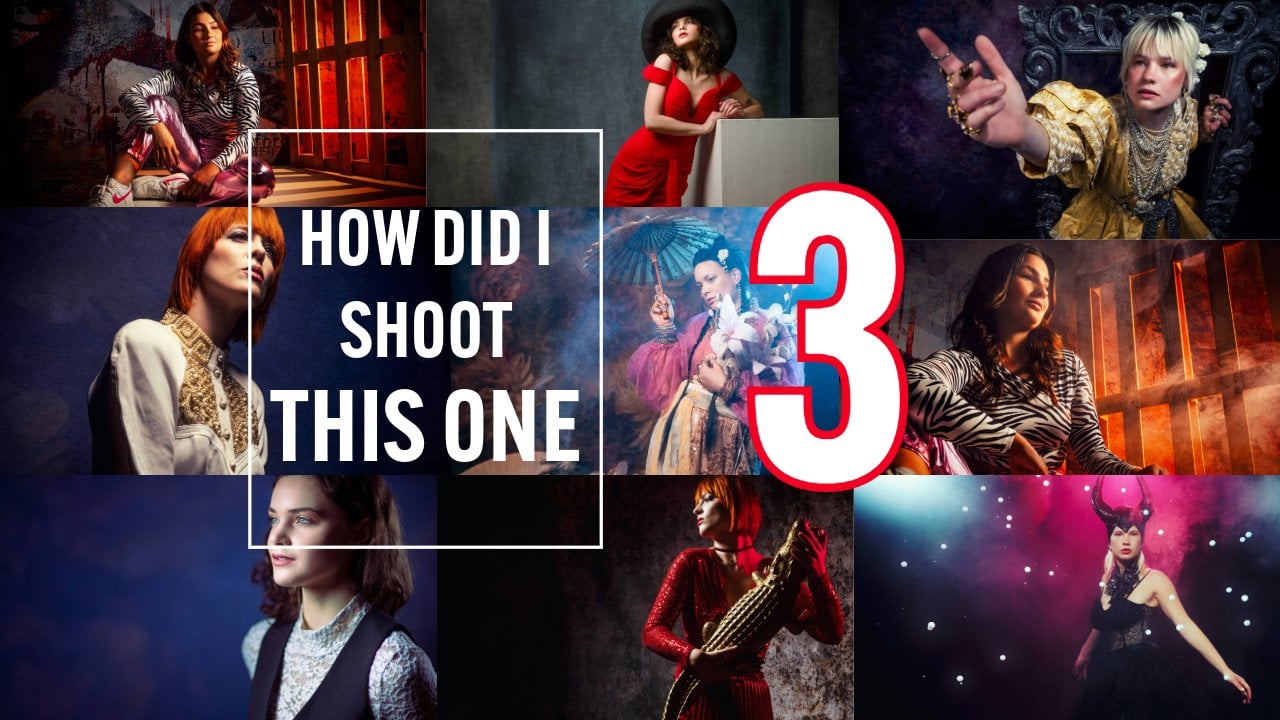
1. Introduction How Did I Shoot This One Pregnancy editon: Hey, guys, Frank, and
welcome to another episode in our How did I shoot
this one episodes? And in all honesty, there are some photo shoots
that are special, right? We have special
moments in our lives, like a wedding, and, of course, pregnancy
and newborns. Now, you might not
think when you think about my work about
newborn photography, but you are absolutely wrong. The stuff that we post online is mostly fashion and
model photography. But of course, as a photo
studio, we do everything. We do product photography. We do fan photography, and, of course, also
newborn and pregnancy. And well, the newborn and
pregnancy photo shoots are always very personal. That's also why we
don't post them online. But let me put it this way. Every person is
different, right? So if you go to a photo studio to get your pregnancy shot, how often does it happen
when they go like, Well, this is the book
that we did before, and what do you like? That doesn't work
for me, you know, everybody's different. So in this series, I'm going to take you behind the scenes with some different photo shoots and workshops we did with Nadine
while she was pregnant. You can see how we shoot
something on location, how we light something
in the studio, but most importantly, how we try to recreate certain character
ideocrisies of Nadine and, of course, me, because, again, we are all unique. And Nadine, of course,
is very unique. So that's why we did
several photoshoots all Oh, picking out certain parts
of their characters. I hope you enjoyed
this special episode about pregnancy
newborn photography. In the How did I shoot
this one series? Are you ready? Let's go.
2. Sea of Flowers : Today, in our episode,
How did I shoot this one? We have this great
pregnancy shot of Nadine. So how did I shoot this one? During the workshops,
I always try to challenge myself and,
of course, the students. Sometimes that means that we try different
lighting setups or, for example,
expressions or motion. But if you have a model and
stylist that's pregnant, it's, of course, great to do workshop all about pregnancy. And that's why the
coming few videos will all be about creative
pregnancy shoots. Now, styling is, of course, a very important part
of any photo shoot. You have to make sure that
the clothing is correct, that the expression of
the model is correct, the poses, and, of course,
your backdrop or props. In this case, we choose for a beautiful backdrop
with a lot of flowers. And trust me, getting
something like this in the picture
always is a great shot, and then you have to make
it more interesting. So try different angles. And, of course, try
filling images, or in other words,
filling light. I mean, of course, so, for our first setup, you can, of course, just
use, for example, a nice focus light source. For example, our
quickie from Gekoto. Now, the nice thing
about the quickie is that it's a smaller softbox. But also, when you look
at how it's designed, you can see that it steers the light straight
towards your model. At the grid, and you can get
that beautiful vignette. You don't need Photoshop
for that, of course, or light room or whatever
converter you use. So our main light source is a focus light
beam on our model, and that already gives
you a great image if you shoot it straight
from the front. But of course, you
also want to walk around your model to create more depth and more
three dimensionality you shot or in other words, just more interesting images. And that's why I also choose
for a red gel on the side. The red gel is aimed
towards my model, giving a beautiful accent light. And it also means
that when I walk around my model and
shoot from the sides, you get this crazy look. And the cool thing about
it is if you look closely, you can see that I'm lighting both my backdrop and I'm giving accent
lights to my model. So how the heck do I do
that with only one stroke? That's the thing about light
shapers and light modifiers. When you look at the
design of a light shape, you can already predict what it's going to do for lighting. So like with the quickie, you know that it's
giving you a focus light straight to the front because, well, it's almost rectangular. Sorry, it almost aims the
light straight forward. It doesn't spread it out. And, of course, with the grid, you can also narrow
that beam of light. But if you want your light to go both to the backdrop
and to your model, which are on opposite sides, there's something else
that you can use. And that's our Rogue
omnidirectional dome. And this is exactly what I
used on that second light, a Gekoto GT 200 with a
magnetic system from Rogue, and the omnidirectional dome. Now, the cool thing
is, the backdrop you don't even see because
it's out of the frame, and that's actually where most
of the light is aimed at. But because it's an
omnidirectional dome, there's also light
coming from the sides. That means if I want more light on that backdrop in the shot, I just aim it towards
that backdrop and my model get less and
the backdrop gets more. If you want more accent light, you just aim it
towards your model. The middle part it's gone. We call it the soap opera efect. What the camera doesn't
see, it doesn't register. So that bright light from
the middle, that's wasted, but the sight is
one for the model, one for that backdrop, and just aim it to
balance that light. This is an awesome
device in net. It's so small. But it gives
you so much opportunities. It's a little bit like
using the lantern in some shots where you light both the side of the
model and the backdrop. But hey, we can talk
about this for hours. Let's take a look at behind the scenes video of this
photo shoot with Nadine. As you can see, a great setup. It took us a lot
of time to create, and I just love it to
do it real, you know? You can always fit
some flowers in with, for example, Photoshop
generative fill, but I strongly believe that 99% of the shot should
be shot in camera. A IE is great.
Artificial intelligence. Hey, I'm Dutch. But you shouldn't use it to
create something. You should use it to enhance something that you
already created. So if there's one
flower missing, I have no problems by just adding that with
artificial intelligence. I'm not the kind of guy that will just put
your model against the backdrop and just create everything with
artificial intelligence. So what you see is
99% all flowers real, and sometimes we just addit
a little flower because, well, one drop during the workshop, that's
possible, right? Hey, I hope you
enjoyed this video. See you again next
time. Bye guys.
3. Awesome Lighting on Location : Did I shoot this one? And today, it's another shot from our on location in Amoude
Works with Nadine. And today, I chose this one. Now, finding the right location is always a challenge
for us photographers. But did you know that the most beautiful and
challenging locations are actually close to your
home or in your town? You know why you
never notice them? Because you always
walk past them. So for you, they are normal. But for somebody else, they
can be really special. And sometimes it's
just the lighting and the whole position you create
that makes the set special. Now, as you all know, we had this old building right
in front of our studio, and we had a
beautiful wall there. Now, if you know our
click backdrops, you actually know that
that wall made it to one of my signature
backdrop series. And at this moment, yeah,
the real one is gone. So that's the only way I can
still shoot that backdrop. And I'm so glad that we did that because it's
a beautiful wall. But hey, buildings disappear, and what you end
up with is yeah, a big empty space with a lot
of sand and some very nice, not so very nice flowers, right? So how do you create something
that's interesting here? Well, you probably already
saw it Nadine is pregnant. So we thought, You know what?
We want to make it soft, make it nice and want
to create something in the front because how can you
create depth in your image? You can, of course,
create depth by using your contrast
from your lighting, moving your lighting to the
side, creates more contrast. But how about just creating depth by including some
stuff in the front? Now, during these workshops, I normally shoot on HSS. I can't do that because, well, we have students that don't use the same camera that I do. And for most cameras, you need a special
dedicated commander to actually shoot HSS and ETTL. So with our workshops, we're limited to the
so called X sync, and that's 125th of a second. But for these shots, I
actually use the commander. So this is why these shots
look a little bit different from all the other ones that you see in the previous videos. For this shot, I'm
actually using the HSS in the Gekoto GT 200. So this is the stroke I'm using. But this one will give
you a lot of light, but even in such
bright sunlight, it's always handy to have a
little bit more power, right? It's always great
to have more power. So that's why I'm using
this huge reflector. Now, this reflector gives
you a lot more light output. We all probably know these. These are a little bit smaller, but that one really pumps out a lot of power, and
that's what we needed here. But we wanted to create depth. Now, as you can see here,
in the first image, I don't include everything in the foreground, and it
looks great, right? There's nothing wrong with
this image. It looks fine. But then I started adding a
little bit in the foreground. Now look at the
difference that makes. It can also angle your
camera just slightly. So look at those two
shots, different. And which one do you
like most? I don't know. Every day that I look at them, I like one or the other more. And, of course, you
can also choose for a totally
different viewpoint. Let's go a little bit more
up and aim your camera down, as you can see in this image. Now, you see that this image
is a little bit more rough. Oh, that's because I tried to emulate like those heavy
metal albums, you know, from the 80s and 90s with
those long dresses in well, in the forest or in the desert. I didn't make any sense, but
it still looked cool, right? So I tried to emulate that a
little bit with this shot. Hey, we can talk about
the lighting setup a lot, but images always
say more than words. Now as you can see the
setup was pretty easy, the big reflector aimed
at our model Nadine. The trick in this
setup is include stuff that's in the front
to create more depth, but also the lower viewpoint creates that hero post,
that beautiful pose. Now just add a
little bit of light, some saturation, and of course, a little bit of Photoshop
in these images, and you get the
results that you saw. Don't you love those pregnancy
shots from Nadine? I do.
4. Pink Balloons : In the series, how
did I shoot this one? You already see it, right?
This is how I shot this one. During the workshops,
it's always nice to work with lighting. Now, in the workshops, I
normally try to use lighting that everybody can afford or
that everybody has at home. But sometimes you want something a little bit more creative. As you already saw
in the previous videos, Nadine is pregnant, and that meant that
during the workshop, we, of course, want to focus
on being pregnant, but most of all, on getting
unique shots because you can, of course, just shoot
a pregnant woman with her belly in the frame. Nice lighting and make
that little heart. But let's be honest, those
images everybody has. Every pregnancy is
totally personal, and that's why we tried in this workshop to do four
completely different sets, but still fitting
that quirkiness of Nadine and, of course, of me. So for this set of, we decided we wanted
something else. We have this big
box in the studio, and it's actually big
enough to fit in a model. We still had some balloons
left from the first set, so we decided, let's throw
all the balloons in that box. Let's put Nadine in there,
and maybe also Joni, and let's create some shots
that focus on the pregnancy, but also that actually
cover the belly, so we can also use those
shots for something else. Now, lighting wise, of course, we can choose for something
like, Yeah, there we go. Our quickie soap box, which I absolutely
love. It's the Gekoto. It aims the light
straightforward, and with the grid, you get
that beautiful vignette. Or maybe in a box like this, we can use something oh, like this. How do
you like that one? The lantern, where the light just
hits the set everywhere. Four, you could go for
something completely different. That's why we choose the
Lindsey Atla projector. Now, this is a so
called gobo projector. Now, the gobo
projector you place in front of your normal stroke. Now, the nice thing
about the gobo projector is that you can mount a lens. Now, in this case, I'm using a very cheap Yungno lens,
and it's a cannon mount, and the nice thing
about it is it can fit every cannon mount lens
for this projector. You can also, of
course, choose to buy a converter
from cannon to 42, and you can use your 42 lens. The thing that you
have to keep into mind is your aperture
of your lens. This is, let me before
I make any mistakes. This is a 2.8, I believe, sorry, a 1.8, and it means that it gives you a lot
of light output. A projector like
this needs light. So that means that you
need a strong stroke. That's why we're using
it on the GT 400, and you need a fast
aperture on your lens. If you use something
like a 5.6 lens, there won't be a
lot of light left. So 1.8, 2.8 at a maximum. Now, also the length of
the lens is important. If you use a 135 lens, you will focus it all on
a small area of your set. If you use a 50 mil, you spread it out more,
and with a 24 mill, you spread it out even more. Now, the gobo
projector, of course, you can use with
so called gobos. Those are round. You put them in there and they
create on your set, like, for example,
a tree or a window. By using the lens, you
can focus your image. And that's great. You
can make it sharp, or you can make it less sharp. This is actually one of the
best things you can use on your backdrop or if you want really stark lighting
effects on your model. In this case, we
didn't use the gobo. This one also has
so called blades. And with the blades,
you can create almost anything you
want on your model. Round is a little bit
difficult, but a square, a rectangle, or maybe a
triangle is no problem at all. And again, by using the focus, you can make that transition
sharp or less sharp. As you can see in the images, I choose to create a rectangular light pattern
on our model Nadeen. Now, of course, when you create a rectangular light pattern
and you make it really sharp, that means that everything
else is totally dark. So you only have that beam
of light on your model. And that's, of course, a
shame for all those balloons. Now the balloons are pink, and pink, let's call
that for now magenta. And magenta is on
the bottom part of our colored triangle, and that means that
red is on one side of magenta and blue
is on the other. So I could opt, for example, to open up the shadows with
just normal lighting or I can use to use a red
gel or a blue gel. In this case, we're using the omnidirectional
dome from rogue. On our magnetic system, and I'm using a blue gel because the blue on the
magenta or sorry, on the pink balloons just
created a beautiful effect. Now, the effect is, of course, way lower than your main
light because you still want that main light to create that nice
rectangular of light. You don't want it to
disappear and just make it white light
and blue filling. Focusing, well, we want it to
be sharp but not too sharp. So I put it slightly out of focus and just aimed
it on my model. So aim it at your model and tell your model to stay
put like that. Now, some of the images, we wanted to focus on our belly, so that's why we didn't
have a balloon in front. And some of the images
maybe we want to use later without the focus
on the pregnancy. So that's why some shots
you don't see the belly. Now, later on, we
decided it would also be fun to put Joni in the
shot maybe in the back. The problem is,
however, that Joni was, of course, very dark. So that's why we moved our blue gel a little
bit to the front. So it would also give some
accent lighting to Yoni. But then, well, Nadine is white light and Yoni is blue
light. We don't want that. So for the set with Joni, we're actually using our Rogue magnetic system and
then the snoot. Now, the nice thing
about our snoot let me show you very quickly, is that you can use it
in different settings. So, for example, this
is very focused, a little bit less, even
less or more white. So you have a few different
setups you can use it for. The snoot I just
aimed at Joni's face. And because we just put
it down a little bit, you can see that it just spreads out nicely over his clothing, and then it transforms into
the blue accent lighting. In all essence, it's a fun shoot and it's great to work
with the Gbo projector. But we can talk about it for
hours, you know, the drill. Let's look at the
behind the scenes video of this shot with the
Lindsey Adler projector. As you can see, a great setup and lots of fun
with the projector. I highly recommend getting something like this just to play around with and create
stunning lighting effects. Combine it with gels. Oh,
man, the sky's the limit.
5. A New Baby is Coming : Heck did I shoot this one? Now, this one isn't that
interesting for lighting, but there is a tip in there that I wanted to
share with you guys. Now, when you shoot
two models in a set, it's always important
to realize that you want both models to be
about equally sharp. Now, it's no problem
that the front model is sharper than the back model, of course, but you don't want the one in the back to
be totally out of focus. So that means that
we have to take into account, of
course, our aperture. You don't want to shoot
something like this on 2.8, for example, because then, well,
Nadin would be sharp and her son in the B
one would be unsharp. But first, let me talk a little bit about what we're
actually doing. Nadine is pregnant, and
during these workshops, we decided to do some
with pregnancy shut, of course, because, hey,
that's interesting, right? Now, in this case, the story
was actually that Joni, her son is feeling
a little bit let down because there's
a new kid coming, and well, he feels a
little bit in the bag. So we decided to put
him in the bag in this set and just focus
everything on Nadine. But I still wanted that
expression of Joni, and that's why we needed
Joni to be at least sharp enough to recognize
that expression. But there's something
else. Of course, with your aperture, you
control your depth of field. But how about lighting? Because if you only
light one model, it's easy, right? You
place your lighting. You take your art light meter, you met a 5.6, put your
camera on 5.6, and that's it. But if you have two models, there's something called
the Iver square law. Light falls off
over the distance. W two models, it's very
important to realize how far from your main subject
did you place your lighting. Now, in this case, I place
my lighting under an angle. So that means that I'm
lighting both Joni and Nadine. Now, of course, the light has to be further away than
I would normally do. But hey, that's great for
this set because, well, normally in our
studio, we of course, use our click backdrops. We use our painted walls
or we use seamless. But sometimes we
also build sets like for example here with
our removable walls. And in this case, we
actually choose the pink. Don't you just love that pink? And in this case,
it's very important to also create
depth in that set. So that means that I want
that whole set to be lit. Now, of course, you can use a soffox with a grid for that, but then you only aim
your light at one person. You can use a soafbox
without a grid for it. But hey, then you only light the set from that front side. If you want your light to
spread out more over the set, we have this great
sof box for you, and it's called the
Lantern from Gigoto. The nice thing about a lantern is that it's not
black on the side, so that means that it also
emits light from the sides, especially when lighting sets
and backdrops, of course. That's great because
now you have a omnidirectional light source, and that's actually
what we use here. After figuring out the distance
by using a light meter, it was time for the expressions. Now storytelling is a huge
part of something like this, and I wish I had more time to really dive into this
during a workshop. But most of the time,
I'm really pushed for my time because we also have
students that want to shoot. So what I decided to do was
just put Joni in the back, make him look really
sad, hold a sword, maybe to put a hole in
all those balloons. And Nadine, of course, super proud in the front
posing like a model. But hey, we can talk
about this for hours. Let's take a look at the behind the scenes video so you
can see the lighting set up and just get some of the fun that we had
during this photo shoot. As you can see, a really
simple lighting setup. And trust me, lighting doesn't have to be
focused all the time. Sometimes lighting a whole set with two models with
one light source can even be more difficult than just focusing
your light on a model.
6. Smoke and Shadows : Y. How did I take this shot? Well, today, it's
about something else. It's not really about lighting. In essence, it is, but
it's about something else. Now, Nadine is pregnant. You could see that
probably, right? And during the workshops, we love to experiment
with, of course, her pregnancy because shooting a pregnant woman is totally different from shooting a
normal model, of course, because you have the belly,
and you want to also make sure that you focus
on that belly because, well, that's what you want
to remember later on, right? So we decided in this
workshop to do a lot of creative setups with
our model Nadine. And you probably already saw in the other videos that we did a pretty good
job for one day. But then during the last setup, we experimented with smoke
and with back lighting and, of course, using a red gel. But then there's also a solution that a lot
of people don't use. And normally I would be a little bit hesitant to use this. But with this shot, it just worked out perfectly. Now, when you look
at the lighting setup like this, you of course, have your main light
setup on your model. Now, because you're using smoke, you always want to
make sure that you light the smoke from the back, because if you light
smoke from the front, you just get a large
white wall or a red wall, depending on the gel
you use, of course. When you light smoke
from the back, you get those beautiful
smoky looks that well, you used to in photo shoots. So that's why the lighting was already set
up from the side. So when you shoot
from the front, you have this beautiful
side lighting from the smoke and you
light on your model. But what if and I always tell you guys to do this
during the photo shoot, walk around your model. So, in this case,
I walked towards my omnidirectional
dome with the red gel, and as you can see
in this image, it created a beautiful
shadow on the wall. So you have our
pregnant model and the shadow with just the
silhouette and the belly. And I just love that shot. It's a totally different
shot than you normally see. And normally using those shadows can be a little bit awkward, but in this case,
well, it just worked. So let's take a
look at the behind the scenes video so you
can see that it was mainly actually aimed at using the smoke and then the idea
of the shadow came in. As you can see, a
relatively simple setup, but by using the right angle
and using the shadows, you create something unique
and I think something that Nadine will absolutely
love as her pregnancy shot.
 Frank Doorhof, Learning with Frank