Transcripts
1. Easy Event Planning with Trello Lesson 1: I carried on here at the International Boat Show in Sydney, Australia. In this pot, I'm going to show you how I use the free online to try lights to plan and live up My sporting bringing split here. But it's been a huge joke. Okay? Landing activity of all of Evelyn teas transport more than 40 pieces of equipment. And I used chili track. My, my Valenti's managed to lease and basically do all the project management I used easy you that bonding like you can share it with everybody. Join me in this club on oh, provided with best practices and fun ideas for event planning.
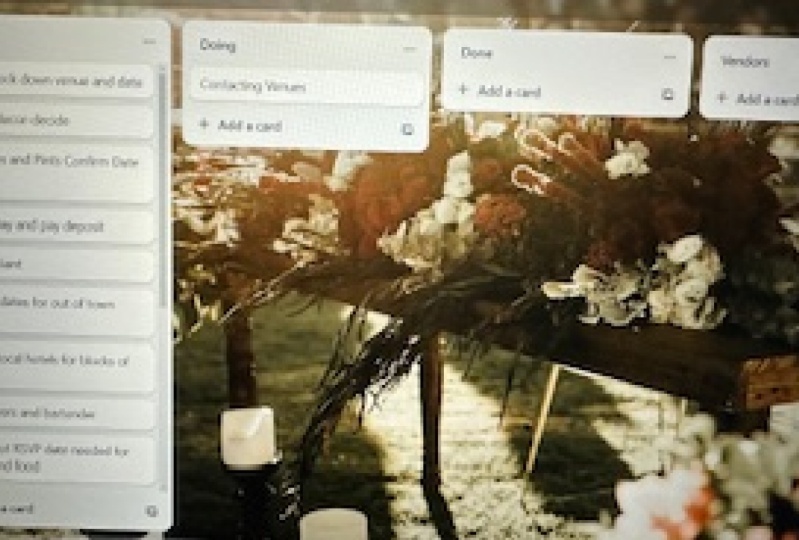
2. Easy Event Planning with Trello Lesson 2: Before we take a look at the free Trillo up online, I'm going to jump, straining to avenge organizing mode and do a huge brain dump of everything that I think needs to be done to make this event fantastic. As you can see, I'm using Microsoft. Excel for these. You can create your to do list right within the trailer app, and I'll show you how to do that later. It's really easy, but for this event, because I've got lots of tasks and I've got a shed. Your liking copy from last year's event, I've decided to create my initial lists in Microsoft Excel, Microsoft Word and Google Sheets. Both work equally well. Google docks as well. I'm not worried too much about the order of my tasks. Just did. I'm just typing the mean because I can really easily rearrange those later within Trillo. So it for now I'm just typing and pasting everything. I think that under grenade into my spread shape now that I have my to do list, wrapped it up, I can put it into trailer. Let's go to the trailer website and get started on trailer. By the way, Trillo is free and I don't get any money for promoting it. I just love it. Okay, we're going to try Liggett dot com there. I'm creating a new account for the purposes of this class. So I'm gonna put in my name, email address and a new account. Here it is. And I'm gonna choose something that I think I'll be doing the trailer with this account. It's event plenty. It doesn't really matter what we choose right now. Let's dive. Running information on Trillo is organized into boards. Aboard is the trailer name. For a unique webpage upon which information is displayed, I recommend that you create a unique and separate board current event for Let's make a Trailer board. This is what you see when you first create a new account on Trillo, start at the top corner here by pressing boards for this event. I'm creating a new board. Each board could be private, which means it can only be seen by you or people you have provided to view it. Or it could be public, which means that anyone with a link to the board confined it. I'm going to use this board to communicate with people who are helping to do the work for this event, so I'm going to make it public. I've given it a name. Done. Now here is my board because it shows that been planning aboard has started with a to do list. A doing list on a dumb list you can see that released its across the top of the page. We're going to change the name of the least so we can start customizing outboard. So let's start by changing the name off the doing list. So I changed it to Bumping Day Tuesday, and I can change the name of the to do list as well. So changing names of lists is really easy, and I'm going to have a name to this thing. This thing is called a car kinds of the information holders. In a truly bored I like to imagine them as if they're posted night stuck onto a whiteboard that you can write on and move around to add an into a Condi simply type in the white space , so have tightened organized weight bags. Once I've put the card name in a press enter and a new card appears underneath, ready for me to name. This is one way that you can add your to do list to trailer, but I'm impatient, so let's do it the speedy way instead. So let's do the impatient persons way to get a to do list into trailer. We'll go back to my Excel spreadsheet and I'm going Teoh copy Be released. Information from the Excel Spread shape using the control. See short cut on my keyboard. As I say, this works for Google shades or where documents and Google ducks as well, highlighted a card. I'm in a quick paced and placed all that information into the one card, but I don't want one cards and went 19 and trilling noise that I want 19. So what it does is it counts the number of cells if you're importing from a spreadsheet or the number of new paragraphs. If you're importing from a word document and creates the correct number of cards, you can say there that for every cell ahead in spreadsheet, I've got a new and unique card in trailer. So this is a fantastic quick trick pontrello for getting into the least or any other list. If you like into your trailer board quickly, very late. So I'm gonna do that again. So I will go back to spreadsheet and I get some more of my to do list end info, and I'm gonna paste it in, and I'll be making the bare bones off my trail aboard with all of my to do lists and all of my cards that's just created five cards with that post at the Magic, your video or speed the spit up. Pretty soon I'm gonna have a whole board full of lists and can't smoke from my event. Now. It won't be long before I want to start using this board to communicate event planning with other people. So in the next section, I'm gonna show you how I can approve its appeal and usability for others. Let's add a description to the board so people who come to the board can see what it's all about so you can see there's a menu button up on the right hand side of the screen. So click that button there and we can see a menu with options for the board or put in a description so people who find it on the Internet can see what it's all about save. I could also had some information about myself here if I want to take your picture, But I can I'm gonna actually just go ahead and do that a little bit later. This is what you put a picture. But for now, I'm gonna change the background of the board, make it look pretty cold. So let's add a background for all of our cards and at least Teoh appear upon. It's just a really nice way to make things look really awesome. There's lots of photos to choose from and different colors provided by truly it isn't free . And this so many to choose from here. Or I think I'm gonna need to go with the theme. It may be Ocean thing. Excellent. All these from its Fantasticks. Let's try that. Oh, okay, so the title of the board is actually quite hard to raid on this background. Try this one. Yeah, that's way better. I really like that. It's easy to raise, so let sleeping with this one, and we'll move on to some of the more interesting things that you could do with trailer cards. The ability to move cards within Trilli lists is the most powerful thing that it does. It's so cool. So you can say I'm moving cards with in the same list by just clicking and dragging them. I could also move them between lists I've done and people work on my board, and it's time to share it. So I'm going to go to the menu again and Chris Moore and I can see here. There's a link to this board. Now, remember, this is a public board, so anyone with the link will be up to see the board. However, no one will be on to edit it unless I give them permission and invite them to the board. So I'll show you how to do that in a minute. Just for now, I'm going to get this link or copy it, and I'm going to share it with my email list, email it to people so that people who received my email can click on the link and see the board. So here's the link on Copy it and now I can go and share it in an email. So let's get my AM email in Good check out your Rasta. Have a look at this link. So this is gonna let my volunteers go and check out where they are on the rust up for Manning the stand for the event. It's pretty cool, isn't it? So I'm saying that email shortly. But for now, let's just go back to the boards. These are all of the boards that I have. For now, it's just one. As you can see, I'll click on it, and that will take me back to the page. We wake young before, and then I'm going to create a team so I can have other trailer accounts working on the board to making a trailer. Tain. There are a few different ways to allow people to be able to edit trail aboard the permissions, very depending on whether the board is public or private, and depending on how you set up permissions feel bored. Trailer has really comprehensive help and how to pages, so be sure to check those out. If you're ever feeling stuck on this for now, I'm going to form a team and the team will own the board so we'll start by going back to the menu again. And there's many option called change teams. Find it in sittings. Chris changed tame, and I'm going to choose Create team because this will be a new team for this board. I'll give it a name. I'm gonna call it when sitting at the beach. I I could give it a description if I wanted to, and I'll pressed. Create drill is going to take me to a window where I can choose other trailer uses to end my tame. So put some members of my team and I'm going to it. Invite the account that actually useful my business slow that no matter how I'm logged into Trillo, I can work on this board. So there's the email that just use and my business can is called authentic food. I'll invite myself to my team, so this is really cool. It's going to allow me to work on this board no matter where I am. And no matter how I'm long, Dean, I have the trailer apple, my smartphone's iPhone out and about, and I get some more information about the boat show. I can just quickly add a new card, Teoh Sport. Now there are certainly other people I'd love to have working on this board with me, but they don't have trailer account yet, so I haven't added them to the team. I'll show you how to share aboard in a different way in the next listen. So I'll go back to the board now and I can add some more information as my event is approaching. It is my board there and you can see it's there ready for me to keep updating as the event planning goes ahead. So a week has passed. I've had some email responses from volunteers he'd love too quick at the stand, and I'm gonna put their names in now by changing the titles on the cards. I could also change the descriptions here, but that's not why don't want to do right now, So I'm using the cards as Gloucester's you can see. I've got the name of someone who's gonna turn up 12 oclock on Thursday. Thank you, Glenn, To help put Harry and close that you can see today on the bus stop. I have another volunteer here. They put his name in Scotty, stand full of Saturday morning. Excellent. Thank Scotty. You're a legend. Except Scotty isn't coming on Saturday morning. He is actually coming on Sunday mornings. So let's maybe into Sunday pick Slim and we'll leave a blank space for Saturday morning. Gosh, I hope I could find someone. I've also had some discussions about people within the sports association about our need for white bags. So I had on our to do beforehand to get hold of 40 white bags. So these will be things that will help out flags and our boards and sails from blowing away . But we've decided we probably don't need 40 white bags. So what I'm gonna do is I'm going to archive this card and then because I don't need it anymore, I'm going to delete it. So I've got the card open. I compressed archive here, and after it's been archived, I can then delete it. Okay, so now we're going to be delayed Now. I also realized that I need a new least on the board to do that. I can go to a free space on the board where there's no other cards or lease and double click. I guess I'll just demonstrate that to you. You can go, Teoh just days. Simple free space on the board. Yeah. Here, double click or you can go right over to the right hand side of the board and click. Add another least. So I do that now and my least is called done. I strongly recommend that you use a damn. At least if you simply archive or delete hard that correspond to a task that Spain done then it's easy to forget whether the task was done or just missed. It also prevents other people from saying whether a task has been completed on, and actually, it's also just really set us find to drag your cards to your done least and see that least grow as your event gets closer. So we'll move one of my completed cards to my done list now. Oh, God, that one. After my cold for Valenti's, it's in the done list. That feels good. Now I know I'm moving pretty fast here, but don't worry. What I'm trying to do is introduce you to the possibilities, the choices and the options you have when using Trillo. I'm not imagining that you're going to memorize all the steps and features that I'm using. Once you get yourself into Trillo and try it, you're going to find that it's really simple to use. And plus, like I said before, there's really great help documentation on the trailer website. If you get stuck so just to back and enjoy the ride, get inspired and try it for yourself. In the next lesson, we'll learn a quick way to copy cards and how to work with labels.
3. Easy Event Planning with Trello Lesson 3: my task least is growing, and I need to duplicate some cars. So I'll go to a card here and you can see there's an option here called Copy and you can see that by default. It's going to create a new card with the same title in the same list, to do beforehand at the position directly below the current card. So that works for me now. But I could actually change the list of the position in which my new duplicate card will be created. So oppressed. Create card, and that's going to create a common position. 15. Just below the original one, right? Here's my duplicate card. I can change the name of it so that it's got correct information in it, and that is a card that is in the middle off my to do beforehand list. Now there is another way to create a card in the middle of a list rather than at the bottom of the list. So let me show you so closest card. I'll go to the great part in the middle of the list between the cops and I'm going to double click in that gray part, 300 demonstrate on screen, you can see there's a new card. A in the middle of the list. Don't need that card right now, so I'll just press that little of cross there and get rid of it. The power of labels. Time has passed and the event is nearer. I need to find a way to ramp it up and to help peoples to see what needs to be really done urgently when they come to the trailer board. For that, I'm going to use labels. I'll start by adding a card that will explain labels to the people who come to the board. If you can't save is properly, the name of this card is label color legend. If you're going to use labels on your board, I recommend that you add a card that explains what the labels main. So here the labels this super ease of use you just click of the colors that you like and click them again to remove them in the car description. I'm going to s Tim information about what the various colors main, so I'll have all the colors there that I'm gonna use for my label coding, and I'm going to go to the car description, and I would type in what the various colors may, and I'm going to use the power of video editing. Teoh really speed this up on their fast type of vehicle. So once we have this, I'm going to put the card right in the top left hand corner because that's gonna be the easiest place for people to see it when they come to the board. So I would drag it up to the top off. At least it's in the most obvious spot. Nap excellent, and I can go ahead and the signs and labels to some other cards, so I'll put some more labels on my cards. I will use the orange and yellow labels for task that it partially done partially done. It's on its way, and I'm going to use Green for things that have been fully done, and this one all Mike wish this is really urgent, so I'm going to use a reliable this one. So I wanted to stand out when people come to the board. So as we just so before, I can add more details into the description part of the card. So when people come to the board. I want them to be up to see that I need white Banks, and I'm also going to let them see what were enough to with my task by rating the description. So let's get a description into this card. So one of the really case to having a really engaged that of helpers for, especially for a volunteer run event, ease communication. I can't be on the phone to people all the time, but what I can do is keep them updated with where we are with various part of the event process by having lots of information for them to raid if they want to. So people love to feel like they're in the loop on This is a really que y tohave engagement and successful events, but he's a lot of information that are running. He obviously I'm really in native help. I'm I'm gonna save these description in this card in a minute, and then I'm gonna go on in and simple labels and descriptions to smother cuts. Let's get some more Kuds labeled and described Teoh communicate we were at and what we need help with Teoh. People who come to the sport with power video conduce really fast so mixed up we going Teoh have a look at working with lists. So with more people engaging with my board now, I decided I need a new least where I can put the most urgent tasks for which we need help. I really want to highlight that. So created my new least over on the right hand side. But the best place for it is over on the left hand side of the board, where it's going to be sent straight away by anyone who opens the board without having to scroll across. So I could just easily drag it across the board and I'm going to move my other to do least over it right into the right hand side of the board. And in that place, it'll still be a good spot for Medicaid, track of my tasks. But it's not going to distract from the most urgent and unassigned tasks, so let's get it right over on the right hand side. I think I'm gonna need to move my color label legend back as well. So another week has gone by and more people are looking at the board and offering their help. We just fantastic. You can really increase engagement with your board by adding a picture of yourself. So let's learn how to do that Now. Theo Picture of yourself is called a profile picture. You click on your little picture up there in the corner, and this is where you can edit your profile the moment it's an initials with no avatar. But I'm going to upload a picture from my computer. Not that one. Let's try again. Okay, just another picture. And there we go. You can see I've now got a picture of myself on the board. And like I said, that's gonna really help people feel confident that they're engaging in the right place with somebody that they know and trust. Sharing the load In a previous section, we saw how to create a team and an trailer uses to attain. It's also possible to invite other people to edit your board, even if they don't yet have a trailer account. So an associate of mine Joe, has shown an interest in the trailer board and keeping it updated for me. That's fantastic. So I'm going to invite him to join the board intra language. I will invite him it to become a member off the board. Joe doesn't have a trailer account at this point. I'll start by clicking Invite, which is at the top of the board. Then I can enter Joe's email address will simply send him a link with an invitation. I'm gonna put this addressing the way this is a fake email address just for demonstration purposes and or Preston Invitation. And once I've done that, Joy will receive an invitation in his email inbox. He will be prompted to create a free trailer account, and then he's going to be out of open this board and make his own changes to it as event is getting close that more and more of the tasks of being done. I've just talked back into the board for a minute to move the cuts to my done list and to remind myself of which tasks is still outstanding. Like I said before, I have the trailer app on my smartphone so I can check on these tasks while I'm out and about, which is really handy if you think of something while you're not at your computer power of Trillo, and that's sharing means that all of my mailing leads to each have a link to the trailer board can see exactly where we're up to and what isn't aided in real time. That means I don't have to send more emails or phone calls updating them. As three even approaches in the next list, I'm going to show you some more amazing features to set you on the path to Trillo mastery.
4. Easy Event Planning with Trello Lesson 4: welcome to the final lesson. Let's make our trailer board will give him more fun by adding some pictures. This is going to increase engagement with those people who come and check out the board. And it's gonna help volunteers know what to expect when they arrive to help out at the event. Since I'm going to upload some pictures from last year's event, adding pictures is really easy. Simply open your pictures folder on the computer and drag your chosen file straight into a card on your trailer board. It's that simple. Trailer uses the file name as the default caption for an image, but you can change it to something more fun. It's like a huge guy will just drag the picture in to God. Brilliant, and it's giving it a nine. That just is pretty dumb. Slate. Let's change the name if go in 2018 boat show, and we can also add a description as well look like that. Hey, doesn't that look cool? I'm going to add another one now. You can also add pictures by opening a card, clicking on the button called Attachment and choosing a while location so I'll make a new card here is the other way of doing it will open up the card and click on attachment, and then I can choose the location of my picture that's sticking that way on the trolley smartphone app. You can also share pictures straight from your phones picture gallery to a trauma board. So that would be from within the gallery and choose picturing press share. And you have the option to create a card straight from the gallery, which is really cold. Okay, so this is looking really great. Now in the next section, we're gonna move on and put in from external links so that we can link to other information outside of the board. So the boat show is starting next week, and I want my volunteers to be able to get all the information that they need by going to the board as it can see a major new liest called contact details and location. And I want to add a link to the main boat show website because that has information about public transport and opening times of Citrus. So I've got a link he to the boat show. I'm gonna grab it from the Web page. It's really easy. And then we'll go to a card and I'll simply just paste the link into the car description. Natural. It automatically knows that that's a Web address and makes a live link simple. That way, when somebody comes to the trailer board, they could just click on this card and to find all of the information that I made. It's four days now to the show opens. We've got all the equipment into the area and the planning and preparation stages over. So I'm now timing out some of the obsolete tasks and lists so that the boy could be laser focused and relevant for the volunteers who are going to be working on the stand when the event opens. In a few days, I can delete or archive some of these cards just like I did before, or I can archive ALS the cards in the list in one go using a mini feature. Let's take a look at how that would be done. This is a single cod cause I'm doing now, or I can click the three little dot took the top off the list, and I can choose archive all the cards in this list, there's another least over he that needs to be archived. And rather than archiving all the cards in the list, I'm going to archive the entire leased by my three little buttons. Quick clips, this one and I'm going toe club the whole list so archived lease and cards can be retrieved . Done. Well, I'm here. I've realized some of my labels on up to date so I can show you how to change a label. It's a really simple. You just add the new color and then you click on the old color and it goes away seem pool as and are still a little bit more tiding up my tasks while I'm he. Labels get changed power off video, anything. I can do it really, really fast. Gosh, it feels great getting stuff on the done list, that's for sure. In a minute, we'll take a look at a filing feature, which rely went filing information and how to search the board, filing information with trailer cuts, as well as organizing your ideas and communicating with other people. By typing cards and descriptions, you can use Trillo to store an astonishing amount of information in its original format. For example, I was given a bunch of equipment brushes in PdF format with someone I'm going to need those later, and Trailer was a great place to file them and store them so that I can find them again. Filing with Trailer is really surprisingly powerful for a free app. There's always seems to be plenty of space for uploading documents, so I'm going to upload to PdF documents from my computer. But I could also do it directly from Dropbox One drive or Google drive, or even from another truly board. See that here? That's really cool, isn't it? Did you know that I even keep my skill share lesson plans on a trailer board? That way, they really isn't a fines, and I can access them for my smartphone. No matter where I am in the world, a guy will filed. The final piece of trailer mastery is how to search the board. You can see we've got quite a few cards on the board now. I've used five lists, one for each day of the show to manage the roster of volunteers. He will men out stand during the show. I've added purple colored labels to help me see how the special access passes for the boat show will be transferred from volunteers from one day to the next. So let's say I want to know what day a particular volunteers rusted on to work on the stand . I'm going to search for his name. Using the trailer search, function and trailer was Show Me a list of cons that includes his name. So let's look for the name of one of my volunteers. His name is Mick. Type it in. This is a search feature for members of the board, only not people who can just say it. I need editors. I can see he shaved. He's on Monday at 12 o'clock. Awesome. I'll try that a game it with the pace of equipment on one. Tonight he's supplying it. Type that in. It's a very powerful search function, and if I was using my other account with multiple trailer boards, it would actually search across all of my bullets. Okay, you the event is over, but that doesn't mean that my job as an organizer is finished. Every project that you end to take should include an element of follow up and feedback. So what I'm gonna do is create a new liest called a wrap up, and I'm going to use it to take some nights for whoever is in charge of doing these processes next year, let's create the list. Now I've got a list to create called wrap up list. So again I go over to the right hand side. The board added on the list, you break up and look like ad for my knee least, and I'm gonna create another least this time I clicked double quick on Leon Blank, part of the board, and I'm gonna call that my feet back Emails least in the rap publicist. I'm going to create some space to record what we did will this time and what we could do better next time. So will collect. Cem Bey beckons and thought so that when we come to see this event next year, we've got it all right for my email list, I'm gonna do something really cool. Uh, so it's possible to email a trailer board directly. That's right. Each trolley cod actually has its own unique email address, So let's take a look at how that wigs He's my card in my feet. Backlist. I opened the card and I can choose share. As you can see, you can get a link to the actual card. And you can also get a link to the aim l address for this car. So I'm gonna highlight that email address, press control. See to copy it on. I'm gonna take it over to my email, and I'm going to stand it to people requesting Faber. Now, one thing to remember is that the emails that going to come through with is the fan from May from my account. So they appear as if I've made Clement in this comments part of the car. So I've got my link there. I'm going to get in my Gmail account. I'm going to send an email to the cod already of pasting even the address off the card putting subjects, my feedback about this event and some little lights. And in a minute, we'll go back and see how that looks on the actual card. This event was also So here's the card again. I'm going to need to refresh my browser to see the comments. Okay. Find that card again. It was from the right. I think you can see the little speech bubble. There means it's got a comment lipping it up, and you can see the email that I sent to the card. I can also add my own comet back. Now if I want to keep an eye on this card in the emails that are coming in in terms of feedback, I can watch the card to watch a card. I can go and click on this little button and he watch and I will be notified when something on the card changes. But its close it up. We're going to finish this by Lenny. How to close our board. I've caught up on my sleep and my family life now, and all the equipment has been returned to its rightful owners. Our participants feedback has been collected and discussed, so it's time to close the board. I could choose just to make it private again. I'm even going to do that before I close and in fact so let's change it to private. So only me enjoy. Concede it into the other team member, which is neither account. So it's private, but I'm also in this case going to go ahead and close it. I go to the menu a little more button in the menu and more again. And there's an option that Dantley called close board. Click on that. And as you can see, Trailer reminds you that it's possible to reopen aboard after it's been closed, which is awesome. So once it's been closed, I can also delete the whole board, which is not recoverable. So go. There's an option to delete the board. I'm not going to do that now. I'm gonna leave it in case we need to open it for next year.
5. Easy Event Planning with Trello Lesson 5: thanks for joining my class. Your project is to create a trill aboard and upload a screenshot of the board or, if it's a public board, even share a link. She your board? I can't wait to see what yours looks like. And I'm going to link to my personal about May truly broad in the projects as well. He's how I finished up my time in the bite show show you how I use free online trail like to plan and leave a much cheaper way.
 Karen Cherry, Successful biz owner, accredited trainer