Transcripts
1. Welcome: AI transformation is happening
right before our eyes. It's reshaping how we learn, create, and solve problems. AI and creative thinking are two of the fast growing
skills by 2030. Mastering these skills
sets the stage for your future success at
school, work, and beyond. Are you ready to level up? I'm Darren Ritre,
creative entrepreneur and founder of a thriving
creative agency. I believe in the magic of AI and Imagination
as a force for good. Joining me is my twin sister, Ria Jung, our tech strategist, who's used AI and
other innovations to help companies
tackle big challenges. Her expertise fuels this class. After incredible feedback from live workshops with groups
like Girls and Tech, we're thrilled to bring
this class to you. Are you looking to supercharge
your creativity with AI, whether you're nailing
school assignments, driving passion projects, or
planning your career path? If the answer is yes,
you're in the right place. We'll start with AI basics, then dive into the
heart of the class, hands on generative AI for
text, images and video. You'll master our
creative prompt engineering framework
to level up your skills and turn
your wildest ideas into reality in seconds. And finally, we'll wrap with
responsible AI practices, covering key limitations, risk, and ethics so you can use these powerful tools with
confidence and integrity. By the end of the
class, you'll not only understand how AI works, but also have the practical
skills to apply anywhere in school work or wherever
your imagination takes you. Keep in mind this
class is all about learning AI principles
and creative frameworks, not an exhaustive deep
dive into AI tools. We'll demo the Chachi PT and Leonardo AI to jump
start your journey, but the real goal is to
equip you with skills that you can apply to any new
tool that pops up next. Why take this? AI
isn't optional. It will be part of
nearly every job across every industry. 92% of students are
already using AI, yet only 36% know how
to use it effectively. Understanding and using
AI will set you up for future success by giving
you the tools to create, innovate, and lead in a
rapidly evolving world. Plus, it's so fun. Imagine AI helping you write your own book or design a dream car or plan
an epic event. The possibilities are endless. Your final project will be to
use generative AI tools to dream up a future career that blends everything that
you've learned about AI, your personal interests,
and boundless imagination. Before we get started,
let's quickly reflect. How do you feel
about AI right now? Curious, excited, optimistic. Whatever it is, we'll turn it into confidence and
creative momentum. You're ready to
explore alongside us with the computer,
Internet access, and free AI tools
like hachPT and Leonard AI. Let's get started.
2. What is Artificial Intelligence?: Hello, and welcome
to Lesson two. What is Artificial Intelligence? There's a quote by one of
the world's top AI experts, Andrew Ing, that we love. Artificial intelligence
is the new electricity. Just like electricity
transformed everything that it touched transportation,
manufacturing, communication, AI is
doing the same quietly, quickly, and with
incredible reach. It's like electricity
in three ways. It's a transformative technology that's changing the world. It's democratized and
everyone will use it, and it will be the foundation of future innovations we can't
even imagine right now. Everyone has heard the
term AI everywhere, but can you explain what it is and why it's important
for you to understand? AI is transforming
every aspect of life. It's reshaping education,
art and music, transforming work, shopping,
and social connections, and that's just the beginning. Understanding AI isn't
only about learning to use HHIVT or
generative tools. It's about grasping how
smart systems learn, make decisions, and
shape every industry. Having AI knowledge shows
you're someone who thinks big, tackles challenges creatively
and isn't afraid to lead, and the sooner you
learn it, the more prepared you'll be for
whatever path you choose. Now that we know how important
AI is to our future, let's dive in and start
at the foundation. AI or artificial intelligence is a part of computer
science that's all about teaching machines
to think and act in ways that mimic
human intelligence. That means computers doing
things that we usually associate with human brains
like recognizing faces, understanding speech,
making decisions, or even creating art and music. At its core, AI is about building machines that
can learn from data, get smarter over time,
and solve problems. Like giving your
computer a brain, but one that trains and
focus on specific tasks. What makes AI so powerful is its ability to
recognize patterns, whether it's spotting trends
in your music choices, predicting what your type mix, or figuring out what
means that you love. AI learns by finding patterns in the data it's
given and then making decisions based on this is a visual that represents
the AI landscape. AI is a broad field
that includes many different subsets,
including machine learning, deep learning, and
generative AI, each nested within the other to solve increasingly
complex problems. Machine learning is
a core component of modern AI that enables computers to automatically learn patterns from data and improve their
performance over time. Then we have deep learning. It uses multi layered
artificial neural networks to automatically learn
complex patterns and representations from
large amounts of data, powering breakthroughs like
image and speech recognition, language translation
and generative models. And now this is where
things get really creative. Generative AI can actually
create new content, like write stories,
generate music, design images, or even
produce videos from scratch. And generative AI or Gen AI is where we'll
be spending most of our time in this class
because it's a part of AI that you can use to bring
your wildest ideas to life. Next, we'll learn how
AI shapes our lives.
3. AI in Our Daily Lives: In Lesson three, we'll explore how AI shapes our
everyday lives. Some AI systems have
been around for years, personalized playlists,
social media filters, and voice assistants,
while others are evolving at lightning speed, like autonomous cars, smart
glasses and generative art. From tailoring your feeds and
securing your payments to optimizing driving routes and sparking new creative ideas, AI makes everything easier, faster and more efficient. Now, let's take a
look at some of the ways AI shows up
in our daily lives. Personalization for
your social media and music feeds like Tik Tok,
Instagram or Spotify. It tailors your existing feed based solely on
your own behavior, likes watch time skips, follows. It reorders or
filters the content you already see so it
matches your taste. For example, Tik Tok for you pushes up the videos you're
most likely going to enjoy. This gives you the content you like and helps creators find their audiences so you don't have to go through
endless scrolling. Recommender systems are
similar to personalization, but it offers
suggestions based on your watch history like
Netflix or YouTube. It introduces you to brand new content by comparing
your habits with others. It finds users with similar tastes and
suggests items they loved, even if you've never
seen them before. For example, you and 5,000 other binged Sci
Fi last weekend. So the AI will suggest shows or videos that
those users loved. Can you imagine YouTube
without a recommender system? You'd be scrolling for days through millions of videos
to manually find what you Fraud detection provides security to keep you
and your money safe. AI monitors your
transaction patterns, time, amount, merchant, and flies anything unusual like a purchase in Tokyo if all
of your spending is local. It learns to distinguish genuine anomalies from
everyday purchases and then alerts the
credit card company and you if there's
suspicious activity. Voice recognition
on your phone or home assistant Alexa or Siri. This is speech to
text technology. The AI then uses language models to
figure out your intent, like set the alarm or
Play Taylor Swift. It even adapts to your
accent over time. It allows your devices
to be truly hands free. Soon voice recognition
will become more seamlessly integrated into your daily life where you'll have conversations
with your smart homes, cars, and various
assistive technologies. Robotics automate everyday
task from roomba vacuums that map your living room and dodge obstacles to
clean your floors, to smart farming bots that
survey fields, target weed, and streamline planting
and harvesting, all by processing sensor data to navigate and
work independently. Facial recognition unlocks
your devices, powers, Snapchat filters, and verifies identities at
airport securities. It analyzes and compares
facial features from image or video frames to identify or verify an individual's identity. It works by extracting unique biometric
data points like distance between
your eyes, nose, shape, et cetera, from a face, and then compares that data against a database
of known faces. Provides quick, secure
access to devices and services without needing
passwords or keys. It can also detect your mood by analyzing expressions
and micro movements. This is not 100% accurate yet, but it will continue
to get better. Imagine your future house suggesting music
based on your mood. Image detection powers
everything from self driving cars to
medical diagnosis. In autonomous vehicles, AI vision systems differentiate
objects like pedestrians, road signs, cyclists
in real time. They interpret hand signals
like a traffic cops stop versus a friend's wave and
react to traffic light colors. In healthcare, AI scans X rays, MRIs and CT images to
spot tumors, fractures, and other anomalies faster
with higher accuracy, helping doctors
diagnose diseases earlier and plan treatments
more effectively. Lastly, in just the
last couple of years, generative AI tools have
exploded into mainstream. Generative AI creates
new content from props. With the launch of Chachi
PT in November 2022, generative AI achieved
mass adoption and powering everything from
conversational agents to content creation tools. Now everyone can use AI tools. Here's what's developing now, self driving cars that
use image detection to identify objects and routes turning your commute
into free time. Smart glasses instead of
phones that project maps, messages, and apps right
into your field of vision. AI study buddies
that personalize your experience by tailoring lessons to your learning style. Now imagine what other
breakthroughs AI could unlock next. Pause for a minute
and ask yourself, how will AI reshape the future? What will your world look like when these ideas become reality, and what role will you play
in bringing them to life?
4. Generative AI: Congratulations. You've
made it to Lesson four, Generative AI, and this
is where the fun begins. First, we'll give
you an overview of GNAI and how it works. Then in Lesson eight
prompt Engineering, you'll learn
frameworks that take your AI experience from
good to extraordinary. Now, what is generative AI? It's a category of
artificial intelligence that can create new content. So think writing, designing, drawing, or even
composing music. It's not copying, it's
generating something new based on what's learned from existing
data out on the Internet. And Gen AI is an
absolute game changer. It covers so many areas from
writing content for a blog, a presentation or a book,
designing layouts, logos, or visuals, drafting
speeches or script, crafting strategies and plans, going websites, planning events. You can even use it as a
study body and so much more. A lot of companies are
using it to work faster, but the real power is
the ability for you to quickly create
things that weren't even remotely possible before. Alright, so in this class, we'll break it into
three Gen AI areas, text, images and video. These are the formats where most people are experimenting, but they're probably just
scratching the surface. And in this class, we want
to take it a bit further. With Gen AI tools, you simply type in
prompts of what you want. For example, you can
ask AI to explain organic chemistry as a
funny podcast conversation, and now you can learn in a
fun and interesting way. Or ask AI to design a futuristic
shoe built for flying, and you get amazing
results in seconds. Now, most of you are probably familiar with the
idea of prompts. You type in something and
it generates results. In the next couple of lessons, we're going to give
you an overview of Gen AI for text,
images and video. And then after that, we'll dive into where
the magic happens, prompt engineering. Stay tuned.
5. Generative AI for Text: In the previous lesson, we mentioned that
there's three types of generative AI that we'll
cover text, images and video. So now let's get started
with Lesson five, generative AI for text. When we talk about
generative AI for text, we're almost always referring to large language models, LLMs. You might know it as
hachPT or Gemini. LLMs are trained on an enormous amount of
Internet data from webpages, news, Wikipedia, social media, chats, code, blogs,
books and articles. It also includes layers of human feedback or handpick
examples for fine tuning. LLMs are AI systems
trained on text data that generates new sentences based
on examples that it's seen. Train on billions of
words from books, Internet, websites, and chats to recognize language patterns. During training, which
is how it learns, the model digests massive
amounts of writing. It notices which words
often follow others. So for example, peanut often
is paired with butter, so it builds a giant
map of language. So when you send in a prompt, the model then predicts
the most likely next word, added predicts the
next word, and so on, and as a result, it chains together a full
response in real time. Now, let's walk
through a couple of basic examples of
prompts and its output. Let's try something simple. Have it write a one
verse rhyming poem about your day at school. As you can see, because
you said school, it generated language having to do with racing down the hall, chalkboard, and
textbook in a way that comes together as
a poem that rhymes. Pretty impressive that it came up with this from such a basic. Here's another example that
might be helpful to you. Explain the difference
between atoms and molecules using an
analogy to a 13-year-old. Asking it to explain
something using an analogy is actually one of my
favorite approaches when I'm trying to
learn something. This prompt will tell AI to generate results using concepts, language, and subjects that 13 year olds can understand
and find interesting. You'll see that it chose egos
to explain the difference. It describes how building with ego is similar to
atoms and molecules, which is a really clever way to explain and make it easy to
visualize the difference. No, we want to encourage you to go way beyond that and
later we'll show you how. Think of it like having a really smart partner that
you can share thoughts with, brainstorm together, and co create at any time of the day. There are many LLMs out there, but we're going to briefly
compare Chachi But, Gemini, and Claude so you
understand the strength and weaknesses and know what to look for when picking
out the right tool. This is a basic overview of the types of things to look
for when comparing LLMs. ChachiPT is a good
general purpose tool. It's trained on
diverse Internet data, so it mirrors real world
language and biases. The knowledge is only updated
to about a year prior, so we will not have any
recent news or trends. Gemini is good for deeper
research because it's built on Google web call
and real time search. So it always pulls in fresh
up to the minute info. And Cloud is an LLM with safety and
steerability baked in. So it's trained on
broad web sources plus human feedback refinements, and the knowledge cutoff
is a few months back. So when choosing an LLM,
purpose, data sources, freshness and safety features are some of the things
that you should consider. Now, AI is constantly evolving and the results
are not always accurate, so it's important to check
with additional sources. We'll cover more on that in
Lesson nine responsible AI. We'll end this lesson
with a reminder. Using GenaI for text is
not about replacing you, it's about amplifying
your voice.
6. Generative AI for Image: Get ready to unleash
your imagination because we're diving into
generative AI for images. Imagine painting
entire worlds with a single sentence or
exploring surreal textures, lifelike portraits and
unworldly scenes in seconds. It creates jaw dropping
visuals that capture your imagination and takes you to worlds you've
never dreamed. That's the power of
AI image generators. But how does it do
this? The engine behind AI image generation
is image diffusion. What is image diffusion? Think of diffusion
like sculpting a statue from a block of
marble only in reverse. We start with the
noise, random pixels, and carve away the chaos
until a clear image emerges. During training,
a model learns to add noise to images
step by step, which is forward diffusion. Then it learns the reverse, how to remove that noise and recover the original picture. Then at generation time, it skips the forward
step and only runs the reverse process gradually denoising to reveal
a brand new image. It learns to do this by being exposed to millions
of paired examples, clean image plus noisy versions, and then trained to predict what the next clean image should
look like at each step. Over time, it masters
billions of tiny noisy moves, learning to fill in details, textures and colors and shapes. And when you type in a prompt, the model starts from pure noise and follows its de
noising recipe, guided by your text to compose an original visual
that matches your description. Diffusion gives us flexibility so that we can control
style, level of detail, and creativity by tweaking
how many steps we run or by fine tuning the
model on specific art styles. Now let's take a look at some examples of AI
image generations. You can create story driven animations,
lifelike portraits, studio shots, artistic pieces to surreal world straight
out of your dreams. And what are people
using it for? Let's take a look at Mid
Journeys Explore feed. So much animated stories,
three D characters, vintage posters,
art, storyboards, interior design,
fashion, product shots, logos, a list goes on. Ultimately, if you can imagine
it, you can generate it. Now, let's take a look at
some examples of prompts. The instructions you give AI
to describe what you want. We'll start with simple and progress to more details so that you can see
what it can do. A puppy filled with joy standing in the
middle of a dream, surreal candy elan cotton cloud, light pink, light
purple and blue. Here's an adorable, happy
puppy. Fine, right? Next, a close up of a
teenage Indian boy wearing a translucent hoodie that is lined with
flowing teal light, studio photoshoot, minimalist background,
muted background colors. As you can see, incredibly
realistic studio quality image of the boy generated
from just a few words. Next, we want to
share this example to show that the
model can be bias. Sometimes you have
to be specific about the kind of
people you want to see or results might
lack in diversity. Here we specified
three diverse girls. Really stunning results with diversity and background,
but as you can see, even though we gave it
instructions to be diverse, the features like their nose and face shape are
still very similar. Bias and how to address it is something that we'll discuss
later in this class. Now we have an example of a longer prompt with more details. This is starting to get advanced where you're providing
more descriptions for different elements you
want in the image like rustic wooden bar and
a tiny forest cafe, hanging moss and
miniature glowing lantern toy cups on the counter. Let's see what it generates. Look at the intricate
details in this image. The bar is full of tiny little lanterns and
cups just like the front. Here's another example
with more details, as well as style references to the artists they
want this to look like. As you can see, it created very specific style
based on the artist. And the last example we have uses expert knowledge
of photographers, including photography
terminology and specific camera lens. And because of the
equipment description, look at how realistic
this looks. You can see every detail on
the surface of that possible. So as you can see
through these examples, there's no limit to
what you can create. Later we'll show you how to structure your
prompt so that you can have more control to
generate hyper creative results. So why AI image generation
rocks, it's fast. It can bring your ideas
to life in seconds. Your prompts set the only
boundary to your imagination. It creates unique visuals
every single time. And we also have things
to be mindful of. It can generate
unpredictable results, sometimes weird or off target. Some models can echo
stereotypes and biases. We'll get into that in
Lesson nine, responsible AI. And lastly, not every
tool nails it every time. So make sure that
you take the time to explore different tools. They all have strengths and weaknesses in what
it can generate. Now, there are many AI
image generators out there, but they all follow
the same playbook. You type in a prompt and they
deliver an original visual. We're going to quickly
look at Chachi BT, Leonardo AI and Mid journey just so that you can
compare the tools. Chachi BT isn't just for texts. It interprets
concepts brilliantly and spins up quick free visuals. It's perfect for when you want fast and easy to
understand results. Then we have mid journey on the opposite end
of the spectrum. It's built for jaw
dropping artistic visuals, think ultra stylized, high quality images that push
the boundaries of design. A lot of professional designers
and artists use M one. Then we have Leonardo AI, which sits in the middle
lending flexibility in formats like images, video clips, custom templates, and lots of feature upgrades
to make your process easier. We recommend Leonardo AI as a starting point
since it can generate both images and videos and include lots of features to
make creating easy and fun. Now that you can see what
AI image generators can do, start thinking about
what you want to create and let your
imagination run wild. Later we'll dive into how to
get hyper creative results.
7. Generative AI for Video: Welcome to Lesson seven
Generative AI for video. Video is everywhere these days, from TikTok and YouTube to classroom presentations
and brand campaigns. And thanks to AI, what used
to take weeks of shooting, editing, and sound design can now be sketched
out in minutes. You've seen AI
make art and text, but video is the next frontier. Imagine taking a single image and adding motion, camera moves, parallax effects, even simple animations in just
a few seconds. Or picture typing out a scene
description and watching it play out like a mini movie
complete with sound and music. Tools like runway and Sora
are already doing just that. You type Sunset over Neon
City with flying cars, hit generate and boom, you've got a moving
club to share. AI video generators are getting better and
better every day. Just like the generative
text and image, videos can also be
generated from prompts. They range from simple
motion effects on still images all the way to full length films with scripts, soundtrack, editing,
and so much more. You can explore your wildest
ideas without any limits, test out different
concepts, scenes, lighting, costumes, and any
detail you can think of. This used to be a
massive production, but now you can bring any
idea to life instantly. With a single clip of You Talking plus a static
image of a character, you can now generate
expressive character video. Powerful tools like
Sora allow you to create mind blowing videos
by simply describing it. Here you can see everything from extremely detailed
movements, realistic scenes, cartoon animations, stylized
shots with nostalgia, mood and emotion to bring any
unexpected ideas to life. Incredible that within minutes, you can create
something that used to take months of work from actors, directors, and a
production team to create. With Google's Vo three, you can go even further and
with high definition visuals, dialogue and soundtrack
all rolled into one. You can literally make
cinematic quality films. These tools can create hyper realistic videos
and expand on scenes. So you can take one
scene and expand on it to build an entire
storyline just with prompts. If you could create
anything with AI video, what story would you
share with the world? It
8. Prompt Engineering: Welcome to Lesson eight
prompt Engineering. This is the most essential
part of this class. Now that we know what
Gen AI for text, images and video can do, let's talk about how we
generate impressive results. If you've ever tried,
sometimes it's hard to know where to start because the possibilities are endless. This is where prompt
engineering comes in. So let's break it down.
What is prompt engineering? It's how you talk to an AI to get the best
possible response. Think of it as a mix of
creativity and strategy, like crafting the
perfect question to get exactly what you want. Prompts are what
we ask AI to do. Prompt engineering is how
we ask AI to do something. And why is it important? AI models like Chachi PT are powerful but
not mind readers. The way you ask something totally affects
what you get back. Words generate results, and the better you are
at talking to AI, the more power you have to do everything better. Here's
a way to imagine it. Think of AI as your
creative assistant. If you give it vague instructions,
it might guess wrong. If you're specific, it fails it. The bottom line is prompt
engineering helps you steer the AI towards the exact
kind of response you want. It's a skill you can build and get better and
better over time. So how do you do it well? You give the AI a prompt. That's your message or request. The better you prompt, the more helpful and
accurate the response. Well, it makes a great prompt. It includes key prompt elements which you'll learn
in this class. Now, keep in mind the
way you prompt for text is different than the way you prompt for image
and video creation, and we'll walk you through
our framework for both. Let's start with prompt
engineering for text. Let's break down how
to actually talk to AI in a way that gets
you the best results. You can't just say write me something cool and expect
it to reach your mind. With prompt engineering,
you have to give it the key pieces of
information that it needs. So imagine yourself as a
director of a movie scene. You have to tell the actors
what their roles are, where the scene takes place, the mood, and how to
deliver their lines. If you don't give
clear direction, the scene flops, right? That's where this easy
framework comes in. Path PATH. P is for persona. So who should the AI
pretend to be a scientist, social media influencer,
a food critic? Giving the AI a persona helps shape the voice and the
vibe of what it creates. Next, we have A for audience. Who are you talking
to? A 5-year-old, a teacher, a group of teens. It matters because
how you say something totally changes depending
on who you're talking to. Next, we have T for task. What exactly do
you want it to do? Write a poem, summarize a book, give you advice, be clear
so it knows the job. Then lastly, H is for how. What should it
sound like? Do you want it in a list format? One short paragraph, funny tone. Use this part to
steer the style. Using Path makes your
prompt way more powerful, and the response is
way more useful. Let's walk through a couple of examples of the path framework. Let's say you're planning
a school trip to Tokyo and you need some
ideas for what to do. You want to make
sure this once in a lifetime trip is
unforgettable for everyone. So we're going to go through
each element together. For Persona, we're going
to put a travel guide because we want AI to have
expertise in world travel. We want to make sure
it's coming up with results for teens
on a school trip. This will make sure it
gives you activities that are fun for teens
to do as a group. Then you want to
give it the task. In this case, fun places
to visit in Tokyo. And lastly, how you
want the results. You probably don't want to read through paragraphs of text. So let's say three
short bullet points and make it fun and casual. Now, let's put it into Chachi PT and see what it generates. Keep in mind, this
framework helps you remember the
prompt elements, but you don't need to
capture it in this order, and here are the results. It gave you the places to
visit and descriptions. We encourage you to have back
and forth conversations to dive deeper or ask more questions to get the
information you need. Now let's take a look at another prompt example
that has more details. Let's say you love fashion and you're thinking
about starting a fashion line and
you want to do some research to find
out what's involved. So first, we identify the persona influencer with
a passion for streetwear. Immediately tells AI adopt an enthusiastic
conversational voice that sounds like a
streetwear insider. The audience is inspiring young creators who want to
start their own clothing line. This tells AI to use language for someone
getting started. So jargon free and
encouraging language. The task is to provide
tips for a building, not just any brand, but a brand that stands out. So this tells AI to zero in on tips that make your brand
unique over something generic. And lastly, deliver
the information in a list of five tips, so it keeps it
focused and concise. And let's see the
prompt in action. Great tips and
specific descriptions personalized for streetwear. You can also ask it
to elaborate or do a deep dive into certain things. Treat it like your partner. The more you talk to it, the
better your results will be. And now that you know
the path framework, here are a few bonus
tips that make a huge difference
when writing prompts, especially if you want more
control or creative results. Adding context massively
improves the content. If you've been talking
to AI for a long time, remind it what's going on. Say things like based on
what we've talked about, or copy and paste a summary
to help it stay on track. Providing examples
makes a big difference. Length or constraints
is to set the limit. So be specific. When it's short, say, keep it under 150 words. W the main ideas, try
give me three bullets. AI follows instructions,
so give it the guardrails. And inspiration or tone models is like setting the
vibe. This one's fun. You can guide the style
by giving reference, like write this in the tone of Billy Eilish song or make
it sound like a Nike ad. That's how you get
more personality. Tiny tweaks in your prompt can totally change the results. So the more specific you are, the more original it becomes. Now that you have the framework to generate strong results, we want to encourage you to go beyond using AI for quick task. Instead of using AI just
for one and done task, think of it as an all in
temique for your whole journey. Whether you're working
on a big project, creating your club's activities for the year or planning
a fundraising event, AI can help every
step of the way. Brainstorm, plan, ID and
collaborate together. It's not just a shortcut.
It's a strategy. Now, let's get really creative with prompt engineering
for images. Have you ever explored
image generation tools? Do you ever just get stuck not
knowing what to even type? Then you try something and it doesn't come out the
way you imagine. Sometimes it's
unexpectedly awesome and other times it's
just downright bizarre. That's why learning and
practicing how to talk to the AI with better
prompts is key. You're basically the
creative visionary and your words shape
the whole scene. Now, we do want to remind
you that for this class, we're going to focus on
your foundational skills, helping you
articulate your ideas so that you can bring
it to life accurately. And then later on, you can try different tools and features
as you continue to explore. Prompt engineering
for image creation is the art of visual language. And the more vivid your
description of it is, the clear your creation. Prompt engineering for
images can go from very basic to very complex, and sometimes it's hard to
know what to even type. To address the creative block, we have a simple framework
to get you started. First, let's nail down the basics with the
threes framework. These three elements,
subject, setting, and style are the
main ingredients for any AI generated image. Think of them as
the building blocks that tell the AI
exactly what you want. By giving AI clear instructions around these three things, you can get images
that actually match your crazy ideas instead
of random results. Subject is what
you are creating. The main focus of your image. It's the start of the show. Examples are a disco ducky,
a futuristic cityscape, a cozy bedroom, or
even a neon lit robot, whatever you want the
AI spotlight to be on. The more specific your subject, the less guessing the AI has
to do instead of just duck, try discoducky and
watch the image pop. Setting is where it takes place. Is your disco ducky
on a dance floor, an outer space or chilling
at the rooftop party? Changing the setting can
totally flip the vibe. Same subject, totally different mood depending on
where you drop it. Lastly, what is
the visual style? It's all about how your
image looks at a glance. Are you going for cartoon
vibes, realistic photography, painting, anime or slick
three rendered graphics? Picking a style helps AI understand which art
techniques to mimic. So if you say watercolor, it'll soften the edges and blend colors like real
watercolor painting. Here's an example of the same subject with
different styles. The top left is
realistic then painting, drawing, and the last one is
embroidery, which is fine. Look at the details on her face. Isn't it amazing? Master
these three elements and you'll be able
to craft almost any visual you can imagine. Now that you've got the
basics down, subject, setting, and style,
it's time to level up. Think of threes framework
as your recipes foundation, and creative boosters
are the spices and sasings that make your
image pop with personality. When you layer in
these elements, your visuals become
truly original and unexpected. All right. So let's start with details. This is what makes
your results unique. Practice describing
things in detail. The more practice, the better you will get
at visual language. Details can be applied
across any element. The more you
provide, the better. In this example,
you'll see the details I included for the
cars pretty long, futuristic car, sleek
light blue body with vibrant iridescent accents
on the seats and wheels. And we have
perspective. It's all about the camera angle
and point of view, how close, how high, how weird the vantage point is. Here you'll see a worm view, which is a low angle
camera position. And see how this just makes the image so much more striking. It's one of the easiest ways to add a WOW factor to your image. Color choices determine
overall palette and mood. Are you leaning neon,
muted, metallic? The colors can take
your image from generic to having its
own signature look. The mood sets the emotional
tone for your image. It's the vibe that makes
someone feel something. Telling the AI, I want this to feel dreamy or to feel intense helps it choose
color palettes and lighting styles and
atmosphere automatically, and it does it in a way
that all works together. Here's an example that combines these elements we
just discussed. The hoodie with a
glowing circuit pattern, mood feel bold and electric, like a moment of anticipation before something epic happens. Cool blue and deep oranges
with pops of neon green. You see how everything just
comes together so well. Next, we have illumination, which dictates the lighting, daylight, neon glow,
harsh spotlight. So saying soft ambient lighting tells AI you want it
to be cozy and gentle. Next, we have era. Era places your scene
in a time period, past, future, or a mashup of
both or whatever you want. It can completely
change the image, and adding the era gives
context and story. So 90s aesthetics instantly calls up nostalgia for
cassette tapes and game boys or
Renaissance instantly conjures up images of
grand marble sculptures, ornate patterns and
classical designs. Lastly, we have
material and texture, and I want to talk
you through these together to show
you the difference. Material is what it's made of, while texture is
what it feels like. So examples of material is like chair made of jelly or
tiger sculpted in marble. Material transforms your subject into
something unexpected, a marble tiger instantly
feels grand and classical while a chair of jelly
feels playful and surreal. Textures describes how
surfaces look and feel. It's shiny, cracked, reflective. It gives your image feeling, helps the AI understand what
the surface looks like. Often adding the texture
makes a huge difference. Each one of these
creative boosters adds a distinct
flavor to your image, but it does take practice. You don't have to use them all, but the more you use
them, the easier you'll get at
describing your ideas. So don't be afraid
to mix things up, get weird, surprise yourself. That's where the magic
usually happens. Let's give it a try
on Leonardo AI. As a reminder, there's
many tools out there. We like Leonardo AI as a
starting point because it's easy to use and lots
of features to explore. They are also
integrated with Canva, which is a tool you're
probably familiar with. When you land on Leonardo AI, you'll see the main
menu bar in the center. You can see that there
are different features, but you can just focus
on image and video. And as you scroll down, you'll see community creations. This is where you
can get inspiration from what others have created. You can sort through what's trending new or top favorites. You can also just select different styles or subjects
like animals or characters. And as you can see, there's
a wide variety here. When you roll over, you can see more information like the
creator and the prompt. And if you click on one, you
can see the whole prompt. I All right, let's try generating an image. So I'm going to
click on image here, and then you're going
to land on AI creation. So this is my creation space. So this is where
I've been exploring different ideas and prompts. On the left, you'll see
there are image dimensions, size, and number of images. Number of images is basically how many options
it provides you. So you see I have
four selected here, so it provides four
different variations. It's always good to see the different options so that you can select the
ones that you like. And up here, there are
different features that help either enhance your prompt or there's different styles and presets. So when you have time, you can explore those
other features as well. So let's start
creating an image. I'm going to do a side view
of a young woman let's see. Wearing a structured
jacket with long, wavy glowing hair,
looking out into the distance
hyperrealistic base. In the background, let's put
some neon glowing lights. I'm just going to reiterate this style and say, realistic. Before we generate,
let's look at our prompt to make sure we've applied
the threes framework. As a reminder, we
want to include the subject, setting, and style. So our subject is a side view of a young woman wearing
a structured jacket. Our setting is neon glowing
lights in the background, and our style is
photo realistic. I've also included
additional details like long, wavy glowing hair, which is the texture and looking out into the distance to
create mood and emotion. Now, let's see
what it generates. Ooh, I love the mood it created. This is kind of
nice and this, too. So what you want to do is just keep playing
around with it. If you like it, you
can download it. But there are things
that you can do to either improve it or
just keep experimenting. So here when you click on it, you can add an image. So if you want to
add another person, you can select this and
go into your library or your collections or your other generations
and add to it. You can adjust the prompt, and you can play
around with some of these AI features
like edit with AI, where the AI will add more
descriptions to your prompt. You can do a new prompt. You can improve the
prompt on your own, or you can even
upload an image and have AI describe the prompt
for you as a starting point. So there's lots of
features that help generate your images that you can continue to
play around with. So I encourage you
to keep iterating. For example, here,
maybe we can try a front view of a young woman, and let's say she has dark skin. And let's say maybe the neon lights are blue.
Let's see what it does. Cool. Changes it, but captures the same
essence of the image. So again, you can just play
around with it forever. It actually gets
kind of addicting. But the more you tweak, the closer you will get to
what you're looking for. And sometimes you just
have to be open minded and just see what it comes
up with and just explore. Now it's your turn to try. Use the threes framework
as your foundation, then level up with the
creative boosters. Remember, the
creative process is about experimenting
and fine tuning. Have fun with it. Now
let's add some motion. As impressive as AI
video generation can be, creating a short movie can get complex fast with the
need for script writing, sound design, editing,
and so much more. So in this class, we're keeping it easy and
simple for you. We'll give you basic tips to layer on movement
to your images. The way you want to
think about adding movement is to build on prompt elements for images
and then layer on the action, which describes
what's happening. So the motion is what moves
and how does it move. Play around with
prompts like adding a slow zoom in or pan effect. Make the subject rotate, add movements to patterns
or backgrounds or details, make something walk,
talk, or giggle. The possibilities are endless. Let's take a look at
a couple of examples. We saw this image earlier. Our prompt only said
glow changes to blue, yet it incorporated
realistic movements of the subject as well. As the light changes, the shadows adjust
really nicely. Here's one where a
puppy that's half plush and half real runs towards us. Take a look at the movement
of his fur and ears. Do you just want
to pick them up? And here is our girl
styled as embroidery. The prompt was just
threads moving, open eyes. So while the threads didn't move quite like what
I was hoping for, it moved the whole girl, and I actually really like
the unexpected touch. Sometimes the results surprise you and you just have
to be open about it. Now let's add a little
bit more details. Here, we describe the
chrome horse walking, but also how we want
the texture to change. You'll see the AI makes a changing
surroundings, lighting, and reflections or harmoniously as it moves across the page. This is an example of incredible
movements underwater. The fluid motion of her hair, her dress, and flowers,
so impressive. And I was playing around
with ideas for museums of the future where you learn about things by
interacting with them. I not only use AI to
generate what it looks like, but added motion to bring
the interaction to life. Next, we have an example
of telling the eyes who drift to the right
and tracking the fish. You can see how that
automatically adds a left to right pan as the fish
swims out of the frame. Let's try adding some
motion to your images. So as always, get some inspiration from
community creations, especially when adding motion. You can click on these and just see what others
are prompting. So I'm going to click on video, and I'm going to add an image. So you can either upload your own image or look
in your creations. So I'm going to select this one, and I'm going to keep
it simple and just say wind blowing her hair. And let's see what it does. So motion does take a
couple of minutes longer, and here is the outcome. You see how it moved her hair, but also it did a very subtle pan of the camera
going from right to left, and then her eye movements
as well was added. Now I want to try
Leonardo's motion control. This has preset camera
movements already. So let's try Let's try eyes
in. That's kind of dramatic. And then I'm going to keep the description here
and we'll see what it does now that it has the eyes in motion
control added to it. And here we go. Pretty cool. If you want to try Leonardo's other motion control options, here are some other examples. The motion control
feature is a quick way to add dynamic movements
to your images, but make sure you're trying
your own ideas, too. As you can see, there's lots of ways to add motion
to your creations. The key is to keep
experimenting, test out different
kinds of movement, different ways to prompt and
explore the new features. Most of all, have fun with it. Okay, let's put it all together. Now that AI can create
text, images and video, let's treat it as a full
time partner for every step, not just a one time helper. For example, try a
fun personal project like your very own comic book. Use an AI tools to help you
brainstorm story ideas, main character, setting,
title, and style. Then once you have
the core elements work together to write the
script and generate images, and add motion to give
it a final touch. And if you want to try
something more ambitious, here's an example of how
you can use AI for good. Let's say you really care about mental health and
you want to throw an unforgettable
fundraising event. You can have AI help across the entire process from the theme to generating
a mood board, brainstorming activities,
planning the budget, and helping to generate copy and cool visuals to
promote the event. I hope these examples
have inspired you to use AI as your partner
to do big things. Now, to get you started,
we put together a list of hundreds of prompts that
will get your ideas flowing. These prompts make
a huge difference. There are things on
this list that I guarantee you have
not thought of, how to describe lighting, unique perspectives, and
different ways to describe mood. Download and test them
out, swap one out for another and see how
that changes the results. The more you play
around with it, the more original your
creation will be. And remember to embrace
the unexpected.
9. Responsible AI: Using AI with safety and responsibility should
always be top of mind, and you have the
power to use it with fairness, inclusion and truth. Let's start with AI risk. Remember, AI mirrors us. It's built by
people, learns from human data and influenced
by our choices. If we feed it unfair
and false patterns, it will afflect them, including
our biases and flaws. Watch out for hallucinations. This is when AI makes up stuff. Sometimes AI will confidently state a false fact or
fabricate a reference. It's not lying. It's
just filling in gaps. Stereotypes and bias because training data often
reflects real world biases. AI unintentionally reinforce
harmful stereotypes and biases that exist
in our society. Deep fake is when people use AI to generate or
manipulate audio, images or video to create
realistic but fake content. It can be used to spread false news or
impersonate people. We've just explored
the challenges. Now, here's the best part. You have the power to make
choices that shape its output, and ultimately the stories
and images the world sees. Here are some tips to
use AI intentionally. The first is to keep an eye
out for biased results. For example, if you ask
for an image of a CEO, the results may default
to a white man. You can counteract this with
specific prompts around diversity to posture inclusion rather than
reinforcing the bias. Be mindful of what
the results are and ensure that it's a
good representation of what you want to be. As you learned, AI hallucinates, I sometimes makes up things. Remember to double check or
verify from reliable sources. If you use existing work
from photographers, writers, or artists that
inspires your creation, give them a shoutout credit
and acknowledge them. It's a way to show respect. And lastly, always
use good judgment. When you're creating
something pause and think. Could this be harmful, misleading or taken
out of context? If it doesn't feel right, try a different path or get thoughts
from family or friends. Just because you can generate it doesn't always
mean you should. You're not just the users of AI. You have the power to shape
it, set positive examples, and help build AI that keeps creativity and
responsibility hand in hand. When and how to use AI can
sometimes be confusing. Here's an AI usage spectrum
to give you perspective. There are three ways to use AI. The first level is AI as a research partner to get
ideas and information. Then AI is a collaborator, where you and AI
are co creating. And third, AI as an agent where AI takes
action autonomously. How should you be using AI? Level one and two.
Use it as a partner to enhance your work with depth, knowledge,
and creativity. Don't use it to replace you. It's not a shortcut for learning or doing
meaningful work. Like a pen, camera, or instrument, you
decide what to do with. So how do you know
when to use it? Generative AI is best when you need a creative
starting point, a productivity boost, a second brain to brainstorm,
or a sounding board. Here's where we leave
you with a challenge. The world doesn't just
need more AI users. It needs curious minds, people who care, people
who create with purpose. Let's talk about your role
in the AI Revolution. AI is everywhere. Let's start spotting it. For example, notice when your social media feeds
adapts after you like, search or comment on a topic or how new AI features
let you do in seconds, things that you
couldn't do before, because you would
have spent hours doing it if you didn't know how. Keep an eye on gadgets like AI powered glasses
that translate signs in real time or earbuds that transcribe
conversations on the fly. Second, learn AI. Say curious and stay ahead, ask questions, try new tools, dive into many projects. Not because it's optional, but because it's the lens
through which you'll create, lead, and transform our world. And lastly, imagine the future. Think of ways you
can combine AI and your personal interest
to create with purpose, whether it's art, sports, climate, mental
health or activism. Use these powerful AI
tools as your canvas, your lab, your megaphone, and dream beyond imagination.
10. The Project: Congratulations. You've made
it to the end of the class. By now, you've mastered
core AI concepts, taken a deep dive into
generative AI for text, images and video, and put our path and threes prompt
frameworks to work. You also know the
key limitations of these tools and
the best practices for using AI responsibly so you can experiment
with real confidence. Now it's time to apply what you've learned into
your class project. Your challenge is to dream a
future beyond imagination. Use generative AI
tools to dream up a future career that
blends everything that you've learned about
artificial intelligence, your personal interest,
and boundless imagination. As we said, AI is evolving
the world very quickly. Jobs will look very different in the next few years as
technology advances. To prepare yourself, start
thinking about what you're passion about or how you want
to give back to the world. Are you a global oceanic scientist tracking
turtles across the globe, a fashion technologist
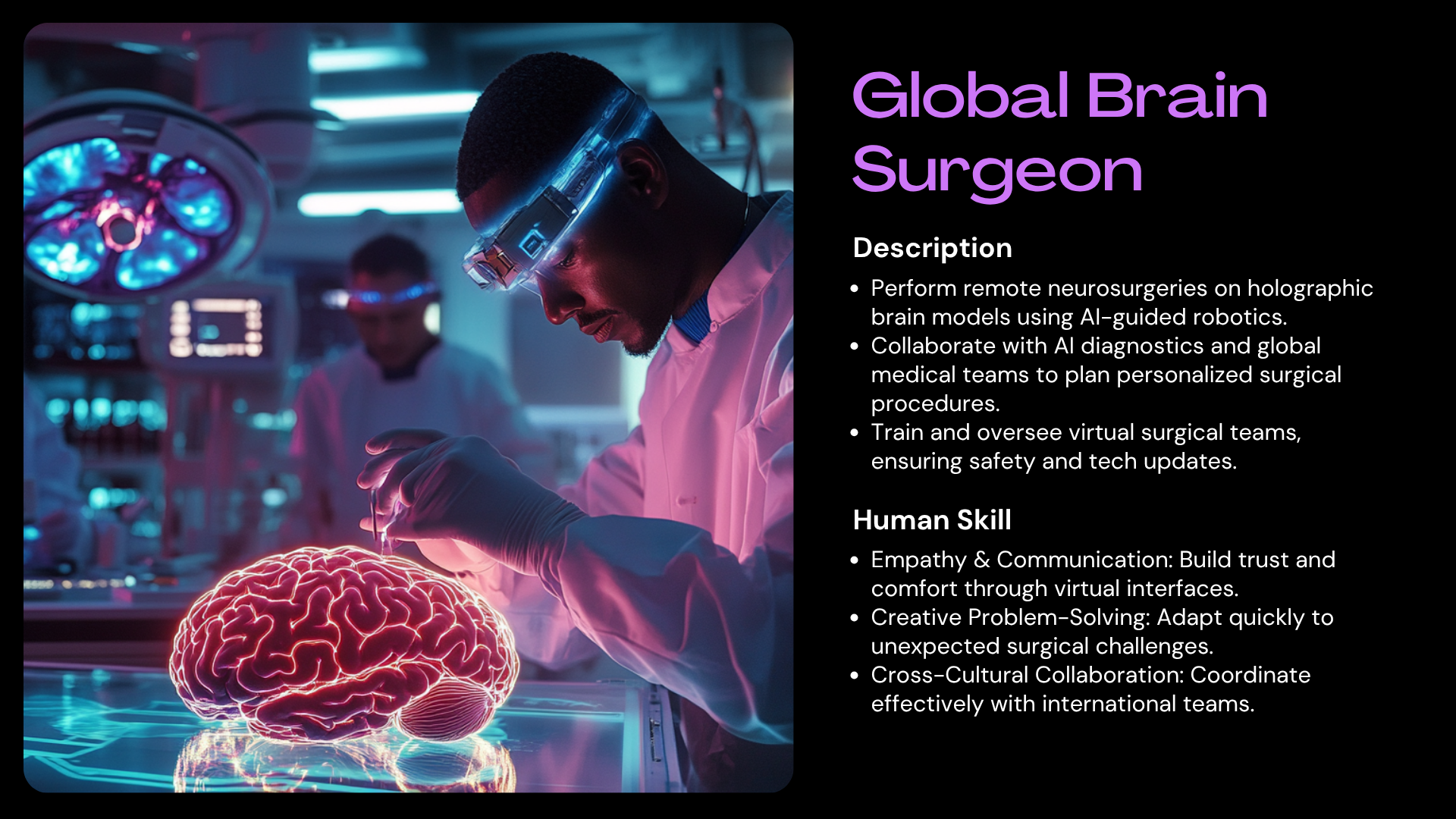
engineering mood based apparel, or a virtual brain
surgeon overseeing doctors from across
multiple regions? This is the time for
you to think big, think far, and think wide. Here are some helpful
questions to get you started. What do you do that
brings you excitement? What do you care
about in the world? Think about an existing
job you're interested in. If technical limitations
did not exist, how would you re imagine it? Once you've imagined your
career, let's bring it to life. Research what's possible, using tools like Chachi PT or Gemini, come up with the job description and human skills
required for this job. Four to five bullets
is good for each. Then use a generative AI
tool like Chachi PT or Leonardo to generate your
dream career. Get creative. Remember to explore using the
different prompt elements, then iterate and fine tune. Here are some examples
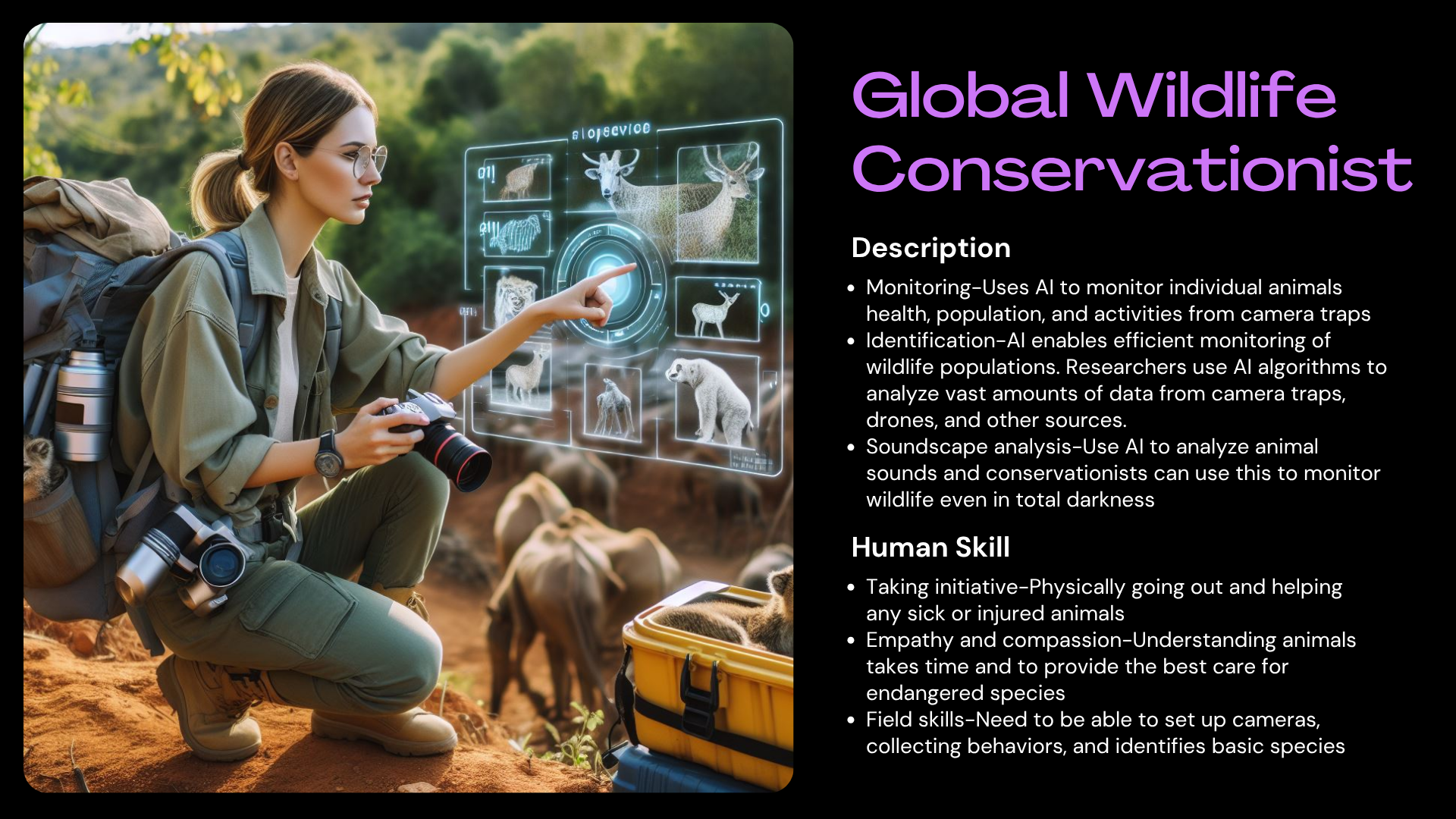
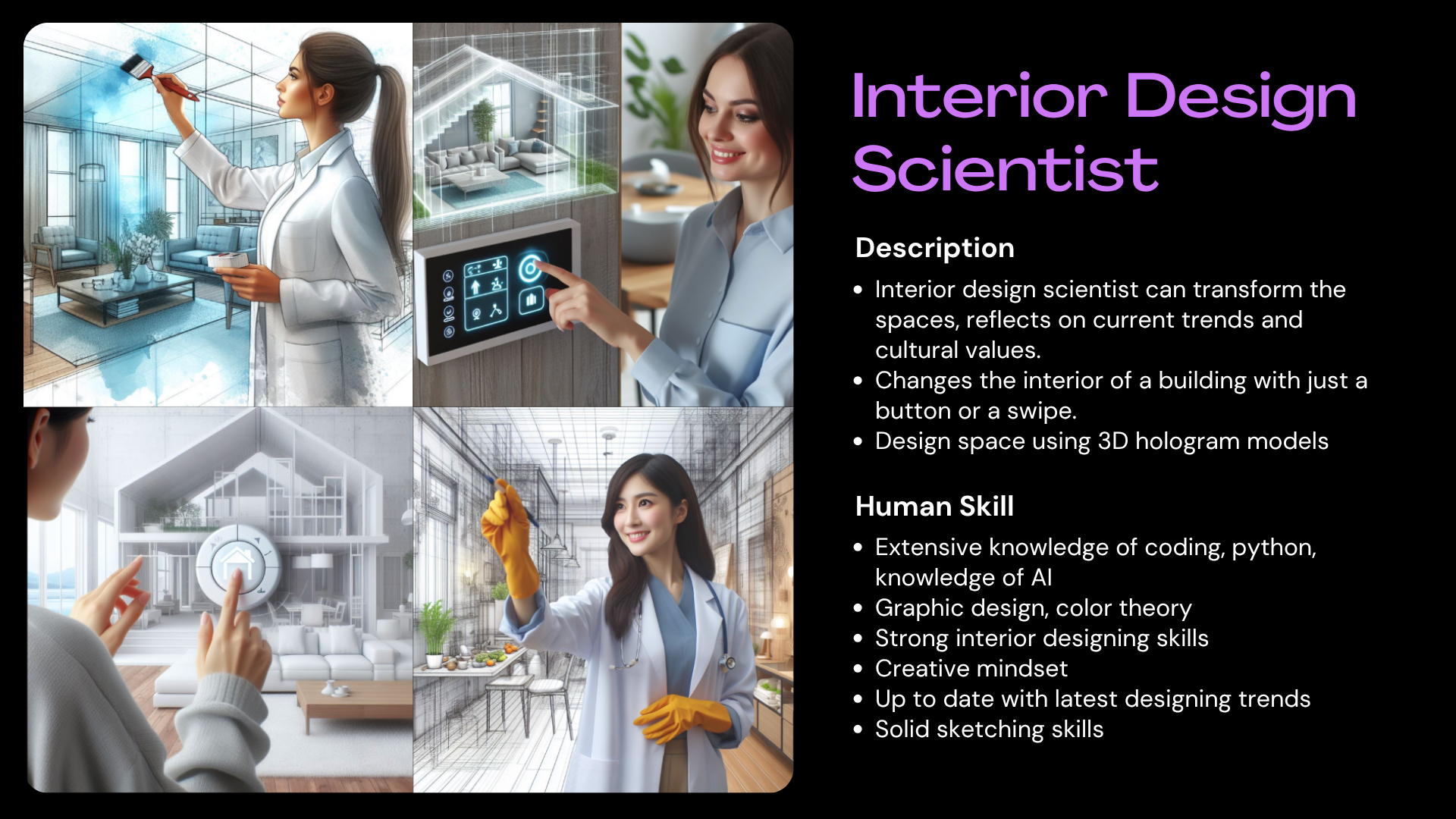
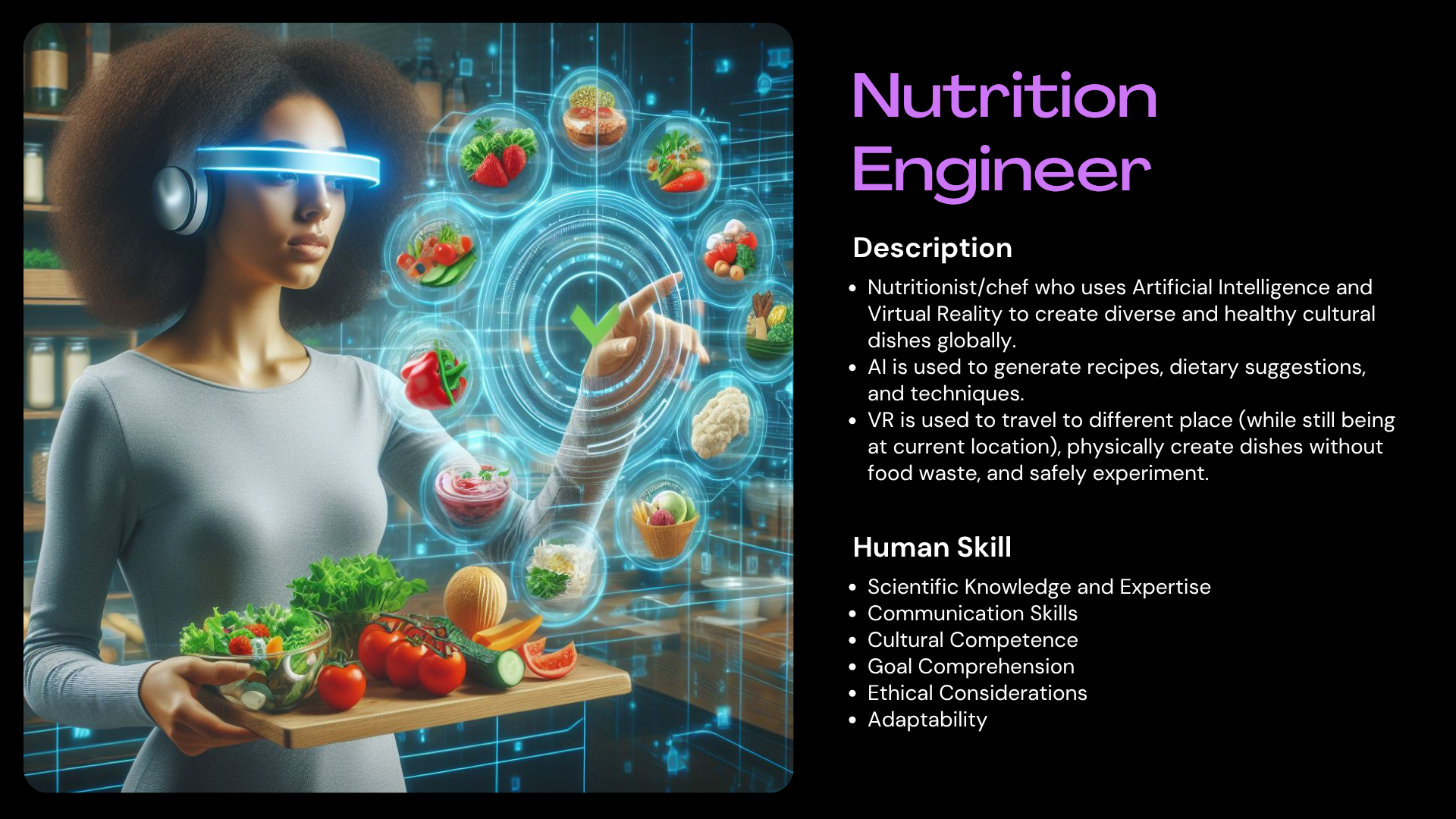
of future careers from our students to
spars some ideas. Thank you for
taking creative AI, unleash your imagination. We can't wait to see
your future careers. Please be sure to share it on the Project Gallery. Good luck.
 Darin Ruchirek, Creative Entrepreneur