Transcripts
1. 01 - Intro Create Stunning images with GPT4o : Hi there, and welcome to this
brand new Skillshare class. Create stunning images with GPT Quatro or image generator. Open is just launch GPT
quatro image generation, and this change everything for
creativities and designer. For the first time
ever, you can generate stunning ulteristic image
directly inside hauPiT. You can upload an
image or a sketch and ask the AI to edit
it or transform. Conversation, you can combine
image and text and create some new incredible typography directly inside your images. And of course, you can do this inside hagiPT but you can do inside Sra directly and create standing videos starting
from your images. This isn't just about
creating cool images. This is changing the way we
think and see images online. Now, who am I to
talk about this? I'm Ricardo. I'm a
multimedia designer based in Rome, Italy, and I've been on
the frontline of creative with AI in
the latest years. Here on Sasha, I've
taught more than 3,000 students across my different
classes on Migurny. I've generated over
100,000 images along with Migure helping
so many students, creatives, friends, artists to bring their vision
to life through AI. But even with all my experience, I'm telling you, GPT 40
is a world new game. It's not just powerful. It's intuitive, it's
insanely fun to use. In this class, I'll guide
you step by step two, master prompt writing for consistent and
creative generation, edit and iterate images using GPT quarter O's
integrated tools. Create your own thematic series of images for your portfolio, for content of our clients. Learn how to apply this
skill in the real world. This class is Enson. It's beginner friending. So whenever you are a
designer, content creator, or just someone curious about creating stunning
images with AI, you are in the right place, see you in the next lesson.
2. 02 - Project Class: Hi, and welcome to
this new lesson. In the project class, you will generate a
thematic image series using GPT foo and I've chosen five different teams among you will choose the one you want
to develop for your own. This isn't just telling
a visual story. This is about building
visual consistency. This skill is really essential whenever you are creating
branded content, developing a portfolio,
pitching creative concepts, or building just your
own visual identity. With AI. To inspire you, I show you five
different example teams. Each one provided with
a real word use case, a ready to use prompter, and some ideas for variation. Let's jump on my computer and let's see what
I've prepared for you. We are on my computer and
that's our project class. Create your first thematic
image series with GPT 40. I told you, the goal
of this project is to make you create
a thematic series, generating three to five images, we unify the k and style. Of course, the main goal is
to build visual consistency. Same visual language
across multiple images. The first theme is
YouTube thumbnails. In this case, what they
create is a funny meme style, YouTube thumbnails for
the rise of AI agents. They work YouTube. The prompt smiling man and humanoid AI robot behind him
which thumbs up funny memo, 69 relaxed atmosphere,
YouTube Tam Dale. That's the text because
with GPT four oh, you can insert text
without any problems. The use case is for YouTubers,
educators, storytellers. Can change the prompt adding some cinematic
lighting, dramatic atmosphere, sharp contrast, and of course, you can try different
variations, creating different expression,
backgrounds, like tones. There are endless possibilities. The second theme is
digital art series. Look how amazing is this image. So beautiful, very high emotional abstract portrait.
That's the problem. Abstract portrait
of a woman made of liquid metal and
swirling paint, surreal I detail four k
resolution art station style. You can choose different medium like changing the way
the image is rendered, paintedly surreal or abstract. Of course, you can
choose a co palette changing or maintaining
cold tones, warm reds. These are just suggestions
on what you could create. You can choose the same composition type
portrait, center framing. Really, the possibilities
are endless. Third theme is product campaign, and as you can see, I created an advertising for these smart glasses with the text experience the
future with smart glasses. That's a prompt
futuristic smart glasses glowing on a reflective surface, duct background,
product photography, sharp focus, eye contrast. Text experience the future
with smart glasses. Can create something different. With this, you can change and maybe add a white background
for clean proto focus, you can create with the same
product lifetime setting, so people or person
using product. Of course, you can create different shot the tail
goes up with highlights. The idea here is to keep
consistent the product. Then the fourth theme is
editorial photography. In this case, I ask Haji PT to create an elderly woman using a transparent fot tablet
at the kitchen table, morning light photo realistic
35 millimeter look. Look how crazy realistic
is this image. Really, this could be a photography taken for
an editorial project, like an advertising on
this strange glass tablet. Of course, there's
something little bit weird here with s.
But as you can see, both ends have five finger and that's really something
incredible because most of the AI software like Mjoury Clea Fuchs have still
some problems struggle with creating perfect s. You can
change the lighting setup so you can set the image at sunset evening or
with the night lamp. You can change the subject
with different ages and demographic keeping the
same setting or of course, you can change the
style of terrier, the fifth theme is
fantasy portrait. In this case, I create
a longer prompt, that's comic book
style illustration of a young female
fantasy warrior with silver hair and glowing magical tattoos on her
face, neck, and the arm. She has sharp focus
eyes, focused eyes, pointed elf like ears, and wear stylized she's holding a long sword
verte in front of her. The background is
dreamy and soft and made of pastel gradients, pink peach lavender
and light blue, clean black line art,
bold cells sharing, shadow vibrant stylized coloring modern graphic novel aesthetics. Look how amazing is this image, and here too, we
have perfect hands. Really, the quality of this
illustration is jaw dropping. You can play with character, changing gender harm or weapons, or maybe you can change the background like
forest casts or ruins. You can change the
lighting effects down dusk magical
glue and of course, A and color of the
our character. So that's what you
just have to do. Create three to five image in which there is a visually
consistent series. Choose to change
just one aspect of the starting prompter keeping the same subject or product or keeping the setting and
change the subjlet, do whatever you want. Choose the one that resounds better with you from the
example or invent your own, and, of course,
save the prompts, iterate and explore because there are endless possibilities. Now it's your turn.
Pick one of the team or invert one that
resounds with you, create three to five images, focus on a style,
a tone, a move, save your prompts,
iterate and explore. Then apload your images
in the project section of this class so you can spark
inspiration in other student, and of course we can
discuss together what we're able to
create with this class. In the next lesson, we'll
see how PTO actually sees and interprets
your requests and how to make it
work even better. See you in the next lesson.
3. 03 - How Gpt4o Image Works: Hi, and welcome to another
incredible lesson. GPT 40 doesn't just
generate your images. I understand your intent
visually and conceptually. This is what makes
it different from other tool like Mi
journey or Dali. It doesn't just follow a prompt, it interprets,
adapts and respond. I remember the
context and adjust the output based on
what it thinks want. Let me show you what
this exactly means. We are inside chgpt.com, plus subscriber can
choose the model. Of course, we are
using PT for that is the one that can get images. From here, you can create
images inside the bar, three dots and here you will
have the menu create images. You are telling HGPT to
create your sunning image. Let's try with one
simple prompter, it is a futuristic library floating in the clouds,
cinematic lighting. As you can see, Trojet is
preparing our images coming. And look how amazing
is this image. That's incredible. Look how
beautiful it this image, exactly what we ask it. Another things you can do, you can upload from
your computer. And you can ask Chat GPT to
do some edit of this image. Change the subset. From an unicorn to a tiger. We uploaded an image and ask GPTs to change the subject
from unicorn to a tiger. Here it is. Look
how crazy is this. It took my image
and just changed the animal inside the image adjusting the content
with my request. That's really
something crazy. Look. Let's see another example. A child walking through a glowing forest at
night cinematic liking. Let's see what GPT four oh does. It plays a subject
correctly, it acts, adds cinematic contrasen glow, frame the scene like
it's still from a movie. Now, let's change the move. Same scene but make it dreamlike and foggy
early morning life. Boom. It soften
the colors at ads, shift the light temporal. This is visual intuition. Now let's see another
way how PT 40 works with visual reasoning
and scene reconstruction. We will upload an image beginning with the
daytime city photo and then we transform
the scene night setting with rain and neon. What does PT 40 is
to reconstruct in a smart way the image adjusting
light source logically, adding something current with the image elements like puddle or as we will
see some people. That's the image I
took from Internet, place Dela Concorde in Paris. That's how it can
transform image into night with Raina Neon
and senoir movie. As you can see, I did
directly inside SHPT. I uploaded the image and asked to transform.
That's the result. And then I asked for a
different mode and feel. The first iteration
was square one, and then I asked to maintain the vertical format
of the image. So the result and
really is amazing. This one, two was beautiful, but it was squared and this is really crazy.
The original one. Then, of course, you can play
with endless possibilities. When you upload an
image with the subject, you can ask Chachip to
transform the style, create infinite
consistent variation, just having fun with it. Look at this. That's
our original image. That's it in eight bit graphic. Look how stunning is this image. Here, the subject was made
of glass or made of ego, and it's crazy because it
respect the original image. There's this crazy consistency. On the visual site, Dania is with studio edit, cyberpunk edit and
painted by Van Gogh. Look how really consistent
is the character? Is the setting? Is the detail of the suite? The rainbow really is crazy. This is how I did it. I just uploaded the image asking to recreate
in studio gab style. It is. Look how
beautiful is this image. Then I ask to recreate it
as ego is made of ego. It beat as I show
you, this is an gong. This is another trial
made of Bosk crystals, made of transparent
glass, cyber punk. Really, there are
endless possibilities. With ha chPTO, you can
master visual communication. GPT for O sees meaning,
not just pixel. I understand your words. You can combine
subject, time, mood, and style to create
your personal image. And what you should think about GPT for O is like a creative
pattern, not just a tool. Next lesson, we'll see how to create prompt like
a professional. See you in the next lesson.
4. 04 - Mastering Prompt Design: Hi, and welcome to another
incredible lesson. Today we'll see how to craft your prompt
like a professional to make easier for GPT O
understand what you want and, of course, give you
the best results. So let's think about GPT 40
as your creative partner and your prompt is the bridge between your idea and
the image you want. Let's see GPT 40 as a visual collaborator and your prompt direction
on your movie set. In this lesson, I will
show you how to write prompt that give you
consistently amazing results. So that's how you can create
the prompt framework. You have to define the subject, the action scene, the style, and the mood it entails. First of all, you have to define who or what
is in your image. Then you have to clear out what's happening in
the frame of course, you can add some
artistic approach or visual language
and in the end, you can set the mood
and details like the emotional tone or the
presence of specific elements. That's the prompt framework, subject, action scene,
style, mood, and details. So let's see how micro edits
can create dramatic shift. That's my original prompter. This is a portrait of a
young woman running in Noit street, cyberpunk look, reflection, rainy night, it's an action image, cinematic shot. Here I just changed the style using the reference to the look of 60s and
as you can see, GPT photo understood my request and the look of the woman, changing the, not only the style of the
dress and the makeup. Even the colors are
more like pastel soft. This is another subtle change. Here, I change the time, it holds the 60 look, but I ask it to make it down. As you can see, the light
is completely different. Even the mood is
slightly changing. This is less dramatic,
less action. The light here is from dawn, the sun coming out
behind our character. You can see the looks
almost very similar, even if it changed
the main character. Now, I just edit
the mood asking to add peaceful mood instead
of inematic shot. And as you can see, the
image is way less dramatic. She looks like she's just doing a small run in the street. Here, there is much more
the sense of thriller. This one too is like
noir or a thriller. This one instead is more peaceful and Chachi pit
even change the colors. As you can see different
color palette that is way more subtle and
calm and tranquil. Now let's see how you can add some visual modifier to
enhance your images. You can use some modifier for lighting style and some
technical modifier. Let's see some prompt and some images with the prompt
built with the template. Subject action style,
mood and details. High contrast were images, a great contrast
between light and dark. In this case, a noir detective working under a flickering
street lamp in the rain, high contrast photography, moody atmosphere, wet
pavement reflection. As you can see, this
image is very dramatic. That's the opposite,
soft lightning. A young woman sipping tea by windows with
flowing curtains, soft lighting, calm and
serene morning interior. Using the right word can really completely transform your images and produce different emotion
that the image can convey. This is dramatic shadow, similar to high
contrast, in this case, we have a samurai
warrior standing still inside the candlelit Dojo, karoscuro style, intense smooth, deep shadows and wooden texture. Of course, this kind
of lightning will create more dynamic
and dramatic image. It's perfect for something
that is more cinematic. Peralistic a Bengal tiger
drinking from a jungle river, iperalistic rendering ultra detailed food
and simmering water. This image is crazy. Really, it looks
like a photography shot during a safari maybe
very close to the tiger. Painting, of course, you can create impressive oil paintings. A noblewoman posing
on a velvet throne in a grand ole oil painting style, regal, baroque, texture,
and warp tones. UptFoO is really perfect when it comes to nail the adherence
with your prompt. You can really design your image and what
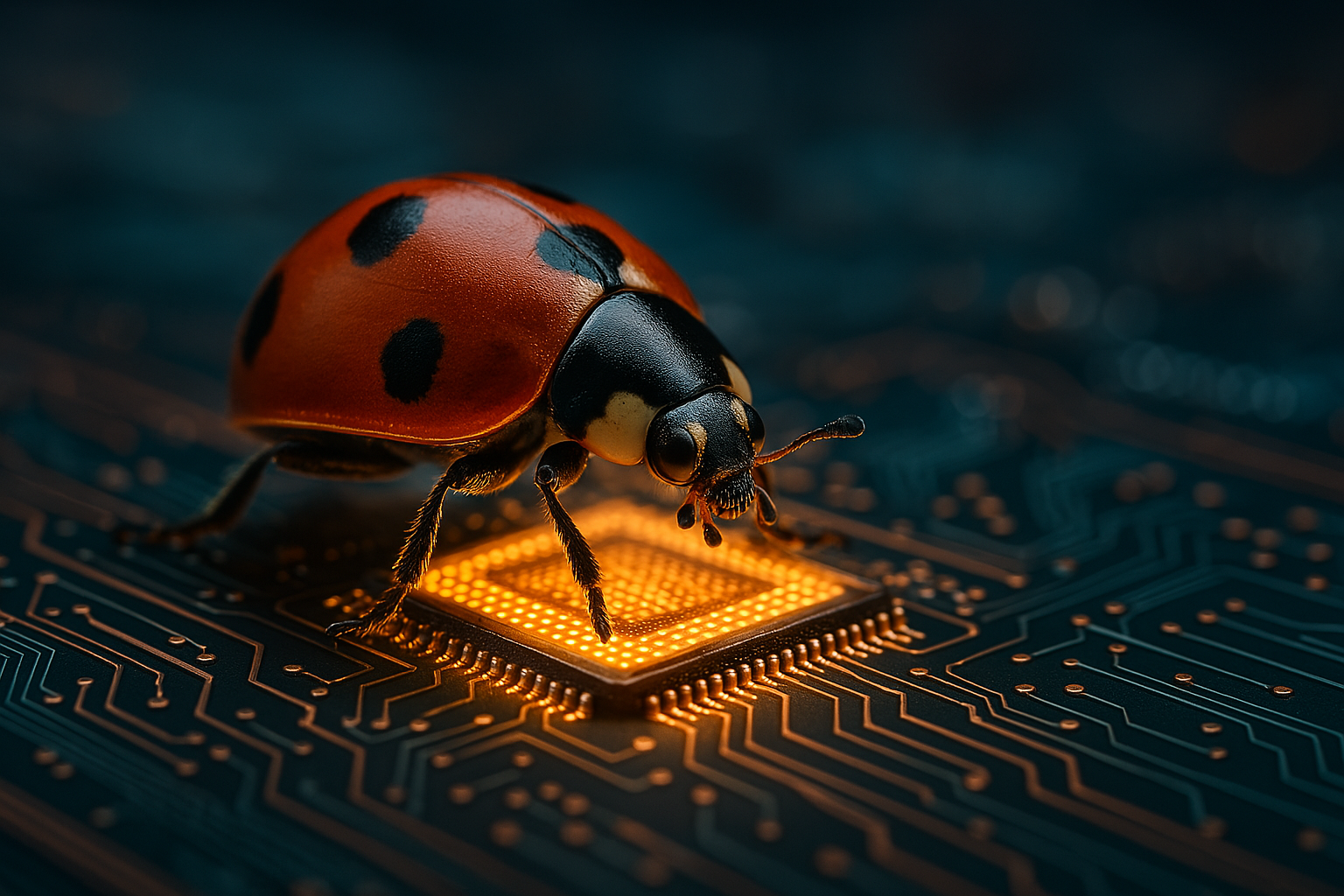
your image looks like. Shallow Dipo filled. He onibe landing on a
blooming lavender flower, macrostyle with
shallow dipophyl, blue red background,
I focus on texture. Really, this is truly distinguishable from a micro
photography of this insect. Ana is a funny one, till shift effet that is used to create this miniature
looking word. Mau construction workers,
building a tiny cathedral, tilt shift, photography,
surreal toy like effect. This is very interesting and nowadays is very popular
and viral This kind of videos in which you have the injector worker
doing their work. Of course, you can use even professional visual
terms like camera angle, composition, indication
of light and time. In this case, I asked hangup
to create a top view image, a sushi chef arranging
sashimi on, aquette plate, top perspective view, clean composure,
minimal aesthetics. This is crazy how
photorealistic is this image. As you can see, even here, the chef have perfect
realistic ends with five fingers.
This is amazing. Macro cosa came on side, scanning the environment,
macrocosa style, brand colors and
extreme texture detail. Really, this is so crazy out of details are the texture
of these Cameleon eyes. Studio flash, fashion model posing in a futuristic outfit, studio flash photography, high contrast
editorial background. This looks like a
real photography really I'm a photographer too, and probably I could
not guess that this is an AI generated image. Lastly, golden hour, that
is during the day when the sun is falling down
just before the sunset, a Boeing flying a pepper
airplane in a wet field, Golden hour light, warm, magical, and hopeful atmosphere. Here is how you really can develop your
creative superpower. Of all, you have to envision
your concept with your idea. Then you create the
prompt and craft the direction you want
HGPT to work with you. Then of course, you
generate the image, asking HGPT to create the image you have in your mind
and then you can refine, iterating and improving
your prompter to achieve the perfect result. Prompting is how you build words with AI and like any
other creative skill, it grows stronger with practice. Next we'll take this
skill and apply to a project to you
in the next lesson.
5. 05 - Edit and transforming images: Hi, and welcome to another
incredible lesson. At this point, you know how to ask Cha GPT to create
standing images. But if you want to
change something in the image or maybe create a new version with the
different modes and style that fits better
with your idea, that's where GPT four becomes
more than a generator and something similar to any derative collaborator
that can take your image, transform, adapt, edit, and give something way more
close to your idea. In this lesson, we'll
see how to edit your images generated
with GPT four oh, how you can upload your photo and transform them with
different style and how to use the
conventional flow to achieve exactly what
you have in your mind. Let's come with me
on my computer. I show you really what you
can achieve with hat HPT. Here, we passed a
prompt for an image. Of course, we can click
here and add Crea image, and let's send to Trajo pity. I asked her to
create an image of a Bintag cafe in Tokyo
during the rain, cinematic lightning,
85 millimeter lens. As you can see here,
you have your image, you can click on it
and that's how you can do some edit on your image. You can write here what you want to add, remove or change, and you can use this
selection tool to select an area of the
image and you will apply the change
to the selection. As you can see, we
have selection. Now let's try change this to daytime at sunlight and
people sitting outside. We are asking JaGPT to
change time of the day, the weather and adding
some people outside. JGBT will maintain the
consistency inside the image. It's coming and it's crazy
because it's really incredible that Chang PT is creating
the same exact image way, way, way close, but in
different condition. Look out for the air
conditioning system. The sign of the cafe
that here is lit because it's night here
is turning off crazy. Look, really stunning.
We have the bar. Yet, it's a little bit
different the door because here's on that side and
instead here is in the middle. But look how the upper part it's really identical and
the light is perfect. Now we ask Sagpti
to edit the image, just the selection we made, the doors and the
windows so that it will match with
the original image. Let's see. Here it is. We have the door in the middle. Even it's a little bit different
the look of the image. But really, this one is way
close to the original one. Really, this is crazy. This is really very close
to the original one. Now, let's transform again, remove the people and turn this into winter setting with snow. In this case, it changed. We didn't do the inside the
modification. Let's see. If we can have a cruiser version of our image because probably here we didn't edit correctly, it creates a coffee in Tokyo
but with a different layout. Instead here, we worked on the reference
image, as you can see. Let's see if now we can achieve the exact image with a different time and
weather setting. Yeah. So now he's very
close to our first image. Here it is. Look how
amazing is this. Now, we have seen how to edit an image generated with HGPT 40. Now, how can you upload
an image of yourself, maybe or any subject and
edit this with HGPT? Do it, you just have to click on plus here and upload
from your computer. From here, you can look for
the image you want to upload. In this case, I will
upload this portrait of this woman that I downloaded
from Envato Elements. Now I can ask Hagibt to
remove the background. Please remove the
background and put this woman in a trait of new cup at sunset. Let's see if we can
compose the image with a generated AI background. I show you something very
cool we can do with ha JPT. Let's say Audi. Let's take maybe this one. Okay. Let's download it. Here is coming the image. Look how crazy is the fact that the image generated is very
close to the original one, but the light is
perfectly set up to make the image looks realistic and not just
the composited image. That would be definitely
a lot of work with Photoshop to do
this kind of retouch. Here we go. Look. It is perfectly blended
with the image. Now we can ask Tajpti to
make her wear the di. Make her wear this Odi let's go. It's really cool. You can evolve your idea, change at work
together with ChanPT to create exactly the image
that represents your vision. Here we go. Look
how crazy is this. Now she is wearing the Udi
high addi as reference. Let's try another one, logo. Okay, let's use this logo. Look credible. And now, please add this logo to the OD. Let's select the area where
we want the logo to be put. Let's area. It changed a little bit
the format of the image, but the logo is there on the
UDI of the n. That's crazy. A few steps we can pass
from a generic stock image to a personalized product
advertising image crazy. You can just speak
with your AI assistant and ask to make some subtle change to
achieve your vision. You are evolving your image and probably your idea
one prompt at a time. In the next lesson,
I will show you how this tool come together for
a real creative application. See you in the next lesson.
6. 06 - Real-world use case: Hi, and welcome to
another amazing lesson. We have seen how
powerful is GPT 40. In this lesson, I will
show you what you have learned in a real world
creative scenario, whatever you are working for
yourself or for your client. So come with me on my computer and see what you can really achieve with GPT 40
image generation. Let's see how we
can really turn AI into projects with real
world creative application. First of all, of course, you can use HCUPT to create standing content
for social media. You can create images for
carousel on Instagram, daily spiritual content that
match your brand aesthetic. You can create Pinter pins with high catching pins
without design skills. You can generate click worthy thumbnails in
seconds, and of course, you can create some crazy, beautiful TikTok background
crafted for your brand. Let's take one of these
as a first use case. Say we run a personal brand
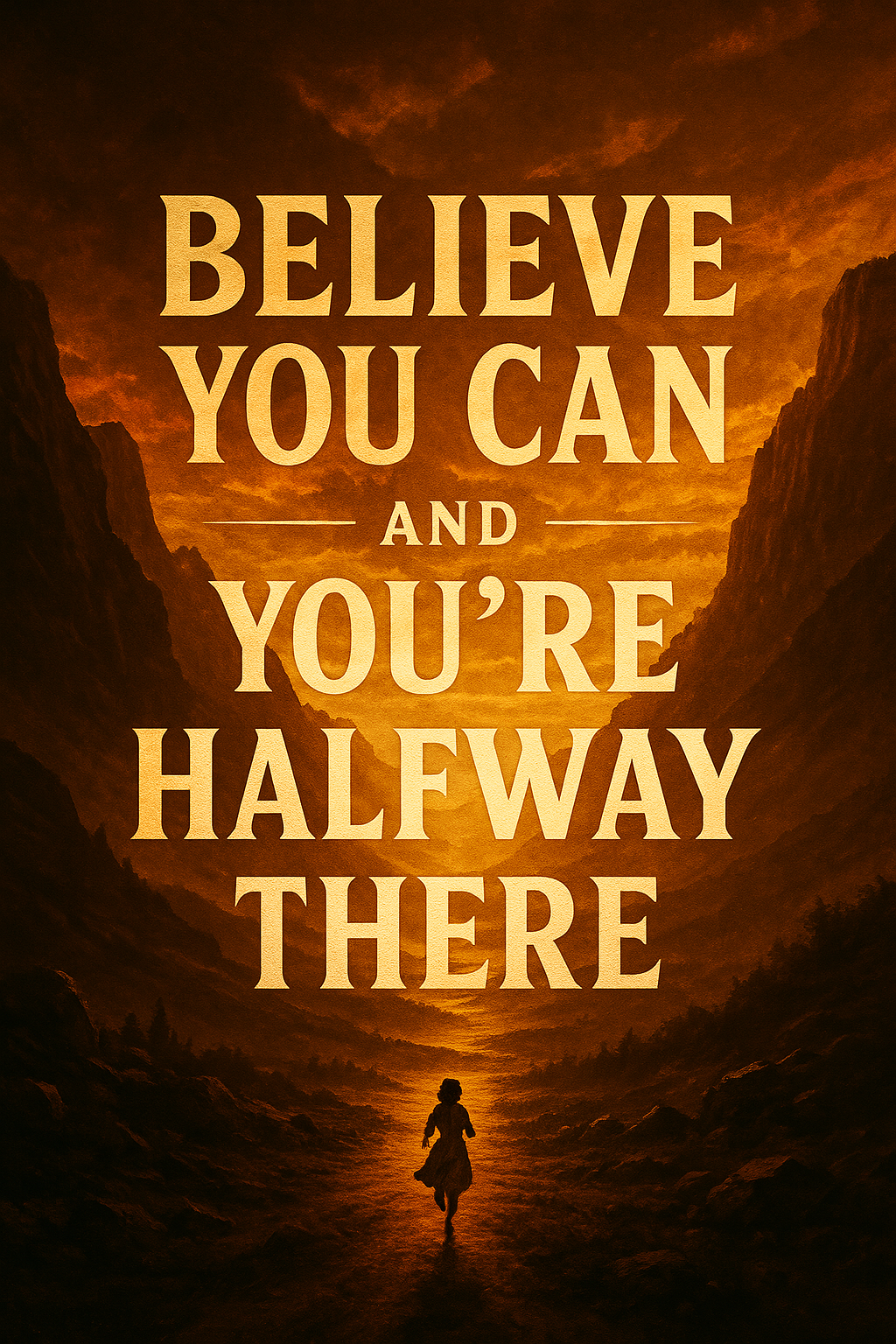
or social media page. We can create
something like this, a motivational quote poster with a sural landscape
in the background, golden hour, lighting,
soft typography, and we could please add inspiring motivational
quote in English. Let's send. We ask Sa Jupit to create a motivational
quote poster giving indication about the design with surreal landscape
as a background, golden hour lighting, thetic, the type of typography
we want soft typography. Then we ask to add an inspiring and motivational
quote in English. You could generate one
of these every day in your style for your brand with
no design software needed. For sure, you can
take these and then repurpose them on the
different social media. You could ask hajPT
to provide you a list of 30 quotes
for each month. Creating a table where in one, you have the quote, and in another column, you have the prom to
create your image, and so you can really
rise the level of your social media game without any absolute skill or
competence in design. That's crazy. Look how beautiful is this image. How perfect is the typography. Change the color and
make an epic design. Ines, it's much more epic. Change the quote believe you can and you
are halfway there, and it's very powerful. I really love the colors and the atmosphere and the sense of epicness that convey this image. Okay. Let's see the
second use case, what we can create is visual branding and
product mockups. With SPT 40, we can create
prototype before production to test if a concept could work without investing money
in physical production. We can pitch creative direction, showing client
multiple approaches in stunning visual details, then we can create
cohesive mood boards, creating a visual direction with consistent style
elements for our brand. Let's imagine we are designing a packaging or a
logo concept for a client. That's our prompto a
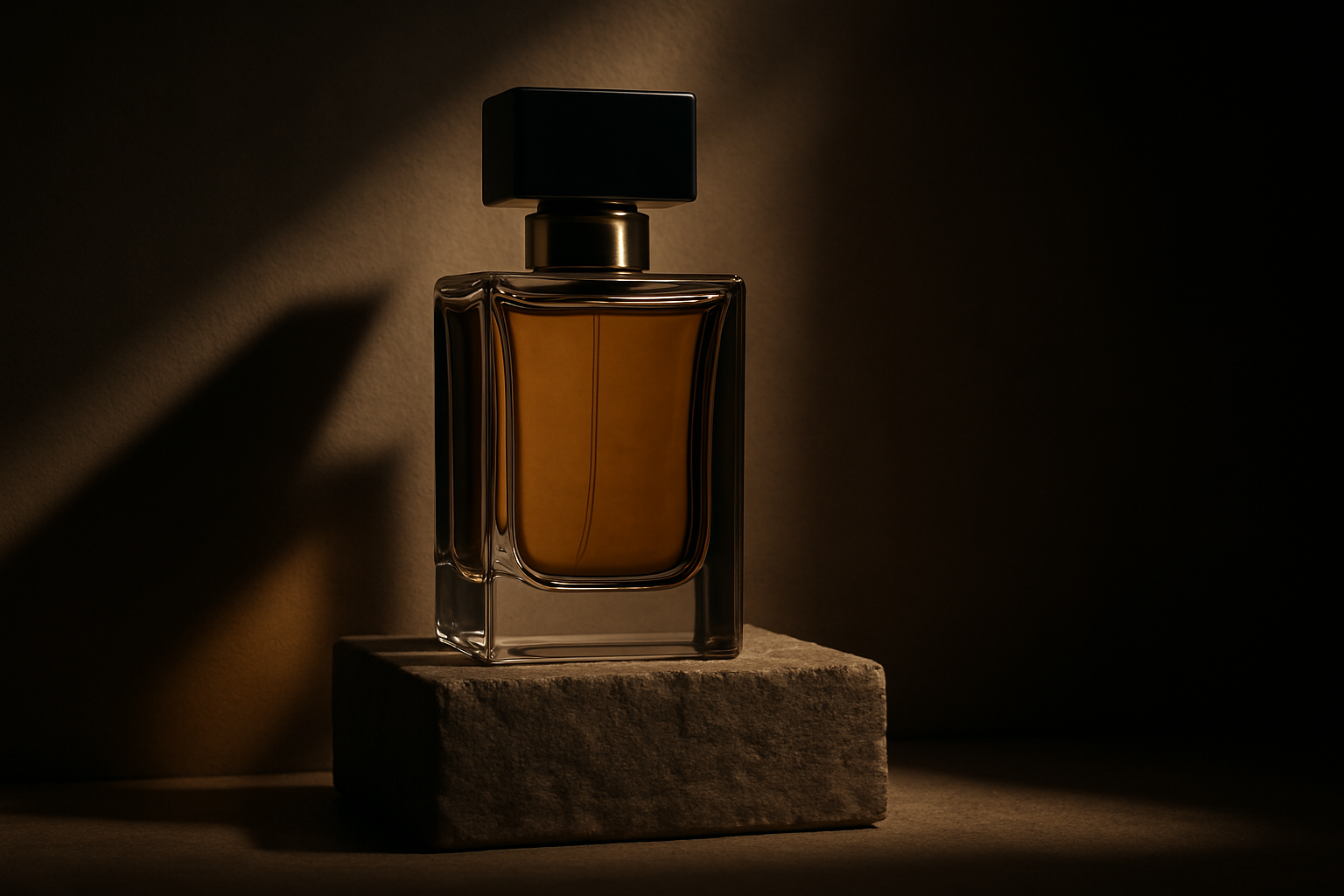
luxury perfume button on a stone pedestal, minimal lighting, dramatic shadow product
photography style. Let's send it. And let's
see how we can really use this visual to
start having a vibe. And I want to show you something
really cool perfume ads. Okay, let's take this one. There is coming our
luxury perfume bottle on a stone pedestrial. Look how amazing,
realistic and beautiful is the shadow and the
lighting of this image. Really, this is crazy. This definitely could be a very high hand image
from a shooting. Let's drag and drop here
image and say change the style of these ads matching, the one I applaud it. Okay. I took our image, upload it and change it. The style matching with
the one we created. But it's really interesting
how crazy rendered the text. Even the battle to is very, very detailed and realistic. Let's see if I can
make GPT for O, understand what I want. I told that I wanted
the brown bottle of Parfum style it
as the green one, not the opposite. Let's
see what happens. Again, it creates an image
in which now the color of the button is the one we
add at the beginning. So now I ask it
and in this case, it took my modification. Probably in that one, it didn't take my modification. I asked to put the battle of perfum
in the end of a model, creating a sophisticated luxury perfume advertising image. Look how crazy is this. But battle perfume in
the end of a model. Now I ask to add some text. Again, we are
modifying this image. I asked to add some elegant
test, seductive and ing. We started with a
prompt and now we have an image that we could
use for advertising. Of course, this is just a test, but you can really create something
incredibly interesting. Let's see our last use case that is build your
online portfolio. With Saget, you can
create standing images, realistic photography or
creative image with many, many, many different style. The possibility to find your personal style and use
this in a consistent way across different artworks
could be the key to build your brand and to create your
personal presence online. You can create image
for presenting your work in a professional
and client ready formats. You can create exemplum to demonstrate
potential outcomes. You can create your
own artist presence on want to show you one thing that GPT foo is incredible in
doing that is infographic. You can ask to create any type of infographic
for any needs. Let's help me creating
an invoraphic about so I just ask it to create an
infographic about rainbow. Nothing with a sense, but this is something
really interesting. I want to show you because it could be
something that you could create your own
personal brand or line. Now, create an image with the it makes a research about the content for the
infographic, what the rainbows. While it's curve, what
are the colors from fact, out to spot, and now it's creating our magical
infographic. Here we are. O something. Look how beautiful it is. The text is outside graphic. Please do it better. It is. It's a little better. Now I ask it to create an
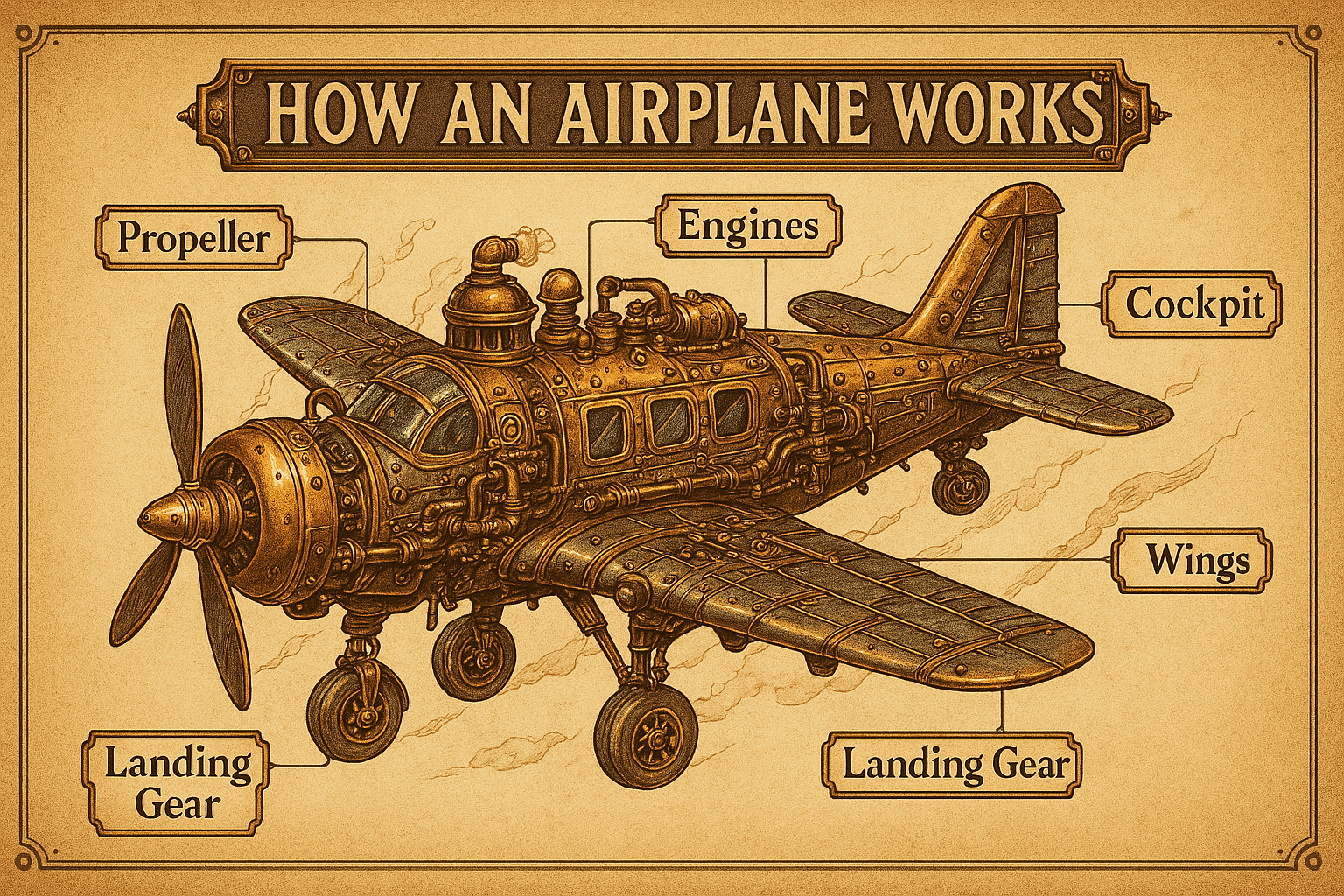
infographic on how it works in a plane and make
it a steampunk style. Then look how cool is this? Really too beautiful. I love this. That's crazy. Look at this. Incredible. So what
you are learning here is not just
a fun experiment. It's a real skill. It can used to build your brand, expand your free services, or start a new creative life. In the next lesson, we'll
see how to use PTO, not just inside Sha GPT, but inside Sora where you
have different options, and of course, you can animate your image, creating
amazing videos. See you in the next lesson.
7. 07 - Gpt4o Image and Video with Sora: Hi, and welcome in this
incredible lesson. Today, we'll see how you can
turn your image into life. In fact, Opene released
GPT image generation, not only inside ShaGPT
but even inside Sora. Sora is the video generator
that was released by Open eye that rise the level of the quality of videos
you can achieve with AI. Now you can start
creating videos inside ZA from the image you generate with GPT for
image generation. In this lesson, I
will show you the OA interface how to start using Ora inside your creative
process and how to animate the images you generated inside ZORA with GPT four
or image generation. We are onsora.com. If you have a subscription
to hA GPT Blues, you can start using right away SOA to generate sunning
videos and images. That is a selection
of images and videos created by other user. Look how realistic are these
images and these videos. That's something really crazy. You can find So
actually, at the moment, it's not possible to create
new accounts, but of course, you can do the login if you have the HGBTPlus subscription. We are inside and that's
the interface here. There are the explore
section where you can find images and videos created by other users and look how
crazy are this image and what's the level of realism and quality and
details of everything. Some are really crazy. That's a trend very
viral at this moment, recreating memes with
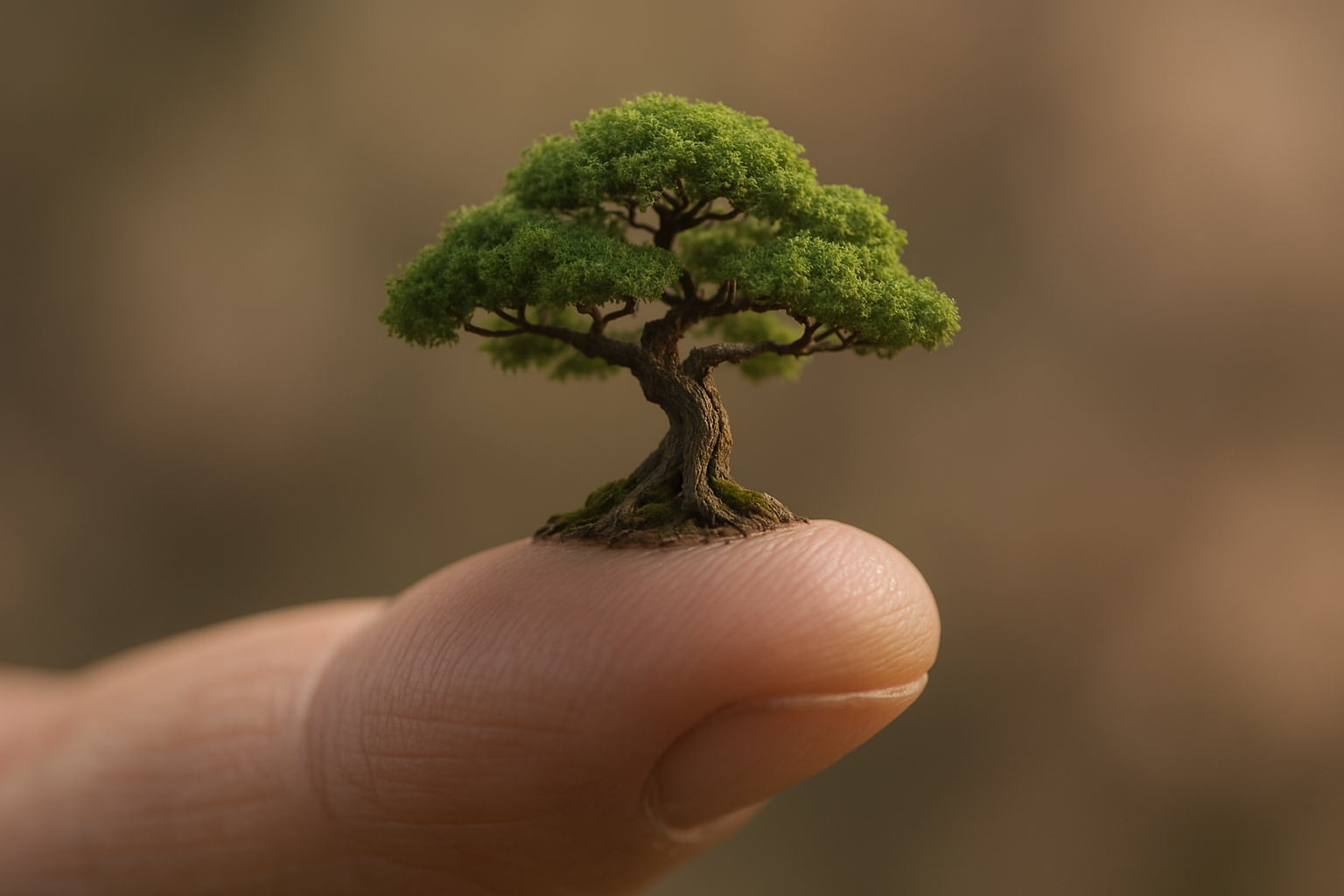
different style. This is the miniature
I show you. Really, there are so many
crazy good quality images. The realism is unbelievable and even the creation of
text inside the images. That's the bar where you can create your image
or your videos. This is more similar to other
software like Mi journey, where you can choose
the different media. In this case, we
will choose image. You can change the
aspect ratio for images, you can create horizontal
square and vertical images. Here, you can choose how
many variations you can have for your
generation 12 or four, four is available only for the ISTRPremium
subscriber of JTPT. Then these are some
presets that can change the style and the
outlook of your images. For the video, you
can create video in 69 or 960 and square. You can create at 480 P that is a little bit low resolution, I suggest you to
create videos at 7:20 P. 1080 P is available
only for premium members. You can create video of
5 seconds and here too, you can have one
or two variation. Here, you can describe
your video or your image. With this button,
you can upload from your device or
choose from library. Here, you have your media
that are all the images and the video generated with SRA. You can organize in
folder, create an archive. You can really organize
very well your content. So let's try and create
an image inside Sra. A fisherman rowing a small
boat on a quiet lake, foggy morning scene, soft tone, mysterious and tranquil setting. We can create a vertical image
and ask for two variation. Let's go. It has been
added to my queue. Here, you can see
the activity and the queue for image
and video generation. If you go on my media, you will find that here is generating the image found that SA probably is a
little bit faster than creating
images inside HGPT. The difference is that here, you don't have the
conversational interface that you have inside HGPT, here could be a little more
complicated at the beginning, create the right prompt and achieve the result
you have in your mind. Let's take the prompt about the miniature and
miniature Chef workers, building a cake. Inside SA, you can have two job generating
two different images. Instead, inside hGPT, you have to create one after the other. Here is our fisherman. Cool. I like this one. From here, you can
do some action. You can edit the prompter
to create new image. You can remix, change
some details of this image and create something
new starting from this, and you can create a
video from that image. You can read it, favor
it like feedback. You can share, you can
download, try the remix. Now let's say space astro out for the bot I
changed the subject. As for the edit inside Haji T, you can select an area of the image and you can
change just that selection. You can ask to remix this changing that part instead
of changing all the image. These are our miniature
chef workers. Look how cool are they
really beautiful. Of course, we can create
a video from this image. Here, you have to choose
the aspect ratio. We will look for a 916 so we
can fit our starting images. We will set the 720 P five
second and here we will say the chefs are
preparing the cake. That here it is, it's in the queue. Here we are. Let's see if our astronaut is
rowing the boat. Here are. Now we have an astronaut
rowing our boat. So cool. The video two is
coming and now here, let's create a new image. I'm asking, in this case, we will do a let's sit the worker and look
how cool is this. This is a little bit messy with this new chef coming
to work on the cake. But this one is really so good. Let's try animate the astronaut. Here two, that's 916. Let's put seven and 1020. That's important to have the best video quality
for your generation. Let's see if arriving the images of our car
here another one. Now we have already
two generations, so we can send the third
one. We have to wait. Let's see the
Lamborghini, beautiful. I like this one, and
let's see the Okay. Here something crazy happened to the lake. Let's
see the other one. Here, too, there is
something strange going on. So in this case, we can edit
prompt and try to send it again Okay. This is good. Start to move. It's not bad. So the union of GPT four image
generation at Zora is really tremendously powerful
and you can use this to create and share with
the word a new vision. Mastering the prompt
is the key to achieve great results when
interacting with the eye, and of course, it will
be more and more crucial to achieve this
kind of competence. We are close to the end. Let's go to our final lesson and see you in the next video.
8. 08 - Well done you made: Done. You did it. We arrived at the last lesson
of this amazing class. I really loved the time
I've spent creating this incredible class for you and hope you found it useful. In this class, we have
learned how to create powerful images with GPT foo, how to edit and iterate
images with precision. And in the last lesson, I show you how to animate
your images with Sora. Now, what you do next? Of course, first of all, I wish really that you will complete your
project class and share with our student
because this is very important to learn faster, have some feedback,
and of course, inspire other people in
this creative journey. What I suggest to you is
to document this journey, saving your prompt,
finding your conversation, trying to experiment in a process of trial and
the learn because this is the way you can really
learn and became a better user of
these powerful tools. Try new style, go deep into the rabbital of
creative visual design, mix and match different
style and images, create your own
personal visual and your own personal world to share with other
people globally. If you want I invite you to check out my classes
on Mi Journey, that is, of course, one of
the best software in the world for
creating images with AI. I'm preparing some new classes about AI video and, of course, about the new V seven model of Mi Journey that will be released in the next week or month. Thank you for joining me
on this creative journey. I hope that you enjoy
your time spent with me. What you have learned
in this class is not just a new tool for
your creative vision, but how to transform the e in a powerful assistant to
shape your creative world, keep experimenting,
keep creating and keep pushing the boundaries of
what is possible to achieve. With this new
incredible technology, you don't need the team, you
don't need expensive gear. You just need the prompt
and the courage to start. See you in the next class.
 Riccardo Scrocca, Follow me in a crazy new world!