Transcripts
1. Introduction: Hi everyone and welcome to this class and some deep Angela Kumar. And today we're gonna be learning how to create original music through GarageBand in under 15 minutes. Now music is a really important facet in our content, whether our genre, comedy or action or romance or horror. Music really appealing our content. So let's get started in this course, learning how to create original content that's true to your voice in under 15 minutes.
2. Supplies : For this class, you need an applicant, whether it's an iMac or MacBook, you will need the app GarageBand, which generally comes as a default on a Mac. However, if you have an old computer, you will need to buy GarageBand. That's all you need. Those two things. Of course, you can come with your imagination and your thoughts, but that's all up to you. But this is what you need. African GarageBand. Now we're not going to be looking at the iPad or the iPhone version of GarageBand because that treatment is completely different. So our focus in this class will be the desktop version of harassment.
3. Info for your Project: For the project, what you will be doing is composing your own track based on what I will be teaching you. And you can either upload it on YouTube with the video and share that in your project section. Let me take you through how it's done. If you're watching this class on the iPad or the phone, you will have to click the project section and go to the browser, the desktop version of Skillshare. When you say Create project, you'll be prompted for a title. First, you can write the project title. After that, you can write a project description, whatever you want to write in terms of how your experience was, what kind of feedback you'd like to give. And then after that, you'll be prompted to upload a YouTube video. So you can share that link and then upload that video or else you can upload it on the site that you prefer, like SoundCloud or any other site and share the link in the project, whatever you feel comfortable in sharing, but do share because it'll be really beneficial for you to share your work and have others also see your work and encourage you. And then I will also be able to see your work and encouraged, it is nice to be able to share your work and see your progress as you create original music on GarageBand.
4. Practical Examples : All right, so I'm gonna make you listen to a song or which I composed on GarageBand for one of my videos on Bhutan. So this was a three minutes, 54 seconds, like I said, a specific track that I needed for the video that I had edited. So this is where I composed. So the beginning was a loop that I made from the garage band. And then I kept repeating it over and over again. So then they were more Indian than they were woods. Nice, but it just added to the drama of the sound. Then I added violence. Now acquire another choir has nothing to do with Bhutan, but it just adds to the drama of the track. Universal health coverage, which refers to promote optimal temperature for your teachers. To do tens of thousands and thousands of kilometers. To technical difficulties, activity, transformational, transactional logic to convergence or divergence and convergence and divergence. Particularly intelligence to transaction was particularly interested in the interests of the tetrapods. Tetrapods and the different parts of the Jacobian prototypes objectives, typically temperature. The temperature gets injected.
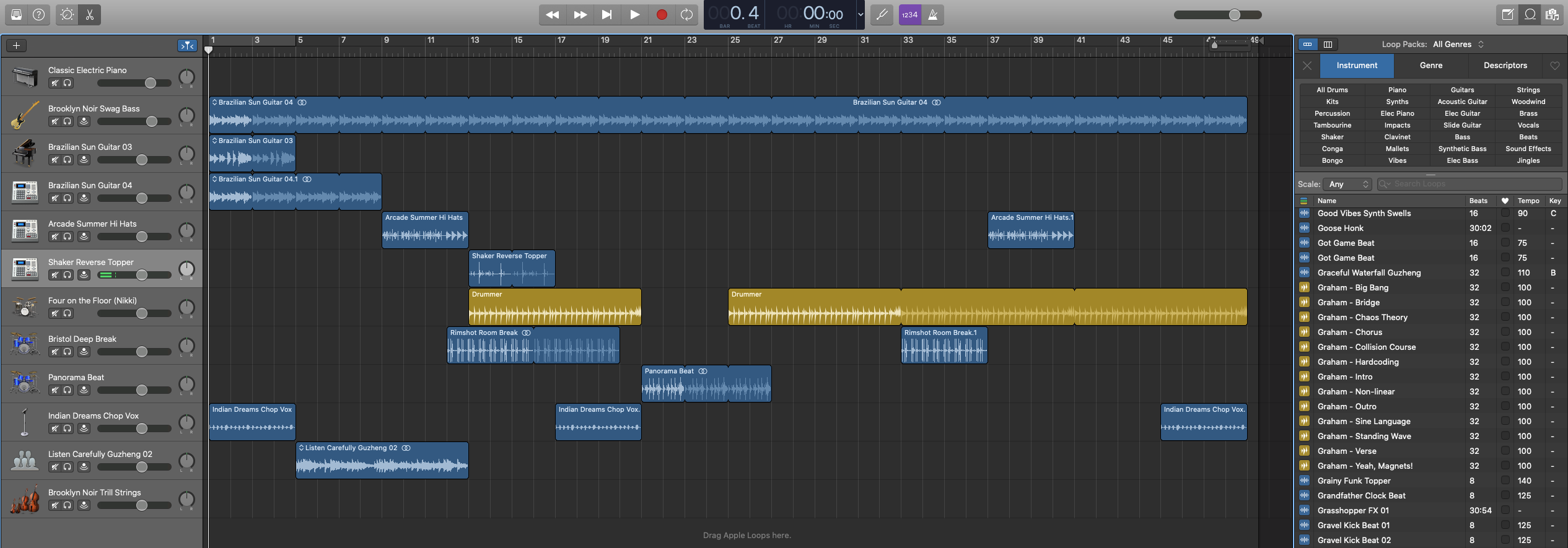
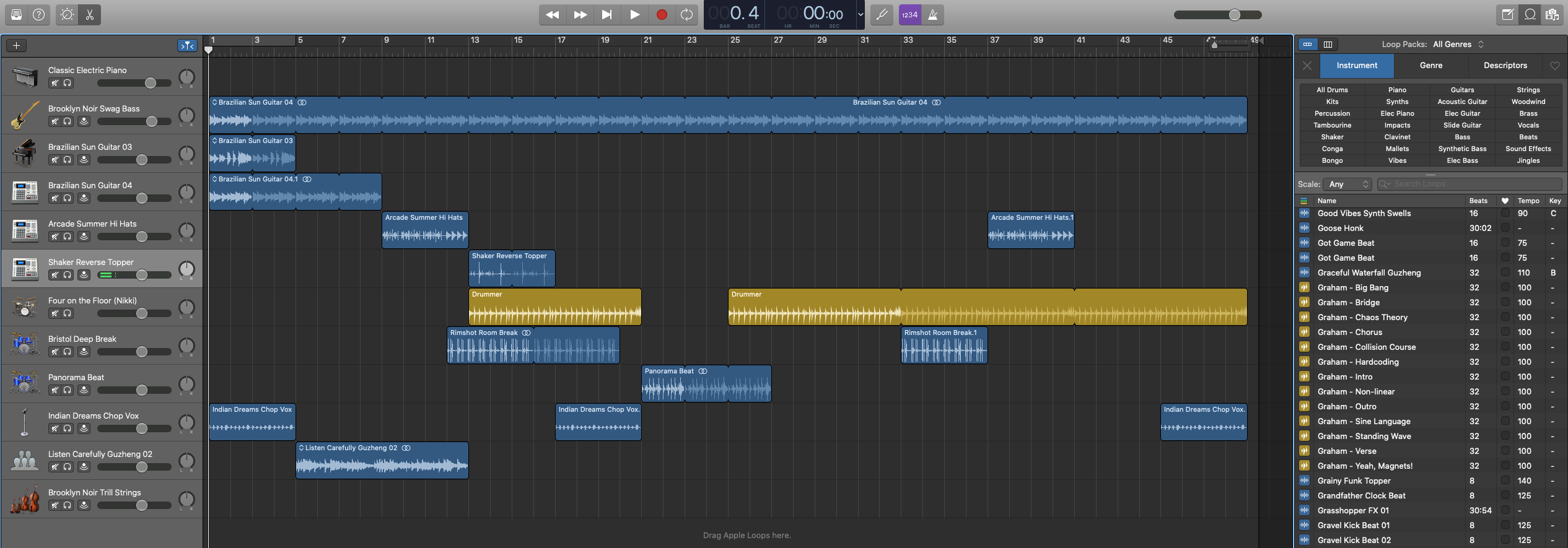
5. Loops Instruments & Genre: Right now we're going to choose software instrument and secrete. What I'd like to show you right now is the loop section. So I'm gonna go here and click the loop icon. It says Luke browsing. So let's connect that. Alright. So in this, you will get all genres. So you can choose hip-hop, electro House, dubstep, modern R&B, techno house depots, basically like different types of loops, right? So now you also have an option of instruments. You can do drums, the kids and stuff. Piano, guitar, flute instruments, wind instruments. Normally how I do this is that I go straight to the BSW first because personally I like using, like getting agreed BCE at the beginning of the way I compose songs is then I choose, I choose. Ha, so basically I choose a bass track first and then over that I choose a drum track. So I first go to bass and drums, and then over and above whatever melody I wanted to add, I add a guitar or a piano. So let's just look at this, right? So for example, you have instruments, so you have options of instruments that have gone through, then you have genre. So you can have a rock, blues, country jazz, funk, indeed even ever regulate on which allowed they have worlds, they have cinema and have orchestra. So a lot of there, so many options of genres. You can have hip hop, which is really cool. So this is pretty cool. So it's called the cold shoulder beats. Alright, so if we put this right in the front, okay, I'm going to play, it. Sounds really cool. So this is a piece I told you, no, I like pieces. So I'm going to add this bass track below this, and then we're going to see how it please, generally you're playing, you're just playing with different sounds and figuring out which sound suits you or what you want. Well, right, so let's just play this very hip hop. You extend the top part so you don't need to cut and paste, cut and paste because it's a loop. You just have to extend the last part on and it matches the end. So now here as you see, I'm doing the same thing, but I can now understand, Okay, this is where the rhythm is, this is where the silences, this is where the rhythm is and the music and the melody, and this is where the silences. So you begin to naturally figure out, okay, this is where the silences. Silence. So essentially what a loop is doing is it's taking you around and around and around with the beat and the melody. So what you're doing is just playing with the loops and extending the loops according to the sounds that you want. So this is kinda, it's interesting. So I'm going to try and drag this here and see how this plays out. So now, just by these three tracks, the cultural, the beat, the Brooklyn noir, swag BCE, the daylight fees, the keys. I've just chosen three random loops and I've put them together. And I've got a great sound which can be lucky if you can imagine, maybe it's a guy walking on the street. You can imagine kids playing. I mean, you can put it in any video format that you would be interested in with just these three loops together. Now, of course, you can delete this and try and play with it. And then add another loop if you want to let go through this, this is, I think a drum. So you see, I'm just randomly adding things. It's quite fun because you never know the sound that you're going to get for the outcome that you want. So it's, it's quite interesting and exciting to experiment with those things. So let's hear how this sounds. So I don't like that, so I'm deleting that because it's not something that I resonate with that much. So if you click this again, it goes back to hip-hop. And then if you go to instrument, you're still in the genre of hip-hop and then you can choose different types of things. Now if you want to change the genre, you just put the x, the orange x. And of course he stopped playing that. You click the orange x and it goes back to the default mode, and then you can go back to whatever genre you want. Now let's look at drag it on because I, I'm very excited by record on. So you've got reg codon as a genre rate, then you pick your instrument. So you have, let's say we want vocals of record on. So how would focus sound with Reagan? Okay, so let's stop this genre wise. Let's start something more. Let's say world. Okay, So this is what I use a lot because I'm from India, So I like having a little exotic twang to my music. So you've got Latin, turkish, tambourine. Then you have my favorite Indian stuff. You've got the dollar, got the call, you've got a sitar dabbler. Like for example, what happens is if you add blur to your. So now I've added it to the dike and added to anything, it will still be the same, right? I'm extending this. Now I'm going to experiment and put, let's go to genres. I'm going to put a record on just for fun. I'm just experimenting with you. This is kind of different. So I've mixed Indian world with regular one genre, tropical air percussion. Let's see how the sounds. It may sound amazing. It may not also sounds brilliant, at least to me. So now let's get, let's do some piano. Let's go crazy. Let's go a little Eastern there. Okay, so let's hear how this sounds. This is going to be complete World Track 1, 2, 3, 4. So here we've mixed record on Eastern as an oriental, indian or eight. So you've got a totally different sound. So what I would suggest is play like DC this for a lot of creative people, the more you play, the more you learn. So go into instruments, checkout instruments that you'd like, go to your drums, you're precautions, your electric pianos, your organs like sounds fun rate as disco. And another thing that I want to add is that they've got great description for each track. So you have an idea of what you're getting in terms of the instrument, the sound, the genre. So it's pretty easy to figure out what to do. What I really see and I emphasize is the more you look at this, you more you play around with the loops more you, sometimes you need only to loop, sometimes you need five loops, sometimes you need three loops. It depends on what you want. I try and keep my loops to a minimum of five tracks because I don't like complicating my music because that also can happen. That things can get a little complicated, even though it's completely different genres, it sounds pretty cool. But if I start adding more stuff, it'll sound a lookup. So that gives you an idea of what I'm talking about. You can mix different genres. Like you can make electronic sound mixed with hip-hop, world, big, cinematic or orchestral. So the choice is yours and what you play around. But now I've taken you through this. Now let's get composing and let's start composing a track.
6. Additional Information : There are many reasons you may need to compose music. In our times, most of the time, it is to promote your content on YouTube or Instagram or any other social media platform. When I used to create content at the start of YouTube, youtube never had content strikes, but as time went by, they became more and more strict with using copyrighted content. Now what happens is that there are many avenues to get music, but there are many problems that come with that as well. Even if you use copyright music, you lose the ability to monetize your videos because someone else's earning from your video. Licensing music is costly and free sites like YouTube meaner, match your aesthetic sense. Another aspect is that many times our videos don't start and begin at the same time. So sometimes a video will be two minutes, 40 seconds, sometimes it will be three minutes, 18 seconds. Many times you don't have the exact match for those specific times. There are many advantages and disadvantages to this process. Let's talk about that. The nice thing about creating your own music is that you control your time and don't have abrupt feedlots. You also have an original composition which you are free to monetize. You don't have to pay a hefty amount or a subscription plan. And my favorite is that it feels really good to see you've composed your own track when someone compliments your music, there are disadvantages too. Of course, if you have a budget, then there's nothing like buying or getting a track, composing music when it isn't, your skill can be time-consuming as well. Points to consider, it is time-consuming. It's not always convenient. You do need a budget to buy your licenses, also need renewables. Others earned from your work. Your work doesn't sound unique and it sounds like other videos, the pros of composing music. You have creative control. You control the length of the track. Your music can be customized. It's free to monetize, it feels good to compose, and you can use it on many platforms. But that's why I enjoyed this app, because it makes the daunting task of creating music much more easy. I haven't tried other music creating apps. I don't know if there's an app that caters to newbies and professionals in all levels. Once I figured GarageBand, I never bothered learning about other composing apps. Especially if you have a Mac computer, that it becomes very convenient on the whole. I would say GarageBand is also professional tools or musicians. But using loops with practice becomes an easy tool to help less advanced students.
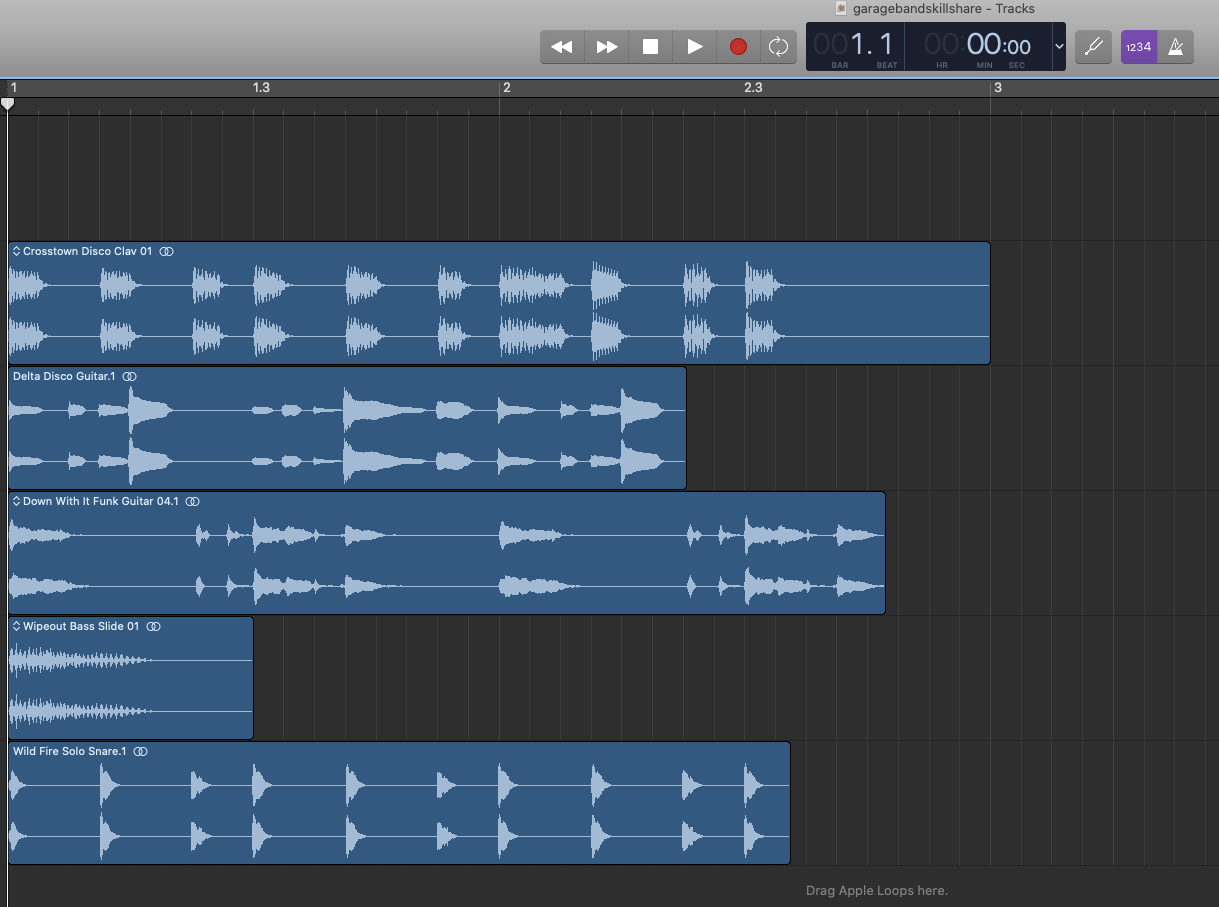
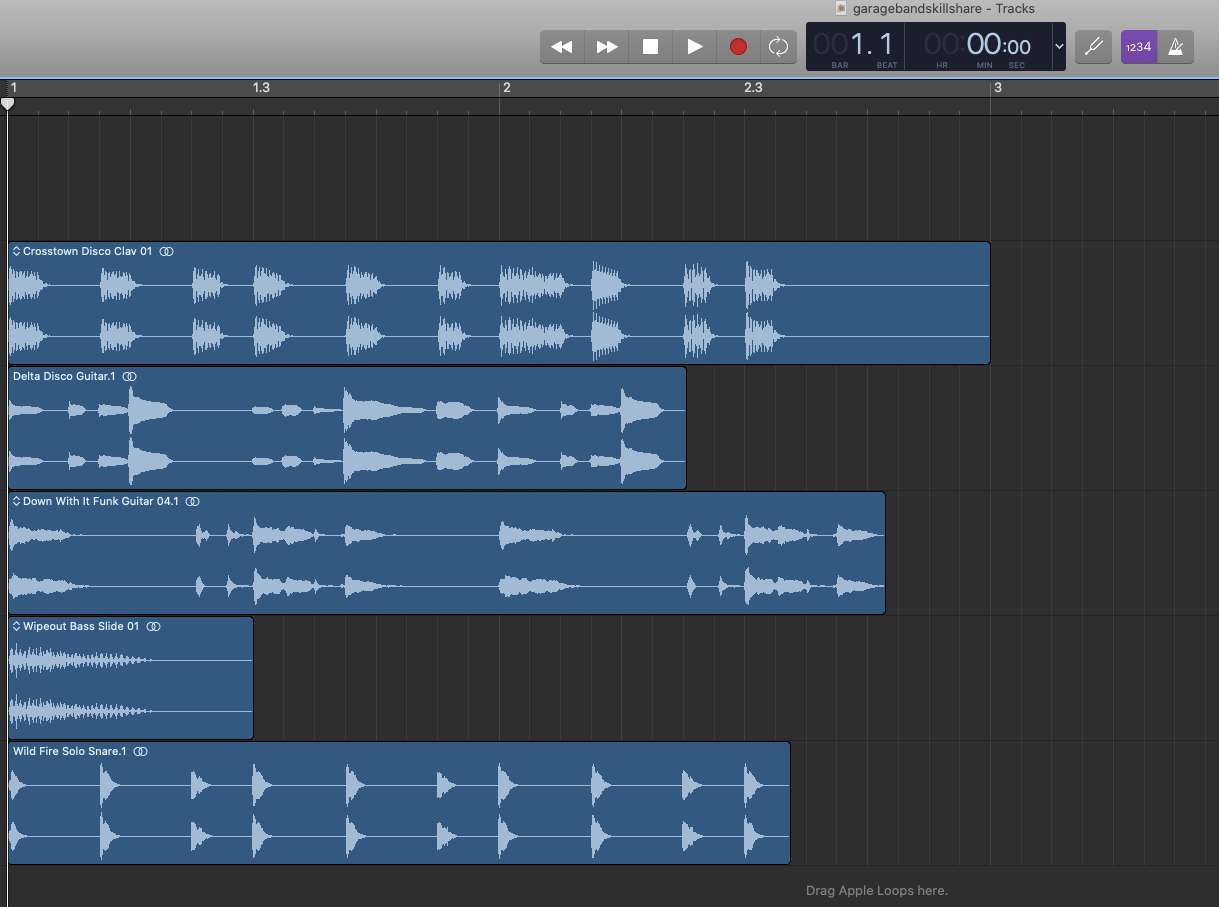
7. Creation Time : So I am opening GarageBand. Track that have already components is popping up. So this is a track that I already used. I'm going to open a new track. And I open a new track. It tells me do I want an empty project or keyboard collection and amp collection, voice, ringtone, hip-hop electronic songwriter, right? I'm just choosing keyboard collection. Um, I'm just gonna put a classic electric piano. If you go into the corner of your screen, there's a small button called the loop. So this is your course. You can play the piano, so we're not doing that right now. So these tracks are free. So I'm going to drag this because I like this. I'm going to drag this abstract rhythm beat and I'm going to drag it to the point which I want. Now up here, it gives you the time signature and it's in C major chord. If you're into music, I guess that makes sense, but I normally put this into beaten down. So it tells me the time that I'm making this track now, I generally want to make a one-minute video though. One minute track. So 56 1519. One minute. Okay. This is exactly one minute. Okay. I'm moving though and point here. So now I've got a one-minute be struck off Spacebar. So normally I just dragged and dropped the music track into this. This is like a little timeline, music timeline. And again, I'm using this cursor to move in front and spacebar to play. And you want to cut it in the middle, which we're not going to do to the Control T for cutting it, but right now we're not going to be doing that. So I'm controlled seeing. Okay, so here is your bass track. Now, if this is enough for you, then, then you just have to go and see Share, export, this, choose the location that you want to do that or not, we're going to add another track. So basically. So now what's nice is that they give you an option of genre. You can put drug blues, or you can have instruments. So you can have. So this is nice. I add the track at the place that I want to begin, so I kind of give a little breather and then I add the music's are here. Okay, So you've got like a nice simple Jack is not so fancy. Malaria go back here and if I want him drums, just something randomly searched. But I don't think it'll match because instinctively I feel like it's not going to. But let me just check it out though. Now. It's not really going very well, so I'm deleting that. Maybe it would be nice. So I'm dragging this. So it's just instinctive reward music. You'd like to kind of experiment on how it just ease didn't to the track that you want it. Okay. Now if I want to get, like, if I wanted to do more, like if I want to put vocals, they have a whole collection of vocals. If you want to go fancy. But see now like a warp, track me and sound better in the beginning. So let's see how that sounds. So everything is really trial and error. You keep experimenting with the sounds that you'd like. The sounds cooler. Now I don't like this, but so what I'm gonna do here is I'm going to. This section. So I'm doing Command T and I'm just dropping that because I don't want that vein now, the second part. Okay. Now I want to do more. So I wanted to do like, what is this? Someone seems cool. This is a lake. You can do it kinda of a song. So now that is a loop. So now if I stretch this out, Ms. Karla will see Get up, get up throughout the song. And he even gives a crescendo. Okay, now, I don't want garlic to think too much. So, but I also like her voice. So maybe I just want her voice to be in the song. So I just highlighted what I wanted to delete an, a control td it. And I deleted this. Now, I like just a break. So let's see how that sounds. So it's just gave my song a little variation, and this is not even taken me so many minutes to do. Now. Now, here's the key, the markers in the beginning of this track, that's where you started from. Adolescent may be out of sync. Of course, you can play around with that and get your own original composition. So I'm going to try, this. Sounds good, I'll keep it. If it doesn't sound good, I'll reset. The double loop doesn't sound good itself is only good for the single term that I'm using it. Now if I want to add Christie, I do Command C and a post her here. And then a posture again here. So it's just how you play with this music. So basically now, let's delete to see and make it a little simple. Now, we've got vocal, then we've got piano. And then we've got, if you want to have mallets. I don't know how this unsound, but let's experiment. And now what happens if I'm like add the rhythm is like annoying radar, so I'll just remove the rhythm. And the piano is also not something that grid at this moment. I'm just going to delete the piano also. So now the whole song changes with just so I know, I want to experiment to learn more by cutting this part. Okay, let's see. Put a little more, Get up, get up. So now. Yeah. So by just moving the tracks up and down, I've got a completely different track and a completely different sound. So loops can be composers best friend when you want to go a little more advance. In terms of musical composition, you can connect a keyboard or a MediaPlayer into GarageBand and play with that. I haven't really mastered that yet, but generally speaking, I'm still learning so much with the loops. So this is know your one minute check. So let's, let's try and undertake this. That seems a little abrupt. So I will cut this, but also I want to end in that without the last pixel that she heard the sun. Let's do this. Okay, That's my ending. So now that's become 58 seconds, which is also okay. I move the NMAC here. That's my track. I go to share. I export the song to disk. And I exported to the location that I want Street and do your, if you want me see MP3, AIFF with these very high qualities, this is for like iTunes. This is a basic mp3. Again, this is uncompressed 16-bit CD quality wave. I generally do MP3 because I'm not really I'm okay. I don't want to Joe. Hi. Thank you. Label it. You label that UW track. Okay. And you export it. So now that's exporting. And it's done. So you save it because you want to keep your masterpiece. And I'm going to call it these all my tracks that have composer who track calling it, or Command Q to exit from GarageBand.
8. Project Time : Let's get started with the project. Okay, So let's open GarageBand. In that on the right, you'll see different, different types of loops go through the genre, the instruments that you like, and create a one-minute or do you track which is original, which is combining multilayered music and loops to create a sound that is exclusive to you. After you finish completing this, export the file, and upload it to either YouTube or Vimeo and then share the link in the project section. You can also share your video in the project section and feel free to even share your process of how it was your journey. I would love to see what you created, what your final results. We're using the tips and tricks that you learned in this class. What was your outcome so excited to see your projects?
9. Happy Composing: So we're here at the end of the class. I hope the skills and tricks and tips that I taught you will help enhance your workflow in your content creation. Remember to just go and experiment and play and figure out. You definitely will have a fantastic library to work with of original content. I don't license any songs, I just create my own original sound. So I hope this helps you and happy composing.
 Sang, Artist & Media Creator