Transcripts
1. Introduction: Hi. I'm deeper. Freelance copywriter, content creator and your teacher for the skill share class on how to create easy and engaging instagram stories. If you're on instagram, you've probably already seen or even posted your own instagram stories. That makes you one of 500 million people who tune into instagram stories daily, making instagram stories the most widely used social networking app in countries like the U . S. Eclipse in even Snapchat, that represents a huge opportunity to grow your following, whether it's for your personal brand, your business or just for fun. As a copywriter with over 14 years of branding experience, I have big international brands and small local businesses alike tell their story on every medium there is. And when it comes to digital storytelling and building authentic relationships online, Instagram stories is by far my favorite platform. Stories are a great way to engage authentically with your followers and potential customers . They're effective, dynamic and fun. They disappear in 24 hours, so you always have a fresh opportunity to experiment, learn and grow as an instagram featured user with over 12,000 followers and a number of brand collaborations under my bounce, I'll share the real life tips and tricks I used to create great content on instagram stories. In this class, you'll learn all the basics you need to get started with instagram stories. Right away. This class is aimed at beginners. No experience necessary. All you need is an INSTAGRAM account and your smartphone walking through each of the instagram story features and show you how to combine them to create instagram stories that are easy, engaging and effective. By the end of this class, you'll be able to create a week's worth of daily instagram stories and save them as a story highlight on your INSTAGRAM profile page. You can follow me on a scale share. Ask me questions, write reviews and post your project in the Project Gallery. Now let's dive into our class project right away, creating one week's worth of daily instagram stories and saving them as a story highlight on your instagram profile page. Tune into your cost project up next
2. Your Class Project: Hi, I'm Deepa. Welcome to lessen two of how to create easy at engaging instagram stories In this class, you'll get a working knowledge of instagram stories from the tips and tricks I'm going to share. Your class project will be to use all of the features you've learned to create at least one instagram story a day for a whole week and then save them to your instagram profile page as a story. Highlight now why Post INSTAGRAM stories daily in Social Media, Consistency is essential. Sharing daily contact with your followers is the best way to build authentic relationships with them and white in your reach. The more consistently you post, the more comfortable you'll become with using the various instagram story features and the more creative you could get. Our goal here is to make posting stories a habit and flow, not a chore. At the end of the class, you'll save all the stories you've created as a story highlight on your instagram profile page. A story highlight is a mini com violation of instagram stories that lives permanently on your INSTAGRAM profile right here. Unlike regular Instagram stories, a story highlight doesn't expire after 24 hours. It's one of the first things new followers will see when they visit your instagram profile Story. Highlights are a great way to feature a special topic experience, product or offer that you want to draw attention to. You have to wait until the end of the class to start sharing. Post your instagram handle in the class discussion and let us know if you've posted a story . Keep on sharing as you go. I love to see your daily updates, and I'm sure your classmates with two you can always follow me on scale share asked me questions, write reviews and post your project in the project gallery in the next video lesson. We're going to dive right in and create your instagram story.
3. Quick Start: Create Your First Instagram Story: Hi, I'm Depot. Welcome back to how to create easy and engaging instagram stories. Now we're going to dive in and create your first instagram story right from your phone, and we're going to start with a photo from your instagram home page, not your profile page. You can either swipe left or attack story button on the top left toe Access instagram stories. Now you have two options. Post a story with a photo or a video. Let's start with photos. Simply swipe upto access photos from your phone. Instagram stories shows you the most recent photos first from the last 24 hours, but you can access any photos from your camera. Roll stored in your phone stories also allows you to access folders, which makes navigating the chaos a little easier. Personally, I have tens of thousands of photos stored in my phone, so I sort them into folders for easier reference tap to choose a photo pinch with two fingers to zoom in her out or drag it with one finger to just the framing. As it's with you, you can change the mood or the tone of your photos with filters. Do you prefer warm or cool tones. You like it colorful and bright or moody and dark. My top tip for using filters ISS Choose one or two maximum and stick to them. It can be really confusing for your followers to see seven different stories with seven different filters, kind of like multiple personality disorder. Choosing one or two filters for years stories helps you to create a consistent visual style , kind of like a visual signature that your followers will come to associate. Now that you've chosen a photo from your phone, you can choose to add text or 100 elements to your instagram story before you post it. That's what we'll cover in the next video. Listen adding text and had ridden It's up next.
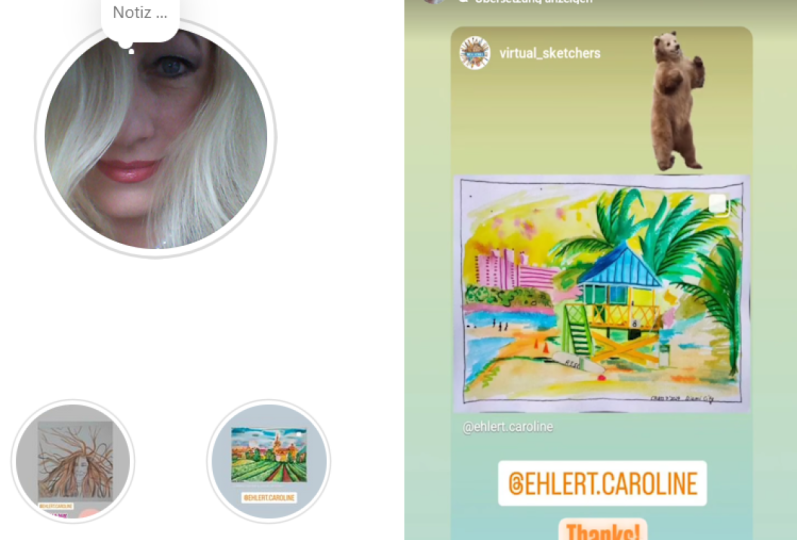
4. Add Text and Handwritten Elements: Hi, I'm deeper and you're watching how to create easy and engaging instagram stories. In our previous lesson, you chose a photo from your phone that you want to use as an instagram story. Now you can add text for handwritten elements. There are several font styles in instagram stories just like filters. Choose one or two maximum and stick to them again. It's all about creating a consistent signature visual style. The same advice goes for text colors. Don't go wild with all the colors of the rainbow. Choose one or two signature colors and use them consistently. The goal here is to make your text clear and easy to read. You can pinch text with two fingers to make it bigger or smaller, or drag it with one finger to reposition top tip. The eyedropper tool lets you select a color from the photo you're using and match your text to it. It's really handy if you're uploading a photo with your brand colors and want your text to match. If you don't like it, just retyped or drag it into the trash and start again. You can have Dr Simple text or doodle on your story by tapping the pen tool on the top right. Each of these tools is a different kind of stroke, a marker, highlighter, neon or even an eraser. Make the tip off your pen, narrower or wider on the left. I don't really use this tool because I like to keep my stories clean at the most. I'll use a highlighter tool to make a dash of color as a background to help make text more readable. You could always tap undo. If you don't like it, play around and see what works best for you. This illustrated, for example, uses the pen tool to share daily sketches on instagram stories. We're almost ready. But before you hit post, I want to tell you about the one thing I make sure I do before I post any instagram story, and that is tagging locations and other users. That's up next
5. Tag Locations & Other Instagram Users: Hi, I'm deep and this is how to her aid Easy and engaging Instagram stories. You have a photo that you wanna post. It's a story. Maybe you've even added some text and hand written elements to it. Now what? There are lots of simple stickers like the time, whether day or even just fun, little words and images. But let's focus on the two most important stickers you should have in every Instagram story . First location tags or geo tags. You can search locations and add them to your instagram stories with the location sticker, just as you do for photos that you post on your instagram feed. Why is location tagging important? Instagram displays the latest stories from every location. Gee, attacking your stories helped you reach potential new followers who are browsing all the instagram stories posted from that location. Stories with an occasion tag can get additional views versus stories without a location attack. Then there's the ad mention, which allows you to tag other instagram users in your stories. Just start typing at and they're instagramming. Ah, couple of options will come up and tap the right one to select. You've successfully tagged them when they're instagram user name appears with an underlying . This automatically sends the user a direct message telling them that you mentioned them in your story. Then they can check out your content, replied your direct message, or even repost your story. That's engagement right there. So tagging other users can be the starting ground for building relationships with brands, local businesses or even bigger accounts. Location tagging works both ways. If you're a local business owner, location tax can be a great way to find and develop customers in your area. Even influencers Living close to you You chosen image chief added your text. You've even tagged a location and maybe even tagged another INSTAGRAM account. Now we're ready to post your stories. Don't forget to share your instagram name of the Project gallery so we can see the stories you've created within the next 24 hours. You can also post in the class discussions, ask questions, write a review or follow me on skill share or instagram up. Next, we'll discuss the different kind of video based instagram stories you can create
6. Video Tips & Tricks: Hi, I'm Depot. Welcome back to how to create easy and engaging instagram stories. Uploading photos has been our starting point for creating or instagram stories. Now let's level up and create some videos. Instagram wants people to share more video content. As a result, videos have a wider reach. The photos videos gain more views and are more likely to be featured in location stories and hashtag stories. To start shooting video on instagram stories, simply press the button and hold to keep recording switched to the front facing camera. If you want to record yourself, keep in mind that one INSTAGRAM story video clip lasts 15 seconds. There are a couple of other video options you can use. Feel free to play around with them, but for this class, I'm gonna focus on the three video types I personally find most useful. Boom around records a movement and turns it into a repeating loop. Boomer xar Superfund there quick and snappy, and they break up the monotony of your standard 15 2nd clip. Using toe and lightness and humor to instagram stories note that Boomerang does not record sound Rewind records movement, but plays it back in reverse This can create unusual eye catching effects for scenes that might otherwise look ordinary or even don't like a boomerang. Rewind does not record sound with heads free. You don't have to keep your finger on the record button to record. This makes it easier for you to switch back and forth between the regular and front facing camera as your recording again, play around with the different video tools and see which works best for you. You don't have to post every story you make. You can discard them or save them for later. Here's a video hack I love to use. You can actually turn any photo into a video by adding a gift sticker, since a gift sticker is a moving image. Instagram stories reads this image as a video, so you get the wider each of a video, even if you're just posting a photo warning looking for gifts. Stickers can be like falling into a black hole. Don't spend too much time searching for the gift you want. Or don't stick to many gifts onto your story. Now I'd love to see your video stories. Don't forget to post your Instagram name in the project gallery so we can all see the stories you've created within the last 24 hours. You can also ask questions post in the class discussions writer of you or follow me on Skill Share or instagram and up Next, we'll be talking about hashtags and how they can add more refused to your instagram stories .
7. Hashtag Hacks: Hi, I'm depo. What? Back To have it for eight Easy and engaging instagram stories. As we're creating your instagram stories, there are things you can do to help improve your stories, reach and engagement. One of them is adding hashtags. Hashtag is enable your content to be found on instagram exposing you to potential new followers and widening your reach Just as you would add hashtags to a photo. You can also add hashtags to your instagram stories either by using the hashtag sticker right here or simply by typing the hash key followed by the tag you want to use. Select a hashtag from the options that come up when the hashtag appears with an underlying , you've successfully added it to your story. Now how do you know which hashtags to use? Ah, common misconception about hashtags is that their words that describe your image? Actually, hashtags are not always the most obvious words use community hashtags that have been created by big accounts that actively seek and repost content and have a large following. These are some of my favorites, but there are many that exists on Instagram. These large accounts can then repost your story and expose you to their community of followers. Instagram users who follow these hashtags will see your content to hashtag strategy alone can easily fill up an entire skill share class, so I won't go into it at length here. But one quick and easy way to do hashtag research is to look at the large accounts here, following in your niche, say travel, food or interiors. Then check out the hashtags they're using, experiment with them and try them in your own instagram stories. One final thing I'm going to share with you is my favorite hashtag hack, and that is hiding hashtags. After I choose an image or a video that I wanted post, I add a hashtag and make it super tiny. Then I hide it behind text or behind other stickers. Or I'll make the hashtag super tiny and using the eyedropper tool match its color to the part of the photo where I can hide it. As a result, my story looks clean, with a clear focus on the image without the visual clutter of all those hashtags. Now it's your turn. Try embedding hash tax in your story and see which ones work best for you don't forget to post a screenshot of your story in the Project gallery so we can check out your stories within the next 24 hours. You can also post in the class discussions. Ask questions writer review of this class or follow me on Skill share or instagram up. Next, we look to the stickers I used to invite engagement from my following questions and polls.
8. Engage Followers with Questions and Polls: Hi, I'm Depot. Welcome back To have it create easy and engaging instagram stories. There are two stickers I love to use to invite engagement from my followers. Questions and polls. Once you're in instagram stories, sweat up to find a question sticker, type a question in the box to ask your followers a question resize or reposition this sticker as needed. You will be able to see the replies to your question and the user names of the people who replied. You can share individual replies as a story. Although Instagram won't include the user names use questions to share a deeper insight into the person behind the INSTAGRAM account. You can take people behind the scenes if you're a business, share your creative process if you're a maker or simply let people get to know you better as a person. For example, I've used questions to invite followers to quiz me about my morning journaling habit, suggest ideas for a live storytelling gig or even just recommend new podcast to listen to. The possibilities are endless, and when you start sharing the replies, the conversations can be a lot of fun. Polls are simpler but are also a useful tool for engaging with your followers. Instead of an open ended question, you simply offer two answers for them to choose from. You can view how the votes are split and share the results in your instagram stories. For example, I've used to pull to ask my followers if they would rather that I start a podcast. Er vlog artist Andy Leak of the Instagram account Notes to Strangers is a prime example of someone who uses polls brilliantly in his instagram stories. It can get really addictive to vote on all these polls and see what people think. I find myself always checking back to Andy's stories to see if he's posted any new polls, and they've been tremendous for the growth of his INSTAGRAM account. Now it's your turn. Try coming up with a question or pole and posted on your instagram stories. Don't forget to take a screenshot and share it in the Project gallery, so we get all participate in your question or pole. You can also join the class discussions, post questions, write a review of this class or follow me on skill share or instagram up. Next, we'll create a story highlight, which saves selected stories to your Instagram profile page
9. Save Story Highlights: Hi. I'm welcome back to a pretty easy and engaging instagram stories. You might be wondering. Why should I spend so much time creating instagram stories when they're going to be gone in 24 hours anyway? Well, there's actually a way to save instagram stories permanently to your profile page, and that's by creating a story. Highlight. A story highlight is a mini compilation of instagram stories that lives right here. It's one of the first things people see when they visit your instagram profile. You can add any instagram story you've made in the past. Just tap new toe. Open your story archive, which displays most recent stories. First tap to select the stories you want to add to your highlight. You can add up to 100 stories to a story. Highlight next at a title. Keep it short. 15 characters maximum now to edit your cover page. Force found they'll choose a frame from one of the stories you've selected done. Once you posted your story. Highlight. You could tap and hold a dumb deal to dilute your highlight. Share it or copy to highlight leaks. You can also edit it and add more stories later on, I found that story Highlights are greatly of showcasing topics that you specialize in or, for example, special experiences like trips or products and offers if your brand or business I've used my story highlights to showcase my freelance writing storytelling workshops. I also use them to compile stories I've made while traveling, or for brands that I've collaborated with or special events that I've attended. Some INSTAGRAM users even create special branded thumbnails for their stories, making them look professional, polished and consistent. Now it's your turn. Put together a story highlight from some instagram stories you've created in this class or any other instagram stories you've created before this class that might share a common theme, copy the link and posted in the Project Gallery so we can all look at it. You can also ask questions in the class discussions, write a review of this class or check out how I've done my story. Highlights by following me on instagram for the final class, I'm gonna share the title thoughts, tips and tricks with you, and we can wrap up this class together
10. Tell Your Story! Final Tips & Wrap up: Hi, this is defy. Find a lesson on how to create easy and engaging instagram stories. If you've made it to spark congratulations and well done for completing the class, I hope you've learned a lot. And if you've already started posting more frequently on instagram stories, if you haven't yet copy the link to the story high like you created and posted in the Project gallery, we'd love to take a look to wrap up. I wanted to share a few final thoughts on using INSTAGRAM stories as a storytelling platform and a way of building authentic relationships online. First of all, know that you don't have to share everything. Instagram stories is not meant to be a live stream of your life. Actually, research shows that 1 to 7 stories is the optimum number two post each day before your followers start to zone out or just don't bother to watch at all. Having said that, the great thing about all the different features on instagram stories is that it can really use them to take us into your world. Hi, this is me, and this is what I'm doing can get old really fast. So when you become more comfortable using the different features you can very your shots to keep your followers engaged and really show us your unique perspective on the world. Whether it's recording a perfect moment of calm in the morning, we're taking us behind the scenes of that perfect photo on your instagram feed. I really do believe in the power of instagram stories as a fun, engaging way to share authentically. There is so much more you could do with instagram stories. We've only scratched the surface. If you're interested in taking a more advanced instagram stories class, let me know. Or you can follow me on Skill share or instagram for updates to future classes. This has been before. How great, easy and engaging instagram stories. Thank you for watching Anil to you next time.
 Deepa Paul, Freelance writer and visual storyteller