AI-Powered Design Inspiration: Trends, Themes & Briefs with ChatGPT | Thais Queiroz | Skillshare

Playback Speed


1.0x


  • 0.5x
  • 0.75x
  • 1x (Normal)
  • 1.25x
  • 1.5x
  • 1.75x
  • 2x

AI-Powered Design Inspiration: Trends, Themes & Briefs with ChatGPT

teacher avatar Thais Queiroz, Designer/ Artist/ Curious Creative

Watch this class and thousands more

Get unlimited access to every class
Taught by industry leaders & working professionals
Topics include illustration, design, photography, and more

Watch this class and thousands more

Get unlimited access to every class
Taught by industry leaders & working professionals
Topics include illustration, design, photography, and more

Lessons in This Class

    • 1.

      Intro

      1:22

    • 2.

      Trends & Themes

      2:55

    • 3.

      Design Brief

      2:54

    • 4.

      Conclusion

      1:21

  • --
  • Beginner level
  • Intermediate level
  • Advanced level
  • All levels

Community Generated

The level is determined by a majority opinion of students who have reviewed this class. The teacher's recommendation is shown until at least 5 student responses are collected.

365

Students

9

Projects

About This Class

Jumpstart your next project with the help of ChatGPT! Learn to use AI for design as a collaborative tool—not a replacement.


Welcome to AI-Powered Design Inspiration: Trends, Themes & Briefs with ChatGPT, part of the Inspiration Everywhere series! In this class, you'll discover how to supercharge your design process by harnessing the power of AI tools like ChatGPT and Gemini. Learn practical strategies to identify key trends, brainstorm unique themes, and create professional design briefs to kickstart your projects and update your portfolio.

In this class you'll learn:

  • Time-Saving Tricks to Identify Trends: Use AI prompts to research and uncover current and future surface design trends.
  • Brainstorm Creative Themes: Generate fresh, innovative design themes, whether you're focusing on a specific product, occasion, or exploring broad conceptual ideas.
  • Build Professional Design Briefs with AI: Clearly outline project scope, target audience, aesthetic, color palettes, motif ideas, and more.

This class is ideal for designers, artists, illustrators and anyone eager to infuse new ideas and efficiency into their creative projects. If you frequently face creative blocks or want to streamline your initial design phases, this course is designed for you.

No prior experience with AI is required. All you need is a free account for ChatGPT, Gemini or another AI model.

How you can apply these skills:

  • Portfolio Development: Efficiently generate themes for seasonal or evergreen art for illustrations, graphic design, surface design or any other creative project.
  • Personal Creative Work: Easily explore new design styles or subjects.
  • Trend Forecasting: Utilize AI to anticipate upcoming design aesthetics and stay ahead in the market
  • Target Audience Exploration: Create art for different audiences following AI's suggestions to discover niches that you may have not considered before.

I'll be using ChatGPT to create a brief for a surface design pattern collection, but feel free to use Gemini, or use it to design a different project. 

Meet Your Teacher

Teacher Profile Image

Thais Queiroz

Designer/ Artist/ Curious Creative

Teacher
Level: Beginner

Class Ratings

Expectations Met?
    Exceeded!
  • 0%
  • Yes
  • 0%
  • Somewhat
  • 0%
  • Not really
  • 0%

Why Join Skillshare?

Take award-winning Skillshare Original Classes

Each class has short lessons, hands-on projects

Your membership supports Skillshare teachers

Learn From Anywhere

Take classes on the go with the Skillshare app. Stream or download to watch on the plane, the subway, or wherever you learn best.

Transcripts

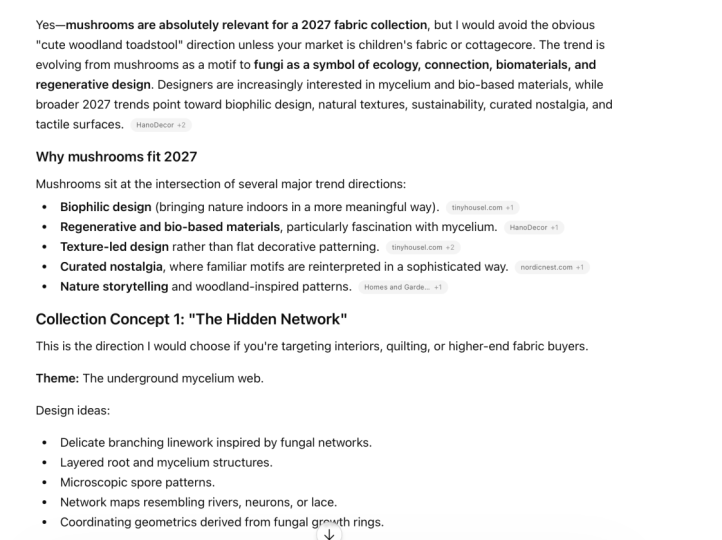
1. Intro: AI isn't here to replace your creativity. It's here to help you amplify it. I'm pretty sure we've all been there staring at the blank screen and feeling the pressure to create something. And you can spend hours searching for trends and brainstorming new ideas. But the whole process can be really time consuming. And that leaves you with less time to do the part that you actually love, which is creating art. But what if you could go from a really vague idea or even worse that scary blank page to a complete professional design plan in less time than it takes for you to drink your morning coffee. Hi, everyone. My name is Tais. I'm an artist and designer. And in this class, we're diving into something truly game changing. Using hat TPT to help you find inspiration and trends. And to make things clear, this is about using AI as a research assistant, not a replacement for your art. This class is for artists, designers, anyone looking to streamline the process and create a more strategic portfolio. And all you need is a free hat TPT or Gemini account. You'll walk away with a workflow that's smarter, faster and more creative. Powered by your vision and AI's help. The technology is here to stay. It's free, and it's the most powerful creative assistant you've ever had. So are you ready to turn hatiPT into your creative collaborator and transform your workflow? Let's get started. 2. Trends & Themes: Planning a new project can be super time consuming. I always feel like I need to have 1,000 tabs open between PenTist and all the trend report websites, and then connecting all the dots. So the goal here is to go from a blank slate to a list of viable trend and form themes in a super fast all in one prompt. So give me five unexpected themes for surface pattern design based on the top 2027 trend from WGSN PenTris and Pento. And for each idea, you'll see that it gives you a link with the reference. So luminous blue and digital craft interdependency, and it talks a little bit about the inspiration and the unexpected theme idea. Material neutrals with tectile depth, ecofuturism, solar punk botanicals, Rococo revival meets playful Contras. I really like this one. And it's also giving me a quick summary table. You can also shape the answers by inserting or removing keywords. For example, you could add make it nature inspired or ask for whimsical or minimalistic theme. You can edit your requests or ask Chat TPT for a whole new set of answers, but be careful not to fall into a rabbit hole here. It's way too easy to just keep looking for the next best answer. So stay focused and grab the first theme that resonates with you. So here, for example, I tweaked the themes and added nature inspired themes. And you can see it gave me something complete. Different? And this time, it even gave me some other design tips that it didn't give me before. And you can see the verses down at the bottom here, too. If you click here, you can go back to the first answer. You can also just send it again, and it will reload the answer one more time. So, this is the formula I'm using. Give me a number of unexpected themes for whatever season you want, plus your area of expertise, based on the top, whatever year you want, trends from at the trend sources you normally use. Now go ahead and try it for yourself. Customize the prompt to fit your portfolio and see what you get. 3. Design Brief: Um now that we have a trend and a theme we love, let's get the roadmap to keep our project consistent and professional. That roadmap is called a design brief. It's where you can find the answer to all the important questions about your project before you even begin. It clearly defines what we're making, who is it for? What should it feel like, and where will it be used? Getting this all on paper serves as a guide for both you and a client. This is how you elevate your portfolio from a simple gallery to a professional presentation of your skills. That demonstrates your strategic thinking. It shows potential clients that you don't just create beautiful art. You solve creative problems with a clear process. Really like the theme from the first list. So I'm going to go here and go back to the first prompt number four. So I'm going to use this one for the design brief. The prompt is a bit long, so I usually keep it on a separate file, and then I can just paste it here. It says, create a short design brief based on design number four. Please include project title, concept, target audience, and use style and aesthetics, color palettes, motif ideas, keywords, and moodboard notes. This will help me find terms that I can use on Pinterest on other sites to fill out a mood. And here's the answer. Here's a short but complete design brief based on theme number four. So you can see it gave me a concept. The whimsical fusion of 18th century co ornamentation and modern playful contrast. It gives me I suggested me a target audience and use style aesthetic, a color palette, motif ideas, keywords, and moodboard notes. And it suggested me some Pintrest search prompts. So I can just copy and paste these into Pentit and have a list of images that I can use for my moodboard. You can manually fill in certain sections you want to work with and let hatTPT fill out the ist. For example, if you want to create children's designs, you can add that into your target audience. Or if you have a particular style or aesthetic, you can describe it and make that a part of your brief. So if I want to design for home decor, I can just write it here. Home Decor. And so, see, since I filled in my own target audience, it's already here, and it adapts the brief to that information. And look at that. Now you have a full brief of your project with all those sections filled out. All you have to do is copy it and paste it into a separate document and tweak it to perfection. 4. Conclusion: And that's a wrap. We've gone from a blank page to finding unique ideas and developing a professional design br. You now have a powerful new workflow to add to your creative toolkit. But before we go, I want to leave you with some final thoughts. First, remember that we're using this as a creative spark, not the final answer. So use it to get your wheels turning, but make sure to add your own spin to it. That's what's going to make your work stand out. Second, avoid overthinking. Goal here is to get the ideas moving fast. Don't get stuck searching for the perfect prompt or the perfect answer. Just play and experiment. And now it's your turn. Please share your final design brief or anything that you might find inspiring. I would love to see it, and it's a great way for us to inspire each other. And if you like this class and found it helpful, leaving a review would mean the world to me. It helps other students discover this class and lets me know what you'd like to see more of. And finally, be sure to follow me here on Skillshare and on Instagram at Bata IQ. So you'll be the first to know when the new class is released. Also, this class is part of inspiration Everywhere series. So if you haven't check out the other class. Thank you so much for joining me, and I'll see you next time. Bye bye.