Transcripts
1. AI For Artists: Intro: Welcome to this AI for
Artists Mini class. In this class, we're going to
explore three concrete ways that you can use Chat GBT to get organized and
free up your time. You wouldn't want
to spend more time making art and less time
with busy work, right? Hi. I'm Jenny Maclyn. I'm a software engineer,
turned Illustrator, and surface pattern designer. I use AI nearly every day to
run my creative business. It helps me organize some of
the chaos of the creative. And helps keep me on track
to achieve my goals. I created this mini
glass because I know just how overwhelming it can be to run a creative business, especially in the
very beginning. The most common complaint I hear from my fellow
artists is that they're just overwhelmed with all the ideas that they have, the projects they
want to work on, the pieces of art that
they want to make, the classes they want to take. On and on and on. And then the biggest problem
there is that there's just not enough
time in the day to do everything that we want
to do. Sound familiar? Unfortunately, A I can't fix
all those things for you. Yet. But you might be surprised just how
much it can help. Join me in class to learn three specific ways that AI
can help you as an artist. You'll get hands
on experience with a free version of Chat GPT to complete your final project, which will be generating a customized creative
project that's tailored to your artistic
goals. I'll see you in class.
2. Breaking Down Creative Projects: As artists, we have
a lot of ideas and often 1 million
projects going at once. We drop one project to pick up another project that we
just got inspired by. The point here is that big
ideas can feel insurmountable. How do we take a big, big giant project and
break it down into little tests that we can do one thing at a time until
we achieve our goal? Our goals might feel
light years away, and we don't even know
where to get started. In this lesson, I'll show
you how to use AI to turn vague ideas into a step by step action plan that you
can use as a roadmap. For example, let's say it's your dream to open
a sticker shop, but you're not sure
where to start. Let's head over to Chat GPT
and see if it can help us. All right, here you can see Chat GPT and what it looks like. This is just an empty prompt. We don't have a history
in our chat yet. This is a brand new
account for me, so this is likely what you'll see when you first get started. What I'm going to do is take the prompt that
you see here on screen and paste that into our textbox and
just submit that. Great. So here we have
this whole long prompt. I'll just briefly go over it. We're not going to read
every single thing. So you can see it's broken
this down into steps. Here we have step one,
define your brand and niche. Step two, create your
sticker designs, and it's giving us a little bit more
detail in each thing. Step three, decide how to
print and fulfill orders, gives you the two options, print and ship it yourself and the things that you'll need
if you want to do that, or using a print
on demand service. It's got this one a
little bit wrong, so let's talk about this here. So you can see under
print and ship yourself. It says, you'll need a
printer, sticker paper, a cutting machine, and packaging materials.
That's all true. But for the second one, using
a print on demand service, it says they handle production
and shipping for you. Red bubble Printify Sticker App, sticker Mule or Glato. Some of those are print
on demand stores, but some of them
are sticker shops, which means that you send them your file and they send
you back stickers. You'll still need to handle
the order fulfilment, the shipping, the packaging,
all of that stuff. So this is a good
cautionary tale for the limitations of AI. It's not always going to
get everything right, and you should double check things that
you're not sure about. In this case, you could Google each of these
companies and see if they're actually doing
what GPT says they do, or you could even
challenge GPT and ask it, Are you sure those companies all do what you think they do? The next step is set
up your online shop. And it gives you a couple
of different options there. Then the next step is
pricing and profit margins, which is a really great thing. That might not be something that a very beginner
thinks about. So it tells you to
factor in costs, printing materials, packaging, shipping, hedCPs, et cetera. And then the last couple
of steps are to market your shop and
launch and improve. Now, you can go through this whole
thing in your own time, but just getting a
general overview, it's done a pretty good job
on the very first try, right? This is what it gave us based
on this one single prompt. So let's see what it
says at the end here. Next steps making
this a reality. And this is really going to be a helpful feature for
you to pay attention to. What does it suggest
you do next? Here, it says, Would
you like me to help you create a step
by step action plan with a timeline so you can work on this alongside
your nine to five. We can break down into
manageable weekly tests. That sounds very helpful,
don't you think? Let's go ahead and
ask it to do that. You can just say, please, and hit Enter, and it will go ahead and make
that plan for you. Now that it's done,
let's scroll all the way back up to the
top where it says, Here's a step by step
action plan to help you launch your sticker shop while managing your nine to five. Perfect. So it gives you the
overview of your goal here. Launch your sticker
shop in eight weeks. And then it says, Tip
if you need more time, feel free to adjust the timeline
based on your schedule. And then if you scroll down, we're just
skimming right now, but you can see it's
broken it down into a weekly plan for each
of those eight weeks. And at the end of the eight
weeks, you launch your shop. You can dig deeper into this by replying to
each of the steps, asking it for more information.
Pretty crazy, right? You gave it one little
paragraph and you said, please. And within a few minutes, you have an overview
of how to open a sticker shop and a
complete eight week plan. Of course, you will
need to tweak this, make sure all of
the little details within the plan are accurate
and correct for you, but that's a pretty good time
saving jumping off point.
3. Prioritizing Tasks & Cutting Out Busywork: A lot of us have a
limited amount of time. Maybe you're working
on your business on the side and you
have a nine to five, so you only have a few hours a week to work on your business. When that's the case,
it's more important than ever that you
really prioritize your time and figure out what's the most impactful work
that you can do in those spare moments
that you have in order to move forward
and reach your goals. When you have a limited
amount of time, it is so important that you
prioritize your to do list. But that's often
easier said than done. We often default to picking the most urgent
tasks which aren't always the most important
or even important at all. Sometimes things are urgent and they're really
a waste of time. Those tasks can steal your
time if you're not careful. You want to make sure that you're working
on the things that are most important to
you and your goals. This is another area
in which AI can help. AI can take your big long list of things to do and
organize them by order of importance and even help you identify some
of those hidden traps, tasks that feel important, but are really just
stealing your time. AI is especially good at this if you give
it your goals and a little bit of
background information about you and what
you want to achieve. For example, if you've been known to productively
procrastinate, you can tell AI and ask it to flag it when it thinks
you're doing that. Or if you constantly get bogged down by saying yes to
everything that comes your way, AI can help you prioritize the things that are actually
the most meaningful to you and direct you towards which things you should
say no to in the future. The goal is to work
smarter, not harder, which I'm sure you've heard
1 million times before, but now with AI's help, that's easier than
ever to achieve. Let's head on over to Chat GPT and give it an unorganized, chaotic list of all
the things we need to do and see if it can
help us organize it. In the last lesson, we created this project
breakdown with Chat GPT. Now we're going to fast
forward a little bit in this imaginary person's career and say that they've already
opened their sticker shop. They're overwhelmed with
all the tasks that they do, and they need a
little bit of help. So the first thing I'm going
to do is copy and paste the prompt that
you see on screen. Here into Chat GPT. Here we have our prompt, and let's see if it can help us organize this brain dump of
tasks that we need to do. Now, a key thing
that I just want to point out is this
last little bit here, which says do not add explanation summaries
or anything extra. Just the checklist. If you want a little bit more explanation
from why Che ChiPT was prioritizing
these things and why it was cutting things,
you can take that off. I like to add this in
because it gives us a quick, clean output like you
see on screen here. Just the top five
most important tasks this week, and then
the extra list. No explanations, no
fluff. Just what we need. You can see it has taken
our big long paragraph of a brain dump and organized it into our top five most
important tasks for this week, and then extra tasks that we can achieve if we have the time. So we know that the
things that we need to do first design one new sticker, take product photos and write Etsy listings for
unfinished stickers, reply to the local shop and reach out to a few more stores, post on Instagram and
reorder sticker paper. Those are the things
that we need to first, and then everything else can wait until those
things are done. And you can see
here at the bottom, it says, let me know if
you need any adjustments. So if you need it
to make changes, if you don't agree with
what it chose or you want it to explain why
it chose what it chose, you can ask and go back and
forth with it at this point. Otherwise, you have your task
list and you're ready to
4. Generating Creative Project Ideas: In this lesson,
I'm going to show you how we can use AI to create a customized creative
project that will help us achieve
our artistic goals. Using AI in this way
can help us avoid decision fatigue and
creative overwhelm by giving us a
little bit easier of a start to the idea generation
portion of a project. Of course, we still have to sit down and create the project. AI is not doing that for us, but it can help us save time in the beginning
brainstorming phase by giving us ideas
that we might not have thought of or combining
different ideas in new and unexpected ways that can really inspire you creatively. Let's go ahead and
jump over to Chat GBT, where we'll ask it to
help us come up with an idea for our next picture
book portfolio piece, and let's see how
it can help us. Alright. We are now going
to ask Chat GPT for help generating our
creative project ideas. I've started a fresh
chat for this one, which you can do at any
time by going up to this icon here and
clicking New Chat. I'm going to go ahead
and paste in our prompt, which you can see on screen now. So it's finished
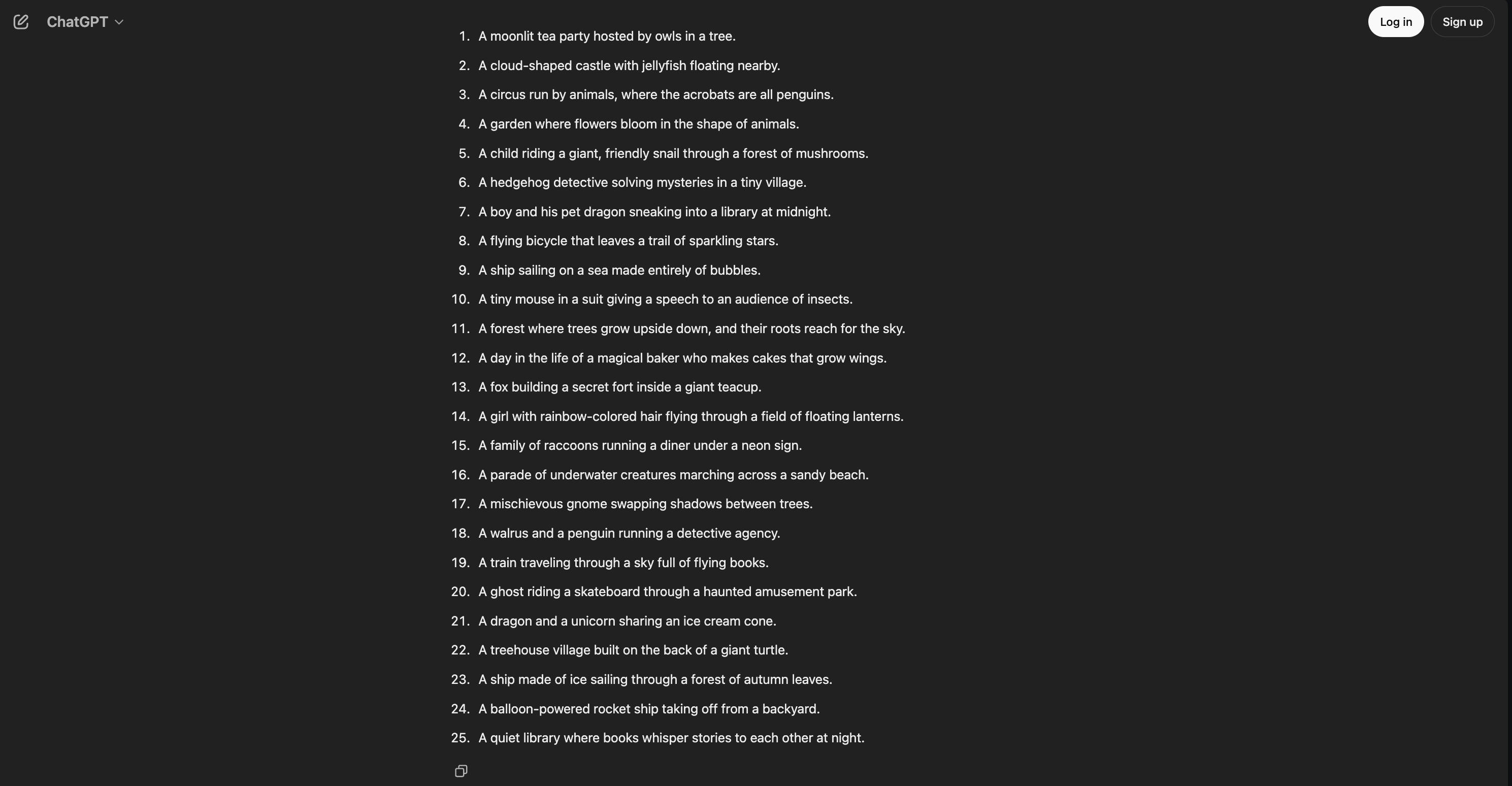
generating our prompts. Let's take a look
and see if there's anything that's particularly
exciting to us. So some of them are a
little bit more abstract. Some of them you can immediately see how that would translate to a picture book
project or portfolio Ps. And if none of these
are working for you, you can always just
try again simply by hitting this little button here at the bottom and
clicking Try again. Let's see what it does
the second time around, and then I will let you get
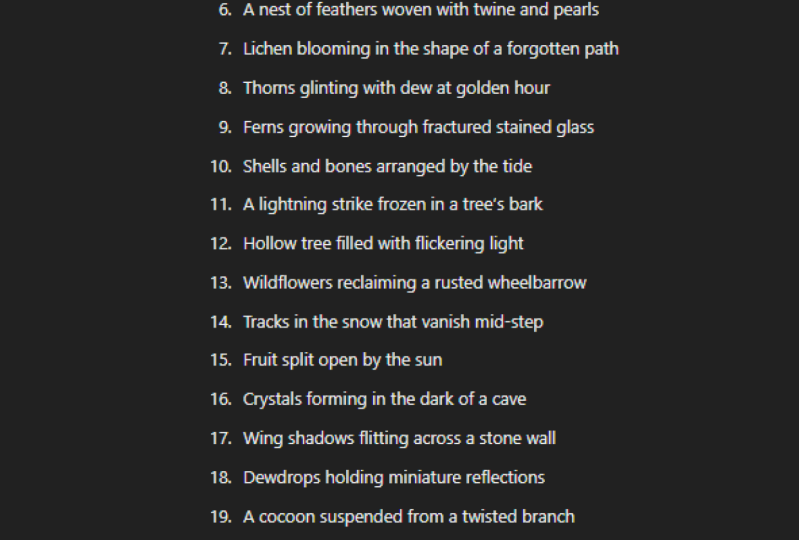
started on your own version. Okay, so you can see here it has a bunch of different
options again, and you can keep
working with it, and, you know, you
can regenerate, like we show like I
just showed you how, or you can ask it, you know, for more
clarification. Like, let's say that we
want to adjust this. We'll say, these
are pretty good. But can you make the
examples a little less conceptual? Let's
see what it says. So it's taking our
feedback into account, and it's giving us brand new
prompts with that in mind. These are all kind of long, too. So you can keep, you know, changing it, iterating
it, giving it feedback. And let's say, be a
little more concise, please, and see how it
takes that. A tighter list. So it's giving us
a little bit less, but it's still keeping
the same ideas, which I don't really love. So what I'm going to do is stop it by hitting that
button down here, and then I'll cancel the
action that it's doing. And we'll say please
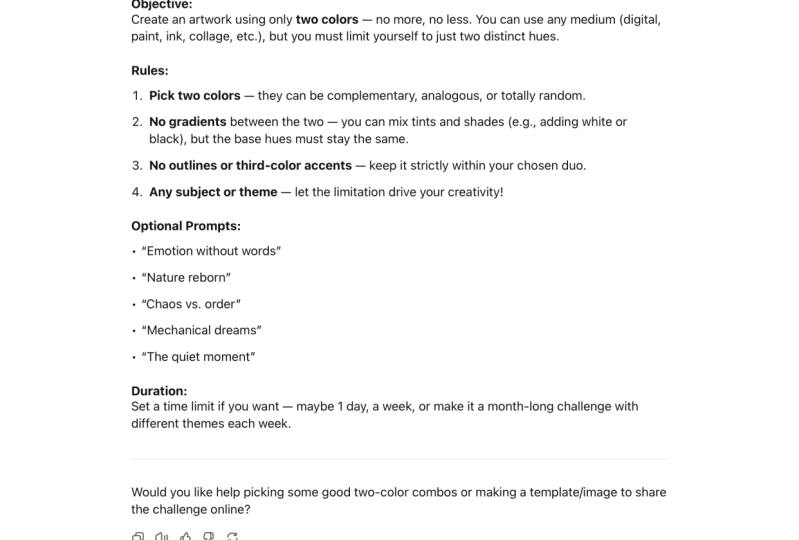
give me new ideas, but keep it concise. So here we go. We're now
finally getting new prompts, and it's being a little bit more concise based on our feedback. Times it does take
a little bit of back and forth to get
what you want out of Chat GPT because it's not
the magic bullet yet. You know, I still requires
a little bit of work, a little bit of back
and forth on your end. It can't read your mind, so you do need to give it as much detail as
you can and tell it how you want it to change so that it can try to do
better in the future. Alright, so we got
these new fresh ideas. We didn't like the
ones at first. We gave it a little
bit of feedback. And we generated a new list. You can keep going with this
iterating as many times as you need to until something
sparks. Inspiration for you. With that done, I
will see you in our next lesson where
we'll talk about our final project
and our next steps. See you there.
5. AI For Artists: Final Project: Now that you've seen
three ways that AI can help you enhance your
creative practice, it's time to get started
on our final project. In the last lesson, we learned
how to use AI to generate some ideas for custom
creative project that's tailored to
your artistic goals. For your final project, I would like you to use
the techniques you learned in the last lesson to generate your own
creative project. Once you've generated
your creative project, take a screenshot and upload it into the class
project gallery. You're also more than welcome to submit the artwork that you create as a result of
the creative project that you generated, but
it's not necessary. If you'd like to
be notified any of my other future
classes are released, be sure to follow me
here on Skill Share. You can also find me online
on Instagram and on Substack, where I write weekly posts for free and run a
creative community. Thank you so much for
joining me in class. I hope that you learned
something helpful, and I would really love to
see what you generated, so be sure to submit your
projects here on Skillshare.
 Jenni Macklin, Illustrator & Surface Pattern Designer