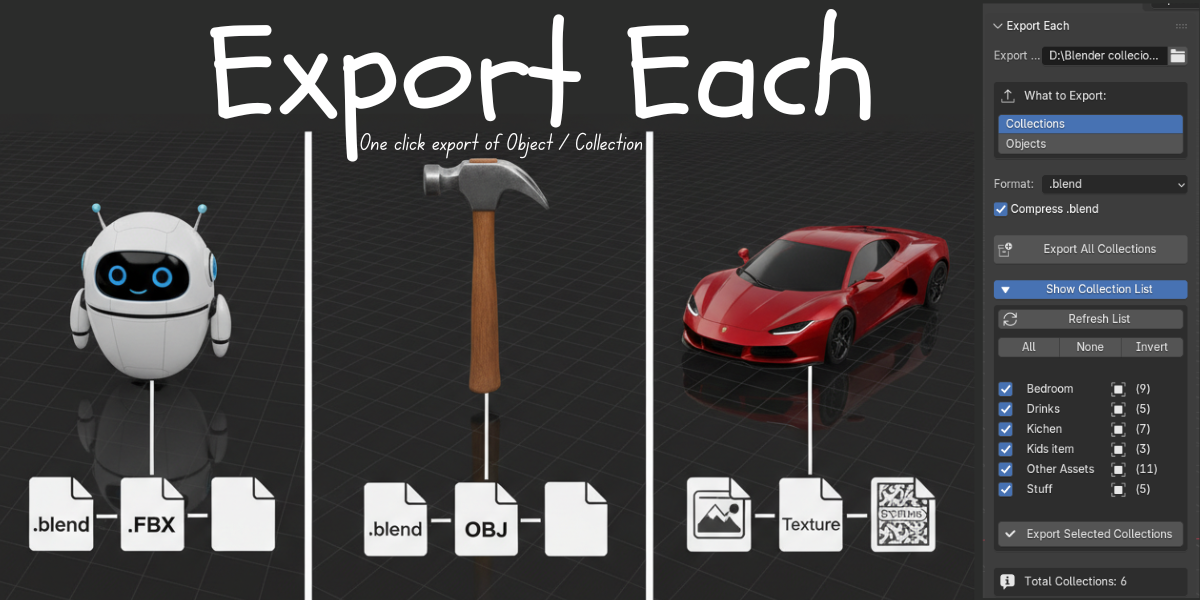
Export Each — One-Click Object/Collection Export
1 month of Skillshare
Available with PurchaseFree
All memberships will be billed automatically on a recurring basis until canceled. If eligible for a free trial, cancel before the trial ends to avoid being charged. Offer only valid for new paid subscribers. See full terms of service here.
About this product

Salman Naseem
2d 3D Animator
Simplify your Blender export workflow! Export Each lets you batch export multiple objects or collections with one click
Export Each is a professional Blender add-on built to save you hours of repetitive work when exporting multiple assets. Whether you’re developing games, managing large-scale 3D projects, or building organized asset libraries, this addon handles the entire export process cleanly, automatically, and efficiently
🎯 Perfect For
Game developers
3D environment and prop artists
Asset library creators
Studio pipelines
Anyone working with large 3D projects
💡 Why You’ll Love It
Export hundreds of assets in minutes instead of hours
Zero manual renaming or texture management
Keeps your workflow clean, organized, and consistent
Works perfectly with Blender’s built-in export formats
⚡ Quick Start Your First Export (30 seconds)
1. Open the Panel Press N in 3D Viewport Click "Export Each" tab
2. Choose Export Path Click the folder icon Select where you want files saved
3. Select Mode "Collections" (default) or “Objects”
4. Select Format Choose from dropdown (e.g., FBX)
5. Export Click "Export All Collections" or "Export All Objects"Done! ✅
Result: All collections/objects exported as separate files to your chosen folder


FAQs
What are digital products?
Digital products at Skillshare are expertly crafted tools, resources, and templates developed by top creatives that are available to you for purchase. With a wide range of resources to suit every creative need, they are actionable, making your learning experience real and unforgettable.
How can I purchase a digital product?
Anyone can purchase a digital product on Skillshare — click Buy now to enter your payment information and complete your purchase. Once payment is complete, all files will be available for download instantly from this page. You'll also receive an email with a link to download your digital product after purchase.
Is there a limit to how many times I can download a digital product?
No, there is no limit to how many times you can download a digital product. Even if a product is removed by the creator, you can still access the download page in most cases by logging in to your Skillshare account.
Can I get a refund or cancel my digital product purchase?
Digital products are non-refundable and cannot be returned or canceled. To learn more, see our refund policy in the Skillshare Help Center.
Can I make and sell my own digital products?
Absolutely! Visit How can I sell a digital product on Skillshare? to learn how you can create, list and sell your own digital products on Skillshare.