Ecommerce Profit & Cash Flow Tracker – Excel Dashb
1 mês de Skillshare
Disponível com a compraGrátis
Todas as assinaturas serão cobradas automaticamente de forma recorrente até serem canceladas. Se estiver qualificado para um teste gratuito, cancele antes que o teste termine para evitar cobranças. Oferta válida apenas para novos assinantes pagos. Veja os termos de serviço completos aqui.
Sobre este produto

James Wafula
AI Workflow Strategist for Small Business Owners
Ecommerce Profit & Cash Flow Tracker – Excel Dashboard
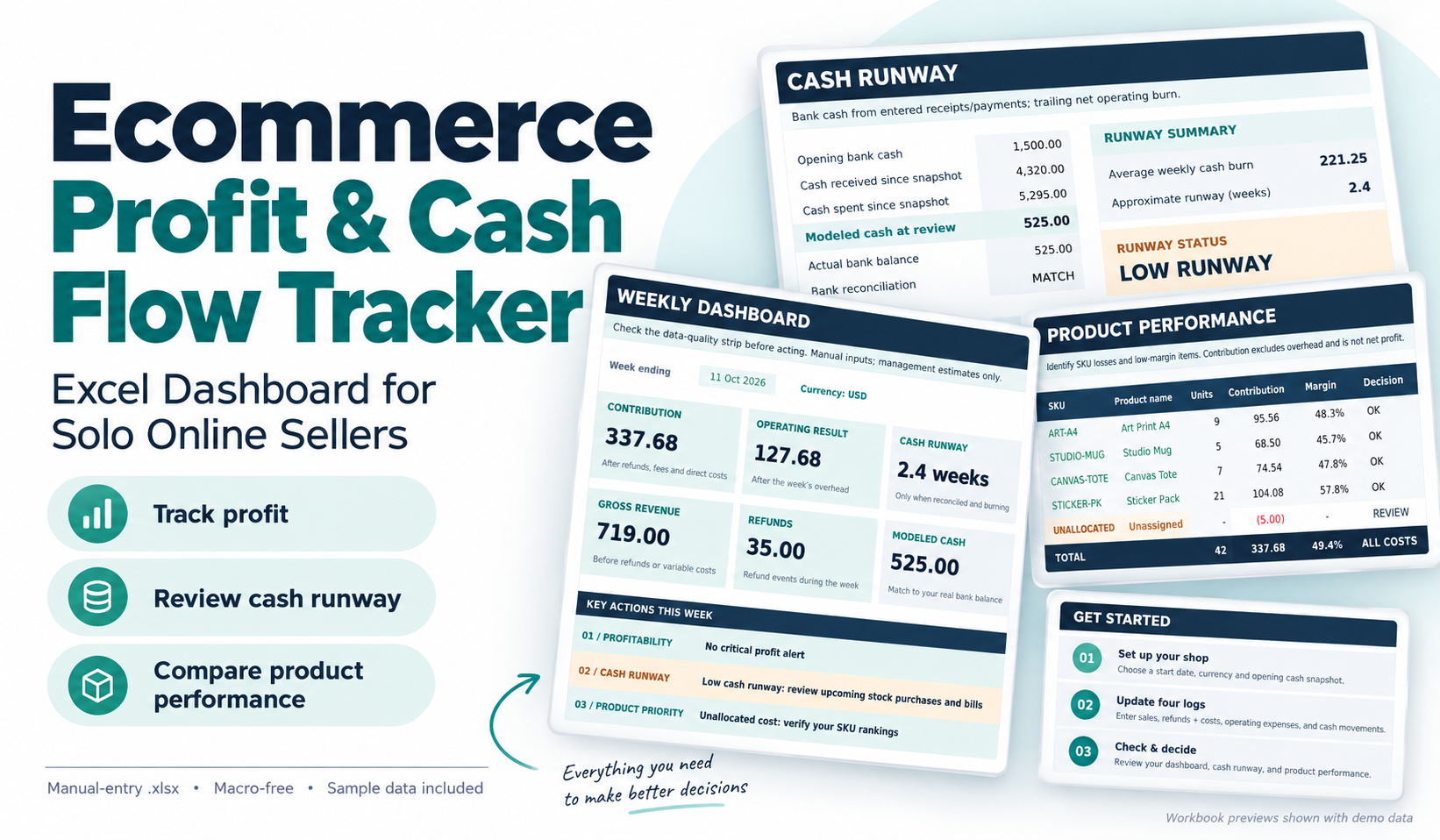
Understand what your online store is earning, where your money is going, and which products need attention.
Running an ecommerce business involves more than tracking sales. Refunds, transaction fees, product costs and operating expenses can reduce what you actually keep.
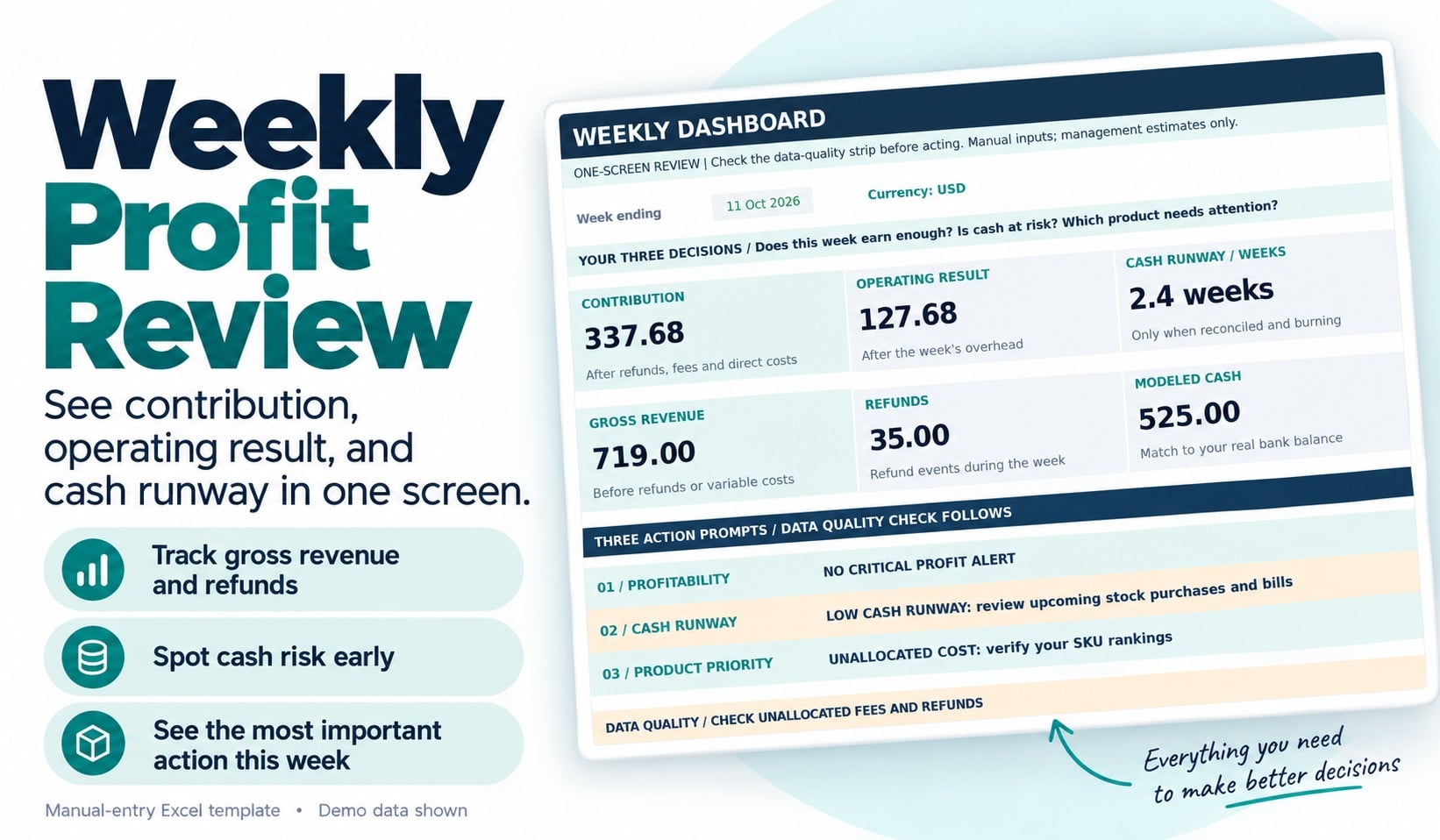
The Ecommerce Profit & Cash Flow Tracker is a practical Excel dashboard designed for solo online sellers and small product-based businesses that want a clearer picture of their finances.
Rather than relying on revenue totals alone, use this workbook to answer three important questions each week:
1. Is my business generating enough money after costs?
Review sales, refunds, processing fees, direct product costs, contribution and operating expenses.
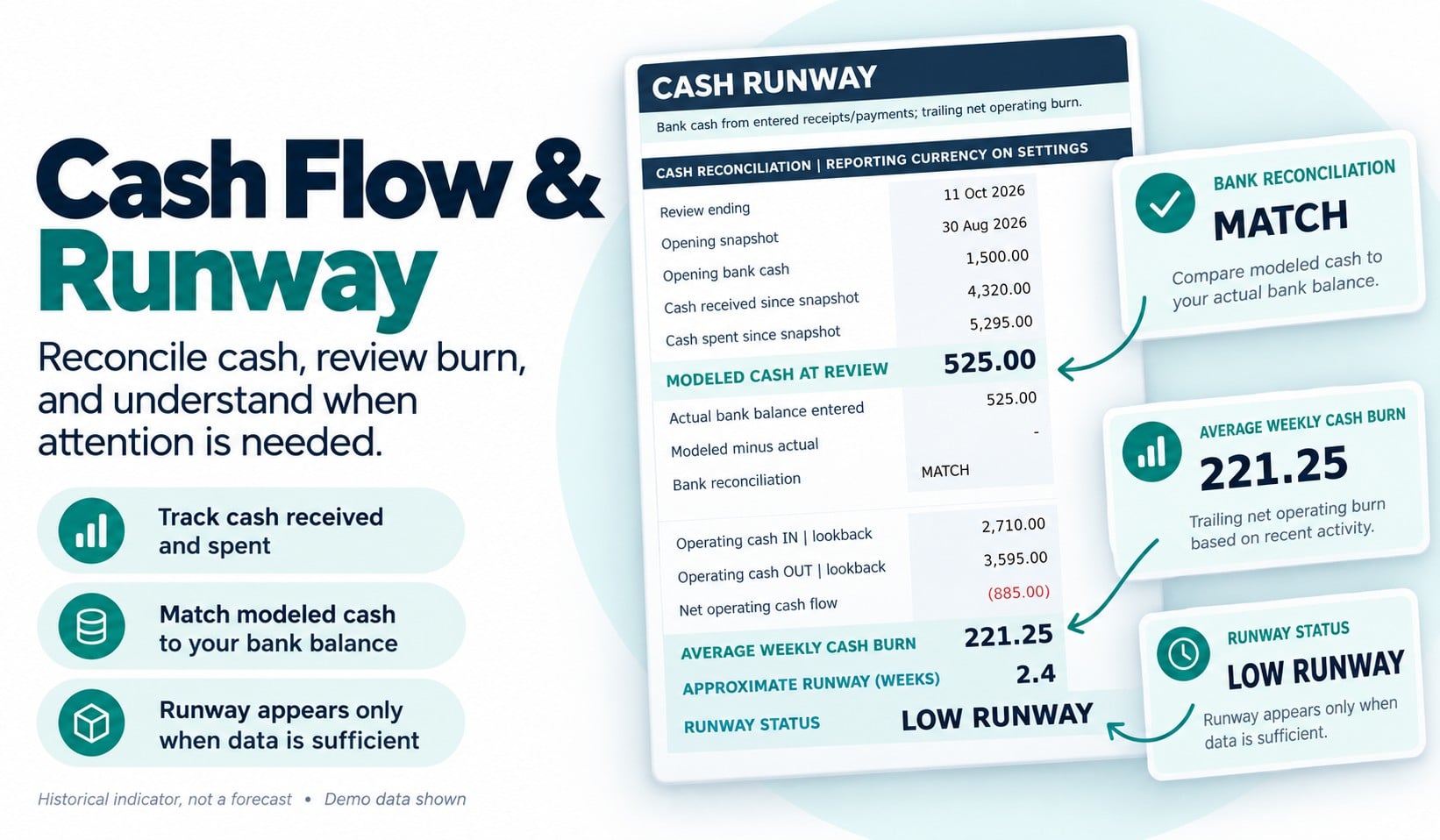
2. Is my cash position becoming risky?
Compare recorded cash movements with your entered bank balance, identify reconciliation differences and review an approximate historical cash-runway indicator when sufficient information is available.
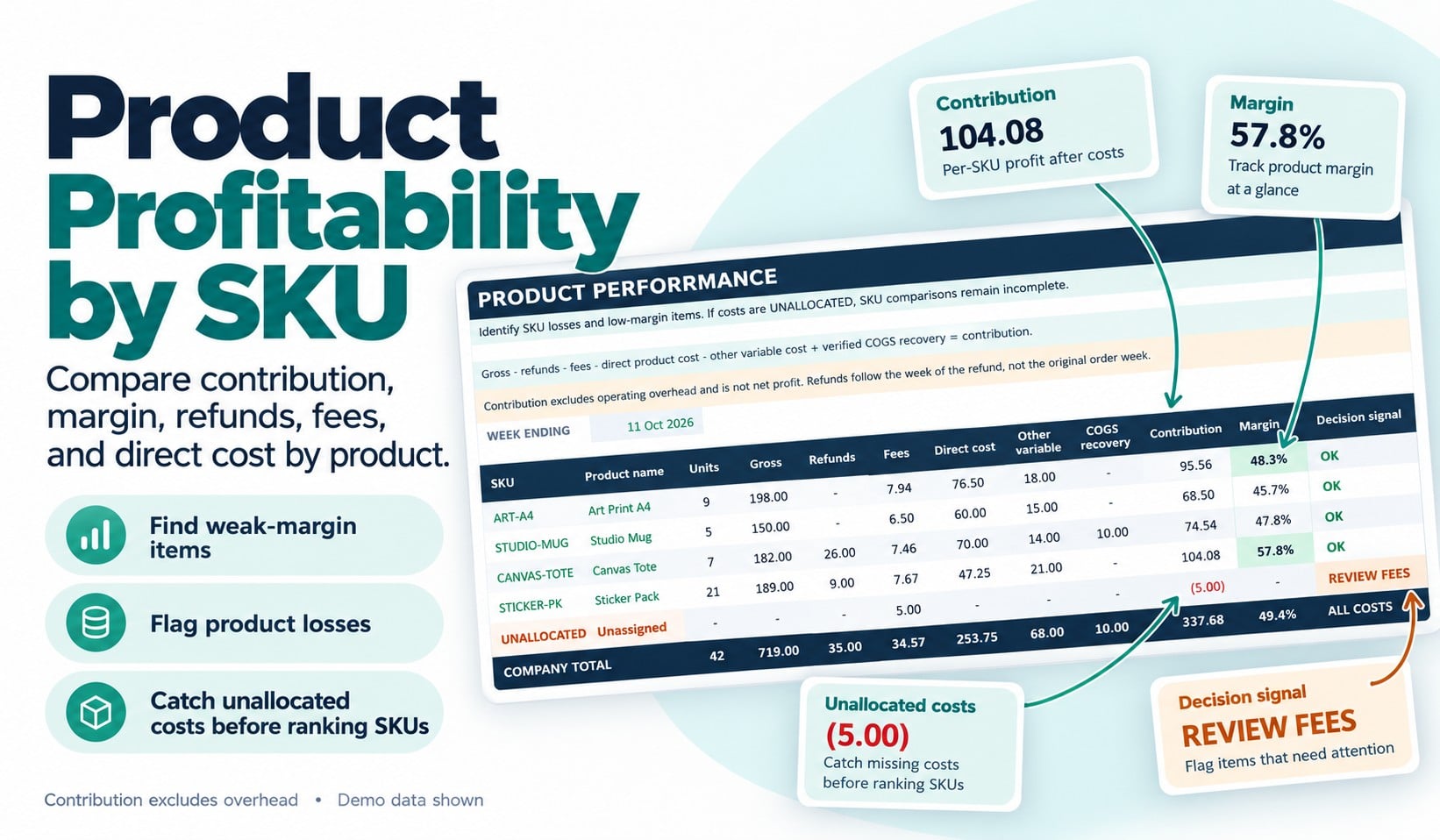
3. Which products need attention?
Compare product-level contribution and identify low margins, losses, refund-only activity and costs that have not been allocated to a product.
What You'll Receive
Your download includes:
Clean Excel Dashboard Template (.xlsx): A 13-tab workbook with editable input areas, protected calculation cells, automated formulas and a weekly decision dashboard.
Completed Example (.xlsx): A fictional six-week ecommerce business showing how to enter information and interpret the results.
Quick-Start & Metric Guide (PDF): Step-by-step setup instructions and explanations of the key financial metrics.
Weekly Review Checklist (PDF): A printable worksheet to help you record findings and decide what to address next.
Read Me First & License Files: Setup information, usage rights and support boundaries.
Who Is This For?
This tracker is designed for independent makers, small online retailers and solo ecommerce sellers who manage a limited product catalog and prefer a practical spreadsheet over a complex software system.
It supports up to 20 products, with prebuilt entry space for sales, refunds, costs, operating expenses and cash movements.
How It Works
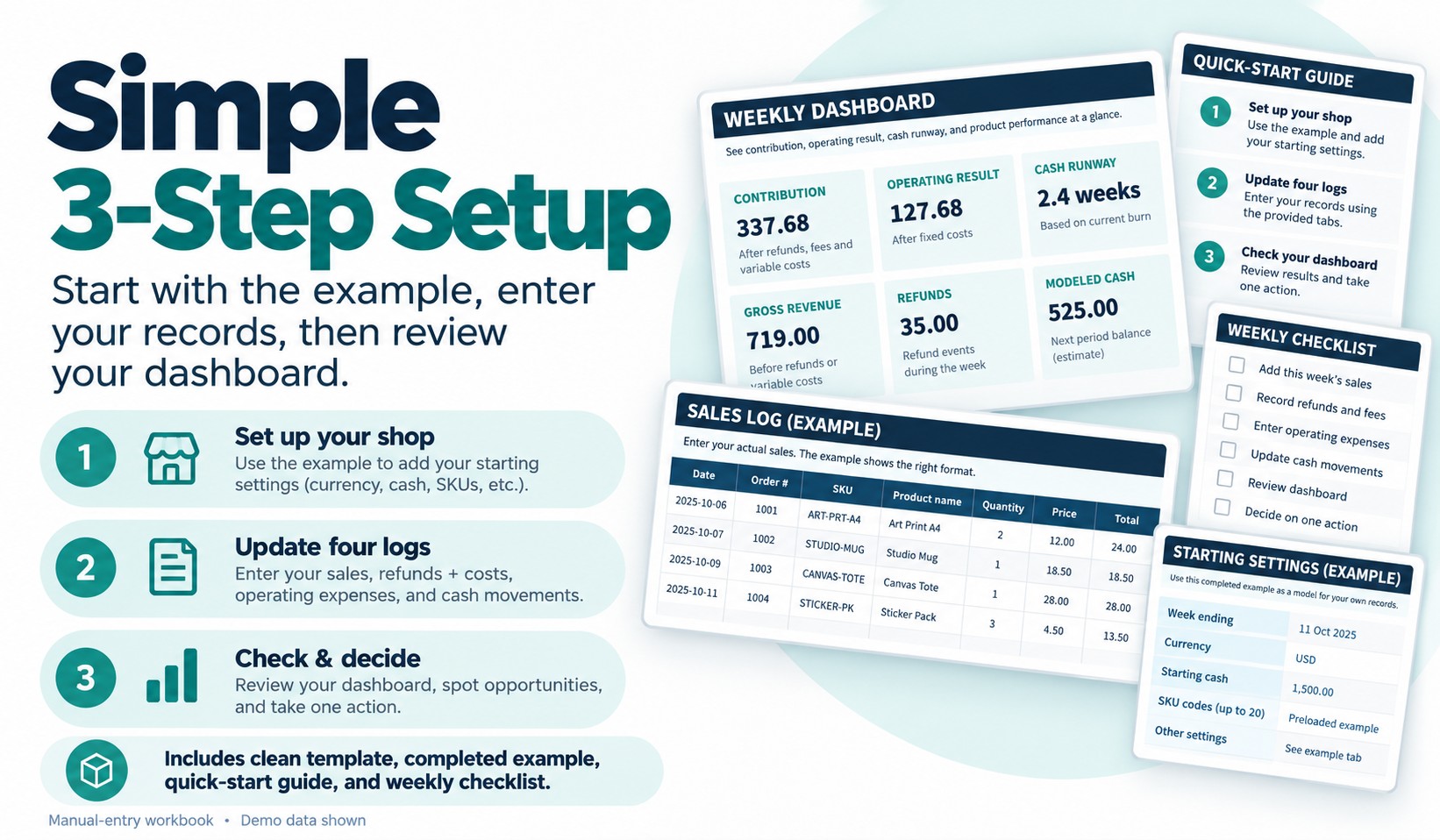
Start with the completed example to understand the dashboard.
Next, make a working copy of the clean template and enter your business settings, sales, fees, refunds, product costs, expenses and cash transactions into the designated input cells.
Once your information is complete, review the dashboard's profitability, cash-risk and product-priority indicators.
The goal is to help you make a more informed weekly operating decision.
Software Requirements and Important Limitations
This is a manual-entry Microsoft Excel (.xlsx) template, not a standalone app.
It does not connect automatically to Shopify, WooCommerce, Etsy, banks, marketplaces or payment processors. No macros or automated imports are included.
The workbook uses one reporting currency at a time. Google Sheets, mobile Excel and alternative spreadsheet applications have not been certified.
Cash runway is based on historical cash movements, not a prediction of future bills. Results depend on accurate entries and should not be treated as professional accounting, tax or financial advice. No particular business result or time saving is guaranteed.
Usage Rights
Your purchase includes permission to use and customize the files internally for one business you personally own or operate, including commercial business operations. Reselling, redistributing or sharing the editable templates as a separate product is not permitted.
Support covers download issues and reproducible defects in the original files, rather than personalized bookkeeping, custom development or financial consulting.
Take a clearer look at your store's profitability, cash position and product performance—all in one Excel dashboard.
Perguntas frequentes
O que são produtos digitais?
Os produtos digitais da Skillshare são ferramentas, recursos e modelos criados por especialistas que estão disponíveis para compra. Com uma ampla gama de recursos para atender a todas as necessidades criativas, eles são acionáveis, tornando sua experiência de aprendizado real e inesquecível.
Como posso comprar um produto digital?
Qualquer pessoa pode comprar um produto digital na Skillshare — clique em Comprar agora para inserir suas informações de pagamento e concluir sua compra. Quando o pagamento for concluído, todos os arquivos estarão disponíveis para download instantaneamente nesta página. Você também receberá um e-mail com um link para baixar seu produto digital após a compra.
Há um limite para quantas vezes eu posso baixar um produto digital?
Não, não há limite para quantas vezes você pode baixar um produto digital. Mesmo que um produto seja removido pelo criador, geralmente você ainda pode acessar a página de download fazendo login na sua conta Skillshare.
Posso obter um reembolso ou cancelar minha compra de produto digital?
Os produtos digitais não são reembolsáveis e não podem ser devolvidos ou cancelados. Para saber mais, consulte nossa política de reembolso no Suporte da Skillshare.
Posso fazer e vender meus próprios produtos digitais?
Com certeza! Visite Como posso vender um produto digital na Skillshare? para saber como você pode criar, listar e vender seus próprios produtos digitais na Skillshare.