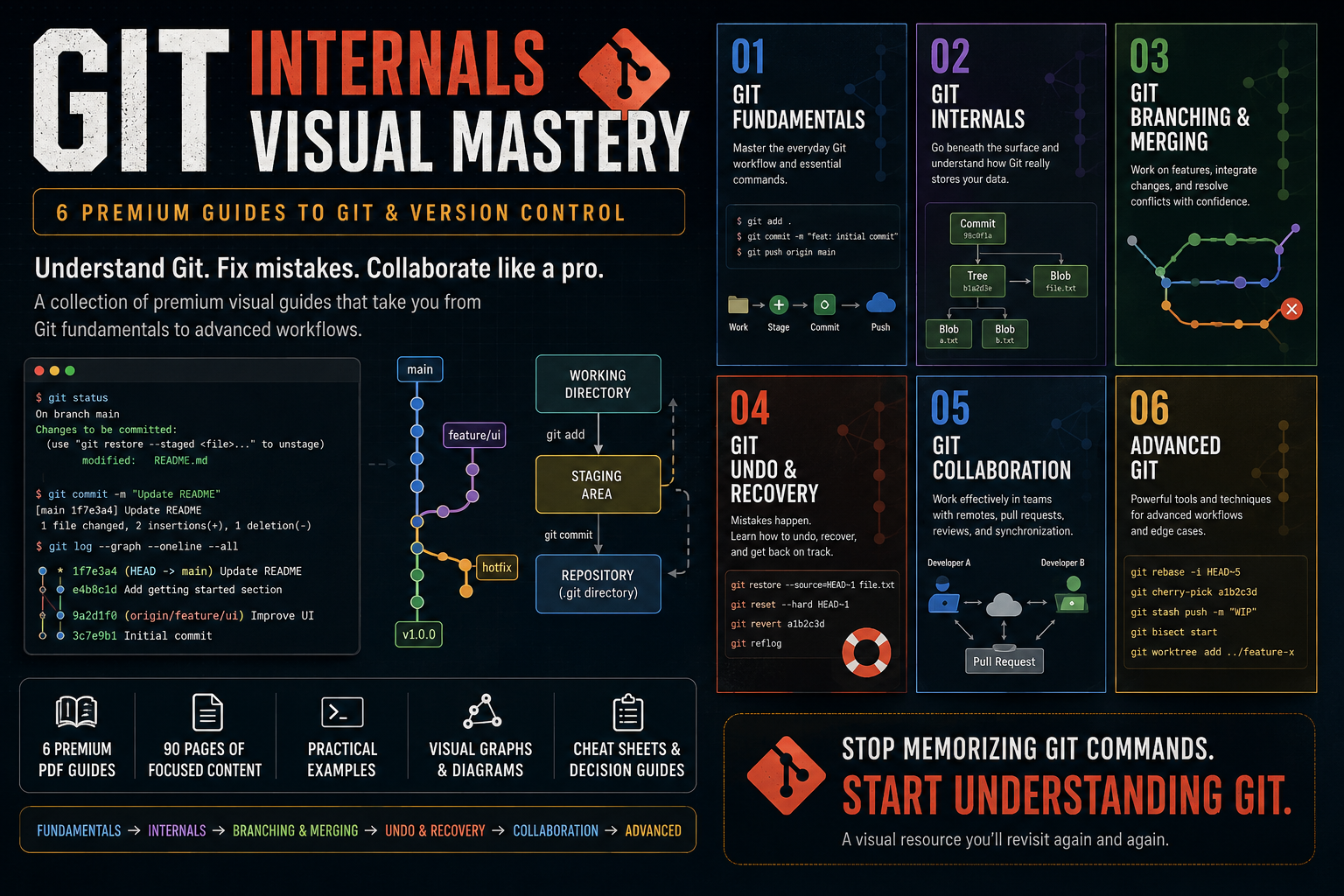
Git Internals Visual Mastery — 6 Premium Guides
1 mês de Skillshare
Disponível com a compraGrátis
Todas as assinaturas serão cobradas automaticamente de forma recorrente até serem canceladas. Se estiver qualificado para um teste gratuito, cancele antes que o teste termine para evitar cobranças. Oferta válida apenas para novos assinantes pagos. Veja os termos de serviço completos aqui.
Sobre este produto

Aymen El Kani
software engineer
Git is easy to use until it isn't.
You can memorize git add, git commit, git push, and git pull without ever developing a real mental model of how Git works or what to do when something goes wrong.
Git Visual Mastery is a collection of premium visual guides designed to help developers understand Git from the fundamentals all the way to advanced workflows.
Instead of giving you another giant Git course filled with endless commands, these guides break Git into focused topics and explain each one through clear diagrams, practical scenarios, Git graphs, terminal examples, and concise explanations.
What's Included
01 — Git Fundamentals
Build a solid foundation with Git's everyday workflow, essential commands, staging, commits, history, branches, and repositories.
02 — Git Internals
Go beneath the surface and understand what Git actually stores.
Learn about commits, branches, HEAD, blobs, trees, hashes, references, and the Git object database.
03 — Git Branching & Merging
Understand how developers work on parallel features and integrate their changes.
Learn branching, merging, merge conflicts, rebasing, and how to choose between merge and rebase.
04 — Git Undo & Recovery
Learn what to do when something goes wrong.
Understand restore, reset, revert, reflog, and how to recover from common Git mistakes.
05 — Git Collaboration
Learn how Git fits into team development.
Understand remote repositories, push/pull/fetch, pull requests, code review, synchronization, and practical team workflows.
06 — Advanced Git
Go beyond everyday Git with powerful tools and techniques including interactive rebase, cherry-pick, stash, bisect, worktrees, and advanced workflows.
Designed for Developers Who Want to Actually Understand Git
These guides focus on the mental models behind Git, not just command memorization.
You'll see concepts explained through:
Visual Git graphs
Architecture diagrams
Before/after workflows
Realistic developer scenarios
Terminal examples
Practical decision guides
Quick-reference cheat sheets
Each guide is intentionally focused on a specific Git problem so you can learn what you need without digging through hundreds of pages.
From Beginner to Advanced
The collection follows a progressive path:
Fundamentals → Internals → Branching & Merging → Undo & Recovery → Collaboration → Advanced Git
You can read the guides sequentially or jump directly to the topic you're struggling with.
What You'll Get
6 premium visual PDF guides
90 pages of focused Git education
Practical examples and workflows
Visual reference material you can revisit anytime
A structured path from Git beginner to advanced user
Whether you're learning Git for the first time, preparing for professional development work, or constantly finding yourself searching for "how do I undo this Git command?", this collection is designed to become a resource you keep coming back to.
Stop memorizing Git commands.
Start understanding Git.
Perguntas frequentes
O que são produtos digitais?
Os produtos digitais da Skillshare são ferramentas, recursos e modelos criados por especialistas que estão disponíveis para compra. Com uma ampla gama de recursos para atender a todas as necessidades criativas, eles são acionáveis, tornando sua experiência de aprendizado real e inesquecível.
Como posso comprar um produto digital?
Qualquer pessoa pode comprar um produto digital na Skillshare — clique em Comprar agora para inserir suas informações de pagamento e concluir sua compra. Quando o pagamento for concluído, todos os arquivos estarão disponíveis para download instantaneamente nesta página. Você também receberá um e-mail com um link para baixar seu produto digital após a compra.
Há um limite para quantas vezes eu posso baixar um produto digital?
Não, não há limite para quantas vezes você pode baixar um produto digital. Mesmo que um produto seja removido pelo criador, geralmente você ainda pode acessar a página de download fazendo login na sua conta Skillshare.
Posso obter um reembolso ou cancelar minha compra de produto digital?
Os produtos digitais não são reembolsáveis e não podem ser devolvidos ou cancelados. Para saber mais, consulte nossa política de reembolso no Suporte da Skillshare.
Posso fazer e vender meus próprios produtos digitais?
Com certeza! Visite Como posso vender um produto digital na Skillshare? para saber como você pode criar, listar e vender seus próprios produtos digitais na Skillshare.