HotkeyBoard - All blender Keyboard Shortcuts
1 mês de Skillshare
Disponível com a compraGrátis
Todas as assinaturas serão cobradas automaticamente de forma recorrente até serem canceladas. Se estiver qualificado para um teste gratuito, cancele antes que o teste termine para evitar cobranças. Oferta válida apenas para novos assinantes pagos. Veja os termos de serviço completos aqui.
Sobre este produto

Salman Naseem
2d 3D Animator
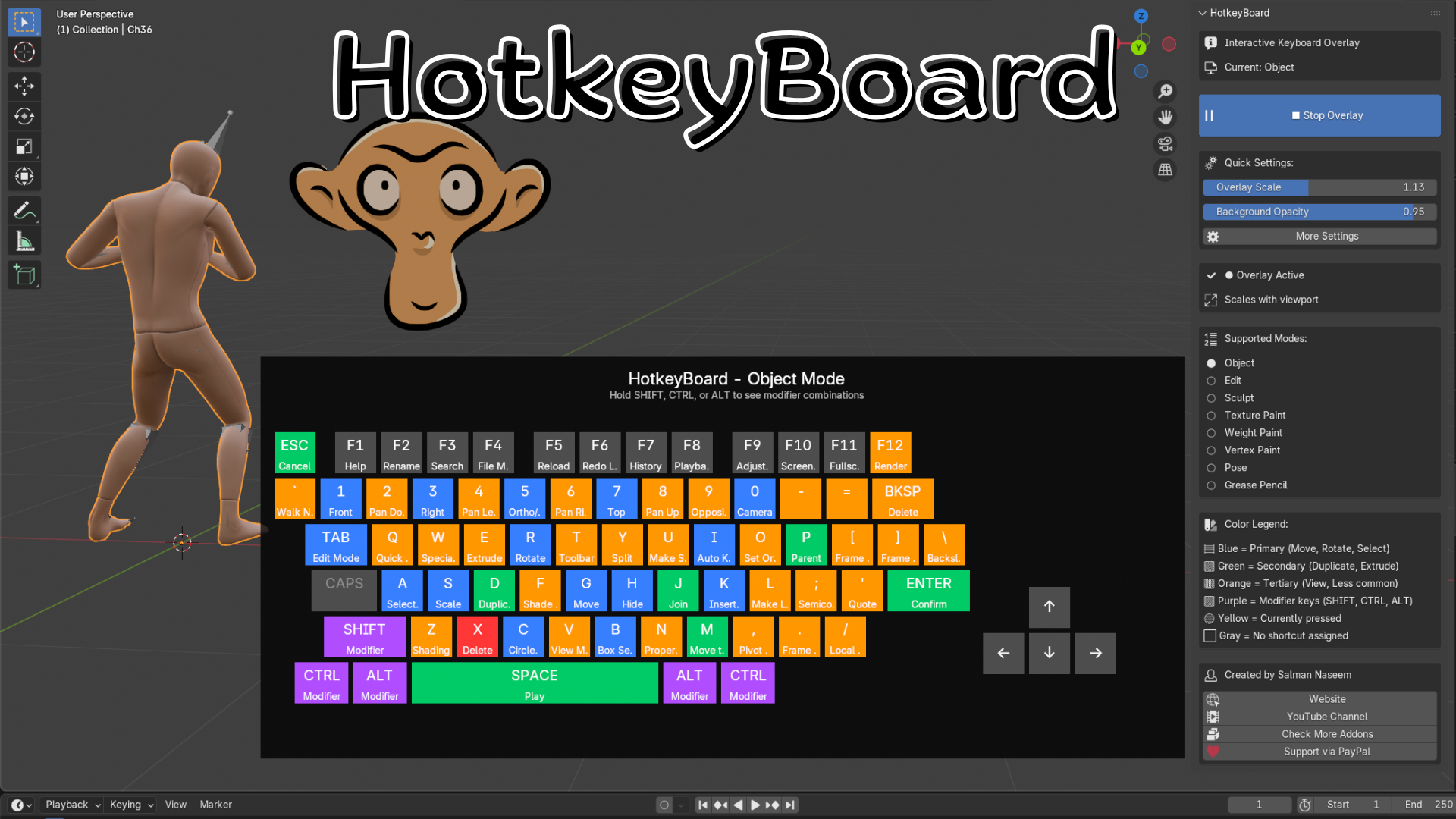
HotkeyBoard is the ultimate interactive keyboard overlay addon for Blender that helps you master 750+ keyboard shortcuts through visual learning. Whether you're a complete beginner struggling to remember hotkeys or an experienced artist wanting to discover advanced shortcuts, HotkeyBoard transforms how you learn and use Blender.
What Makes HotkeyBoard Different?
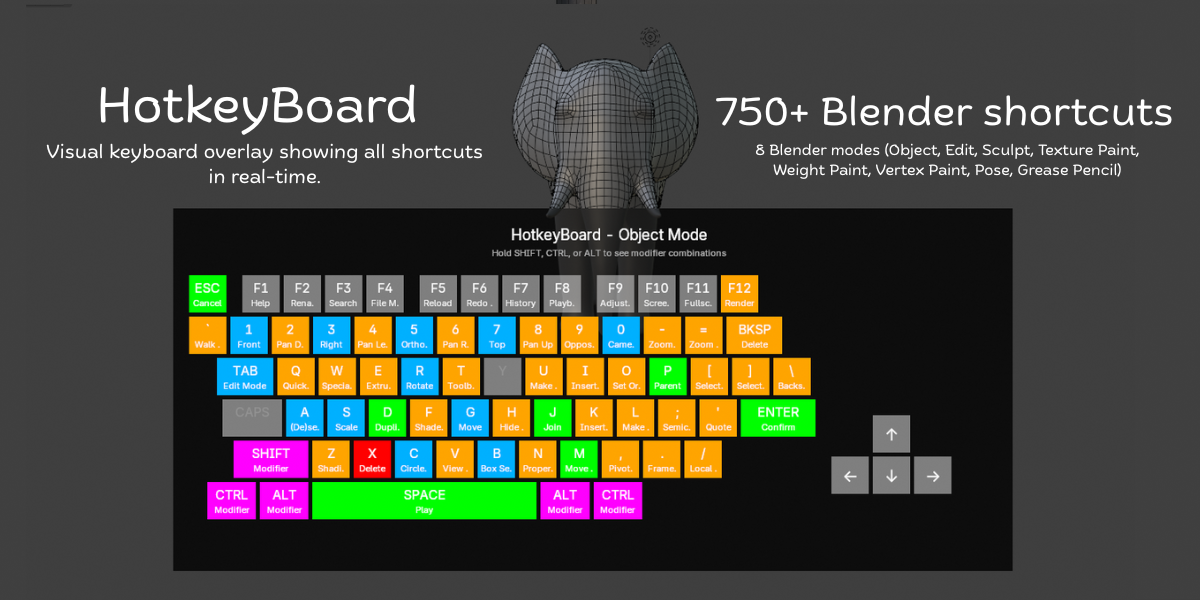
Unlike static shortcut lists or PDF cheat sheets, HotkeyBoard displays a live, interactive keyboard directly in your 3D viewport. Watch keys highlight in real-time as you press them, see shortcuts change automatically when you switch modes, and discover modifier combinations by simply holding SHIFT, CTRL, or ALT.
Key Features:
500+ Keyboard Shortcuts - Complete database covering all Blender 4.5 shortcuts
8 Mode Support - Object, Edit, Sculpt, Texture Paint, Weight Paint, Vertex Paint, Pose, and Grease Pencil modes
Real-Time Key Tracking - Keys highlight instantly as you press them (yellow feedback)
Color-Coded Priority System - Blue (primary), Green (secondary), Orange (tertiary), Purple (modifiers)
Modifier Combinations - Hold SHIFT/CTRL/ALT to see advanced shortcut combinations
Fully Scalable - Adjust from 0.4x to 2.0x or use auto-scaling
Mode-Aware - Shortcuts automatically update when you switch between modes
Smart Numpad Detection - Works with both physical numpad and emulated numpad
Customizable Opacity - Adjust background transparency (0.5 to 1.0)
Zero Performance Impact - Efficient GPU rendering, no lag


All 8 Blender Modes Covered:
Object Mode - Transform, selection, organization shortcuts
Edit Mode - Complete modeling toolset (extrude, inset, bevel, knife, etc.)
Sculpt Mode - Brush controls, masking, remeshing, sculpting tools
Texture Paint Mode - Painting, sampling, cloning, texture workflows
Weight Paint Mode - Weight painting, gradient tools, bone assignment
Vertex Paint Mode - Vertex color painting and editing
Pose Mode - Bone animation, keyframing, IK/FK switching
Grease Pencil Mode - 2D drawing, animation, editing tools
Intelligent Color System:
HotkeyBoard uses color psychology to guide your learning:
Blue Keys (Primary) - Essential shortcuts like G (Move), R (Rotate), S (Scale), A (Select All), B (Box Select), TAB (Edit Mode). Start here!
Green Keys (Secondary) - Common operations like D (Duplicate), E (Extrude), M (Merge), P (Parent), I (Insert Keyframe). Learn these next.
Orange Keys (Tertiary) - Specialized tools like Z (Shading), N (Properties), T (Toolbar), view controls, F-keys. Master when ready.
Purple Keys (Modifiers) - SHIFT, CTRL, ALT - combine with other keys for advanced functions.
Yellow Keys (Active) - Real-time highlighting of keys you're currently pressing.
Gray Keys - No shortcut assigned in current mod
✓ 500+ keyboard shortcuts database (Blender 4.5 optimized)
✓ Real-time key press tracking and highlighting
✓ Color-coded priority system (5 colors, 5 priority levels)
✓ 8 Blender modes supported (Object/Edit/Sculpt/Paint/Pose/GPencil)
✓ Modifier combination display (SHIFT/CTRL/ALT)
✓ Mode-aware automatic switching
✓ Scalable interface (0.4x - 2.0x range)
✓ Auto-scaling viewport responsive mode
✓ Adjustable background opacity (0.5 - 1.0)
✓ Smart numpad emulation detection
Perguntas frequentes
O que são produtos digitais?
Os produtos digitais da Skillshare são ferramentas, recursos e modelos criados por especialistas que estão disponíveis para compra. Com uma ampla gama de recursos para atender a todas as necessidades criativas, eles são acionáveis, tornando sua experiência de aprendizado real e inesquecível.
Como posso comprar um produto digital?
Qualquer pessoa pode comprar um produto digital na Skillshare — clique em Comprar agora para inserir suas informações de pagamento e concluir sua compra. Quando o pagamento for concluído, todos os arquivos estarão disponíveis para download instantaneamente nesta página. Você também receberá um e-mail com um link para baixar seu produto digital após a compra.
Há um limite para quantas vezes eu posso baixar um produto digital?
Não, não há limite para quantas vezes você pode baixar um produto digital. Mesmo que um produto seja removido pelo criador, geralmente você ainda pode acessar a página de download fazendo login na sua conta Skillshare.
Posso obter um reembolso ou cancelar minha compra de produto digital?
Os produtos digitais não são reembolsáveis e não podem ser devolvidos ou cancelados. Para saber mais, consulte nossa política de reembolso no Suporte da Skillshare.
Posso fazer e vender meus próprios produtos digitais?
Com certeza! Visite Como posso vender um produto digital na Skillshare? para saber como você pode criar, listar e vender seus próprios produtos digitais na Skillshare.