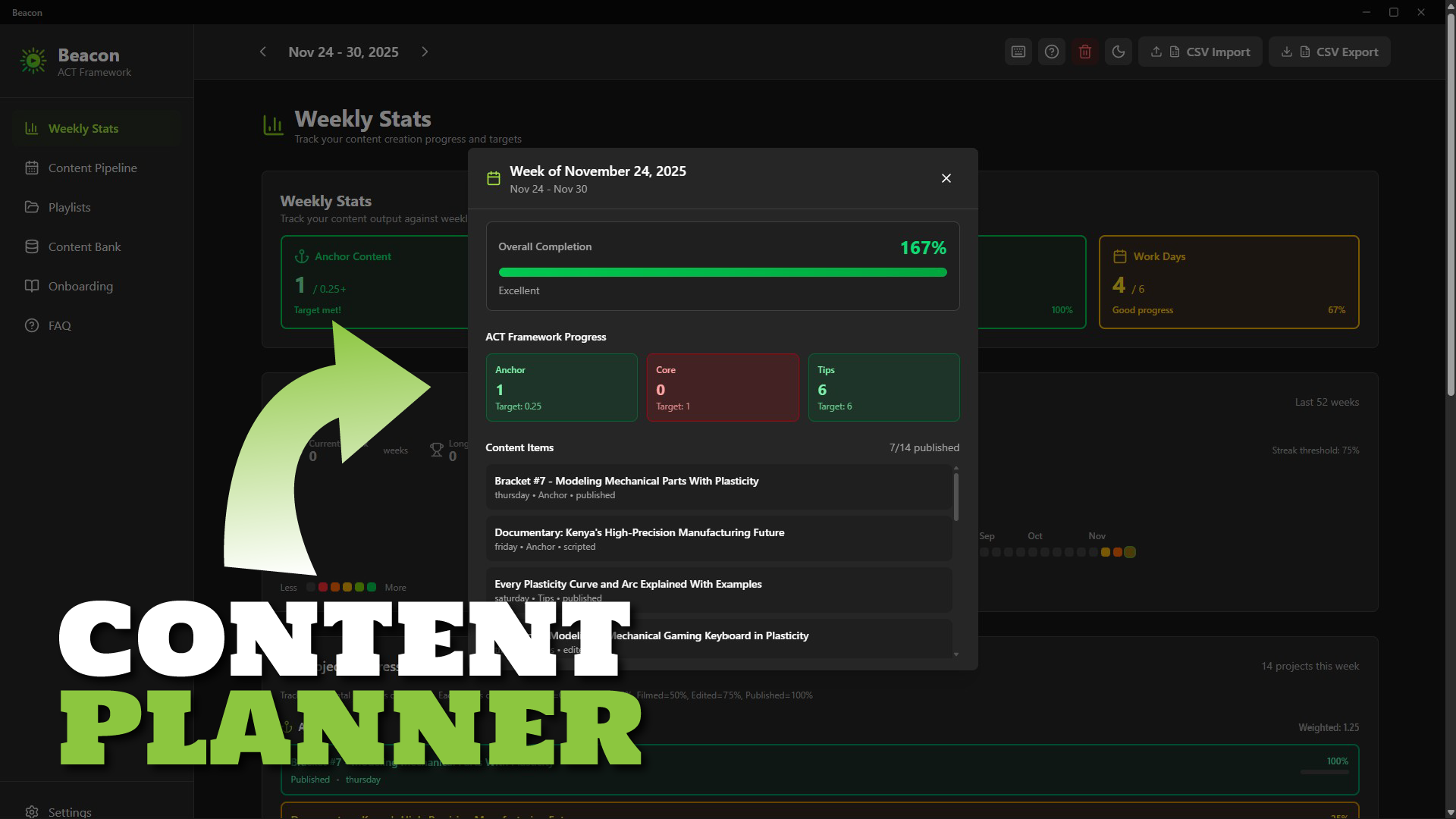
Beacon: Content Planner Software for Creators
1 mês de Skillshare
Disponível com a compraGrátis
Todas as assinaturas serão cobradas automaticamente de forma recorrente até serem canceladas. Se estiver qualificado para um teste gratuito, cancele antes que o teste termine para evitar cobranças. Oferta válida apenas para novos assinantes pagos. Veja os termos de serviço completos aqui.
Sobre este produto

Ken Mbesa
Web Designer | 3D Artist
Transform Content Chaos into Consistent Creation
Beacon is a simple, fast desktop content planning app built specifically for YouTube creators, course creators, and content entrepreneurs who want to stay consistent without using complicated project managers.
If your ideas are scattered, your publishing rhythm is shaky, or planning feels overwhelming, Beacon gives you the structure and clarity to create consistently - without feeling overloaded.
Why Creators Struggle
You have great ideas… but they end up everywhere: Notion, notes, docs, your brain.
You know consistency drives growth, but traditional tools are either too complex or too generic.
- Spreadsheets? Too manual.
- Asana/Trello? Too heavy. Best for teams.
- Project managers? Too broad.
You don’t need enterprise software - you need a weekly workflow that fits how creators work.
The Beacon Solution
A beautifully simple desktop app that helps you:
- Capture ideas instantly
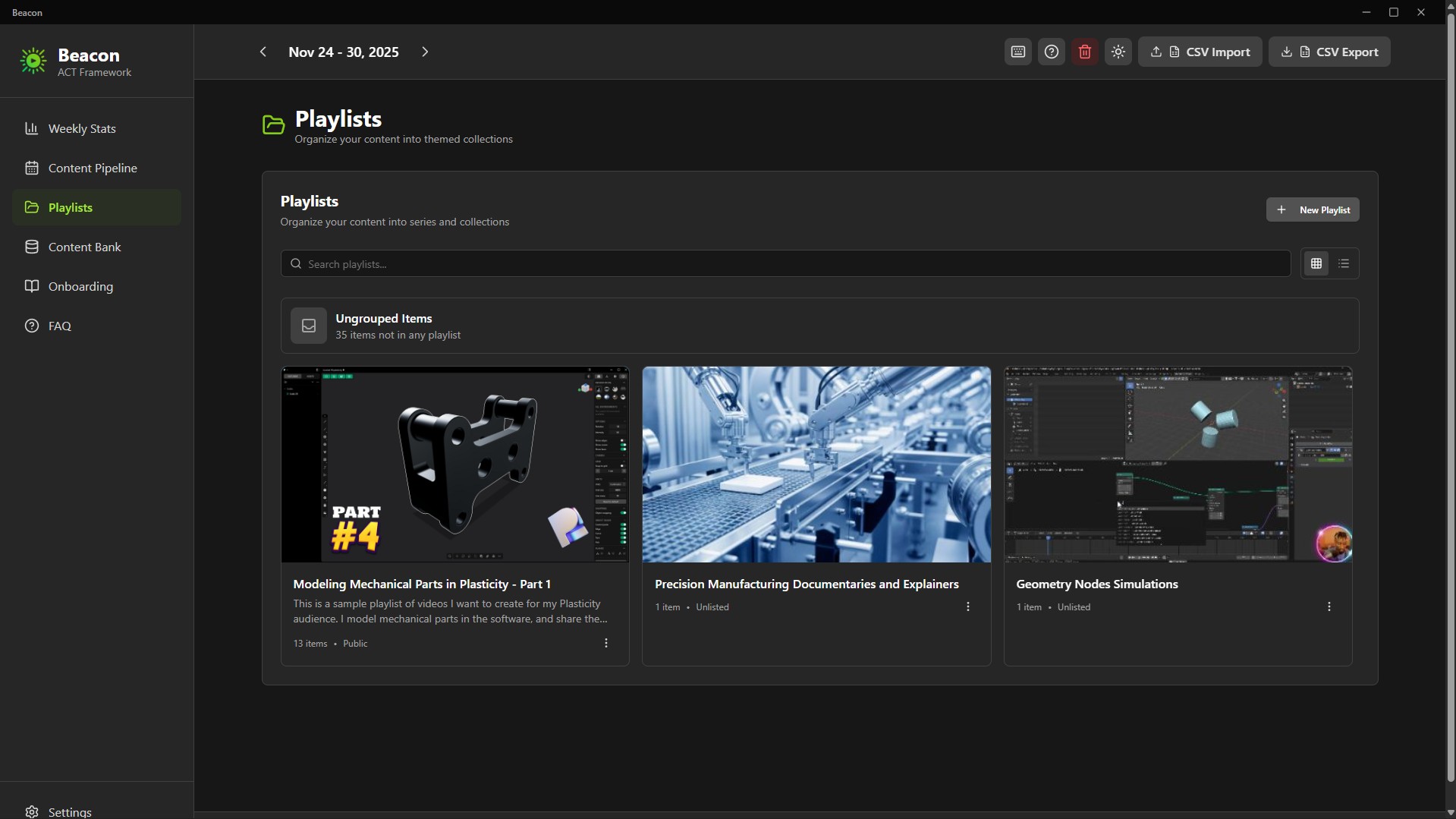
- Organize content into series/playlists
- Plan your entire week at a glance
- Track your progress (idea → published)
- Maintain consistency with zero overwhelm
Everything is stored locally on your computer - privately, securely, and forever under your control.
The ACT Framework (Built-In)
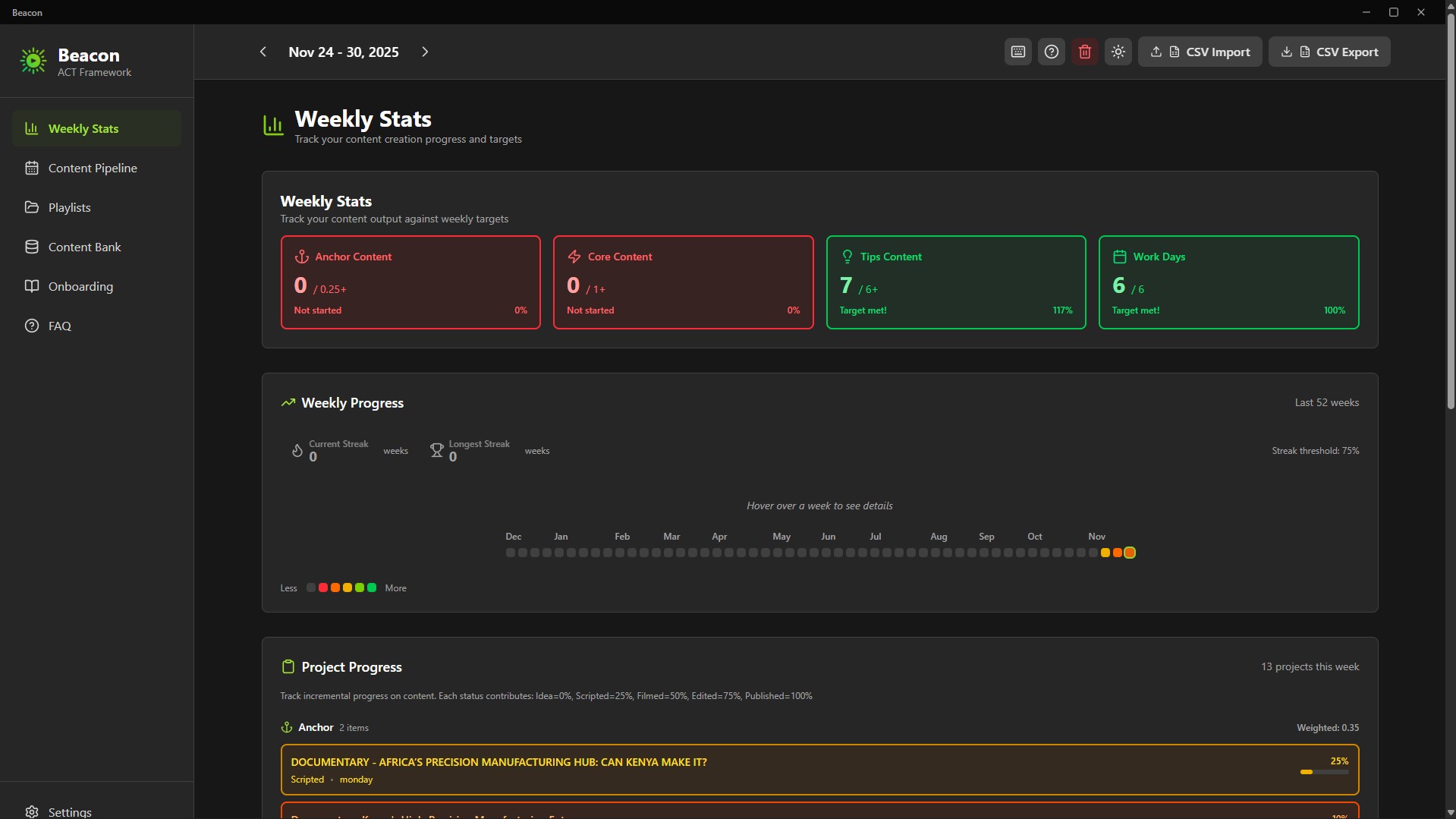
Beacon uses a strategic content rhythm called ACT:
- Anchor (At least 1/month): Big, authority-building pieces
- Core (At least 1/week): Series content your audience relies on
- Tips (At least 6/week): Fast, useful pieces to stay top-of-mind
This framework maintains visibility without burnout. Designed for creators who juggle multiple platforms and responsibilities.
Key Features
Content Bank - Your Idea Hub
Capture every idea and keep them organized until you’re ready to schedule.
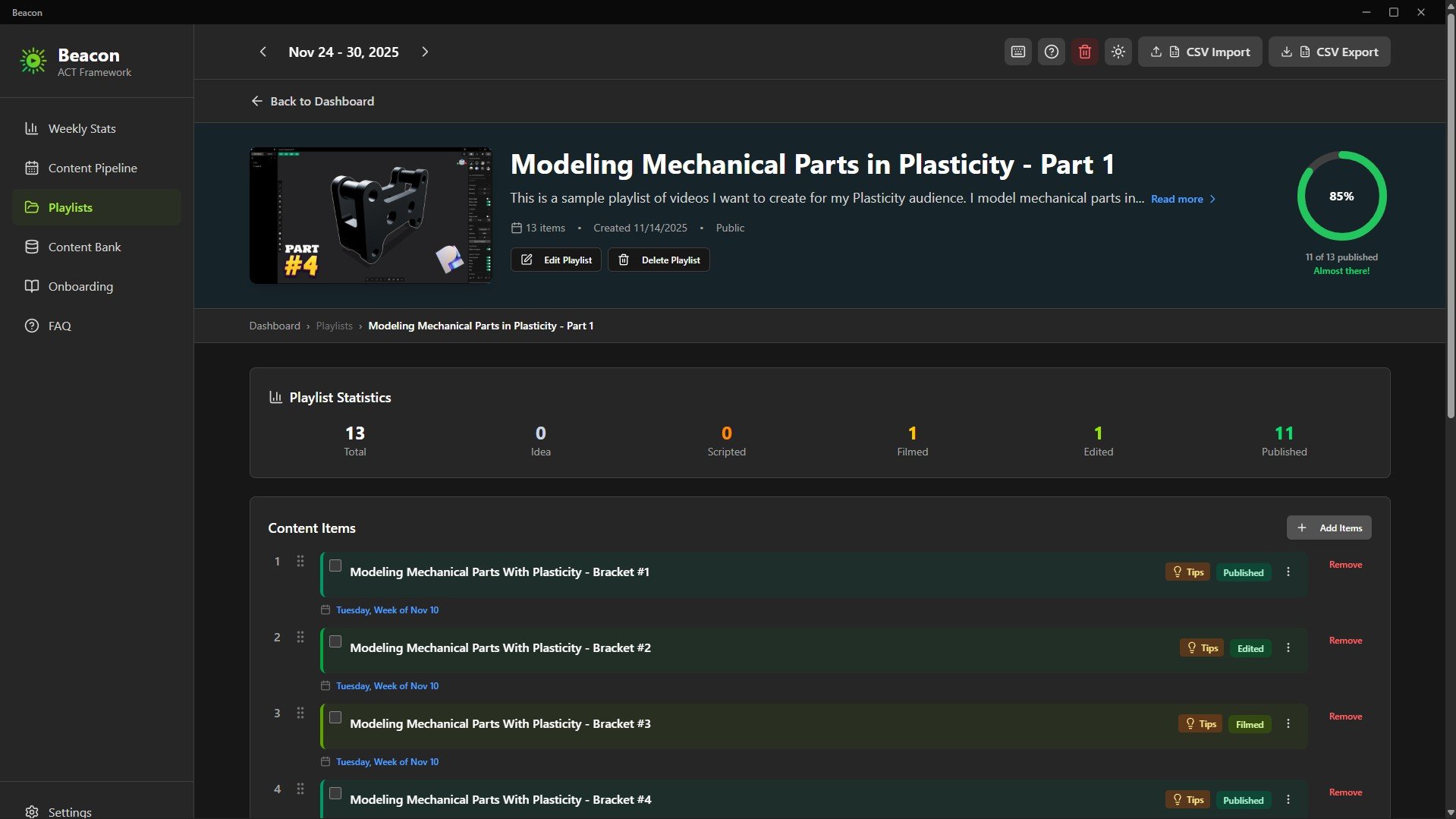
Playlists for Series & Modules
Group related content into playlists: course modules, video series, themes, or multi-part lessons.
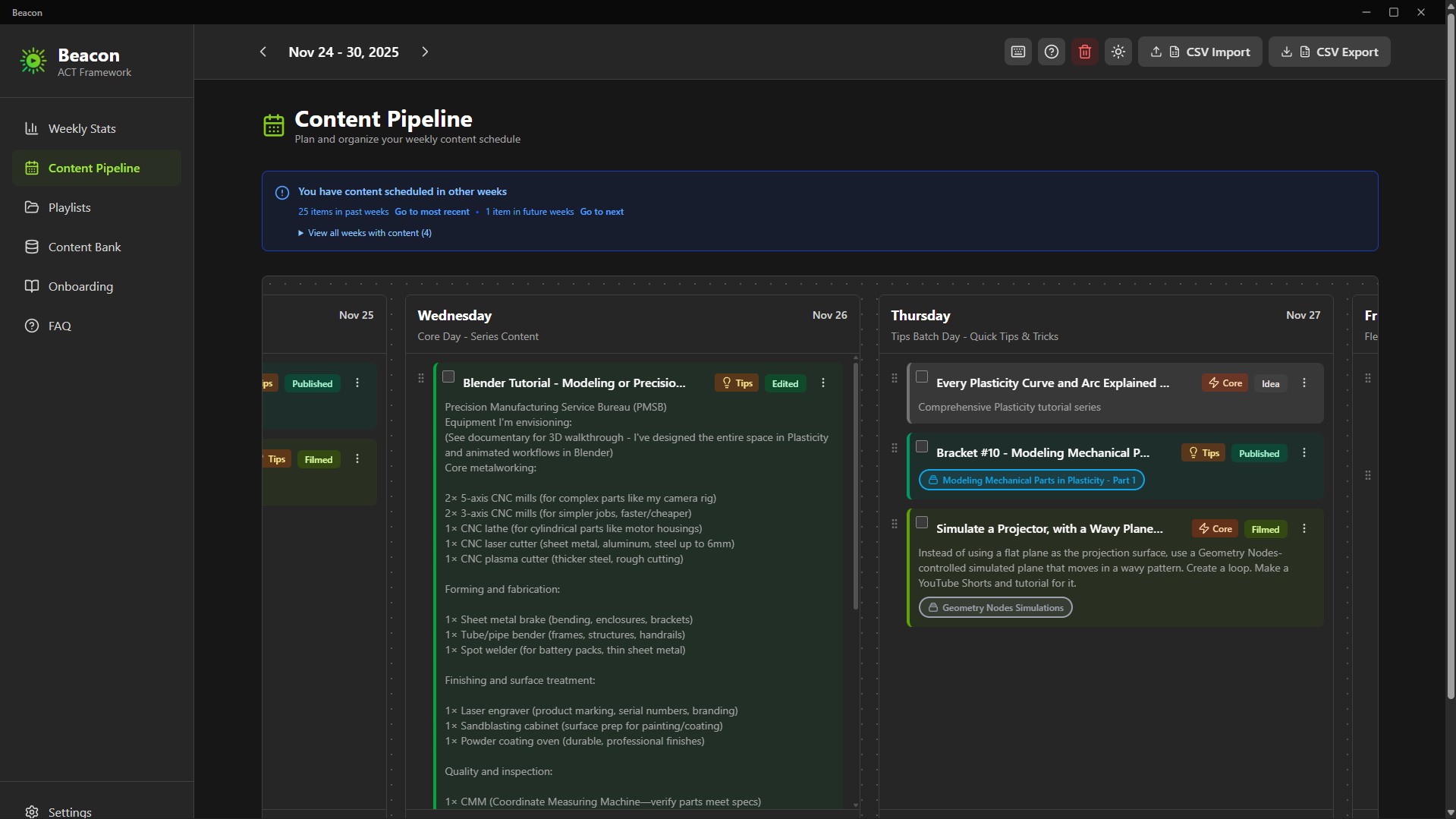
7-Day Weekly Pipeline
Drag-and-drop your week from Monday to Sunday. Know exactly what you’re publishing and when.
Progress Tracker
Track your progress through:
Idea → In Progress → Scripted → Filmed → Edited → Published
Color-coded states give you instant clarity.
52-Week Consistency Graph
A GitHub-style yearly tracker visualizes your consistency, streaks, and ACT completion. Your creative momentum becomes visible.
Unscheduling Flexibility
Changed your mind? One click unschedules content and returns it to the Content Bank - no clutter, no lost work or ideas.
Interactive Product Tour
A guided onboarding that teaches you the workflow in minutes. Replayable anytime.
Privacy & Ownership
100% Local, Zero Cloud
Your ideas stay on your machine.
Beacon is created for privacy-focused creators.
Pay once. Own it forever.
Native Desktop App
Fast, smooth performance.
What’s Included
- Beacon 2.0 Installer (.exe)
- Beacon 2.0 Portable Build (no installation required)
- Quick Start Guide
- ACT Framework Documentation
How to Plan Your Content with Beacon (Setup + Tutorial + Demo): https://youtu.be/2rkO6-mFXcE
Technical Details
- Platform: Windows 10/11
- Storage: Fully local
- Installer Size: ~94MB
- Installed Size: ~200MB
- Data Export: CSV + JSON (Supporter Tier)
- Installation: 1-minute setup
- No account required
Who should use Beacon?
- YouTube creators managing multiple series
- Online course instructors planning modules
- Content entrepreneurs publishing across platforms
- Coaches, consultants & educators building weekly content
- Anyone tired of spreadsheets or overbuilt project managers
The Philosophy Behind Beacon
Most productivity tools chase complexity.
Creators don’t need that.
Creators need clarity, rhythm, and momentum.
Beacon focuses on one essential weekly question:
“What am I creating, and when?”
Just a focused, creator-first tool that respects your time, workflow, and ownership.
You stay in control, forever.
If consistency is your challenge - Beacon is your tool.
Perguntas frequentes
O que são produtos digitais?
Os produtos digitais da Skillshare são ferramentas, recursos e modelos criados por especialistas que estão disponíveis para compra. Com uma ampla gama de recursos para atender a todas as necessidades criativas, eles são acionáveis, tornando sua experiência de aprendizado real e inesquecível.
Como posso comprar um produto digital?
Qualquer pessoa pode comprar um produto digital na Skillshare — clique em Comprar agora para inserir suas informações de pagamento e concluir sua compra. Quando o pagamento for concluído, todos os arquivos estarão disponíveis para download instantaneamente nesta página. Você também receberá um e-mail com um link para baixar seu produto digital após a compra.
Há um limite para quantas vezes eu posso baixar um produto digital?
Não, não há limite para quantas vezes você pode baixar um produto digital. Mesmo que um produto seja removido pelo criador, geralmente você ainda pode acessar a página de download fazendo login na sua conta Skillshare.
Posso obter um reembolso ou cancelar minha compra de produto digital?
Os produtos digitais não são reembolsáveis e não podem ser devolvidos ou cancelados. Para saber mais, consulte nossa política de reembolso no Suporte da Skillshare.
Posso fazer e vender meus próprios produtos digitais?
Com certeza! Visite Como posso vender um produto digital na Skillshare? para saber como você pode criar, listar e vender seus próprios produtos digitais na Skillshare.