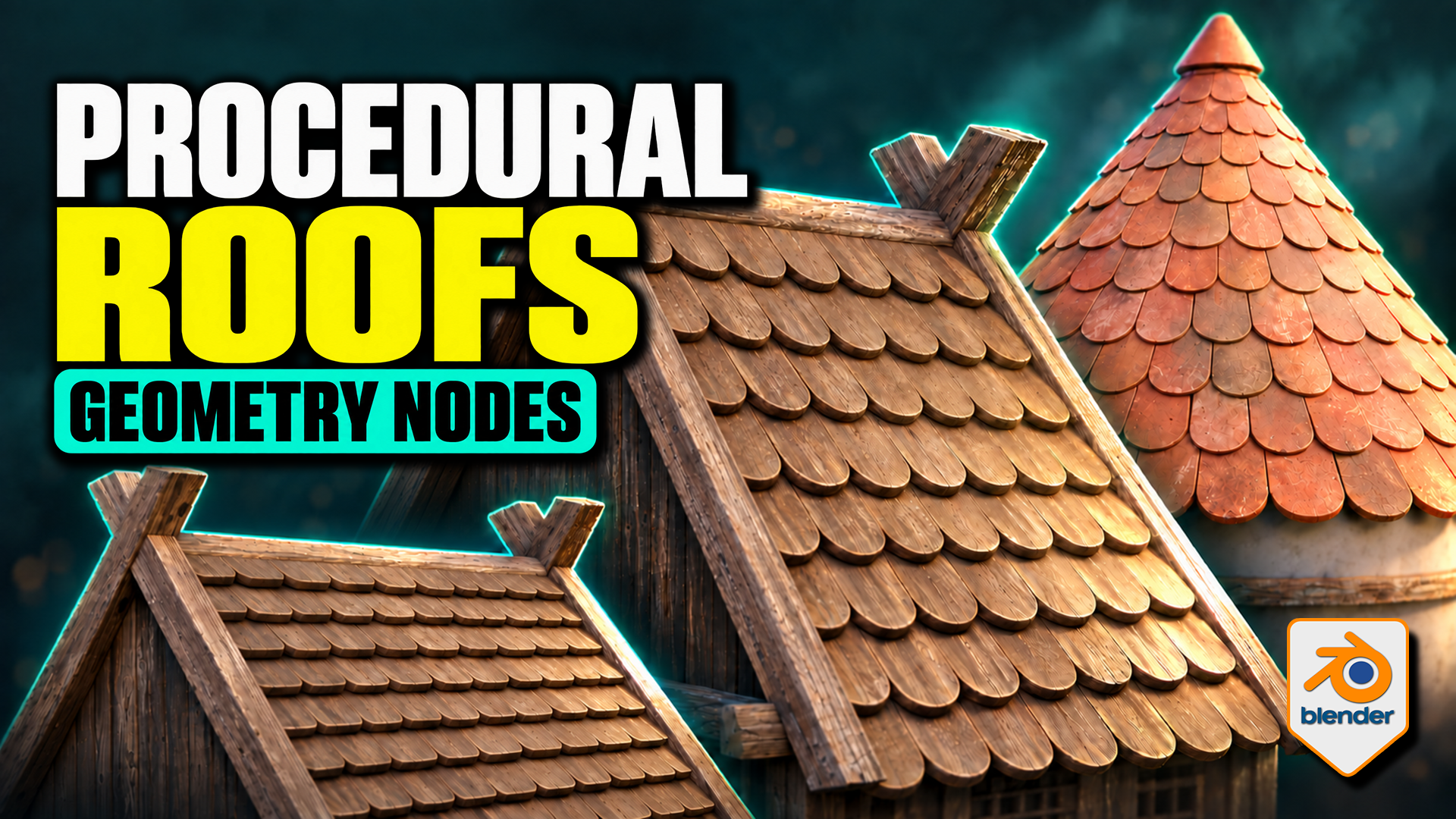
Roof Tiles Generator for Blender
1 mês de Skillshare
Disponível com a compraGrátis
Todas as assinaturas serão cobradas automaticamente de forma recorrente até serem canceladas. Se estiver qualificado para um teste gratuito, cancele antes que o teste termine para evitar cobranças. Oferta válida apenas para novos assinantes pagos. Veja os termos de serviço completos aqui.
Sobre este produto

3D Tudor
Bestselling Blender Author & 3D Educator
Turn a tile design into an editable roof pattern. This 3D Tudor Geometry Nodes product lets you use a single tile object or a collection of tile meshes across flat and pitched roofs, domes and spires. Bring your own prepared tile designs or start with the included Wood, Stone and Ceramic sources.
Overlapping tiles follow the pitched roof on this timber building example made with the 3D Tudor roof-tile setup.
Choose the workflow for your roof
Flat and Pitched: adjust tile amount, overlap, row offset, surface clearance and seating. Refine the bottom, side and top overhangs, then introduce rotation or size variation where it suits the building.
Terracotta-coloured tiles narrow towards the top of the conical roof, with a separate cap finishing the crown.
Shape a dome or spire
Radius, height and midpoint width define the curved roof. Switch Spire on for a straight-sided cone. Refine the upper rows with Top Tile Size, use Dome Crown Fit for the dome crown, and finish with a separate cap object.
Use your own tile meshes
Both generators provide Tile Object and Tile Collection inputs. For Flat and Pitched, local X is width, local Y points uphill and local Z is thickness. Collection members should have matching local origins, orientations and approximate sizes. The supplied meshes provide useful references; custom tiles may need preparation.
Wood, stone and ceramic tile sources provide references for preparing your own objects and matching collection variants.
What is in the download?
- Two native Blender files: seven prepared roof setups and three building compositions.
- Twelve clean source tiles: Wood, Stone and Ceramic in four shapes each, plus an eleven-object Ceramic Damage Mix.
- Packed 1024 × 1024 base-colour, normal and roughness textures for the three tile materials.
- A Getting Started guide for the files, custom tile inputs and layout controls.
- Six silent videos: three building turntables and full flat/pitched, dome/spire and material demonstrations.
Surface appearance and requirements
The supplied compatible shaders expose tint, contrast, per-tile colour variation, roughness, normals, edge wear, AO colour, moss and UV controls. Custom materials need their own setup; edge wear is intended for Cycles.
Checked in Blender 5.1.2 with Cycles. No add-on installation is required. Earlier versions and other render engines have not been verified. The buildings are supplied example meshes; the procedural tools arrange the roof tiles.
Extract the Blender Files and Guide ZIP, open START HERE, then begin with a roof in the Setups file. Download the separate Silent Demonstrations ZIP to follow the controls at your own pace.
Perguntas frequentes
O que são produtos digitais?
Os produtos digitais da Skillshare são ferramentas, recursos e modelos criados por especialistas que estão disponíveis para compra. Com uma ampla gama de recursos para atender a todas as necessidades criativas, eles são acionáveis, tornando sua experiência de aprendizado real e inesquecível.
Como posso comprar um produto digital?
Qualquer pessoa pode comprar um produto digital na Skillshare — clique em Comprar agora para inserir suas informações de pagamento e concluir sua compra. Quando o pagamento for concluído, todos os arquivos estarão disponíveis para download instantaneamente nesta página. Você também receberá um e-mail com um link para baixar seu produto digital após a compra.
Há um limite para quantas vezes eu posso baixar um produto digital?
Não, não há limite para quantas vezes você pode baixar um produto digital. Mesmo que um produto seja removido pelo criador, geralmente você ainda pode acessar a página de download fazendo login na sua conta Skillshare.
Posso obter um reembolso ou cancelar minha compra de produto digital?
Os produtos digitais não são reembolsáveis e não podem ser devolvidos ou cancelados. Para saber mais, consulte nossa política de reembolso no Suporte da Skillshare.
Posso fazer e vender meus próprios produtos digitais?
Com certeza! Visite Como posso vender um produto digital na Skillshare? para saber como você pode criar, listar e vender seus próprios produtos digitais na Skillshare.