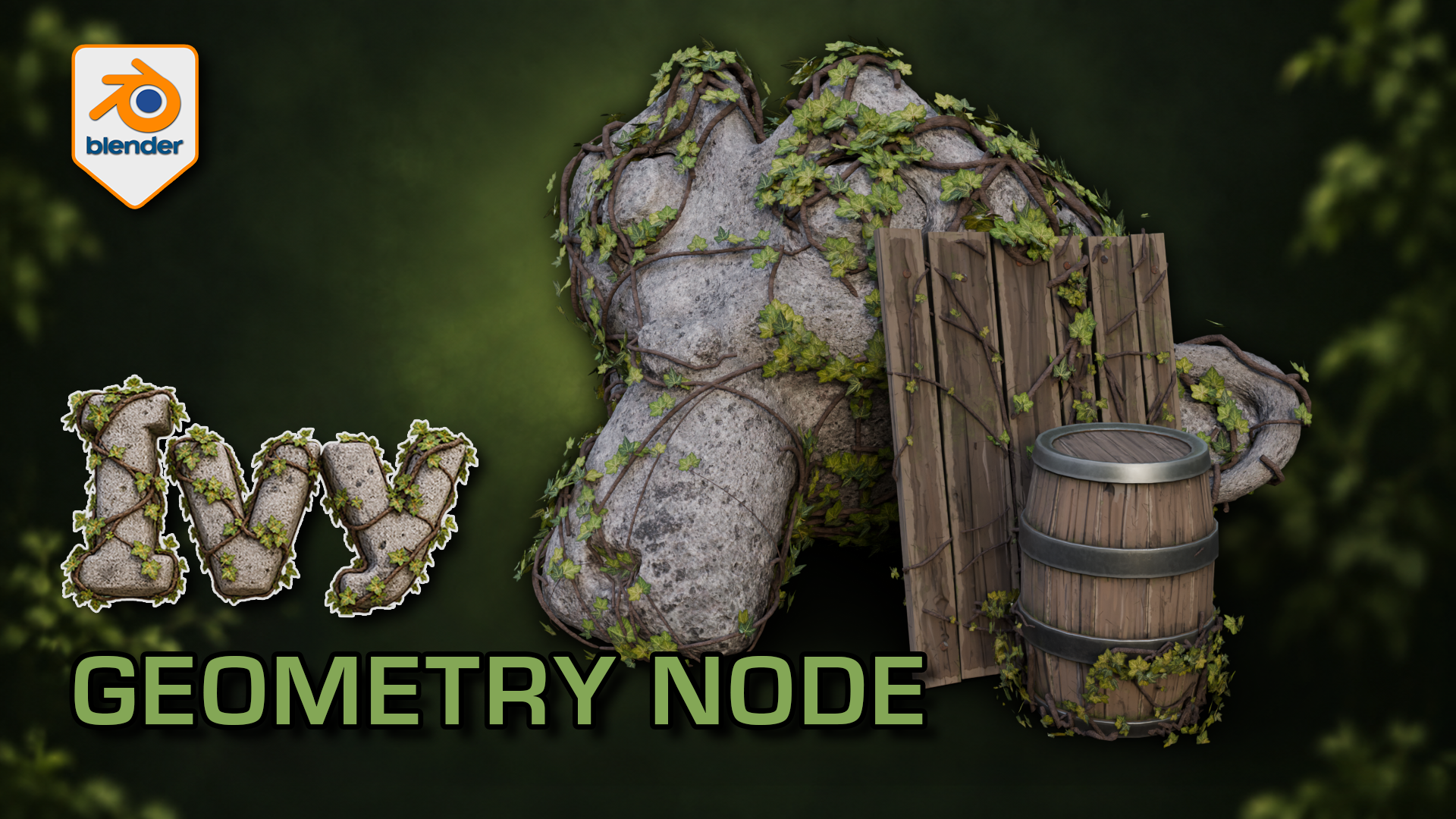
Ivy Generator for Blender: Geometry Nodes
1 mês de Skillshare
Disponível com a compraGrátis
Todas as assinaturas serão cobradas automaticamente de forma recorrente até serem canceladas. Se estiver qualificado para um teste gratuito, cancele antes que o teste termine para evitar cobranças. Oferta válida apenas para novos assinantes pagos. Veja os termos de serviço completos aqui.
Sobre este produto

3D Tudor
Bestselling Blender Author & 3D Educator
Watch the Ivy Generator in action: 3D Tudor’s Blender generator video overview on YouTube.
Give a familiar prop an overgrown finish while practising a more deliberate foliage workflow. This 3D Tudor Blender resource includes two prepared ivy arrangements and an editable Geometry Nodes modifier with 39 controls.
Try it in three passes
First, move a start point and adjust the spread around the supplied surfaces. Next, change the balance between the leafy centre and the lighter outer growth. Finally, refine the stem shape and leaf appearance with the camera angle in mind.
The included silent demonstrations let you watch the controls being explored. Use the Getting Started guide alongside the Blender file, then try the same process on your own scene. This is a downloadable creative tool and reference project, rather than a narrated class.
What you receive
- One native Blender Geometry Nodes ivy generator with 39 exposed controls across six panels.
- Two prepared ivy setups, with start-point and target-surface collections already connected.
- Five supporting leaf meshes, stem materials and packed image textures inside the project.
- The supplied demonstration scene with stone and wooden props, plus a Getting Started guide.
- Two full silent control demonstrations and a 12-second rendered arcshot in a separate download.
Use Blender 5.1.2 and Cycles, the combination checked for this file. No addon installation is required. Earlier Blender versions and equivalent Eevee results have not been verified. For a game-engine project, prepare your own export, materials, collision and performance settings after building the ivy in Blender.
Ivy stems cross the rock and timber surfaces while clusters of leaves leave the underlying forms readable.
Solid shading separates the leaf meshes and stems from their textures; the modifier exposes placement and optimisation controls.
The wireframe view helps inspect how the procedural ivy geometry sits around the supplied example surfaces.
The gallery includes short excerpts from each controls demonstration; both complete recordings are included in the downloadable video ZIP.
Perguntas frequentes
O que são produtos digitais?
Os produtos digitais da Skillshare são ferramentas, recursos e modelos criados por especialistas que estão disponíveis para compra. Com uma ampla gama de recursos para atender a todas as necessidades criativas, eles são acionáveis, tornando sua experiência de aprendizado real e inesquecível.
Como posso comprar um produto digital?
Qualquer pessoa pode comprar um produto digital na Skillshare — clique em Comprar agora para inserir suas informações de pagamento e concluir sua compra. Quando o pagamento for concluído, todos os arquivos estarão disponíveis para download instantaneamente nesta página. Você também receberá um e-mail com um link para baixar seu produto digital após a compra.
Há um limite para quantas vezes eu posso baixar um produto digital?
Não, não há limite para quantas vezes você pode baixar um produto digital. Mesmo que um produto seja removido pelo criador, geralmente você ainda pode acessar a página de download fazendo login na sua conta Skillshare.
Posso obter um reembolso ou cancelar minha compra de produto digital?
Os produtos digitais não são reembolsáveis e não podem ser devolvidos ou cancelados. Para saber mais, consulte nossa política de reembolso no Suporte da Skillshare.
Posso fazer e vender meus próprios produtos digitais?
Com certeza! Visite Como posso vender um produto digital na Skillshare? para saber como você pode criar, listar e vender seus próprios produtos digitais na Skillshare.