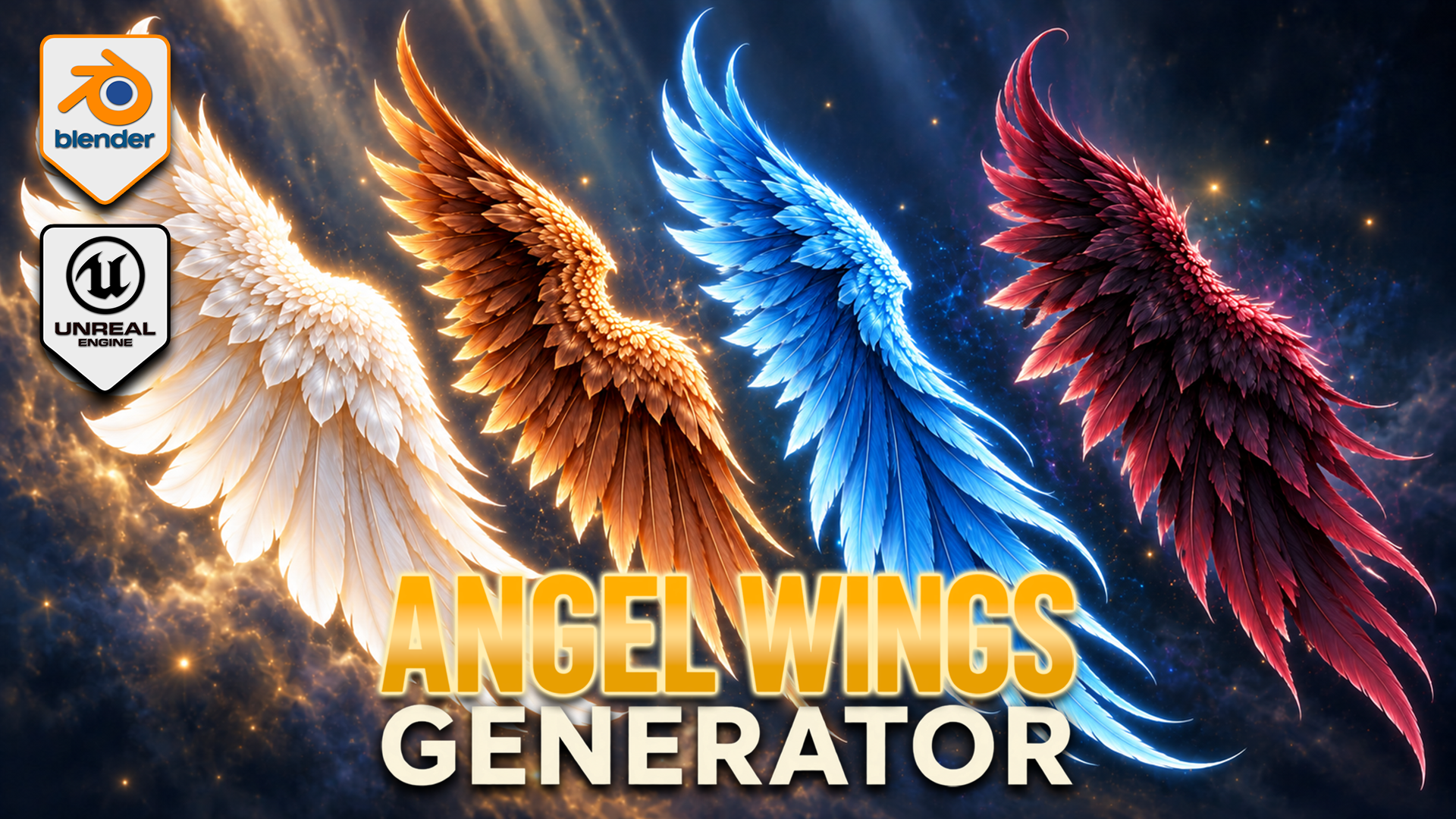
Angel Wings Generator for Blender
1 mês de Skillshare
Disponível com a compraGrátis
Todas as assinaturas serão cobradas automaticamente de forma recorrente até serem canceladas. Se estiver qualificado para um teste gratuito, cancele antes que o teste termine para evitar cobranças. Oferta válida apenas para novos assinantes pagos. Veja os termos de serviço completos aqui.
Sobre este produto

3D Tudor
Bestselling Blender Author & 3D Educator
Build feathered wings around your fantasy character with an editable Blender Geometry Nodes generator. Shape the outline, develop the overlapping feather layers and pose each wing independently, then explore colour and procedural movement within the same setup.
SHAPE FIRST, DETAIL SECOND
Adjust span, height, depth, cupping and sweep to establish the silhouette. Shoulder shape and root placement help fit the wings around your reference. Independent left and right controls support asymmetric poses, with raise, elbow bend, wrist bend, twist and fold settings for the gesture.
DEVELOP THE FEATHER LAYERS
Flight, cover and upper feather layers have controls for length, width, density, fan and roll. Refine curl, camber, taper and tip twist, then use seeded variation to break up repetition. Attachment, fluff and top-wrap sections help develop the root and upper edge.
The twelve feather texture styles are starting forms inside the generator, not twelve fixed finished wing models. Combine the layers and shape controls to develop your own design. Feather colour, variation colour, root tint and vertical tint support pale, dark or vivid fantasy palettes.
POSE AND ANIMATE
Procedural flapping controls include speed and strength, independent timing, wave delay, elbow and wrist follow, recovery fold and feather follow-through. This is a creative wing-motion system, not flight physics or a complete character rig. Draft, Standard and Full settings let you choose the feather-card geometry level for your scene.
YOUR DOWNLOADS
• Blender archive: native wing-generator file, optional exporter v0.13.0 and installation notes.
• Texture archive: twelve feather textures, three scene textures and one environment image.
• Start Here text file: opening instructions.
The native Blender file contains five wing control objects and packed image resources. The main generator has 153 exposed inputs covering shape, pose, feathers, animation and shading. It was inspected in Blender 5.2.2 LTS.
GETTING STARTED
Read Start Here, extract the Blender archive and open the native project. Select a wing control object and establish the broad outline before refining the feather layers. Develop the pose, then colour and motion. Follow the separate installation notes if you want to use the optional exporter.
This is a downloadable tool package, not a Skillshare class. Presentation characters and atmospheric promotional backgrounds illustrate the theme; a separately licensed character asset and those background scenes are not included.
Happy modelling everyone!
Neil – 3D Tudor
Perguntas frequentes
O que são produtos digitais?
Os produtos digitais da Skillshare são ferramentas, recursos e modelos criados por especialistas que estão disponíveis para compra. Com uma ampla gama de recursos para atender a todas as necessidades criativas, eles são acionáveis, tornando sua experiência de aprendizado real e inesquecível.
Como posso comprar um produto digital?
Qualquer pessoa pode comprar um produto digital na Skillshare — clique em Comprar agora para inserir suas informações de pagamento e concluir sua compra. Quando o pagamento for concluído, todos os arquivos estarão disponíveis para download instantaneamente nesta página. Você também receberá um e-mail com um link para baixar seu produto digital após a compra.
Há um limite para quantas vezes eu posso baixar um produto digital?
Não, não há limite para quantas vezes você pode baixar um produto digital. Mesmo que um produto seja removido pelo criador, geralmente você ainda pode acessar a página de download fazendo login na sua conta Skillshare.
Posso obter um reembolso ou cancelar minha compra de produto digital?
Os produtos digitais não são reembolsáveis e não podem ser devolvidos ou cancelados. Para saber mais, consulte nossa política de reembolso no Suporte da Skillshare.
Posso fazer e vender meus próprios produtos digitais?
Com certeza! Visite Como posso vender um produto digital na Skillshare? para saber como você pode criar, listar e vender seus próprios produtos digitais na Skillshare.