Smart Morph - Body and Face Shape Sliders
1 mês de Skillshare
Disponível com a compraGrátis
Todas as assinaturas serão cobradas automaticamente de forma recorrente até serem canceladas. Se estiver qualificado para um teste gratuito, cancele antes que o teste termine para evitar cobranças. Oferta válida apenas para novos assinantes pagos. Veja os termos de serviço completos aqui.
Sobre este produto

Junaid Alam
3D Artist
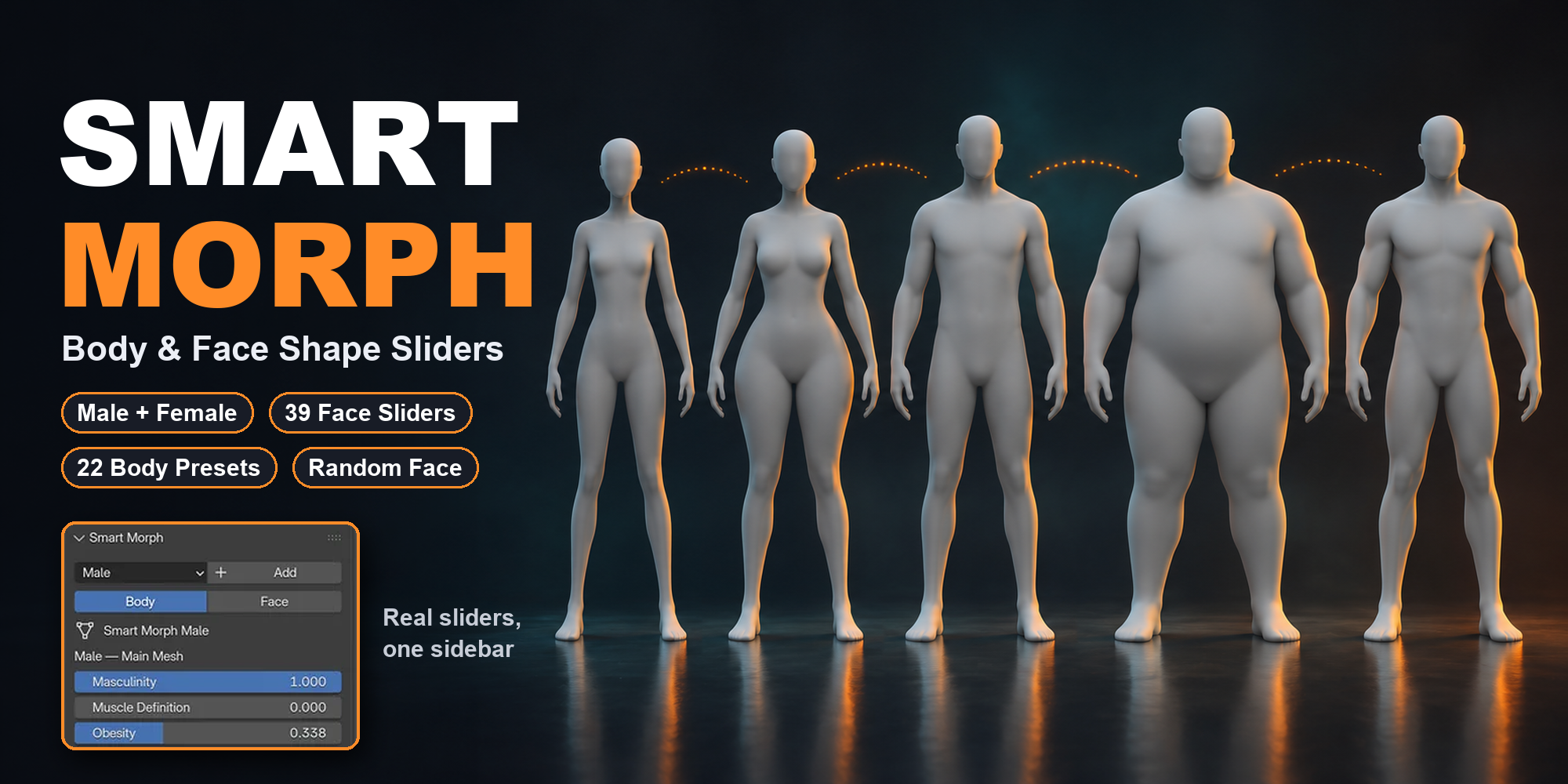
Shape male and female base meshes in Blender with sliders instead of sculpting. Body and face proportions, 22 body type presets, Random Face and saved custom presets.
The problem
Every new character needs a different body. In plain Blender that means sculpting, proportional editing or building shape keys one by one. It is slow and hard to repeat.
The solution
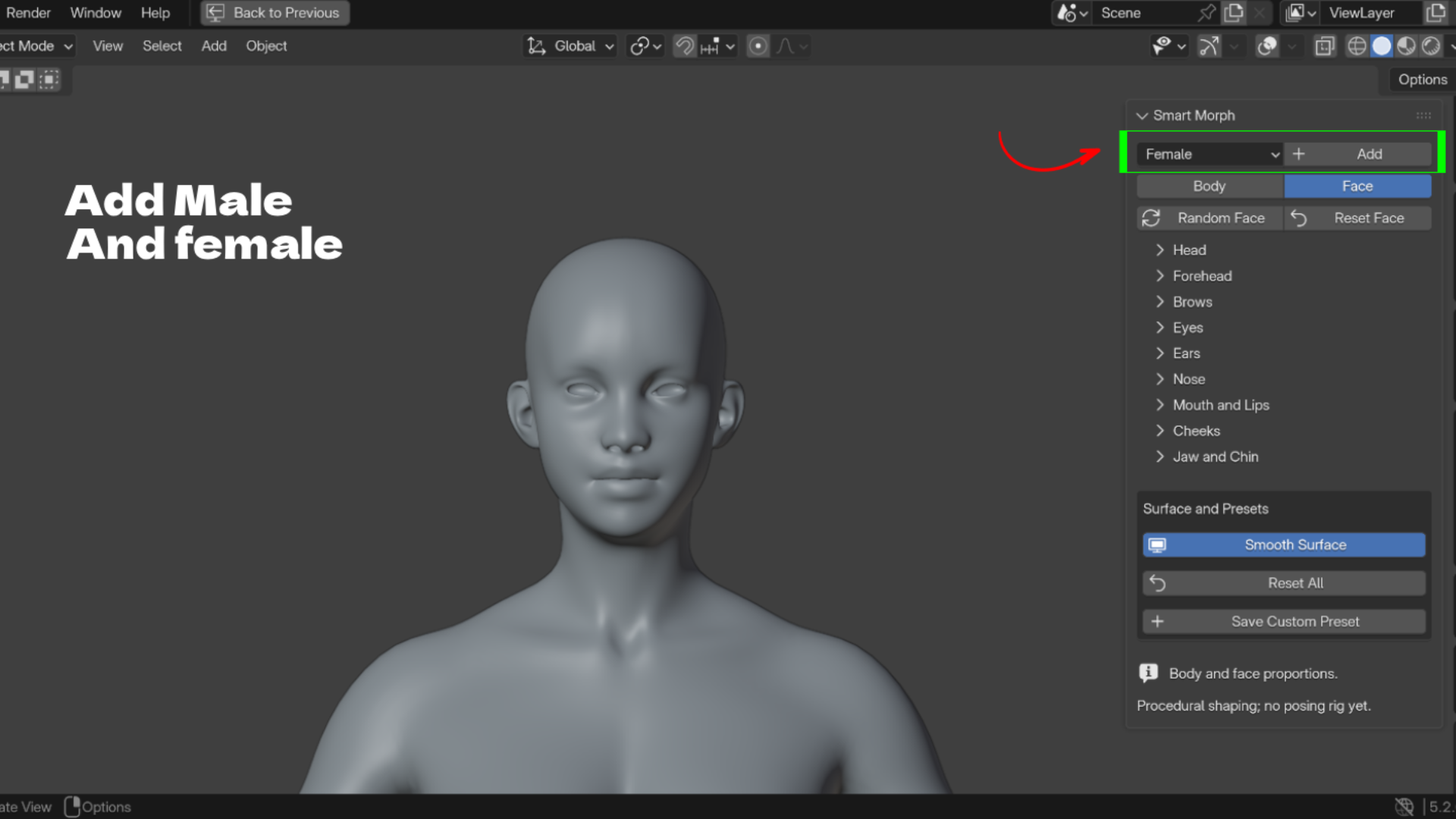
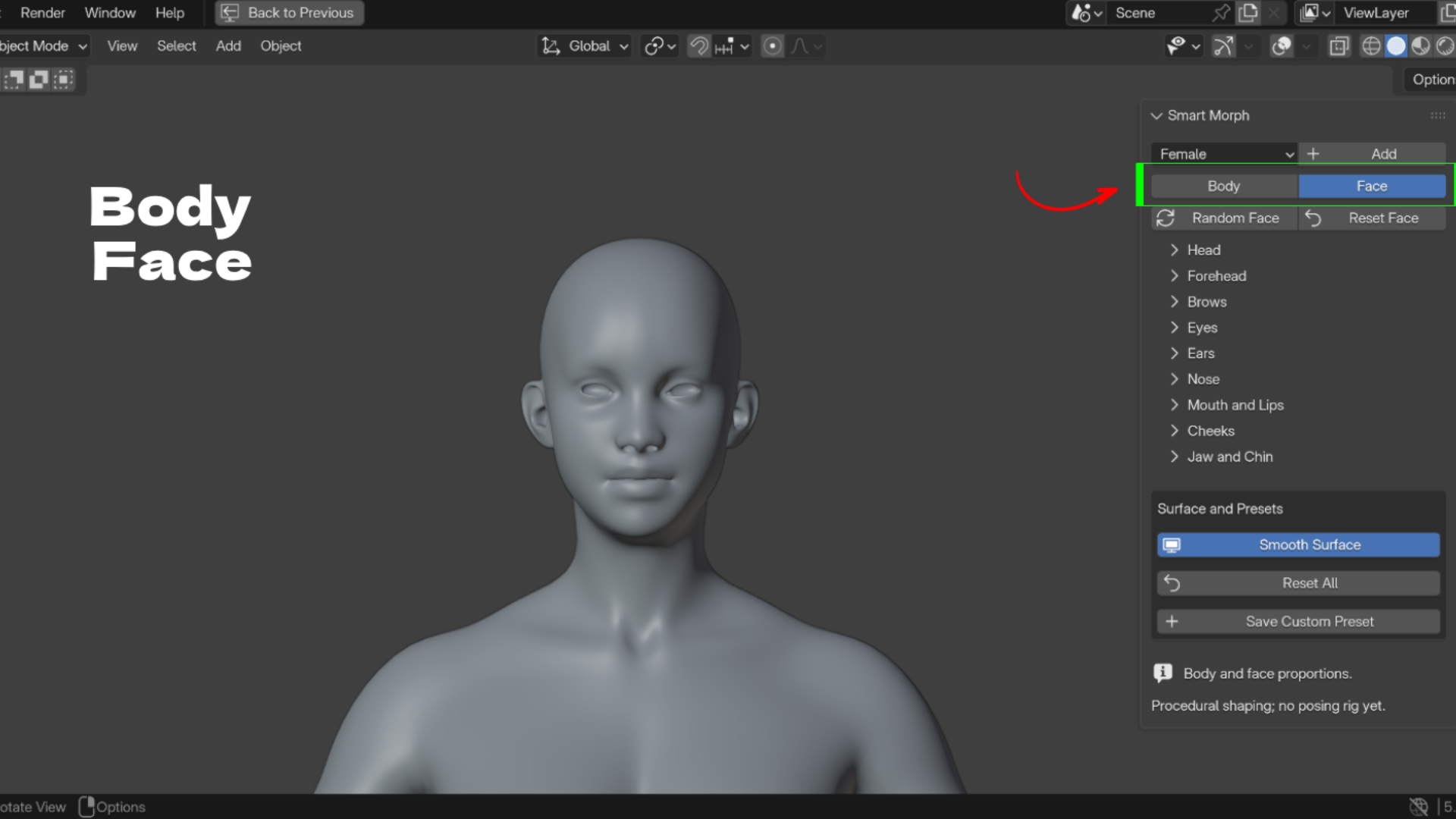
Smart Morph gives you a female and a male base mesh with proportion sliders already built in. Add a character, pick Body or Face, and drag sliders. Left and right sides stay linked.
Key Features
- Female and Male base meshes: add either one at the 3D cursor with one click.
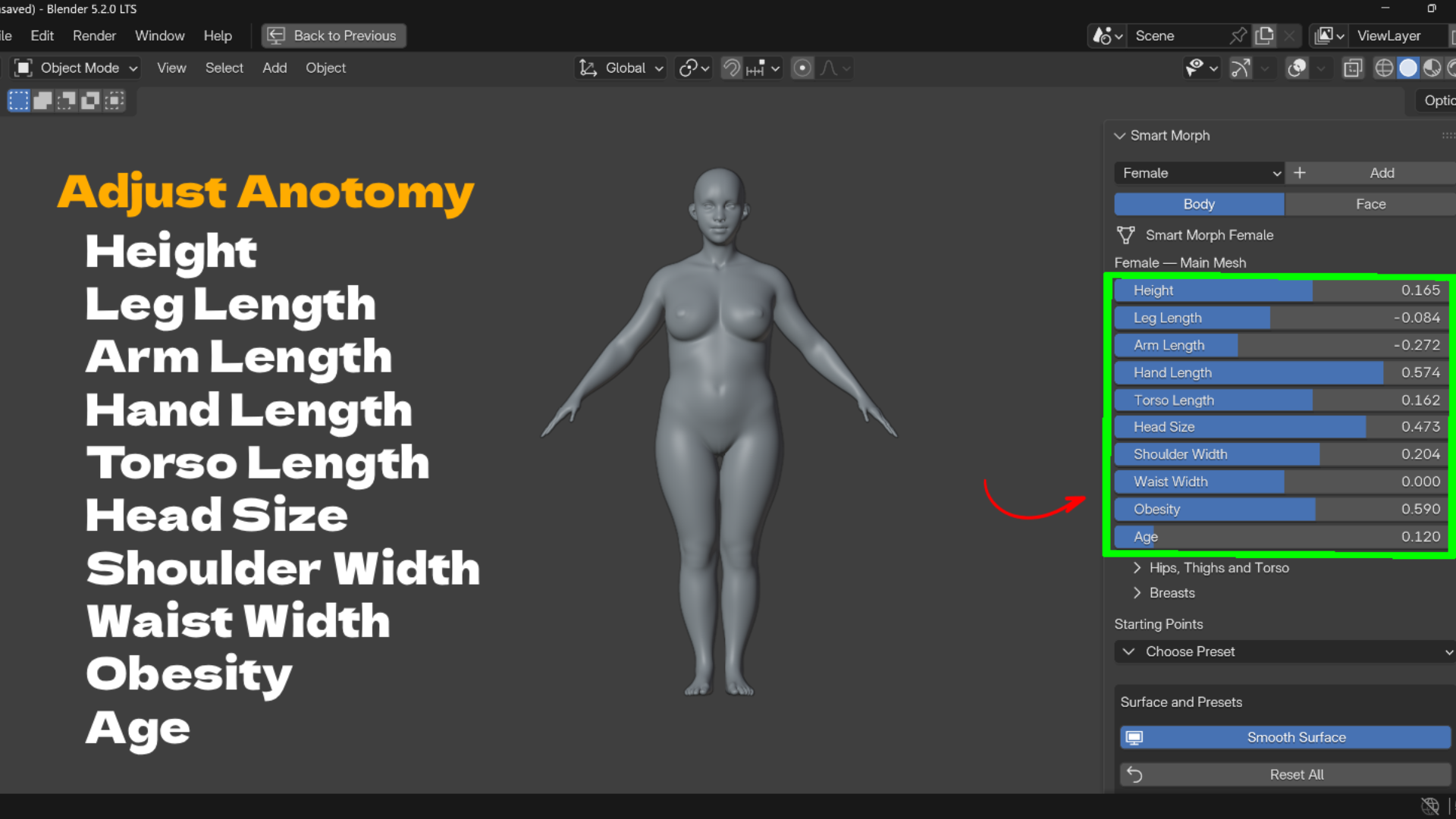
- Body proportion sliders: height, limb lengths, torso, head size, shoulders, waist, hips and more.
- Smart length controls: feet stay grounded, hands follow arm length, head and arms follow the torso.
- Body build controls: obesity, age, belly size and belly drop on both bodies; masculinity and muscle definition on the male.
- Female specific controls: breast volume, spacing, projection, upper and lower fullness, and hang.
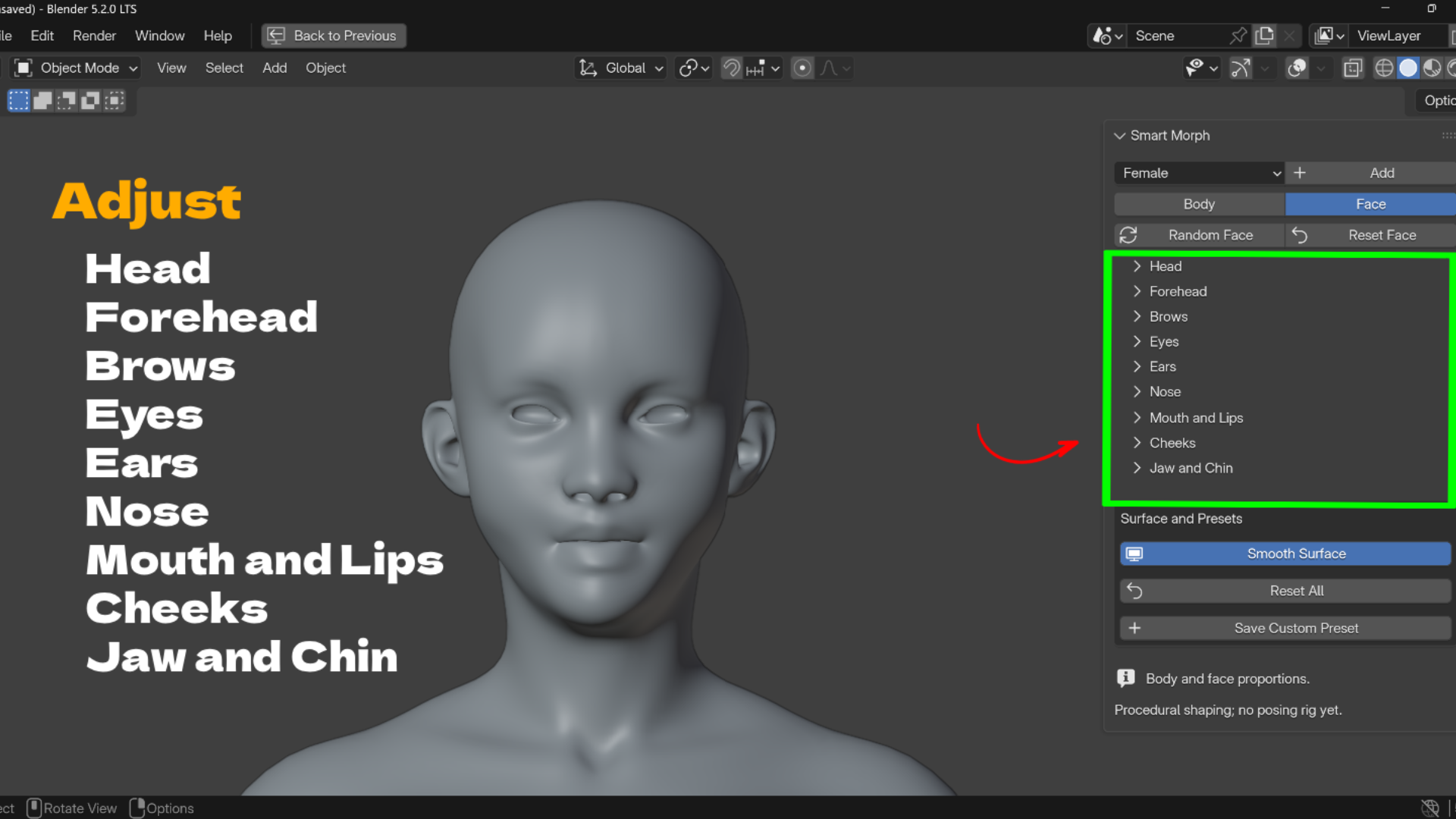
- 39 face shape sliders: head, forehead, brows, eyes, ears, nose, mouth and lips, cheeks, jaw and chin.
- Left and right offsets: for eyes, ears and cheeks.
- Random Face: creates a new face and leaves body proportions, transforms and presets alone.
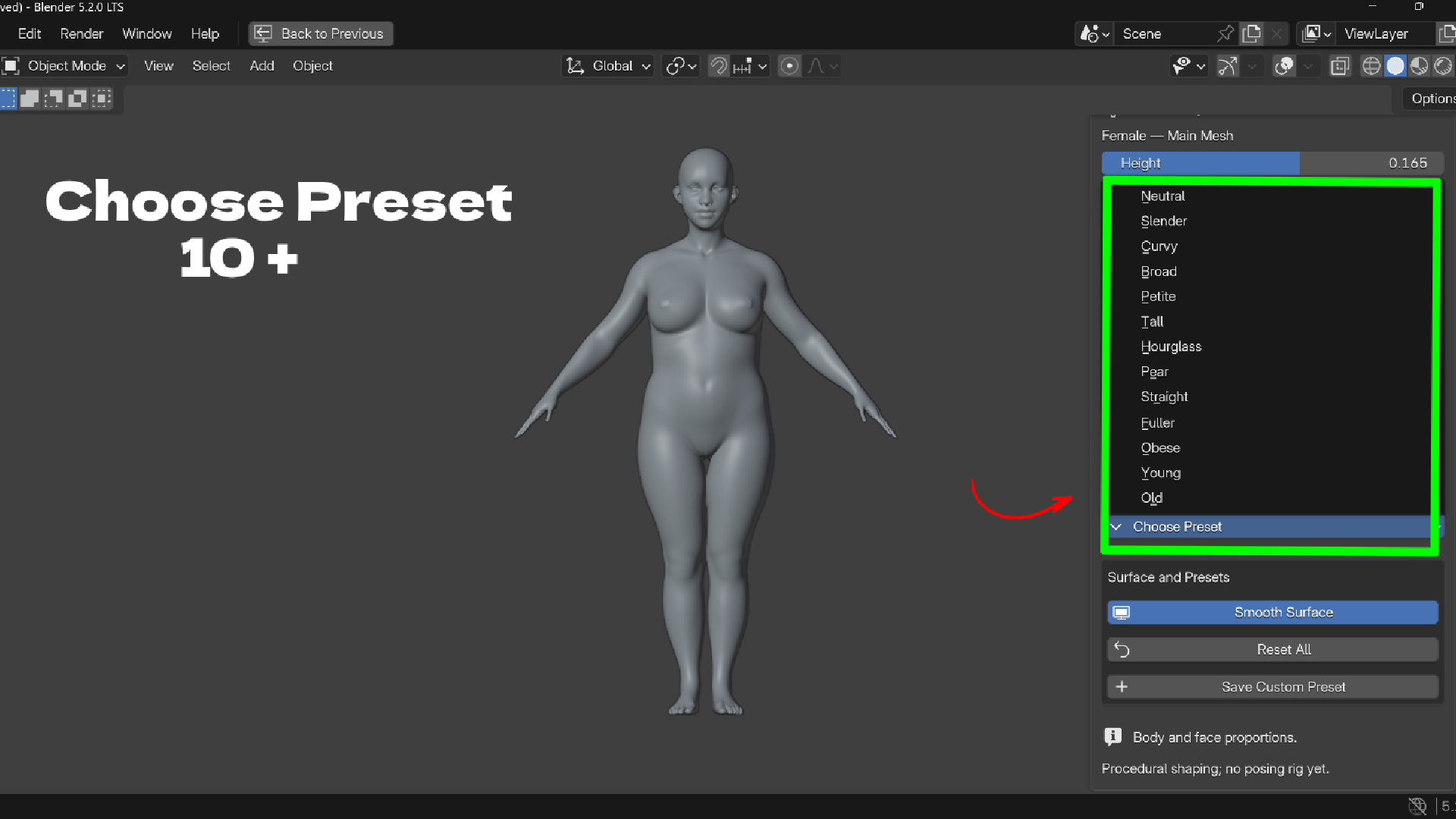
- 22 body type presets: 13 female and 9 male Starting Points.
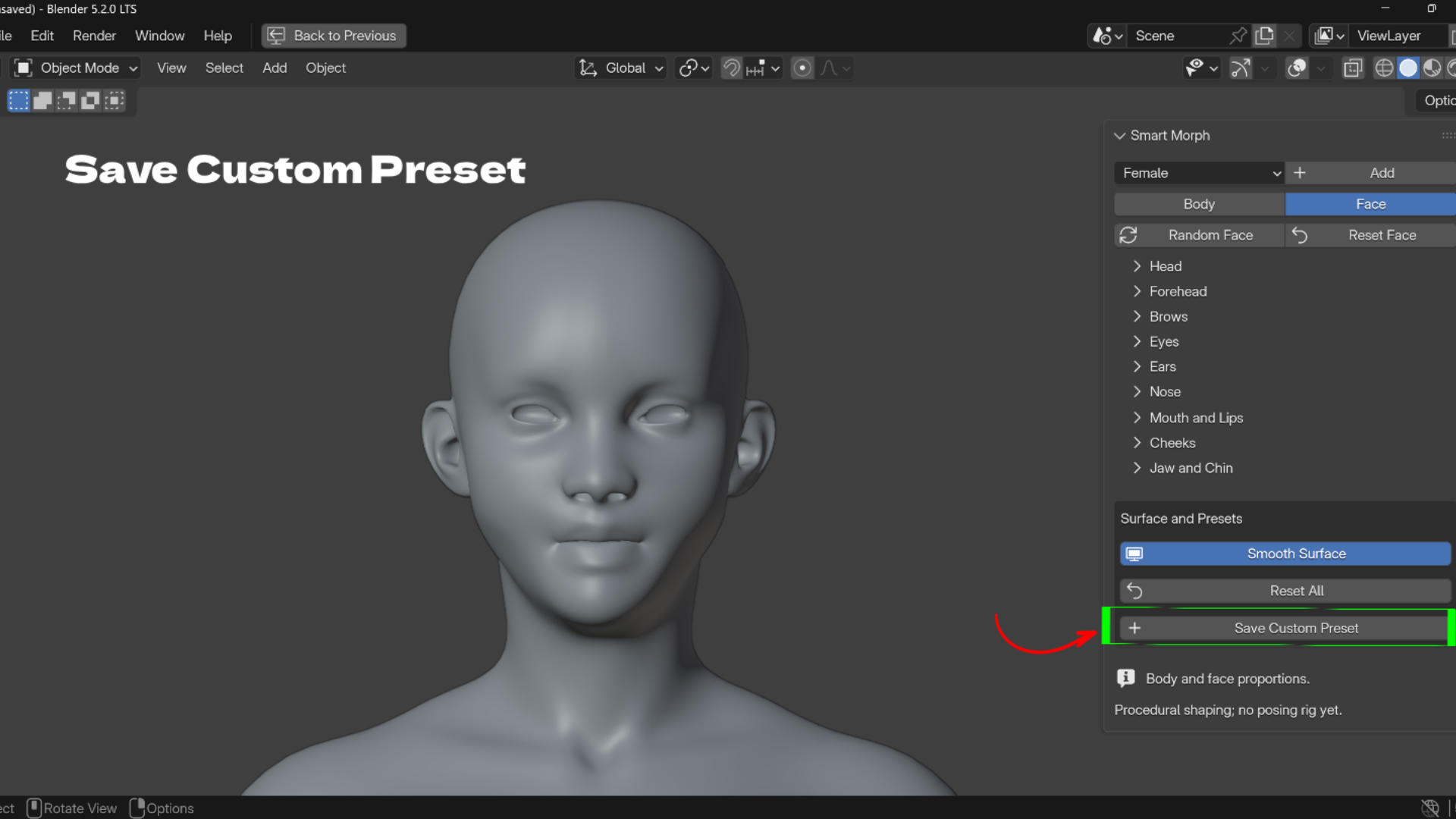
- Custom presets saved on the character: save body and face values by name, load them with one click, delete with X.
- Auto framing: clicking Body frames the full character from the front; clicking Face frames a close up.


Who It Is For
Character artists, game developers, illustrators, previs artists, clothing designers and students.
What's Included
- Smart Morph ZIP (version 1.1.0) with female, male and legacy base body assets
- User guide, README and support file
- GPL-3.0-or-later license for the code
- Blender 5.2 or newer (tested on 5.2.1 LTS, Windows)
Install
- Download Smart-Morph-1.1.0-BlenderUstad.zip. Do not extract it.
- In Blender open Edit > Preferences > Add-ons.
- Open the menu at the top right, choose Install from Disk, and select the ZIP.
- Enable Smart Morph, then press N in the 3D View and open the Smart Morph tab.
FAQ
How do I change body proportions in Blender without sculpting?
Add a Smart Morph character and drag the Body sliders. Height, limbs, torso, shoulders, waist, hips and more are already set up.
Does it include male and female base meshes?
Yes. Pick Female or Male and click Add. Each click creates a new independent character.
Can I make random faces?
Yes. Random Face creates a new face and keeps the body, transforms and presets as they are.
Is it destructive?
No. Every change is a slider value. Use Reset Face, Reset All or Blender Undo to go back.
Does it include a rig, UVs or textures?
No. Smart Morph is a proportion tool. It does not include a posing rig, facial animation, UVs, skin textures or separate eyeballs.
Demo video: https://youtu.be/u6IVoE3jygw
Support: admin@blenderustad.com
Perguntas frequentes
O que são produtos digitais?
Os produtos digitais da Skillshare são ferramentas, recursos e modelos criados por especialistas que estão disponíveis para compra. Com uma ampla gama de recursos para atender a todas as necessidades criativas, eles são acionáveis, tornando sua experiência de aprendizado real e inesquecível.
Como posso comprar um produto digital?
Qualquer pessoa pode comprar um produto digital na Skillshare — clique em Comprar agora para inserir suas informações de pagamento e concluir sua compra. Quando o pagamento for concluído, todos os arquivos estarão disponíveis para download instantaneamente nesta página. Você também receberá um e-mail com um link para baixar seu produto digital após a compra.
Há um limite para quantas vezes eu posso baixar um produto digital?
Não, não há limite para quantas vezes você pode baixar um produto digital. Mesmo que um produto seja removido pelo criador, geralmente você ainda pode acessar a página de download fazendo login na sua conta Skillshare.
Posso obter um reembolso ou cancelar minha compra de produto digital?
Os produtos digitais não são reembolsáveis e não podem ser devolvidos ou cancelados. Para saber mais, consulte nossa política de reembolso no Suporte da Skillshare.
Posso fazer e vender meus próprios produtos digitais?
Com certeza! Visite Como posso vender um produto digital na Skillshare? para saber como você pode criar, listar e vender seus próprios produtos digitais na Skillshare.