Image Trace 3D - Convert 2D Logos into 3D
1 mês de Skillshare
Disponível com a compraGrátis
Todas as assinaturas serão cobradas automaticamente de forma recorrente até serem canceladas. Se estiver qualificado para um teste gratuito, cancele antes que o teste termine para evitar cobranças. Oferta válida apenas para novos assinantes pagos. Veja os termos de serviço completos aqui.
Sobre este produto

Junaid Alam
3D Artist
What Image Trace 3D does
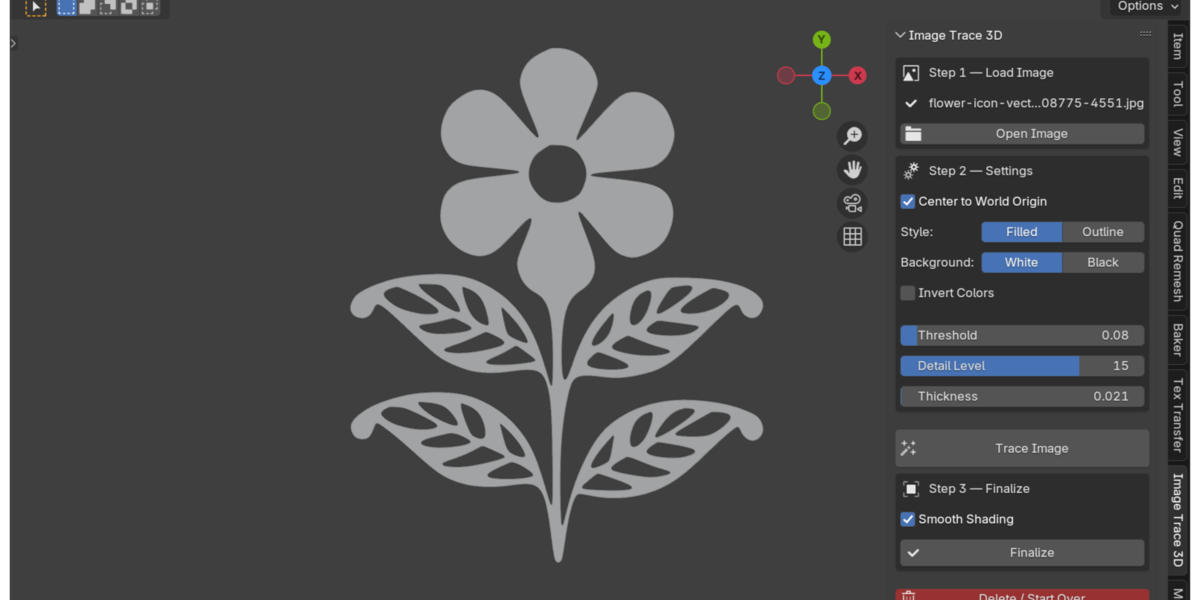
Image Trace 3D is a Blender add-on that converts a flat 2D image into a real 3D object. Load a PNG, JPG, BMP, or TGA file, click Trace Image, and the add-on traces the shape's outline and builds it as a Blender curve. From there you can extrude it into a solid filled object or keep it as a hollow outline, then finalize it into a mesh with one more click.
Everything runs inside Blender's own 3D Viewport sidebar. There is no external app to open and no file to export and re-import.
The problem it solves
Turning a logo or icon into a 3D shape usually means leaving Blender. The typical route is: open the logo in Illustrator or Inkscape, trace the bitmap, clean up the resulting paths by hand, export it as an SVG, then import that SVG back into Blender and fix the curve before you can extrude it. That is four or five steps across two programs before you even start animating.
Image Trace 3D removes that whole detour. The tracing, the curve creation, and the extrusion happen in the same window where you'll build the rest of your scene.

How it works
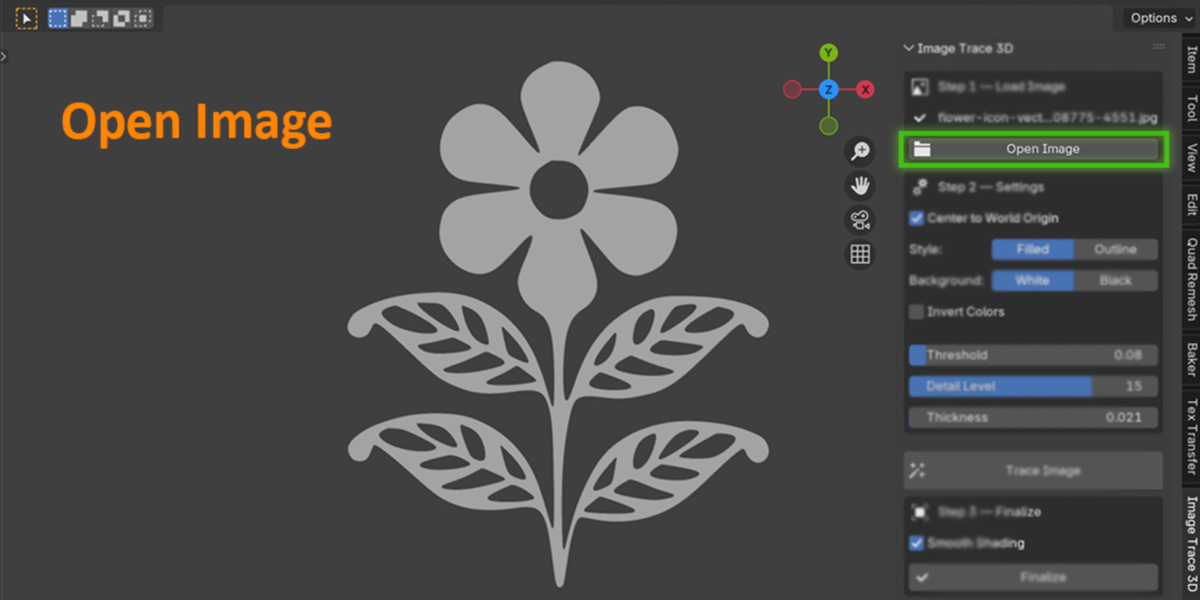
Open Image - pick a PNG, JPG, BMP, or TGA file from the sidebar.
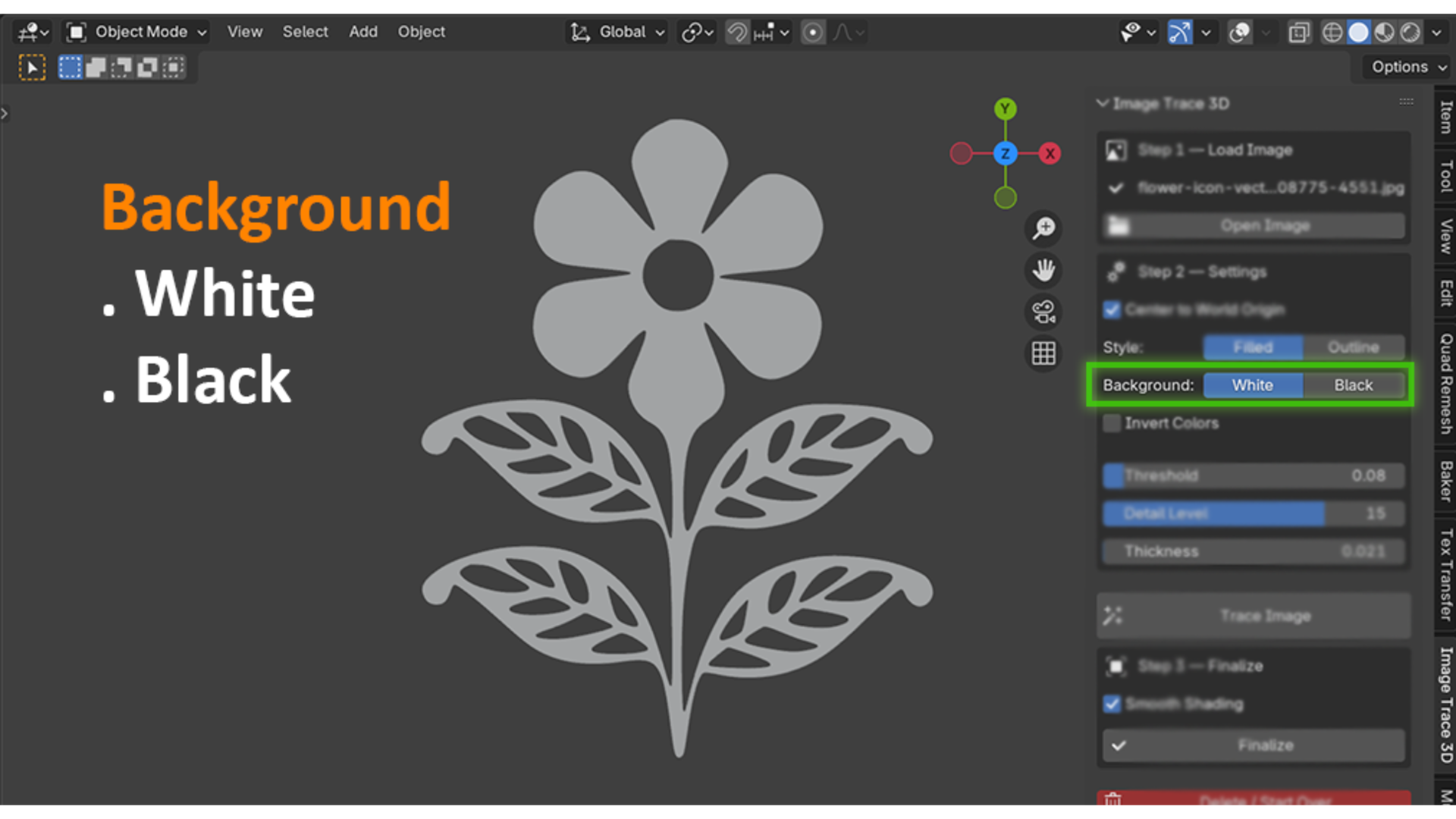
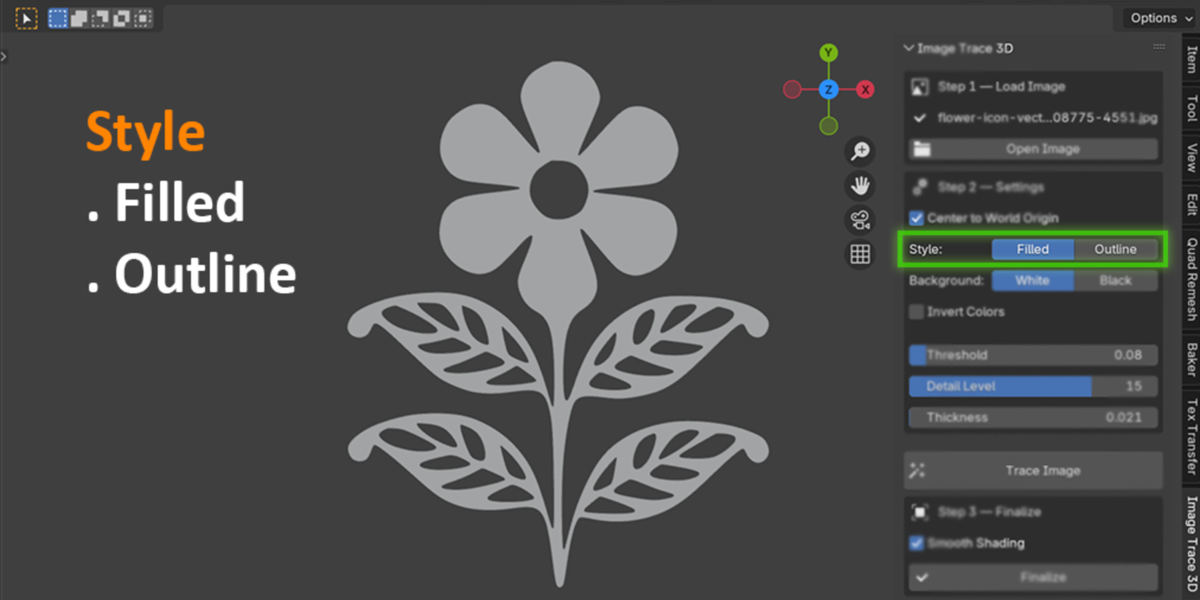
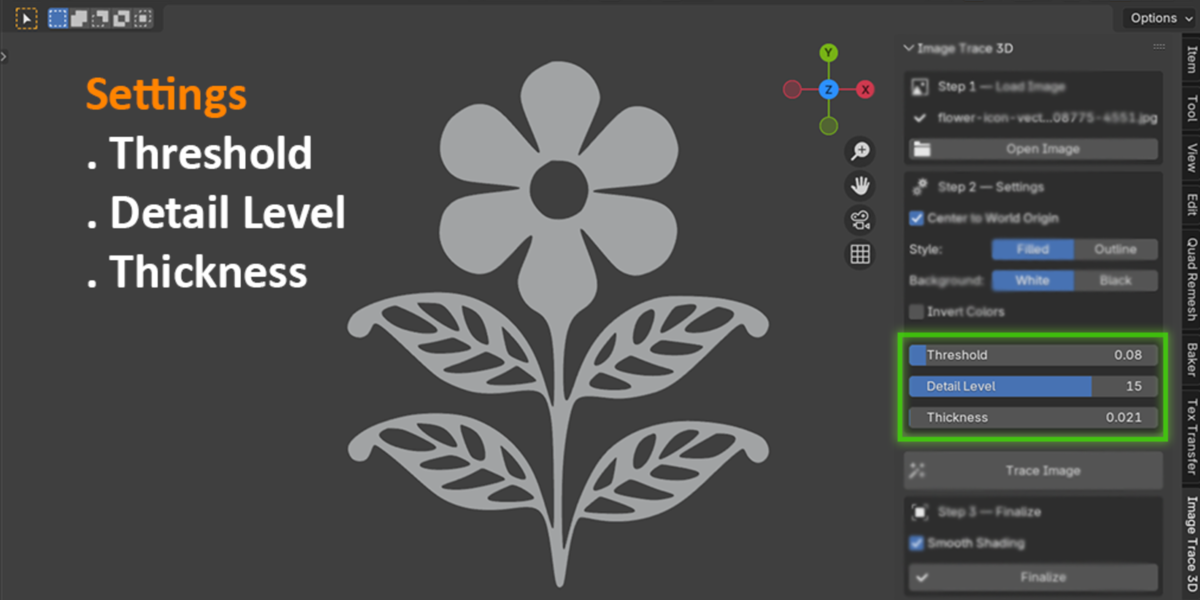
Adjust settings - choose Filled (solid 3D shape) or Outline (hollow wire shape), set the background color, and fine-tune Threshold and Detail Level until the preview shape looks clean.
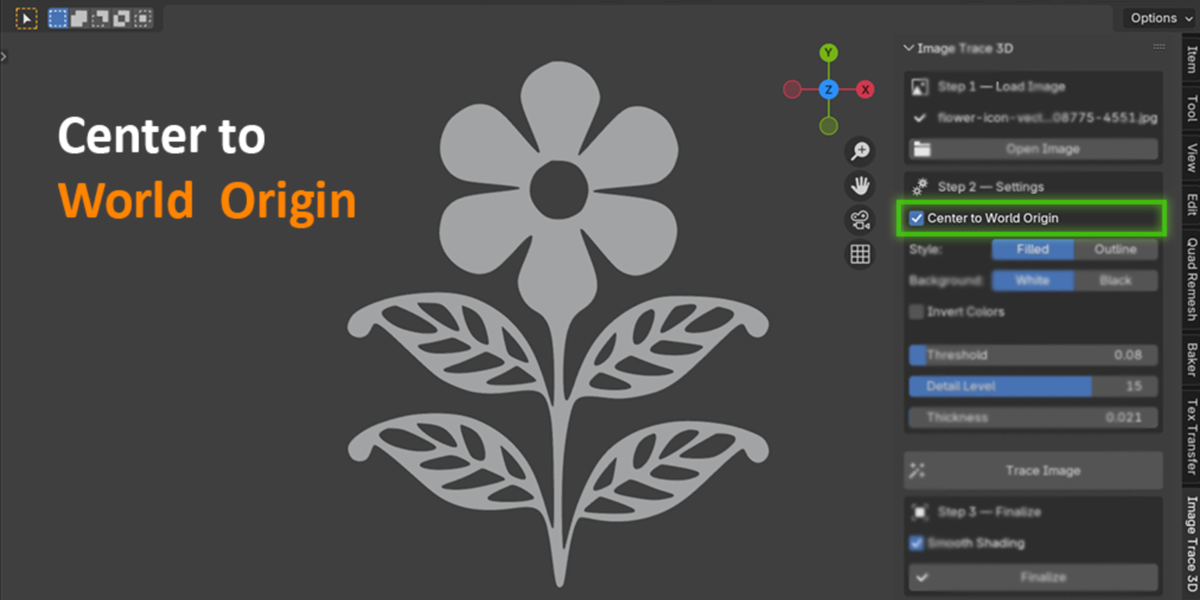
Trace Image - the add-on detects the foreground shape and builds it as a Blender curve object, automatically centered at world origin if you want.
Finalize - convert the curve to a mesh and apply smooth or flat shading, so it's ready for modifiers, booleans, or rendering.
Delete / Start Over - not happy with the result? Clear it and retrace with new settings without cluttering your scene with leftover objects.
PNGs with a transparent background are handled automatically through the alpha channel, so you don't need to set a background color for logos that already have transparency.

Who this is for
Motion designers building 3D logo reveals and channel intros
Freelancers and studios who animate client logos and need fast turnaround on revisions
Game and icon artists who need simple 3D badges, gear icons, or symbol props
Blender users who want a 3D logo without learning curve editing or vector software
Anyone who wants a scanned drawing, stamp, or icon as a quick 3D shape
Why this beats the manual workflow
Manual tracing in Blender means placing curve points by hand around every corner of a logo, which is slow and rarely symmetrical. Routing through Illustrator or Inkscape works, but it costs you a license or a second app, plus the export/import round trip every time a client asks for a small tweak. Image Trace 3D keeps the entire loop, from raster image to finished mesh, in one panel. Change the Threshold slider, click Trace again, and you have a new result in seconds.

What it's not
Image Trace 3D traces a single foreground shape against a background. It's built for logos, icons, and flat silhouette artwork, not full-color vector conversion of photographs. If you need separate colored regions like Illustrator's Image Trace produces, this add-on won't split those out. It works best on clean, high-contrast source images.
Technical notes
Built on Blender's own Python and numpy, both of which ship with Blender. Nothing extra to install.
Works fully offline. Nothing is uploaded anywhere, which matters if you're tracing an unreleased client logo.
Compatible with Blender 3.0 and later.
Once finalized to a mesh, the object is a normal Blender mesh, so it works with every standard export format Blender supports (OBJ, FBX, STL, glTF, and so on).

Perguntas frequentes
O que são produtos digitais?
Os produtos digitais da Skillshare são ferramentas, recursos e modelos criados por especialistas que estão disponíveis para compra. Com uma ampla gama de recursos para atender a todas as necessidades criativas, eles são acionáveis, tornando sua experiência de aprendizado real e inesquecível.
Como posso comprar um produto digital?
Qualquer pessoa pode comprar um produto digital na Skillshare — clique em Comprar agora para inserir suas informações de pagamento e concluir sua compra. Quando o pagamento for concluído, todos os arquivos estarão disponíveis para download instantaneamente nesta página. Você também receberá um e-mail com um link para baixar seu produto digital após a compra.
Há um limite para quantas vezes eu posso baixar um produto digital?
Não, não há limite para quantas vezes você pode baixar um produto digital. Mesmo que um produto seja removido pelo criador, geralmente você ainda pode acessar a página de download fazendo login na sua conta Skillshare.
Posso obter um reembolso ou cancelar minha compra de produto digital?
Os produtos digitais não são reembolsáveis e não podem ser devolvidos ou cancelados. Para saber mais, consulte nossa política de reembolso no Suporte da Skillshare.
Posso fazer e vender meus próprios produtos digitais?
Com certeza! Visite Como posso vender um produto digital na Skillshare? para saber como você pode criar, listar e vender seus próprios produtos digitais na Skillshare.