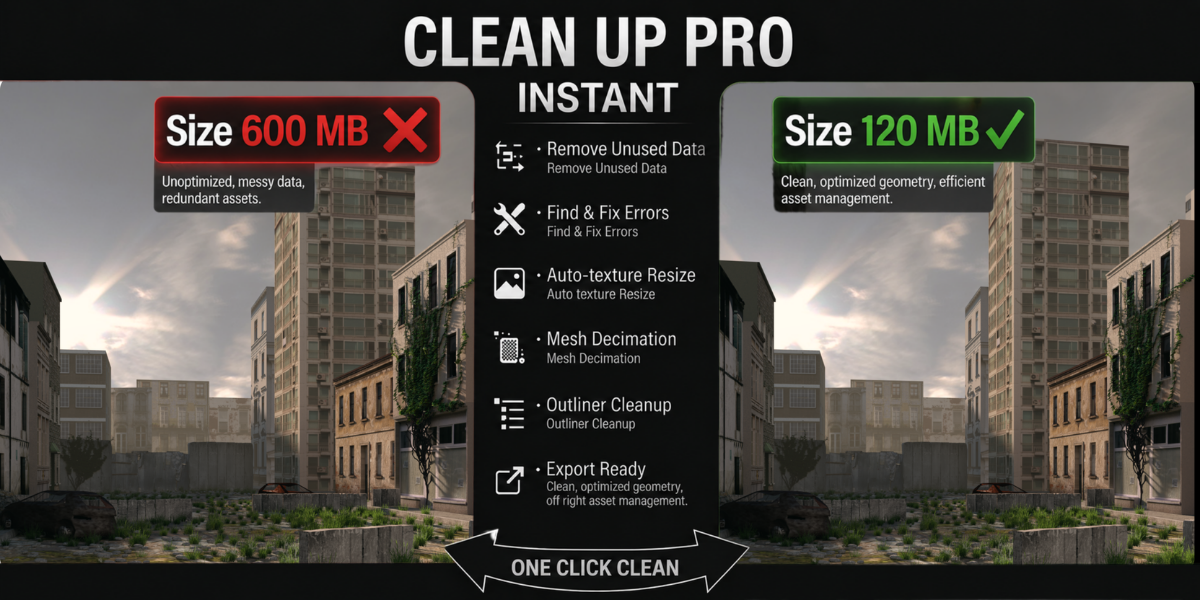
Clean Up Pro - One-Click Scene Cleanup, Texture
1 mês de Skillshare
Disponível com a compraGrátis
Todas as assinaturas serão cobradas automaticamente de forma recorrente até serem canceladas. Se estiver qualificado para um teste gratuito, cancele antes que o teste termine para evitar cobranças. Oferta válida apenas para novos assinantes pagos. Veja os termos de serviço completos aqui.
Sobre este produto

Junaid Alam
3D Artist
Clean Up Pro - The Scene-Ready Toolkit Every Blender Artist Needs
Every professional 3D workflow hits the same wall before delivery: a bloated .blend file riddled with orphaned meshes, Wood.001 through Wood.047 duplicate materials, broken texture paths, wrong colorspaces, and a render subdivision stack that would choke a workstation. You built something great, you should not spend hours cleaning it up by hand.
Clean Up Pro eliminates that entire phase in one click.
Packed into a clean, collapsible sidebar panel (N > Clean Up Pro), five purpose-built modules handle every "get this scene ready" task automatically and give you a clear results log every time so you always know exactly what changed.
What's Inside
Cleanup - Purge, Fix and Consolidate
The engine room of the addon. One button triggers a full sweep:
Purge unused data - removes zero-user images, materials, meshes, node groups, textures, actions, worlds, curves, and armatures. Frees real RAM and shrinks file size, reported in MB.
Fix broken texture links - scans every image path in the scene, then walks your project directory to auto-relink files that have moved. What cannot be auto-fixed is flagged by name so you know exactly what still needs attention.
Pack external textures - embeds all found textures directly into the .blend for a truly portable, self-contained file, critical before sending assets to a client or collaborator.
Merge duplicate materials - collapses Wood.001, Wood.002, Wood.047 back into Wood across every mesh slot and removes the dead duplicates. Clean material libraries. Every time.
Textures - Downscale, Colorspace and Collect
Texture chaos is one of the most common performance killers in complex Blender scenes. This module fixes it automatically:
Downscale oversized images - caps any image exceeding your chosen max resolution (e.g. 2K, 4K), preventing accidental 8K textures from tanking viewport and render performance.
Auto-fix colorspaces - traces node graph connections to determine whether each texture should be sRGB or Non-Color, then corrects it. No more washed-out normals or blown-out roughness maps from a wrong colorspace setting.
Collect textures - gathers all external textures into a single organized /textures folder so your asset directory is always clean and portable.
Export Ready - Validate, Checklist and Batch Export
Built for artists delivering assets to Unity, Unreal Engine, or Godot. This is where the real production value lives:


Apply transforms - applies location, rotation, and scale to all selected objects before export. A step that breaks game engine rigs when skipped.
Fix geometry - removes double vertices, recalculates normals, and catches zero-area faces that silently corrupt meshes in downstream tools.
9-point export checklist - automatically validates your scene against nine critical export conditions. The FBX export button stays locked until every check passes, no more shipping broken assets by accident.
Batch export to FBX / OBJ / glTF - exports with correct axis presets per engine (Unity, Unreal, Godot), each object written to its own Name/Name.ext folder structure.
Three texture-handling modes - embed textures inside the file (self-contained .fbx/.glb), copy to a textures/ subfolder, or export geometry only.
Scene Health - Names, Visibility and Libraries
Clean scenes are maintainable scenes:
Batch rename - find/replace across all object names, or add a prefix/suffix in one action. Rename 200 objects in seconds.
Strip special characters - sanitizes names that contain symbols breaking game engines, export scripts, or pipeline tools.
Enable all for render / unhide all - instantly restore visibility on objects accidentally hidden mid-session.
Check missing linked libraries - surfaces broken .blend library links before they cause missing geometry in renders.
Performance - Subdivision, Scene Weight and File Size
For artists working with complex, high-poly scenes:
Cap excessive subdivision - camera-distance aware: automatically reduces render subdivision levels when they exceed safe thresholds, scaled by how far an object is from the active camera. Objects far from camera do not need render-level 6.
Scene weight report - ranks the top 5 heaviest objects by polygon count, texture memory, and modifier stack. Know exactly where your scene budget is going.
Live file size estimate - get a real-time estimate of final export size before you commit to the operation.
Perguntas frequentes
O que são produtos digitais?
Os produtos digitais da Skillshare são ferramentas, recursos e modelos criados por especialistas que estão disponíveis para compra. Com uma ampla gama de recursos para atender a todas as necessidades criativas, eles são acionáveis, tornando sua experiência de aprendizado real e inesquecível.
Como posso comprar um produto digital?
Qualquer pessoa pode comprar um produto digital na Skillshare — clique em Comprar agora para inserir suas informações de pagamento e concluir sua compra. Quando o pagamento for concluído, todos os arquivos estarão disponíveis para download instantaneamente nesta página. Você também receberá um e-mail com um link para baixar seu produto digital após a compra.
Há um limite para quantas vezes eu posso baixar um produto digital?
Não, não há limite para quantas vezes você pode baixar um produto digital. Mesmo que um produto seja removido pelo criador, geralmente você ainda pode acessar a página de download fazendo login na sua conta Skillshare.
Posso obter um reembolso ou cancelar minha compra de produto digital?
Os produtos digitais não são reembolsáveis e não podem ser devolvidos ou cancelados. Para saber mais, consulte nossa política de reembolso no Suporte da Skillshare.
Posso fazer e vender meus próprios produtos digitais?
Com certeza! Visite Como posso vender um produto digital na Skillshare? para saber como você pode criar, listar e vender seus próprios produtos digitais na Skillshare.