B-Skin - Wrap Base Mesh Topology onto Scans
1 mês de Skillshare
Disponível com a compraGrátis
Todas as assinaturas serão cobradas automaticamente de forma recorrente até serem canceladas. Se estiver qualificado para um teste gratuito, cancele antes que o teste termine para evitar cobranças. Oferta válida apenas para novos assinantes pagos. Veja os termos de serviço completos aqui.
Sobre este produto

Junaid Alam
3D Artist
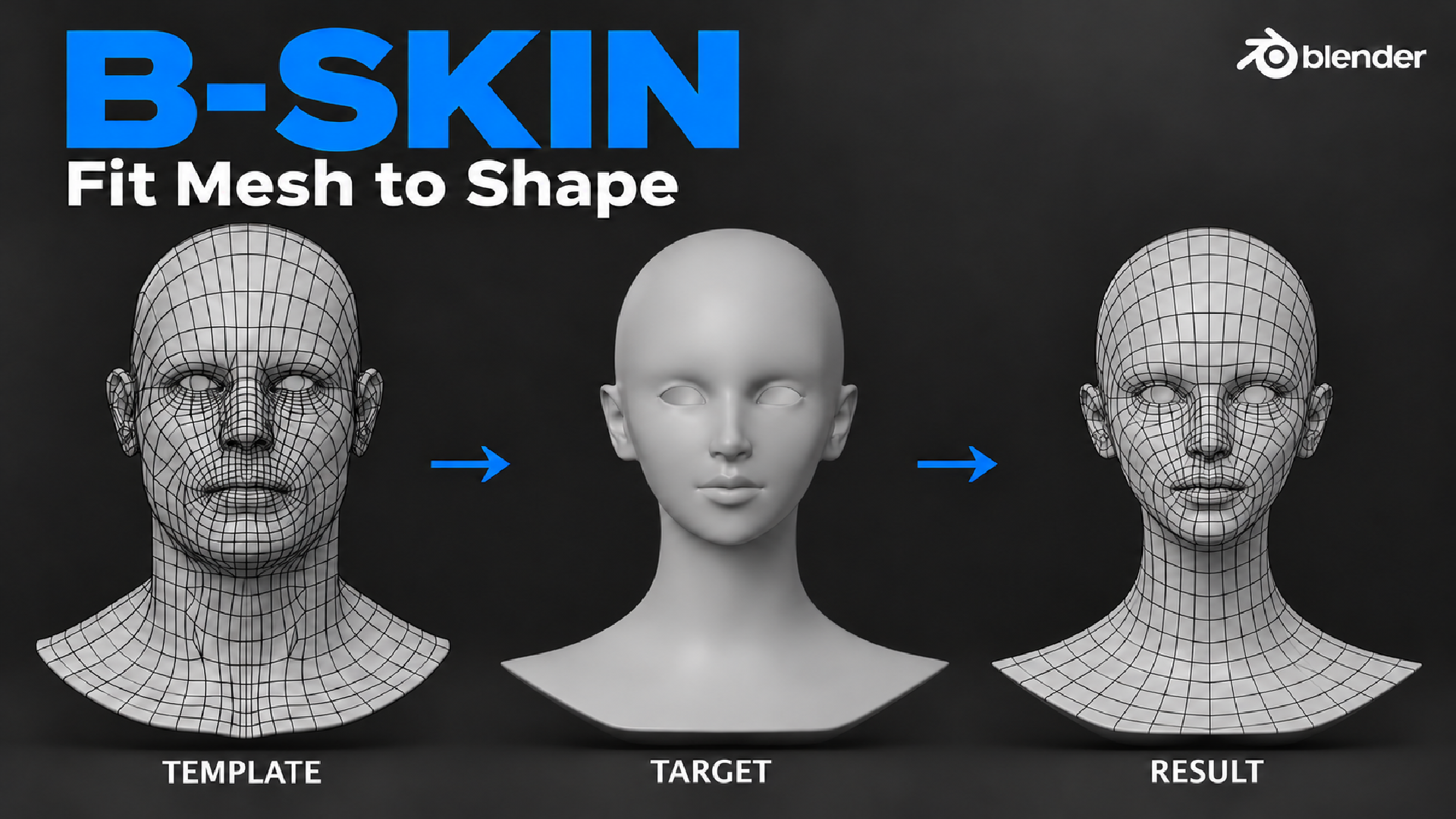
Wrap your clean base mesh onto any 3D scan or sculpt in Blender, and keep its topology, UVs and vertex groups.
The problem
You have a clean head or body with good edge loops, UVs and vertex groups. Then a new sculpt or 3D scan arrives, and you are back to retopology. Shrinkwrap pulls the mesh onto the surface, but eyes, lips and ears slide to the wrong place.
The solution
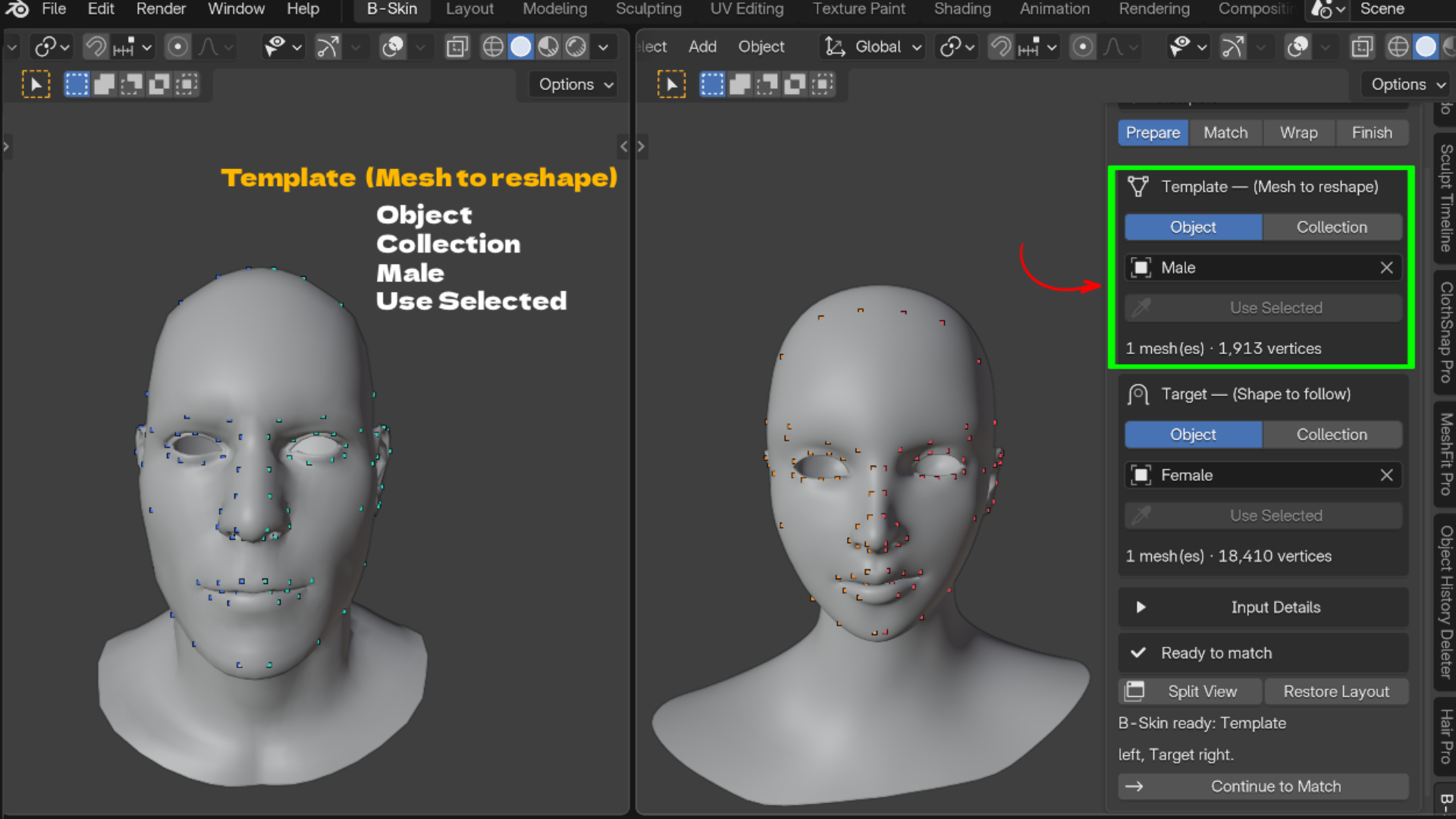
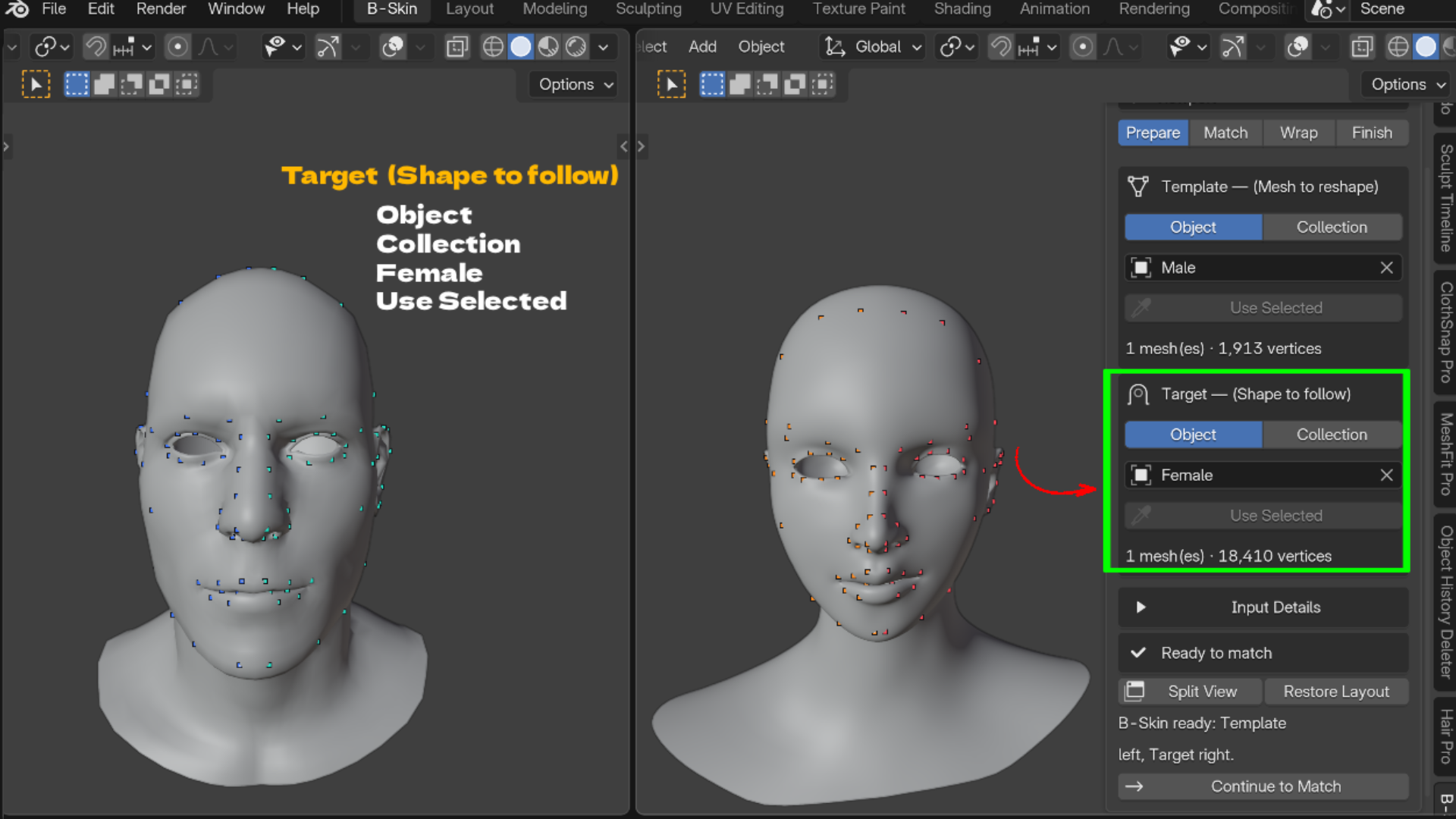
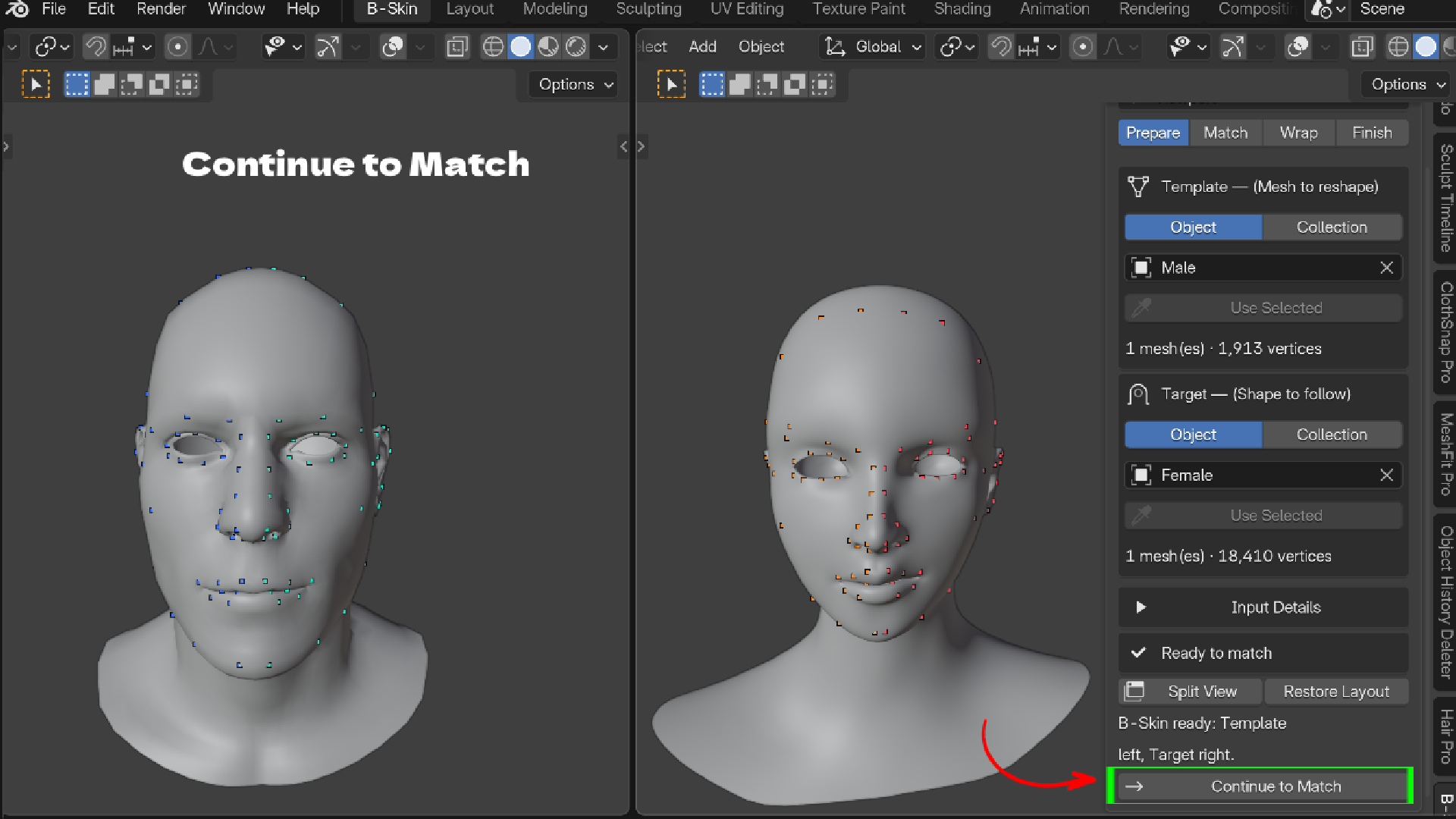
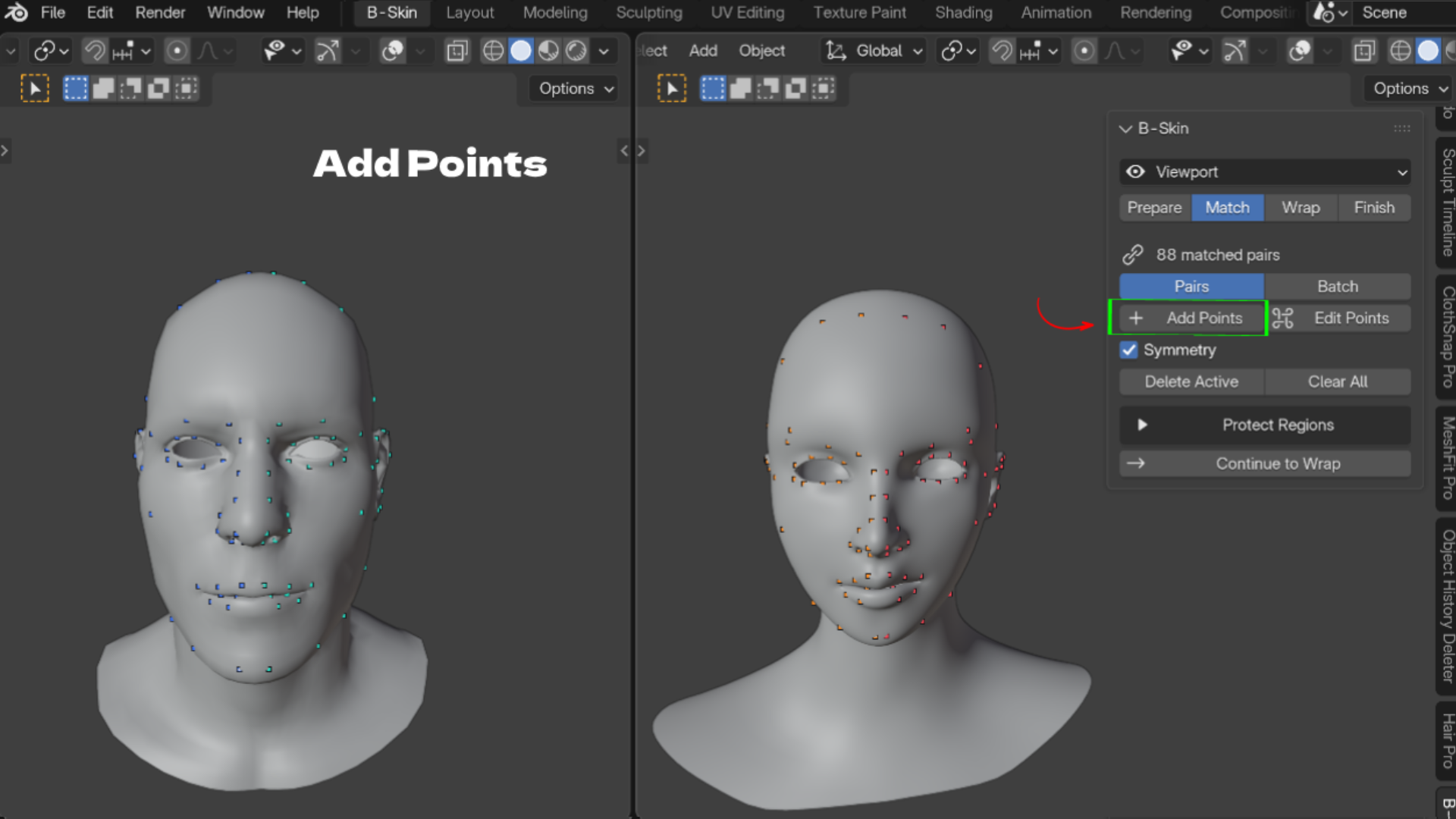
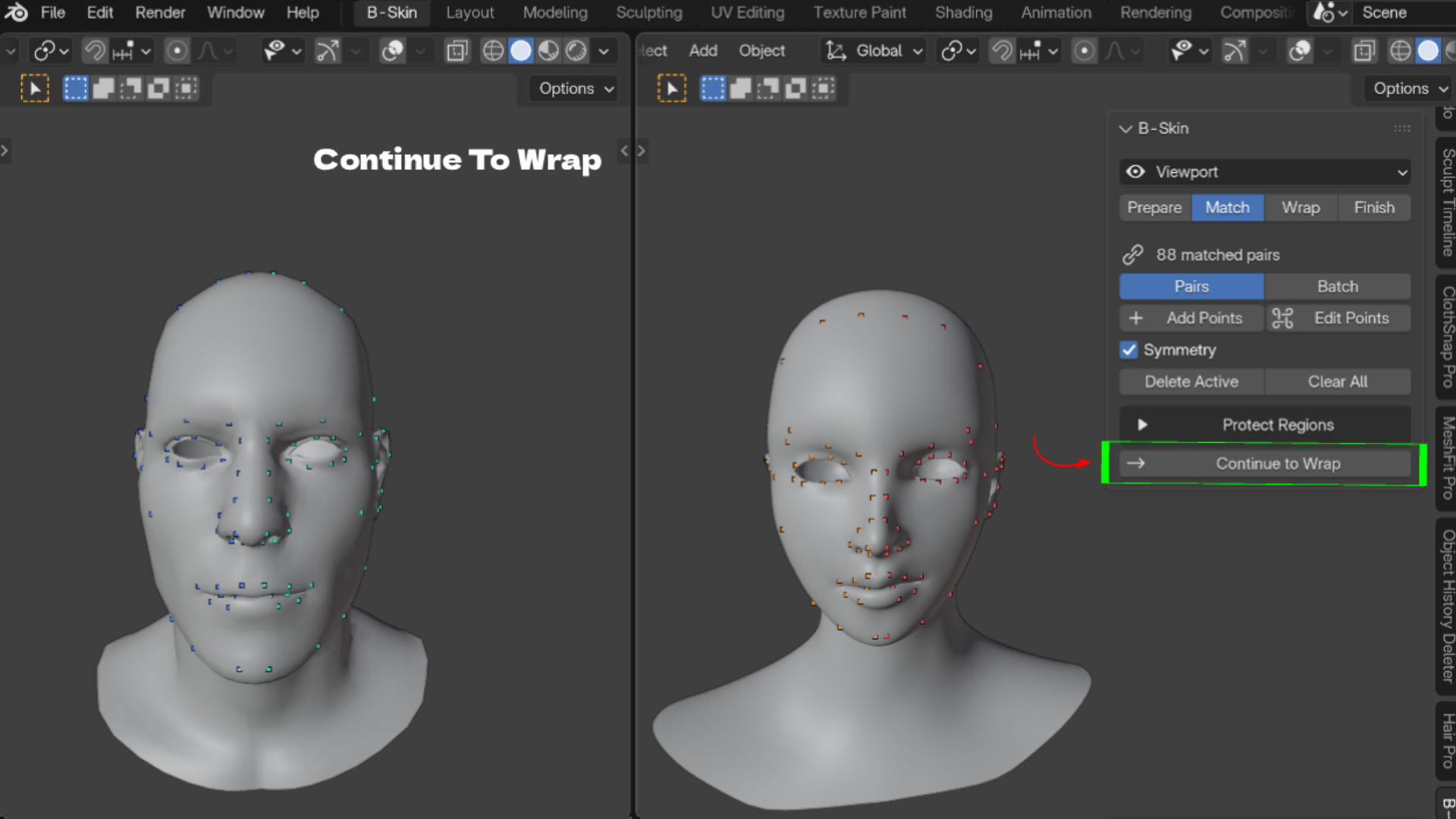
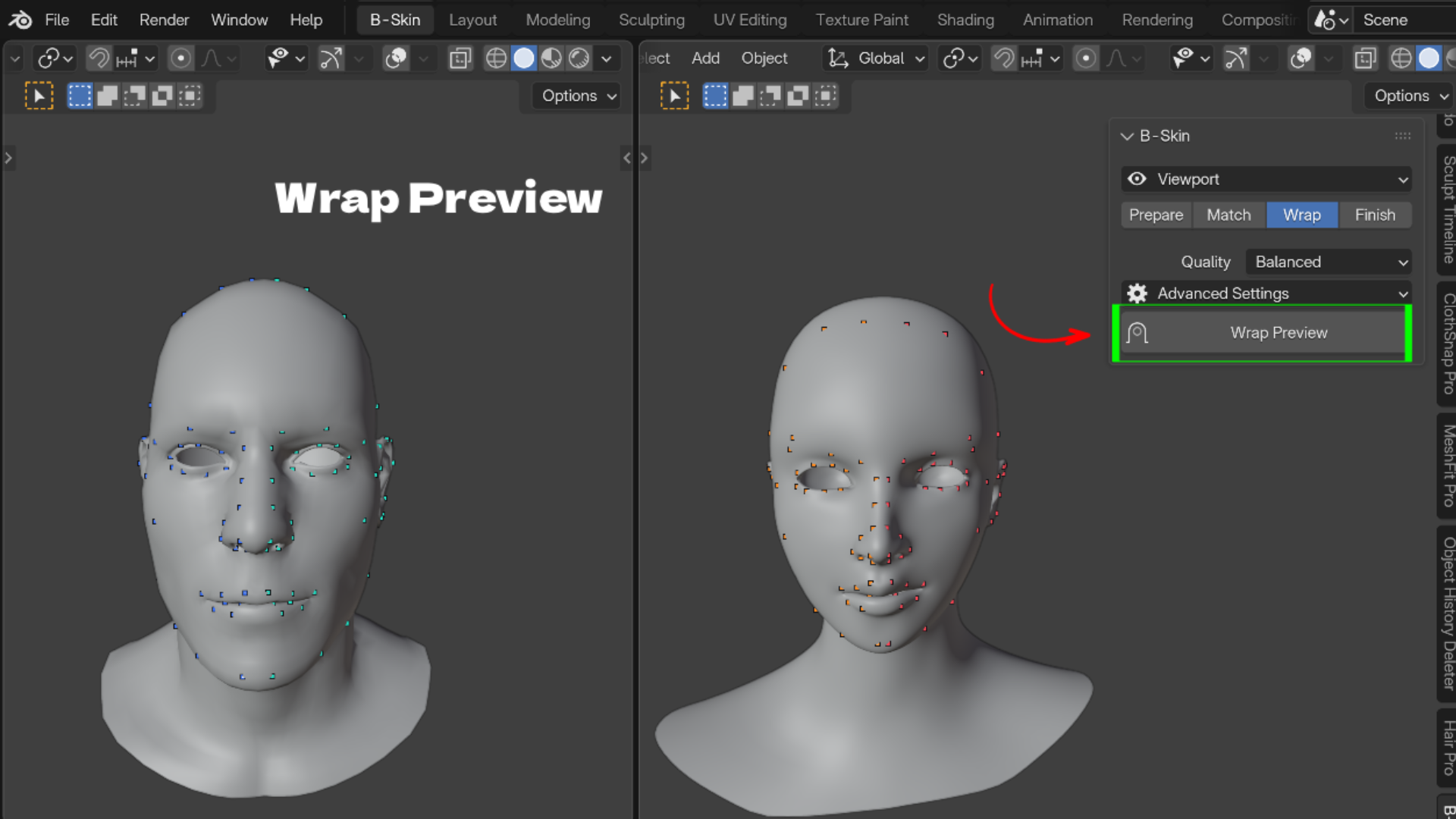
B-Skin reshapes your existing mesh (the Template) to follow another mesh (the Target). The Template keeps its vertex count, vertex order, UVs, vertex groups and materials. Only the shape changes. Everything happens in the 3D Viewport sidebar in four steps: Prepare, Match, Wrap, Finish.
Key Features
- Landmark point pairs: click the nose tip, mouth and eye corners on both meshes, one pair at a time or in batches. Features land where they belong.
- Symmetry and Loop Guides: mirror and center points, and turn edge loops into evenly spaced pairs. Half the clicking on symmetrical characters.
- Object or Collection inputs: wrap heads with separate eyes, teeth or clothing parts. Keep Seams Together stops parts splitting apart.
- Protect Regions: Keep in Place, Preserve Local Shape and Ignore Target Surface vertex groups, plus Detect Interior for mouth bags and eye sockets.
- Quality presets: Fast, Balanced and Best, with advanced Alignment, Surface Matching and Detail Preservation settings.
- Editable Wrap Preview: a Result Blend slider to compare before and after. Nothing is applied until you finish.
- Refine brushes: Move Surface, Smooth and Move Landmarks with symmetry and per stroke undo.
- Texture transfer: bake Texture, Vertex Color, Normal Map or Cavity from the scan onto your UVs, up to 8192 pixels.
- Save and load points: reuse point sets as presets for the next scan.
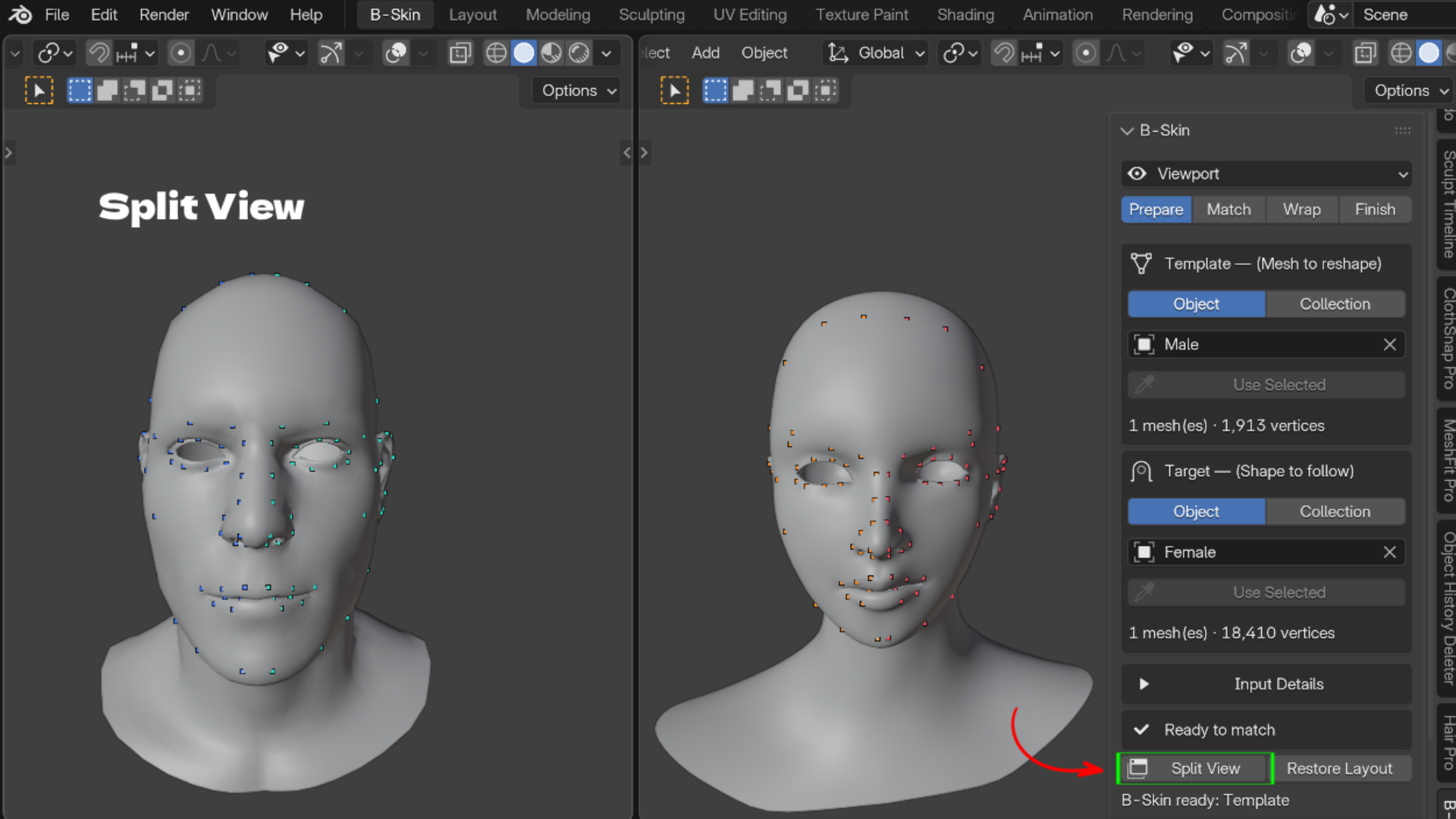
- Split View and Sync Views: Template and Target side by side with mirrored navigation.
Who It Is For
- Character artists fitting one base mesh to many sculpts
- Scan artists turning photogrammetry into clean, animation ready topology
- Game artists who need every head variant to share the same UVs and vertex order
- Stylized artists pushing a base mesh into cartoon shapes
What's Included
- B-Skin 1.5.0 add-on ZIP (Blender extension format)
- README, TUTORIAL and WORKFLOW docs inside the ZIP
- Blender 4.2 or newer. License: GPL-3.0-or-later
Install
- Download the ZIP. Do not unzip it.
- In Blender open Edit > Preferences > Get Extensions, open the top right menu and choose Install from Disk.
- Select the ZIP, then press N in the 3D Viewport and open the B-Skin tab.
FAQ
Does it keep my UVs, vertex order and vertex groups?
Yes. Only vertex positions change.
Is it destructive?
No. The wrap is an editable preview, and Create Copy leaves the original Template untouched.
Can I wrap onto a stylized or cartoon sculpt?
Yes. Use more landmark pairs and try Progressive Elasticity for large shape changes.
Does it retarget rigs or facial expressions?
No. B-Skin fits the neutral mesh only.
How do I get support?
Email admin@blenderustad.com or visit blenderustad.com.
Perguntas frequentes
O que são produtos digitais?
Os produtos digitais da Skillshare são ferramentas, recursos e modelos criados por especialistas que estão disponíveis para compra. Com uma ampla gama de recursos para atender a todas as necessidades criativas, eles são acionáveis, tornando sua experiência de aprendizado real e inesquecível.
Como posso comprar um produto digital?
Qualquer pessoa pode comprar um produto digital na Skillshare — clique em Comprar agora para inserir suas informações de pagamento e concluir sua compra. Quando o pagamento for concluído, todos os arquivos estarão disponíveis para download instantaneamente nesta página. Você também receberá um e-mail com um link para baixar seu produto digital após a compra.
Há um limite para quantas vezes eu posso baixar um produto digital?
Não, não há limite para quantas vezes você pode baixar um produto digital. Mesmo que um produto seja removido pelo criador, geralmente você ainda pode acessar a página de download fazendo login na sua conta Skillshare.
Posso obter um reembolso ou cancelar minha compra de produto digital?
Os produtos digitais não são reembolsáveis e não podem ser devolvidos ou cancelados. Para saber mais, consulte nossa política de reembolso no Suporte da Skillshare.
Posso fazer e vender meus próprios produtos digitais?
Com certeza! Visite Como posso vender um produto digital na Skillshare? para saber como você pode criar, listar e vender seus próprios produtos digitais na Skillshare.